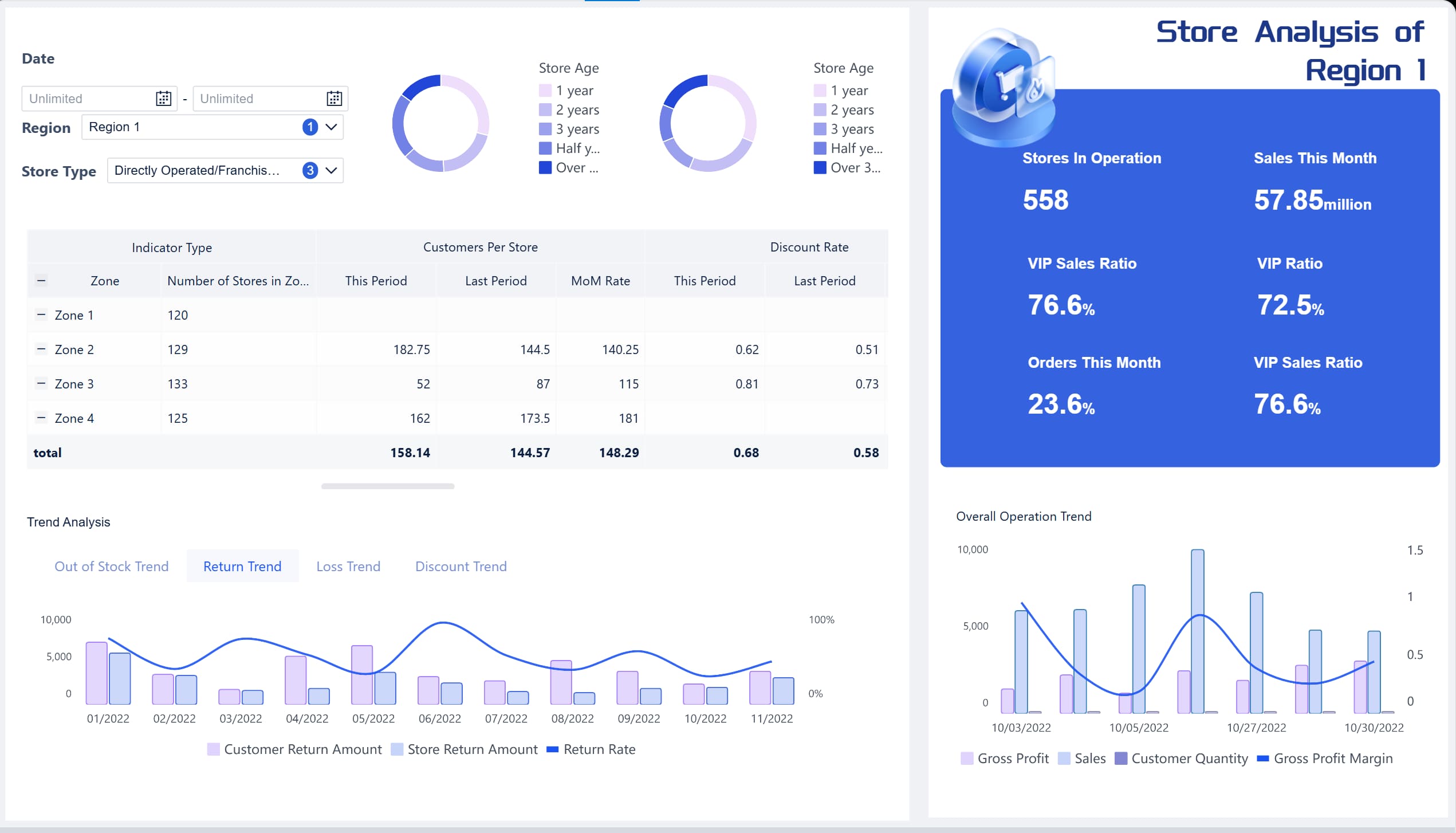
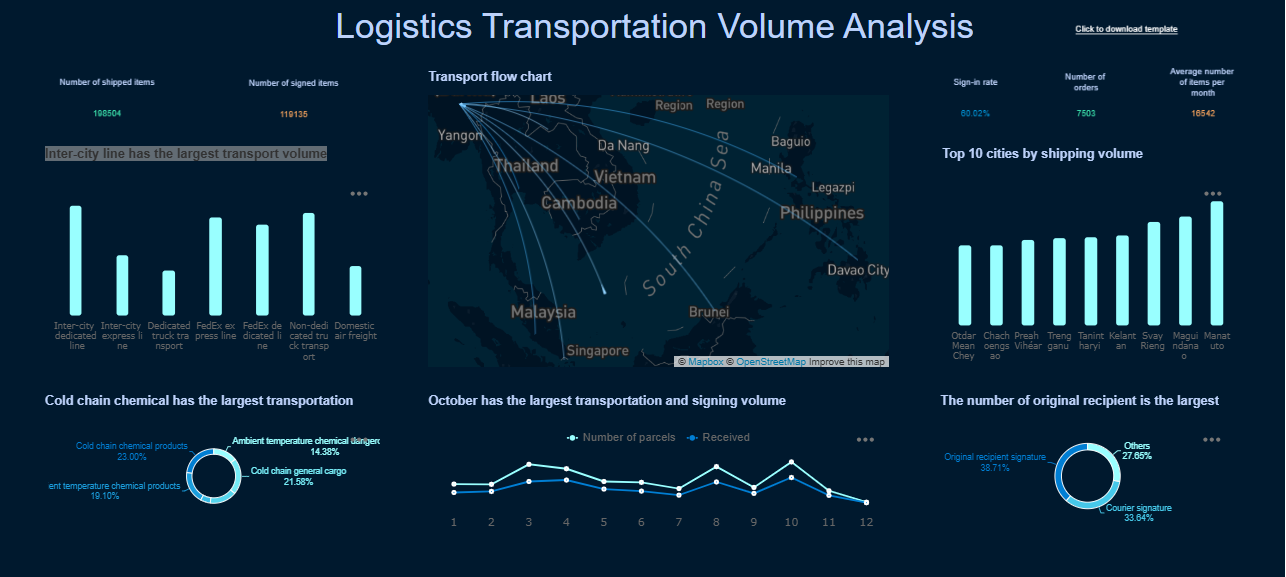
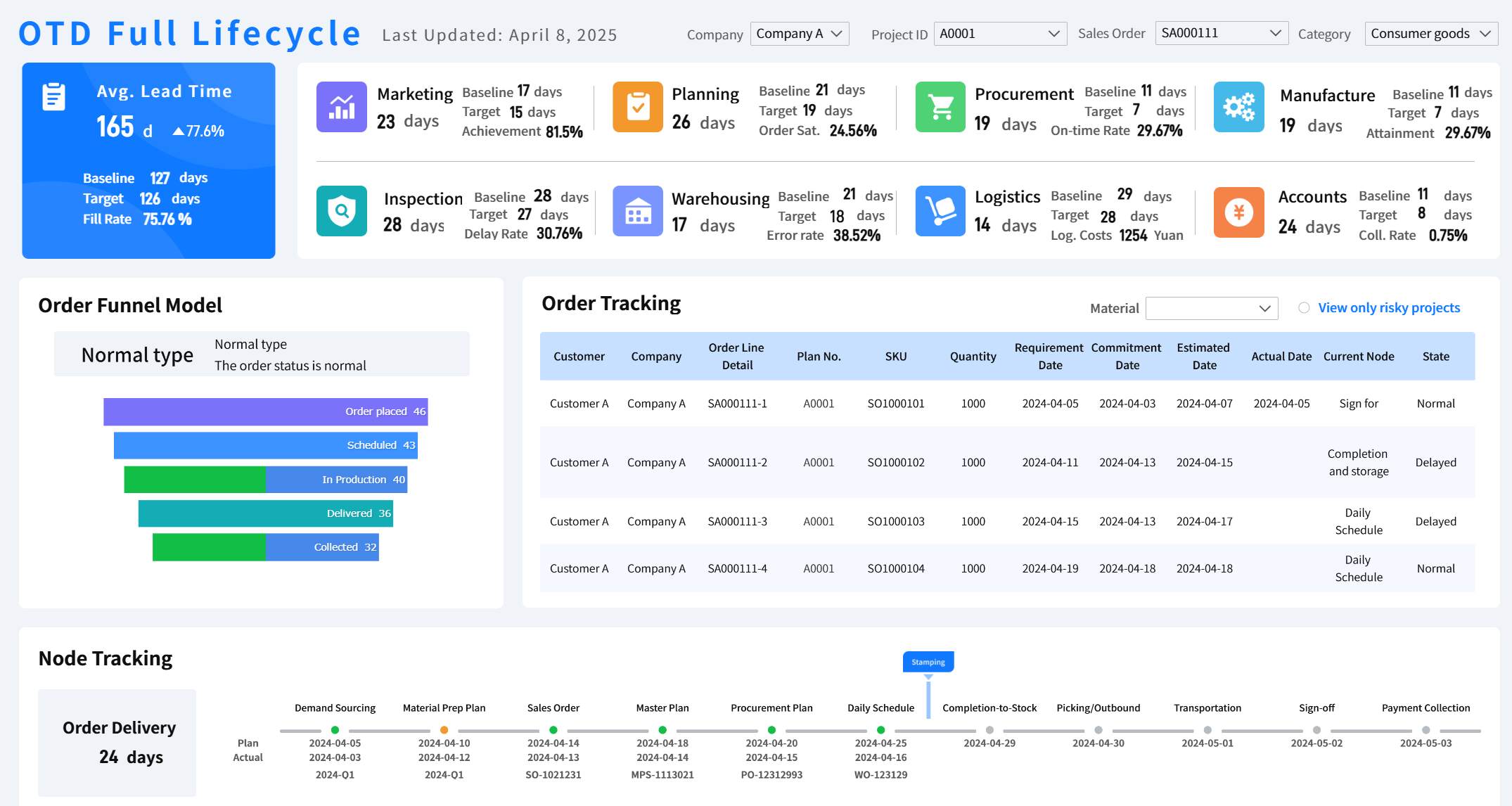
If you run delivery operations, delays rarely start with the customer complaint. They start earlier: orders waiting too long to be accepted, drivers not assigned fast enough, pickup timing drifting, or deliveries sitting in a stalled status with no one intervening. A well-used chowbus dashboard helps store managers, dispatch leads, and operations teams catch those problems while service is still recoverable.
The business value is simple: real-time visibility reduces missed handoffs, improves on-time performance, and gives teams a faster path from issue detection to action. Instead of reacting after service fails, managers can monitor the live flow of orders, preparation, dispatch, and delivery in one operational view.
All dashboards in this article were generated by FineBI.
A chowbus dashboard typically brings together the live signals that matter most in delivery operations:
Incoming order volume
Order status changes
Kitchen preparation progress
Driver assignment status
Pickup timing
In-transit delivery progress
Late or exception-based orders
This single view is especially valuable for:
Store managers who need to keep kitchen and pickup flow moving
Operations teams responsible for service levels across shifts or locations
Dispatch coordinators who need to identify unassigned or delayed deliveries quickly
Regional leaders tracking consistency, peak-hour pressure, and recurring bottlenecks
What can you realistically monitor and improve from the dashboard? In most delivery environments, teams use it to answer five critical questions fast:
Are new orders entering the workflow smoothly?
Is the kitchen keeping pace with order demand?
Are drivers being assigned on time?
Are pickups and handoffs happening without buildup?
Which deliveries are likely to become customer issues if no action is taken?
Key Metrics (KPIs) to Monitor
For enterprise operations teams, these are the core metrics a dashboard should surface clearly:
Order Intake Volume: Number of new orders received in a given time window. Useful for spotting rushes and forecasting queue pressure.
Order Acceptance Time: Time from order creation to acceptance. Rising times may indicate staffing or workflow friction.
Preparation Time: Time needed to move an order from accepted to ready. Helps assess kitchen throughput.
Driver Assignment Rate: Percentage of orders assigned to drivers within target time. A core dispatch health metric.
Pickup Wait Time: Time between order readiness and actual pickup. Long waits often signal mismatched prep and dispatch timing.
Delivery Transit Time: Time from pickup to drop-off. Helps isolate routing, traffic, or driver availability issues.
On-Time Delivery Rate: Share of completed deliveries arriving within service-level expectations.
Exception Rate: Percentage of orders marked late, stalled, canceled, or otherwise problematic.
Peak-Hour Throughput: Order handling capacity during rush periods. Critical for staffing and operational planning.
Recovery Response Time: Time taken to intervene after an order becomes at risk. A strong indicator of operational discipline.
These metrics turn a dashboard from a passive reporting screen into an active control center.
1. Track Incoming Orders in Real Time
The first operational use case of a chowbus dashboard is simple but essential: monitor demand as it arrives. If teams do not see changes in order flow quickly, every downstream function gets harder.
Watch new, accepted, and delayed orders
Real-time order tracking allows managers to see how many orders are:
Newly placed
Accepted and in progress
Delayed or overdue at the current stage
This matters because order flow is rarely steady. A lunch spike, weather event, local promotion, or staffing shortage can change throughput in minutes. By watching these status changes live, teams can identify whether the kitchen or dispatch queue is starting to fall behind.
Operational warning signs include:
A sudden rise in new orders without matching acceptance activity
Too many accepted orders remaining stagnant before preparation
Delayed statuses clustering during peak windows
Backlogs forming faster than teams can clear them
When managers catch these patterns early, they can rebalance labor, adjust prep sequencing, or escalate dispatch support before service deteriorates.
Use live order updates to prioritize action
Live order updates are only useful if they drive action. In practice, staff should use the dashboard to prioritize urgent cases first:
Review orders that have entered a delayed or exception-prone state
Identify high-risk handoffs, such as orders waiting too long before prep or pickup
Re-sequence work if premium, scheduled, or aging orders need faster handling
Coordinate with front-of-house, kitchen, and dispatch teams in real time
This kind of visibility supports smoother handoffs between teams. Kitchen staff know what needs to move first. Dispatch sees which orders are about to become time sensitive. Managers can intervene before multiple small delays compound into missed delivery promises.
2. Monitor Driver Assignment and Dispatch Status
Many delivery failures are not caused by food preparation. They happen because a completed order sits idle, waiting for a driver. That is why driver assignment is one of the most important views in any chowbus dashboard.
See which orders are waiting for drivers
A dashboard should make it easy to identify orders that are:
Ready but unassigned
Accepted but not yet matched to a driver
Waiting beyond normal dispatch thresholds
These unassigned deliveries are an early warning sign, especially during peak hours. If the queue of driver-less orders starts growing, customer impact usually follows. That may indicate:
Driver supply is below demand
Dispatch timing is lagging
Orders are clustering in difficult delivery zones
Handoff coordination between prep and dispatch is weak
From an operations standpoint, the goal is not just to fill assignments eventually. It is to keep assignment time within a tight target so the downstream delivery window still holds.
Follow driver movement and delivery progress
Once a driver is assigned, the dashboard should help teams follow the order through pickup, in transit, and completion. Live status changes let managers judge whether deliveries remain on schedule.
Whether in-transit orders are progressing normally
Whether completed deliveries align with expected travel times
If service times begin to slip, checking driver activity helps teams determine where the delay is happening:
Before pickup
At pickup
During transit
At final delivery completion
That distinction matters. Without it, teams may blame the wrong function and fail to fix the real bottleneck.
3. Use Preparation and Pickup Signals to Reduce Delays
Delivery operations break down when kitchen timing and driver timing are out of sync. A strong chowbus dashboard helps teams compare these two moving parts in real time.
Compare kitchen readiness with dispatch timing
The ideal flow is straightforward: food becomes ready close to the moment the driver arrives. In reality, mismatches happen constantly:
Food is ready too early and sits waiting
Drivers arrive before the order is ready
Dispatch assigns too late and pickup is pushed back
Kitchen throughput slows unexpectedly during rushes
These timing mismatches create avoidable delays, quality issues, and customer dissatisfaction. Hot food gets cold. Drivers waste time waiting. Pickup queues become harder to manage.
Teams can use readiness and dispatch signals to improve coordination by:
Watching whether prep completion is consistently ahead of or behind pickup timing
Adjusting prep prioritization when dispatch delays emerge
Flagging periods where dispatch demand outpaces kitchen readiness
Escalating labor support when both readiness and pickup times drift simultaneously
This is one of the highest-value operational uses of the dashboard because it addresses the handoff point where many delays begin.
Watch pickup timing to prevent order pileups
Pickup timing trends reveal whether the operation is flowing cleanly or starting to congest. If too many ready orders sit waiting for pickup, that pileup usually points to a deeper issue.
Common causes include:
Not enough active drivers
Slow dispatch response
Poor staging workflow at pickup
Inconsistent kitchen completion times
Weak communication between prep and handoff staff
Repeated pickup delays should trigger immediate intervention. Managers may need to:
Reassign labor to the pickup area
Stage orders more clearly for faster handoff
Coordinate with dispatch on high-risk orders
Change prep pacing during the rush
The dashboard gives teams the timing evidence to make these decisions with confidence instead of relying on instinct.
4. Identify Delivery Exceptions Before They Escalate
The biggest advantage of real-time monitoring is not visibility for its own sake. It is the ability to recover service while the order is still active. That makes exception monitoring a critical function of the chowbus dashboard.
Spot late, stalled, or problematic deliveries
Operations teams should regularly scan for deliveries that show signs of elevated customer risk, including:
Orders flagged as late
Deliveries with no status movement for too long
Transit times exceeding normal ranges
Repeated pickup or assignment delays
Orders bouncing between statuses unusually
These patterns often suggest a higher chance of customer complaints, refund requests, or negative reviews. Not all exceptions are equally urgent, so teams should triage based on likely impact:
Highest urgency: already late orders with no recent movement
High urgency: ready orders still waiting for pickup
Moderate urgency: in-transit orders running beyond expected time
Monitor closely: orders showing minor drift but still recoverable
This triage model helps managers focus their effort where recovery still matters most.
Use dashboard alerts and status changes to investigate issues
A strong dashboard should help teams investigate exceptions quickly, not just display them. When alerts or unusual status changes appear, managers should look for:
Missing updates that may suggest a process breakdown
Long gaps between assignment and pickup
Unusual transit times for a specific area or shift
Repeated exceptions tied to the same time window or workflow stage
The key is speed. If teams wait until the order is completed to investigate, the only option left is post-service damage control. Acting while the order is still in progress creates options:
Contact the driver
Reprioritize handoff
Notify the customer proactively
Escalate replacement or compensation decisions
Adjust dispatch resources for similar active orders
That is what separates a dashboard used for monitoring from one used for operational control.
5. Review Performance Trends Throughout the Day
Real-time monitoring is most effective when combined with trend awareness. A chowbus dashboard should not only show what is happening now, but also help teams understand when and why service patterns change during the day.
Compare peak-hour activity with slower periods
Hourly patterns matter because delivery operations are highly time-sensitive. Lunch and dinner rushes often expose issues that remain hidden during quieter periods.
By comparing peak hours with slower windows, managers can identify:
When order intake rises fastest
When assignment lag tends to appear
Which windows show pickup congestion
When on-time performance starts to decline
Whether staffing levels match actual demand patterns
This insight supports better staffing and dispatch decisions. Instead of planning around assumptions, teams can build schedules around real throughput behavior.
For example, if the dashboard consistently shows assignment delays beginning 30 minutes before the dinner rush, managers can add dispatch attention earlier rather than reacting once backlogs already exist.
Measure on-time performance and operational consistency
On-time delivery is the headline metric, but it should be read alongside consistency indicators. A location with acceptable daily averages may still have serious process issues if performance collapses at predictable times.
Daily review should look for:
Recurring delay windows
Repeat exception types
Specific workflow stages with chronic slowdown
Variability between shifts or managers
Patterns linked to staffing, prep pacing, or dispatch coverage
Recurring delays usually point to structural problems, not isolated bad luck. Examples include:
Kitchen prep sequencing that cannot handle volume spikes
Driver supply that consistently falls short at peak times
Pickup staging that creates handoff friction
Lack of active exception management during rush periods
This kind of review turns dashboard monitoring into continuous improvement rather than short-term firefighting.
6. Turn Real-Time Insights Into Better Operational Decisions
The strongest operators do not just watch the dashboard. They build a repeatable routine around it. That is how the chowbus dashboard becomes a decision tool instead of background noise.
Across this guide, we covered seven practical monitoring methods:
Tracking new orders as they enter the system
Monitoring accepted and delayed order flow
Watching for unassigned deliveries
Following driver movement and live delivery progress
Comparing preparation timing with dispatch readiness
Reviewing pickup timing to prevent order pileups
Identifying delivery exceptions before they escalate
A simple operating routine for service teams
If you want consistent results, use a structured review cadence during service:
Pre-rush check: Review order volume trends, active staffing, and any existing assignment backlog.
Peak-hour scan every few minutes: Focus on delayed orders, unassigned deliveries, and pickup wait times.
Exception triage: Prioritize late, stalled, or inactive orders for immediate action.
Post-rush review: Check where delays clustered and what handoff broke down.
Daily team feedback loop: Use the dashboard to coach staff on prep, staging, and dispatch timing.
This routine helps teams improve three outcomes that matter most:
Speed: Faster decisions and fewer hidden delays
Accuracy: Better order handoffs and fewer process misses
Customer experience: More on-time deliveries and fewer preventable complaints
Build a Scalable Chowbus Dashboard with FineBI
For a single store, basic dashboard monitoring may be manageable. For multi-location brands, growing delivery programs, or enterprise operations teams, building this manually is complex. You need consistent definitions, automated refreshes, role-based views, and the ability to compare real-time activity with historical trends at scale.
That is where FineBI becomes the practical solution.
With FineBI, teams can utilize ready-made templates and automate this entire workflow. Instead of stitching together multiple reports, managers can create a centralized operational dashboard that brings together order status, prep timing, dispatch performance, pickup delays, and exception tracking in one place.
Analyze trend patterns by hour, store, region, or team
Reduce manual reporting work through automation
Support faster, data-driven operational decisions
The strategic benefit is clear: your teams spend less time collecting data and more time acting on it.
If your goal is to turn a chowbus dashboard from a passive screen into an active control system, FineBI is the enabler. Building this manually is complex; use FineBI to utilize ready-made templates and automate this entire workflow. That gives operations leaders a scalable way to improve delivery speed, service consistency, and customer satisfaction across the business.
A Chowbus dashboard helps teams track live order volume, preparation progress, driver assignment, pickup timing, delivery status, and exception orders. It gives managers one place to spot delays before they turn into customer complaints.
The most useful metrics usually include order acceptance time, preparation time, driver assignment rate, pickup wait time, transit time, on-time delivery rate, and exception rate. Together, these KPIs show where operational bottlenecks are forming.
It helps teams identify stalled orders, unassigned deliveries, and slow handoffs early enough to act. Faster intervention improves dispatch timing and reduces avoidable late deliveries.
Orders that are ready but still waiting for a driver can quickly become late even if kitchen prep was on schedule. Monitoring assignment status helps dispatch teams catch capacity issues before delays spread across the queue.
Store managers, dispatch coordinators, operations teams, and regional leaders all benefit from it. Each group can use the same real-time view to manage workflow, staffing pressure, and service consistency.
Product Trial
FineReport
Pixel-perfect reports · Interactive dashboards · Easy data entry · Digital twins