A DEI dashboard should do more than show who is in the company. It should help leaders understand who gets hired, who advances, who gets paid fairly, who stays, and who feels they belong. That is the difference between reporting and management.
Too many organizations still rely on static diversity reports that summarize workforce composition once or twice a year. Those reports may satisfy a disclosure need, but they rarely guide action. A high-value DEI dashboard is different. It links demographic patterns to talent outcomes and gives leaders a practical way to intervene earlier, redesign broken processes, and track progress with accountability.
For CHROs, HR leaders, DEI practitioners, and business executives, the goal is not to collect more data. The goal is to make better decisions. This guide explains what a modern DEI dashboard should include, how to design it for actual leadership use, and how to launch one without losing trust, privacy, or momentum.
DEI Dashboard: what it is, why it matters, and what outcomes it should influence
A DEI dashboard is a decision-support tool that brings together diversity, equity, and inclusion data into one visual environment. In practical terms, it should help leaders answer questions like:
Where are representation gaps most severe?
At which stage of hiring or promotion do certain groups drop off?
Are compensation outcomes equitable after controlling for role and level?
Which teams show stronger inclusion and belonging scores?
Where is regrettable attrition creating long-term equity risk?
A basic representation report shows percentages by gender, race, ethnicity, age, disability status, veteran status, or other self-identified dimensions. That is useful, but incomplete. Representation tells you who is present. A strong DEI dashboard tells you what is happening to people over time.
That distinction matters. A company can improve entry-level representation while still underrepresenting certain groups in leadership. It can hire more diverse talent while losing them faster than peers. It can celebrate workforce diversity while overlooking pay compression, low promotion velocity, or poor belonging scores in critical teams.
Leaders therefore need to connect workforce demographics to six key outcome areas:
Outcome area
Core leadership question
Why it matters
Hiring
Are we converting diverse talent equitably through the funnel?
Reveals bias or friction in sourcing and selection
Promotion
Who advances, and how fast?
Shows whether career opportunity is truly equitable
Pay
Are compensation outcomes fair for similar work?
Protects trust, retention, and legal risk posture
Retention
Who leaves, when, and from where?
Surfaces hidden inclusion and management issues
Engagement
Which groups feel motivated and heard?
Indicates cultural health and team effectiveness
Belonging
Do people feel safe, respected, and included?
Predicts performance, innovation, and long-term retention
A strong DEI dashboard should answer three categories of questions.
Business questions
Where are talent bottlenecks hurting performance?
Which roles or units face the greatest diversity pipeline risk?
How do equity gaps affect succession strength and leadership readiness?
People questions
Which employee groups have different experiences in hiring, growth, pay, and culture?
Where does belonging break down?
Which managers or functions may need targeted support?
Accountability questions
Who owns each metric?
What target was set?
Is progress on track, stalled, or reversing?
When built well, a DEI dashboard becomes part of operating rhythm. It supports quarterly talent reviews, workforce planning, manager calibration, succession discussions, and executive performance conversations.
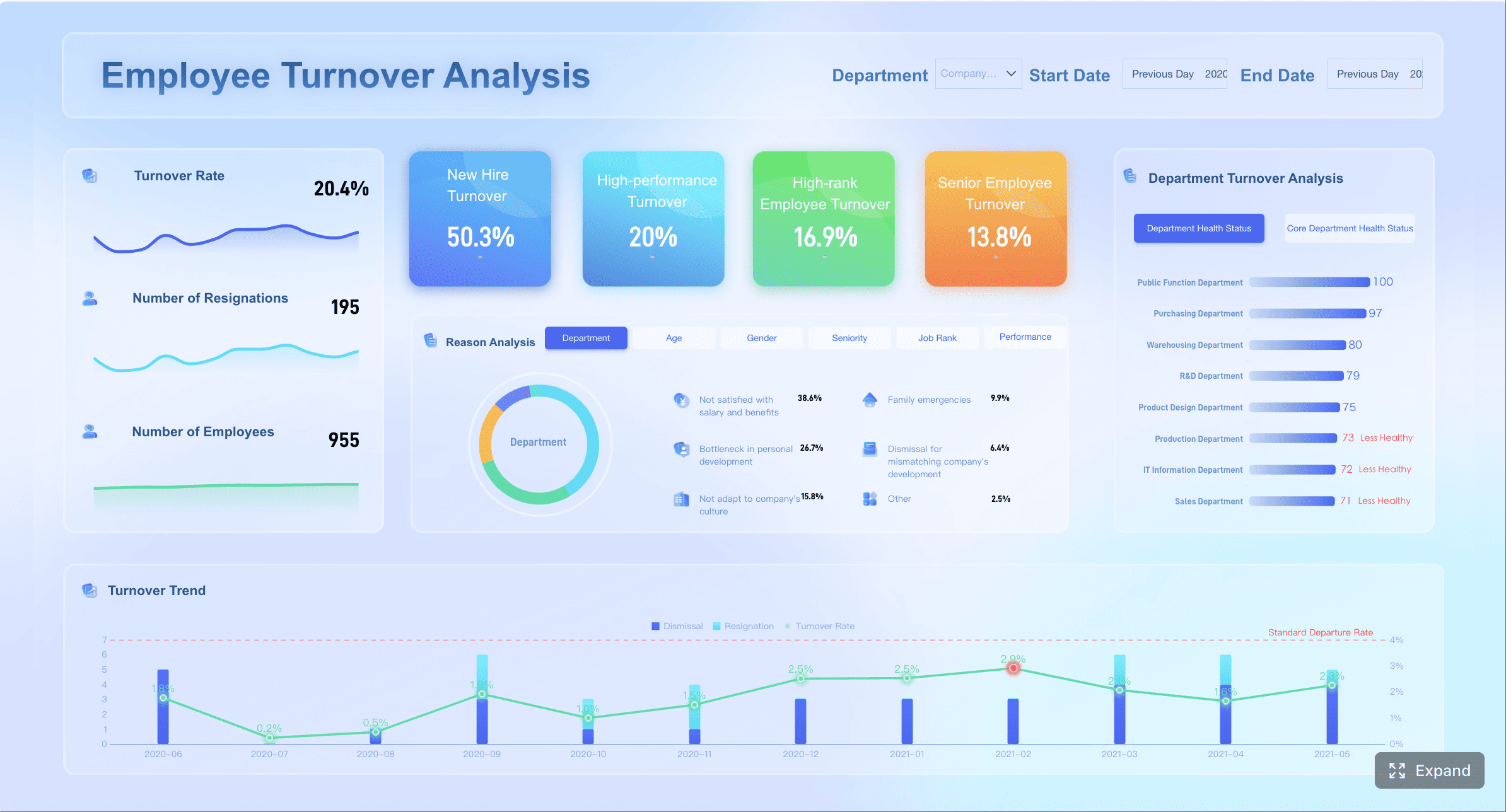
A dashboard example, showing employee turnover
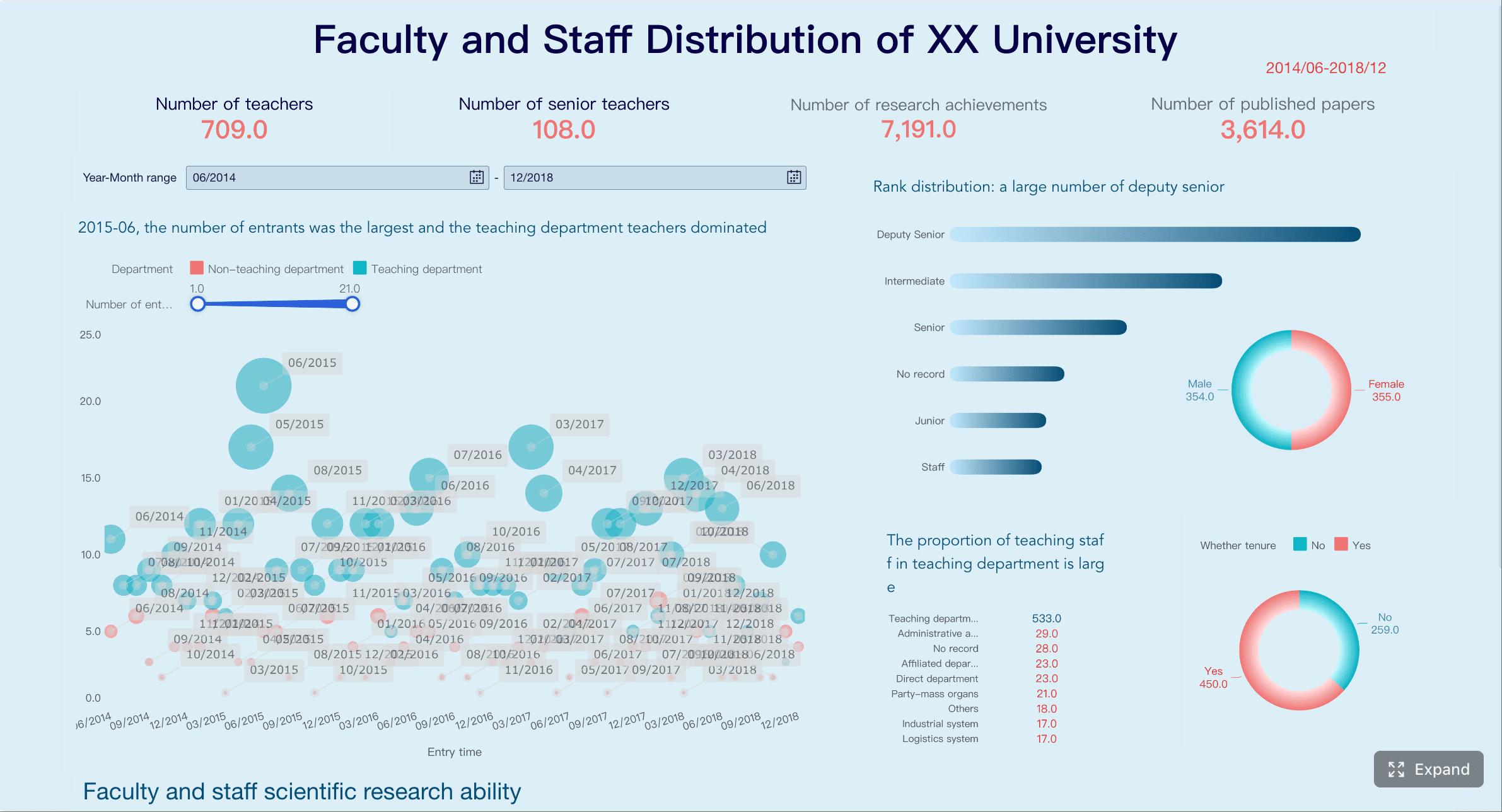
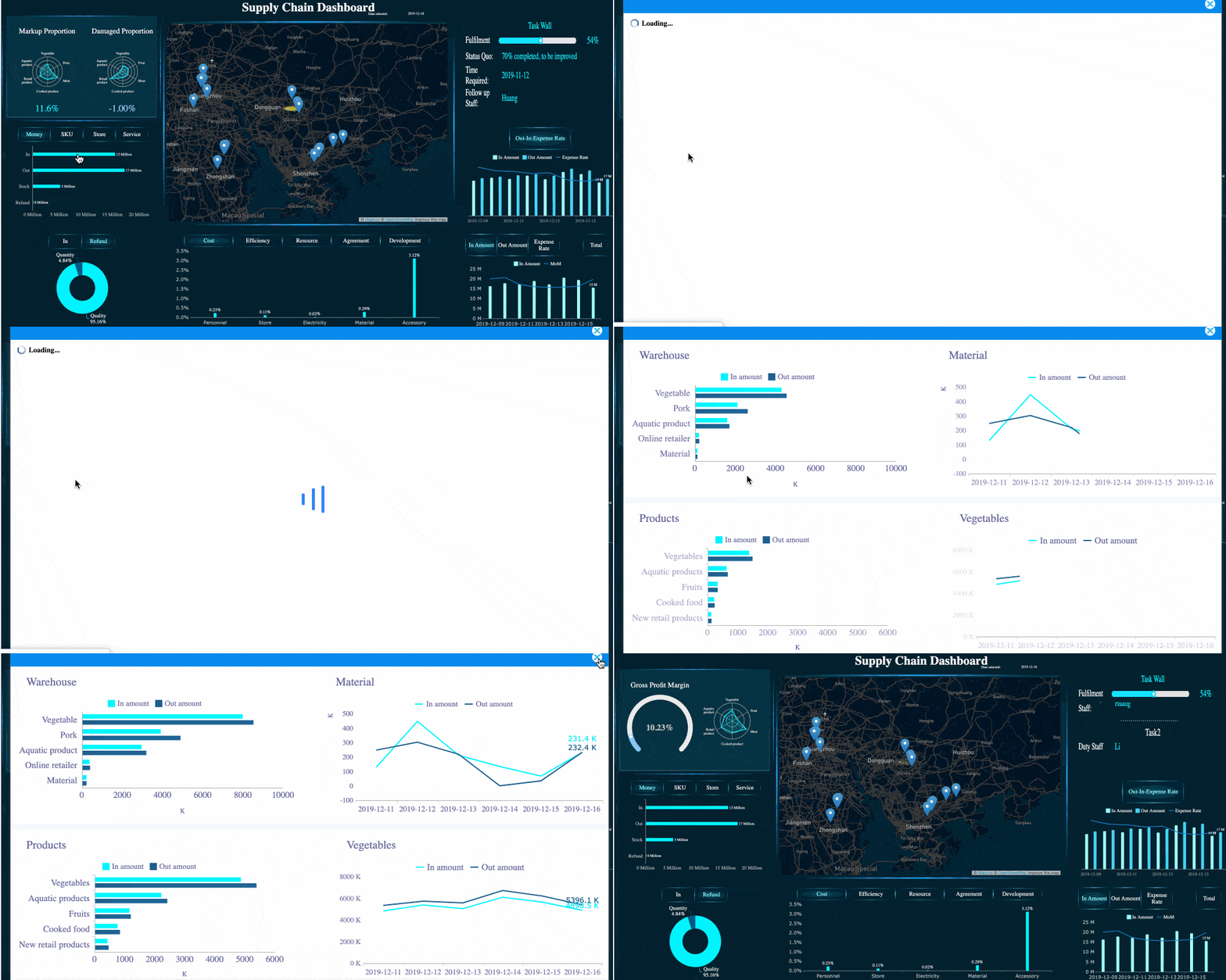
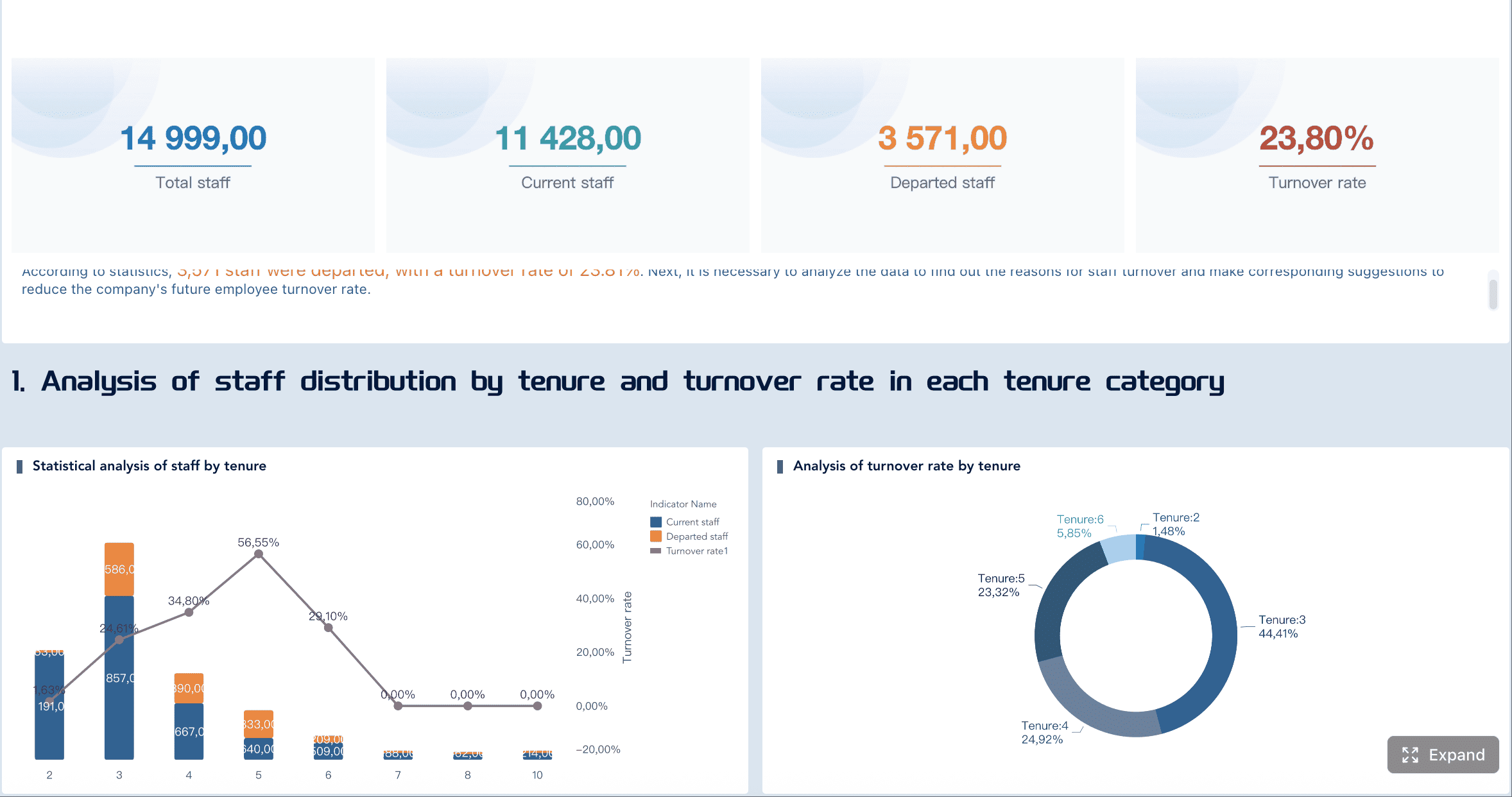
All dashboard examples in this article were created by FineBI.
The core metrics to include in a DEI dashboard beyond representation
The most effective dashboards balance four metric types:
Representation metrics: who is in the workforce
Process metrics: what happens in hiring, promotion, and mobility
Outcome metrics: what employees receive or experience
Experience metrics: how people feel about inclusion and fairness
That balance is what moves a DEI dashboard from descriptive to operational.
Workforce, hiring, and promotion metrics
Start with workforce composition, but do not stop there. Representation should be visible by:
Job level
Function
Geography
Business unit
Leadership tier
Manager population
Critical role family
This helps leaders see where diversity is concentrated and where it thins out. Enterprise averages often hide structural concentration in lower levels or support functions.
Next, track the hiring funnel across each key stage:
Applicants
Screened candidates
Interviews
Offers
Acceptances
Hires
The purpose is to identify conversion gaps, not just end-state hiring numbers. If one group enters the funnel at healthy rates but exits disproportionately at interview or offer stage, leaders can investigate process design, interviewer calibration, role requirements, or sourcing mix.
Promotion analysis is equally important. Track:
Promotion rate by demographic group
Time to promotion
Promotion rate by level and tenure band
Readiness pool participation
Succession slate representation
Movement into people-manager roles
Assignment to high-visibility, high-growth roles
This last category is often overlooked. Formal promotions matter, but career acceleration also depends on access to stretch assignments, leadership programs, and strategic projects. A DEI dashboard should expose whether opportunity is distributed fairly before title changes appear.
Useful views include:
Metric
What it reveals
Common action
Representation by leadership tier
Leadership pipeline health
Rebuild feeder roles and succession plans
Interview-to-offer conversion
Selection fairness
Review interview panels and criteria
Promotion rate by tenure
Advancement velocity
Audit calibration and manager sponsorship
Participation in succession pools
Access to future leadership
Redesign nomination process
Pay, retention, and experience metrics
If your DEI dashboard does not include pay, retention, and employee experience, it is missing the metrics leaders care about most when risk becomes real.
For pay, include indicators such as:
Pay equity index by group
Median pay by demographic segment within comparable roles
Compa-ratio distribution
Starting pay differences
Bonus allocation patterns
Merit increase distribution
The goal is not to create simplistic comparisons across unlike jobs. It is to surface where further analysis is needed and where pay outcomes diverge beyond expected business factors.
For retention, track:
Overall retention by cohort
Voluntary attrition
Regrettable attrition
Early tenure attrition
Retention by manager population
Internal mobility rate
Exit reasons by segment where available
Retention metrics become far more actionable when cut by career stage, function, and manager status. A company may discover that diverse hiring is strong in one business unit, but early attrition spikes within the first 12 months because onboarding, management quality, or role design fails.
Experience metrics add the human dimension. Include survey measures such as:
Inclusion
Belonging
Psychological safety
Fairness
Trust in leadership
Confidence in reporting concerns
Perceived access to opportunity
These should be paired with demographic cuts and trend lines. Enterprise survey scores may look stable while specific cohorts report declining fairness or belonging.
A practical rule: never present engagement or belonging scores without context. Show:
Participation rate
Time trend
Team or function comparison
Demographic breakdown
Major events that may explain movement
Accountability and progress indicators
Metrics alone do not create accountability. The dashboard needs explicit management logic.
Each major metric should include:
A baseline
A target
A threshold or tolerance band
A trend line
A current status indicator
A named owner
That owner may vary by metric. For example:
Metric
Primary owner
Supporting owner
Hiring conversion by demographic group
Talent acquisition leader
Business unit hiring leaders
Promotion rate by level
HR business partner / talent leader
Functional executives
Pay equity indicators
Compensation leader
CHRO, finance partner
Inclusion and belonging scores
Business leader
HR, DEI leader
Regrettable attrition
Line executive
HRBP, people managers
It is also important to distinguish leading indicators from lagging indicators.
Leading indicators may include:
Diverse candidate slate rate
Interview panel diversity
Participation in leadership programs
Internal mobility applications
Belonging pulse scores
Manager inclusion training completion
Lagging indicators may include:
Leadership representation
Annual promotion outcomes
Pay gap findings
Year-end attrition
Succession representation
This distinction matters because lagging indicators tell you what already happened. Leading indicators tell you where to act before results deteriorate further.
How to design a DEI dashboard that leaders can actually use
A DEI dashboard fails when it is statistically rich but operationally weak. Leaders do not need fifty charts. They need a few trusted views that support recurring decisions.
Start with decisions, not just data
The most important design principle is simple: start with decisions.
Ask first:
What decisions should this dashboard support?
Which leaders will make those decisions?
What action should follow if a metric moves above or below threshold?
Typical decisions include:
Where should we intervene in the hiring funnel?
Which business units need manager capability support?
Which populations need targeted retention action?
Where should we redesign promotion criteria or talent review practices?
Which teams need deeper listening or qualitative follow-up?
Once the decision set is clear, each dashboard page should focus on a small number of high-value metrics tied to action. In most cases, an executive view should not exceed 5 to 8 top-level KPIs, with drill-down available below.
A practical structure is:
Executive summary: enterprise trend and top risks
Talent flow view: hiring, promotion, mobility
Pay and retention view: equity and attrition outcomes
Experience view: inclusion, belonging, fairness
Manager or team drill-down: local patterns and actions
This role-based design improves adoption because it respects how leaders work. Executives need overview and exceptions. HR teams need process diagnostics. Managers need narrow, team-relevant views.
Choose the right cuts, comparisons, and benchmarks
Segmentation is what turns broad DEI reporting into usable insight. The most useful cuts often include:
Level
Tenure
Function
Geography
Business unit
Manager status
Employment type
Intersectional groups where sample size allows
Intersectional analysis is especially important because outcomes often diverge most sharply at the overlap of identities. But it must be handled carefully. Small populations can create both privacy risk and unstable interpretation.
Use these comparison types thoughtfully:
Comparison type
Best use
Caution
Baseline vs current
Track change over time
Ensure definitions stayed constant
Target vs actual
Measure progress
Avoid unrealistic targets with no action plan
Internal comparison
Compare units, levels, or teams
Control for structural differences
External benchmark
Assess market position
Be transparent about source and comparability
Two governance rules are essential:
Protect privacy through aggregation and suppression.
If a group is too small, combine categories or suppress the value.
Be transparent about data limitations.
Self-identification data is valuable but incomplete. Leaders should know when metrics reflect partial participation or unavailable fields.
The dashboard should clearly indicate when values are suppressed, estimated, or not comparable due to low sample size or recent definition changes.
Avoid decorative visuals that obscure trends. In most cases, the best options are:
Line charts for trends
Bar charts for comparisons
Funnel charts for conversion stages
Heatmaps for survey dimensions
Scorecards for targets and status
Also annotate major shifts. If attrition rises sharply after a reorganization, hiring freeze, policy change, leadership transition, or acquisition, the chart should say so. This prevents false conclusions and improves executive confidence in the data.
Drill-down paths matter as well. A leader should be able to move from:
Enterprise
To business unit
To function
To level
To manager population or team, where access rules allow
This preserves strategic visibility while enabling local action.
A practical 7-step process to build and launch your DEI dashboard
The fastest way to lose momentum is to overbuild. The smarter path is phased, governed, and decision-led.
Step 1–3: define purpose, data sources, and governance
Step 1: Define the purpose and audience
Start by naming the audience and the decisions they need to make. A dashboard for the board should not look like one for HR business partners. Clarify the priority outcomes first: hiring equity, promotion fairness, pay transparency, retention risk, belonging, or all of the above in phased order.
Step 2: Audit the data landscape
Most DEI dashboards require data from multiple systems, including:
Step 3: Set governance rules
DEI data is sensitive. Governance should define:
Who can access what level of detail
Which values are suppressed
Which groups are aggregated
How often the dashboard updates
How discrepancies are escalated
Who approves metric definitions and changes
Without governance, trust breaks quickly. With strong governance, the dashboard becomes safer and more sustainable.
Step 4–5: select metrics and design the experience
Step 4: Select a balanced scorecard
Choose a compact set of metrics across representation, process, outcomes, and experience. Resist the temptation to add every available field. A dashboard should help decisions, not replicate the data warehouse.
Before launch, write metric definitions and calculation rules. This is not optional. If promotion rate, regrettable attrition, or pay equity index means different things to different users, adoption will stall.
Step 6–7: pilot, train, and improve
Step 6: Pilot with a small user group
Launch first with a limited set of leaders. Test for:
Clarity
Relevance
Perceived trustworthiness
Ease of navigation
Actionability
Ask users not only what they like, but what decision they would make after viewing each section. If they cannot answer that question, redesign.
Step 7: Train, review, and refine
Leaders need training on interpretation. They should understand:
The difference between signal and noise
Why small groups may show volatility
How to avoid overreacting to one period
When to combine quantitative and qualitative follow-up
After launch, review:
Dashboard adoption
Which views are most used
Which actions were taken
What business impact followed
The best DEI dashboards improve over time because they are treated as management systems, not one-time deliverables.
Common mistakes that weaken a DEI dashboard
Many dashboards fail for predictable reasons. Most are not technical problems. They are design and governance problems.
1. Treating the dashboard as a compliance artifact
If the dashboard exists only for reporting, it will not change outcomes. Compliance metrics matter, but leaders need tools that help them decide where to act next.
2. Reporting only representation
Representation is necessary, not sufficient. Without links to advancement, pay, experience, and retention, the dashboard cannot explain whether equity is improving.
3. Using too many metrics
More metrics do not create more insight. They create noise. Focus on a small, balanced scorecard tied to leadership action.
4. Using unclear definitions
If users debate how a metric is calculated, they stop trusting the story. Publish metric definitions, time windows, and inclusion rules inside the dashboard.
5. Ignoring privacy and small-group suppression
DEI dashboards deal with highly sensitive data. Small groups should be aggregated or suppressed to protect identity and prevent misuse.
6. Overstating certainty from self-identification data
Demographic data is often incomplete. Participation varies by region, legal context, and employee trust. Be transparent about where data is partial.
7. Failing to assign owners and timelines
If a metric misses target and no one owns the response, the dashboard becomes performative. Every high-priority KPI needs an accountable leader and a review cadence.
Turn your DEI dashboard into an action system with FineBI
Design is only half the job. The other half is execution. To drive results, organizations need a BI platform that makes DEI data accessible, governed, drillable, and actionable across roles.
FineBI helps enterprises build DEI dashboards that go beyond static reporting by combining data from HRIS, ATS, compensation, survey, and performance systems into interactive, role-based views. Instead of manually stitching spreadsheets together each quarter, teams can create a governed analytics environment where leaders see the right metrics, at the right level, with the right permissions.
FineBI is especially well suited to DEI dashboard scenarios because it supports:
Role-based permissions to protect sensitive people data
Drill-down and interactive filtering from enterprise to team level
Clear visual dashboards for trends, funnels, scorecards, and heatmaps
Repeatable refresh cycles that improve trust and operating rhythm
For executive teams, that means faster visibility into representation, hiring conversion, promotion equity, attrition risk, and belonging outcomes. For HR and DEI teams, it means less manual reporting and more time spent on insight, intervention, and stakeholder alignment.
A practical implementation approach with FineBI would be:
The strategic advantage is not just visualization. It is the ability to move from fragmented DEI reporting to a trusted management system.
If your organization wants a DEI dashboard that leaders will actually use, start with the decisions that matter, define the metrics that signal action, and deploy them on a platform built for business adoption. FineBI can help you do that with speed, clarity, and governance.
A DEI dashboard is an ongoing decision tool that connects workforce demographics to outcomes like hiring, promotion, pay, retention, and belonging. Unlike a static diversity report, it helps leaders spot gaps early and take action throughout the year.
A strong DEI dashboard should include hiring funnel conversion, promotion rates and time to promotion, pay equity measures, attrition trends, engagement results, and belonging scores. These metrics show not just who is in the organization, but how people experience opportunity and fairness over time.
It reveals where different groups drop off in the hiring funnel or advance more slowly after joining. That allows leaders to review sourcing, interview processes, manager decisions, and access to high-visibility opportunities.
Use clear governance, protect privacy with aggregated views, and collect only data that supports real decisions. Trust also improves when leaders explain why the data is being used and act on findings responsibly.
DEI dashboards are most useful for CHROs, HR leaders, DEI teams, executives, and business managers who influence talent decisions. The dashboard should support regular reviews in workforce planning, talent discussions, and accountability conversations.
Product Trial
FineReport
Pixel-perfect reports · Interactive dashboards · Easy data entry · Digital twins