A data connector is a tool that links different systems or sources, making it easy for you to move and manage data. You use data connectors to automate tasks, improve accuracy, and get real-time results. Many companies rely on a data integration platform to handle the data integration process. This helps meet important business needs:
Data Connector Basics

What Is a Data Connector
You use a data connector to link different systems, applications, or databases. Leading data management organizations define data connectors as tools, software, or interfaces that let systems communicate and share information. These connectors act as bridges between data sources, making it easier for you to access and analyze information.
A typical data connector includes several core components.
- It helps devices and network infrastructures communicate.
- It maintains signal integrity and manages proper pin assignments.
- It provides shielding against electrical interference.
- It automates data integration for ingestion, streamlining your operations.
- It reduces manual work and lowers the risk of human error during data extraction and ingestion.
When you use a data connector, you can move data between platforms without needing to copy or paste information by hand. You can connect databases, cloud services, spreadsheets, and even api endpoints. This process saves you time and ensures that your data stays accurate and up to date.
Tip: A data connector can handle many types of data formats, so you do not need to worry about converting files or fixing errors before you start your analysis.
Why Data Connectors Matter
You face many challenges if you do not use data connectors.
- Data isn’t where you need it.
- Data arrives late.
- Data comes in the wrong format.
- Data quality drops.
- Duplicates appear throughout your data pipeline.
- Your team lacks a common understanding of data.
Data connectors solve these problems by automating data transfer processes. You do not need to enter data manually, which reduces errors. Connectors ensure that your data uses consistent formats, so you can trust your results. They also handle authentication and transfer automatically, which supports compliance with data governance.
You benefit from using data connectors in several ways:
- You improve data reliability and accuracy.
- You reduce manual errors.
- You support business processes with timely and correct information.
- You make it easier to share data across departments and systems.
If you want to build a strong foundation for business intelligence, you need to use data connectors. They help you integrate data from multiple sources, keep your information secure, and support real-time analytics. You can focus on making decisions instead of fixing data problems.
How Data Connectors Work
Setting up a data connector involves several clear steps. You start by connecting your systems, then extract and transform your data, and finally load and synchronize it for analysis. Each step plays a key role in building reliable pipelines for your business intelligence needs. Let’s break down the process so you can see how data connectors help you move and manage data across different data sources and destinations.
Connection Setup
You begin by gathering the information you need about your data sources and destinations. This includes details like database types, connection methods, and access credentials. You select the right connection type for your systems and fill out a setup form. FineDataLink, for example, gives you a visual interface where you can drag and drop to set up your connector quickly.
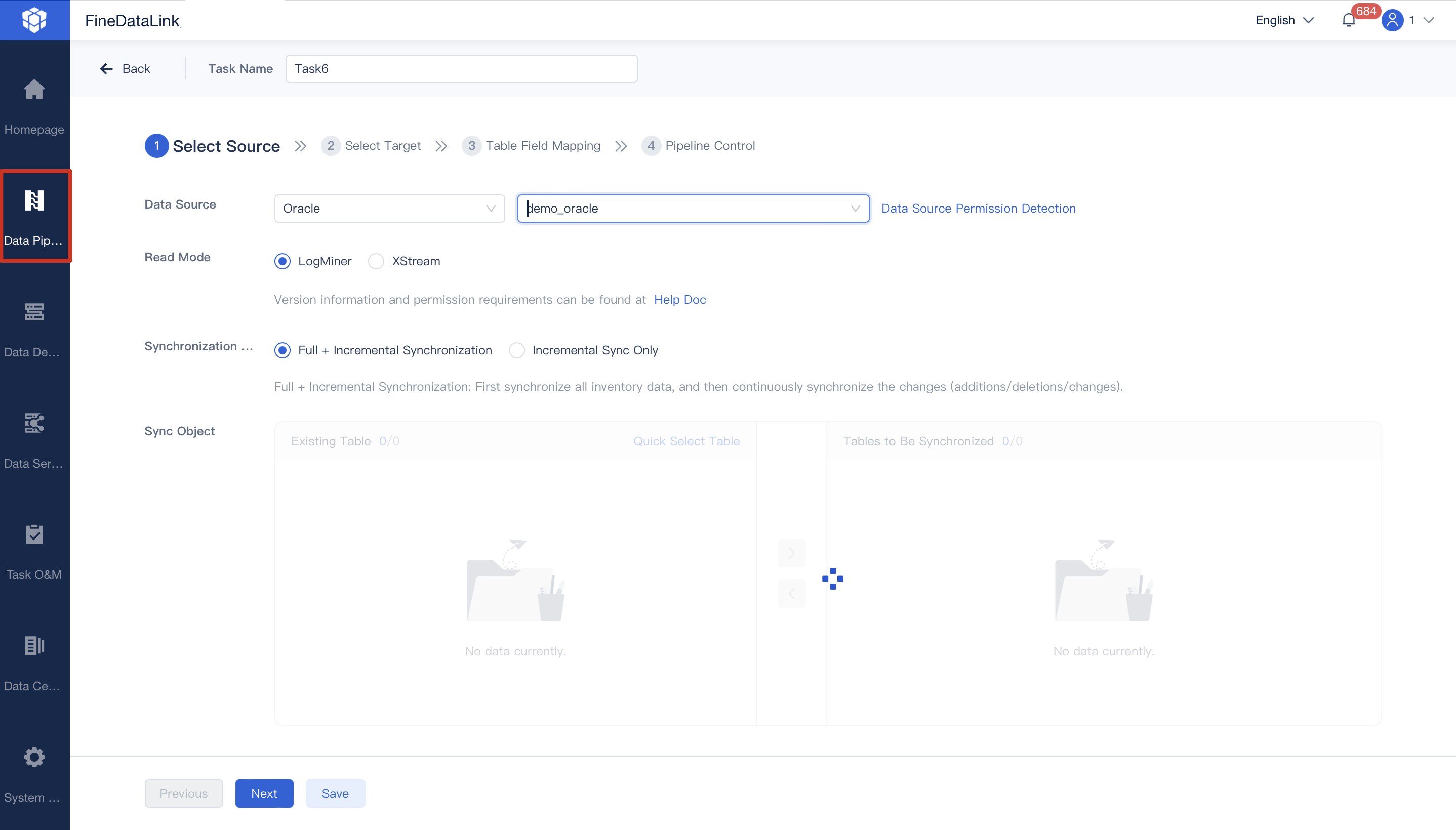
Here’s a typical setup process for a data connector:
- Gather details about your database or application.
- Choose the connection type (such as database, API, or file).
- Enter your credentials and configuration settings.
- Test the connection to make sure it works.
- Monitor your connector through a dashboard.
Tip: FineDataLink lets you set up connectors in minutes, even if you do not have coding experience.
Security matters during setup. You want to keep your data safe as you connect different systems. Most platforms use strong security protocols to protect your pipelines. Here’s a quick look at common security measures:
You can trust that your data connector will keep your information secure during setup and throughout the integration process.
Once you set up your connector, you move to the extraction and transformation stage. Here, you pull data from your source systems and prepare it for analysis. Data connectors use different methods to extract data, depending on the source. Some common methods include:
You do not need to worry about the format of your data. Data connectors handle many types of data formats, so you can focus on analysis instead of fixing errors. FineDataLink, for example, supports over 100 data sources and destinations, making it easy to build pipelines that fit your needs.
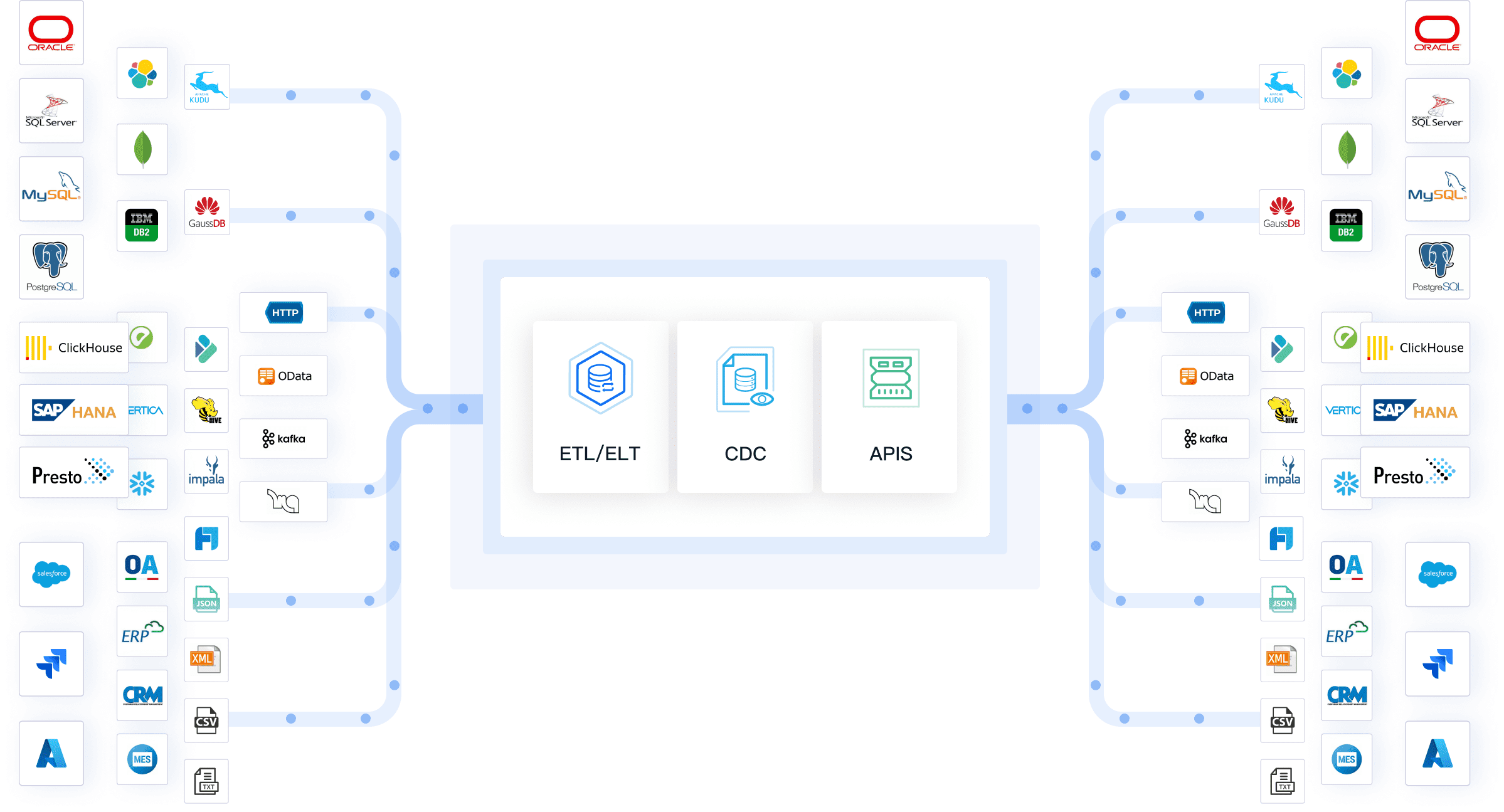
Data transformation is the next step. Your connector changes the extracted data to match the format of your target system. This step ensures that your data is ready for analysis, no matter where it comes from. Here’s how the process works:
FineDataLink’s data transformation capabilities let you clean, map, and enrich your data before loading it. You can use drag-and-drop tools to set up rules for your pipelines, making the process simple and efficient.
Data Loading and Synchronization
The final step is loading and synchronization. Your connector moves the transformed data into your target system, such as a data warehouse or analytics platform. You can choose how often you want your pipelines to run. Some businesses need real-time synchronization, while others prefer scheduled updates.
Here are common synchronization intervals you can select:
FineDataLink supports real-time synchronization, so you always have the latest data for analysis. This feature is important for business intelligence, where you need up-to-date information to make decisions.
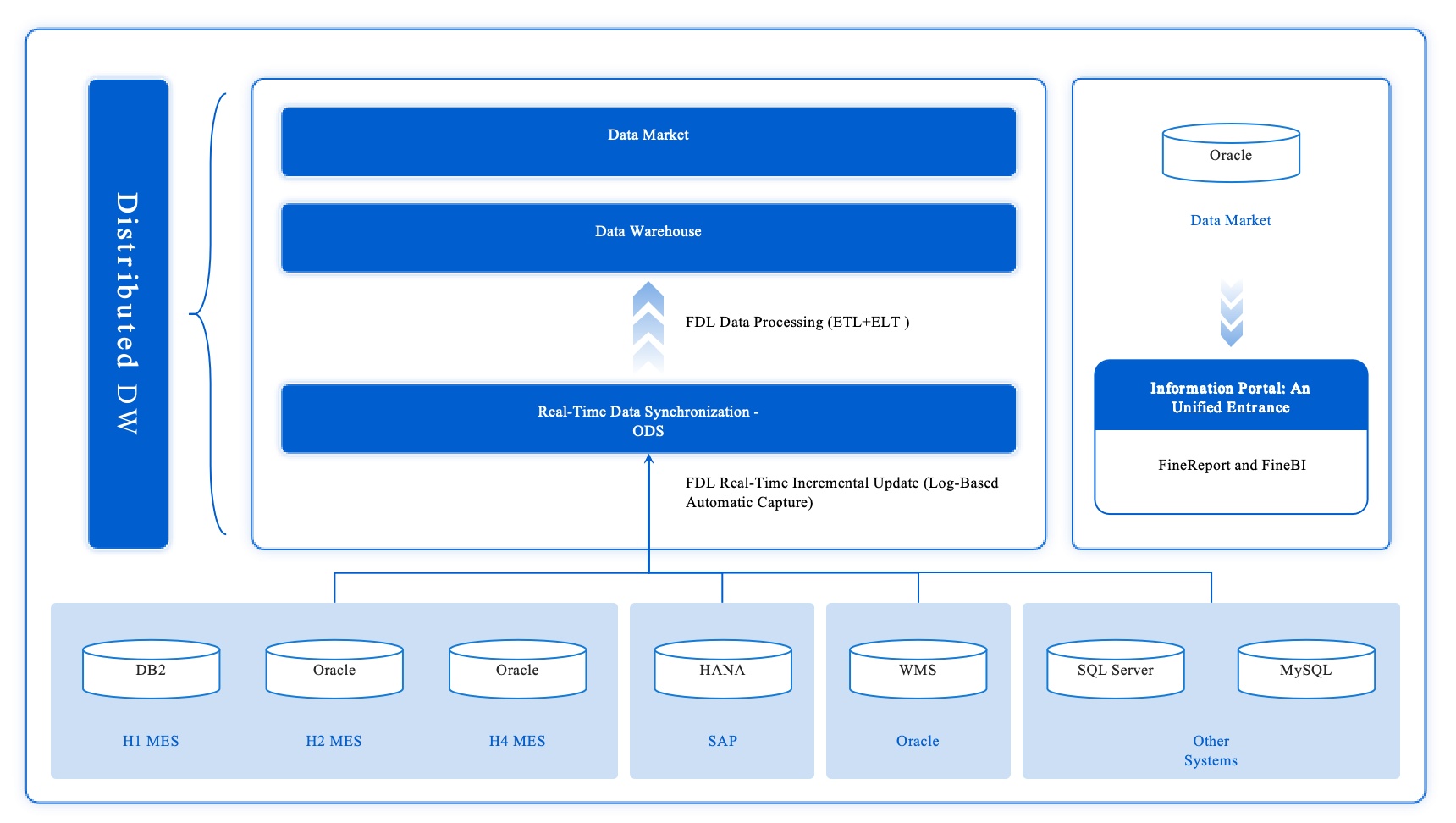
To keep your data consistent, data connectors use smart methods like incremental updates and Change Data Capture (CDC). CDC watches for changes in your source systems and updates only the new or changed data in your pipelines. This approach reduces load and keeps your analysis accurate.
- Intelligent extraction strategies
- Incremental updates
- Change Data Capture
FineDataLink’s pipelines use these methods to ensure your data stays accurate and reliable. You can trust your analysis because your data connector handles synchronization and consistency for you.
Note: Real-time synchronization and automated pipelines help you avoid manual data transfer, reduce errors, and speed up your analysis.
A typical data connector use case involves connecting your CRM, ERP, or POS systems to a central data warehouse. You set up pipelines to extract, transform, and load data from each source. You schedule real-time synchronization so your reports always show the latest numbers. You can then run analysis on this data to spot trends, improve operations, and make better decisions.
Another data connector use case is integrating cloud applications with on-premises databases. FineDataLink lets you build pipelines that move data between these systems, transform it for compatibility, and keep everything in sync. You get a complete view of your business for analysis, without manual work.
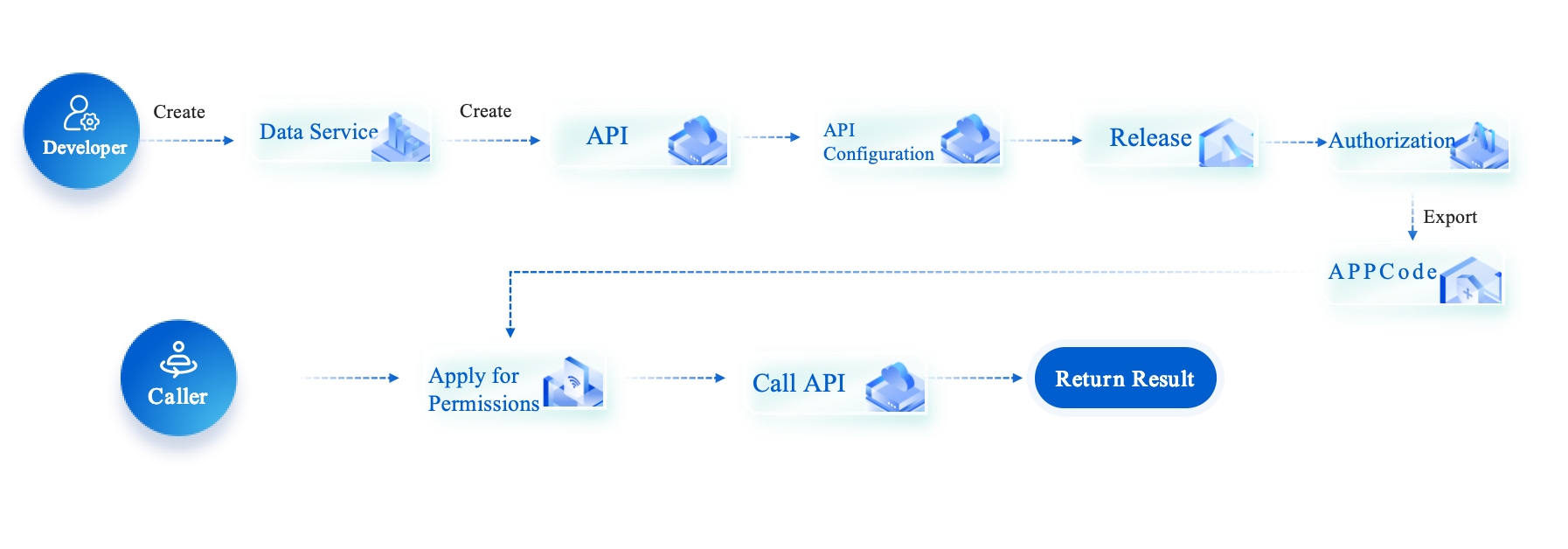
By following these steps, you build strong pipelines that support your business intelligence goals. You save time, reduce errors, and unlock the full value of your data.
Types of Data Connectors

You can choose from several types of data connectors to fit your business needs. Each type helps you move data between systems, but they work in different ways. Understanding these types will help you pick the right connector for your integration projects.
API Connectors
API connectors let you connect software applications directly. You use them to transfer data between cloud services, web apps, or even on-premises systems. These connectors translate data into a common language, so your systems can talk to each other automatically. API connectors often include mapping and transformation tools to handle different data structures.
You find API connectors in platforms like Workato, Boomi, and MuleSoft. These tools help you automate workflows and manage data across departments.
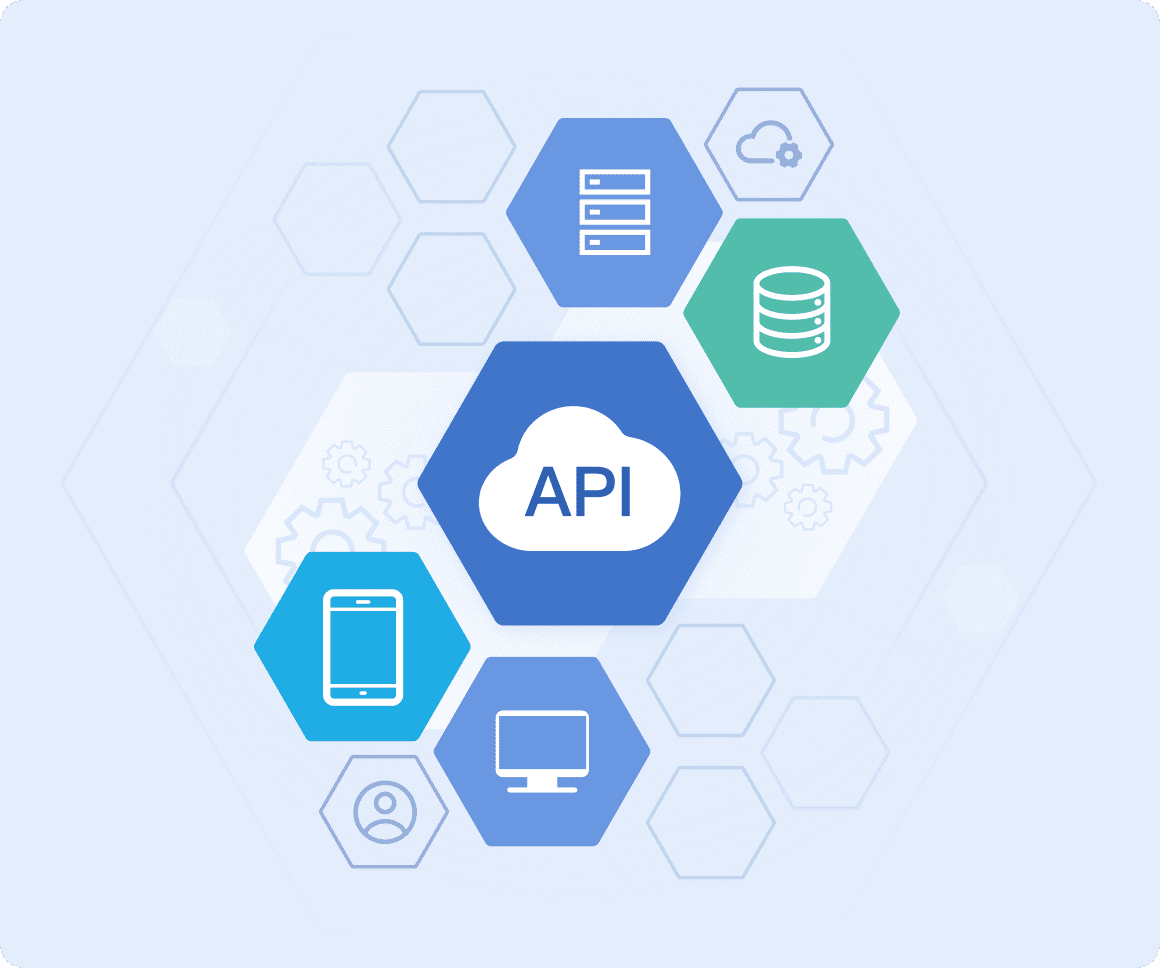
Tip: API connectors are best when you need flexible, real-time data exchange between many systems.
Database Connectors
Database connectors help you link databases to your analytics or reporting tools. You use them to pull data from sources like MySQL, PostgreSQL, or Snowflake. These connectors support real-time access, so you always see the latest information.
- You improve data accuracy by combining data from different sources.
- You boost efficiency by automating data transfers.
- You unify your data for better management and decision-making.
You can use database connectors with popular platforms like Amazon RDS, Google Cloud SQL, and Azure Database for MySQL.
File-Based Connectors
File-based connectors move data using files such as CSV, Excel, or JSON. You use these connectors to automate tasks like uploading sales reports, sharing inventory data, or processing financial transactions.
- Excel: Extract specific sheets, merge sheets, and set header rows.
- CSV: Choose delimiters and define header rows.
- JSON: Handle single or multiple entities.
You find file-based connectors in industries like healthcare, retail, and government. They help you share data quickly and keep your workflows running smoothly.
Cloud and SaaS Connectors
Cloud and SaaS connectors link your cloud applications and services. You use them to connect tools like Salesforce, Google Analytics, or Office 365. These connectors give you real-time access to data, automate processes, and help you make better decisions.
- You see all your customer data in one place.
- You run real-time analytics for faster insights.
- You break down data silos and improve teamwork.
Cloud and SaaS connectors help you stay competitive by letting you spot trends and respond quickly to changes.
Note: Choosing the right data connector helps you build strong data pipelines and supports your business intelligence goals.
FineDataLink and Real-World Solutions
Solving Data Integration Challenges
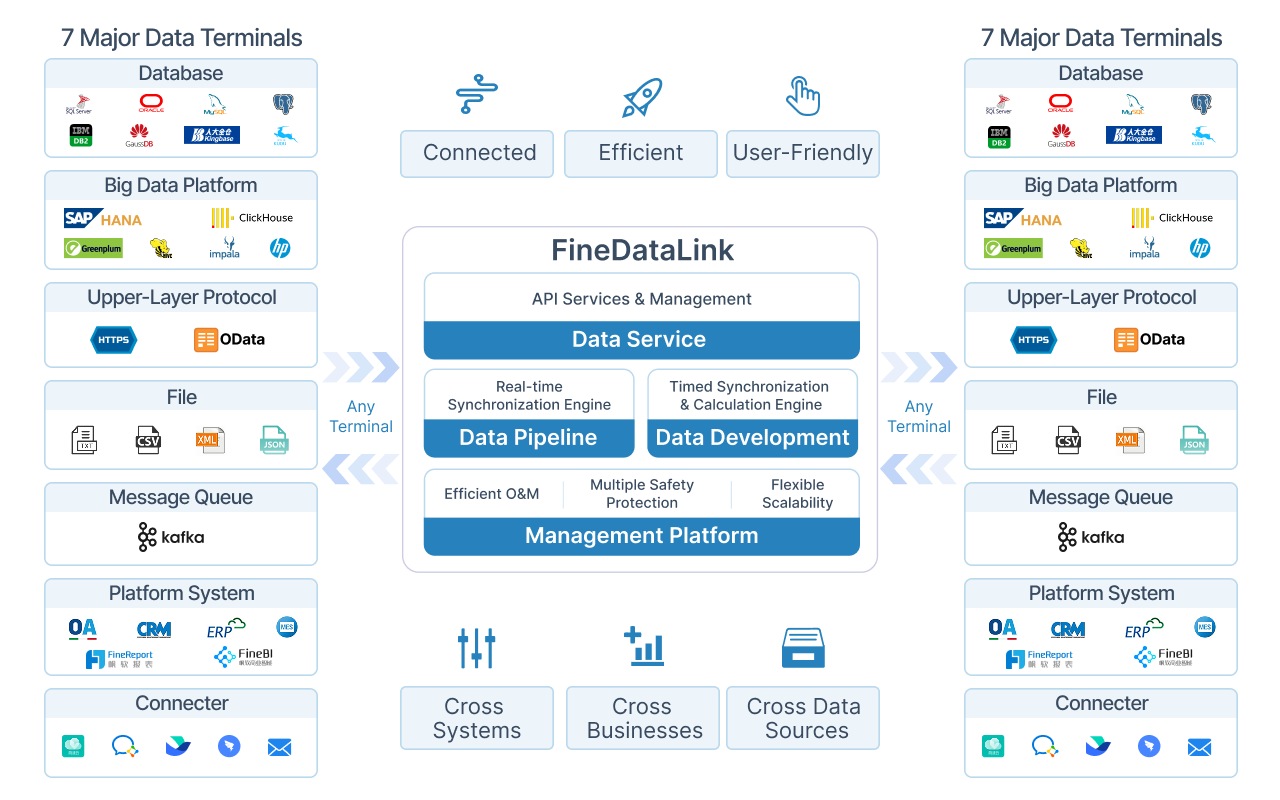
You often face obstacles when you try to connect different systems and manage large volumes of data. FineDataLink helps you overcome these challenges with a platform designed for fast connection and efficient integration. You can link many data sources, including cloud applications and on-premises databases. FineDataLink supports real-time data synchronization, so you always have the latest information for your business decisions. You can extract, transform, and load data flexibly, which means you can handle many types of data formats and structures. FineDataLink also breaks down data silos, making it easier for you to manage and use your data across departments.

FineDataLink gives you tools to eliminate manual processes and reduce errors. You can automate your data pipelines and focus on analysis instead of troubleshooting.
Here is a table showing features that set FineDataLink apart from other platforms:
Benefits for Business Intelligence
You need reliable data to make smart decisions. FineDataLink helps you integrate data from many sources, ensuring consistency and accuracy. You can automate synchronization, so your reports always use the most current data. The platform lets you transform data during integration, which solves problems that traditional methods cannot address. You get seamless data flow, which supports real-time analytics and reporting. FineDataLink makes it easier for you to build strong business intelligence solutions that drive growth and efficiency.
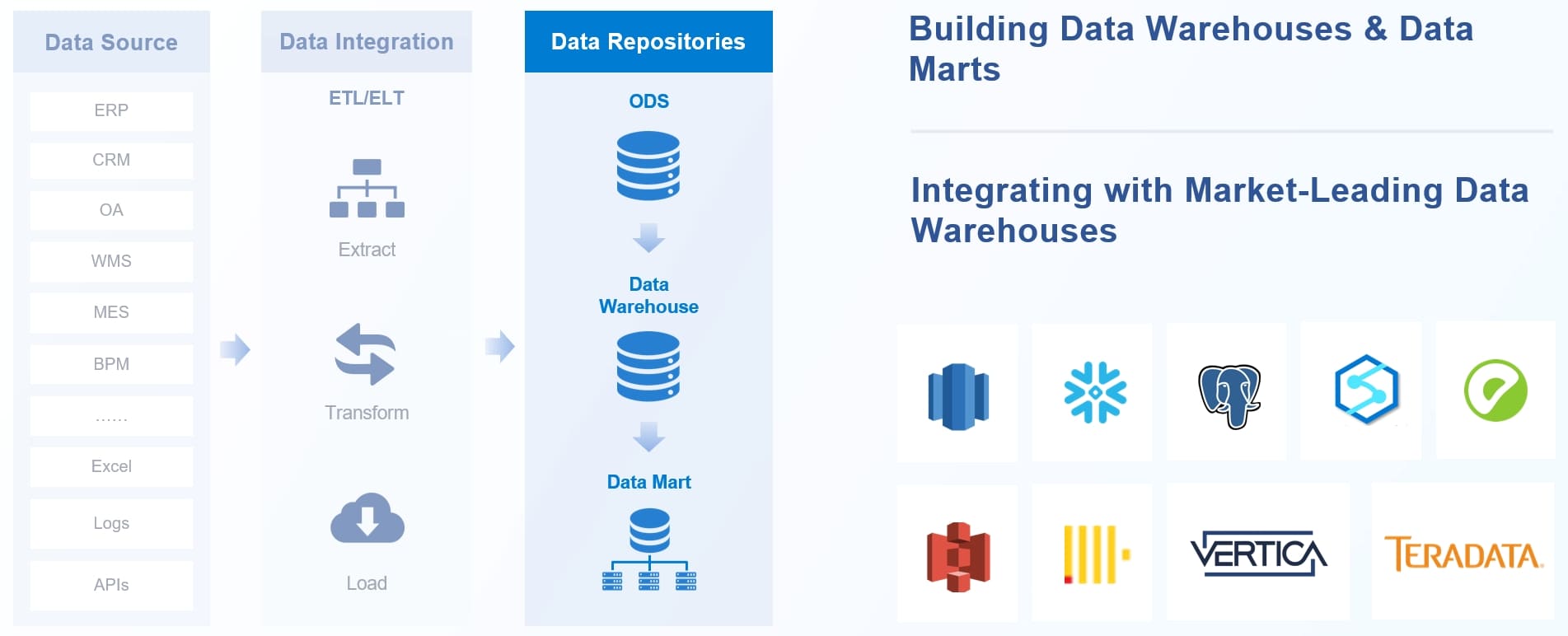
- You can connect and unify data from different systems.
- You can trust your data because FineDataLink automates updates and keeps everything consistent.
- You can analyze trends and make decisions faster with real-time data.
Customer Success Story: NTT DATA Taiwan
NTT DATA Taiwan wanted to improve how they managed and used data. They partnered with FanRuan to build a unified data platform using FineDataLink. The company connected backend systems like ERP, POS, and CRM, then used ETL processes to create a single source of truth. Employees now visualize data through FineReport, which gives each team member the insights they need. This solution helped NTT DATA Taiwan move from manual reporting to self-service business intelligence. The company now makes better decisions, improves efficiency, and supports data-driven strategies. You can see how FineDataLink helps organizations unlock the full value of their data and achieve sustainable growth.
You have learned that a data connector links systems and helps you move data quickly and accurately. You can automate routine tasks, improve data quality, and support business intelligence with real-time updates. Data connectors bridge gaps between teams and make your organization stronger. As technology grows, you will see smarter data connectors that work with IoT and cloud environments. FineDataLink gives you the tools to build reliable pipelines and unlock the full value of your data.
- Data connectors bridge business and technical teams.
- They automate data entry and improve analysis.
- Future connectors will support IoT and smarter data management.
- Use data connectors for seamless integration.
- Choose solutions like FineDataLink for efficient data pipelines.
- Stay ready for new trends in data technology.
Data connectors are essential for modern business intelligence. You can explore more to find the best fit for your needs.