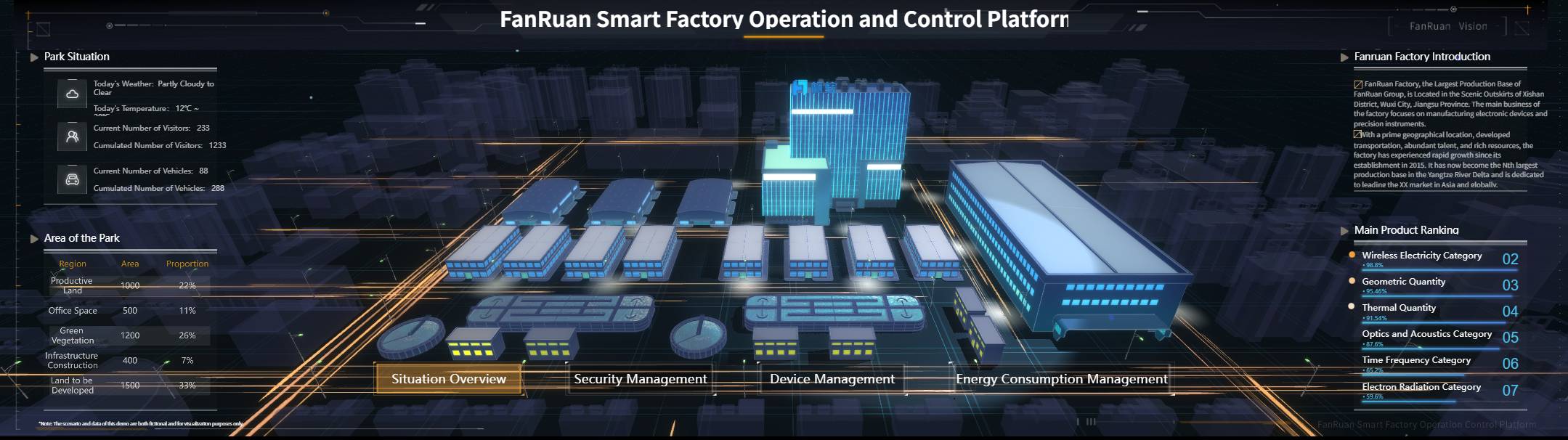
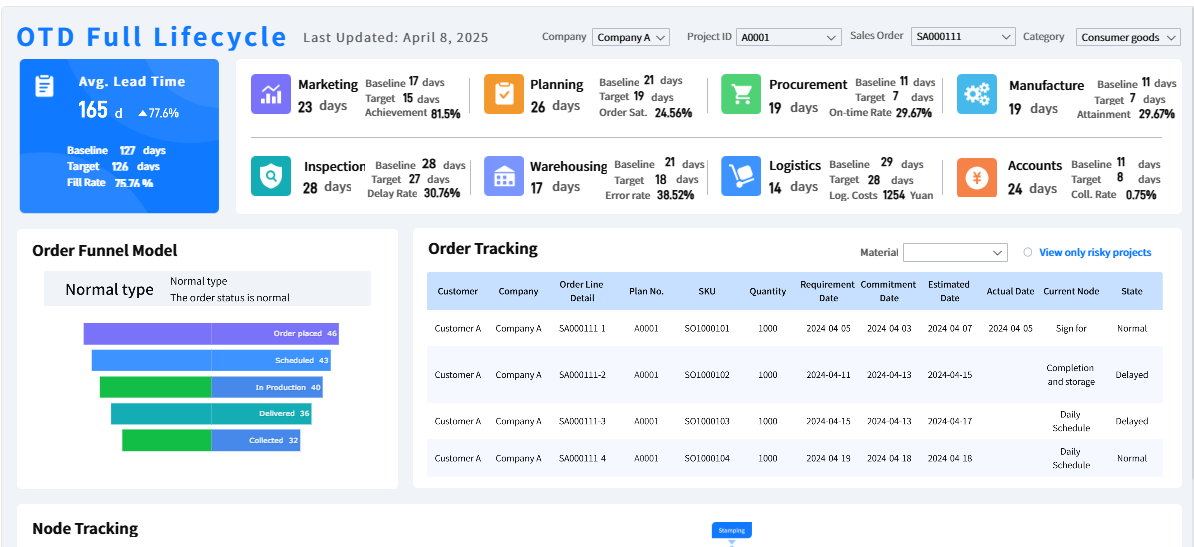
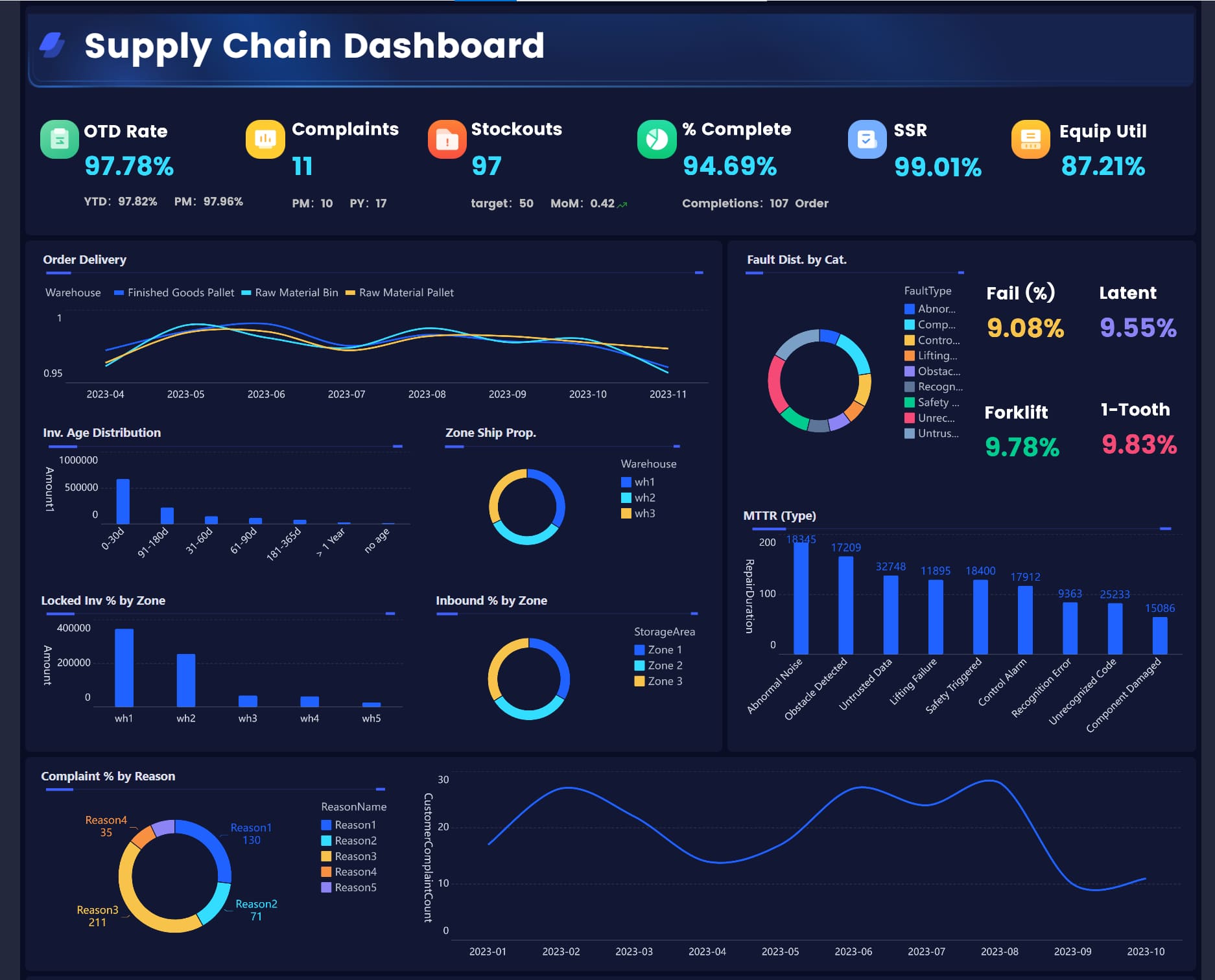
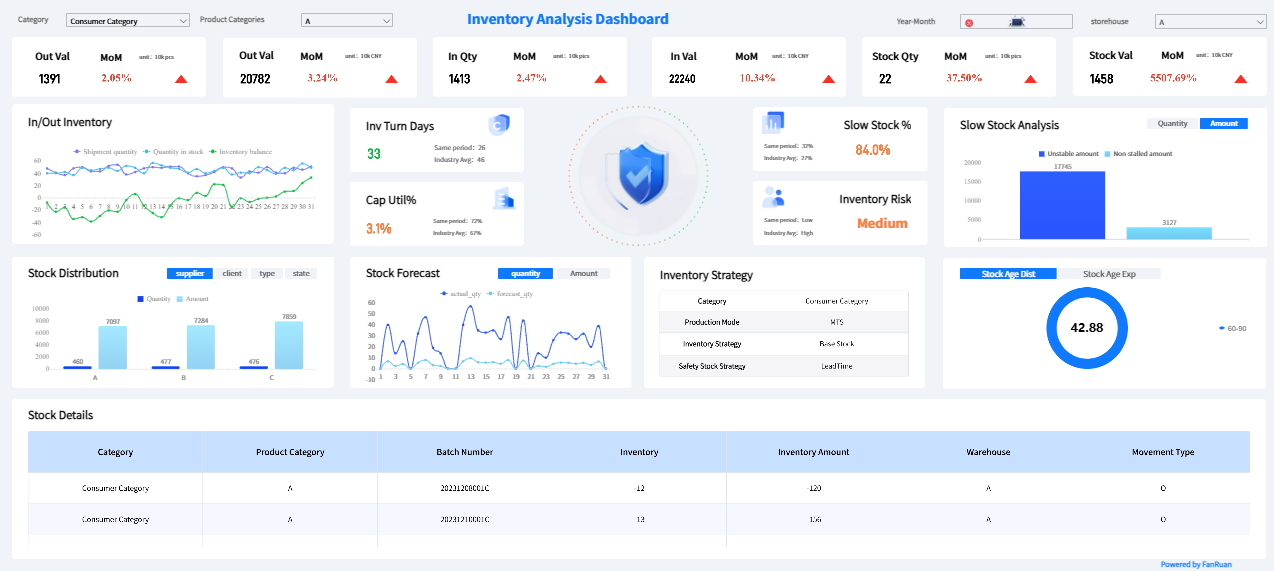
A Warehouse Metrics Dashboard is not just another reporting screen. It is the operating layer that helps warehouse leaders detect bottlenecks early, rebalance labor quickly, protect service levels, and control cost in real time. For operations directors managing daily volatility, static reports arrive too late. By the time yesterday’s numbers are reviewed, today’s backlog, labor overruns, or inventory exceptions may already be damaging throughput and customer commitments.
If you are responsible for warehouse performance, the challenge is familiar: too much data, too little clarity, and not enough time to interpret disconnected screens from WMS, labor systems, and inventory tools. A strong dashboard solves that by turning live warehouse signals into immediate decisions.
Why a Warehouse Metrics Dashboard Matters for Daily Operational Decisions
A Warehouse Metrics Dashboard is a centralized visual interface that consolidates real-time or near-real-time warehouse KPIs into one decision-ready view. Unlike static reports, which summarize past performance in spreadsheets or scheduled PDFs, a dashboard continuously updates and shows what is happening now across receiving, putaway, picking, packing, shipping, labor, inventory, and service performance.
Static reports answer, “What happened?”
A warehouse dashboard answers, “What is happening, why is it happening, and what should we do next?”
For operations directors, that distinction matters because warehouse leadership is a balancing act. You are constantly managing four competing priorities:
Service: Hit ship windows and customer SLAs
Labor: Avoid overstaffing, idle time, and unnecessary overtime
Capacity: Keep docks, storage, and fulfillment zones flowing
Cost: Maintain margins while protecting output
When visibility is delayed, decisions become reactive. Supervisors escalate issues after backlog has built. Directors review labor costs after overtime is already locked in. Inventory problems surface only when orders fail. A well-designed dashboard changes that dynamic. It becomes a daily execution tool that supports intervention before performance drops.
The best dashboards do more than display numbers. They create a shared decision framework. A picking supervisor sees zone congestion. A fulfillment manager sees cycle-time slippage. An operations director sees how both issues affect SLA risk and labor cost. That alignment turns reporting into coordinated action.
The Core Metrics That Turn Signals Into Action
Not every KPI belongs on the main screen. High-performing warehouse teams focus on a compact set of metrics that directly trigger operational decisions.
Key Metrics (KPIs)
Throughput: The volume of units, lines, or orders processed in a given time period. Used to assess flow across receiving, fulfillment, and shipping.
Order Volume: Total incoming or released orders by shift, hour, customer, or site. Used to anticipate workload spikes.
Cycle Time: Time required to move work from one process stage to the next. Used to identify delays and queue buildup.
Units per Labor Hour (UPLH): Output per labor hour worked. Used to measure workforce productivity.
Overtime Rate: Overtime hours as a share of total labor hours. Used to monitor labor cost pressure and staffing imbalance.
Idle Time: Paid time with insufficient productive activity. Used to detect poor task allocation or uneven workload distribution.
Task Completion Rate: Percentage of assigned tasks completed on time. Used to assess execution consistency by team or zone.
Inventory Accuracy: Match rate between system inventory and physical count. Used to reduce stock errors and fulfillment disruptions.
Dock-to-Stock Time: Time from receipt arrival to inventory availability in storage. Used to evaluate inbound efficiency.
Bin Utilization: Share of storage locations actively and appropriately used. Used to optimize space and slotting strategy.
Fill Rate: Percentage of demand fulfilled from available inventory without backorder. Used to monitor service reliability.
On-Time Shipment Rate: Share of orders shipped within committed service windows. Used to track customer-facing execution.
These KPIs should be standardized before rollout. That means every metric should have a clear definition, calculation logic, source system, refresh frequency, and owner. Without a common KPI language, teams will argue about the number instead of acting on it.
Throughput, order volume, and cycle time
Throughput metrics reveal whether the warehouse is flowing or stalling. Operations directors should track inbound and outbound movement by process stage:
Receiving
Putaway
Replenishment
Picking
Packing
Shipping
When throughput is shown by shift, hour, and zone, small delays become visible before they become systemic failures. For example, a receiving slowdown may delay replenishment, which reduces picking productivity, which then creates packing idle time followed by missed ship windows.
Cycle time is especially useful because it shows where a queue begins. If order release to pick-start time expands while picking productivity remains stable, the issue may not be picking at all. It may be replenishment or wave release logic. That is the value of a Warehouse Metrics Dashboard: it helps leaders separate symptom from cause.
Labor productivity and cost control
Labor is one of the largest controllable costs in warehouse operations, which is why labor KPIs must connect performance to planning.
The most practical labor metrics include:
Units per labor hour by function
Overtime hours by team and shift
Idle time by zone
Task completion by crew
Rework volume tied to errors
Travel time in picking operations
These metrics tell a bigger story when viewed together. Rising overtime with flat output suggests either poor labor allocation, process friction, training gaps, or layout inefficiency. High travel time plus low pick rate may point to slotting problems. High rework plus reduced output may indicate quality breakdowns rather than staffing shortages.
A dashboard should help directors decide whether to add labor, rebalance labor, retrain labor, or redesign work.
Inventory accuracy, space utilization, and service performance
Inventory and service metrics belong in the same conversation because many service failures start as inventory failures.
Operations directors should monitor:
Inventory discrepancy rate
Dock-to-stock time
Bin utilization
Fill rate
On-time shipment
Backorder alerts
Cycle count exception trends
Viewed independently, these metrics can mislead. Viewed together, they isolate the problem source. For instance:
Low fill rate + high discrepancy rate may indicate inventory integrity issues
Low fill rate + good inventory accuracy + poor dock-to-stock time may indicate inbound processing delays
Low on-time shipment + high bin utilization + long travel time may signal congestion caused by poor layout or overfilled storage
This is where dashboard design becomes strategic. The right metric combinations reveal whether the constraint is process, inventory, layout, or workload planning.
Scenario-Based Warehouse Metrics Dashboard Directors Can Use Every Day
The most effective warehouse dashboards are built around repeatable operating scenarios. Directors do not need more charts. They need views that support fast decisions under specific conditions.
When backlog spikes during peak order windows
Peak windows expose weak links fast. If backlog rises sharply, the dashboard should immediately surface the metrics that isolate the constraint:
Orders released vs. orders completed
Pick queue depth
Replenishment aging
Packing station throughput
Staging capacity
On-time shipment risk
If replenishment lag increases before pick completion drops, the issue is upstream. If picking remains healthy but packing throughput collapses, labor may need to shift to packing. If staging is full, shipping cutoffs may be the real blocker.
Immediate actions a director can take include:
Reallocate labor from lower-priority tasks to the constrained function
Temporarily revise wave release logic to reduce queue congestion
Prioritize high-SLA or high-value customer orders
Accelerate replenishment for top-moving SKUs
Trigger proactive customer communication when service risk crosses threshold
The dashboard should make these thresholds explicit. If teams can see when backlog moves from manageable to critical, intervention happens earlier and more consistently.
When labor costs rise without matching output
This is a common operations problem: labor cost climbs, but throughput does not. Directors need a dashboard view that compares cost and productivity at the same time.
Start with:
Units per labor hour
Overtime hours
Rework percentage
Travel time
Utilization by zone
Output per shift
Then ask the right diagnostic questions:
Is overtime being used to cover poor planning or true demand growth?
Is rework suppressing net output?
Are associates spending too much time walking?
Is one zone overloaded while another is underused?
Has training or process compliance deteriorated?
From there, the action path becomes clearer:
Rebalance labor if workload is uneven
Retrain staff if errors and rework are high
Adjust slotting if travel time is inflating cost
Change task assignment logic if utilization varies sharply by zone
Review staffing model if fixed labor exceeds actual demand patterns
A good Warehouse Metrics Dashboard does not just show cost overruns. It explains operationally why they are happening.
When multi-client or multi-site visibility becomes critical
For 3PLs, shared operations, or regional warehouse networks, visibility must extend beyond one building. The dashboard should support role-based views by:
Customer
Warehouse
Shift
Region
SLA tier
Process area
This matters because not all volume is equal. One client may prioritize same-day shipment, while another values inventory accuracy above all else. One site may be labor-constrained, while another is space-constrained. A single enterprise dashboard should allow directors to compare like-for-like performance without losing local detail.
The best structure includes:
Executive roll-up across all sites
Site comparison view with normalized KPIs
Client-specific SLA dashboards
Shift-level operational views for supervisors
Drill-down to zone, team, or SKU family
Real-time monitoring is especially important in multi-client environments because service failures escalate commercially. A delayed response in one operation can quickly become a client retention issue.
How to Design a Warehouse Metrics Dashboard
Dashboard adoption fails when teams see it as extra reporting rather than operational support. Design should begin with decisions, not data.
Start with decisions, not just data
Before choosing visuals or KPIs, identify the decisions users must make every day.
For supervisors, that may include:
Which zone needs labor support now?
Which orders are at risk?
Where is work queue building?
For operations directors, it may include:
Should labor be rebalanced this shift?
Is overtime justified today?
Which customer or site needs escalation?
Is the issue process, inventory, or capacity?
Build each section of the dashboard around those decision moments. If a KPI does not trigger a clear action, it likely belongs in a deeper analytics layer, not the main operational view.
This is also why dashboard sprawl is dangerous. More metrics do not improve control. They dilute it.
Choose drill-downs, alerts, and update frequency carefully
Not every warehouse metric needs second-by-second refresh. Matching update frequency to the decision horizon improves usability and trust.
Use these principles:
Real-time widgets: For active bottlenecks, queue depth, SLA risk, and live backlog
Hourly trends: For throughput, productivity, and labor pacing
Exception alerts: For threshold breaches such as overtime spikes, low fill rate, or missed ship windows
Historical comparisons: For shift-over-shift, day-over-day, and week-over-week performance context
Drill-down paths should feel natural. A director might click from total backlog to site, then shift, then process stage, then team. The flow should support root-cause analysis, not force users into separate tools.
Escalation thresholds should also be visible, not hidden in documentation. Teams need to know exactly when yellow becomes red and who owns the next action.
Avoid common dashboard development mistakes
Most warehouse dashboards underperform for predictable reasons:
Clutter: Too many charts competing for attention
Vanity metrics: Numbers that look impressive but do not change decisions
Inconsistent definitions: Different teams calculating KPIs differently
Weak data integration: WMS, labor, inventory, and shipping systems not aligned
Poor data quality: Delayed feeds, duplicate records, or inaccurate timestamps
Low stakeholder alignment: Leaders want one thing, supervisors need another
Before rollout, validate three things:
Data trust: Are the numbers accurate enough for action?
Decision relevance: Does each KPI support a real operational choice?
Ownership: Who monitors the metric, responds to the alert, and closes the loop?
Without those foundations, even a visually polished dashboard will fail to influence daily behavior.
Warehouse Metrics Dashboard Examples and Implementation Tips
The most effective warehouse dashboards differ by audience. Trying to serve everyone with one screen usually results in low adoption.
Example layouts for receiving, fulfillment, and executive oversight
This view is built for inbound control and should emphasize:
Dock appointments vs actual arrivals
Receiving volume by hour
Dock-to-stock time
Putaway queue
Inventory discrepancy alerts
Labor capacity in receiving
This is useful for supervisors managing inbound congestion and inventory availability.
Fulfillment dashboard
This view supports same-shift execution and should focus on:
Orders released vs completed
Pick rate by zone
Replenishment queue
Packing throughput
Staging congestion
On-time shipment risk
This is the operational heartbeat dashboard for fulfillment teams.
Executive oversight dashboard
This view should simplify the operation into strategic KPIs:
Throughput trend
Labor cost vs output
Inventory accuracy
Fill rate
On-time shipment
Site-by-site SLA performance
Exception summary requiring escalation
Executives do not need every detail. They need fast signal detection and clean drill-down into problem areas.
Building for adoption across people, process, and systems
Technology alone does not create dashboard adoption. Use depends on workflow integration.
To build adoption:
Assign clear dashboard ownership by function
Set review cadence at shift start, midday, and end of day
Use dashboards directly in huddles and operations reviews
Align alerts with named response owners
Train teams on interpretation, not just navigation
Keep KPI definitions standardized across departments
System integration is equally important. A trusted Warehouse Metrics Dashboard typically pulls from:
Warehouse Management System data
Labor management or timekeeping systems
Inventory and cycle counting feeds
Shipping or TMS data
ERP data for cost context where needed
When these sources are connected cleanly, the dashboard becomes a single operational truth rather than another reporting layer that people question.
Turning KPI Reviews Into a Daily Decision Rhythm
A dashboard creates value only when it changes the cadence of decisions. The best operations directors turn KPI review into a disciplined daily rhythm.
A simple framework works well:
Shift start review
At the beginning of each shift, review:
Order volume forecast
Open backlog
Available labor
Priority customer commitments
Inventory or replenishment exceptions
This sets labor deployment and establishes risk awareness before the floor gets busy.
Midday review
At midday, focus on changes, not just totals:
Is throughput pacing to target?
Are cycle times expanding?
Is backlog growing faster than expected?
Are overtime and idle time balanced appropriately?
Are any client SLAs now at risk?
This is the right moment to reassign people, reset task priorities, accelerate replenishment, or notify customer teams.
End-of-day review
At the end of the day, confirm:
What was missed and why
Which exceptions repeated
Where labor was misaligned
Which thresholds need adjustment
What should be changed for tomorrow’s operating plan
This closes the loop between measurement and operational learning. Over time, the dashboard should evolve with your constraints, service model, labor mix, automation footprint, and customer expectations.
Building This Workflow at Scale With FineReport
The methodology is clear: define the decisions, standardize the KPIs, build role-based views, connect alerts to action, and embed review routines into daily operations. The challenge is execution. Building this manually is complex, especially when data is spread across WMS, ERP, labor, and inventory systems, KPI definitions vary across teams, and each user group needs a different dashboard view.
This is where FineReport becomes the practical answer.
With FineReport, operations directors can build a Warehouse Metrics Dashboard using ready-made templates, flexible dashboard design, drill-down analysis, mobile access, and automated reporting workflows. Instead of stitching together static spreadsheets and disconnected BI views, teams can create a unified dashboard environment that supports both frontline execution and management oversight.
Get Ready-to-Use Dashboard Templates in Fine Gallery
FineReport is especially valuable when you need to:
Integrate data from multiple operational systems
Standardize KPI definitions and update logic
Deliver role-based dashboards for supervisors, managers, and executives
Set exception alerts and automated notifications
Publish recurring daily or weekly reports automatically
Support drill-down from summary KPIs to root-cause details
It also helps organizations move beyond passive reporting. Dashboards, analysis, and operational review can live in one governed environment, making it easier to sustain PDCA-style improvement rather than treating KPI review as a one-off exercise.
In practical terms, building this manually is complex; use FineReport to utilize ready-made templates and automate this entire workflow. That allows your team to spend less time assembling reports and more time making decisions that improve throughput, service, labor efficiency, and cost control.
For operations directors, that is the real value of a Warehouse Metrics Dashboard: not visibility for its own sake, but a reliable system for turning live KPIs into better daily decisions.
A warehouse metrics dashboard gives operations leaders a live view of KPIs such as throughput, labor productivity, backlog, and on-time shipments. It helps teams spot issues early and make faster daily decisions instead of reacting to yesterday’s reports.
A strong dashboard usually includes throughput, order volume, cycle time, units per labor hour, overtime rate, inventory accuracy, dock-to-stock time, fill rate, and on-time shipment rate. The best mix depends on your operation, but each metric should connect directly to a decision or action.
A static report shows what already happened, often after the fact. A warehouse dashboard updates in real time or near real time, so managers can catch bottlenecks, rebalance labor, and protect service levels while work is still in progress.
For daily operations, the dashboard should refresh often enough to support immediate action, typically in real time or near real time. The right frequency depends on the process, but delayed updates can reduce its value for shift-level decision-making.
Keep the main view focused on a small set of high-impact KPIs tied to service, labor, capacity, and cost. Clear definitions, role-based views, and alerts for exceptions help teams act quickly without getting lost in too much data.
Product Trial
FineReport
Pixel-perfect reports · Interactive dashboards · Easy data entry · Digital twins