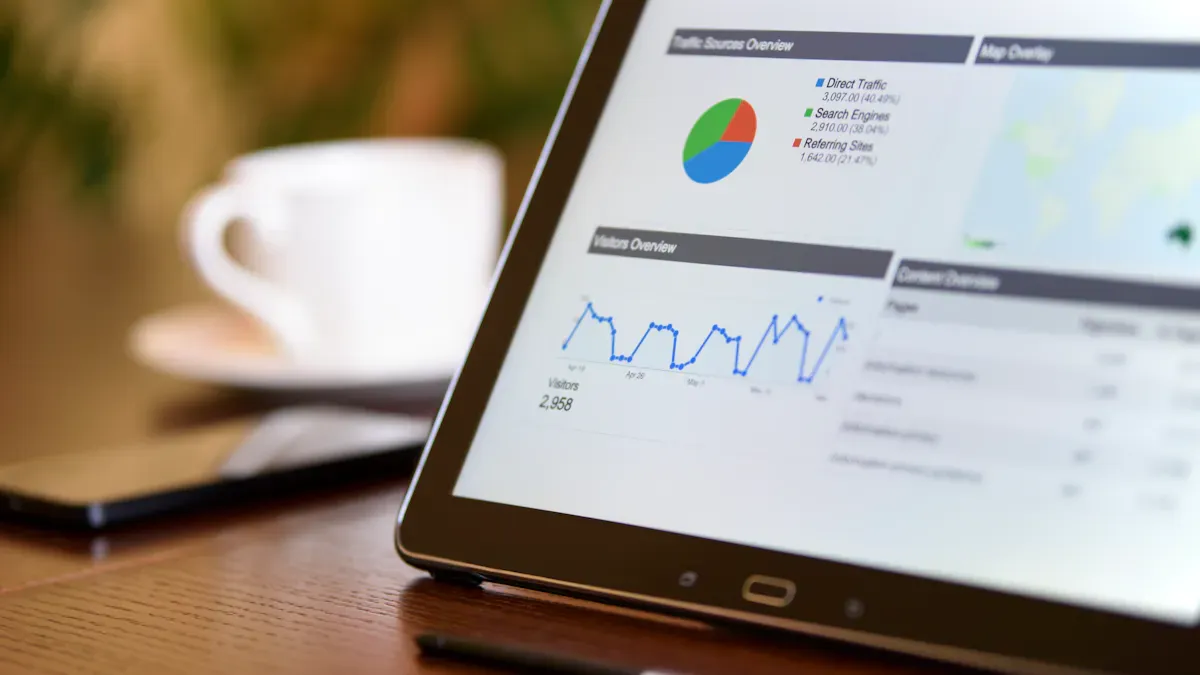
A content marketing metrics dashboard shows how your content is doing. You can see numbers right away. You can change things fast. You get clear information to help you decide what to do.
Usability Factor
Description
Intuitive Navigation
You can see important KPIs quickly. You can look deeper easily.
Accessibility
Dashboards work on desktop, tablet, or phone.
Real-Time Syncing
You get updates right away. This helps you act fast in content marketing.
Your dashboard should grow as your campaigns get bigger. You need to keep improving it. This keeps your scorecard linked to money and how well your team works.
What Is a Content Marketing Metrics Dashboard
Core Purpose and Benefits
A content marketing metrics dashboard helps you see how your content is doing. It shows numbers like traffic, engagement, and conversion rates all in one spot. The dashboard uses pictures and charts to make hard data easy to understand. You can find patterns, check results, and make choices faster. Using a marketing metrics dashboard saves you time because you do not have to make reports by yourself. The dashboard updates on its own, so you always see the newest analytics.
Here are some main benefits of using a content marketing dashboard:
Benefit
Description
Reduce manual reporting and save time
The dashboard updates itself, so you do not need to export or match data by hand.
Align teams around shared data
Everyone uses the same numbers, which helps your team work better together.
Understand ROI across content and channels
You see how your content leads to business results, so you can plan your budget and next steps.
Who Needs a Metrics Dashboard
You need a marketing metrics dashboard if you want to watch your content marketing and get better results. Marketing teams use dashboards to keep up with their main goals. Digital marketers check how campaigns are doing and change their plans. Agencies look at results from many places. Content marketing teams use dashboards to show ROI and make better content. Senior leaders use dashboards to help make big choices.
Marketing teams follow KPIs and business goals.
Digital marketers check campaign results.
Agencies look at performance across channels.
Content marketing teams prove the value of their work.
Senior leaders use dashboards for planning.
A content marketing dashboard helps you know what works and what should change. When you use FineReport, you can connect all your data, make custom dashboards, and share what you learn with your team. This makes your content marketing stronger and helps you reach your goals.
Key Metrics for Your Content Marketing Metrics Dashboard
Engagement Metrics
You need to watch engagement metrics to know how people react to your content marketing. These numbers show if your content is fun and useful. Views help you see which topics get attention. New users tell you if your content brings in new people. Average engagement time shows if people stay and read your content. Bounce rate tells you if visitors leave without looking at more pages. You can also count video plays, downloads, newsletter sign-ups, and comments. These actions help you learn what starts conversations and keeps people interested.
Engagement Metric
Description
Video Plays
Counts how many users press play on videos, showing interest in video content.
Resource Downloads
Tracks downloads of whitepapers, case studies, or checklists, showing content value.
Newsletter Sign-ups
Shows if content is good enough to make users want more updates.
Comment Submissions
Shows user engagement by counting conversations started by the content.
FineReport lets you track these engagement metrics from many places. You can see all your analytics together and get clear ideas about your content marketing dashboard.
Reach and Traffic Metrics
Reach and traffic metrics help you see how far your content marketing goes. Unique visitors show how many people look at your content. Traffic sources tell you where visitors come from, like search engines or social media. SERP impressions show how often your content pops up in search results. Organic traffic counts visitors who find your content on their own. You can also track brand mentions and social shares to see how far your content spreads.
Unique Visitors: Counts different people who view your content; more visitors means your brand is growing.
Traffic Sources: Shows which channels bring visitors (like search, social, or referrals), so you know where to focus.
SERP Impressions: Counts how often your content shows up in search results, showing how visible it is.
FineReport helps you see these metrics and compare them to what others in your industry do. You can watch your content reach and change your marketing metrics dashboard for better results.
Conversion and ROI Metrics
Conversion and ROI metrics show how well your content marketing turns visitors into leads or buyers. Conversion rates measure things like signing up for emails or buying products. Customer Acquisition Cost tells you how much you pay to get a new customer. Attribution modeling helps you see which content brings in money. Marketing mix modeling shows how different channels work together. Incrementality testing shows the real effect of your content marketing.
Conversion rate measures how often users do something, like:
People moving through sales steps.
Website visitors signing up for emails.
Landing page visitors buying a product.
Customer Acquisition Cost (CAC) measures how much it costs to get a new paying customer.
FineReport lets you track these performance metrics and see ROI on your content marketing dashboard. You can use these ideas to make your strategy better.
Custom Metrics by Goal
You can make custom metrics to match your business goals. Custom metrics help you focus on what matters most for your content marketing. You might count downloads for a campaign or measure engagement for a new product launch. Matching custom metrics with your goals helps you make better choices and see real progress.
Custom metrics let you pick and study data points that fit your goals.
Matching custom metrics with your company’s main goals makes sure you get good results.
Setting business goals helps you build custom metrics for smart decisions.
FineReport gives you the power to make custom dashboards and track the metrics that matter to your team. You can change your marketing metrics dashboard to fit your needs and get useful ideas.
Structuring Your Content Marketing Metrics Dashboard
Grouping by Channel or Funnel
You can make your dashboard easier to use. Group metrics by channel or funnel stage. Think about how customers move through steps. Most journeys have four main stages. These are awareness, consideration, conversion, and retention. Put metrics like impressions and reach at the top for awareness. Use click-through rates and engagement metrics for consideration. Track conversion rates and add-to-cart actions for conversion. For retention, look at email engagement and repeat visits.
Make each funnel stage clear.
Put the right metrics in each stage.
Label groups so you see where users move or stop.
You can also group metrics by channel. For example, keep social media, email, and website analytics in their own sections. This helps you compare performance metrics across channels. You can spot trends fast. FineReport lets you make flexible dashboard layouts. You can organize your dashboard by funnel, channel, or both. You can add filters for date ranges, campaigns, or content types. This helps you dig deeper without making the dashboard messy.
Aligning with Business Objectives
You need to connect your dashboard to your business goals. Start by knowing your company’s mission and vision. Set marketing objectives that match these goals. Work with your team and leaders to pick which metrics to track. This keeps everyone focused on what matters most.
Method
Description
Know the business’s mission
Learn the long-term goals and what success means.
Set marketing objectives that match
Make sure every goal links to a business objective.
Involve stakeholders early and often
Get feedback from key people to stay on track and work together.
FineReport lets you pull data from many places. You can match it to your business needs. Use summary blocks for top KPIs. Use line charts for trends. Use tables for details. Keep your dashboard clean. Use the same colors and labels for easy reading. Schedule regular reviews with your team. Check your dashboard and take action when needed.
Building a Content Marketing Metrics Dashboard with FineReport
When you use FineReport to make a content marketing dashboard, you can turn raw data into helpful ideas. You can follow some easy steps to build a dashboard. This dashboard helps your team watch, study, and improve your content marketing.
Selecting Metrics and Data Sources
First, pick the right metrics for your marketing metrics dashboard. Think about what is most important for your business. You might want to track engagement, reach, or conversion metrics. Make sure your data sources can give you these numbers. FineReport connects to many data types, like website analytics, CRM systems, and social media platforms.
When you pick metrics and data sources, use these things to help you decide:
Evaluation criteria
Weight
Key questions
Assessment method
AI effectiveness
25%
Does it generate accurate, relevant visualizations? How good are automated insights?
Test with your actual datasets and use cases
Ease of use
20%
Can non-technical users create charts independently? How intuitive is the interface?
Conduct user acceptance testing across skill levels
Data source compatibility
15%
Does it connect to our systems? How easy is data preparation?
Verify connectors and test data import workflows
Visualization quality
15%
Are outputs professional and customizable? Do they meet brand standards?
Review sample outputs and customization options
Scalability
10%
Can it handle our data volumes? Will it grow with us?
Benchmark performance with realistic data sizes
Total cost of ownership
10%
What's the 2-year cost including training and maintenance?
Model growth scenarios with all costs included
Integration ecosystem
5%
Does it work with our existing tools? Are APIs available?
Test critical integrations during evaluation
Always match your metrics to your business goals. This keeps your content marketing dashboard helpful and focused.
Connecting and Integrating Data
FineReport makes it simple to bring data together from different places. You can connect to databases, spreadsheets, or cloud services. Use the drag-and-drop tool to add datasets. For example, you can add one dataset for sales and another for sales costs. You can link these datasets by matching fields, like salesperson names.
Follow these steps to connect and put your data together:
Add datasets using SQL, like select * from sales_basic and select * from sales_cost.
Drag the columns you need into your dashboard.
Set grouping and other options for each column.
Link fields, like salesperson, to see more data.
Use filters to show only the most important information.
This helps you see all your content marketing metrics in one spot. You can compare numbers and find trends fast.
Visualizing and Customizing Dashboards
You can turn your data into easy-to-read visuals with FineReport. The drag-and-drop designer lets you make charts, tables, and graphs without coding. You can pick from many chart types, like 3D and animated charts. These visuals help you show your content marketing results to your team.
FineReport gives you these features for your marketing metrics dashboard:
Drag-and-drop designer for quick report building
One-click connection with popular databases
Ready-made HTML5 charts with moving and 3D effects
Stream-to-TV to show KPIs on big screens
Mobile app to check dashboards anywhere
You can change your dashboard to match your brand. Change colors, labels, and layouts to fit your style. You can also add filters for date ranges, campaigns, or content types. This makes your content marketing dashboard easy to use and flexible.
Automating Reporting
You can save time by letting FineReport send reports for you. Set up schedules to send reports every day, week, or month. The dashboard updates with real-time data, so you always see the newest numbers. You can share reports by email or check them on your phone.
Automated reporting keeps your team in the loop. You do not have to make reports by hand. You can spend more time making your content marketing better.
FineReport gives you the tools to build a strong content marketing metrics dashboard. You can track engagement, reach, and conversion metrics. You can connect data from many places, make custom visuals, and automate your reports. This helps you make smart choices and grow your content marketing.
Best Practices and Tool Comparison for Content Marketing Dashboards
Keeping Dashboards Actionable
You want your content marketing dashboard to help you make smart choices. Follow these best practices to keep your dashboard useful:
Set one clear purpose for each dashboard. Give each team member a dashboard that fits their role.
Start with business questions. Ask what you want to learn before you pick metrics.
Make sure the main message is clear in five seconds or less.
Automate data updates. Show fresh numbers so your team trusts the dashboard.
Design for mobile first. Many people check content marketing results on their phones.
Use color to highlight important information.
Add data quality checks. Make sure your numbers are correct.
Give each user the right view. Use role-based access.
Make every chart lead to an action.
Improve your dashboard by watching how people use it and making changes.
Adapting to Evolving Goals
Your content marketing goals can change as your business grows. You need a dashboard that can change with you. Here is how you can keep your dashboard up to date:
Set clear goals and connect them to your business needs.
Pick a dashboard tool that works well with your data sources.
Link all your data so you see the full picture.
Change your dashboard for different users. Ask for feedback and update it often.
You can keep your content marketing dashboard relevant by checking your goals and updating your dashboard as needed.
FineReport vs. Other Dashboard Tools
Choosing the right tool makes a big difference in content marketing. Here is a quick look at what matters most:
Factor
FineReport
Other Tools
Ease of Use
Drag-and-drop, simple interface
Some need more training
Customizability
Highly flexible, many options
May have limits
Integration
Connects to many data sources
Some have fewer connectors
Sharing Options
Real-time sharing, mobile access
May lack mobile support
Cost-Effectiveness
Scales with your needs
Can be costly as you grow
FineReport gives you a user-friendly way to build content marketing dashboards. You can connect many data sources, customize your dashboard, and share results in real time. This helps you get the most from your analytics and keep your content marketing strong.
You can make a strong content marketing dashboard by following easy steps. First, think about what business questions you want to answer. Pick the right KPIs for each team member and funnel step. Bring in data from places like CRM and analytics tools. Make a dashboard that shows the main metrics you need to check often. Change the insights to fit your needs and look for mistakes.
Actionable dashboards help connect your content marketing to business goals. They make hard data simple to understand. Real-time updates let you watch how things are going and change plans fast.
Use data from many places to see your content marketing results. Pick the best tool for your dashboard. Connect all your data and set up the right calculations. Check your dashboard often to keep it working well.
FineReport by FanRuan helps you build and update content marketing dashboards easily. You can follow your analytics, share what you find, and make your marketing better.
Product Trial
FineReport
Pixel-perfect reports · Interactive dashboards · Easy data entry · Digital twins
Access a wealth of case studies, industry insights, and solution guides to accelerate digital transformation.
FAQ
How do you choose the right metrics for your dashboard?
You should pick metrics that match your business goals. Ask yourself what you want to learn. Focus on numbers that show progress, like engagement, reach, or conversions.
Can you connect FineReport to different data sources?
Yes, you can link FineReport to databases, spreadsheets, and cloud services. The drag-and-drop tool makes it easy to add and organize your data.
Is it possible to view dashboards on your phone?
You can check your dashboards on any device. FineReport supports mobile access. You stay updated wherever you go.
How often should you update your dashboard?
You should update your dashboard as your goals change. Schedule regular reviews. Use automated reporting to keep your data fresh.