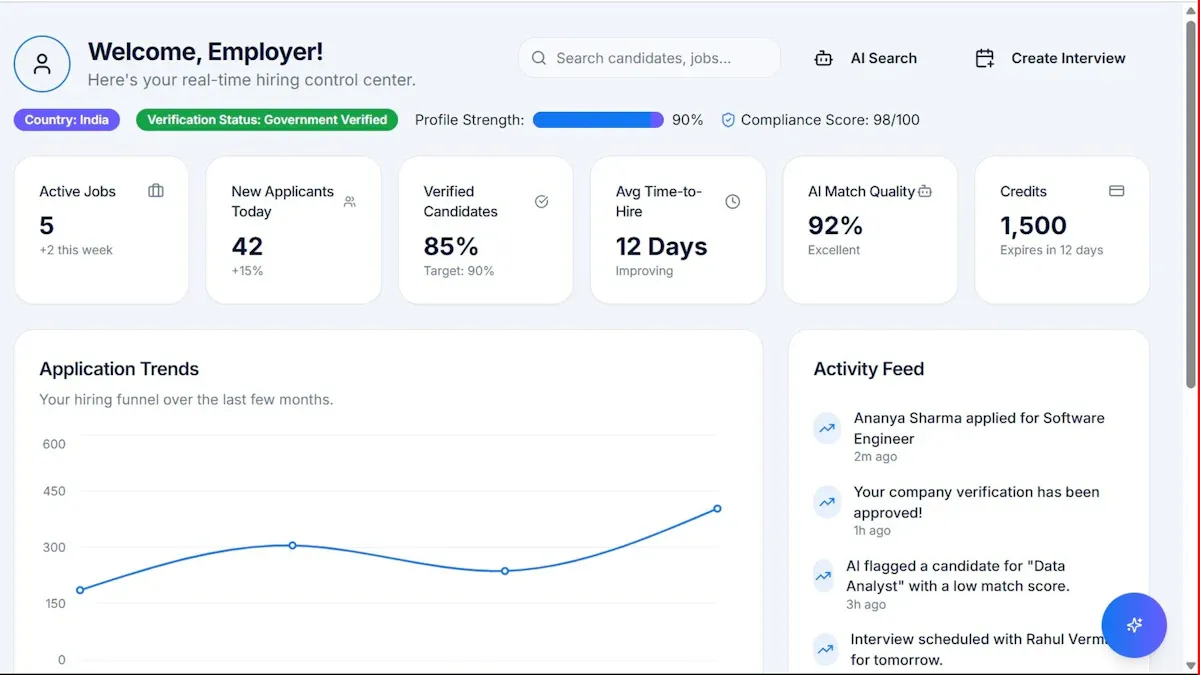
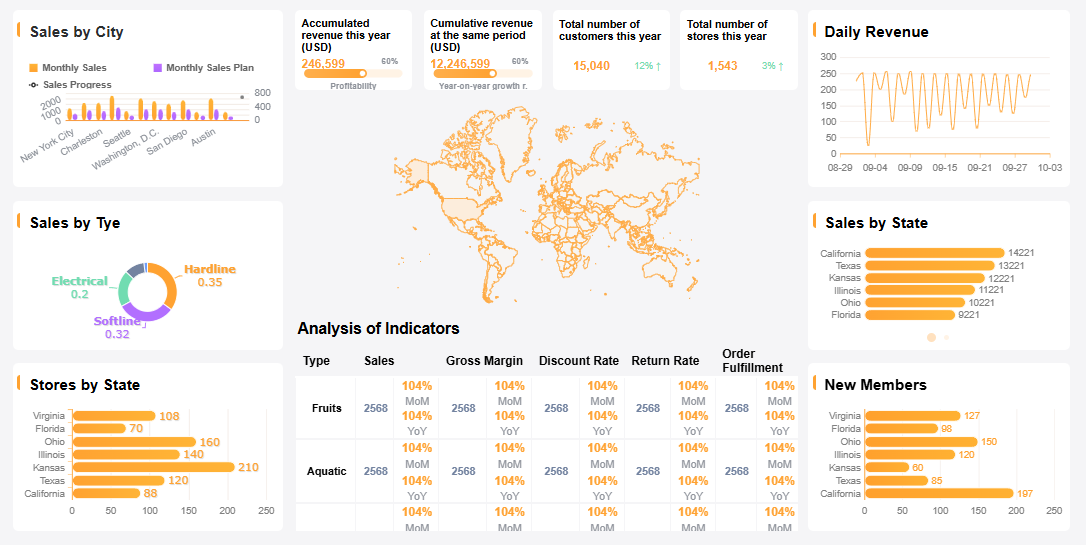
What is "marketing metrics dashboard"? You use it to track and visualize your marketing performance in real time. This dashboard brings together campaign data, website analytics, and customer insights so you can see exactly what’s working. For marketing teams, a marketing metrics dashboard makes data-driven decision-making possible. You face design complexity, data management issues, and collaboration challenges when building dashboards from scratch. FineReporthelps you overcome these hurdles with easy data integration and flexible dashboard creation.
Marketing Metrics Dashboard Essentials
What Is a Marketing Metrics Dashboard
Amarketing metrics dashboardgives you a clear view of your marketing performance. You see all your key metrics in one place, from conversion rates to customer acquisition costs. This dashboard helps you track campaign results, website traffic, and customer engagement. You get real-time updates, so you can spot trends and react quickly. The dashboard is user-friendly and accessible, making it easy for you and your team to interpret data and make decisions.
Why Dashboards Matter for Marketing Teams
You need a marketing metrics dashboard to make smarter decisions. When you track metrics like conversion rate, customer acquisition cost, and return on investment, you understand what works and what needs improvement. Here’s a quick look at someimportant metrics you’ll find on an effective marketing dashboard:
KPI/Metric
Description
Conversion Rate
Measures the percentage of visitors who complete a desired action.
Customer Acquisition Cost
The cost associated with acquiring a new customer.
Return on Investment (ROI)
Evaluates the profitability of marketing investments.
With a content marketing dashboard, you combine data from different sources. You see patterns that isolated reports might miss. Dashboards encourage you to explore your marketing strategies and ask better questions. You can track web users, goal completions, and new contacts. This helps you align your marketing efforts with your business goals.
Key Features and Benefits
An effective marketing metrics dashboard offers several features that make your job easier:
Tracks relevant metrics and ensures data accuracy
Customizes views for different users, from executives to specialists
Presents data in a clear format for easy interpretation
Aligns metrics with strategic goals
Supports usability and user-friendliness
A content marketing metrics dashboard lets you monitor brand awareness, traffic sources, and cost per action. You can measure response time, customer lifetime value, and return on ad spend. Clean and accurate data is essential. Inaccurate data can lead to poor decisions and wasted resources. When you use a content marketing dashboard, you focus on the critical priorities of your business and improve performance.
When you build a marketing campaign performance dashboard, you want to trackmetrics that matter most. You need to see how your campaigns perform and where your budget goes. Here are some of the most important metrics you should include:
Customer Acquisition Cost (CAC): This shows how much you spend to get a new customer. You can use it to allocate your budget more effectively.
Return on Ad Spend (ROAS): This metric helps you see how much revenue you earn for every dollar spent on advertising.
Lead-to-Customer Ratio: You can measure how well your leads convert into paying customers.
Customer Lifetime Value (CLV): This tells you the total revenue a customer is likely to generate for your business.
Attribution Accuracy: With privacy changes, you need advanced models to capture the real impact of each customer touchpoint.
You can also add metrics like conversion rate, engagement rate, and cost per lead to your marketing campaign performance dashboard. These metrics help you understand which campaigns drive results.
Content Marketing Metrics Dashboard Overview
Different dashboard types help you track metrics for various marketing strategies. You might use a website traffic dashboard to monitor visitors and engagement. You can choose a dashboard that fits your needs. Here’s a quick overview:
Dashboard Type
Purpose
Example Metrics
Status Dashboards
Quick checks for operational teams, monitoring activities regularly.
Active ad spend, website uptime, live campaign counts
Role-specific Dashboards
Tailored for specific positions, providing focused insights.
ROAS, total ad spend, cost per lead
Area-specific Dashboards
Focused on particular marketing channels, filtering out irrelevant data.
Registrations, attendance rate, cost per attendee
Entity Dashboards
Track specific campaigns or projects, monitoring detailed metrics.
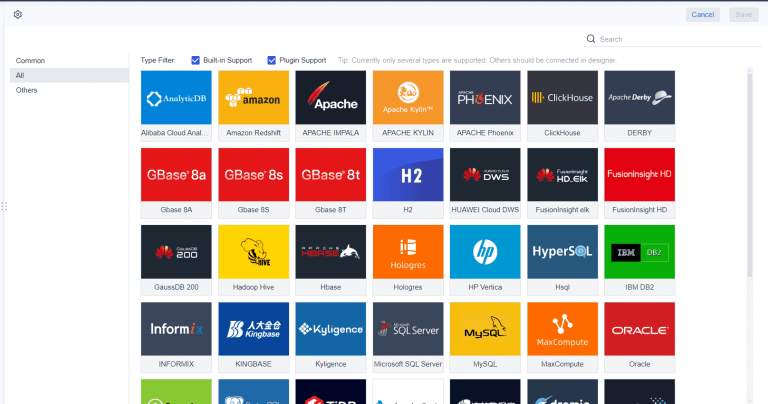
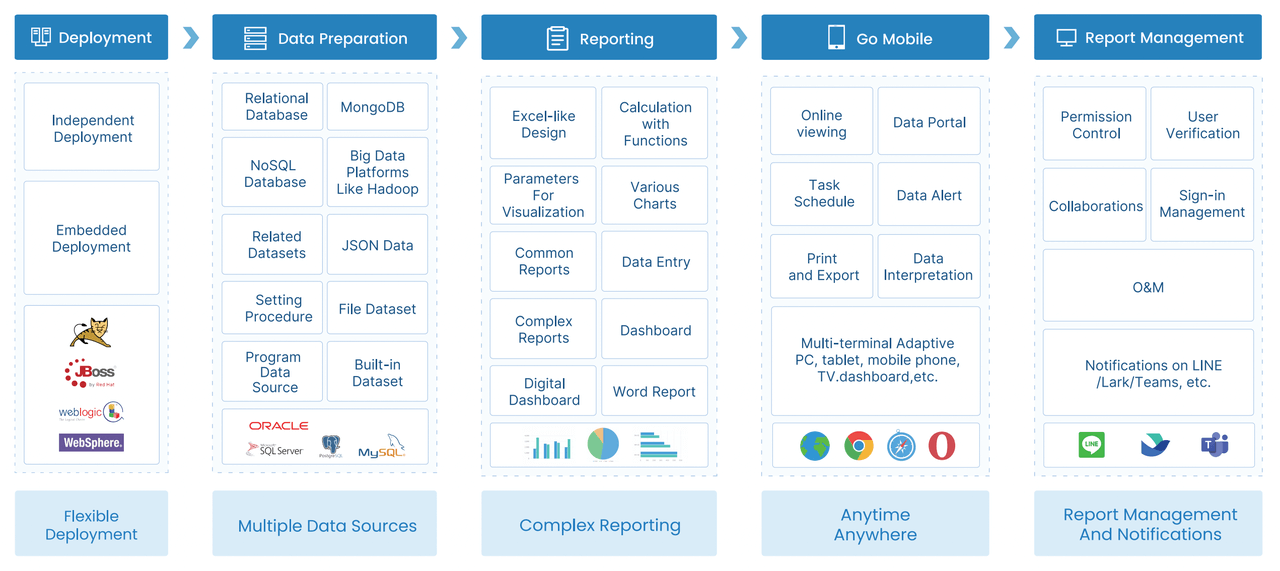
You cancustomize your marketing campaignperformance dashboard to show only the metrics that matter for your team. FineReport supports multi-source data integration, so you can pull data from different platforms and create flexible dashboard layouts.
Aligning Metrics with Business Goals
You want your marketing campaign performance dashboard to support your business objectives. Here’s how you can align your metrics with your goals:
Define your business goals and select the right metrics.
Clean up your data to ensure accuracy.
Understand what your stakeholders need to see.
Customize your dashboard for different users.
Create dashboards that are easy to use and interpret.
Train your team to use the dashboard effectively.
Evaluate results and adjust your metrics as needed.
When you collaborate with your team to identify key metrics, you create effective marketing dashboards that drive better decisions. You foster a data-driven culture and give everyone visibility into company performance. With FineReport, you can design dashboards that match your goals and help you track metrics in real time.
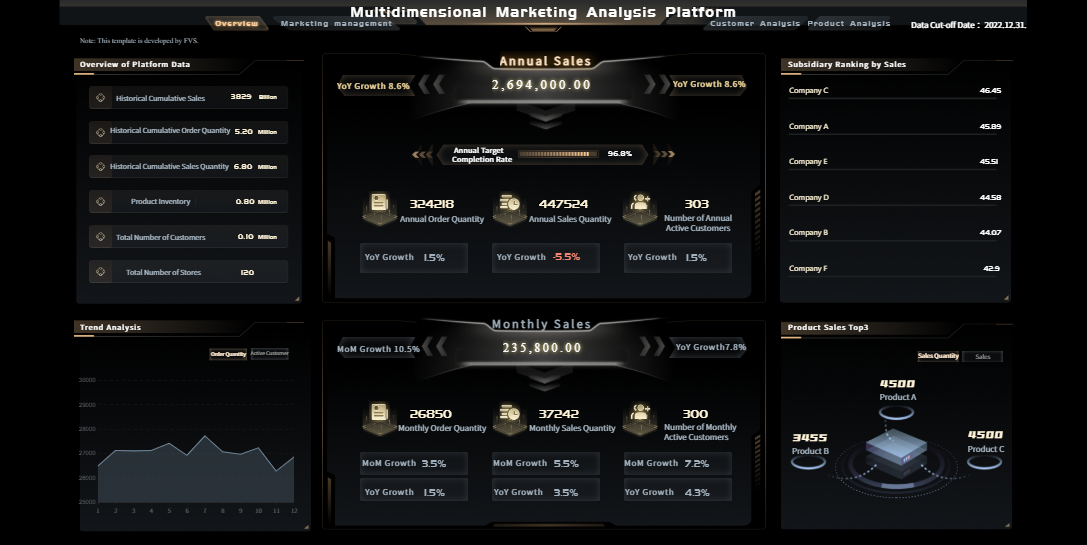
FineReport's Multidimensional Marketing Analysis Dashboard - Click To Engage
How to Build a Marketing Metrics Dashboard Step-by-Step
Creating acontent marketing dashboardfrom scratch can feel overwhelming, but you can break it down into manageable steps. This step-by-step guide will help you build a client marketing dashboard that delivers actionable insights and supports your marketing goals. You’ll learn how to define objectives, select the right tools, integrate data, design layouts, add visualizations, automate reporting, and keep your dashboard relevant.
Define Marketing Objectives
Before you start building a content marketing dashboard, you need to clarify your marketing objectives. You want your dashboard to reflect your business goals and measure what matters most. Here’s a simple table to help you map out your objectives:
Step
Description
1
Map the relationship between marketing programs and business outcomes to clarify Marketing's role and identify key metrics.
2
Select metrics to measure Marketing's impact, efficiency, and value through dialogue with the marketing team.
3
Create a data chain linking marketing activities to business results to visualize the impact of marketing efforts.
4
Identify and secure necessary data sources to ensure measurement can be conducted effectively.
5
Develop an alpha dashboard to validate data and measurement processes, ensuring the dashboard captures relevant performance information.
You should focus on metrics that connect your marketing activities to real business outcomes. For example, if your goal is to increase brand awareness, you might track website visits, social shares, and engagement rates. If you want to improve lead generation, you’ll monitor conversion rates and cost per lead. This approach helps you build a content marketing metrics dashboard that supports your strategy.
Select FineReport for Dashboard Creation
Once you’ve defined your objectives, you need a tool that makes dashboard creation easy and effective. FineReport stands out for its intuitive design mode and robust data connectivity. Here’s a quick comparison table to show why FineReport is a smart choice for building a client marketing dashboard:
Feature/Benefit
Description
Intuitive design mode
Easy-to-use designer with drag-and-drop functionality for quick report creation.
Excellent data connectivity
One-click integrations with mainstream databases and direct JDBC connections.
Dedicated mobile app
A mobile app built with ReactNative for a seamless experience on mobile devices.
Pre-built HTML5 charts
Over 50 styles of charts with dynamic effects for effective data visualization.
Stream-to-TV feature
Allows tracking of KPIs on large screens and TV dashboards easily.
FineReportlets you create custom marketing dashboards without coding. You can design interactive dashboards for different teams, from executives to specialists. The drag-and-drop designer makes it easy to add charts, tables, and filters. You can also access your content marketing dashboard on mobile devices, so you stay connected wherever you go.
A powerful content marketing dashboard pulls data from multiple sources. You want to see your campaign performance, website analytics, social media stats, and email marketing dashboard metrics all in one place. Here’s an ordered list of best practices for integrating data:
Map your data ecosystem. Document every platform, account, metric, and team involved in your reporting process.
Automate data collection. Use connectors or reporting tools to keep your dashboard updated.
Standardize metrics and definitions. Align definitions for conversions, revenue, leads, and attribution rules.
Choose scalable tools. Make sure your dashboard can handle growing datasets and more client accounts.
Validate and monitor data regularly. Routine checks help catch issues early and ensure reliability.
Document your processes. Clear documentation helps with onboarding and keeps reporting consistent.
FineReportsupports multi-source data integration, so you can connect to databases, spreadsheets, and cloud platforms. For example, in retail membership management, you can combine customer segmentation data, sales figures, and campaign results to create an integrated content marketing dashboard. This approach gives you a holistic view of your marketing efforts.
The layout of your content marketing dashboard affects how users engage with data. You want your dashboard to be clear, focused, and easy to navigate. Here’s a table with design tips:
Evidence
Explanation
Limiting items on a dashboard to five to seven
Reduces clutter and noise, enhancing user focus on the intended purpose of the dashboard.
Asymmetrical design
Strategically places prominent elements to guide user attention to important data, improving clarity and engagement.
Strategic use of color
Communicates effectively by emphasizing key data points and ensuring accessibility, which keeps users engaged.
Use of icons
Simplifies navigation and comprehension, making the dashboard more intuitive, especially for non-technical users.
Good dashboard design minimizes the effort required for users to interpret data. You should prioritize the most important information at the top and use a clear hierarchy to guide the viewer’s eye. For example, BOE’s experience shows that reducing cognitive load and offering a holistic status at a glance helps users understand performance and take action. You can use icons and color strategically to highlight key metrics and make navigation simple.
Add Visualizations and Automate Reporting
Visualizations bring your content marketing metrics dashboard to life. You want to use charts, graphs, and tables that make trends and patterns easy to spot. Here’s a table with popular visualization tools and their strengths:
Dashboard Type
Key Features
Purpose
HubSpot
All-in-one ecosystem, user-centric design
Strategic command center for marketing performance
Salesforce
Comprehensive data integration, customizable views
Facilitates informed decision-making through visual storytelling
Google Analytics 4
Granular insights, real-time data tracking
Helps in understanding web and app performance
Facebook Ads Manager
Specialized ad performance views
Focused on campaign-specific metrics for better ad management
Tableau
Visual storytelling capabilities
Enhances narrative of marketing performance through engaging visuals
Power BI
Interactive dashboards, data connectivity
Provides a dynamic view of marketing metrics for agile decision-making
Mailchimp
Campaign-specific focus, easy-to-read visuals
Tailored for email marketing performance tracking
Centralized views and real-time metrics help you track performance and make quick decisions. You can filter by time period, campaign, or channel for deeper insights. Clear visuals help teams see trends and spot patterns, while well-organized dashboards reduce confusion and mistakes.
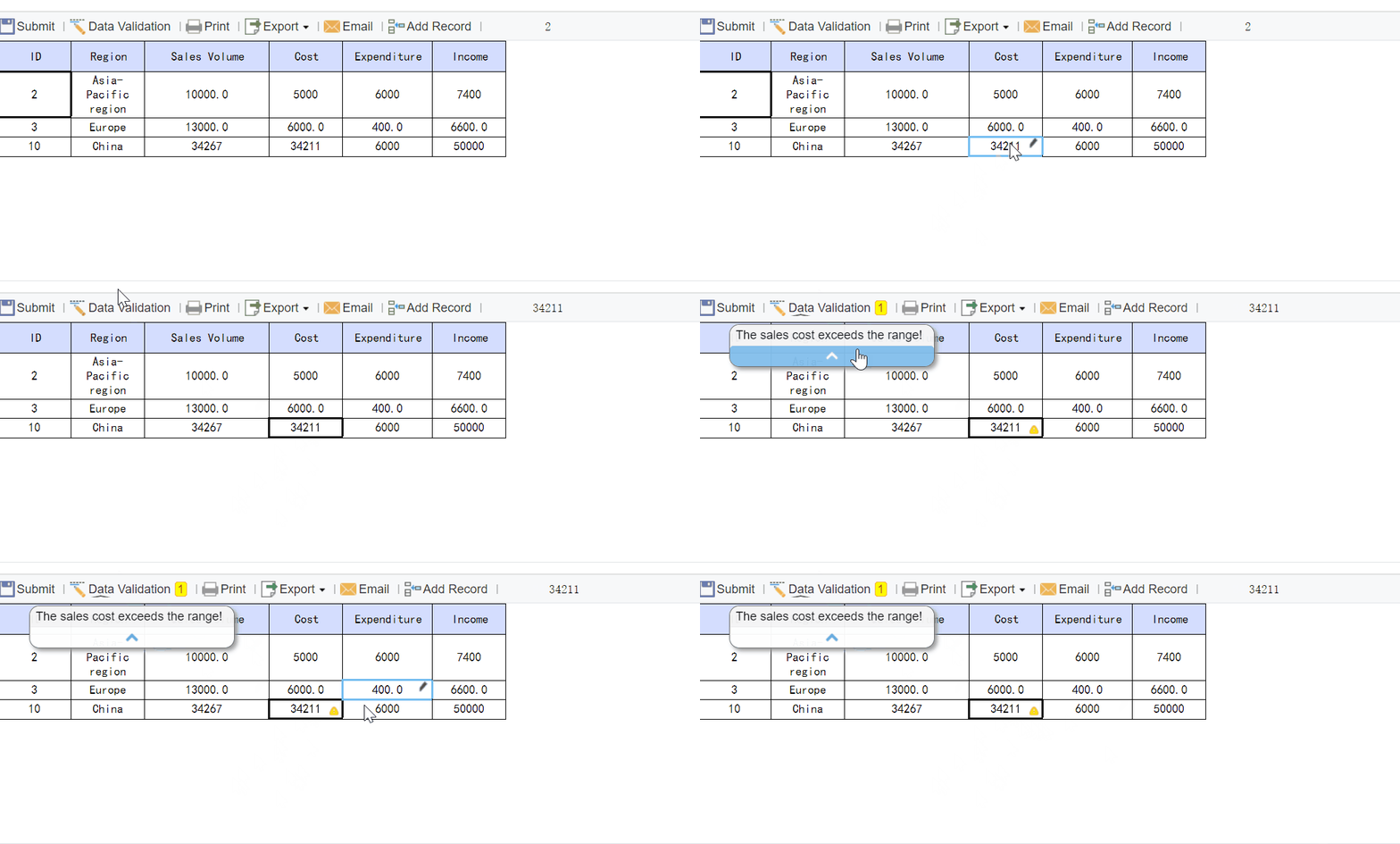
Automated reporting transforms your workflow. You can schedule reports to run automatically, saving hours each week. This frees you to focus on strategy and problem-solving. Automated reporting also minimizes human error, ensuring consistent and accurate data presentation. With FineReport, you can set up scheduled reporting for your content marketing dashboard, so your team always has the latest insights.
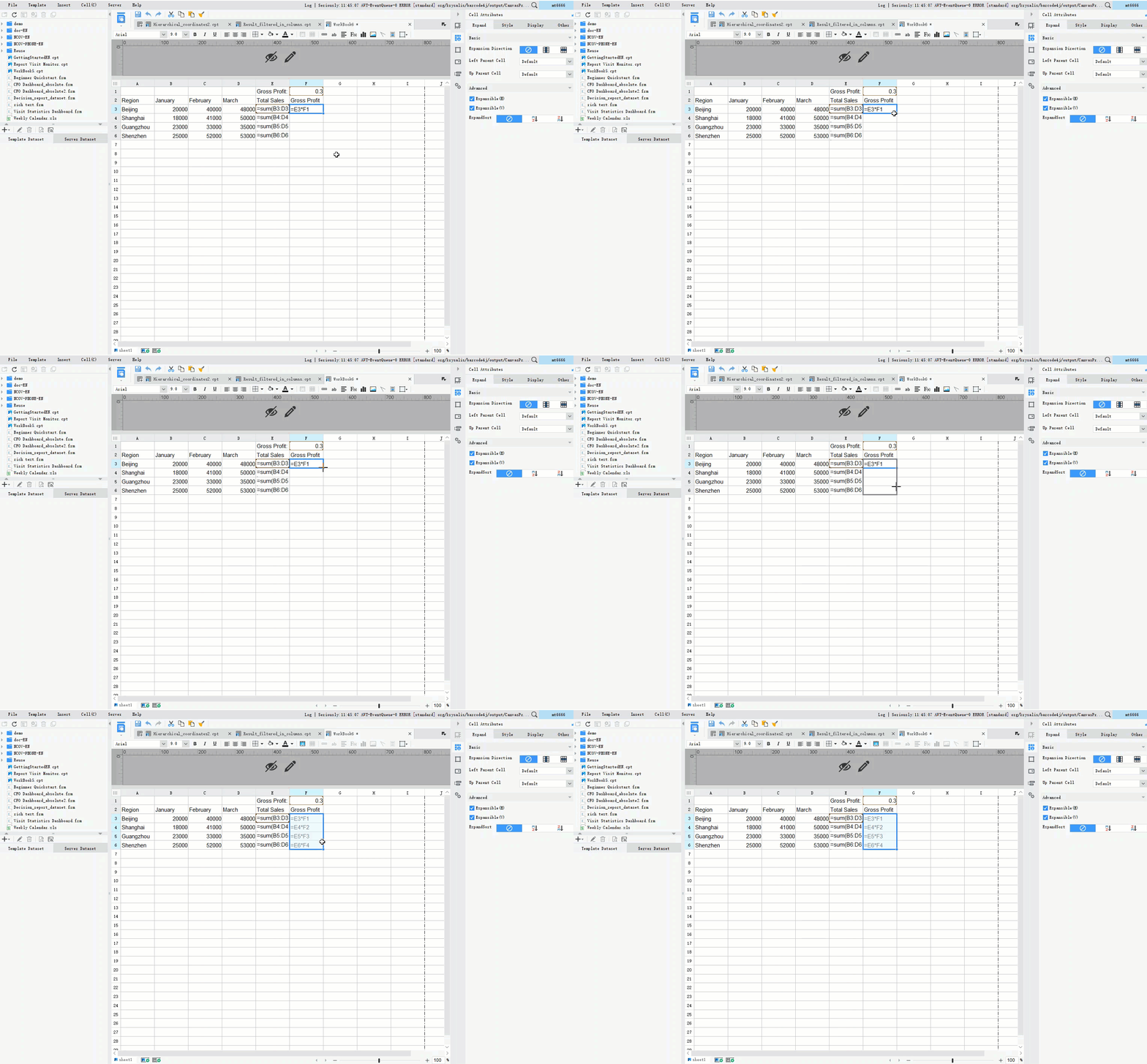
FineReport'sMultiple Built-in Charts For Visualization
Your content marketing dashboard needs regular review to stay relevant. You want to validate data, audit processes, and collect feedback from users. Here’s a table with recommended processes:
Process
Description
Data Validation
Implement checks at every step of the data pipeline to ensure reliability.
Conducting Regular Data Audits
Schedule consistent manual audits to identify and document recurring issues.
Implementing Version Control
Track changes to dashboards to maintain accuracy and facilitate troubleshooting.
Establishing a Review Process
Regular evaluations help keep dashboards relevant and functional as data sources change.
Collecting User Feedback
Create channels for users to provide feedback, such as surveys or embedded feedback buttons.
You should update your metrics as your business goals evolve. Collect feedback from your team to improve usability and functionality. For example, in building a client dashboard for retail membership management, regular reviews help you refine customer segmentation and optimize marketing strategies. In the BOE customer story, ongoing dashboard updates led to better operational efficiency and more actionable insights.
By following this step-by-step guide, you can build a content marketing dashboard that supports your marketing objectives, delivers real-time insights, and drives better decisions. FineReport’s drag-and-drop designer, mobile dashboard features, and automated reporting make dashboard creation simple and effective. Whether you’re building a client dashboard for a retail business, a content performance dashboard for your team, or a content roi dashboard for executives, you’ll have the tools you need to succeed.
If you want to create an integrated content marketing dashboard or a content marketing analytics dashboard, start by defining your objectives, integrating your data, and designing for clarity. Use interactive dashboards to engage users and automate reporting to save time. Regularly review and update your metrics to keep your dashboard relevant. With FineReport, you can build custom marketing dashboards that scale with your business and deliver the insights you need.
Best Practices and Common Pitfalls in Marketing Metrics Dashboard
Dashboard Design Tips
When you design a marketing metrics dashboard, you want clarity and usability. Start with a clear visual hierarchy so users can find important information fast. Pick the right visualizations—bar charts work well for comparisons, line charts show trends. Limit the number of visual elements to avoid overwhelming your team. Keep things consistent with colors and interaction patterns. Simplify the design and focus on essentials. Make sure your dashboard makes data accessible and easy to use.
Avoiding Data Overload
You might feel tempted to add every metric you can think of, but less is often more. Dashboards should answer specific marketing questions, not drown users in complex metrics. Design your dashboard around decisions you need to make. Create feedback loops to improve usability. Audit dashboard usage and remove clutter. You can also apply the one-dashboard-per-purpose rule. This keeps each dashboard focused and relevant.
Tip: Audit your tools and dashboards regularly. Cut out anything that overlaps or does not align with your marketing goals.
Ensuring Data Accuracy
You need to ensuredata accuracy for your marketing metrics dashboard to be effective. Data quality matters in marketing analytics. Hold regular meetings between marketing and sales teams to align on lead quality and metrics. Set clear service level agreements to define what counts as a qualified lead. These steps help you track accurate metrics and make better decisions.
Every marketing team has unique needs. Customize your dashboard for different roles and departments. FineReport makes this easy with flexible layouts and permission controls. You can scale your dashboard as your business grows. Scheduled reporting and real-time monitoring keep your metrics up to date. Continuous feedback and cross-department collaboration help you maintain and improve your dashboard over time.
Best Practice
Description
Continuous Monitoring and Feedback
Gather user input to keep dashboards efficient and effective
Training and Documentation
Provide training and clear documentation for users and maintainers
Cross-Department Collaboration
Share best practices and align goals across teams
Implementing Automation
Use automation to streamline audits and updates
By following thesebest practices, you build a marketing metrics dashboard that supports decision-making, avoids common pitfalls, and grows with your marketing needs.
You can build a marketing metrics dashboard by following a few clear steps. Start by defining your goals, choosing key metrics, ensuring data accuracy, and customizing the layout for your team. FineReport helps you visualize large datasets and spot patterns quickly, boosting your efficiency. Companies using AI tools like FineReportsee up to 40% better data interpretation. Real-world dashboards give you instant insights into customer health and engagement. If you align your dashboard with business objectives, automate data sources, and keep it focused, you’ll create a tool that grows with your needs.
Key Takeaway
Description
Define Goals
Set clear objectives for your dashboard.
Choose Key Metrics
Pick metrics that match your marketing KPIs.
Ensure Data Accuracy
Validate and standardize your data sources.
Customize Layout
Design for your users to improve clarity and usability.
Tip: Regularly review and optimize your marketing metrics dashboard to keep it relevant and actionable.
Continue Reading About Marketing Metrics Dashboard
Access a wealth of case studies, industry insights, and solution guides to accelerate digital transformation.
FAQ
What is a marketing metrics dashboard?
A marketing metrics dashboard shows you all your key marketing data in one place. You can track campaign performance, website traffic, and customer engagement. This tool helps you make smarter decisions and spot trends quickly.
Why should you use a marketing metrics dashboard?
You need a marketing metrics dashboard to see what works and what needs improvement. It helps you focus on important metrics, save time, and boost your marketing results. You get real-time updates and clear visuals.
How do you choose the right metrics for your dashboard?
Start by setting your marketing goals. Pick metrics that match those goals, like conversion rate or customer acquisition cost. You want your marketing metrics dashboard to show only the data that matters most to your team.
Can you customize a marketing metrics dashboard for different users?
Yes, you can. You can create views for executives, managers, or specialists. Each user sees the metrics that matter to them. Customization makes your marketing metrics dashboard more useful and easier to understand.
How often should you update your marketing metrics dashboard?
You should review and update your marketing metrics dashboard regularly. Weekly or monthly updates keep your data fresh and relevant. Regular checks help you catch errors and make sure your dashboard supports your business goals.