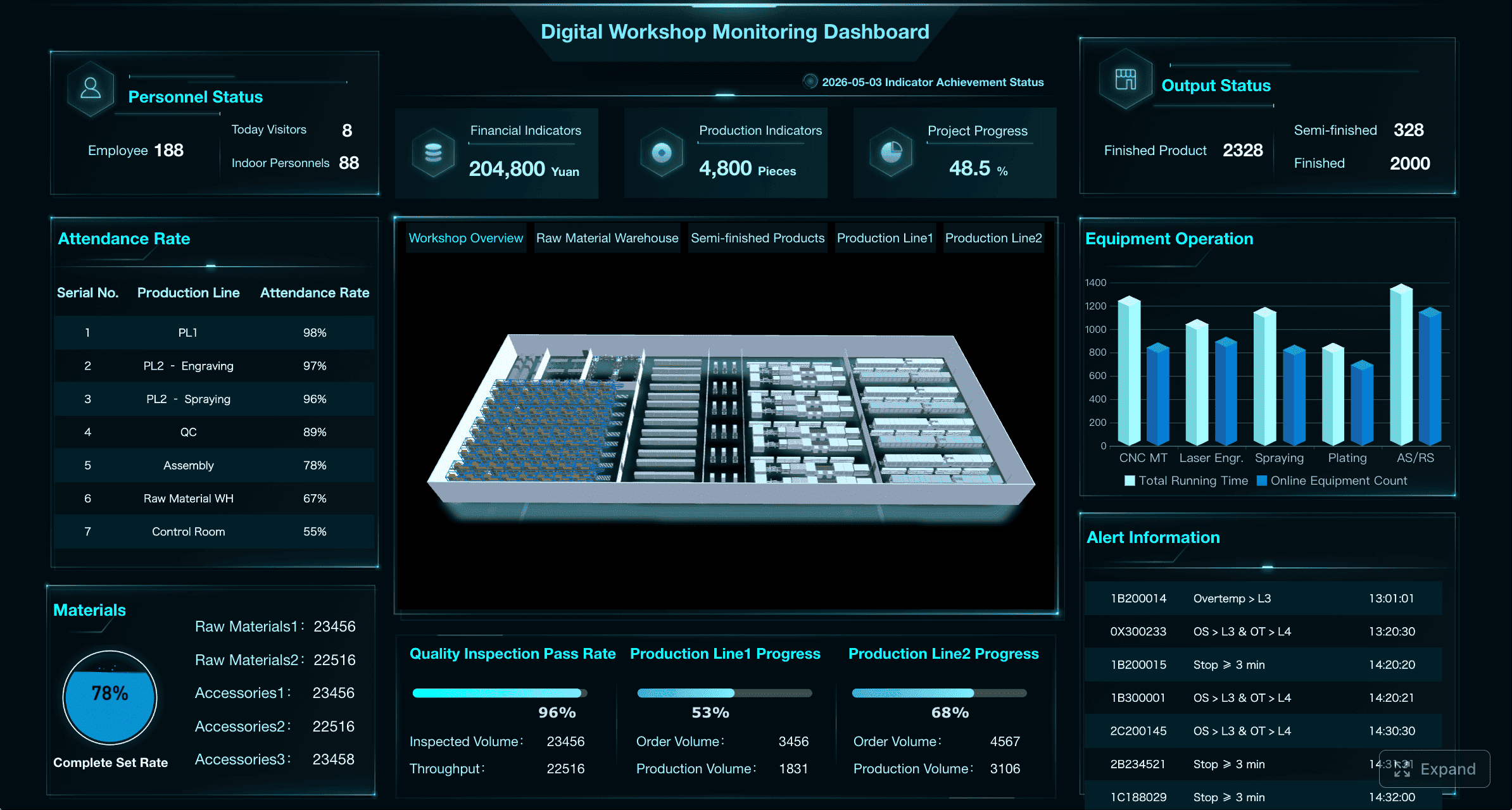
A uat dashboard gives BI teams one place to control testing progress, data accuracy, defect risk, and stakeholder sign-off before release. For IT managers, BI product owners, analytics leads, and operations directors, this is not a reporting nicety. It is a release-control mechanism.
Without a structured UAT view, teams usually face the same operational failures: test cases scattered across spreadsheets, unresolved data issues hidden in email threads, unclear ownership, and last-minute business objections that delay go-live. A well-designed uat dashboard solves that by making release readiness visible and measurable.
All dashboards in this article are created by FineBI
A uat dashboard in a BI project is a centralized view that tracks whether dashboards, reports, metrics, and data flows have been tested and accepted by business users. Its purpose is to help teams answer three critical questions fast:
Are we testing the right business scenarios?
Are issues being fixed at an acceptable pace?
Are we truly ready for sign-off and release?
In business intelligence programs, this matters because UAT is where technical delivery meets business trust. A report can pass developer QA and still fail in production if users do not trust the numbers, cannot navigate filters correctly, or discover broken drill-down logic during decision-making.
A strong uat dashboard connects three domains that are often managed separately:
Testing visibility: planned vs completed scenarios, pass/fail trends, and coverage gaps
Defect tracking: issue severity, ownership, aging, and retest results
Stakeholder confidence: participation, acceptance status, and sign-off progress
It is also important to separate UAT from adjacent activities that BI teams sometimes blur together:
Report QA checks whether a dashboard or report functions as designed. This includes layout, filters, interactions, export behavior, and performance.
Data validation verifies that values, calculations, joins, and business rules match trusted source systems or approved logic.
User acceptance testing confirms that the solution supports real business decisions, works for the intended user roles, and meets acceptance criteria for release.
That distinction matters because enterprise BI failures rarely come from just one layer. A dashboard may be technically functional, numerically correct in sample cases, and still not acceptable for business use because workflow context, usability, or role-specific access was missed.
Core KPIs to Include in a UAT Dashboard
A useful uat dashboard should focus on release readiness, not vanity reporting. The goal is to show whether the BI asset is testable, trustworthy, and sign-off ready.
Key Metrics (KPIs)
Planned Test Cases: Total number of test cases or scenarios scheduled for the current UAT cycle.
Completed Test Cases: Number of scenarios executed so far, regardless of result.
Test Execution Rate: Percentage of completed test cases against the plan.
Pass Rate: Percentage of executed tests that passed without issue.
Fail Rate: Percentage of executed tests that failed and require correction.
Blocked Rate: Percentage of tests that cannot proceed due to missing data, access, dependencies, or unresolved defects.
Coverage by Asset: Testing coverage by dashboard, report, KPI, business process, or user role.
Open Defects by Severity: Current unresolved issues grouped by critical, high, medium, or low severity.
Defect Aging: Number of days defects remain unresolved, used to identify release risk.
Recurring Data Issue Count: Frequency of repeated data mismatches, logic disputes, or calculation errors.
Resolution Turnaround Time: Average time to fix, validate, and return defects for retesting.
Retest Success Rate: Percentage of resolved defects that pass on retest.
Stakeholder Participation Rate: Share of required business users actively completing assigned UAT tasks.
Sign-Off Progress: Percentage of required approvers who have reviewed and approved the release.
Acceptance Criteria Completion: Progress against defined business-critical release conditions.
Test execution and coverage metrics
Execution metrics tell you whether UAT is progressing at a pace that supports the project timeline. More importantly, they reveal whether the team is testing broadly enough across the full BI estate.
Track the following as standard:
Planned versus completed test cases
Daily or weekly execution trend
Pass, fail, and blocked percentages
Coverage by dashboard, report, role, business process, geography, or data domain
This is especially important in complex BI environments where a single dashboard may support multiple user groups. Coverage should not stop at “dashboard tested.” It should show whether key personas and decision flows were validated.
For example, a sales dashboard may need separate scenario coverage for:
Regional managers reviewing territory performance
Finance validating revenue recognition logic
Executives consuming high-level KPI summaries
Field users applying filters and drill-downs on mobile
A heatmap or matrix works well here because leadership can instantly see under-tested areas without digging through case-level detail.
Defect and data quality indicators
Defect metrics in a BI uat dashboard should show not only the count of issues, but their impact on release confidence.
The most important indicators include:
Open defects by severity and owner
Defects by dashboard or subject area
Recurring data mismatches
Calculation disputes or business rule conflicts
Aging defects that threaten go-live timing
BI projects require special emphasis on data quality defects, because many failures are not software bugs in the traditional sense. Common high-risk issues include:
Source-to-report mismatches
Incorrect aggregation logic
Broken filter context
Currency, time period, or hierarchy errors
Row-level security inconsistencies
Different KPI definitions across stakeholder groups
Aging matters because old defects usually signal one of three deeper problems: unclear ownership, unresolved business-rule conflict, or a dependency on upstream data engineering. All three can derail release decisions if not surfaced early.
Readiness and adoption signals
Many BI teams stop at test execution and defect counts. That is not enough. UAT exists to validate business acceptance, so the dashboard must also measure readiness and adoption signals.
Include metrics such as:
Retest success rate
Average resolution turnaround time
Stakeholder participation by team or function
Sign-off status by approver
Status of business-critical acceptance criteria
These indicators help answer the executive question behind every UAT cycle: Can the business safely rely on this dashboard after release?
If participation is low, sign-off is incomplete, or acceptance criteria remain unverified, a high pass rate can be misleading. A dashboard that has been tested mostly by technical users is not the same as a dashboard accepted by the people who will use it to make decisions.
How to Design the UAT Workflow for BI Projects
A successful uat dashboard depends on a disciplined workflow behind it. If the process is informal, the dashboard becomes a passive status board. If the process is structured, the dashboard becomes an active control system.
Map the testing process from planning to closure
Start by defining the full UAT lifecycle before building metrics. In most BI environments, the workflow should include:
Entry criteria
Test planning
Test execution
Defect triage
Retesting
Readiness review
Exit decision and sign-off
Each stage needs clear ownership and measurable conditions.
Entry criteria should confirm the BI asset is stable enough for business testing. Typical requirements include:
Development complete for scoped features
Unit testing and QA completed
Test data available and validated
Access roles configured
KPI definitions approved
Known limitations documented
Test cycles should be structured rather than ad hoc. For example:
Cycle 1: core business flows and critical metrics
Cycle 2: defect retest and edge-case coverage
Cycle 3: final validation, security, and sign-off readiness
Exit criteria should be equally explicit:
Critical scenarios completed
Pass-rate threshold achieved
No unresolved critical defects
High-severity defects within approved tolerance
Required sign-offs received
Exceptions documented
Responsibilities should also be mapped clearly across delivery roles:
Business analysts define scenarios, expected outcomes, and traceability
Developers fix defects and explain logic where needed
QA teams validate reproducibility and coordinate triage discipline
Business users confirm real-world usability and decision fitness
Project or release managers manage escalation, cadence, and exit decisions
A weekly steering review and a more frequent operational checkpoint, often daily during active UAT, is a practical cadence for enterprise BI programs.
Build test scenarios around real business decisions
The most effective BI UAT does not test every visual element in isolation. It tests whether users can make the decisions the dashboard was built to support.
That means scenarios should be based on actual use cases, such as:
“Can a regional sales manager identify underperforming territories for the current quarter?”
“Can finance reconcile gross margin by business unit to the approved source?”
“Can operations leaders track delayed orders and drill into root causes by plant?”
This approach improves efficiency and makes testing more meaningful for business stakeholders.
Prioritize scenarios around the highest-risk areas:
Executive dashboards used for operational or financial decisions
Sensitive calculations such as margin, forecast, churn, or compliance KPIs
Complex filters and cross-dashboard navigation
Drill-down paths across hierarchy levels
Role-based security and restricted data views
A seasoned consultant will also validate three layers together rather than separately:
That combination is critical. A number may be correct in a data table but misleading in the dashboard because the filter behavior or default view creates the wrong impression.
Set up evidence capture and auditability
Evidence capture is what turns UAT from a conversation into a defensible release record. This is essential in regulated industries, high-stakes executive reporting, and any environment where post-release disputes are likely.
A robust approach should log:
Screenshots of tested states
User comments and observations
Defect references
Test execution timestamps
Decision history
Version or release identifiers
Just as important is traceability. Every test case should link back to:
Business requirement
Dashboard or report component
KPI or business rule
Outcome
Related defect, if any
Final acceptance decision
This traceability makes root-cause analysis faster when issues are discovered after release. It also helps teams avoid re-litigating KPI definitions during future dashboard iterations.
For regulated or audit-sensitive BI environments, maintain a document package that includes:
Approved test plan
Scenario inventory
Acceptance thresholds
Defect log
Exception register
Sign-off record
Sign-Off Criteria That Make UAT Decisions Clear
The biggest UAT governance mistake is allowing sign-off to become subjective. Teams need measurable rules so the go/no-go decision is based on defined thresholds, not optimism.
Define measurable acceptance thresholds
Your uat dashboard should display release thresholds in a way that leaders can evaluate quickly. Common acceptance conditions include:
Minimum pass-rate targets for critical and non-critical scenarios
Zero unresolved critical defects
A limited number of approved high-severity defects with documented workarounds
Validation that KPI logic matches approved business definitions
Completion of mandatory business-user testing across required functions
A practical threshold model often looks like this:
Critical scenarios: 100% executed, 95% to 100% passed
Non-critical scenarios: 85% to 90% passed
Critical defects: 0 open at release
High defects: only approved exceptions allowed
Medium/low defects: documented and scheduled if they do not impair decision-making
The exact thresholds vary by business context, but the principle remains constant: acceptance criteria must be visible before UAT starts, not negotiated at the end.
Business rule confirmation is another non-negotiable area. Sign-off should explicitly verify that:
KPI definitions are aligned across business and technical teams
Time periods and comparison logic are correct
Hierarchies and dimensions behave as expected
Security rules match approved access models
Create a structured sign-off process
A structured sign-off process removes ambiguity and protects both the delivery team and business sponsors.
At minimum, identify:
Required approvers by function
Regional or business-unit approvers where relevant
Data owners for sensitive domains
Final release authority
Then use a sign-off checklist that covers more than defect count. It should include:
A disciplined sign-off workflow should also document:
Approved exceptions
Temporary workarounds
Known limitations
Post-release commitments
Target dates for deferred fixes
This makes the final release discussion far more productive. Instead of asking, “Are we comfortable?” leaders can ask, “Have all release criteria been satisfied or formally excepted?”
Common Challenges and Best Practices for Complex BI Dashboard UAT
Complex BI UAT usually breaks down in predictable ways. Knowing those failure modes in advance helps you design the uat dashboard and operating model to prevent them.
Where BI UAT often breaks down
The most common issues include inconsistent test data and unclear ownership. If business users validate against one export while developers compare against another data snapshot, disputes multiply quickly.
Another recurring problem is late feedback from business users. Many business stakeholders treat UAT as something they will “review later,” which compresses issue discovery into the final days before release.
Fragmented communication is another major risk. Defects may be logged in one tool, screenshots saved in another, and sign-off comments shared over email or chat. When information is spread across systems, no one has a reliable readiness view.
BI-specific edge cases are also frequently missed, especially in:
Filter combinations
Drill-down paths
Time intelligence logic
Exception handling
Regional settings
Role-based security rules
These issues often surface only after a dashboard is used under real-world conditions, which is exactly why scenario-based UAT is so important.
Best practices to improve outcomes
From a consulting standpoint, a few practices consistently improve BI UAT quality and speed.
1. Start with a pilot dashboard before scaling.
Do not try to industrialize UAT across dozens of assets on day one. Prove the framework on one high-value dashboard, refine the metrics, then standardize.
2. Keep KPIs focused on release decisions.
A uat dashboard is not a project vanity board. If a metric does not help determine readiness, risk, or ownership, remove it.
3. Review usability alongside accuracy.
Business users care about trust and ease of use together. A technically accurate dashboard that is confusing to navigate will still fail adoption.
4. Time-box defect triage and escalation.
Set a fixed rhythm for issue review. Critical and high-severity defects should never sit untriaged for days.
5. Make business ownership explicit.
Every dashboard, KPI, and subject area should have a business owner who can resolve definition disputes quickly.
Recommended Tools, Templates, and Next Steps
The right tooling depends on the maturity of your BI delivery process.
Spreadsheets can work for very small teams or one-off UAT cycles, but they quickly become fragile when you need version control, defect traceability, or multi-stakeholder visibility.
Project trackers are better for workflow discipline and issue management, especially when you need ownership, due dates, and escalation paths. However, they often lack business-friendly visual summaries unless you build separate reporting.
BI-native views are ideal when you want to visualize UAT progress like any other operational process. They allow teams to combine execution metrics, defect data, and sign-off status in one interactive experience.
Lightweight apps can also work if your process is relatively standardized and you need simple forms, evidence capture, and approval routing.
A practical template for dashboard-level testing should include:
Dashboard name and owner
Business purpose
User roles in scope
Test scenarios
Expected outcomes
Execution result
Defect ID
Severity
Retest status
Acceptance status
Evidence link
Approver name and date
For executive reporting, keep the summary simple:
UAT status by dashboard
Critical defect count
Pass-rate trend
Sign-off progress
Top risks and release recommendation
After the first release cycle, evolve the uat dashboard by reviewing where the process slowed down. Typical improvement opportunities include:
Better scenario design
Cleaner requirement traceability
Faster defect assignment
More consistent evidence capture
More explicit sign-off thresholds
Build the Workflow Faster With FineBI
Building this manually is complex; use FineBI to utilize ready-made templates and automate this entire workflow.
For enterprise BI teams, the challenge is not understanding what a good uat dashboard should contain. The challenge is operationalizing it without creating another fragile reporting process on top of your existing delivery work.
Consolidate UAT KPIs, defect trends, and sign-off status in one dashboard
Standardize views with ready-made templates for test tracking and executive reporting
Connect data from spreadsheets, trackers, or operational systems
Automate refreshes so stakeholders always see current readiness status
Give business and technical users role-based visibility into the same workflow
That matters because a UAT process only works when the reporting layer is reliable, fast to update, and easy for decision-makers to consume. If teams must manually reconcile test logs, defect tickets, and approval status every day, the process becomes slow and error-prone.
With FineBI, analysts can move from fragmented UAT administration to a repeatable operating model. Start with a pilot dashboard, define your KPI set, map your sign-off process, and use FineBI to turn that framework into a scalable, audit-ready management view.
If your BI release process still depends on disconnected spreadsheets and manual status updates, that is your first improvement opportunity. Build a uat dashboard that measures what matters, enforces accountability, and gives stakeholders the confidence to sign off with clarity.
A BI UAT dashboard should track test execution, pass and fail rates, blocked cases, coverage by asset or role, open defects by severity, defect aging, stakeholder participation, and sign-off progress. These metrics help teams judge release readiness in one place.
QA reporting focuses on whether the report or dashboard works as designed, while data validation checks whether numbers and logic are correct. A UAT dashboard adds the business perspective by showing whether real users trust the output and are ready to approve release.
The most important KPIs are execution rate, pass rate, blocked rate, open critical defects, defect aging, retest success rate, acceptance criteria completion, and sign-off status. Together, they show whether issues are under control and whether business approval is realistic.
Focus on high-risk business workflows, critical user roles, and the most important calculations instead of testing every possible click path equally. A coverage matrix by dashboard, process, and persona helps teams find gaps without creating unmanageable test volumes.
A BI solution is usually ready for sign-off when critical test scenarios are completed, acceptance criteria are met, major defects are resolved or formally accepted, and required stakeholders have reviewed the results. The dashboard should make those conditions visible before go-live approval.
Product Trial
FineReport
Pixel-perfect reports · Interactive dashboards · Easy data entry · Digital twins