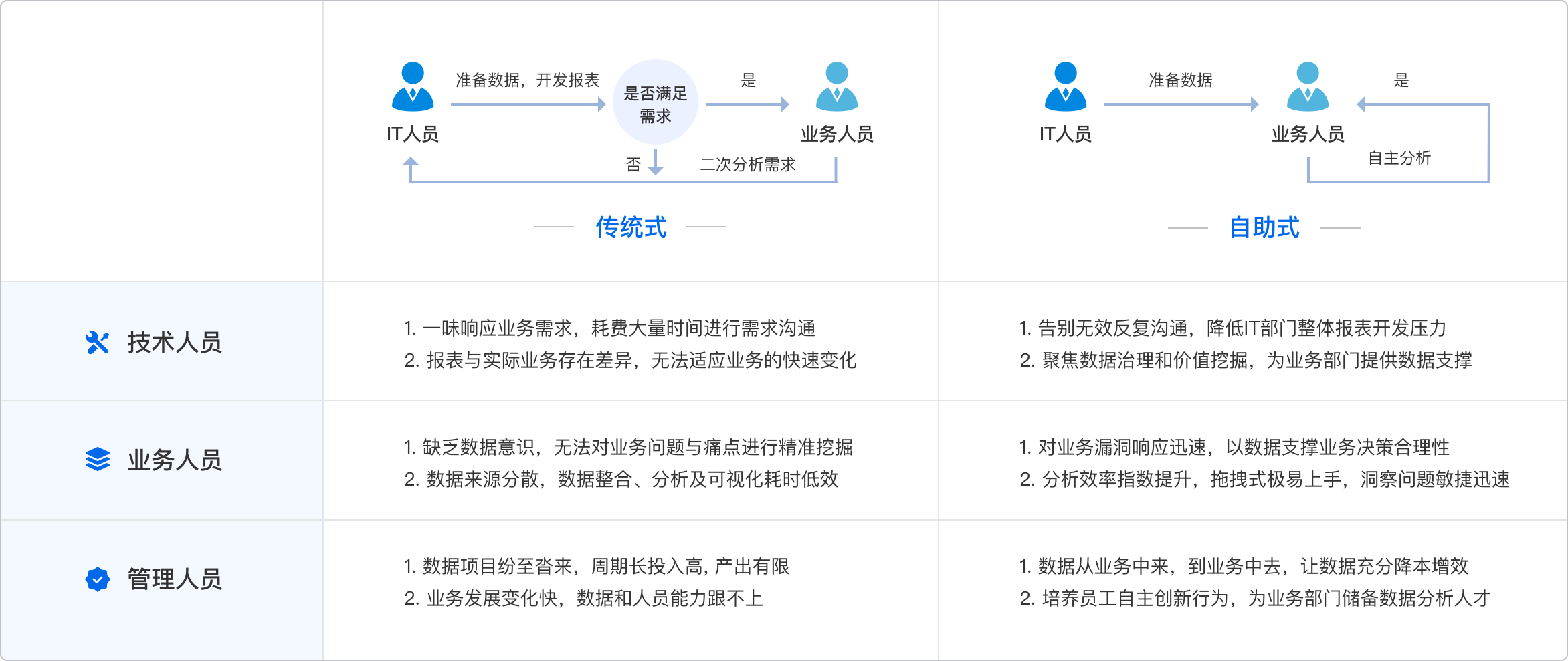
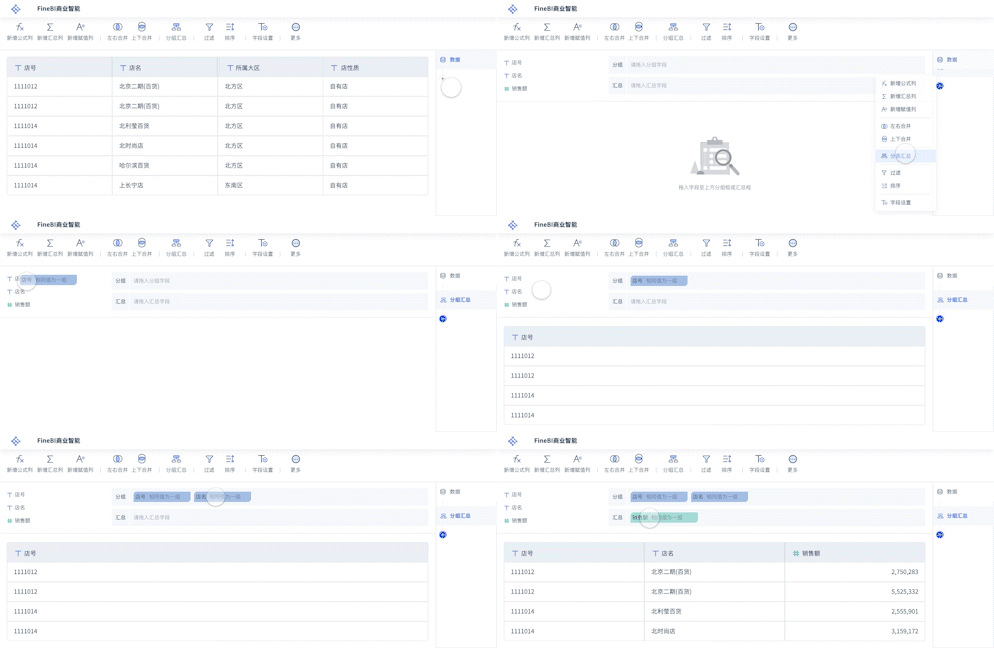
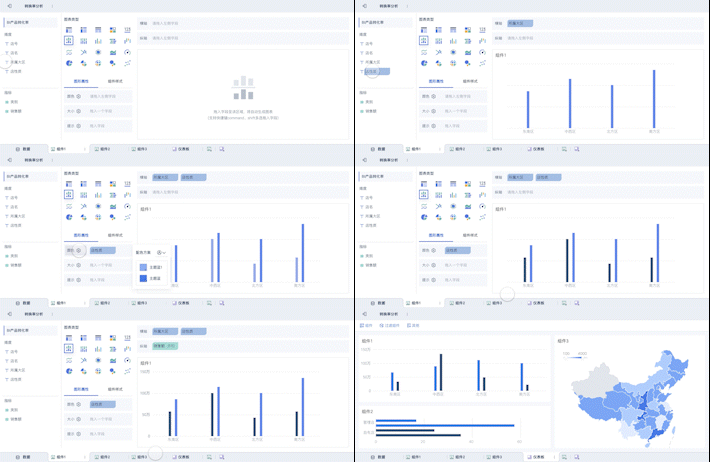
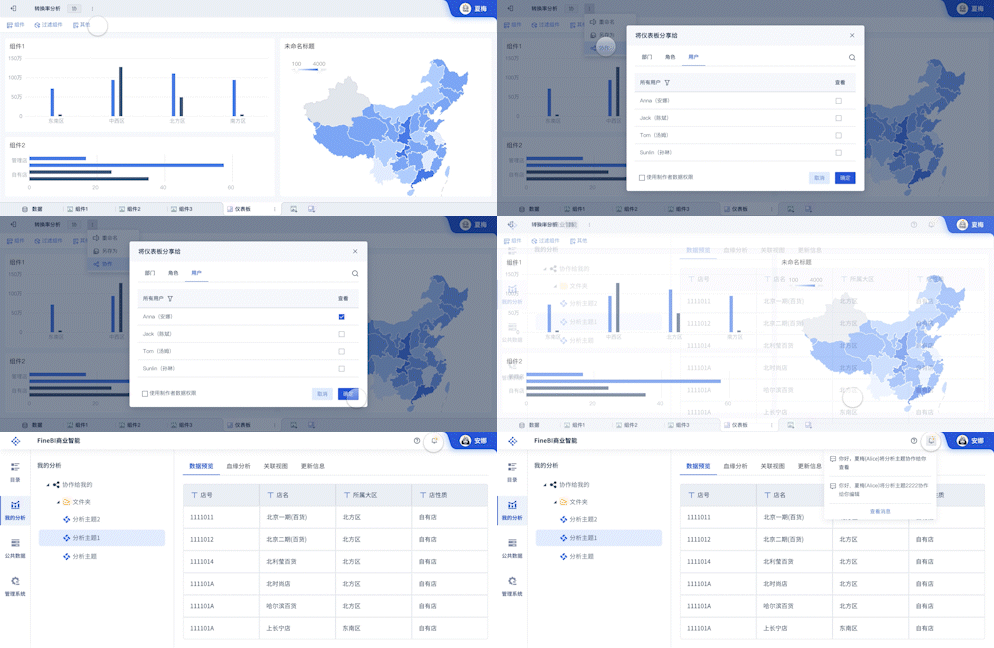
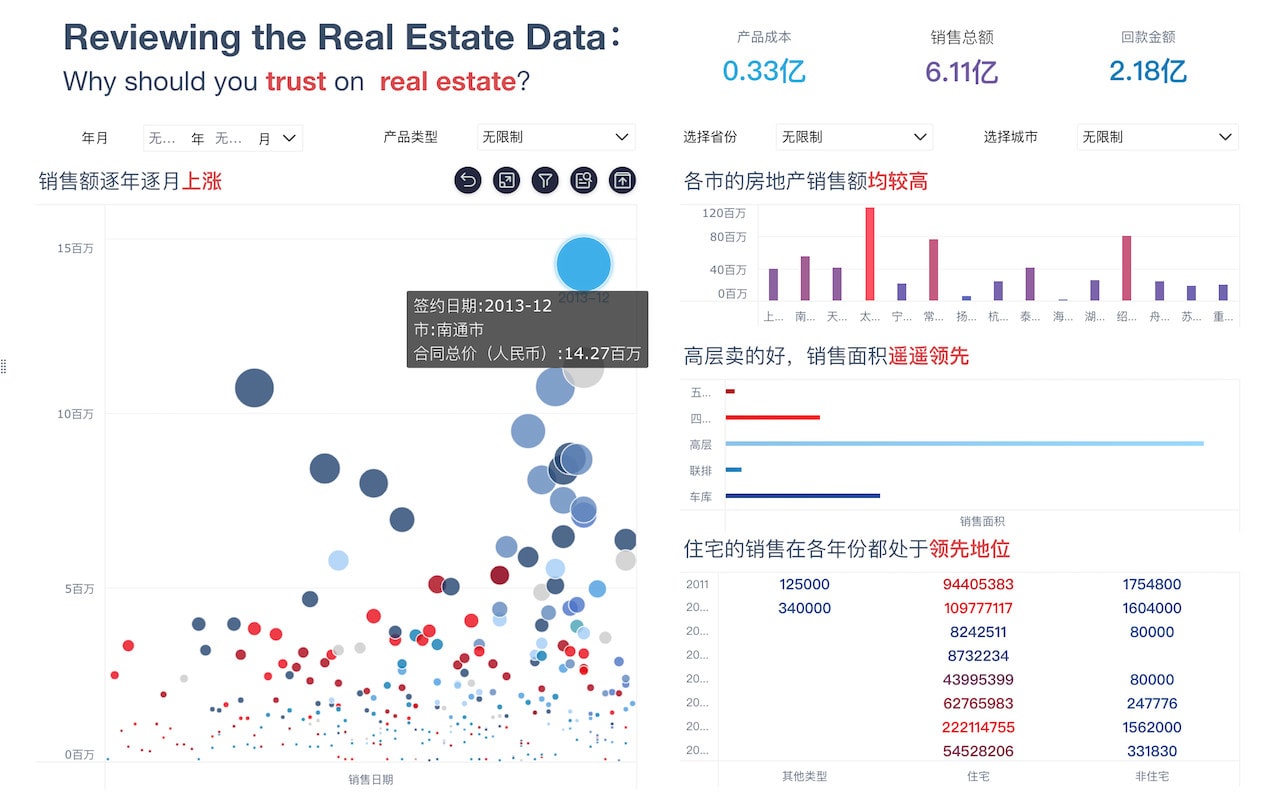
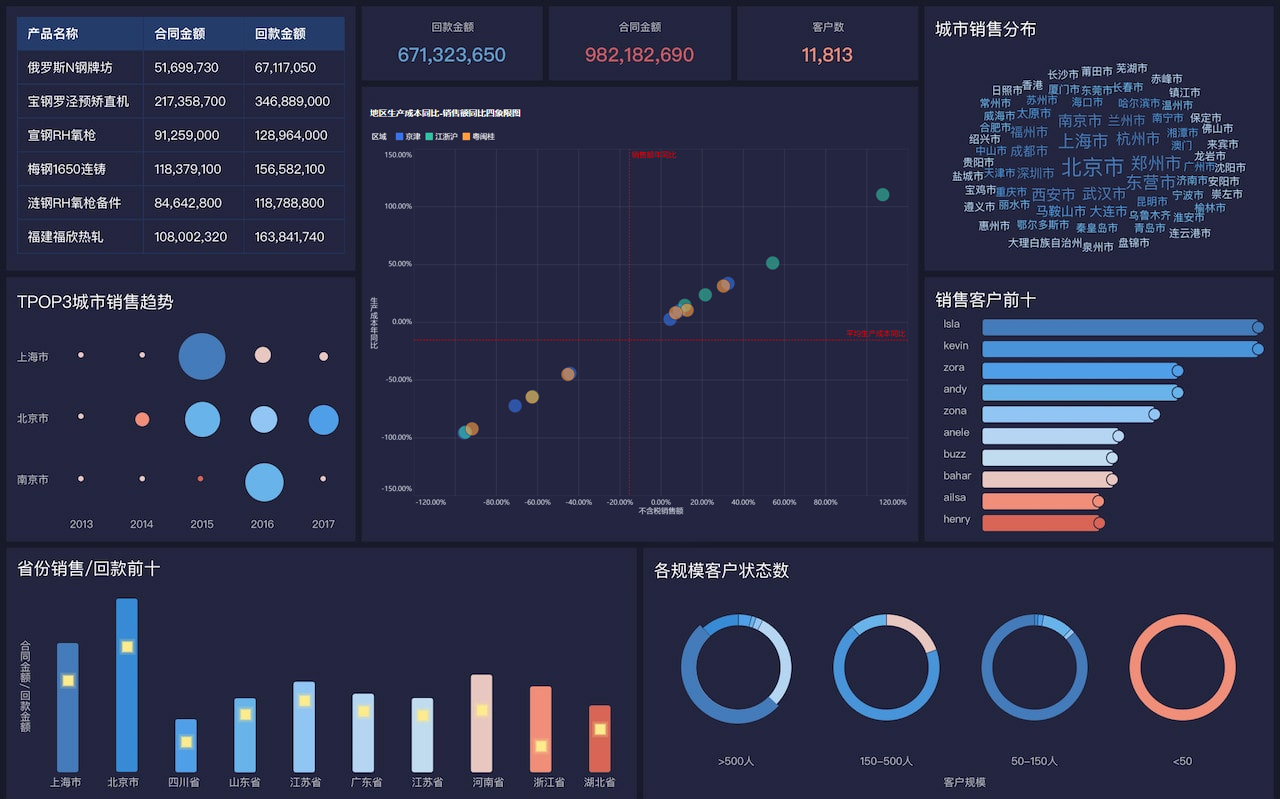
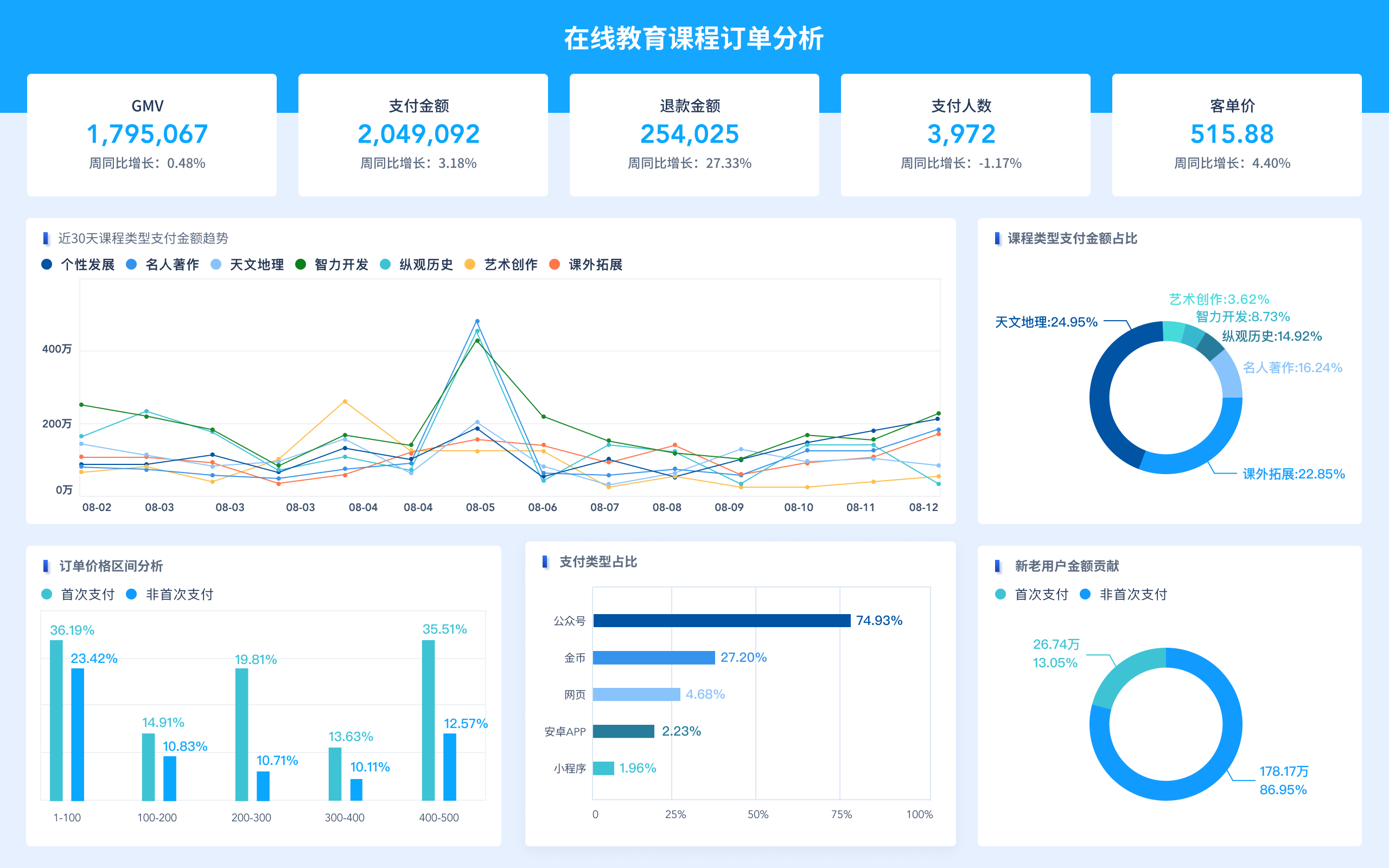
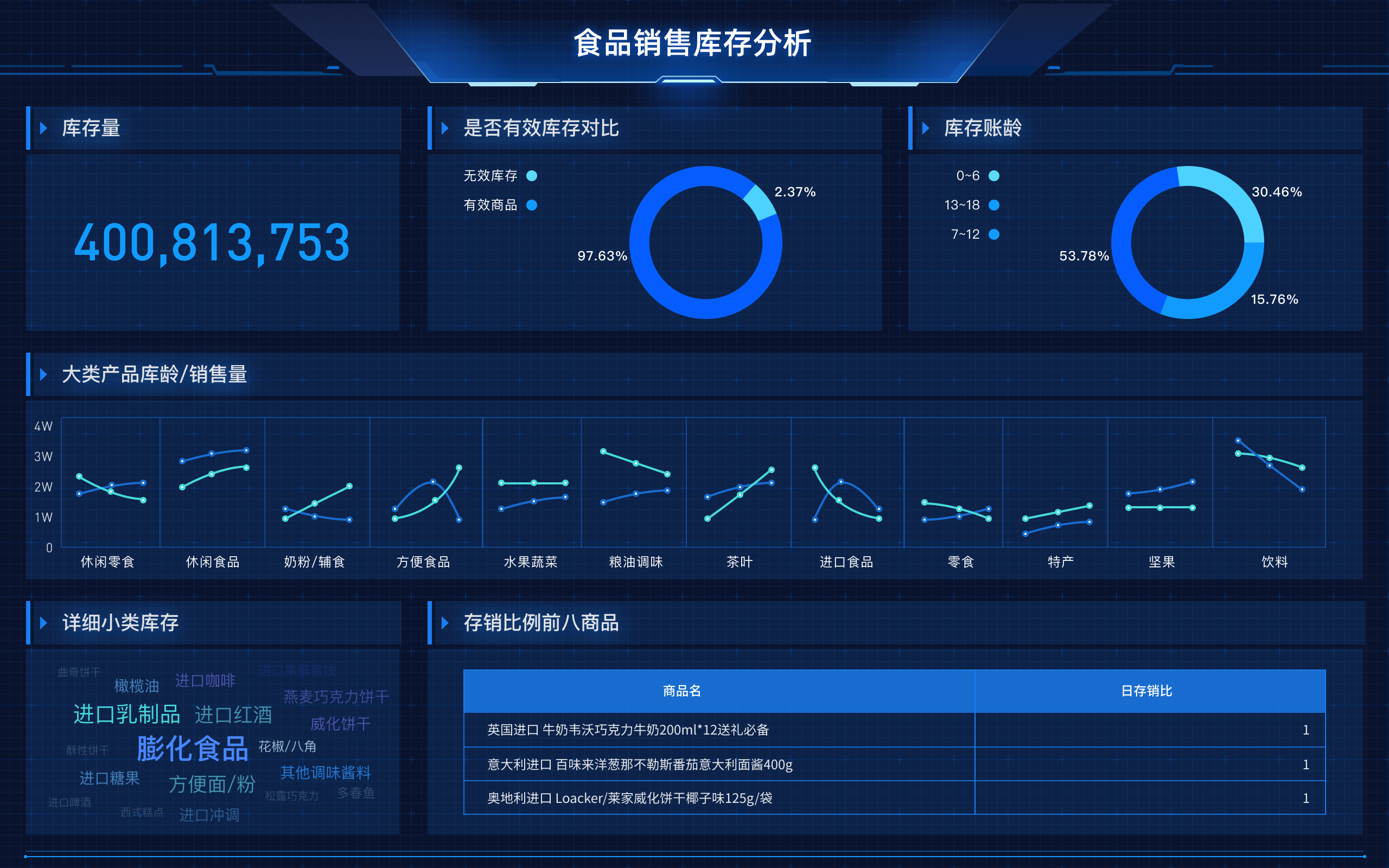
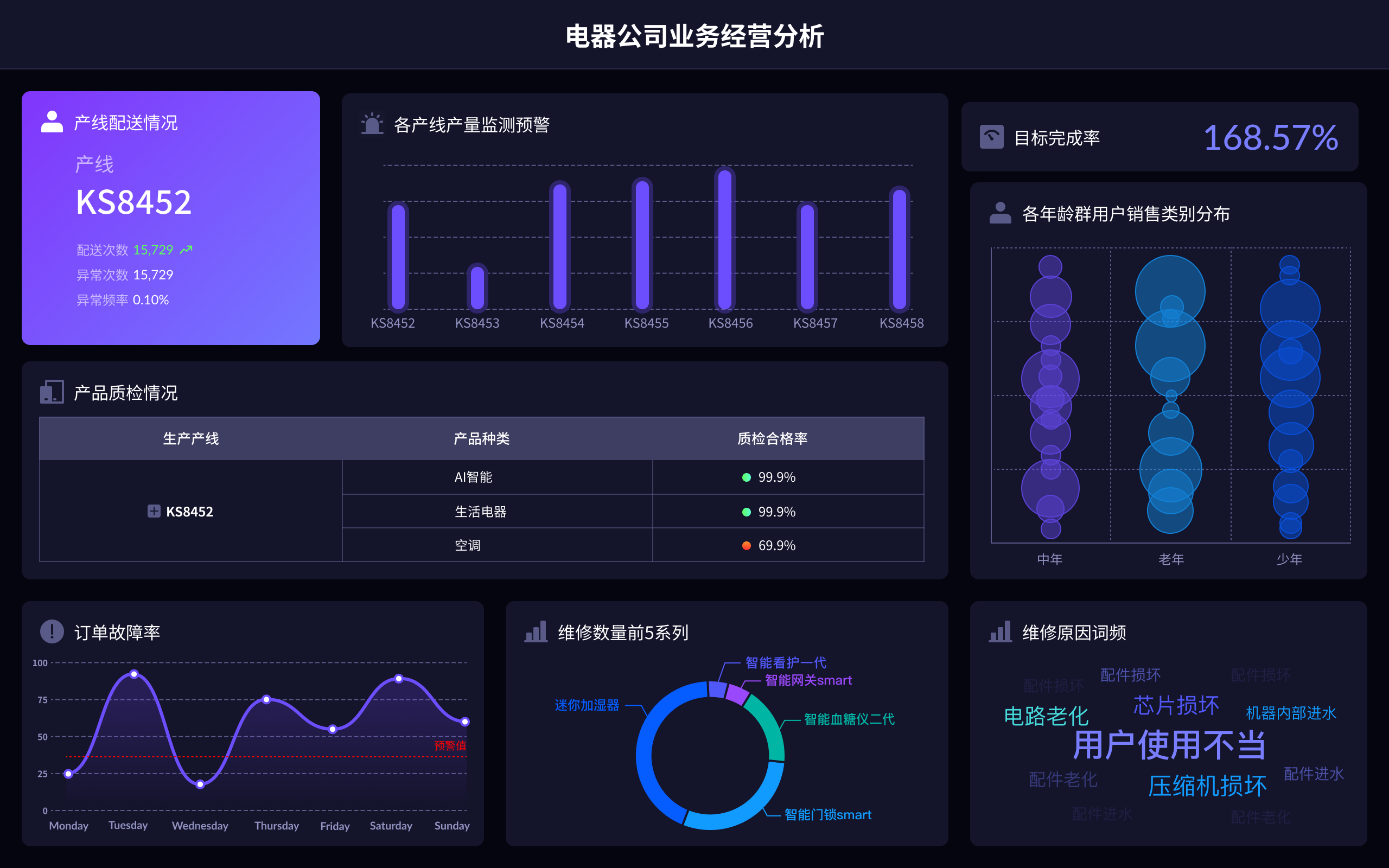
在选择财务分析工具时,推荐FineBI、Tableau、Power BI、QlikView。FineBI是帆软旗下的产品,专门为企业提供一站式的商业智能解决方案,它具备强大的数据处理能力、灵活的可视化功能、以及便捷的操作界面。具体来说,FineBI不仅支持多种数据源的对接,还能够进行复杂的数据分析和图表展示,帮助企业快速发现财务数据中的关键问题和趋势。FineBI的用户界面友好,适合非技术人员使用,降低了学习成本和使用门槛,极大地提升了分析效率。
一、FINEBI
FineBI是帆软旗下的一款优秀的财务分析工具,专注于提供全面的商业智能解决方案。FineBI的核心功能包括数据集成、数据分析和可视化展示,能够帮助企业快速、准确地进行财务分析。具体来说,FineBI支持与多种数据源连接,如Excel、数据库、云端服务等,能够将分散的数据统一到一个平台进行处理。数据集成后,用户可以使用FineBI强大的分析功能进行数据挖掘、预测分析等。通过灵活的可视化工具,用户可以将复杂的数据转化为易于理解的图表和报表,辅助决策。更重要的是,FineBI的操作界面友好,具备拖拽式的操作方式,即便是非技术人员也能快速上手,进行高效的数据分析。
二、TABLEAU
Tableau是一款广受欢迎的商业智能工具,以其强大的数据可视化功能著称。其核心特点包括直观的拖拽式操作、丰富的图表类型和强大的数据处理能力。Tableau支持与多种数据源连接,如SQL数据库、Excel、Google Analytics等,这使得用户能够从不同的数据源中获取数据进行综合分析。Tableau的界面设计简洁,用户可以通过简单的拖拽操作创建各种复杂的图表和仪表盘。此外,Tableau还提供了一系列的分析功能,如趋势分析、聚类分析和预测分析等,帮助用户深入挖掘数据中的价值。Tableau的另一个优势是其社区资源丰富,用户可以通过社区获取大量的学习资源和解决方案,提升使用效率。
三、POWER BI
Power BI是微软推出的一款商业智能工具,专注于数据分析和可视化。其主要特点包括与微软生态系统的无缝集成、强大的数据处理能力和灵活的可视化功能。Power BI支持与Excel、SQL Server、Azure等多种数据源连接,用户可以通过Power Query进行数据清洗和转换。Power BI的可视化功能强大,支持创建各种图表和仪表盘,帮助用户直观地展示数据。此外,Power BI还具备强大的共享和协作功能,用户可以通过云端共享报表和仪表盘,与团队成员进行协作。Power BI的另一个优势是其价格相对较低,适合中小企业使用。
四、QLIKVIEW
QlikView是一款功能强大的商业智能工具,以其灵活的分析功能和快速的数据处理能力闻名。QlikView支持与多种数据源连接,如数据库、Excel、Web服务等,能够将分散的数据集成到一个平台进行分析。QlikView的核心特点是其关联数据模型,用户可以通过简单的点击操作进行数据筛选和分析,快速发现数据中的关联关系和趋势。QlikView还提供了丰富的图表类型和可视化工具,用户可以根据需求自定义图表和报表,直观地展示数据。此外,QlikView还具备强大的脚本编写功能,用户可以通过脚本进行复杂的数据处理和分析,满足各种业务需求。
五、COMPARISON AND SELECTION
When choosing the right financial analysis tool, it's essential to consider the specific needs and capabilities of your organization. FineBI is particularly suitable for enterprises looking for an all-in-one solution with a user-friendly interface and strong data integration capabilities. Tableau is ideal for those who prioritize advanced visualization and have a variety of data sources. Power BI is best suited for organizations already within the Microsoft ecosystem, offering seamless integration and collaborative features at a competitive price. QlikView is perfect for businesses that need powerful data processing and scripting capabilities, allowing for more customized and intricate analyses. Each tool has its strengths and should be selected based on the specific requirements and existing infrastructure of the organization.
六、IMPLEMENTATION AND TRAINING
Successful implementation of financial analysis tools requires thorough planning and training. For FineBI, the process typically involves data integration, customization of dashboards and reports, and user training. FineBI's intuitive interface allows for a shorter learning curve, making it easier for non-technical users to adapt. Training sessions should focus on key functionalities like data import, report creation, and dashboard customization. For Tableau, training should emphasize its advanced visualization capabilities and community resources. Power BI training should focus on leveraging its integration with other Microsoft products and collaboration features. QlikView training needs to cover its scripting capabilities and data modeling to fully utilize its potential. Investing in proper training ensures that users can effectively leverage the tool's features to perform comprehensive financial analyses.
七、CASE STUDIES AND SUCCESS STORIES
Examining case studies and success stories can provide valuable insights into how different organizations have benefited from these financial analysis tools. For instance, a manufacturing company using FineBI might highlight how the tool helped streamline their financial reporting process, resulting in more timely and accurate insights into production costs and profitability. A retail chain using Tableau could showcase how advanced visualizations helped identify sales trends and optimize inventory management. A tech startup using Power BI might demonstrate how seamless integration with other Microsoft tools facilitated real-time collaboration and decision-making. A healthcare provider using QlikView could illustrate how powerful data processing capabilities enabled them to analyze patient data more effectively, leading to improved healthcare outcomes. These real-world examples underscore the practical benefits and applications of each tool.
八、FUTURE TRENDS IN FINANCIAL ANALYSIS TOOLS
The landscape of financial analysis tools is continually evolving, with emerging trends shaping their future. One significant trend is the increasing integration of artificial intelligence and machine learning capabilities, enabling more advanced predictive analytics and automation. FineBI is already incorporating AI features to enhance data analysis and visualization. Another trend is the growing importance of real-time data processing and analysis, driven by the need for faster decision-making in a dynamic business environment. Tools like Power BI are enhancing their real-time analytics capabilities to meet this demand. Additionally, the emphasis on user experience and accessibility continues to grow, with tools becoming more intuitive and easier to use, as seen with Tableau and FineBI. As these trends continue to develop, financial analysis tools will become even more powerful and essential for organizations looking to stay competitive.
For more information about FineBI, visit the official website: https://s.fanruan.com/f459r;
相关问答FAQs:
财务分析工具哪个好用?
在当今快速变化的商业环境中,企业和个人都需要有效的财务分析工具来帮助他们做出明智的决策。市场上有许多财务分析工具,各具特色,适合不同的需求和预算。以下是一些备受推崇的财务分析工具,它们在功能、易用性和成本效益方面表现出色。
-
Excel
Excel无疑是最受欢迎的财务分析工具之一。凭借其灵活性和强大的数据处理能力,Excel可以用于制作财务报表、预算、预测和各种财务模型。用户可以通过公式和函数轻松地进行数据分析,并生成可视化图表。此外,Excel的广泛应用意味着许多人已经掌握了这款软件,使得其上手相对容易。然而,在处理大量数据时,Excel可能会显得笨重,并且易出错。 -
Tableau
Tableau是一款强大的数据可视化工具,适合需要深入分析数据的财务专业人士。它允许用户将数据从不同来源(如SQL数据库、Excel等)整合在一起,并通过拖放功能创建直观的图表和仪表板。Tableau的实时数据更新功能使得用户能够快速获取最新的财务状况。此外,其用户友好的界面和丰富的在线支持社区也使得学习和使用变得更加简单。 -
QuickBooks
QuickBooks是中小企业非常流行的财务管理软件,它提供了全面的会计和财务分析功能。通过QuickBooks,用户可以轻松地跟踪收入和支出、生成财务报表、处理工资和开具发票。其自动化功能可以大大节省时间,并减少人为错误的发生。对于不具备专业财务知识的用户来说,QuickBooks的直观界面和易于理解的功能也是一个很大的优势。 -
SAS
SAS是一款强大的分析软件,尤其适用于需要复杂数据分析和预测的财务部门。它提供了多种统计工具和数据挖掘功能,可以帮助企业识别趋势和模式,从而做出更准确的财务决策。SAS的学习曲线相对较陡,但对于那些需要深入分析的用户而言,其强大的功能绝对值得投入时间和精力。 -
Microsoft Power BI
Power BI是一款出色的商业智能工具,适用于需要从多种数据源提取和分析财务数据的用户。它可以轻松连接到Excel、数据库、云服务等多种数据源,并通过直观的可视化工具生成报告和仪表板。Power BI的实时数据更新功能让用户能够随时查看最新的财务信息,帮助企业做出更快的决策。 -
Zoho Books
Zoho Books是一款综合性的在线会计软件,适用于中小企业。它提供了发票管理、费用跟踪、银行对账等基本会计功能,同时还具有自动化工作流程的能力。Zoho Books的用户界面简洁明了,使得即使没有财务背景的用户也能轻松上手。此外,Zoho还提供了一系列其他业务工具,可以与Zoho Books无缝集成,帮助企业进行全面的财务管理。
在选择财务分析工具时,用户需要考虑自身的需求、团队的技能水平以及预算。无论选择哪款工具,关键在于能够有效地帮助用户进行数据分析和决策支持。
本文内容通过AI工具匹配关键字智能整合而成,仅供参考,帆软不对内容的真实、准确或完整作任何形式的承诺。具体产品功能请以帆软官方帮助文档为准,或联系您的对接销售进行咨询。如有其他问题,您可以通过联系blog@fanruan.com进行反馈,帆软收到您的反馈后将及时答复和处理。