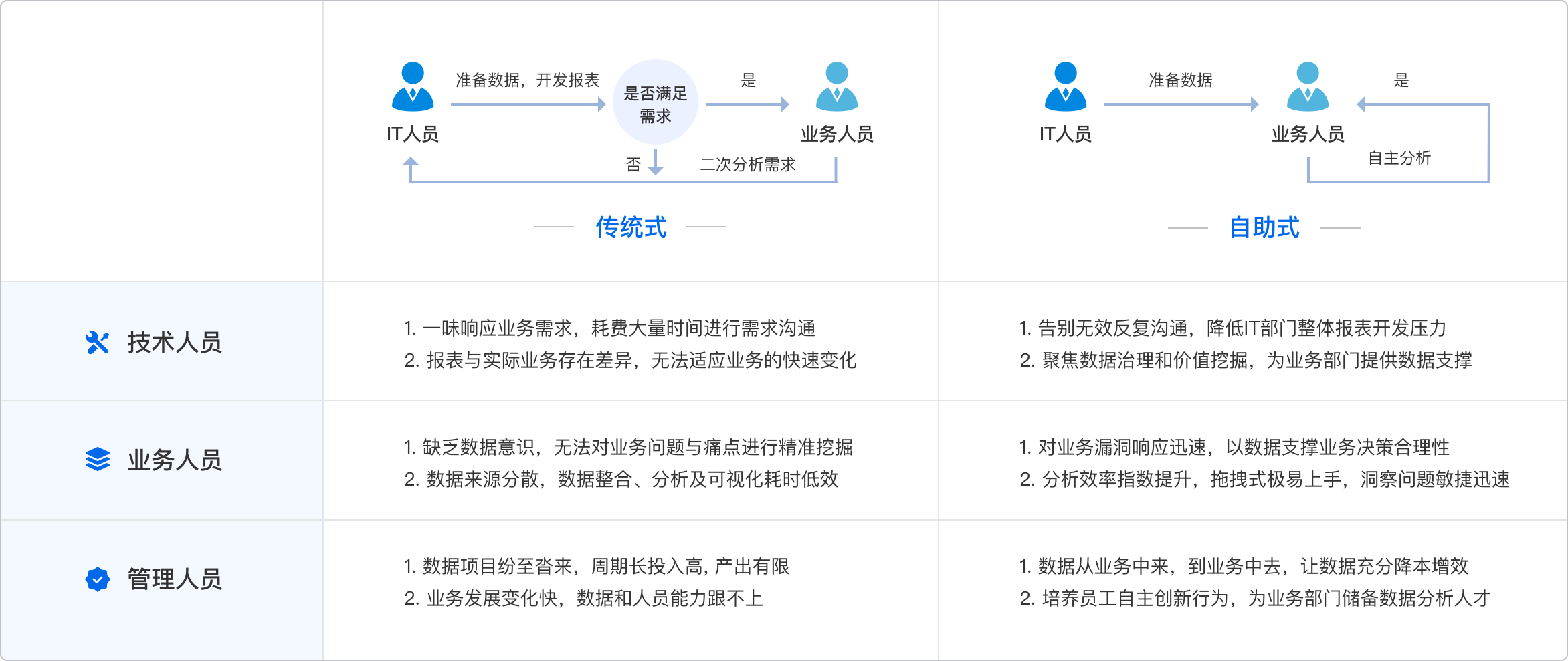
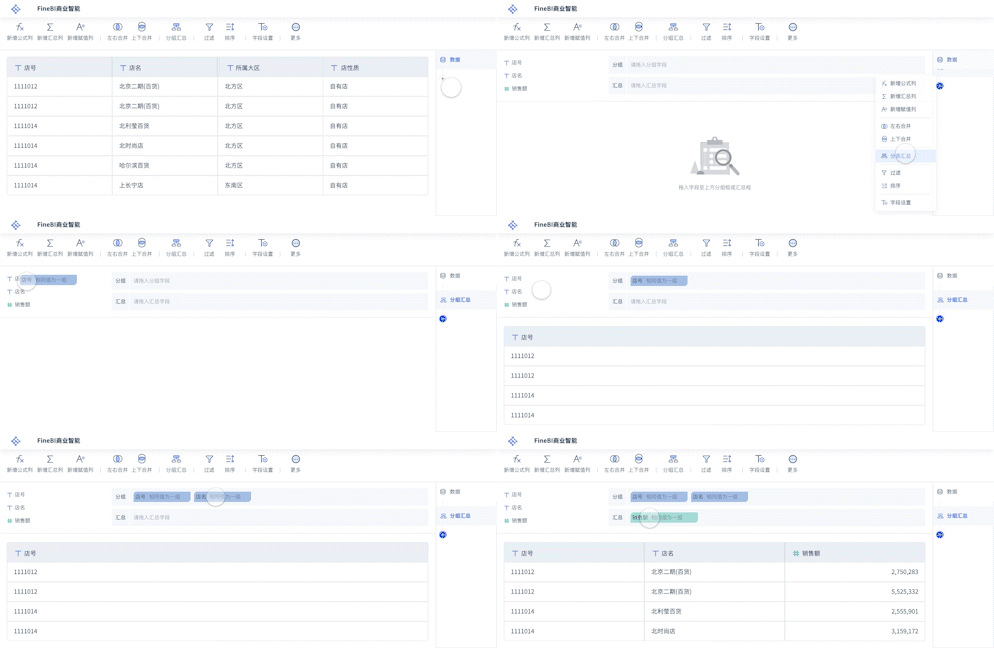
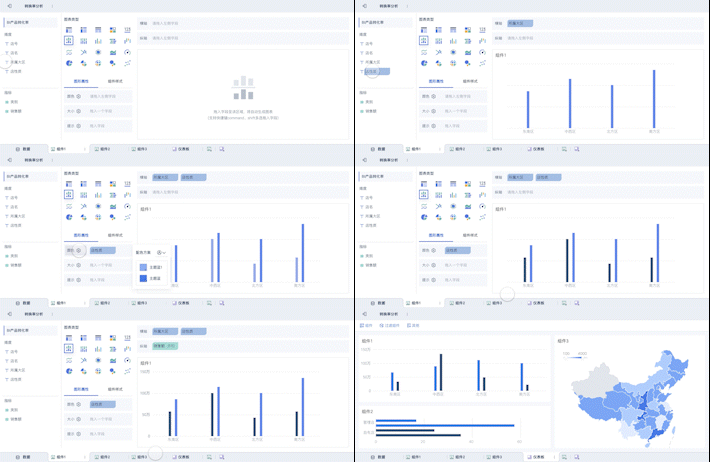
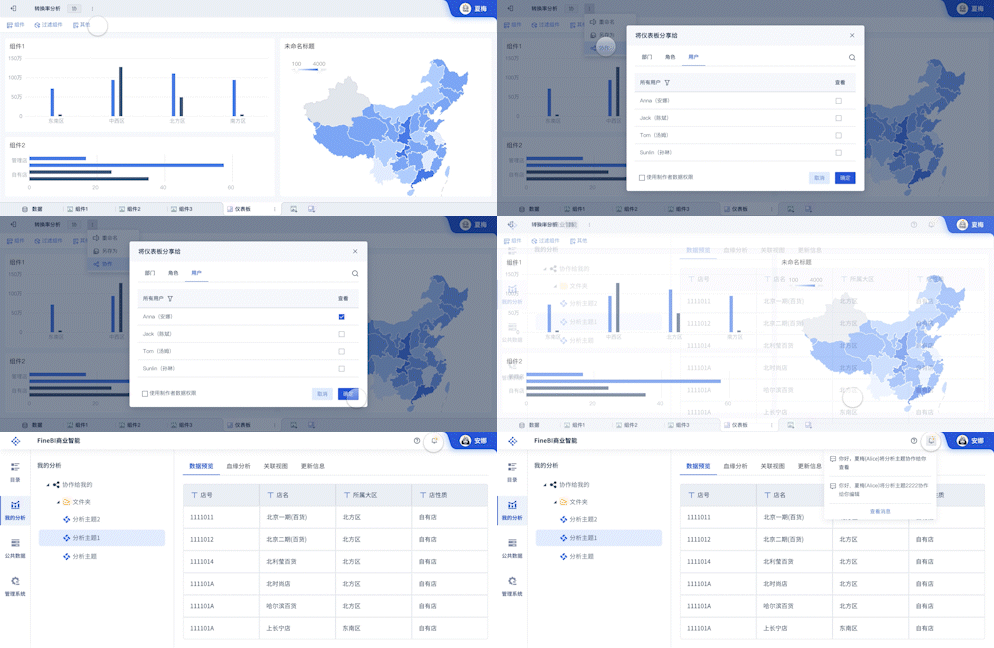
NoteExpress做数据分析的核心步骤包括:导入数据、数据整理、数据分析、生成报告。其中,导入数据是关键的一步。NoteExpress是一款功能强大的文献管理软件,用户可以通过导入大量的文献数据,为后续的分析奠定基础。通过NoteExpress,用户可以轻松地管理和分析文献数据,从而提高科研效率。接下来将详细介绍如何在NoteExpress中导入数据。
一、导入数据
导入数据是NoteExpress进行数据分析的第一步。用户可以通过不同的方式将文献数据导入NoteExpress中。常见的导入方式有以下几种:
-
从数据库导入:用户可以直接从学术数据库(如Web of Science、PubMed等)中导入文献数据。NoteExpress支持多种数据库的导入,用户只需在NoteExpress中选择相应的数据库,输入关键词进行搜索,然后将搜索结果导入NoteExpress即可。
-
从文件导入:用户也可以将已有的文献数据文件(如RIS、EndNote等格式)导入NoteExpress中。只需在NoteExpress中选择“导入”功能,选择相应的文件格式并上传文件即可。
-
手动输入:对于个别文献数据,用户也可以手动输入相关信息并保存到NoteExpress中。
二、数据整理
数据整理是数据分析的基础。在NoteExpress中,用户可以对导入的文献数据进行整理和管理,以便更好地进行后续的分析工作。数据整理包括以下几个方面:
-
数据分类:用户可以根据不同的主题、作者、年份等对文献数据进行分类。NoteExpress提供了多种分类方式,用户可以根据需要进行选择。
-
数据标注:用户可以对文献数据进行标注,如添加标签、笔记等。这样可以帮助用户更好地理解和管理文献数据。
-
数据去重:对于重复的文献数据,NoteExpress提供了去重功能,用户可以轻松去除重复数据,保证数据的准确性和一致性。
三、数据分析
数据分析是NoteExpress的核心功能之一。通过NoteExpress,用户可以对整理好的文献数据进行多种分析,以便从中提取有价值的信息。数据分析包括以下几个方面:
-
文献计量分析:用户可以通过NoteExpress对文献数据进行计量分析,如统计不同主题的文献数量、作者发表的文献数量、文献的引用次数等。这样可以帮助用户了解某一研究领域的研究状况和发展趋势。
-
文献共现分析:用户可以通过NoteExpress对文献数据进行共现分析,如关键词共现、作者共现等。这样可以帮助用户了解不同研究主题之间的关联性,以及不同作者之间的合作情况。
-
文献引文分析:用户可以通过NoteExpress对文献数据进行引文分析,如分析某一文献的引用情况、分析某一作者的引用情况等。这样可以帮助用户了解某一文献或作者在研究领域中的影响力。
四、生成报告
生成报告是数据分析的最终目的。通过NoteExpress,用户可以将分析结果生成报告,以便更好地展示和分享分析结果。生成报告包括以下几个方面:
-
报告模板:NoteExpress提供了多种报告模板,用户可以根据需要选择合适的模板生成报告。报告模板包括图表、表格、文字说明等多种形式,用户可以根据需要进行选择和调整。
-
报告导出:用户可以将生成的报告导出为多种格式,如PDF、Word等。这样可以方便用户进行分享和展示。
-
报告保存:用户可以将生成的报告保存到NoteExpress中,以便随时查看和管理。NoteExpress提供了多种保存方式,用户可以根据需要选择合适的保存方式。
总之,NoteExpress是一款功能强大的文献管理软件,通过导入数据、数据整理、数据分析和生成报告,用户可以轻松地进行数据分析,提高科研效率。对于想要进行数据分析的用户来说,NoteExpress是一个非常不错的选择。
此外,如果你需要更高级的数据分析功能,可以考虑使用FineBI。FineBI是一款专业的商业智能工具,提供了强大的数据分析和可视化功能。它可以帮助用户更深入地挖掘数据,发现数据背后的价值。更多信息可以访问FineBI官网: https://s.fanruan.com/f459r;
相关问答FAQs:
What is NoteExpress and how can it be used for data analysis?
NoteExpress is a powerful reference management software that assists researchers, students, and professionals in organizing and managing bibliographic data. It is particularly useful for academic writing and literature reviews, but its capabilities extend into data analysis as well. The software allows users to collect, organize, and analyze data efficiently, making it an invaluable tool for conducting research.
To utilize NoteExpress for data analysis, users can begin by importing relevant literature and sources into the software. This is done by creating a database of references from various sources, such as academic journals, books, and conference papers. Once the data is imported, users can categorize and tag references, allowing for easier retrieval and organization.
NoteExpress offers features like note-taking, highlighting, and tagging, which enable users to extract important information from sources. By creating a structured database of references, researchers can conduct a systematic review of the literature, identify trends, and analyze data effectively.
Furthermore, NoteExpress facilitates collaboration among researchers. Users can share their databases, making it easier to work on joint projects and combine insights from different perspectives. This collaborative aspect enhances the data analysis process, as it encourages the exchange of ideas and findings.
Can NoteExpress integrate with other data analysis tools?
Integration capabilities are essential for researchers who require a seamless flow of data between different software tools. NoteExpress does indeed support integration with various data analysis tools and platforms, enhancing its functionality as a comprehensive research assistant.
For instance, NoteExpress can export references in formats compatible with popular statistical software, such as SPSS, R, or Python libraries. Researchers can easily transfer bibliographic data for further analysis, enabling them to conduct statistical tests, generate visualizations, or perform qualitative analyses.
Additionally, NoteExpress can work in conjunction with word processing software like Microsoft Word and LaTeX. This allows users to create citations and bibliographies automatically as they write their research papers. The seamless integration between NoteExpress and these tools minimizes the risk of errors in citations and ensures that researchers can focus more on their analysis rather than on formatting.
Furthermore, researchers can benefit from using NoteExpress alongside data visualization tools such as Tableau or Microsoft Excel. By exporting data from NoteExpress and importing it into these visualization tools, researchers can create informative charts and graphs that illustrate their findings effectively. This combination of tools fosters a comprehensive approach to data analysis, making it easier to interpret and present results.
What are the advantages of using NoteExpress for data analysis?
The advantages of utilizing NoteExpress for data analysis are numerous, making it an attractive option for researchers across various fields. One of the primary benefits is its ability to streamline the research process. By organizing references and notes in one place, researchers can save time and effort that would otherwise be spent searching for information across multiple sources.
Another significant advantage is the software's user-friendly interface. NoteExpress is designed to be intuitive, allowing users to navigate through their references and data easily. This ease of use is particularly beneficial for those who may not have extensive technical skills, as it enables them to focus on their research without getting bogged down by complex software.
Moreover, NoteExpress enhances collaboration among researchers. The ability to share databases and notes fosters teamwork, allowing multiple researchers to contribute to a project effectively. This collaborative approach can lead to richer analyses and insights, as diverse perspectives are considered.
Data visualization is also a strong suit of NoteExpress. The software allows users to visualize their data through various formats, making it easier to identify trends, patterns, and outliers. These visual representations can be crucial when presenting findings to stakeholders or during academic conferences, as they help communicate complex information clearly and effectively.
In addition, NoteExpress supports comprehensive data management. Researchers can categorize references based on themes, methodologies, or any other criteria they choose. This level of organization not only aids in data analysis but also assists in preparing for literature reviews and systematic reviews.
Overall, the combination of efficiency, user-friendly design, collaborative features, and comprehensive data management makes NoteExpress a valuable tool for anyone engaged in data analysis within research.
本文内容通过AI工具匹配关键字智能整合而成,仅供参考,帆软不对内容的真实、准确或完整作任何形式的承诺。具体产品功能请以帆软官方帮助文档为准,或联系您的对接销售进行咨询。如有其他问题,您可以通过联系blog@fanruan.com进行反馈,帆软收到您的反馈后将及时答复和处理。