If you are searching for ACA reporting software, you are probably trying to solve a very practical problem: how to prepare, validate, file, and track ACA forms without turning year-end compliance into a spreadsheet project.
For employers in 2026, especially Applicable Large Employers and organizations with multiple entities, variable-hour workers, or fragmented HR data, ACA reporting software should do more than generate forms. It should help your HR, payroll, benefits, and compliance teams manage eligibility logic, affordability checks, filing workflows, corrections, and audit readiness with less manual effort.
The challenge is that many tools look similar on the surface. Most promise Form 1094 and 1095 filing. Fewer help you reduce compliance risk across the full workflow, from data collection to submission tracking and corrections.
Accurate form preparation: Support Form 1094-B, 1095-B, 1094-C, and 1095-C workflows as needed.
E-filing support: Help employers submit forms electronically and monitor acknowledgements or rejections.
Compliance logic: Automate eligibility, affordability, and offer tracking where possible.
Data validation: Flag missing values, coding issues, and inconsistent employee records before filing.
Correction workflows: Make it easier to handle rejected returns, corrected forms, and prior-year amendments.
Clear reporting visibility: Give HR and payroll teams dashboards, audit trails, and submission status views.
Workflow fit: Connect with payroll, HRIS, benefits, and time systems to reduce manual reconciliation.
Security and control: Protect employee data with permissions, approvals, and traceable activity logs.
What ACA reporting software should help employers do in 2026
ACA reporting requirements are not just about transmitting forms. The right platform should support the operational work that leads to accurate filing.
Support year-end filing for Forms 1094 and 1095 with fewer manual steps
At minimum, ACA reporting software should streamline year-end preparation for required forms and reduce repetitive manual work. That includes importing employee and coverage data, generating forms, validating records, and supporting electronic filing workflows.
For many employers, the biggest time drain is not the final filing step. It is consolidating the information needed to get there. If data lives across payroll, benefits administration, time tracking, and multiple business units, software should help centralize and normalize it before forms are created.
Reduce ACA compliance risk through accurate eligibility, affordability, and offer tracking
A filing tool alone may not be enough if you need confidence in the underlying logic. Employers often need support for:
Measurement and stability period tracking
Full-time status determination
Affordability checks using acceptable methods
Offer-of-coverage coding support
Missing data and exception identification
This matters because inaccurate upstream logic can create downstream filing problems, corrections, and possible penalty exposure.
Fit employer size, workforce complexity, and internal HR or payroll workflows
A small self-insured employer may need a simpler filing-focused tool. A large employer with seasonal staff, multiple EINs, union groups, acquisitions, or decentralized payroll may need stronger integration, review, and compliance controls.
Good ACA reporting software should fit how your teams actually work, not force HR and payroll into awkward manual workarounds during filing season.
Provide clear reporting, audit trails, and submission status visibility
Once forms are filed, the work is not necessarily over. Teams still need visibility into submission acknowledgements, rejected records, corrections, employee statement distribution, and internal approvals.
Look for software that gives you a clear operational view of the process, not just a “submitted” button.
10 key features to compare before you buy
When evaluating ACA reporting software, it helps to compare vendors by capability group rather than marketing claims. These 10 features are the ones most likely to affect filing accuracy, staff workload, and year-end risk.
Form filing and e-filing capabilities
The first category is the most obvious, but it still deserves close review. Not all filing support is equally complete.
1. Support for Form 1095-B and 1095-C preparation
The software should support the specific forms your organization must furnish and file. That may include:
Form 1095-B
Form 1095-C
Related transmittal forms such as 1094-B and 1094-C
Prior-year forms where necessary
Ask whether the platform supports only form generation or also helps with code assignment, validation, and review.
2. Electronic filing workflows and submission tracking
If you file electronically, your software should support the full workflow, including preparing files for transmission and tracking submission results. Since the IRS AIR system is the mechanism used for ACA information returns, employers should understand how the vendor handles acknowledgements, rejections, and retransmissions.
A useful tool should answer operational questions such as:
Was the transmission accepted?
Which records were rejected?
What error details were returned?
What is the correction path?
3. Employee statement distribution across print and digital channels
Employee furnishing still creates work even after form generation is complete. Compare whether the vendor offers:
Print and mail options
Electronic statement distribution
Secure employee access portals
Tracking for completed distribution
If you have a large workforce, distribution logistics can become a major operational consideration.
The next three features determine whether the software helps you just file forms or actually improve compliance quality.
4. Automated measurement, stability, and affordability calculations
For employers with variable-hour employees or changing workforce patterns, ACA reporting software should ideally reduce manual calculations around:
Look-back measurement periods
Stability periods
Full-time determination
Affordability thresholds
Offer-of-coverage logic
Not every employer needs deep year-round automation, but if your workforce is complex, this area matters.
5. Validation rules for missing data, coding errors, and penalty risk indicators
Strong ACA reporting software should surface problems before forms are submitted. Compare whether the platform flags:
Missing Social Security numbers or TIN issues
Incomplete coverage records
Invalid or inconsistent codes
Duplicate employee records
Incomplete monthly data
Potential affordability gaps
The goal is not just cleaner forms. It is earlier issue detection so your team is not rushing through corrections near deadlines.
6. Ongoing logic updates when rules and thresholds change
ACA compliance rules and filing requirements evolve. Employers should ask how vendors maintain updates for:
Annual affordability thresholds
IRS schema changes
Filing rule updates
Federal and relevant state reporting changes
You do not want a tool that leaves your team manually adapting logic every filing cycle.
Integrations, data quality, and workflow fit
Many ACA reporting problems are really data integration problems. This section often separates tools that work well in demos from tools that hold up in production.
7. Integrations with HRIS, payroll, benefits, and time systems
The best ACA reporting software for your organization is often the one that can pull the right data consistently from your existing systems.
Compare whether the vendor can connect to:
HRIS platforms
Payroll systems
Benefits administration tools
Time and attendance systems
Multiple upstream sources across business units
If the software relies heavily on manual CSV uploads, that may be acceptable for smaller environments, but it can create more reconciliation work for larger employers.
8. Multi-EIN consolidation and exception management
If your company operates across multiple EINs, locations, subsidiaries, or vendors, ACA reporting becomes harder fast. Ask whether the system can consolidate data across entities and whether it provides exception workflows for incomplete or late-arriving source data.
This is especially important after acquisitions, system changes, or payroll transitions.
Cost comparisons should include more than subscription pricing. Ask about:
Per-form or filing fees
Implementation costs
Correction or amendment charges
Print and mail charges
Support add-ons
State filing costs if relevant
A lower upfront quote may not be the lower total cost if your team ends up doing manual cleanup or paying extra for corrections.
How to evaluate options side by side
A short demo can make most ACA reporting tools look capable. The real value comes from asking process-level questions that reveal how the platform handles messy, real-world data.
Questions to ask during demos
Use demos to go beyond the homepage feature list. Ask specific workflow questions such as:
How are employee eligibility and offer codes generated and reviewed?
What happens when source data is incomplete or arrives late?
How are corrections, re-filings, and prior-year amendments handled?
Which tasks are automated versus left to internal teams?
How are acknowledgements and rejected records tracked after submission?
How does the system handle multiple EINs or multiple source systems?
What review and approval controls exist before filing?
How are employee statements furnished and monitored?
The quality of answers here often tells you more than the product brochure.
Practical scoring criteria for comparison
A weighted scorecard helps employers compare vendors more objectively. Consider scoring each option across:
Accuracy and automation
Ease of use for HR and payroll teams
Integration depth and reporting visibility
Support quality, implementation effort, and cost predictability
You can score each category on a 1 to 5 scale, then weight the categories based on your priorities. For example, a large decentralized employer may weight integration and exception management more heavily than a smaller organization would.
ACA reporting software purchases often go wrong for predictable reasons. These are the mistakes to avoid.
Choosing a tool that files forms but does not support broader ACA compliance workflows
Some products are primarily filing utilities. That can be fine if your data and eligibility logic are already clean. But if your team struggles with affordability, monthly offer tracking, variable-hour employees, or multi-system data consolidation, filing alone will not solve the real problem.
Underestimating integration cleanup and data mapping requirements
A platform may technically integrate with your systems, but implementation still depends on source data quality, field mapping, timing, and governance. Employers often underestimate the cleanup needed before automation works reliably.
Ignoring support responsiveness until filing season deadlines approach
Support quality is easy to overlook during procurement. It becomes very important when deadlines are close and a rejected transmission needs a fast answer. Ask about support coverage, escalation paths, and filing-season responsiveness before you buy.
Comparing price without evaluating correction handling, scalability, and service scope
A cheaper tool may require more internal labor or create higher downstream risk. Always compare cost in context:
What is included?
What costs extra?
Who handles corrections?
How much review burden stays with your team?
Will the tool still fit if your workforce structure changes?
Before you sign, confirm that the product matches both your filing needs and your operating reality.
Confirm the product supports your filing forms, workforce structure, and compliance needs
Validate implementation timeline against your reporting calendar
Review security, auditability, and internal approval workflows
Use a weighted scorecard to compare finalists before purchase
Practical recommendations for employers evaluating ACA reporting software
If you want to make a cleaner decision, focus on these practical steps.
Separate filing needs from compliance needs.
Decide whether you only need year-end form preparation or whether you also need ongoing eligibility, affordability, and exception tracking.
Start with your source data reality.
Inventory where ACA-related data lives today across payroll, HRIS, benefits, and time systems. The best software cannot fix disconnected processes without a workable integration plan.
Test correction workflows in the demo.
Ask the vendor to show how rejected filings, amended forms, and missing employee records are handled. This is where usability often matters most.
Evaluate the service model honestly.
If your internal team is lean, a managed or support-heavy approach may be more practical than a self-service platform, even if the software itself looks simple.
Require reporting visibility, not just filing output.
Choose a solution that gives your team dashboards, audit trails, and status reporting so you can manage compliance as a process, not a one-time event.
Where reporting platforms like FineReport fit in the ACA workflow
Tools built specifically for ACA filing are often the right choice for final form generation and submission. But many employers also have another challenge: making ACA data visible, reviewable, and governable across departments before filing deadlines hit.
That is where a reporting platform can become useful.
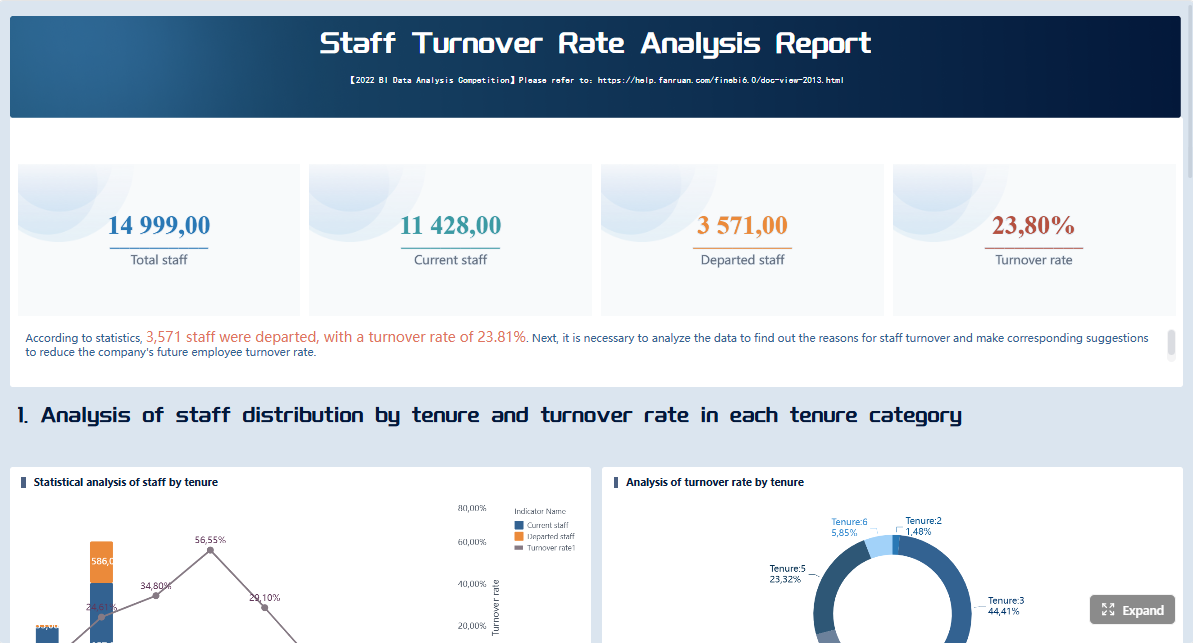
Tools like dedicated ACA filing software handle submission workflows, while teams with more complex internal reporting needs may also benefit from an enterprise reporting platform like FineReport. This is especially relevant when HR, payroll, finance, or compliance leaders need structured internal reporting around ACA readiness, exceptions, approvals, and audit trails.
For example, employers may want internal reports and dashboards for:
Employee eligibility tracking by month
Affordability review summaries
Missing or inconsistent source data
Multi-entity filing readiness
Exception queues by HR or payroll owner
Submission status and correction tracking
Executive compliance summaries
FineReport is not positioned as a tax filing system. Rather, it is a reporting and dashboard platform that can support organizations that need highly structured operational reporting around compliance workflows.
Relevant FineReport strengths for this kind of use case include:
Pixel-perfect report design for formal operational and management reports
Paginated and printable reports for recurring compliance reviews
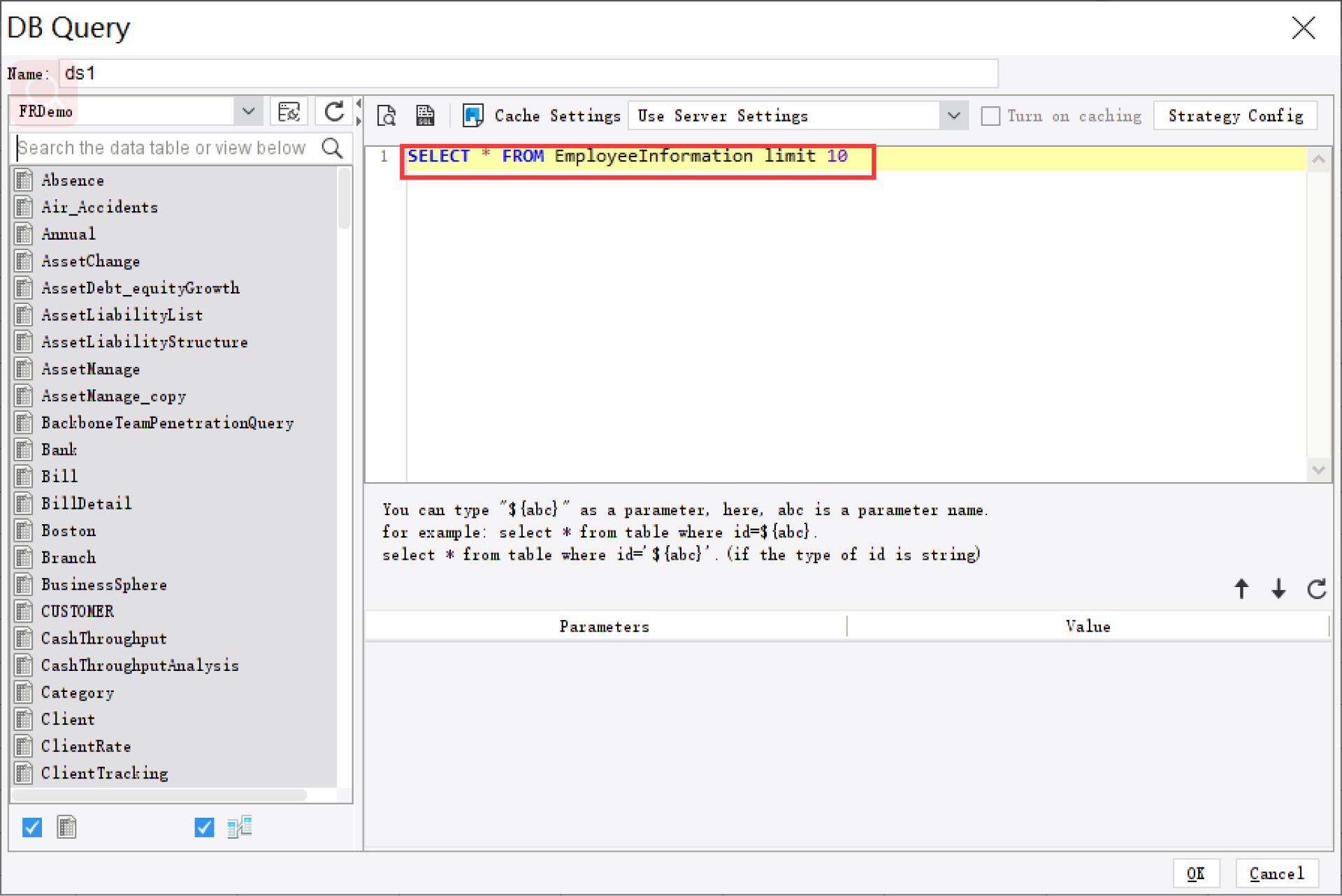
Parameter queries so teams can filter by entity, location, employee group, or period
Dashboard and report integration to combine summary metrics with detailed records
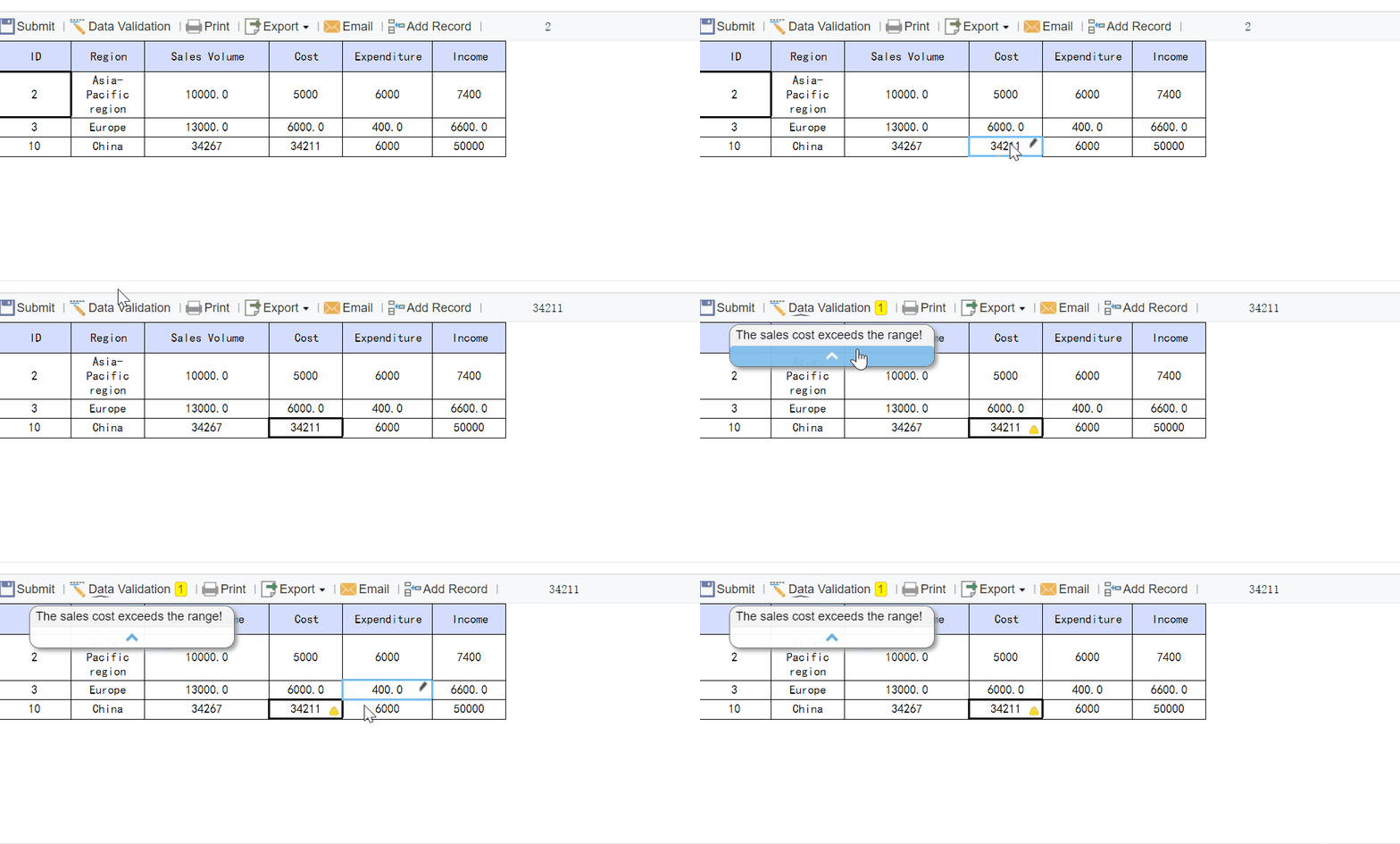
Data entry and forms for workflow-oriented scenarios where teams need to review or supplement reporting data
Enterprise deployment support for organizations that need standardized reporting across departments
For employers managing ACA readiness across several systems, these capabilities can help create the internal visibility that many filing tools do not emphasize.
Get Ready-to-Use Dashboard and Report Templates in Fine Gallery
If your organization already has an ACA filing vendor but still struggles with fragmented internal reporting, approval workflows, or audit-ready visibility, FineReport can be worth evaluating as the reporting layer around that process.
When FineReport is a good fit
FineReport is a practical option when your main challenge is not only filing ACA forms, but also organizing the reporting workflows behind compliance.
It may be a good fit if you need to:
Build internal ACA readiness dashboards across multiple systems
Create structured, printable review reports for HR, payroll, and leadership
Track exceptions and unresolved data issues before filing deadlines
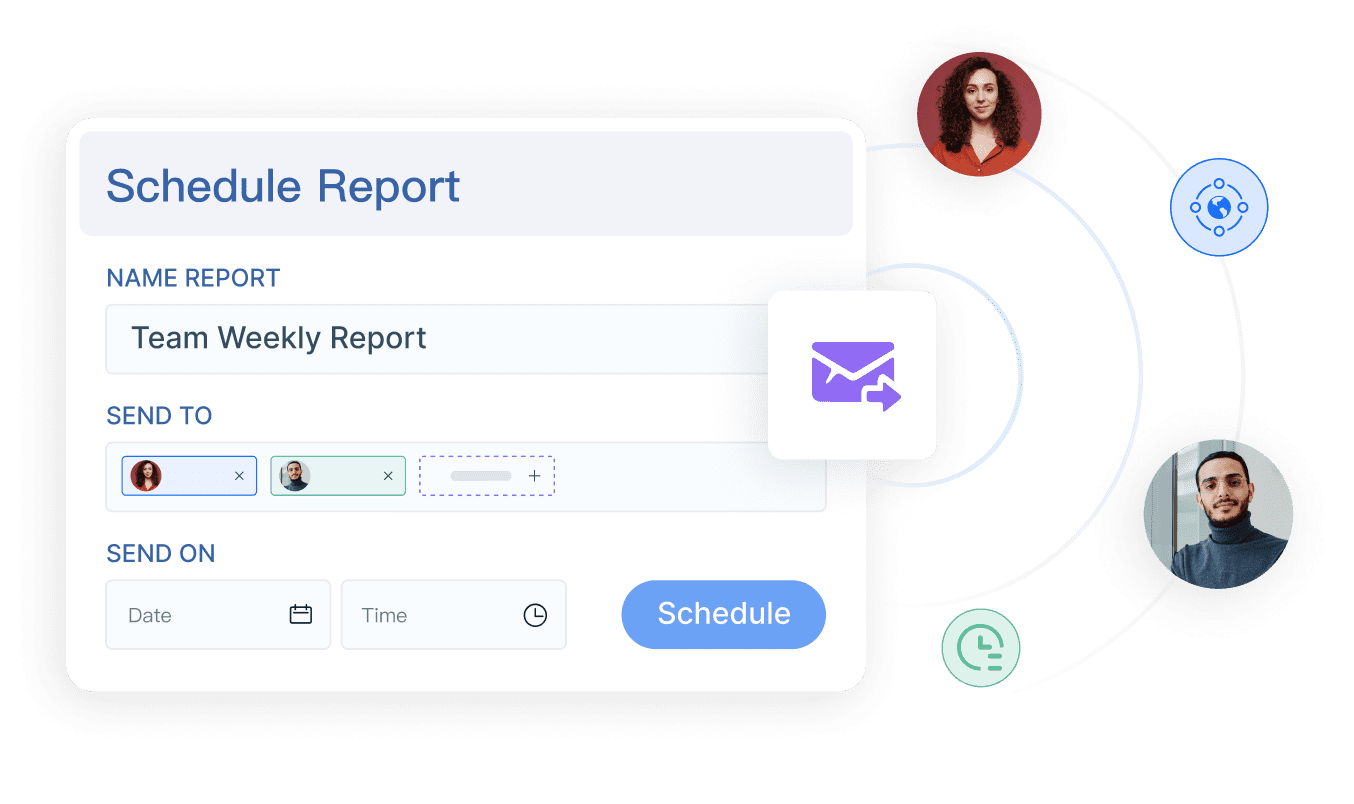
Schedule recurring reports to stakeholders during year-end preparation
It is less about replacing specialized ACA filing tools and more about strengthening the reporting, visibility, and workflow layer around them.
[Insert Report Demo Here: Workflow report showing ACA exception resolution process with filtered tables, approval status, owner assignments, and scheduled email distribution]
Conclusion
The best ACA reporting software for employers in 2026 is not simply the cheapest tool or the one with the longest feature list. It is the one that fits your filing requirements, workforce complexity, data environment, and internal operating model.
As you compare vendors, focus on the fundamentals:
form support,
e-filing workflows,
compliance logic,
integration quality,
correction handling,
support responsiveness,
security,
and total cost.
And if your challenge extends beyond filing into broader internal reporting and compliance visibility, a platform like FineReport can help close that gap with structured dashboards, operational reports, scheduling, and enterprise reporting controls.
ACA reporting software helps employers prepare, validate, file, and track Forms 1094 and 1095. Better platforms also support eligibility logic, affordability checks, corrections, and audit readiness.
The software should support the forms your organization is responsible for, typically 1094-B, 1095-B, 1094-C, and 1095-C. If you may need amendments or prior-year filings, confirm those workflows are included too.
Focus on features that reduce compliance risk and manual work, such as data validation, e-filing, submission tracking, corrections, integrations, and audit trails. The best fit also depends on your employer size, workforce complexity, and number of entities or EINs.
Yes, many ACA tools support electronic filing through the IRS AIR process and show whether transmissions were accepted or rejected. Stronger solutions also surface error details and guide correction and resubmission steps.
Yes, integration is a key feature because ACA data often sits across payroll, HRIS, benefits, and time systems. Good integrations reduce manual reconciliation and improve filing accuracy.
Product Trial
FineReport
Pixel-perfect reports · Interactive dashboards · Easy data entry · Digital twins