Reporting tools help you transform raw data into organized, easy-to-understand reports. These tools let you track business performance and spot trends faster. You can use reporting tools to make sense of numbers and present them in clear formats that support smart decision-making.
Here are 10 best reporting tools that help you to make smarter decisions:
FineReport
Microsoft Power BI
Tableau
Looker Studio
Qlik Sense
Domo
Zoho
Klipfolio
Supermetrics
monday work management
Automated reporting tools offer real-time insights that boost the speed and accuracy of your decisions. You get consistent, up-to-date information, which means less guesswork and fewer mistakes. When you rely on automated reports, you turn reporting into a strategic advantage rather than a manual chore.
As you read, think about your own business needs and the challenges you face with reports. Consider how faster, more accurate data can help you grow and stay ahead.
Top Reporting Tools
Choosing the right reporting tools can transform how you manage data and make decisions. In 2025, you have more options than ever, each with unique strengths for building dashboards, automating reports, and tracking business performance. Let’s explore the top 10 reporting tools for business intelligence this year.
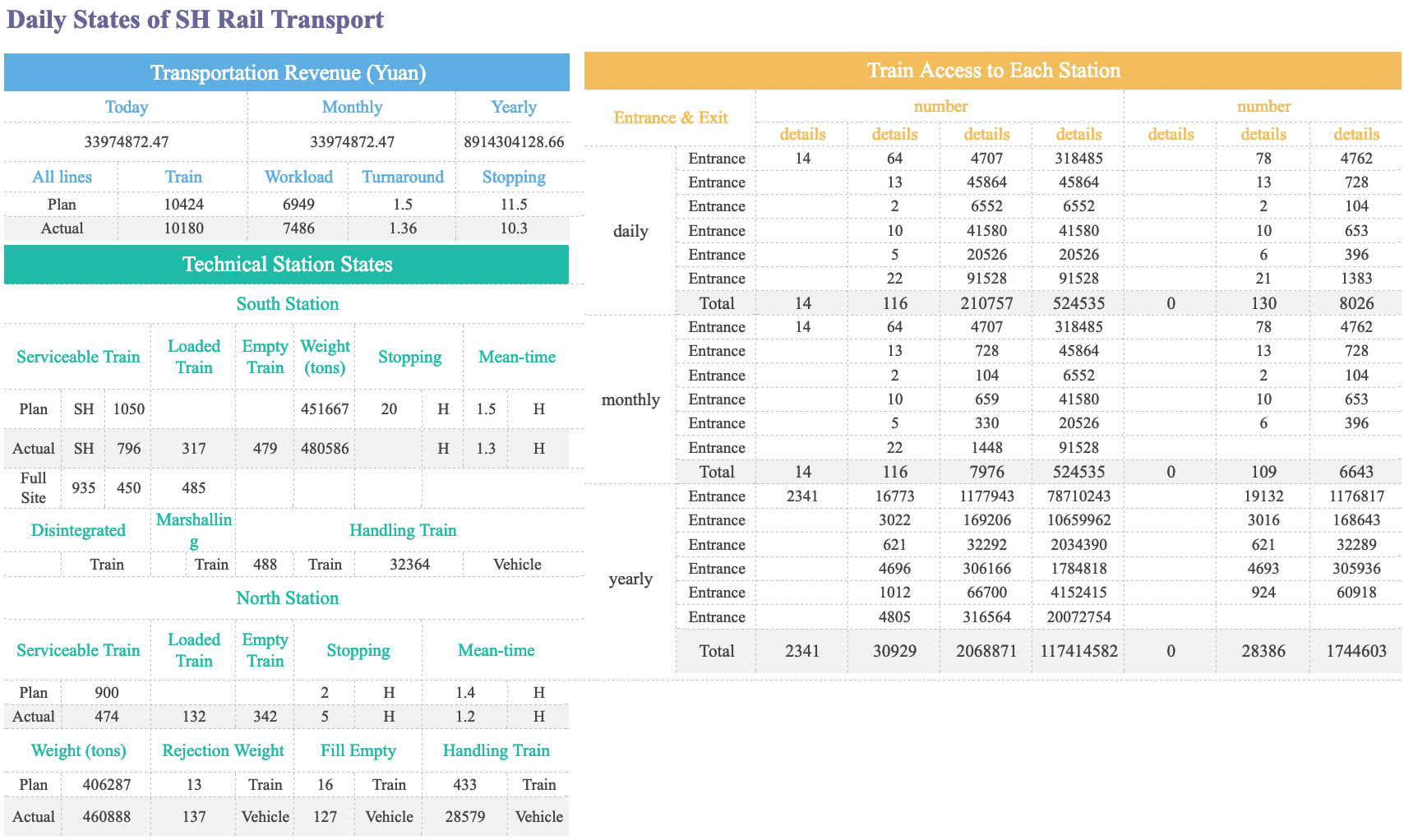
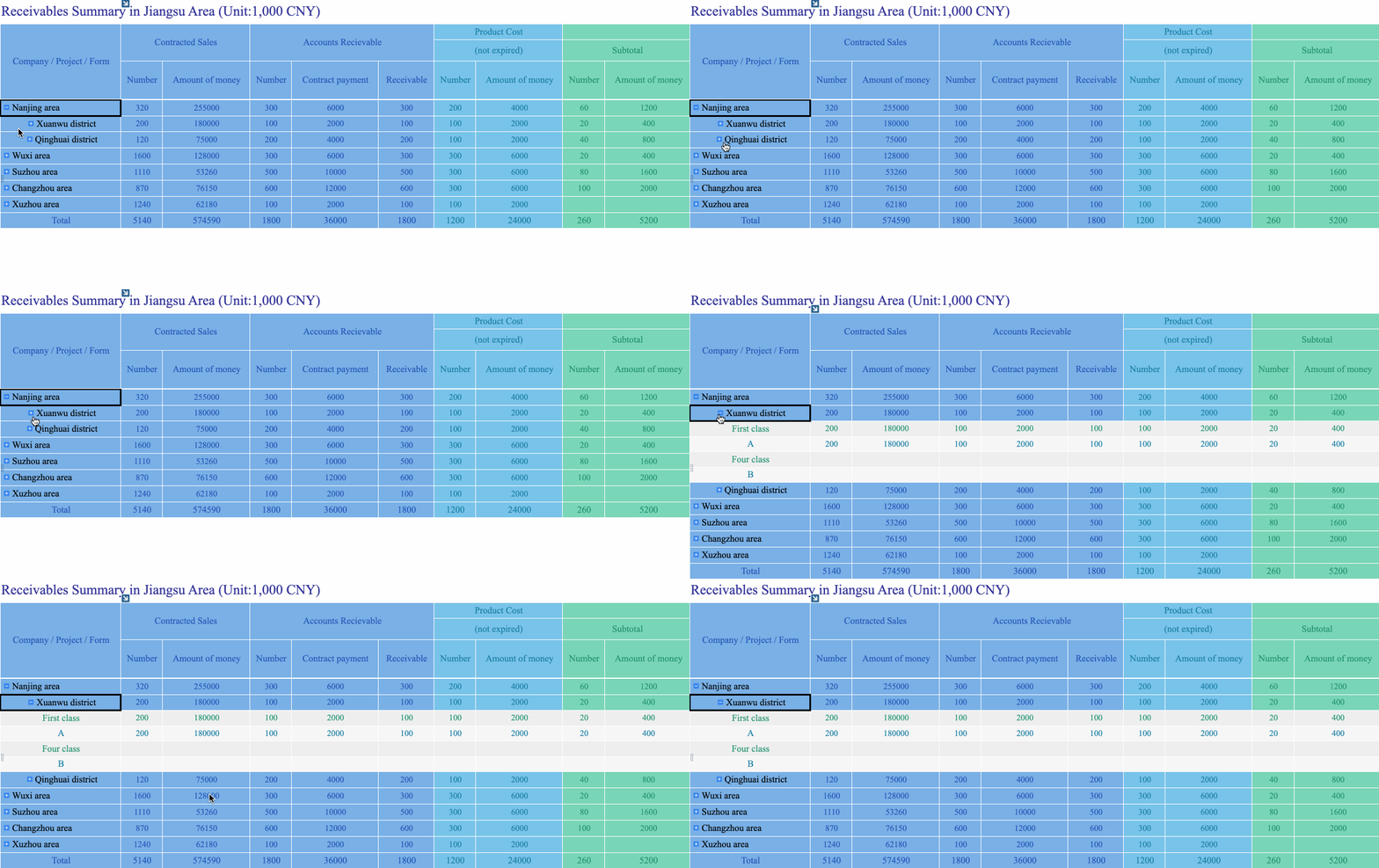
FineReportby FanRuan is a flexible reporting platform designed for enterprises that need automated reporting tools, customizable dashboards, and seamless data integration. You can create pixel-perfect reports, automate report generation, and manage data from multiple sources—all with an intuitive, Excel-like interface.
Drag-and-drop report designer for easy report creation
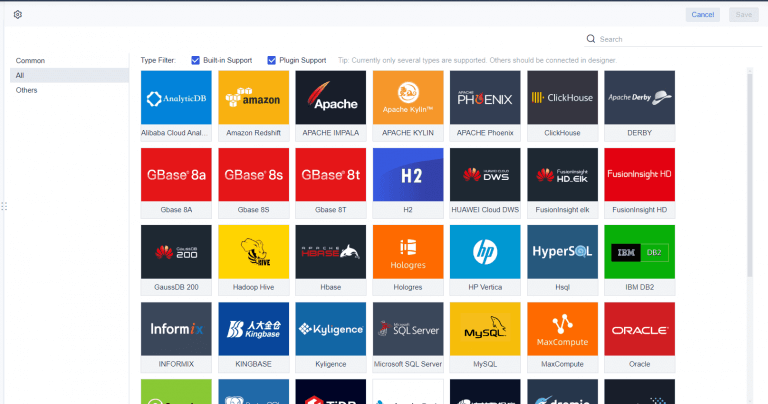
Multi-source data integration, including databases, files, and cloud platforms
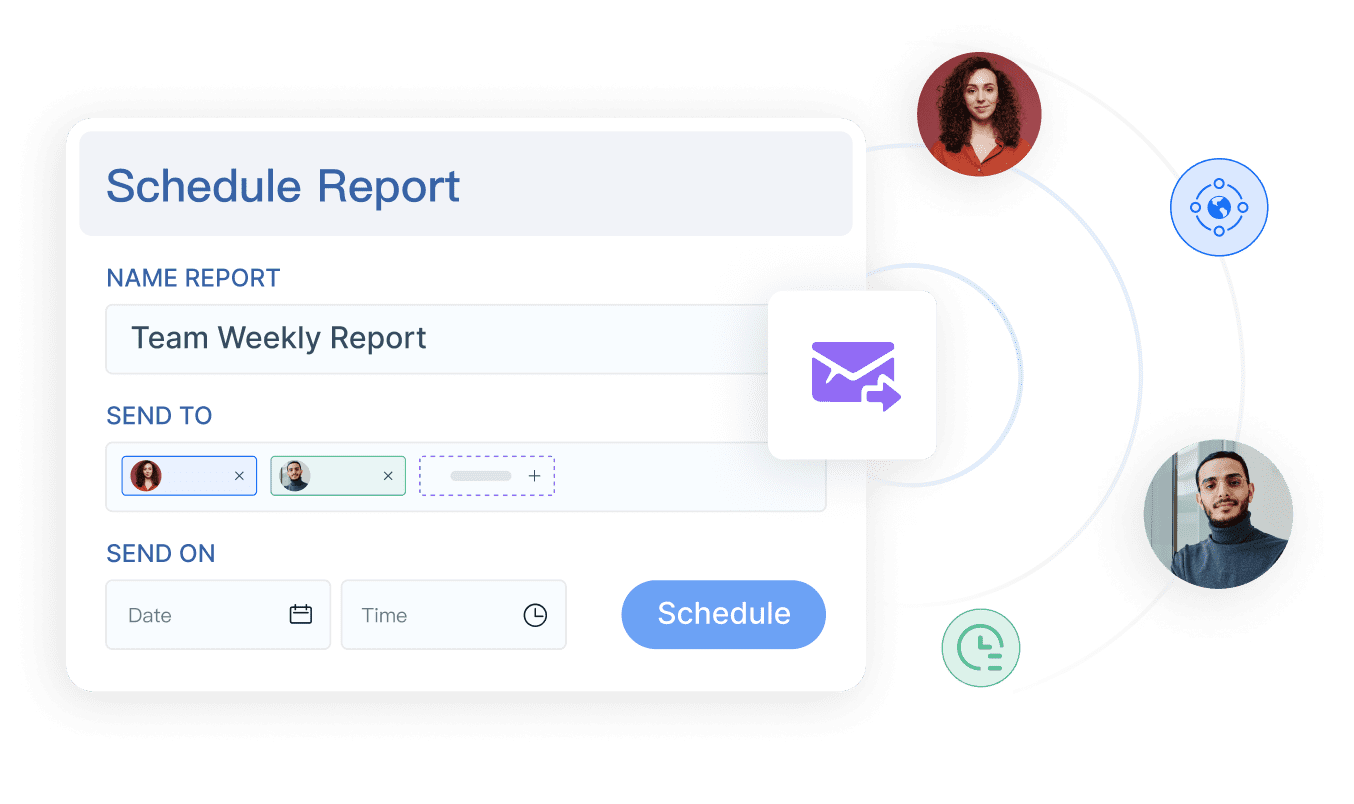
Automated reporting and scheduled distribution
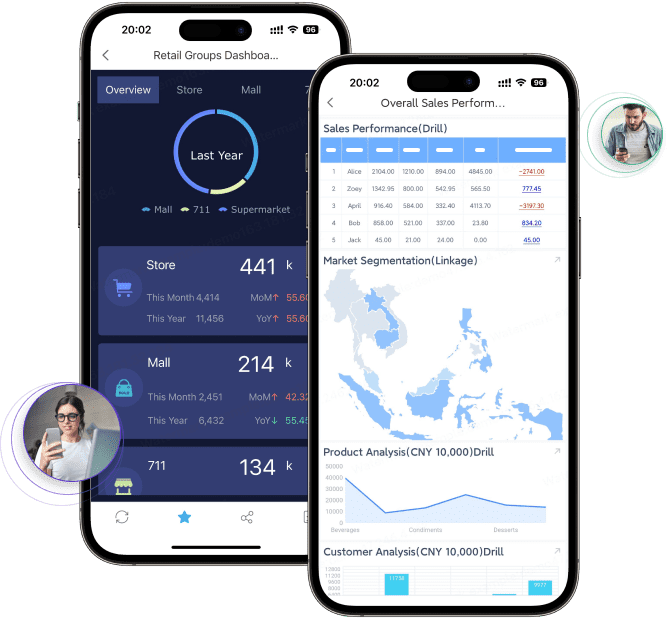
Mobile BI: Access dashboards and reports on any device
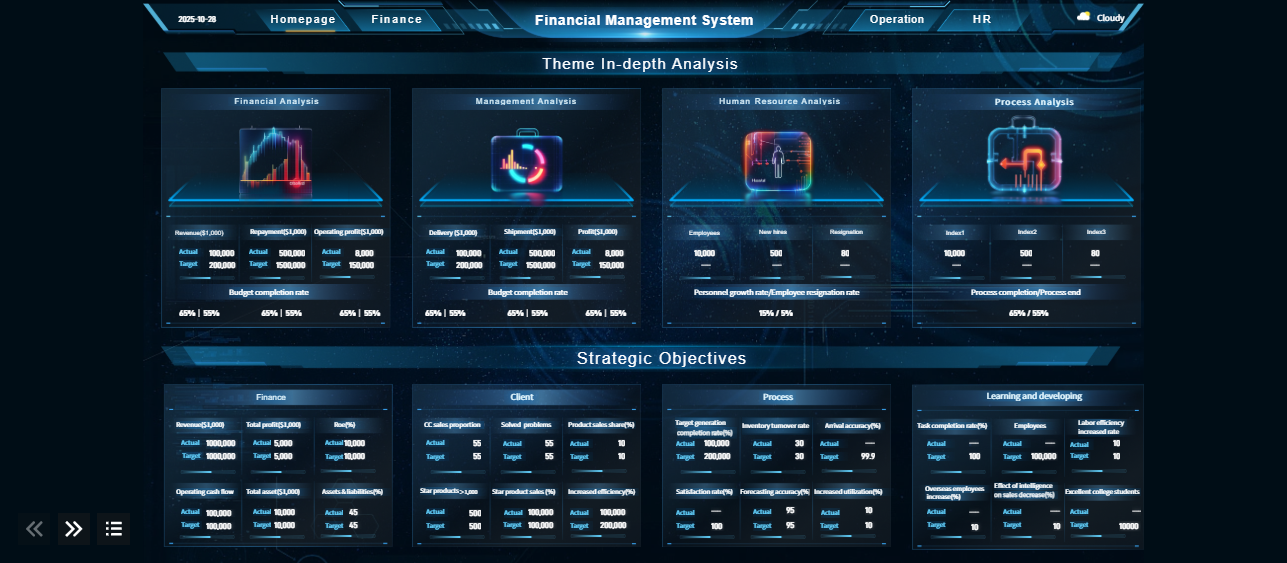
3D dashboards and advanced data visualization
Data entry forms and workflow automation
Robust permission management and security controls
Pricing and Use Cases: FineReport offers flexible pricing tailored for large enterprises and government organizations. It supports advanced processes like funnel analysis and collaboration management. The software is especially popular in industries that require complex reporting and real-time data access.
Customer Story: King Yuan Electronics Group
King Yuan Electronics, a global leader in semiconductor testing, faced slow and limited reporting with their old tools. After switching to FineReport, they cut report development time from two weeks to just two hours. The user-friendly interface, support for multiple data sources, and automated reporting tools helped them boost efficiency and decision-making. Now, they use FineReport to manage everything from engineering yield reports to executive dashboards, showing how the right reporting tools can transform your business.
FineReport stands out for its ability to handle large datasets, automate reporting, and deliver real-time dashboards. If you want a reporting platform that adapts to your needs and scales with your business, FineReportis a smart choice.
Microsoft Power BI stands out as one of the most popular reporting tools for businesses of all sizes. You can connect to over 100 data sources, build dashboards, and automate reporting tasks. Power BI integrates seamlessly with Microsoft products, making it a natural fit if you already use Office 365 or Azure.
Key Features:
Advanced AI for data analysis
Enterprise-grade security
Real-time data processing and live dashboards
Over 100 data connectors
Collaboration and sharing options
Pricing:
Power BI Pro: $14 per user/month
Power BI Premium Per User: $24 per user/month
Power BI Embedded: Variable pricing
Free account: Basic features at no cost
Pros and Cons:
Advantages
Disadvantages
Easy to use and accessible
Advanced features require Pro or Premium plans
Strong Microsoft integrations
Can strain system resources
Helpful customer support
Desktop version only for Windows
Custom visuals and dashboards
Complex interface for new users
Effective collaboration
Complex licensing structure
Scalable for large datasets
Dataset size limits on free and paid plans
Power BI gives you a powerful reporting platform with automated reporting tools and dashboards that help you track performance in real time. If you want a tool that grows with your business, Power BI is a solid choice.
Tableau is another leader in the reporting tools market, known for its exceptional data visualization and interactive dashboards. You can connect Tableau to almost any data source and create reports that are both beautiful and insightful.
Key Features:
Fast data processing and in-memory analytics
Advanced query and real-time data interaction
Scalable for small and large datasets
Wide range of data integration options
Sophisticated chart customization and geospatial analytics
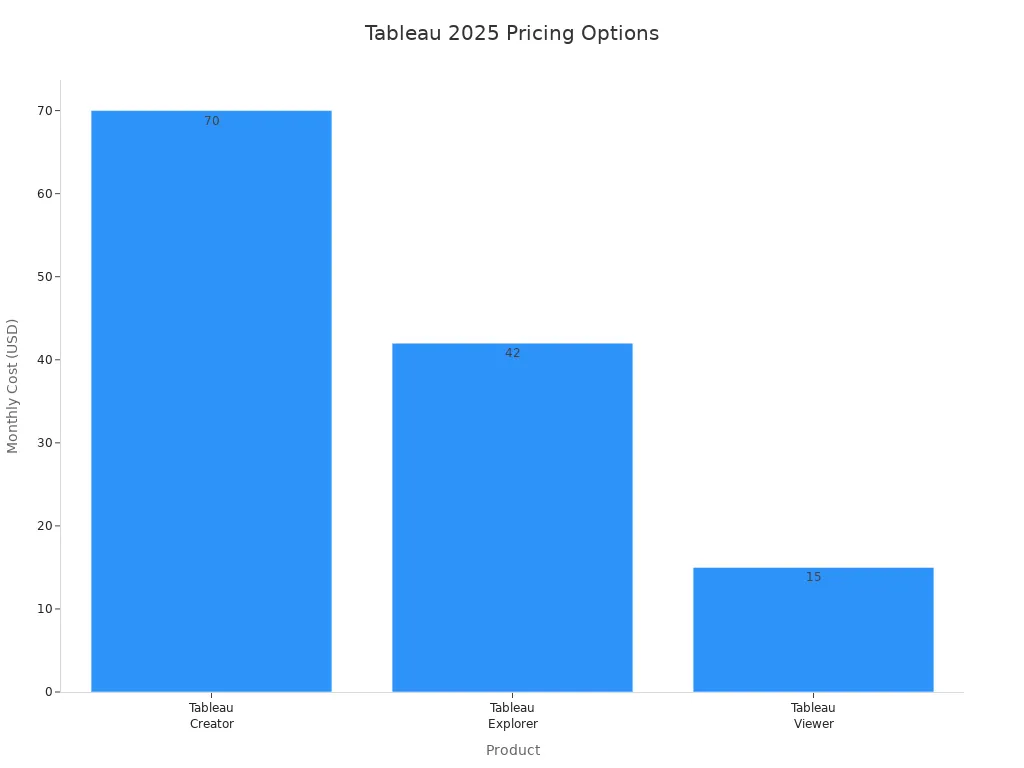
Pricing:
Product
Description
Cost
Tableau Creator
Full analytics and visualization suite
$70 per user/month
Tableau Explorer
Advanced access for power users
$42 per user/month
Tableau Viewer
For viewing dashboards and reports
$15 per user/month
Tableau Server
Custom pricing for enterprise deployment
Custom pricing
What Makes Tableau Stand Out?
Feature
Tableau's Capability
Advanced Chart Creation
Deep customization for every visual element
Geospatial Analytics
Dynamic mapping and spatial calculations
Statistical Analysis
Built-in forecasting and statistical testing
Custom Calculations
Flexible formulas and complex data manipulations
Interactive Dashboards
Rich filtering and drill-down features
Tableau’s reporting software lets you build customizable dashboards and visual dashboards that help you uncover trends quickly. If you value advanced data visualization and need a dashboard-based reporting tool, Tableau is a top pick.
Looker Studio, part of Google’s suite, is a cloud-based reporting tool that helps you create interactive dashboards and reports. You can blend data from multiple sources and share insights across your team.
Key Features:
Feature
Looker Studio (Free)
Looker Studio Pro (Paid)
Pricing
Free
From $9/user/month
Data Connectors
20 free connectors
Expanded options
Collaboration
Basic sharing
Real-time multi-user
Report Delivery
Manual sharing
Automated/scheduled
Security
Basic
Enterprise-grade
Automation
Manual refresh
Scheduled updates
Customization
Full templates
Advanced permissions
Mobile Access
View only
Enhanced integration
Looker Studio supports unique charts, data blending, conditional formatting, and calculated fields. You can use it for everything from marketing campaign tracking to financial planning. The free version is great for individuals and small businesses, while Looker Studio Pro adds advanced collaboration and security for larger teams.
Looker Studio makes reporting simple and affordable, especially if you already use Google products. Its dashboards help you visualize data and make smarter decisions.
Qlik Sense is a flexible reporting tool that focuses on self-service analytics and real-time data exploration. You can build dashboards, automate reporting, and use AI-powered features for deeper analysis.
Key Features:
Automated, governed, real-time data pipelines
Dashboard building and visualization tools
Advanced AI and machine learning for predictive analytics
Cloud, on-premise, and hybrid deployment options
Collaboration and information sharing
Pricing:
Plan Type
Price
Users
Data Capacity
Best For
Qlik Sense Basic
Free
Limited functionality
Restricted
Getting started, basic exploration
Qlik Sense Business
$30/user per month
Small teams
25 GB
Small teams, limited data needs
Qlik Sense Enterprise
Contact Qlik
Unlimited scaling
Starts at 50 GB
Large organizations, extensive data
Pros and Cons:
Pros
Cons
Affordable for small teams
Slows down with large datasets
Free 30-day trial
Costs add up for large teams
Improves data literacy
Some features require extra payment
Compatible with many devices
Custom formatting may be lost in Excel export
Easy collaboration and sharing
Custom application development
Fast search and responses
Flexible security
Cloud, on-premise, and hybrid options
Qlik Sense gives you automated reporting tools and dashboards that help you explore data in real time. If you want a tool that supports both small teams and enterprise needs, Qlik Sense is worth considering.
Domo is a cloud-based reporting platform that focuses on automated reporting tools, collaboration, and real-time data sharing. You can connect data from multiple sources, build dashboards, and automate workflows.
Key Features:
Automated reporting and scheduled delivery
Real-time data sharing and collaboration
Customizable dashboards for different teams
AI-driven analytics and workflow automation
Secure data access and dedicated support
Pricing:
Credit-based consumption model, varies by data usage and analytics needs
Free 30-day trial, then paid plans based on usage
Volume discounts and dedicated account teams for larger deployments
Domo helps you improve data collection, enhance customer service, and boost productivity by streamlining information sharing. If you need a reporting tool that supports collaboration and real-time insights, Domo is a strong option.
Zoho Analytics is a popular choice for small and medium-sized businesses looking for affordable reporting tools and dashboards. You can connect to hundreds of data sources, build reports with a drag-and-drop interface, and automate reporting.
Key Features:
Plan Type
Users Allowed
Data Rows Allowed
Price
BASIC
2
0.5 Million
N/A
STANDARD
5
1 Million
N/A
PREMIUM
15
5 Million
N/A
ENTERPRISE
50
50 Million
N/A
CUSTOM
Tailored
High scale needs
Get Quote
Feature
Description
Abundant Connectivity
500+ native connectors, deep Zoho integration
Drag-and-Drop Interface
Build custom reports and dashboards easily
Customizable Dashboards
Transform metrics into actionable visuals, automate report generation
Interactive Filters
Drill down into dashboards for deeper insights
Collaboration and Sharing
Secure sharing with detailed access control
Zoho Analytics makes it easy to create dashboards and automate reporting, even if you have no coding experience. If you want a reporting tool that grows with your business, Zoho Analytics is a great fit.
Klipfolio is a cloud-based reporting tool that specializes in real-time data visualization and customizable dashboards. You can connect to hundreds of services and APIs, build reports, and share insights with your team or clients.
Key Features:
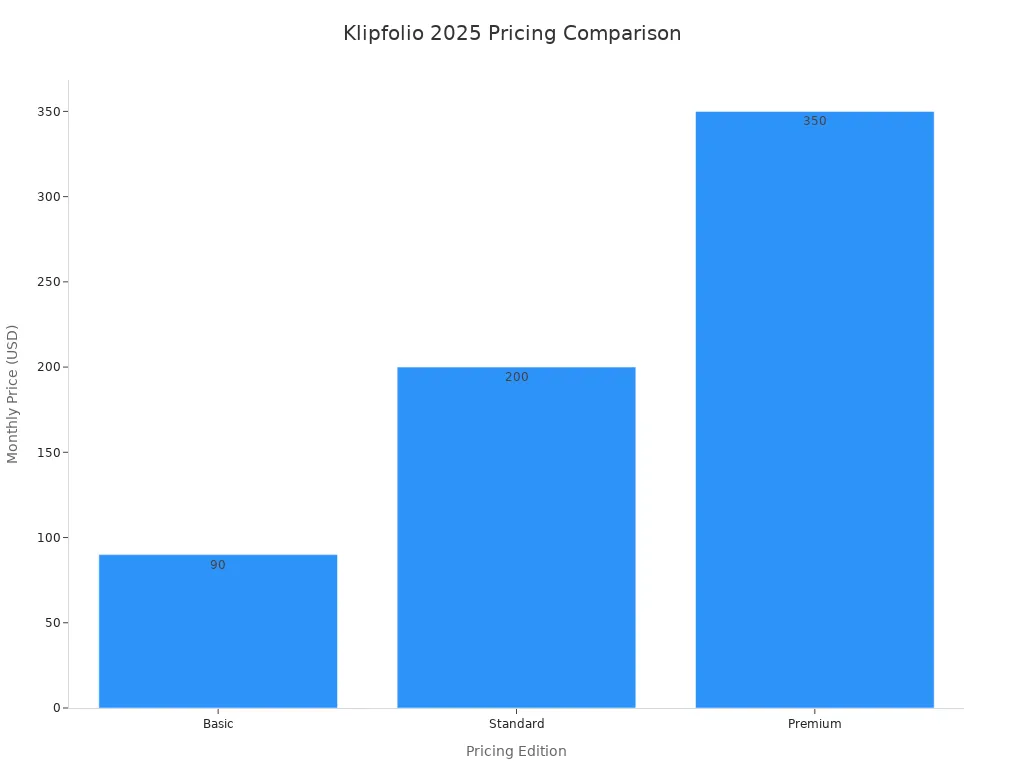
Pricing Edition
Monthly Price
Additional Notes
Basic
$90
Free trial, annual discount
Standard
$200
Includes implementation options
Premium
$350
Ongoing dedicated support
Connect to hundreds of services and APIs
Build highly customizable dashboards
Share and integrate reports for teams and clients
Klipfolio’s automated reporting tools let you set flexible data refresh intervals, so your dashboards always show the latest information. If you need live dashboards and real-time data for fast decision-making, Klipfolio delivers.
Supermetrics is a reporting tool designed for marketing teams that need automated reporting tools and easy data integration. You can pull data from multiple marketing platforms and create reports in your favorite tools like Google Sheets or Excel.
Key Features:
Plan
Price (Per Month, Annually)
Price (Monthly)
Key Features
Starter
From €29
From €37
3 data sources, weekly refresh, SSO
Growth
From €159
From €199
7 data sources, daily refresh, data transformations
Pro
From €399
From €499
10 data sources, hourly refresh, advanced customization
Business
Custom pricing
Custom pricing
Unlimited sources, premium support, offline data import
Most plans include only one user; extra users cost more
Limited data sources per plan; extra connectors require payment
Destinations are limited; charges apply for each platform
Supermetrics helps you automate reporting and track marketing performance across platforms. If you want to save time on manual data pulls and focus on analysis, Supermetrics is a smart choice.
monday work management is more than a project management tool—it’s also a powerful reporting tool for building dashboards and automating reporting. You can track projects, automate workflows, and create reports that keep your team on the same page.
Private boards, 20 portfolios, workload management, advanced automation, unlimited forms
Enterprise Plan
Quotation
Enterprise automations, multi-level permissions, advanced analytics and reporting
AI-driven automation for intelligent workflows
Real-time analytics and dashboards for project tracking
Unlimited forms and advanced reporting for enterprise needs
monday work management helps you reduce manual work and streamline communication. For example, Officeworks in Australia used monday to cut 10,000 emails and eliminate over 635 spreadsheets. If you want a reporting tool that brings together workflow automation and dashboards, monday work management is a great option.
Quick Comparison Table: Top Reporting Tools
Tool
Pros
Cons
Microsoft Power BI
Integrates with Microsoft products, powerful data modeling, affordable
Steep learning curve for DAX, performance issues with large datasets
Tableau
Exceptional data visualization, connects to various data sources
More expensive, steep learning curve for non-technical users
Qlik Sense
Flexible data exploration, strong self-service capabilities
Less modern UI, requires specialized setup
Looker Studio
Cloud-native, strong embedded analytics
Requires familiarity with LookML, enterprise-focused pricing
With so many reporting tools available, you can find the right fit for your business needs. Whether you want automated reporting tools, customizable dashboards, or a reporting platform that scales, these top choices will help you get better insights and make smarter decisions.
When you hear aboutreporting tools, you might wonder what they actually do. Reporting tools are applications that help you generate different types of reports for your business. You use them to collect, prepare, and present data in a way that makes sense for your team. These tools bring together real-time and historical data, so you can see the full picture and make smarter decisions. With reporting tools, you don’t need to be a data expert to understand your business performance. The information comes to you in clear visuals and summaries.
Reporting tools generate reports for enterprises.
They collect, prepare, and present data for easy analysis.
You get both real-time and historical data in one place.
These tools help you make better decisions and improve how your business runs.
You rely on reporting tools as a core part of business intelligence. They make sure your data is accessible, accurate, and ready for analysis. When you use automated reporting tools, you can measure, monitor, and display your data in a user-friendly way. This means everyone in your organization can understand what’s happening and act on it. You don’t need advanced data analytics skills to benefit from these tools. They empower you to see trends, spot issues, and respond quickly.
Reporting tools provide essential data to employees and leaders.
Data flows through every level of your business in real time.
Visuals and dashboards make it easy to track performance.
Benefits for Businesses
You gain a lot when you use reporting tools in your daily operations. Automated reporting tools save you time by cutting down on manual work. You can customize reports to focus on the key metrics that matter most to your business. With up-to-date information, you make decisions based on facts, not guesses. Many tools now use advanced data analytics and AI to help you forecast trends and spot new opportunities. Data visualization turns raw numbers into charts and graphs, making insights easier to understand and share.
Tip: When you use reporting tools, you unlock faster reporting, better accuracy, and more confidence in your decisions.
Save time with automated reporting workflows.
Tailor reports to your business needs.
Make decisions with the latest and most accurate data.
Use AI and analytics for forecasting and planning.
Turn complex data into clear visuals for better understanding.
Automated reporting toolshave become essential for modern business intelligence. You can use these solutions to streamline your data workflows, create interactive dashboards, and share actionable insights across your organization. Let’s break down the features that make these reporting tools so powerful.
Data Integration
You want your reporting platform to connect with all your data sources. Automated reporting tools like FineReportlet you blend information from databases, spreadsheets, and cloud services. You don’t need to move data manually. Instead, you get real-time access to historical and live data for better analysis. Here’s a quick look at the most important integration features:
Feature
Description
Data Integration and Access
Connects multiple systems and retrieves historical data instantly.
Data Blending
Combines data from different sources for improved reports.
Real-time Data Accuracy
Delivers up-to-date information for smarter decisions.
Automated Tasks and Alerts
Sends notifications and manages tasks based on data events.
Customizable Dashboards
Lets you build dashboards tailored to your needs.
Data Security
Controls user permissions and protects sensitive information.
FineReport stands out with multi-source integration, making it easy for you to unify data from various platforms.
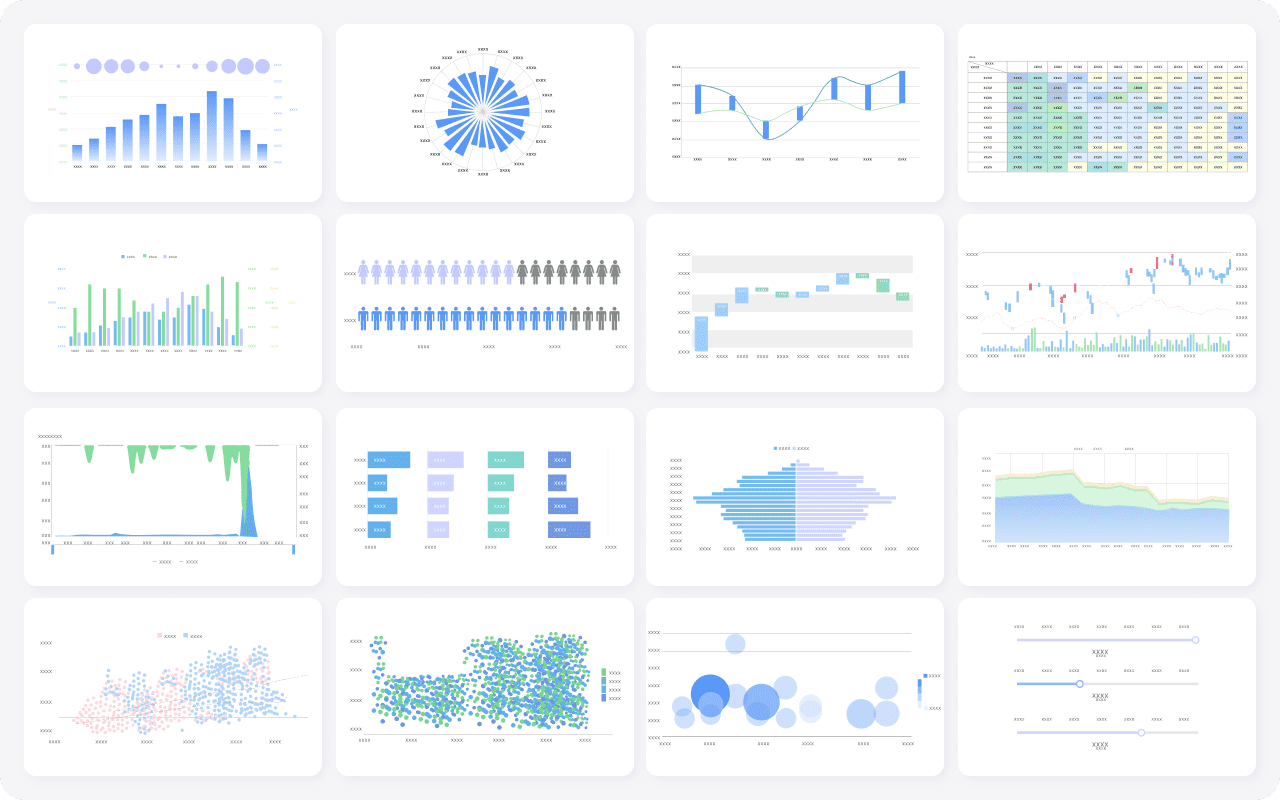
You need dashboards that turn numbers into clear visuals. Automated reporting tools offer interactive dashboards, 3D charts, and mobile-friendly layouts. FineReport’s reporting software gives you drag-and-drop design, animated dashboards, and responsive views for any device. Take a look at howadvanced visualization featureshelp you:
Feature
Benefit
Visual Dashboards
Instantly transform raw data into easy-to-read visuals.
Real-time Analysis
See performance at a glance and act quickly.
AI Integration
Spot patterns and get recommendations for better insights.
Natural Language Queries
Ask questions in plain English and get answers fast.
Predictive Insights
Identify risks or opportunities before they happen.
Automated Narratives
Get summaries of dashboards for easy sharing.
Personalized Delivery
Make sure the right people see the right data.
FineReport's 3D dashboards and mobile BI features help you visualize data wherever you are.
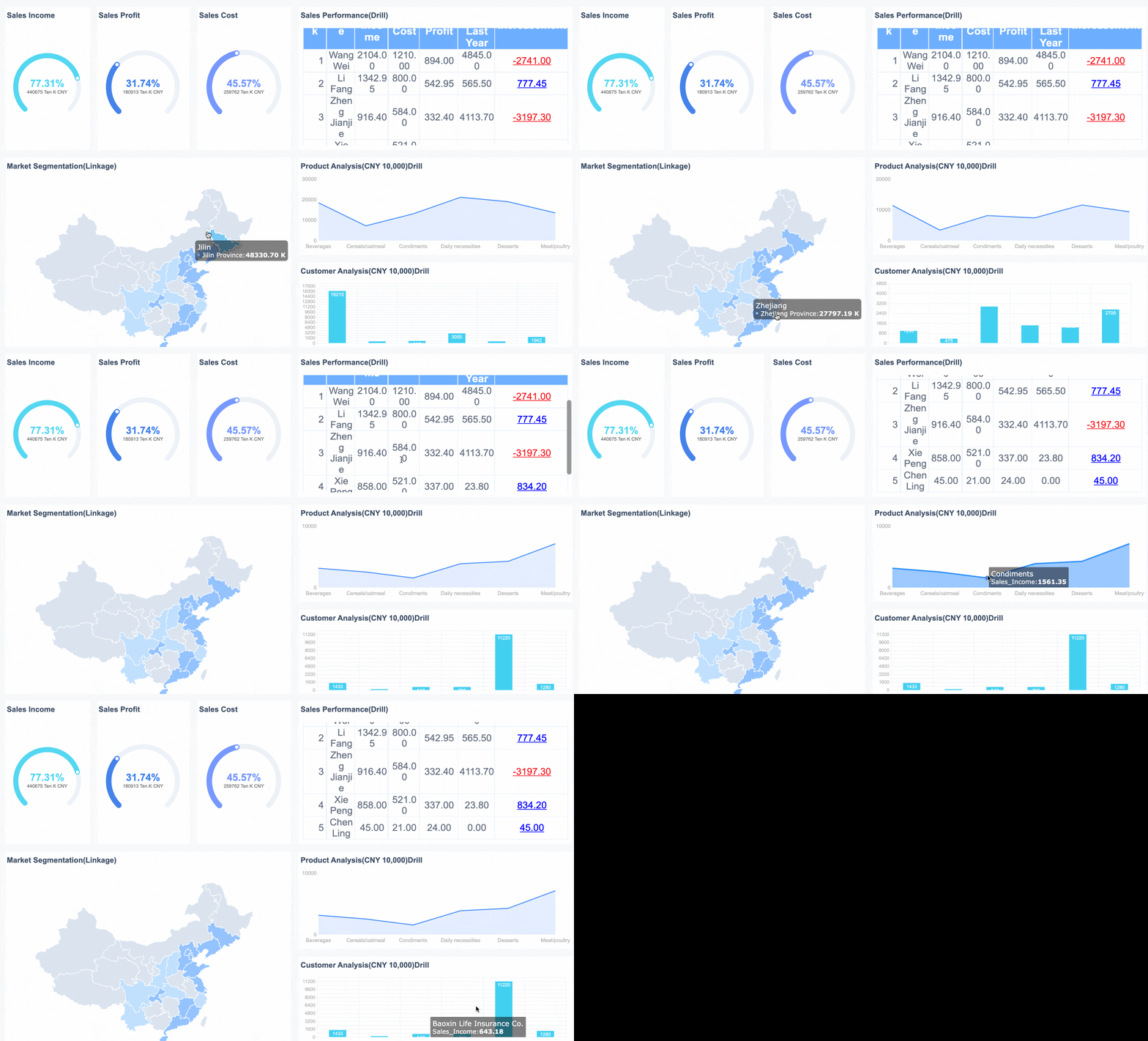
FineReport's Multiple Charts For Data Visualization
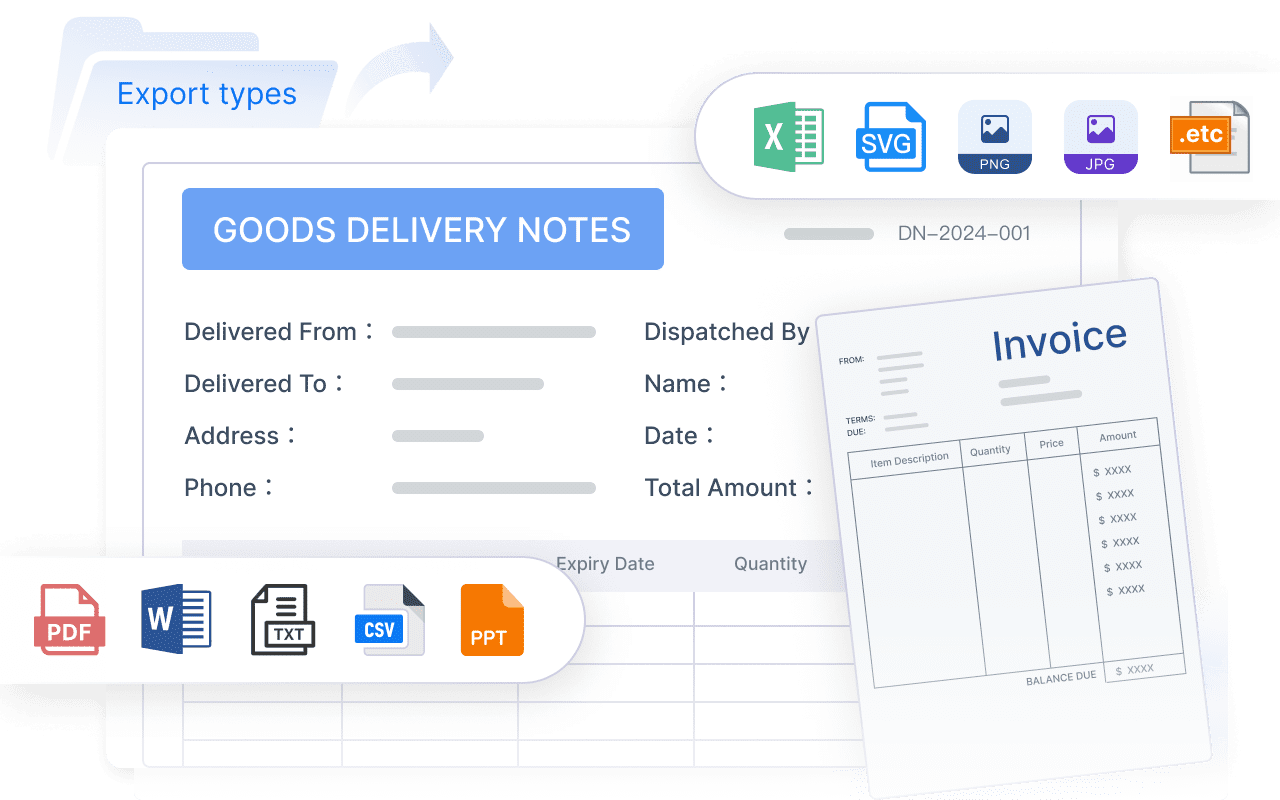
You want your team to work together and share reports easily. Automated reporting tools support secure sharing, scheduled delivery, and permission management. FineReportreporting software lets you automate report distribution, set up scheduled emails, and control who sees what. You can collaborate on dashboards and ensure everyone stays informed.
Tip: Use customizable dashboards to keep your team focused on the metrics that matter most.
Security and Compliance
Protecting your data is critical. Automated reporting tools include robust security controls, user permissions, and compliance features. FineReportreporting platform offers detailed permission management and secure data handling. You can trust that sensitive information stays safe while you share reports and dashboards across your organization.
Automated reporting tools give you the power to integrate data, visualize insights, collaborate with your team, and keep your information secure. With features like multi-source integration, interactive dashboards, and automated scheduling, you can unlock better insights and drive smarter decisions.
When you start looking forreporting tools, you need to think about your business goals and the types of reports you want to create. Do you need automated reporting tools for daily sales tracking or live dashboards for real-time insights? Make a list of your must-have features. Here’s a quick table to help you compare what matters most:
Criteria
Description
Ease of Use
The tool should be simple for everyone to use.
Customization
You want to adjust reports to fit your business needs.
Integration
The tool must connect with your current systems and data sources.
Scalability
It should handle more data as your business grows.
Specific Features
Look for features that match your reporting requirements.
Tip: Identify your reporting requirements based on your data needs and user purposes. Make sure the reporting platform you choose can grow with you.
Ease of Use
You want reporting software that feels intuitive. If your team can pick it up quickly, you save time on training. FineReportstands out with its drag-and-drop designer and Excel-like interface. Automated reporting tools should let you build reports without needing advanced technical skills.
Your reporting tools must work with your existing systems. Automated reporting toolslike FineReport connect to databases, spreadsheets, and cloud services. This integration gives you real-time data processing and helps you create comprehensive reports. You get a unified view of your business without manual data entry.
Scalability
As your business expands, your reporting platform should keep up. Automated reporting tools need to handle increasing data volumes and more users. FineReport's scalable design means you can manage large datasets and add new features as your needs change. You won’t outgrow your solution.
Budget matters. Free tools may look attractive, but they often limit functionality. Paid options offer advanced data analytics, better support, and more robust features. Here’s a quick look at typical costs:
Business Size
Initial Setup Cost
Ongoing Monthly Cost
Focus Areas
Small Businesses
$1,000 – $20,000
$100 – $1,000
Basic analytics dashboards
Medium Businesses
$10,000 – $100,000
$1,000 – $5,000
Departmental reporting, forecasting
Large Enterprises
$20,000 – $300,000
$5,000 – $25,000
AI, real-time analytics, data strategy
Understanding your budget helps you choose a reporting tool that fits your needs without overspending. Automated reporting tools like FineReportoffer flexible pricing and features that scale with your business.
Reporting Tools Comparison
Feature Comparison
When you compare reporting tools, you want to see how each one helps you work with data and create reports that matter. FineReport stands out with its Excel-like interface, making it easy for you to design reports without a steep learning curve. You can connect to multiple data sources, blend information, and build custom financial reports that look exactly how you want. FineReport also gives you advanced 3D visualizations and dynamic charts, so your dashboards are not just informative but also engaging.
Here’s a quick table to help you see how FineReport compares to other leading reporting tools:
Feature
FineReport
Others (Power BI, Tableau, Qlik)
Interface
Excel-like, intuitive
Varies, often custom or web-based
Reporting
Pixel-perfect, custom financial
Standard, customizable
Integration
Advanced multi-source integration
Good, but may require add-ons
Visualization
3D, dynamic charts
2D, strong but less 3D focus
Deployment
Independent or integrated
Mostly cloud or hybrid
Analytics
Real-time, advanced analytics
Real-time, strong analytics
You can see that FineReportbrings a unique mix of flexibility and power, especially if you want pixel-perfect reports and advanced data visualization.
Unique Strengths
FineReport gives you more than just standard reporting software. You get a reporting platform that adapts to your needs, whether you want to build interactive dashboards or automate complex reports. The Excel-like interface means you can start quickly, even if you’re not a tech expert. You can connect to almost any data source, so you never feel limited by your current systems.
FineReport’s 3D dashboards help you visualize trends and spot patterns in real time. You can deploy it on its own or integrate it with your existing tools. This flexibility makes it a great choice for businesses that want better insights and a comprehensive business intelligence solution.
If you want reporting tools that combine ease of use, powerful integration, and advanced visualization, FineReportstands out as a top pick.
Choosing the right reporting tools helps you unlock better insights and actionable insights for your business. You can boost efficiency with dynamic reporting tools and customizable business analytics. FineReportgives you a reporting platform that supports real-time data and interactive dashboards. Try product demos or free trials to see whichreporting software fits your needs. When you focus on comprehensive business intelligence, you make smarter decisions and improve marketing performance reporting.
Access a wealth of case studies, industry insights, and solution guides to accelerate digital transformation.
FAQ
What are reporting tools and how do they help my business?
Reporting tools let you turn raw data into clear reports and dashboards. You use them to track performance, spot trends, and make smarter decisions. These tools help you get actionable insights and improve your business intelligence.
Can I automate reports with reporting tools?
Yes, automated reporting tools let you schedule reports and send them out automatically. You save time and reduce errors. You get real-time data and live dashboards without manual work, so you can focus on analysis and better insights.
How do reporting tools support data visualization?
Reporting tools offer customizable dashboards and interactive dashboards. You can create visual dashboards with charts and graphs. This makes complex data easy to understand and share. You get real-time insights and can track key metrics at a glance.
What features should I look for in a reporting platform?
Look for a reporting platform with real-time data processing, advanced data analytics, and strong integration. You want dynamic reporting tools, customizable business analytics, and secure sharing. Make sure it supports automated reporting and visual dashboards for comprehensive business intelligence.
Can reporting software help with marketing performance reporting?
Reporting software lets you track marketing performance reporting with real-time insights. You can build dashboards to monitor campaigns, analyze results, and get actionable insights. This helps you adjust strategies quickly and improve your marketing outcomes.