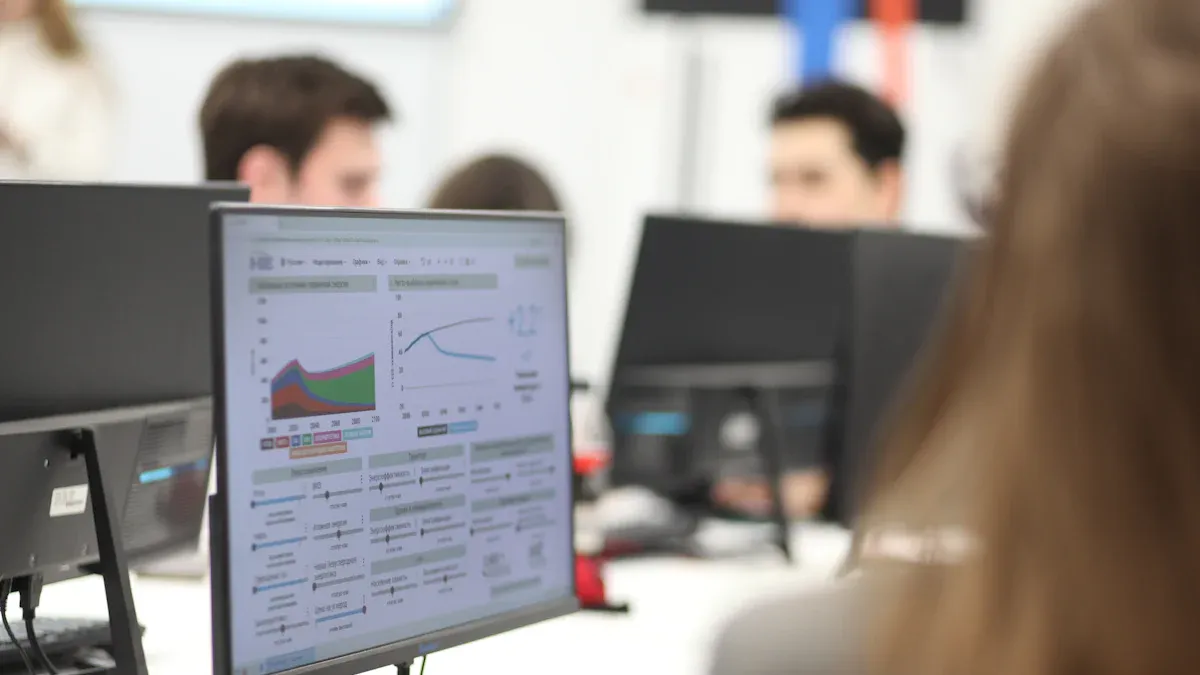
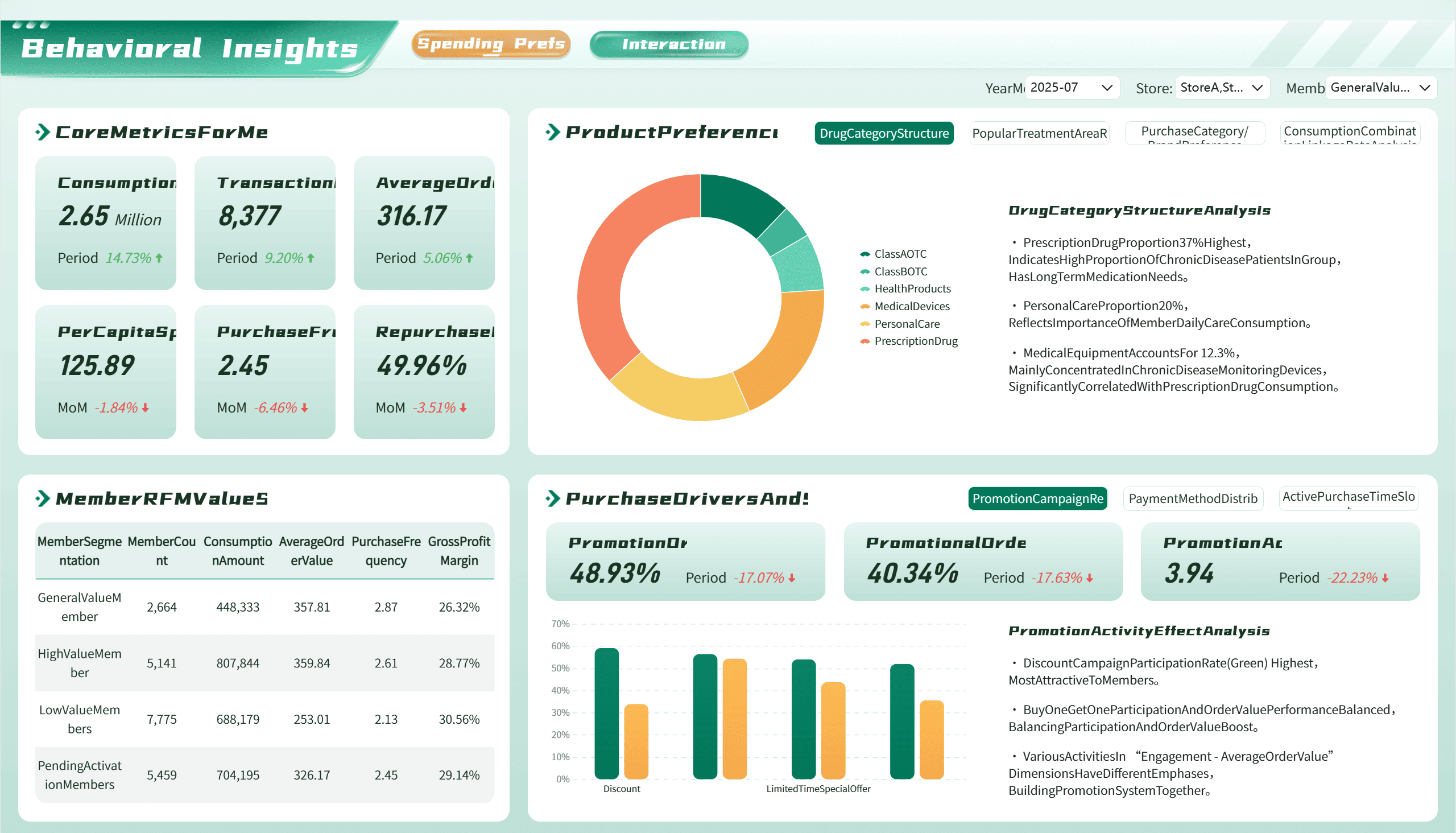
An insights dashboard shows your business data in a simple way. It changes hard information into pictures you can understand. You can see important numbers and watch your progress. You can also find problems all in one spot. Tools like FineBI let you use dashboards for real-time insights. These tools help you make smarter choices.
How dashboards deliver data insights
Dashboards give you more than just numbers. They show patterns, trends, and outliers with charts and graphs. This makes it easier to see what works and what needs help. You can use filters and drill down into details. This helps you find the cause of problems and spot hidden insights.
Here is how dashboards are different from old reporting tools:
Feature
Insights Dashboards
Traditional Reporting Tools
Data Presentation
Real-time, interactive visualizations
Static, periodic reports
User Interaction
Dynamic exploration of data
Limited interaction
Decision-Making Support
Immediate access to KPIs and trends
Focus on historical data
Customization
High level of customization with visuals
Fixed metrics and formats
Purpose
Agile and informed business analytics
In-depth analysis and auditing
You can use dashboards to download data and check memberships. You can monitor active memberships in real time. This helps you make quick choices and reach your goals.
FanRuan and FineBI dashboard overview
FanRuan and FineBI give you strong tools to build and use dashboards. You can connect to many data sources like databases, files, and APIs. FineBI lets you drag and drop to make charts and dashboards without writing code. You can download data, change your view, and share insights with your team.
FanRuan and FineBI have these special features:
Feature
Description
AI-Powered Self-Service Analytics
Lets you get insights fast without needing IT help.
Data Governance
Keeps your data safe and consistent across teams.
Natural Language Processing
Lets you ask questions in plain language and get answers quickly.
Flexible Dashboards
Helps you build and change dashboards easily for better decisions.
Advanced Data Management
Organizes your data by business subject for easy access.
User-Friendly Data Visualization
Lets you create visuals by dragging and dropping, making it simple for everyone.
Robust Collaboration Features
Makes it easy to share and work on dashboards with others.
You can use these dashboards to download data and track KPIs. You can see data insights in real time. This helps you turn raw data into useful insights. You can spot trends, watch memberships, and improve your business with every insight.
FanRuan and FineBI help you go from just looking at numbers to making smart choices. You get a clear view of your data. This lets you act fast and reach your goals.
Using insights dashboards for analytics and decision-making
Navigating and customizing dashboards in FineBI
You can start with a simple dashboard in FineBI. The platform gives you tools to move around and change what you see. You can drag and drop charts, tables, and maps. You can add filters to focus on the data that matters most to you. You can also use adaptive layouts to arrange your dashboard the way you like.
FineBI lets you change the look and feel of your dashboard. You can pick colors and themes that match your style. You can add web components to show extra information or links. You can connect different charts so they work together. If you want to see more, you can use the jump function to move between dashboards for a bigger view.
Feature
Benefit
Adaptive layouts
You can set up the dashboard to fit your needs.
Theme style customization
You can change how your dashboard looks.
Web components
You can show more information and make things clear.
Filters
You can focus on the data you want to see.
Component linkage
You can connect charts for deeper insights.
Jump function
You can see many dashboards together for a full picture.
You can download data from any chart or table. This helps you study the numbers or share them with your team. You can also track KPIs and memberships in real time. FineBI makes it easy to see active memberships and download data for more study.
Interpreting analytics for actionable insights
You can use analytics from your dashboard to make better decisions. Start by knowing what type of dashboard you have. Some dashboards show big-picture goals. Others help you look at details or track daily work. You can use new tools like machine learning to find patterns in your data.
Here are steps you can follow to get insights:
Explore your data to see what it looks like.
Set clear goals and pick the KPIs you want to track.
Choose the right way to study your data, like using averages or trends.
Look at the results and find what stands out.
Use charts and graphs to make your findings easy to understand.
You can monitor key metrics in real time. This helps you spot problems or chances to improve. You can also analyze the data to learn why things happen. When you share your dashboard, your team can see the same numbers. This keeps everyone working toward the same goals.
Real-world benefits and use cases
Many companies use insights dashboards to get value from their data. For example, BOE used FineBI to bring all their data together. They built a data warehouse and made dashboards to track KPIs. This helped them cut inventory costs by 5% and boost efficiency by 50%. They could see active memberships and download data for deeper study.
Benefit Type
Description
Open Enrollment Insights
You can see enrollment activity and make better decisions.
Self-Service Reporting
You can reduce mistakes and trust your data more.
Customer Satisfaction
You can make users happier by giving them tools to see their own data.
Revenue Increase
You can grow your business by making smarter choices.
You can see these benefits in many industries. In manufacturing, dashboards show how each part of the process is working. In healthcare, dashboards help you study patient data and improve care. In banking, you can use analytics to understand what customers need. In retail, you can track store performance and inventory. In government, dashboards help you see how programs are working and use funds wisely.
Industry Sector
Solution Description
Manufacturing
You can watch and improve every step of production.
Insurance
You can bring data together and use predictions to manage risk.
Healthcare
You can study large amounts of data to make better choices for patients.
Automotive
You can plan and track changes for more innovation.
Banking
You can use big data to offer better services and manage risk.
Government
You can see how money is used and make programs better.
Retail
You can track sales and inventory across many stores.
Telecom
You can monitor data and keep networks safe and efficient.
Dashboards help you measure ROI by showing how your actions change results. You can use them to check performance, manage key activities, and reach your goals. When you automate data collection, you spend less time gathering numbers and more time finding insights.
Maximizing value from data insight dashboards
Overcoming common challenges
When you start using an insights dashboard, you may face problems. Some people do not want to learn new tools. They may not use them every day. Sometimes, dashboards are made without knowing what is really needed. You might think the app is too hard or the technology is strange.
Here are some issues you might see:
Users feel confused about how to use the dashboard.
The dashboard does not fit your team’s real needs.
Too much information makes it hard to find important data.
You can fix these problems with smart ideas:
Strategy
Description
Data Governance
Experts handle data governance so you can focus on insights.
User Engagement
Share updates and training so everyone understands the dashboard.
Steering Committee
Make a group with business users, analysts, and engineers to help everyone agree.
You should talk to leaders and analysts often. This keeps the dashboard helpful and matches your goals. Always show only the most important information. Add details to your data pictures so you can make better choices.
Best practices for FanRuan analytics
To get the most from FanRuan analytics, you need a clear plan. Start with strong support from your leaders. When leaders use data insights, your team will follow. Build a skilled data team to manage and study data insights. Use tools like FineBI to turn hard data into easy insights.
Follow these steps for success:
Focus on the key metrics that matter most, like your main kpi or memberships.
Put dashboards into daily work so everyone can see data insights easily.
Give training for each role so users know how to download data and use analytics.
Check your data sources for accuracy before you build your dashboard.
Set up rules to catch mistakes and clean your data.
Audit your data often and review dashboards to keep data quality high.
You can use AI-native tools to add business context and make sure your results match your standards. Plan regular reviews to keep your insights dashboard up to date. When you download data, you can share insights with your team and make better choices faster.
Insights dashboards let you quickly see important numbers and trends. This helps you make better choices and grow your business. FanRuan and FineBI have simple tools for real-time data analysis. You can watch your progress, share what you find, and help your team stay on track. Use dashboards to work better and keep getting better results.
Product Trial
FineReport
Pixel-perfect reports · Interactive dashboards · Easy data entry · Digital twins
Access a wealth of case studies, industry insights, and solution guides to accelerate digital transformation.
FAQ
How do I access Insight Dashboards?
Once the Insights Dashboards feature is enabled on your Fanruan account, you can access Insight Dashboards by enabling the Insight Dashboards setting. This setting can be enabled on the Dashboards screen, which can be accessed by navigating either to the Reports module or to a module with an available Insights Dashboard.
What happens to my existing custom dashboards?
Users will need to recreate custom dashboards in Fanruan using the new functionality and data model provided with Insights Dashboards. Please note that existing custom Legacy Dashboards will not be removed immediately and will continue to remain available for a few months after Insights Dashboards are rolled out.
How does the Insights Dashboard help me manage my client portfolio more effectively?
The Insights Dashboard gives you complete visibility across all your clients' business performance, enabling you to spot key trends, generate actionable insights, and tailor your services to meet each client's specific needs.
How do I switch back to view the list of Legacy Dashboards?
On the Dashboards screen, disable the Insights Dashboards setting to view Legacy Dashboards. This setting can be used to toggle between whether Legacy Dashboards or Insights Dashboards appear on the Dashboards screen.