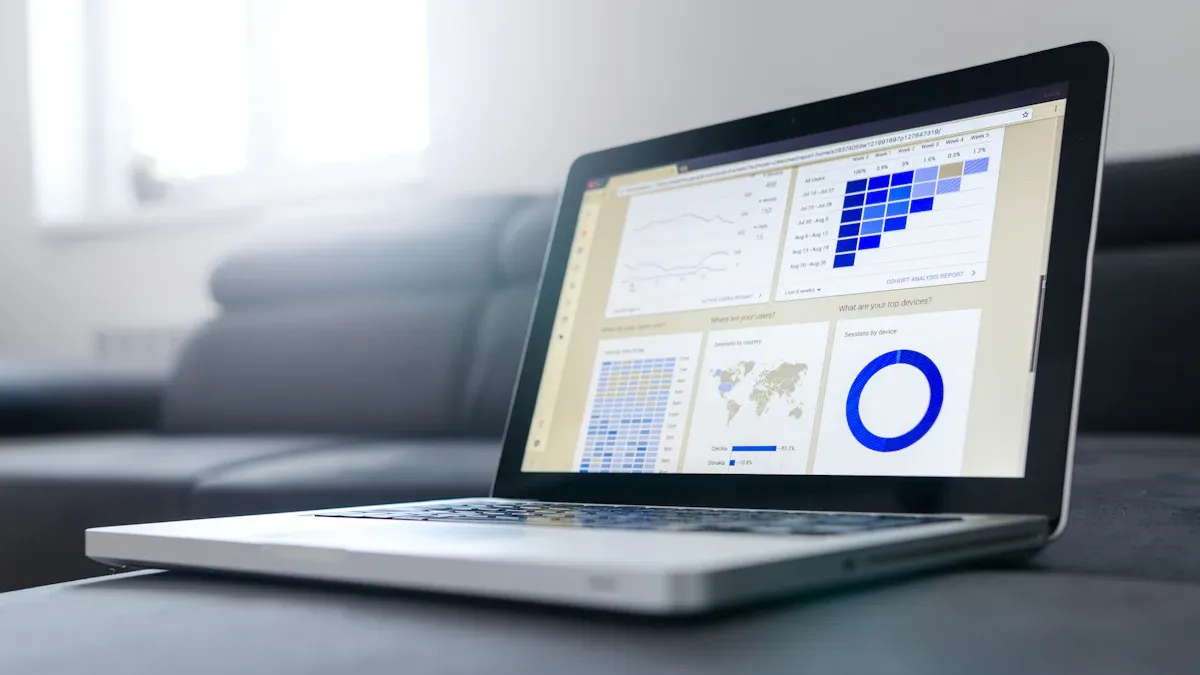
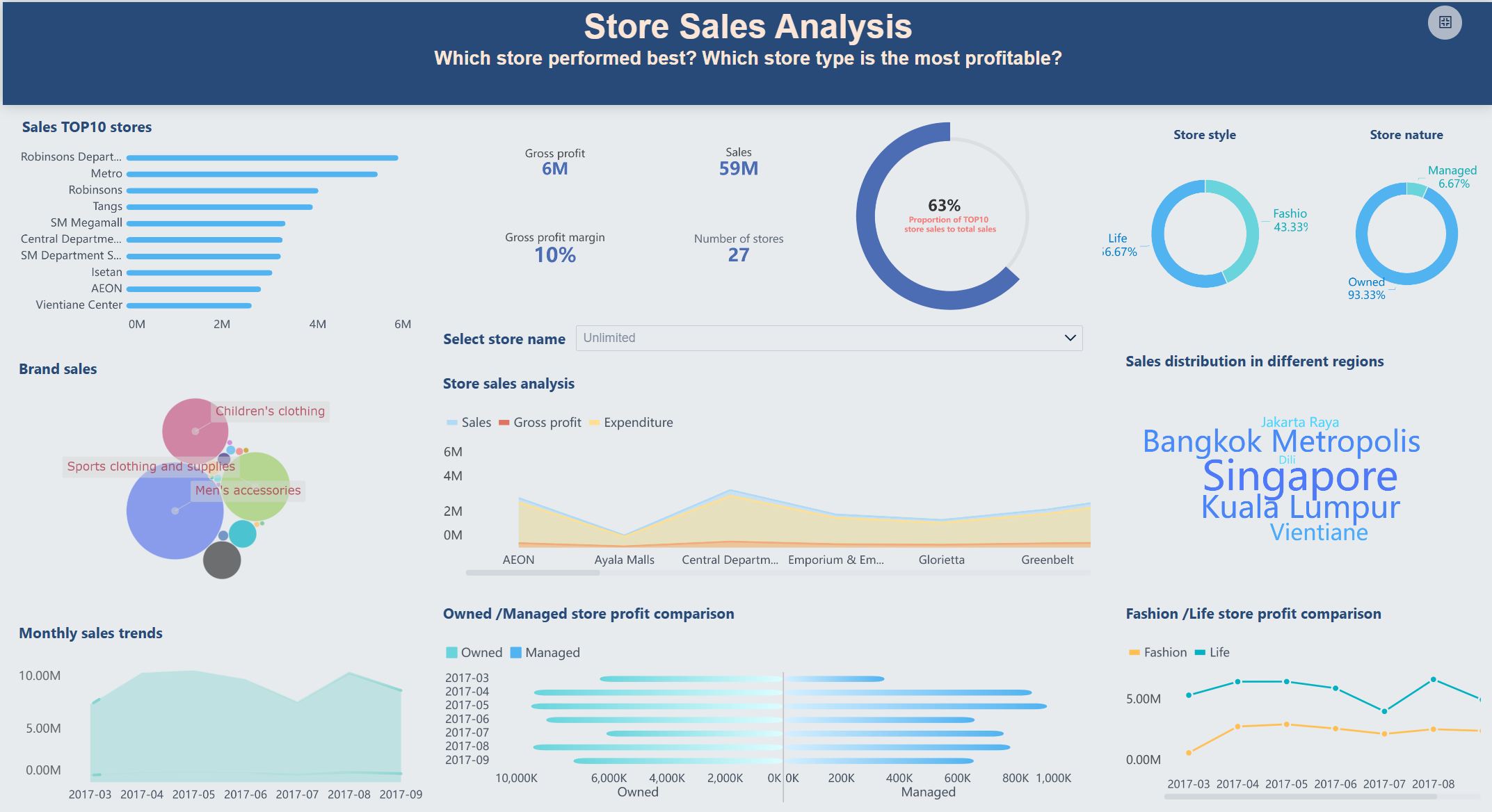
A cluster dashboard lets you see important information in one place. It gathers data from different systems and shows it together. This is like how a car’s instrument cluster shows speed, fuel, and engine health. A cluster dashboard shows business data you need to know. You can look at sales, customer trends, or inventory turnover in one view. Most business and technical users like using a cluster dashboard. It saves time and cuts down on manual work.
FineBI help you use a cluster dashboard to make smart choices. You get tools for customer analysis, product focus, and financial checks. Here are some ways you can use a cluster dashboard with FineBI:
Use common data analysis models to group customers and target marketing.
Use Pareto analysis to find your top-selling products.
Check inventory turnover to see how fast you sell items.
Run conversion and retention analysis to track user behavior over time.
A cluster dashboard helps you spot patterns, react faster, and improve your business results.
Cluster Dashboard Overview
Definition and Role
A cluster dashboard lets you see lots of information at once. It puts data from different clusters together in one place. A cluster is a group of systems or services that work together. Each cluster can help with sales, inventory, or customer support. You do not have to check each cluster by itself. You can see everything on one screen.
A cluster dashboard makes hard data easier to understand. You can find trends, spot problems, and make choices faster. Both business and technical teams use cluster dashboards. You might want to watch your sales cluster and your support cluster at the same time. The dashboard cluster lets you do this without changing screens.
Setting up a cluster dashboard can be tricky. Clusters need to talk to each other. You want your data to be safe and always updated. Here is a table that shows some common problems and how people fix them:
Challenge
Description
Cross-cluster east-west communication
Safe and fast communication between microservices in different clusters, often using IPsec tunnels.
Multi-cluster service discovery and routing
Easy and safe service discovery across many Kubernetes clusters without doing it by hand.
Achieving active-active for all applications
Needs treating far away sites as one place for stateful services.
Limitations of native ingress
Normal ingress controllers only know about one cluster, not others.
Ensuring data consistency
Active-active setups need almost real-time data sync, often with special storage tools.
Strict application governance
Service mesh setups need strong rules and steady security checks.
You can fix these problems with good tools and planning. FineBI helps you link clusters, keep data fresh, and control who can see what.
Instrument Cluster Comparison
A cluster dashboard is like the instrument cluster in a car. When you drive, you look at the instrument cluster for speed, fuel, and engine heat. The instrument cluster puts all the important info in one spot. You do not have to check each part of the car by itself. You trust the instrument cluster to show you what matters.
A cluster dashboard does the same thing for your business or systems. You can see how healthy each cluster is, just like you check your car’s health. The instrument cluster uses dials and lights. A cluster dashboard uses charts, graphs, and alerts. Both help you act fast. If your car shows a warning, you know to stop or check the engine. If your cluster dashboard shows a problem, you can fix it before it gets worse.
You use the instrument cluster every time you drive. You use a cluster dashboard every time you check your business or system health. The instrument cluster keeps you safe on the road. The cluster dashboard keeps your business running well. You can trust both to give you the right info when you need it.
Both the instrument cluster and the cluster dashboard make things easier. They turn hard data into simple signals. You do not need to be an expert to read your car’s instrument cluster. You do not need to be a data scientist to use a cluster dashboard. Both tools help you focus on what matters most.
Cluster Dashboard Features with FineBI
Data Integration and Sources
You need all your data in one place to see your business clearly. FineBI helps you do this with strong integration tools. You can connect to many data sources like databases, cloud platforms, and Excel files. FineBI has more than 60 connectors. This means you can get data from sales, inventory, or customer support clusters. When you use FineBI, you do not have to worry about data silos. You can see everything together.
FineBI lets you mix data from different clusters without coding. You can use drag-and-drop tools to join tables and clean records. You can also make custom datasets. You do not need to switch between systems or worry about missing data. You can set up updates, so your dashboard always shows the newest numbers. FineBI gives you flexibility and lets you change things for your data needs.
Here is a table that shows how FineBI helps you make interactive dashboards with different data sources:
Feature
Description
Component Addition
You can add parts from templates to see key content and do interactive tasks.
Data Sources Integration
The Data Dashboard part brings many data sources together for better use.
Supported Components
The dashboard works with Decision Directory, My Analysis, and System O&M parts.
Visualization Components
You need clear visuals to understand your data. FineBI gives you many ways to show information from each cluster. You can use pie charts to see parts of a whole. Tree maps show how things are related. Dashboards help you track one thing, like speed or satisfaction. These visuals help you find trends, compare clusters, and make better choices.
Here is a table that lists some main visualization components in FineBI and how they help you understand data:
Visualization Component
Introduction
Features
Pie Chart
Shows parts of categories using color and size.
Best for a few categories with clear differences.
Rectangular Tree
Shows parent and child relationships in data.
Good for comparing sizes and parts in tree data.
Percent Stacked Column Chart
Compares parts within grouped data.
Useful for a small number of categories in each group.
Multi-layer Pie Chart
Shows complex tree data with layers.
Keep levels and categories low so it is easy to read.
Dashboard
Shows one thing like speed or satisfaction.
Best for tracking one key number at a time.
You can change your dashboard with these visuals. FineBI lets you pick colors, layouts, and chart types. This makes your cluster dashboard easy to read and understand.
Real-Time Monitoring
You need to know what is happening right now to keep your business running well. FineBI lets you watch each cluster as things happen. You can set alerts for big changes, like a drop in sales or more support tickets. This helps you act fast and keep things smooth.
FineBI uses smart technology to update your dashboard with the newest data. You do not need to refresh the page or wait for reports. The dashboard shows live numbers, so you always know what is going on. This real-time view helps you do better and make quick choices.
Here are some trends that are changing cluster dashboard technology today:
AI-driven decision intelligence helps you go from looking at data to taking action.
Real-time and streaming analytics give you updates all the time, not just in reports.
Embedded analytics let you see data inside your daily apps and work.
Data mesh and decentralized governance let teams manage their own cluster data with shared rules.
Observability and explainability build trust by showing where your data comes from and how it is used.
FineBI supports these trends with strong integration, real-time updates, and easy changes. You can trust your cluster dashboard to give you the right information when you need it. FineBI also works with vehicle systems for industries that need to watch both business and equipment clusters.
Cluster Dashboard Functionality and User Interaction
Data Processing and ETL
You must handle data from each cluster to get clear results. FineBI lets you use ETL tools to clean and change data. You can build datasets by dragging fields and joining tables. This helps you see important information from different clusters in one dashboard. You do not need to write code. You can set up automatic updates so your dashboard always shows the newest numbers. FineBI’s self-service analytics make it easy to explore data and find answers. You become the driver of your own analysis.
User Controls and Alerts
You can decide what you see and get warnings when things change. FineBI gives you real-time monitoring so you know what is happening in each cluster. You can set up warning lights and indicators for key metrics. If a cluster has a problem, you get a warning right away. This helps you act fast and stay aware. You can use filters, slicers, and controls to focus on the data you need. Here are some ways user controls and alerts help you work better:
Condition notifications warn you about errors, like an unreachable cluster node.
Alert notifications tell you about events, such as a node restart, so you can respond quickly.
Warning lights and indicators show you when something needs attention.
You can set up warnings for sales drops or inventory spikes.
You get alerts for critical information, helping you avoid bigger problems.
Access and Collaboration
You can share dashboards and work with your team. FineBI uses role-based access control so you choose who can see or edit each cluster dashboard. You can publish resources and share them with public links. Demo mode lets you show dashboards in full screen for meetings. Many users can edit a cluster dashboard at the same time. This makes teamwork easy and efficient. Here is a table showing collaborative features in FineBI:
Feature
Description
Resource Publishing
You can publish all resources in your analysis subject and share them via public links.
Demo Mode
Demo mode for shared subjects allows for full-screen display of resources.
Simultaneous Collaboration
Multiple users can collaborate on a subject and edit it at the same time, enhancing efficiency.
You can also compare how different users feel about cluster dashboards. Experienced users want more interactivity and exploration. Novice users like simple presentations with clear explanations. Here is a table showing usability and satisfaction:
User Group
Usability Needs
Satisfaction Factors
Experienced Users
Desire for more interactivity and exploration
Higher expectations leading to more usability problems
Novice Users
Preference for simpler presentations with textual explanations
Generally lower expectations, leading to fewer reported issues
You can use FineBI to meet the needs of both groups. You get warning lights and indicators for fast action. You stay in control as the driver. You keep your cluster running smoothly and your team working together.
Benefits of Cluster Dashboard for Business and Industry
Efficiency and Productivity
You want your business to work well, like a car that runs smoothly. A cluster dashboard is like the instrument cluster in a car. It shows you all the important data in one spot. This helps you keep your business running without problems. You do not have to check each system by itself. The dashboard puts all the numbers together. This saves you time and helps you avoid mistakes.
Many companies say they work better with cluster dashboards. For example, FanRuan-en customers saved up to 40% on energy. Housekeeping teams did their jobs 20% better with AI scheduling. Cluster dashboards help many industries do more work in less time:
Study
Findings
Impact on Productivity
Tewari on Palar Valley leather cluster
Firms had 30% more productivity by sharing tools and support.
Working together and sharing resources helped a lot.
Giuliani et al. on Biella textile cluster
Firms were 40% more likely to sell in other countries with good support.
Better market access led to more work done.
Nadvi on Sialkot surgical instrument cluster
Firms made 25% more new products because of skilled workers.
New ideas and products helped them work better.
Porter’s analysis across multiple industries
Companies in strong clusters grew 2-4% faster each year.
Being in a good cluster helped them grow more.
The dashboard helps you spot problems early. This keeps your business moving forward.
Safety and Quality Control
You want your business to be safe, just like you want your car to be safe. The instrument cluster in a car shows warning lights and alerts. A cluster dashboard does this for your business. It watches key numbers and gives you alerts right away. This keeps your business safe and helps you avoid big mistakes.
Cluster dashboards track important safety and quality numbers. You can see voltage quality, harmonic distortion, and power factor. These numbers help you keep your systems working well. They also protect your equipment. Here is how a cluster dashboard works like an instrument cluster for safety:
Metric Type
Description
Voltage Quality Metrics
Watches voltage stability, average voltage, and counts events like sags or interruptions.
Harmonic Distortion Levels
Shows Total Harmonic Distortion and other numbers to find problems from certain loads.
Power Factor Measurements
Checks how well power is used and finds ways to use it better.
You can trust your car’s instrument cluster to warn you. You can trust your cluster dashboard to keep your business safe.
Decision-Making and Insights
You want to make smart choices for your business. The instrument cluster in your car helps you react fast to changes. A cluster dashboard gives you this power for your company. You can see trends, spot risks, and act before small problems get big.
Cluster dashboards help you make better choices by showing clear data. You get real-time updates on important numbers. You can find trends and spot problems quickly. The dashboard makes hard data easy to understand. Here are some ways cluster dashboards help you decide:
Improvement Type
Description
Speed and Accuracy
Smart tools look at lots of data fast, so you can react quickly.
Reduced Bias
The system helps you avoid mistakes and make fair choices.
Strategic Alignment
Dashboards help you match your goals with your data.
Continuous Improvement
The platform learns from what happens and gives better advice over time.
Improved Operational Efficiency
Doing boring tasks automatically lets you focus on bigger things.
Strategic Foresight
Smart tools help you plan ahead and spot problems early.
Competitive Edge
Using data helps you stay ahead of other companies.
You can use the dashboard to guide your business, just like you use the instrument cluster to drive. Leaders at big companies use cluster dashboards to watch performance and make quick choices. They turn hard data into simple actions. You get the information you need to stay ahead.
You can use a cluster dashboard to see all your key data together. This tool helps you spot trends, look at clusters, and make good choices. FineBI from FanRuan-en lets you connect data, make charts, and share what you learn. When picking a dashboard, check for these things:
Easy-to-read visuals
Quick updates for fast decisions
Simple connections with your systems
Controls that are easy for your team
A cluster dashboard helps you know your business and reach your goals.
Product Trial
FineReport
Pixel-perfect reports · Interactive dashboards · Easy data entry · Digital twins
Access a wealth of case studies, industry insights, and solution guides to accelerate digital transformation.
FAQ
What is a cluster dashboard?
A cluster dashboard shows you data from many systems in one place. You can see key numbers, trends, and alerts together. This helps you make smart choices fast.
Who can use a cluster dashboard?
Anyone in your company can use a cluster dashboard. Business users, analysts, and managers all benefit. You do not need to be a data expert.
Can I see real-time updates on my cluster dashboard?
Yes! FineBI gives you real-time data. Your dashboard updates as soon as new numbers come in. You always see the latest information.
How do I share cluster dashboards with my team?
You can share dashboards in FineBI with a few clicks. Use public links or set permissions for your team. Everyone can see the same data and work together.