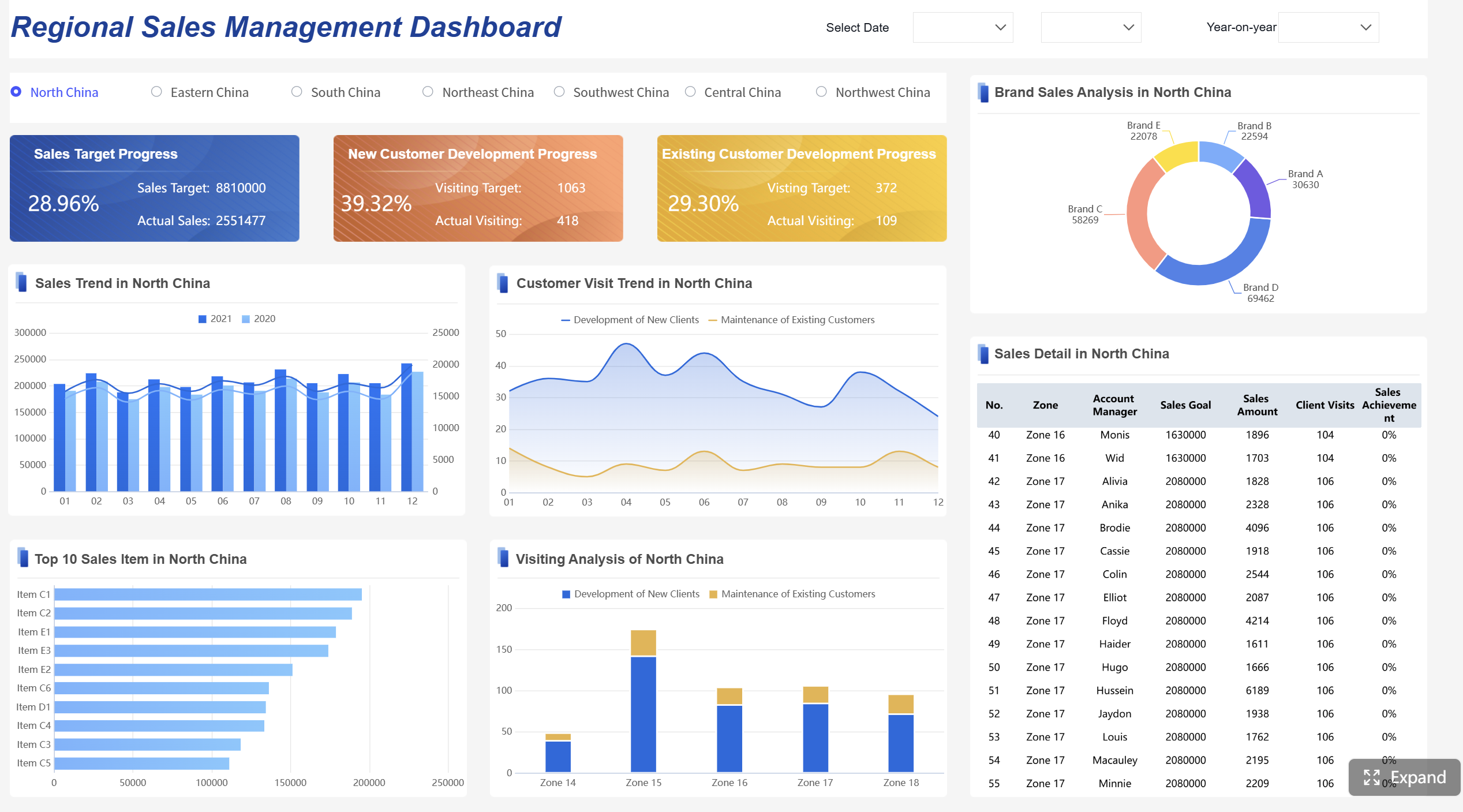
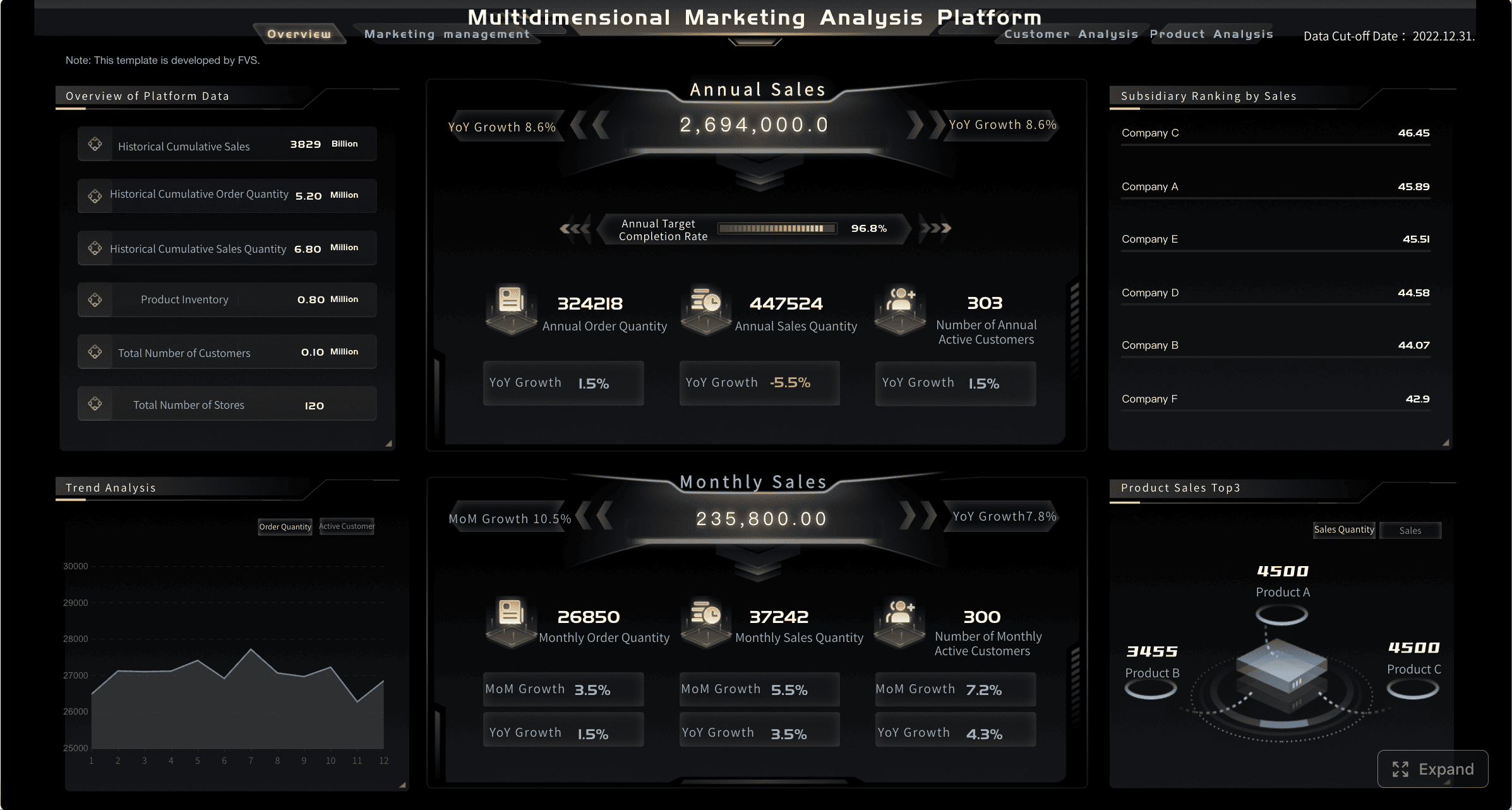
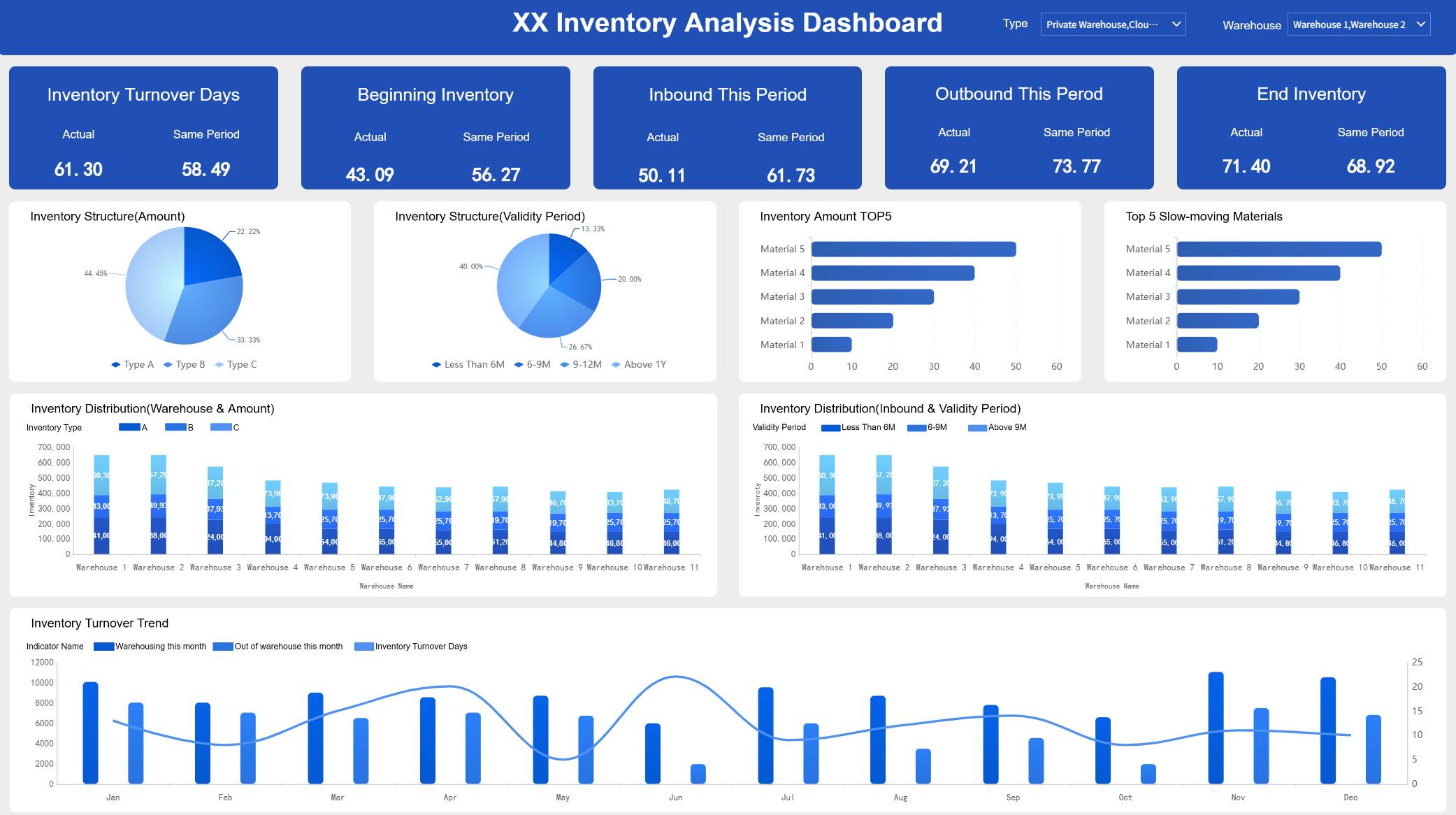
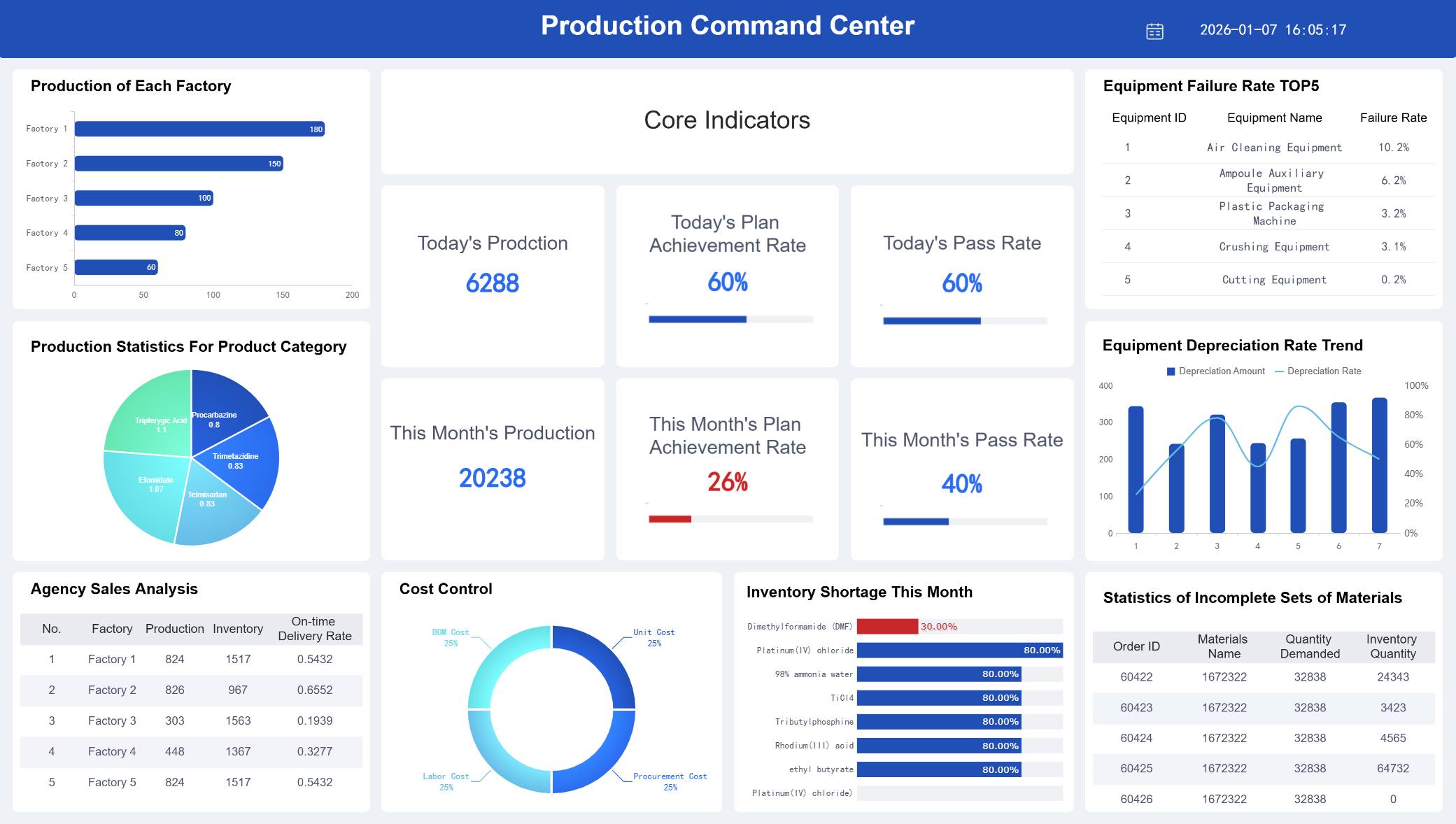
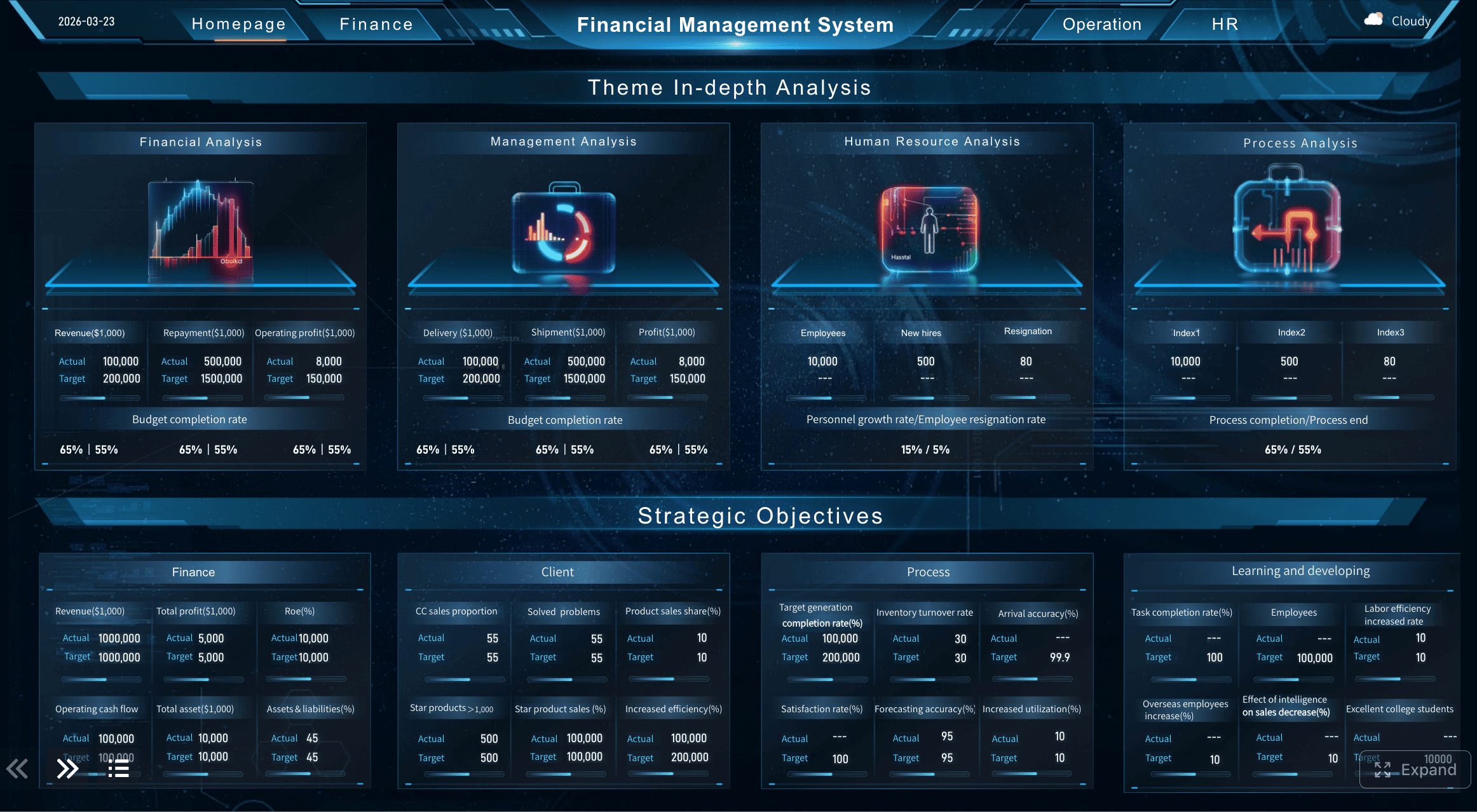
If you want your online store to grow fast, you need to know what is happening behind the scenes. Ecommerce dashboard examples show your sales, marketing, and customer behavior in one place. With the right e-commerce tools, you can find problems before they get worse. Many stores use dashboards to check inventory, get more conversions, and make better choices every day. You can act fast and get better results because all your numbers are easy to see.
Ecommerce Dashboard Examples: What It Is
Key Functions for Online Stores
When you have an online store, you need to see all your important information in one spot. Ecommerce dashboard examples help you do this easily. These dashboards collect data from your sales, marketing, and inventory. This gives you a simple way to see what is going well and what needs help.
Here are the main things most e-commerce dashboards can do:
Function
Description
Optimize performance
Centralizes data to provide a clear picture of business direction and performance metrics.
Provide key metrics
Essential KPIs help businesses make informed decisions based on data analytics.
Manage inventory
Analytics assist in inventory management, forecasting, and timely reordering to meet customer demand.
Create personalized experiences
Data-driven insights enable tailored offers and recommendations to enhance customer engagement.
You can use ecommerce dashboard examples to check things like total revenue and customer retention. These dashboards help you notice patterns and act quickly. You can also keep track of your inventory and make sure you always have enough of your best-selling products.
There are different kinds of e-commerce dashboards. Some are made for big-picture planning, and others help with daily work. Here are some types you might find:
Dashboard Type
Description
Ecommerce KPI Dashboard
Brings KPIs together for online sellers to optimize performance.
Shopify Dashboard
Provides key metrics for Shopify merchants to overview online store performance.
Ecommerce Marketing Dashboard
Offers Marketing Managers a complete overview of metrics needed for successful online campaigns.
Inventory Dashboard
Gives a real-time view of stock levels to help manage product availability and orders.
Warehouse Dashboard
Displays live order information to help warehouse teams anticipate demand and meet fulfillment goals.
Why Dashboards Matter in E-commerce
You want to make good choices for your store. E-commerce dashboards show you real-time data so you can act fast. If you see sales drop or more people leave their carts, you can check what is wrong right away. This helps you fix problems before they get bigger.
Dashboards also make your job easier. You do not have to search through lots of spreadsheets or wait for reports. Everything you need is right there. Leadership teams can use ecommerce dashboard examples to stop using slow, manual reports and start making quick, smart decisions. Stores that use these dashboards often get more sales and happier customers.
You can see how dashboards help real stores. For example, one company fixed checkout problems and got 30% more sales. Another made the customer experience better and got thousands of new subscribers. E-commerce dashboards help you watch what matters, so your store can grow and your customers will want to come back.
Top 10 Ecommerce Dashboard Examples
Are you ready to learn how dashboards can help your store? Let’s look at the top 10 ecommerce analytics dashboard types. These dashboards help you make smart choices and grow faster. You will see how each dashboard works. You will also learn which numbers are most important. Tools like FanRuan’s FineReport make things simple.
Sales Performance Dashboard
You need to know how your sales are doing. The sales performance dashboard shows your revenue, conversion rates, and average order value. You can see trends and find your best-selling products. You can also check if your marketing is working.
Here are the most important numbers in a sales performance dashboard:
Metric
Description
Revenue
Total income generated from sales.
Conversion Rate
Percentage of visitors who make a purchase.
Average Order Value (AOV)
Average amount spent per transaction.
Customer Acquisition Cost (CAC)
Cost associated with acquiring a new customer.
Customer Lifetime Value (CLV)
Total revenue expected from a customer over their lifetime.
Cart Abandonment Rate
Percentage of shoppers who add items to their cart but do not complete the purchase.
Campaign Performance
Effectiveness of marketing campaigns in driving sales.
FanRuan’s FineReport helps you build a dashboard that updates right away. You can connect data from your store, CRM, and marketing tools. For example, BOE used dashboards and made their work 50% better. When you see all your numbers together, you can act fast and get better results.
Do you want to know if your ads and emails work? The marketing dashboard shows how your campaigns are doing. You can track conversion rates and cart abandonment. You can also see which channels bring the most customers.
The global average ecommerce conversion rate is about 2%.
Shopify stores often get 2.5% to 3%.
The best stores reach 4.7% or more.
The average cart abandonment rate is almost 70%.
FineReport lets you put data from Google Ads, Facebook, and emails in one place. Here is how real companies use marketing dashboards:
Case Study
Approach
Outcome
Email Marketing
Tracked outreach performance, showing lead movement and engagement.
Improved campaign effectiveness and increased replies.
Google Ads
Summarized KPIs like ROAS and CTR for quick assessment.
Optimized budgets and boosted campaign performance.
Ecommerce Brand
Unified dashboard for daily purchases and cost per purchase.
Identified profitable sources and improved efficiency.
Facebook Ads
Tracked funnel performance and costs at each stage.
Improved budget allocation and campaign profitability.
With FineReport, you can see all your marketing data in one spot. You can make changes that help your store grow.
Do you want to know what your customers think and do? The customer insights dashboard helps you measure happiness and track email engagement. You can also group your customers for special offers.
Customer Insight Type
Description
Measuring Satisfaction
Surveys and NPS scores show how happy your customers are.
Email Engagement
Open rates and click-through rates reveal customer interests.
Segmentation and Personalization
CRM data helps you target customers based on purchase history.
Behavioral Insights
See how customers navigate your site and spot friction points.
Predictive Analytics
Use past data to predict future behavior and find churn risks.
FineReport’s dashboards let you look deeper into customer data. You can make groups and send special offers. This helps you keep customers coming back.
Inventory Management Dashboard
You need to know if you have enough products. The inventory dashboard tracks how fast you sell items and how long they stay. You can find slow-moving stock and make sure you do not run out.
Return Rate: Shows how many products get sent back.
Cost Per Unit: Tells you how much each item costs.
Days on Hand: Tracks how long items stay before selling.
Customer Satisfaction Score: Measures how happy customers are.
SKU Rationalizing: Helps manage different product types.
Other important numbers are inventory turnover, accuracy, stockout rate, fill rate, and shrinkage rate. FineReport connects your sales and inventory for quick updates. Companies using dashboards had 37% fewer stockouts, 29% less extra stock, and 24% happier customers.
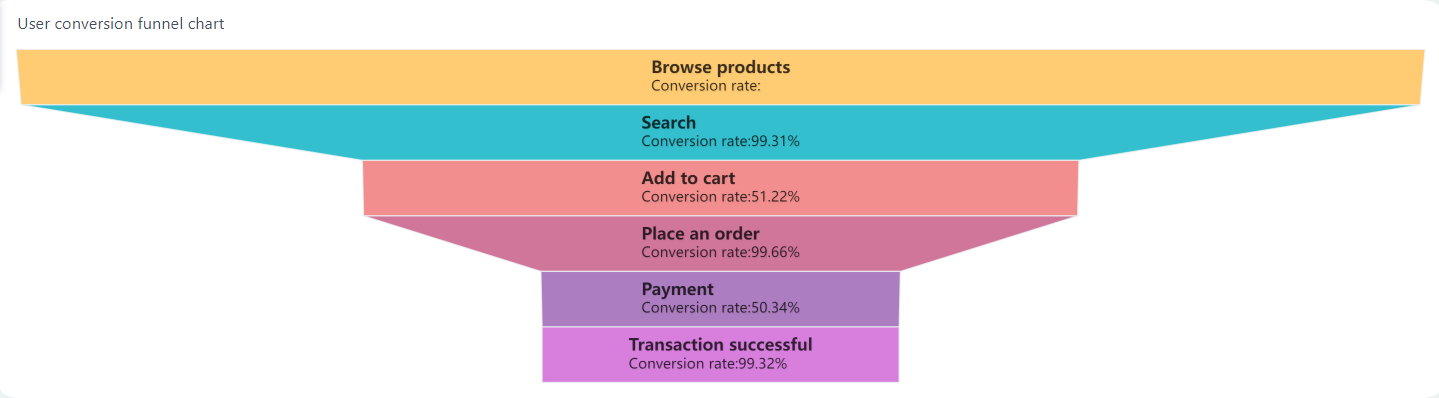
You want to know how many visitors buy something. The conversion rate dashboard shows where people leave the buying process. You can fix problems and get more sales.
Category
Conversion Rate
Global average
1.9-2%
Shopify average
2.5-3%
Triple Whale 2025 median
2.01%
Top 20% of stores
3.2% and up
Top 10% of stores
4.7% and up
Desktop conversion
3.9%
Mobile conversion
1.8%
Americas region
3.14%
Food & Beverage
4.9%
Home Goods
1.4%
Funnel analysis helps you see where customers stop shopping. FineReport’s dashboards let you find these spots and fix them. You can raise your conversion rates and grow your store.
You need to know where your visitors come from. The traffic and acquisition dashboard tracks sources like search, ads, referrals, and email. You can see which channels bring the most people and spend your money better.
Source Type
Examples/Platforms
Ecommerce Platforms
Shopify, Magento, WooCommerce
Analytics Platforms
Google Analytics 4 (GA4)
Advertising Channels
Meta Ads, Google Ads, TikTok Ads
CRM Platforms
Klaviyo, HubSpot, Zoho
Marketplaces
Amazon, eBay, Flipkart
Traffic Channels
Organic, Paid, Social, Email, Affiliates
You can track numbers like customer acquisition cost and return on ad spend. Research shows data-driven stores get more customers and make more money. FineReport puts all this data in one place for quick choices.
Product Performance Dashboard
You want to know which products sell best and which need help. The product performance dashboard tracks conversion rates, average order value, customer lifetime value, and repeat buys.
Metric
Description
Sales Conversion Rate
Shows how well your products convert visitors into buyers.
Average Order Value (AOV)
Tells you how much customers spend per transaction.
Customer Lifetime Value (LTV)
Predicts long-term revenue from each customer.
Customer Acquisition Cost (CAC)
Measures how much it costs to get a new customer.
Repeat Purchase Rate (RPR)
Tracks how often customers buy again.
Refund Rate
Shows how many orders get returned.
Cart Abandonment Rate
Measures shoppers leaving without purchase.
FanRuan and FineReport dashboards show your numbers in real time. You can use the inventory optimization dashboard to find your best products. The PSI & Detail Table helps you plan and make smart choices.
Dashboards show real-time numbers for better choices.
You want every order to ship on time. The order fulfillment dashboard tracks fill rate, order accuracy, cycle time, and on-time shipping. You can find mistakes and make shipping better.
Fill Rate
Order Accuracy
Order Cycle Time
On-Time Shipping
Perfect Order Rate
Inventory Accuracy
Return Rate
Cost of Fulfillment
Orders Picked Per Hour
These numbers help you manage stock and keep customers happy. FineReport’s dashboards give you alerts for mistakes and better routing. Companies saw a 12% jump in on-time orders after using dashboards.
Improvement Aspect
Before Dashboard
After Dashboard
Improvement Rate
On-time Fulfillment Rates
/
12%
12% increase
Error Detection
Small errors
Real-time alerts
/
Routing Efficiency
Manual
Dynamic routing
/
Financial Overview Dashboard
You need to watch your store’s money. The financial overview dashboard shows profit margins, customer acquisition cost, average order value, and revenue growth.
Gross Profit Margin
Net Profit Margin
Customer Acquisition Cost (CAC)
Average Order Value (AOV)
Customer Lifetime Value (CLV)
Conversion Rate
Cart Abandonment Rate
Revenue Growth Rate
Shipping Cost Percentage
Rate of Return for Shipped Orders
Return on Investment (ROI)
Financial dashboards put all your money data in one spot. You can change budgets fast and use graphs to see trends. FineReport helps you watch trends, plan for the future, and make smart changes.
Dashboards put all money data together.
Real-time data helps you change budgets fast.
Graphs make trends easy to see.
Scenario analysis helps you plan for anything.
Watching trends helps you guess what will happen next.
You want customers to come back and shop again. The retention and loyalty dashboard tracks repeat buys, customer lifetime value, churn rate, and program use.
Metric
Description
Repeat Purchase Rate
Shows how many customers buy again.
Customer Lifetime Value (CLV)
Predicts total revenue from each customer.
Churn Rate
Measures how many customers stop buying.
Average Order Value
Tells you how much customers spend per order.
Early Repeat Customer Rate
Tracks customers who buy again soon after their first purchase.
Program Participation Rate
Measures engagement in loyalty programs.
Customer Retention Rate
Shows how many customers stay with your store.
Time Between Purchases
Measures how often customers buy again.
FineReport’s dashboards let you track these numbers and build loyalty programs. You can find trends and send offers to keep customers interested. When you know what makes customers return, you can grow your store and do better online.
Now you know the top 10 ecommerce dashboards. Each dashboard helps you see what matters and take action. With tools like FineReport, you can connect your data, see trends, and make smart choices every day.
Ecommerce Dashboard Examples: Essential Features
Must-Have Dashboard Features
When you pick a dashboard for your store, you want it to be simple. You need tools that help you see important numbers and act quickly. Here are things that make a dashboard great:
Feature
Description
User-Focused Design
Dashboards are made for your job, so you see what matters.
Clear Layout
Big, colorful numbers stand out and are easy to find.
Easy Navigation
You can use filters and click to look deeper into data.
Visual Data Presentation
Charts and graphs help you spot trends and patterns fast.
Real-Time Data Updates
You always see the newest info because it updates right away.
Customization Options
You can change how things look and pick what to track.
Mobile-Friendly Design
Dashboards work on phones and tablets, so you can check anywhere.
Clean and Simple Design
There is no extra stuff—just what you need to make choices.
You also get cool tools like predictive analytics and cohort analysis. These help you see trends and guess what will happen next. Real-time personalization metrics let you make special offers for each customer.
FineReport gives you dashboards that connect to sales, marketing, and inventory. The drag-and-drop tool makes building dashboards fast and easy. You get real-time analytics, so you always know what is happening.
Key KPIs for E-commerce Success
You need to watch the right numbers to help your store grow. The best dashboards show you the most important metrics. Here are some KPIs you should keep an eye on:
Sales performance: See how much you sell and which products do best.
Conversion rate: Find out how many visitors become buyers.
Customer retention: Track how many shoppers come back again.
Inventory turnover: Know how fast you sell your products.
Average order value: Check how much people spend each time.
Cart abandonment rate: See where shoppers leave before buying.
Customer lifetime value: Guess how much each customer is worth.
An ecommerce kpi dashboard puts these numbers together in one place. You can spot trends and act quickly. FanRuan’s tools help you break down data walls and get teams working together. Shared dashboards help everyone work toward the same goals.
You get dashboards that help you plan and find slow spots in your process. With good data, you do not get confused by wrong numbers. FineReport’s dashboards let you track KPIs in real time, so you always know how your store is doing.
Ecommerce Dashboard Examples: How to Choose
Assessing Your Store’s Needs
You want your dashboard to fit your store perfectly. Start by thinking about what you need most. Do you want to track sales every hour? Maybe you care more about customer loyalty or inventory levels. Write down your top goals. Ask yourself which numbers help you make decisions. If you run a Shopify dashboard, you might want to see sales, traffic, and conversion rates all in one place. Make a list of the features you need, like real-time updates or mobile access.
Evaluating Dashboard Tools (Including FineReport)
Now, look at the tools that can help you build your dashboard. Check if the tool connects to your store’s data sources. FineReport lets you link sales, marketing, and inventory data with just a few clicks. You can customize layouts and choose which metrics to track. Some tools offer drag-and-drop design, so you don’t need to code. Make sure the dashboard updates in real time and works on phones and tablets. Compare features like integration, visualization, and security.
Feature
Why It Matters
Data Integration
Connects all your sources
Customization
Lets you track what you want
Real-Time Updates
Shows the latest info
Mobile Access
Check data anywhere
Setup Checklist for E-commerce Analytics Dashboards
Ready to set up your dashboard? Use this checklist to make sure you cover everything:
Connect all your data sources.
Choose the most important metrics.
Customize the layout for your team.
Set up real-time updates.
Test on mobile devices.
Set permissions for users.
Schedule automatic reports.
You can use FineReport to build dashboards that fit your store’s needs. With the right setup, you’ll spot trends, fix problems fast, and help your business grow.
The right e-commerce dashboard can change how you run your store. You see what matters, fix problems fast, and make smarter choices every day. Take a look at your current setup. If you want better results, try FanRuan’s FineReport. Tracking the right numbers helps your store grow.
Product Trial
FineReport
Pixel-perfect reports · Interactive dashboards · Easy data entry · Digital twins
Access a wealth of case studies, industry insights, and solution guides to accelerate digital transformation.
FAQ
What is a dashboard template in e-commerce?
A dashboard template is a ready-made setup for your store’s numbers. You can use it to see sales, inventory, and customer data together. It helps you save time and spot trends quickly.
How do I customize a dashboard template for my store?
You can change a dashboard template to fit what you need. Choose the numbers you want to watch. Add charts or tables if you want. FineReport lets you move things around with drag and drop. You can make your dashboard template match your team’s goals.
Why should I choose a dashboard template instead of building from scratch?
A dashboard template saves you a lot of time. You do not have to start from zero. You get a layout that already works well. This lets you focus on your store’s goals. FineReport has dashboard template options to help you get started fast.
What features should I look for in a dashboard template?
Look for clear charts, easy navigation, and real-time updates. Make sure your dashboard template connects to your data sources. You want to be able to change things. Mobile access is important too. FineReport gives you dashboard template features to track what matters.