Expense report software is no longer just a back-office reimbursement tool. In 2026, it sits at the center of finance operations, employee satisfaction, policy compliance, and real-time spend visibility. For finance leaders, controllers, operations directors, and IT managers, the pain is familiar: late submissions, manual receipt checks, weak audit trails, disconnected travel bookings, and hours lost reconciling card transactions. The right platform fixes those bottlenecks by reducing admin work, accelerating reimbursements, and giving finance teams tighter control without making employees hate the process.
Why expense report software matters in 2026
Modern organizations expect expense workflows to be fast, mobile-friendly, and policy-aware from the first receipt capture to the final accounting sync. Employees want to snap a receipt, submit in seconds, and know exactly when reimbursement will arrive. Managers want simple approvals with clear context. Finance teams want fewer exceptions, better coding accuracy, stronger controls, and cleaner month-end close.
What changed is the standard. Basic expense tools used to focus on digitizing paper reports. Today, businesses expect automation across the full workflow: OCR receipt capture, duplicate detection, multi-step approvals, mileage and per diem support, travel integration, card reconciliation, and accounting exports. If your team is still emailing PDFs or chasing missing receipts in spreadsheets, you are not just inefficient—you are increasing compliance risk and slowing down finance operations.
Automation delivers business value in three ways:
Less manual review: receipts, amounts, merchants, tax fields, and categories can be pre-filled automatically.
Faster reimbursement: approval workflows and payment status visibility reduce delays and support employee trust.
Better compliance: policy rules, exception flags, and audit trails reduce overspending and inconsistent enforcement.
The biggest separation in the market is between basic expense report software and full spend management platforms. Basic tools help employees file expenses. More advanced platforms connect expenses with travel booking, corporate cards, approvals, reimbursements, and finance systems, creating a unified spend control layer.
Key Metrics (KPIs) for modern expense management
If you are evaluating expense report software, these are the metrics that matter most:
Expense submission time: How long it takes an employee to create and submit a report.
Reimbursement cycle time: The average time from submission to employee repayment.
Policy violation rate: The percentage of expenses flagged for exceeding company rules.
Auto-matching rate: The share of receipts or expenses automatically matched to card transactions.
Approval turnaround time: How quickly managers or finance approvers review reports.
Exception rate: The percentage of reports requiring manual intervention.
Receipt capture accuracy: How reliably OCR extracts merchant, date, tax, and amount.
Duplicate detection rate: How effectively the system prevents double claims.
Card reconciliation speed: Time required to reconcile corporate card transactions.
Accounting sync accuracy: How consistently approved expenses post into ERP or accounting systems.
Travel policy compliance: The percentage of travel-related spend that stays within approved rules.
Audit readiness: How easily finance can trace approvals, policy checks, edits, and supporting documents.
For enterprise teams, these KPIs should be visible in dashboards by department, cost center, entity, and geography.
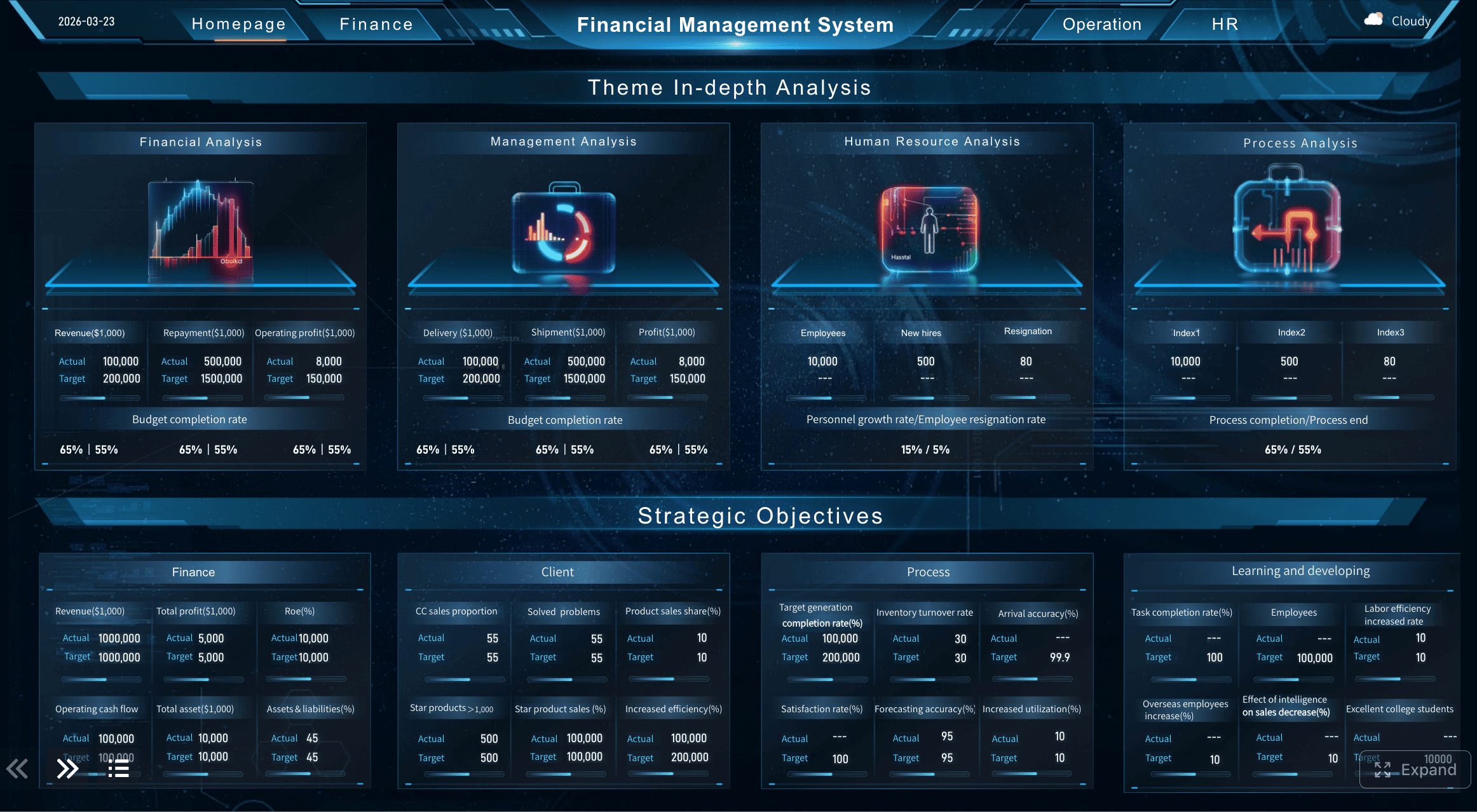
All reports in this article are built with FineReport
How we compared the best expense report software options
Choosing expense report software is not just about finding the longest feature list. It is about aligning the platform with your operating model. A simple, fast tool may outperform a complex enterprise suite for a 50-person company. On the other hand, a global organization with travel-heavy teams and strict approval matrices will need deeper controls and broader integrations.
Evaluation criteria for this comparison
We compared tools across the areas that most directly affect adoption, finance efficiency, and long-term scalability.
Employee experience from receipt capture to reimbursement status
A platform can have strong controls and still fail if employees avoid using it. We looked at:
Mobile app quality
Receipt capture and OCR reliability
Email-forwarded receipt support
Ease of report creation
Reimbursement status transparency
Approval experience for managers on mobile and desktop
Policy control, approval workflows, audit trails, and exception handling
Finance teams need to enforce policy without reviewing every line manually. We evaluated:
Custom rule configuration
Approval chain flexibility
Duplicate and fraud checks
Exception routing
Audit trail visibility
Support for role-based permissions
Travel booking, mileage, per diem, and out-of-pocket expense support
Travel-heavy organizations need more than basic expense capture. We assessed:
Travel booking integration
Itinerary-linked expenses
Mileage tracking
Per diem handling
Multi-currency support
Tax and VAT support for cross-border travel
Corporate card issuance, transaction matching, and accounting integrations
Spend management is increasingly card-led. We compared:
Native corporate card support
Bring-your-own-card compatibility
Real-time card transaction feeds
Card controls and spend limits
ERP and accounting integrations
Custom reporting and export flexibility
Who each type of tool is best for
Not every business needs the same expense stack.
Small businesses needing simple approvals and quick setup
These teams usually value:
Fast deployment
Low admin overhead
Easy employee adoption
Basic categories, approvals, and reimbursements
Standard integrations with QuickBooks or Xero
The right tool should be intuitive and not require a full-time admin to manage it.
Mid-market teams balancing control, usability, and reporting depth
This group often needs:
More structured approval logic
Better policy enforcement
Department-level reporting
Card reconciliation
Scalable administration as headcount grows
Mid-market buyers should be careful not to sacrifice usability for complexity.
Companies with travel-heavy operations or growing card programs
These organizations require:
Integrated travel workflows
Real-time card visibility
Multi-entity or global support
Strong audit and compliance controls
Advanced analytics across T&E and card spend
For these buyers, expense report software becomes part of a broader spend management architecture.
7 best expense report software options for 2026
Below is a pragmatic market view based on common buyer priorities rather than hype. Instead of ranking every tool in a rigid one-size-fits-all order, this guide maps software to the use cases that matter most.
Best for employee experience
Expensify
Expensify remains one of the strongest options for organizations that prioritize simplicity for employees. Its appeal is straightforward: easy receipt capture, fast mobile submissions, email-forwarded receipts, and a clean experience for both submitters and approvers. For teams where adoption is the main barrier, that matters more than feature depth alone.
Key strengths:
Very strong mobile-first workflow
Fast receipt capture and submission
Good reimbursement transparency
Simple manager approval experience
Suitable for smaller and mid-sized teams that want speed
Tradeoffs:
Highly complex policy structures may require deeper enterprise configuration elsewhere
Some organizations may want more advanced control layers depending on scale
Broader spend orchestration needs may push buyers toward more unified platforms
Best for: Companies that want to eliminate employee friction first and improve submission rates quickly.
Zoho Expense
Zoho Expense is often a strong fit for businesses that want a lightweight, easy-to-learn expense tool with good mileage and travel-related basics. It is especially attractive for organizations already using the broader Zoho ecosystem.
Key strengths:
User-friendly interface
Efficient receipt and mileage handling
Competitive for small to mid-sized businesses
Good value for teams seeking straightforward setup
Tradeoffs:
Enterprise-grade complexity and deep compliance controls may be more limited
Larger global organizations may need more specialized finance workflows
Best for: Smaller teams and growing companies that need simplicity without losing key automation features.
Best for policy control and finance oversight
SAP Concur Expense
SAP Concur is still a major contender for organizations that need configurable workflows, strong compliance support, and mature travel-and-expense governance. It is often chosen by enterprises with layered approval structures, cross-border travel, and more formal audit requirements.
Key strengths:
Strong policy enforcement and configurable approvals
Mature audit support and compliance capabilities
Broad travel and global expense support
Well suited for structured enterprise environments
Tradeoffs:
User experience can feel heavier than more streamlined apps
Implementation and administration may require more effort
Smaller companies may find it more than they need
Best for: Enterprises and regulated organizations that prioritize control, auditability, and policy consistency.
Emburse Certify
Emburse Certify is a solid option for finance teams that want stronger oversight than lightweight tools but may not need the full complexity of the largest enterprise platforms. It tends to appeal to finance-led organizations that care about configurable policy workflows and approval clarity.
Key strengths:
Good balance of usability and finance control
Configurable approval flows
Strong reporting for finance teams
Useful support for reimbursement management
Tradeoffs:
User experience may not feel as modern as newer spend platforms
Unified card and travel ecosystems can vary depending on deployment model
Best for: Mid-market teams that need more policy structure and cleaner oversight.
Best for travel spend management
Navan Expense
Navan is especially compelling for travel-centric organizations because it links booking behavior and expense control more tightly than traditional standalone expense tools. That reduces the disconnect between approved travel plans and what employees later submit.
Key strengths:
Strong travel booking and expense alignment
Better visibility into travel policy at the point of booking
Useful for managing itineraries and travel-related spend together
Good fit for companies with frequent business travel
Tradeoffs:
Organizations with limited travel volume may not benefit as much from its core advantages
Buyers focused primarily on non-travel expense reporting may compare other tools more favorably
Best for: Companies where travel is a major expense category and visibility across trip planning and reimbursement is critical.
Rydoo
Rydoo is another capable option for travel-heavy teams, with strengths in mobile expense capture and travel-friendly workflows. It is often considered by organizations looking for a modern UI and practical travel expense handling without always going fully enterprise-heavy.
Key strengths:
Good mobile usability
Efficient receipt capture and travel-related submissions
Strong fit for distributed and traveling employees
Reasonable balance between ease of use and process control
Tradeoffs:
Deep spend management breadth may be narrower than more unified platforms
Reporting and customization needs vary by organization size
Best for: Mobile-first teams with meaningful travel volume and a need for fast submission workflows.
Best for corporate cards and unified spend management
Ramp
Ramp has become a major force for organizations that want corporate card controls, real-time transaction visibility, and expense management in one environment. Its value proposition is not just expense reporting—it is controlling spend before it happens.
Key strengths:
Strong corporate card program capabilities
Real-time spend visibility
Tight connection between transactions and expense workflows
Good reporting for finance teams trying to reduce leakage
Attractive for scaling companies focused on control and efficiency
Tradeoffs:
Companies that prefer a separate expense-only solution may not need the broader spend model
Some organizations with highly specific travel workflows may want complementary travel tools
Best for: Businesses building or expanding a corporate card-led spend management strategy.
Brex
Brex is a strong option for fast-growing companies that want cards, spend controls, and modern finance tooling in one platform. It tends to appeal to technology-forward organizations that value speed, visibility, and integrated controls across employee and vendor spending.
Key strengths:
Modern user experience
Strong card controls and spend visibility
Useful for growing businesses with distributed teams
Integrated approach to company spending workflows
Tradeoffs:
Expense-only buyers may find the platform broader than necessary
Fit depends on your finance stack and card strategy
Best for: Scaling organizations that want to unify cards, employee spend, and finance visibility.
Side-by-side comparison: features, pros, and tradeoffs
The real buying decision comes down to fit. The best expense report software for your organization depends on whether your biggest bottleneck is employee adoption, finance control, travel complexity, or card reconciliation.
Employee experience and adoption
Here is how these options generally compare on day-to-day usability:
Tool
Mobile app and receipt capture
Reimbursement transparency
Learning curve
Expensify
Excellent for quick capture and fast submissions
Strong
Low
Zoho Expense
Very good for small and mid-sized teams
Good
Low
SAP Concur Expense
Capable but often more process-heavy
Good
Medium to High
Emburse Certify
Solid and structured
Good
Medium
Navan Expense
Strong, especially for travelers
Good
Medium
Rydoo
Strong mobile usability
Good
Low to Medium
Ramp
Good, especially when card-led
Strong for finance visibility
Medium
Brex
Modern and efficient
Strong
Medium
In most organizations, employee adoption rises when three things are true:
Receipt capture is fast on mobile
Employees can see status without asking finance
Approvers can review with minimal clicks
If those three conditions fail, your policy engine will not save the rollout.
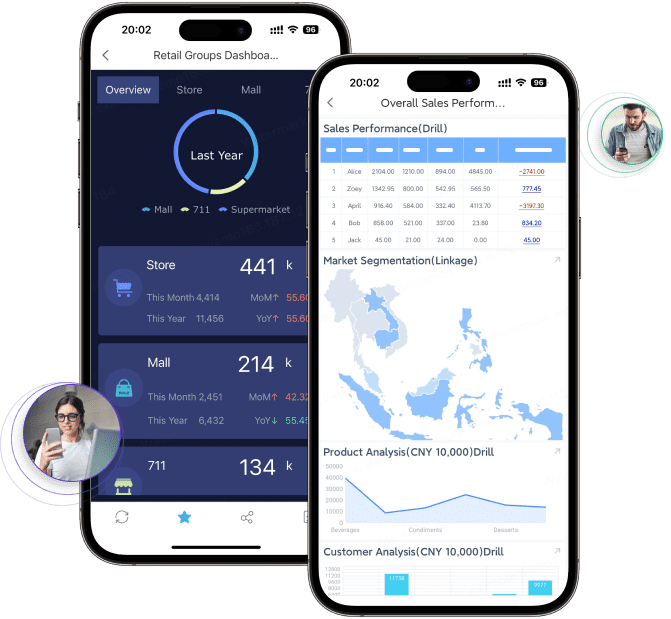
FineReport supports you to view reports on mobile.
Policy control and compliance
For finance oversight, the tools separate more clearly.
Tool
Rule configuration
Audit support
Exception handling
Expensify
Moderate to strong
Good
Good
Zoho Expense
Moderate
Good for SMB needs
Moderate
SAP Concur Expense
Very strong
Very strong
Very strong
Emburse Certify
Strong
Strong
Strong
Navan Expense
Strong for travel-related policy
Good
Good
Rydoo
Moderate to strong
Good
Good
Ramp
Strong, especially card-based controls
Strong
Strong
Brex
Strong
Strong
Strong
The key issue is not whether a platform has policy rules. Most do. The real question is whether it can enforce them without overwhelming users or creating review bottlenecks. Strong systems support flexible thresholds, automatic flags, duplicate detection, role-based routing, and a searchable audit trail.
Travel, cards, and accounting connectivity
Connectivity is where many shortlists succeed or fail.
Tool
Travel support
Card management
Accounting / ERP connectivity
Expensify
Good
Good, including BYOC scenarios
Strong
Zoho Expense
Good basic support
Moderate
Good
SAP Concur Expense
Very strong
Strong
Strong enterprise connectivity
Emburse Certify
Good
Moderate to strong
Strong
Navan Expense
Excellent
Moderate to strong
Good to strong
Rydoo
Good to strong
Moderate
Good
Ramp
Moderate travel depth
Excellent
Strong
Brex
Moderate travel depth
Excellent
Strong
If your company has travel-heavy operations, focus on policy visibility at booking and itinerary-linked expenses. If your company runs a growing card program, prioritize real-time transaction feeds, auto-matching, spend controls, and reliable reconciliation.
How to choose the right expense report software for your use case
A disciplined selection process prevents expensive rework later. Too many companies buy based on demos built for generic workflows, then discover their real pain point was elsewhere.
Questions to ask before you decide
Start with your operational bottleneck.
Are reimbursement delays the main problem? Then prioritize employee experience, automation, and approval speed.
Are policy violations common? Then emphasize rule configuration, audit trails, and exception workflows.
Is travel driving complexity? Then look for itinerary-linked expenses, booking integration, mileage, and multi-currency support.
Is card reconciliation consuming finance time? Then a card-led spend management platform may deliver the fastest return.
Also clarify stakeholder priorities:
Employees need a low-friction submission process.
Managers need clear, fast approvals.
Finance needs policy enforcement, coding accuracy, and auditability.
Procurement or operations may care more about spend visibility and pre-spend control.
Finally, assess implementation realities:
How many entities, countries, and approval layers do you have?
Do you need ERP-grade integration or just accounting sync?
Can your team support complex rollout and change management?
Will your chosen software still fit in two years when headcount or travel volume doubles?
A simple shortlist framework
Use this framework to narrow your list quickly.
Best fit for small teams
Prioritize:
Fast setup
Low training requirements
Reliable receipt capture
Simple reimbursement workflows
Standard accounting integrations
Strong candidates often include tools like Expensify or Zoho Expense.
Best fit for scaling companies
Prioritize:
Better approval structures
Department and cost center reporting
Card reconciliation support
More robust controls without enterprise heaviness
Strong candidates often include Ramp, Brex, Emburse Certify, or Expensify, depending on whether the company is card-led.
Strong candidates often include SAP Concur Expense and travel-focused enterprise configurations.
4 best practices for implementing expense report software successfully
Buying the right platform is only half the job. Implementation quality determines whether the tool actually reduces finance workload.
1. Standardize policy before automating it
Do not automate inconsistent rules. Define spending thresholds, category limits, documentation requirements, mileage logic, and approval authority before configuration begins. If policies vary by team or country, document exceptions explicitly.
2. Design workflows around exception handling
The goal is not to make finance review everything faster. The goal is to let normal expenses flow through and surface only the outliers. Build approval logic so routine spend is processed automatically while exceptions route to the right reviewer.
3. Integrate accounting and card data early
Manual exports destroy the value of automation. Prioritize card feeds, chart-of-accounts mapping, cost center logic, and ERP or accounting synchronization during implementation, not after go-live.
4. Track adoption and reimbursement KPIs from day one
Measure mobile submission rate, approval turnaround time, exception volume, and reimbursement cycle time in the first 90 days. If adoption stalls or exceptions stay high, your issue is likely workflow design or training—not the software alone.
Build the reporting layer that makes expense report software truly valuable
Even the best expense report software creates only part of the solution. The real business impact comes from turning raw expense, travel, reimbursement, and card data into actionable management insight. That is where many teams still struggle. They have the transactions, but not the visibility. Finance cannot easily see policy drift by department. Operations cannot identify reimbursement bottlenecks. Leadership cannot compare travel spend, card utilization, and exception patterns across entities.
Building this manually is complex; use FineReport to utilize ready-made templates and automate this entire workflow.
Get Ready-to-Use Dashboard Templates in Fine Gallery
FineReport helps organizations create centralized dashboards that connect expense data with reimbursement SLAs, policy compliance, travel trends, and card reconciliation performance. Instead of pulling exports into spreadsheets every month, teams can build automated views for finance, department heads, and executives.
For enterprise decision-makers, this matters because software selection is only the first layer. Sustainable spend control comes from operational reporting, cross-system visibility, and automated exception monitoring. FineReport strengthens that layer without forcing teams to rely on fragmented manual analysis.
If you are evaluating expense report software in 2026, the practical approach is simple:
Identify your dominant pain point: employee friction, compliance risk, travel complexity, or card management.
Choose the platform that best matches that operational need.
Use FineReport to unify the reporting, dashboards, and executive visibility needed to scale governance.
The result is a faster expense process, stronger controls, and better spend decisions across the business.
FAQs
Expense report software mainly handles receipt capture, submissions, approvals, and reimbursements. Spend management software goes further by connecting expenses with travel booking, corporate cards, policy controls, and accounting integrations.
Focus on mobile receipt capture, OCR accuracy, approval workflows, policy enforcement, duplicate detection, card reconciliation, and accounting sync. The best choice depends on your company size, travel volume, and compliance needs.
It applies company rules automatically, flags out-of-policy spending, and keeps a clear record of receipts, edits, and approvals. This reduces manual review and makes audits much easier to support.
Yes, many modern platforms connect with travel tools and corporate card feeds to auto-match transactions and centralize spend data. This helps finance teams reduce reconciliation work and gain better visibility into travel and employee spending.
Track improvements in submission time, reimbursement cycle time, policy violation rate, exception rate, and reconciliation speed. Strong ROI usually comes from less manual work, faster close processes, and better spend control.
Product Trial
FineReport
Pixel-perfect reports · Interactive dashboards · Easy data entry · Digital twins