Construction reporting should help project managers run the job, not just document it. On active projects, the real need is a reporting and operational cockpit system that shows what happened today, what is slipping this week, and what stakeholders need to know this month. The upgrade opportunity is no longer just better forms. It is a trusted reporting foundation combined with an AI assistant that helps teams consume reports faster and act sooner.
With FineReport + Dora, teams can ask for a report summary in chat, generate structured narratives from trusted report assets, receive scheduled briefings, and push exceptions to the right owner. That makes construction reporting more useful for project managers, project engineers, operations leaders, and executives who need visibility without chasing updates across emails, spreadsheets, and field logs.
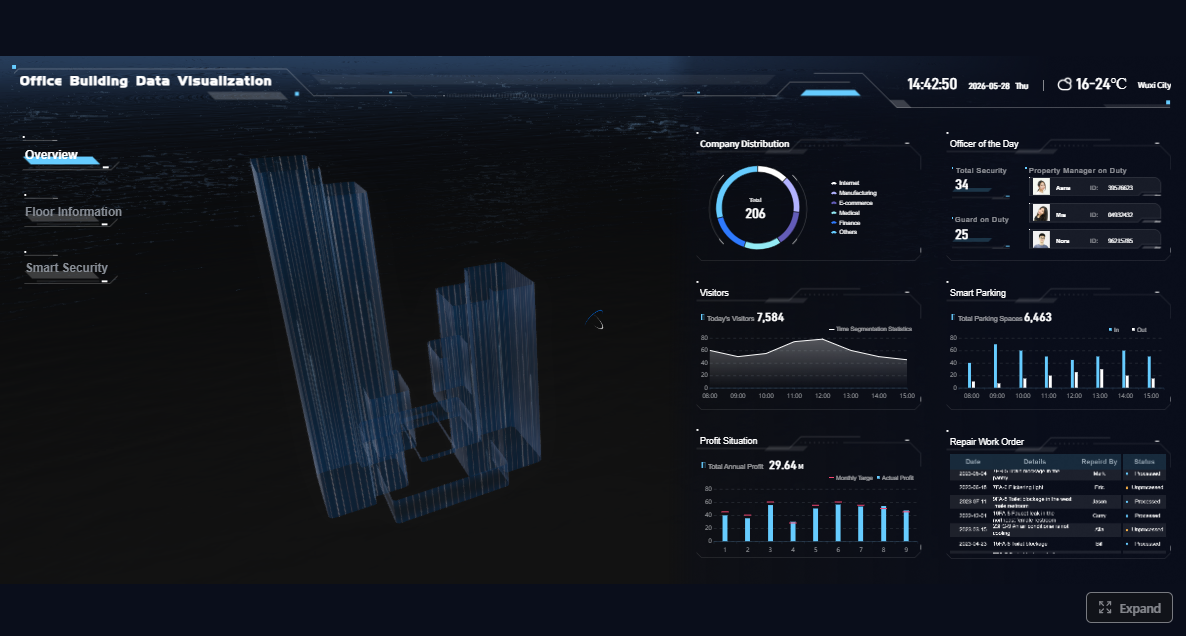
Click To Try The Dashboard
All reports in this article are built with FineReport
What construction reporting should accomplish for project managers
Construction reporting is most effective when it works as a decision-making system. That means every report should help someone understand status, identify risk, assign action, and confirm follow-up. If reporting only captures history, it is incomplete. If it supports visibility and execution, it becomes a management tool.
For project managers, this matters because construction work is dynamic. Labor availability changes. Weather affects progress. Deliveries arrive late. RFIs remain open. Safety issues emerge in the field before they appear in a monthly review. A strong construction reporting system turns those moving parts into a usable rhythm.
Reporting should support decisions, not just paperwork
A good report answers practical questions:
What was completed?
What is behind?
What risk needs escalation?
Who owns the next action?
What will affect cost, schedule, safety, or quality next?
That is why modern construction reporting should be connected to a report workflow, not treated as a one-time form submission. FineReport helps organizations standardize daily logs, weekly coordination views, and monthly stakeholder reports so that data flows into a trusted structure instead of staying fragmented across disconnected files.
Better reporting improves visibility, accountability, and coordination
When reporting is consistent, teams gain:
Visibility: Leaders can see progress, delays, and issue status across projects or work areas.
Accountability: Actions are tied to owners, dates, and follow-up status.
Coordination: Superintendents, project engineers, subcontractors, and executives work from the same facts.
For executives, this creates concrete scenario ROI. Dora is not an AI experiment. It is a landed digital employee for recurring reporting work such as project summaries, cost and schedule variance briefings, safety anomaly alerts, and follow-up reminders for unresolved issues.
For IT and digital teams, the role also changes. Instead of manually rebuilding every view, IT can focus on data connections, semantic rules, report templates, permissions, and reusable AI Skills that make construction reporting stable and governed.
Daily, weekly, and monthly reports serve different purposes
A daily-to-monthly construction reporting system should not force every audience into the same format.
Daily updates capture facts from the field while they are fresh.
Weekly summaries help teams coordinate short-term execution and emerging risks.
Monthly performance reviews support stakeholder communication, forecasting, and management decisions.
When these layers are built on the same FineReport foundation, Dora can retrieve the right report, explain trends in plain language, and push a structured summary to the right users without forcing them to open and interpret multiple documents manually.
Core report types in a daily-to-monthly construction reporting system
The most effective construction reporting systems include clear report types, each with defined metrics and usage rules. Below is a practical structure for project managers.
Core report types in a daily-to-monthly construction reporting system
Daily site reports
Daily site reports are the operational backbone of construction reporting. They should capture the facts that later explain schedule shifts, cost movement, claims exposure, and coordination problems.
Key data points typically include:
Labor by trade or subcontractor
Equipment on site and utilization
Weather and site conditions
Work completed
Delays and disruptions
Safety incidents or observations
Inspections performed
Material deliveries
Subcontractor activity
Labor and workforce activity
Report Element: Labor hours, headcount, trade distribution, and attendance by crew or subcontractor. Business value: Helps validate productivity, identify understaffing, and explain production shortfalls. AI use:Dora can summarize labor changes, compare workforce levels to plan, and explain whether low production may be related to labor gaps.
Equipment usage
Report Element: Equipment used, hours run, downtime, and availability. Business value: Supports utilization tracking, cost control, and delay analysis. AI use:Dora can flag repeated equipment downtime patterns and include them in a scheduled project briefing.
Weather and site conditions
Report Element: Temperature, precipitation, site access conditions, and environmental constraints. Business value: Provides evidence for productivity impact, schedule adjustment, and claims documentation. AI use:Dora can explain whether weather-related delays align with low-output days in FineReport trends.
Completed work and production status
Report Element: Work completed by area, scope, or activity. Business value: Creates a factual daily record of progress and supports percent-complete calculations. AI use:Dora can generate a structured daily narrative from the production section and relate it to weekly goals.
Safety, inspections, and deliveries
Report Element: Safety observations, incidents, inspections, nonconformance items, and materials received. Business value: Protects compliance, improves field control, and helps prevent unreported disruptions. AI use:Dora can act as a Risk Alert Officer, highlighting safety exceptions or delivery delays that need immediate attention.
Weekly reports should convert daily detail into short-term management insight. They are not a copy of the daily log. They should tell the team what is drifting, what needs coordination, and where execution risk is building.
Typical focus areas include:
Progress against the short-term plan
Three-week or lookahead schedule concerns
Unresolved issues
Resource constraints
RFIs and submittal bottlenecks
Upcoming deliveries and inspections
Progress against the short-term plan
Report Element: Planned versus completed activities for the week. Business value: Shows whether current execution supports milestone commitments. AI use:Dora can summarize missed weekly targets and identify the largest causes behind the gap.
Emerging risks and unresolved issues
Report Element: Open RFIs, pending decisions, blocked work fronts, and unresolved field issues. Business value: Allows the team to escalate before problems become major delays. AI use:Dora can compile open issues into a prioritized exception list and push it to responsible owners.
Upcoming resource needs
Report Element: Labor, material, equipment, and subcontractor needs for the next one to three weeks. Business value: Supports proactive planning and reduces avoidable idle time. AI use:Dora can generate a weekly coordination briefing that calls out upcoming resource conflicts or likely shortages.
Monthly project performance reports
Monthly reports should give stakeholders a clear view of project health. This is where construction reporting moves beyond field activity into broader performance management.
Typical monthly topics include:
Production trends
Cost performance
Quality results
Safety performance
Schedule status
Forecast versus budget
Baseline milestone comparison
Production and percent complete
Report Element: Output achieved, percent complete by major scope, and trend versus plan. Business value: Shows whether physical progress supports revenue, billing, and completion targets. AI use:Dora can create a management-ready summary that explains production trends in business language.
Report Element:Actual cost, committed cost, forecast at completion, variance to budget, and change impact. Business value: Helps project managers and executives see whether margin is under pressure. AI use:Dora can explain cost variance drivers and include them in a monthly executive briefing.
Quality and rework
Report Element: Defects, punch items, rework trends, inspection pass rates, and recurring issue categories. Business value: Reduces hidden productivity loss and protects closeout performance. AI use:Dora can identify repeated quality problems and generate follow-up summaries for responsible teams.
Safety and schedule trends
Report Element: Safety incidents, observations, closed actions, milestone status, float changes, and slippage indicators. Business value: Supports risk control and executive-level oversight. AI use:Dora can monitor threshold breaches and push alerts when schedule slippage or safety concerns exceed rules defined in FineReport workflows.
How to build a reporting workflow that drives action
A reporting system only drives action when templates, responsibilities, escalation logic, and review routines are clear.
Standardize what gets reported
Standardization is the foundation. If every superintendent uses different fields, definitions, and wording, weekly and monthly rollups become unreliable.
Use:
Clear templates
Consistent field definitions
Required data points
Standard activity categories
Shared issue status labels
Uniform date, location, and responsibility fields
FineReport is especially useful here because it helps teams build formatted reports, recurring templates, data entry workflows, and management cockpits that keep construction reporting structured across projects.
Responsibilities should also be explicit:
Field teams capture site facts and observations.
Project engineers validate supporting records and unresolved items.
Project managers review trends, assign action, and communicate upward.
Operations leaders compare performance across projects and intervene where needed.
Not every issue belongs in the same queue. A late material delivery may require same-day attention. A small trend in labor productivity may be reviewed weekly. A monthly report should not be the first time leadership hears about a major schedule slip.
Define thresholds for:
Schedule slippage
Cost overruns
Open RFIs past due
Safety incidents
Quality defects
Inspection failures
Rework rates
Delayed approvals
This is where report governance matters. FineReport provides the structured rules, KPIs, and exception logic. Dora adds the governed AI workflow that helps users consume and execute on that logic faster.
Turn reports into decisions
Every report should end with:
Actions
Owners
Due dates
Status
Escalation level
Follow-up notes
If the same issue appears for three reporting cycles, treat it as a root-cause problem, not a reporting update. Construction reporting should expose repeat failure patterns so teams stop documenting the same issue without resolution.
Best practices for writing clear and trustworthy project reports
Clear reports reduce confusion, protect credibility, and help readers act quickly.
Focus on accuracy, clarity, and evidence
Strong construction reporting should use:
Concise language
Verified numbers
Time-stamped observations
Photos
Inspection references
Delivery records
Consistent units and categories
Separate these clearly:
Facts: What happened
Risks: What may happen next
Assumptions: What depends on external conditions
Recommendations: What should be done
FineReport can structure these sections in report templates, while Dora can produce a structured report summary that preserves the distinction between observations, exceptions, and suggested follow-up.
Owners and executives need concise project health summaries.
Internal leadership needs trend visibility and forecast implications.
Superintendents need operational detail and issue follow-up.
Subcontractors need scope-specific facts, actions, and deadlines.
A monthly executive report may only need a short summary with links back to detailed FineReport assets. A field coordination report may require task-level detail. Dora helps by turning trusted reports into audience-specific summaries without losing governance.
Avoid common reporting mistakes
Common failures in construction reporting include:
Burying critical issues in long narratives
Using inconsistent formats across projects
Mixing facts with opinion
Reporting late
Waiting until month-end to surface known problems
Omitting owners and due dates from issue sections
A practical AI assistant layer helps here. Instead of asking managers to manually review every table and note, Dora can surface unusual changes, summarize unresolved issues, and push timely follow-up prompts to the right people.
Essential tools and metrics to make reporting consistent
Construction reporting improves when the process is supported by the right tools and metrics.
Tools that support faster reporting
Organizations typically use a mix of:
Paper forms
Spreadsheets
Project management platforms
Mobile field apps
Photo logs
Approval workflows
Dashboards and operational cockpits
Data integrations across field, schedule, and cost systems
The challenge is not just collecting data. It is turning fragmented updates into a trusted reporting system. FineReport helps unify report presentation, formatted stakeholder reports, data entry processes, and operational cockpit views. That gives project teams one reporting foundation rather than multiple disconnected outputs.
The most useful metrics depend on project type, but common examples include:
Production rates
Percent complete
Labor productivity
Equipment utilization
Open issues
RFI aging
Safety incident trends
Rework volume
Inspection pass rate
Material delivery reliability
Schedule variance
Cost variance
Forecast at completion
Trend reporting matters more than isolated snapshots. A single bad day may not matter. A four-week productivity decline does. FineReport can visualize trends over time, while Dora can explain those trends in plain language for project managers and executives who need fast interpretation.
How an AI Data Agent Automates Report Consumption
Construction teams often solve the reporting problem only halfway. They build dashboards and reports, but users still spend too much time opening files, interpreting charts, writing summaries, and reminding owners to act. That is where an enterprise Data Agent becomes practical.
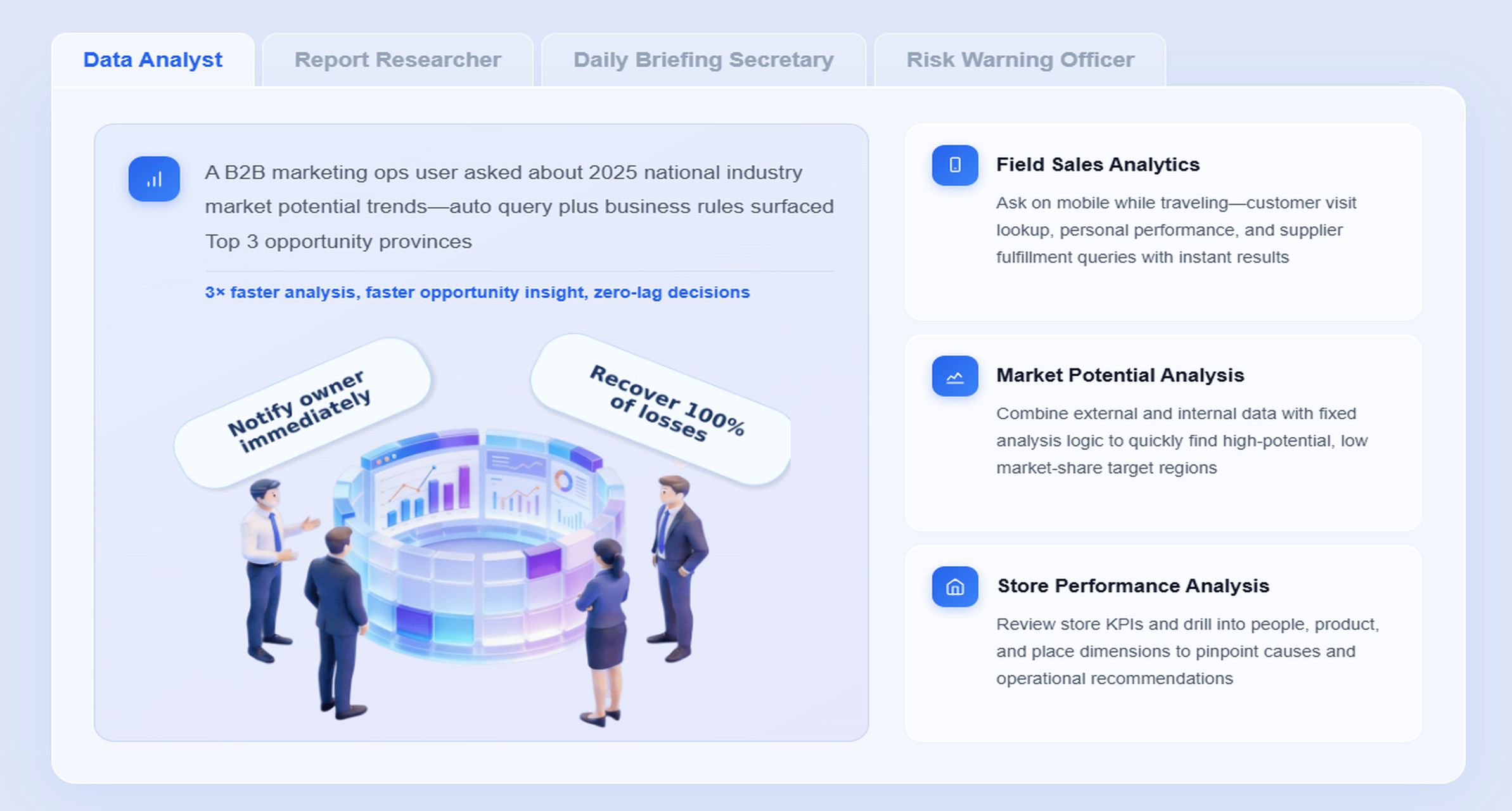
Dora sits on top of trusted reporting assets and acts as an AI assistant or AI digital employee for report consumption. In this construction reporting scenario, the most relevant digital employees are:
Daily Briefing Secretary for scheduled summaries and recurring report push
Risk Alert Officer for exception monitoring and owner notification
Data Analyst digital employee for natural-language follow-up questions
Instead of replacing your reporting layer, Dora uses the FineReport foundation: governed KPI definitions, report templates, semantic rules, permissions, and trusted project data.
“Summarize this week’s construction reporting for Project A, highlight schedule slippage, open RFIs past due, safety issues, and list the owners who need follow-up before Friday.”
Here is a practical AI workflow for this scenario:
Retrieve trusted FineReport assets Dora pulls the approved daily logs, weekly coordination report, monthly performance report, and operational cockpit data for the selected project.
Understand KPI definitions and semantic rules Dora interprets schedule variance, percent complete, RFI aging, safety status, and issue ownership based on governed definitions already built into the FineReport reporting environment.
Generate a structured report summary through chat Dora returns a chart-based answer and structured narrative: what improved, what slipped, what exceptions matter most, and what supporting report sections should be reviewed.
Detect exceptions and threshold breaches
If schedule slippage exceeds the defined threshold, open RFIs age past target, or safety observations remain unresolved, Dora flags them using a governed AI workflow rather than free-form guessing.
Push alerts and suggested follow-up Dora sends scheduled summaries, weekly briefings, or exception pushes to project managers, superintendents, or executives based on responsibility rules and permissions.
Create follow-up records and recap summaries Dora helps maintain a review trail with owner lists, due dates, and periodic recap summaries for the next coordination meeting.
This matters because business users do not just need access to data. They need lower friction in consuming and acting on it. Dora supports natural-language query over trusted reporting assets, structured report summaries, chart explanations, scheduled briefings, and exception alerts. It is better suited to enterprise rollout than raw prompt-only agents because it works with governed Skills, permissions, semantic rules, and report templates.
For project managers, the value is immediate: less manual summarizing, faster issue review, and more timely follow-up.
For executives, the value is concrete: recurring reporting work such as monthly project summaries, cost risk briefings, delay exception alerts, and owner follow-up becomes more consistent and easier to scale.
For IT teams, the landing path is realistic: instead of attempting fully open-ended AI, they can govern a specific construction reporting scenario around trusted FineReport assets, permissions, and reusable Skills.
A daily-to-monthly construction reporting system becomes sustainable when rollout is disciplined.
1. Standardize templates, KPI definitions, and business terms
Do not let each project define percent complete, issue status, or delay category differently. Standardized templates and semantic rules are essential for both reporting consistency and AI usability. Dora works best when FineReport already reflects trusted KPI governance.
2. Start with high-value recurring reports
Do not try to automate every report first. Start with one daily report, one weekly coordination summary, and one monthly performance review that leadership already depends on. This creates faster adoption and cleaner AI workflows.
3. Define alert thresholds and responsibility rules
AI-generated summaries become more useful when exceptions are tied to real action rules. Set thresholds for schedule slippage, overdue RFIs, cost variance, safety follow-up, and quality defects. Then map each threshold to the responsible owner and escalation path.
4. Preserve permission governance
Construction reporting often includes sensitive cost, subcontractor, and performance information. AI outputs should respect FineReport access boundaries. Dora should only retrieve and summarize what the user is authorized to see.
5. Use human review for AI-generated narratives
A structured report summary saves time, but important stakeholder-facing narratives should still be reviewed by project or operations leaders, especially early in rollout. Expand Dora Skills gradually as data quality, templates, and governance mature.
A practical rollout plan for a daily-to-monthly reporting cadence
A strong construction reporting process does not need to start large. In most enterprises, the best rollout is phased.
Begin with:
One standardized daily site report
One weekly coordination summary
One monthly performance template
Pilot the process on a live project with active field reporting, cost tracking, and schedule review. Collect feedback on unclear fields, missing metrics, and weak escalation logic. Refine before scaling.
Then train teams on:
Reporting expectations
Submission timing
Required evidence
Review rhythm
Documentation standards
Action ownership
Finally, audit report quality regularly. Check whether reports are complete, consistent, timely, and linked to actions. The goal is not just better documentation. The goal is timely decisions.
In a mature setup, FineReport supports the reporting framework and Dora supports report consumption, briefing generation, exception push, and follow-up assistance. That combination helps the reporting cadence stay useful instead of becoming administrative overhead.
Building this manually is complex. FineReport helps teams standardize trusted reports, operational cockpits, templates, and reporting workflows. Dora turns those assets into an AI assistant that can answer report questions in chat, generate structured summaries, push scheduled briefings, monitor exceptions, and follow up with responsible owners.
For construction reporting, that means one platform for:
Daily site report templates and data entry workflows
Weekly coordination dashboards and issue summaries
AI-assisted report consumption and follow-up execution
FineReport + Dora is not only a reporting upgrade; it is a practical fourth-generation Agentic BI path. FineReport provides governed reports and operational cockpits. Dora provides the AI assistant layer for scenario execution, with more controlled Skills, lower token waste, faster execution paths, and more stable workflows than prompt-only agents.
Get Ready-to-Use Dashboard Templates in Fine Gallery
The strongest Dora pitch is scenario + product + service: FineReport provides the trusted reporting foundation, Dora provides the AI digital employee, and implementation service connects data, governance, semantic setup, Skills, report templates, permissions, and rollout.
For enterprises that already have trusted reporting assets, Dora can also be introduced as the enterprise Data Agent layer to improve report access, explanation, exception monitoring, and briefing workflows. But the most effective path is often the combined model: FineReport for the reporting foundation, Dora for the AI execution layer.
If your goal is to make construction reporting more timely, more consistent, and more actionable from daily logs to monthly executive reviews, this is the practical path.
It should connect daily field facts, weekly coordination views, and monthly stakeholder summaries in one trusted reporting structure. The goal is to show progress, risks, owners, and next actions instead of just storing paperwork.
Daily reports capture jobsite activity such as labor, equipment, weather, deliveries, and issues while details are still fresh. Weekly reports focus on short-term coordination and emerging risks, while monthly reports summarize performance, trends, and decisions for leadership and stakeholders.
The most useful metrics usually include labor by trade, equipment usage, weather and site conditions, completed work, delays, safety events, inspections, and material deliveries. These data points help explain schedule shifts, productivity problems, and potential claims exposure.
AI works best when it uses governed report assets as its source, then summarizes trends, highlights exceptions, and routes follow-up actions faster. With FineReport and Dora, teams can ask for report summaries in chat and receive scheduled briefings based on trusted data.
Standardization improves visibility, accountability, and coordination because everyone works from the same definitions and formats. It also makes reporting easier to scale, audit, and automate across multiple jobs or business units.
Product Trial
FineReport
Pixel-perfect reports · Interactive dashboards · Easy data entry · Digital twins