Retail dashboard building fails when dashboards are designed for reporting upward instead of helping store managers act in the moment. A store manager does not need a data museum. They need a fast, trusted operational view that tells them what is happening now, what needs attention next, and what action will improve performance during the current shift.
For retail leaders, the business value is straightforward: better dashboards drive faster decisions, fewer stockouts, stronger labor efficiency, cleaner execution of promotions, and more consistent store performance across locations. For store managers, the value is even more immediate. A useful dashboard reduces guesswork.
This guide breaks down how to build a practical, high-adoption retail dashboard that works on the store floor, not just in headquarters presentations.
Why retail dashboard building often fails at the store level
Many retail dashboards are built around executive reporting requirements: month-to-date sales, regional comparisons, high-level margin trends, and broad store rankings. Those metrics matter, but they rarely help a manager decide what to do at 11:30 a.m. when traffic spikes, a promoted item is running low, and checkout lines are growing.
That mismatch is where most retail dashboard building breaks down.
At the store level, managers need operational visibility tied to decisions they can make during a shift. If the dashboard shows too many metrics, updates too slowly, or lacks clear context, daily adoption collapses. Teams go back to spreadsheets, text messages, and intuition.
Common signs of dashboard failure include:
Dashboard overload: Too many charts, filters, and widgets competing for attention
Stale metrics: Data refreshes too slowly to support live retail operations
Low daily adoption: Managers only open the dashboard when someone from HQ asks
No action path: Metrics are visible, but no one knows what to do when performance changes
Inconsistent definitions: Stores calculate the same KPI differently, making comparisons unreliable
In fast-moving retail environments, a useful dashboard has three defining traits:
It is quick to scan
It is trusted
It leads directly to action
If it takes more than a minute to understand or requires explanation every time it is used, it is not built for store operations.
Step 1: Define the decisions store managers need to make every day
The most effective retail dashboard building process starts with decisions, not charts. Before choosing visuals or data sources, identify the daily decisions store managers are responsible for.
Map the dashboard to real in-store decisions
A store manager typically makes repeated operational decisions across the day. Your dashboard should support those exact choices.
Common in-store decisions include:
Staffing: Should labor be moved from the back room to checkout? Is a shift adjustment needed?
Replenishment: Which items need immediate shelf refill? Which fast sellers are at risk of stockout?
Promotions: Is the promotional display converting as expected? Does inventory support the campaign?
Customer flow: Are traffic spikes creating service bottlenecks? Are queues affecting conversion?
Sales recovery: Which categories or departments are underperforming versus plan today?
Exception handling: Is there a sudden dip in transactions, traffic, or inventory accuracy that needs investigation?
A practical way to structure this is to separate urgent actions from review metrics.
Click To Try The Dashboard
Urgent, shift-level metrics may include:
Sales by hour
Current conversion rate
Queue length or service delay indicators
Stock availability for promoted items
Labor coverage versus traffic pattern
Weekly review metrics may include:
Department contribution trends
Sell-through by campaign over time
Schedule efficiency trends
Shrink patterns
Staff productivity by role over multiple periods
This distinction is critical. Not everything belongs on the live dashboard.
Set clear goals for dashboard success
Next, define what success looks like. If you cannot measure dashboard usefulness, you will end up optimizing design instead of business impact.
A store-level dashboard should usually improve a small number of outcomes, such as:
Faster manager response to performance issues
Lower out-of-stock frequency
Better labor deployment during peak periods
Higher promotional execution quality
Improved sales conversion at key hours
Keep the target outcomes focused. A dashboard that tries to improve everything usually improves nothing.
Key Metrics (KPIs) to define dashboard success
Use a tight KPI framework for the dashboard itself and the store outcomes it should influence:
Daily Active Usage: How often store managers open and use the dashboard during operational hours
Time to Insight: How quickly a manager can identify an issue after opening the dashboard
Action Rate: The percentage of alerts or exceptions that result in a documented action
Stockout Reduction: Change in stockout incidents for priority SKUs or promoted items
Labor Efficiency: Sales or transactions achieved per labor hour
Decision Cycle Speed: Time between issue detection and manager response
Conversion Improvement: Change in the percentage of visitors who make a purchase
Exception Resolution Rate: Share of flagged issues resolved within the intended timeframe
These KPIs help anchor the retail dashboard building process to outcomes that matter operationally.
Step 2: Choose the metrics that actually drive action
A dashboard should not be a complete record of retail performance. It should be a decision tool. That means every metric must answer one question: What should the manager do next?
Focus on a small set of operational KPIs
For most stores, a small set of operational KPIs is enough to drive daily action. Prioritize metrics that are timely, understandable, and directly linked to manager behavior.
A strong starting KPI set includes:
Sales by hour: Shows pace versus target and highlights slow or peak trading periods
Conversion rate: Reveals whether traffic is turning into transactions
Average basket size: Helps identify upsell performance and product attachment opportunities
Stock availability: Shows whether key products are on shelf and sellable
Labor productivity: Tracks sales, transactions, or service output per labor hour
These KPIs are useful because they support immediate action. By contrast, vanity metrics may look important but rarely guide shift-level decisions.
Examples of vanity metrics include:
Broad social sentiment scores with no store-level relevance
Too many long-range benchmark comparisons
Corporate-level summary indices without local actionability
Excessive historical trend charts with no threshold or target context
In retail dashboard building, less is often more. A concise dashboard with six strong KPIs will outperform a bloated dashboard with twenty weak ones.
Match each metric to an action
Every KPI should have a clear action rule. If the number moves, the manager should know what to do without interpretation delays.
Step 3: Design the retail dashboard building process around speed and clarity
If store managers cannot scan the dashboard in under a minute, adoption will suffer. Good dashboard design is not about visual creativity. It is about cognitive efficiency.
Make the layout easy to scan in under a minute
Structure the dashboard by operational workflow, not by data source. That means grouping metrics based on how managers think and act during a shift.
A practical top-to-bottom layout may look like this:
This sequence works because it reflects store reality. Managers first need to know if anything requires immediate attention. Then they need to understand commercial performance, inventory constraints, workforce alignment, and customer impact.
Design principles that improve speed:
Put the most time-sensitive metrics at the top
Keep the number of widgets limited
Avoid deep navigation for core actions
Use fixed positions so managers build visual habits
Show current status against target, not raw numbers alone
Use visuals that support quick decisions
In retail dashboard building, simple visuals usually win. Managers do not need decorative complexity. They need clarity under time pressure.
Best visual choices include:
Line charts for hourly trend movement
Bar charts for target versus actual comparisons
Status cards for headline KPIs
Alerts and icons for exceptions
Heatmaps for time-period or zone-level hotspots, if easy to interpret
Avoid visuals that slow interpretation, such as:
3D charts
Dense scatterplots without clear business meaning
Overly segmented donut charts
Multi-axis charts that require explanation
Consistency matters just as much as chart selection. Keep labels, color logic, and filter behavior consistent across the dashboard. If red means risk in one view, it should not mean strong performance elsewhere.
Step 4: Connect reliable data sources and keep the numbers trusted
No amount of design can save a dashboard that people do not trust. In store environments, trust is built on timely, consistent, and validated data.
Bring together core retail systems
A useful store dashboard usually pulls from several operational systems. The most common sources are:
POS systems for transactions, sales, units, and basket metrics
Inventory systems for stock on hand, replenishment, and availability
Labor scheduling tools for staffing plans and worked hours
Traffic counters or customer flow tools for visitor trends and conversion context
The key is not to connect every system possible. Connect the systems required to support the decisions you identified in Step 1.
Refresh timing should reflect operational needs:
Near real-time or frequent refresh for sales by hour, stock risk, and traffic-sensitive metrics
Daily refresh for metrics used in opening reviews or end-of-day summaries
Weekly refresh for trend and performance coaching views
The right refresh frequency depends on how quickly managers need to respond.
Create rules for data quality
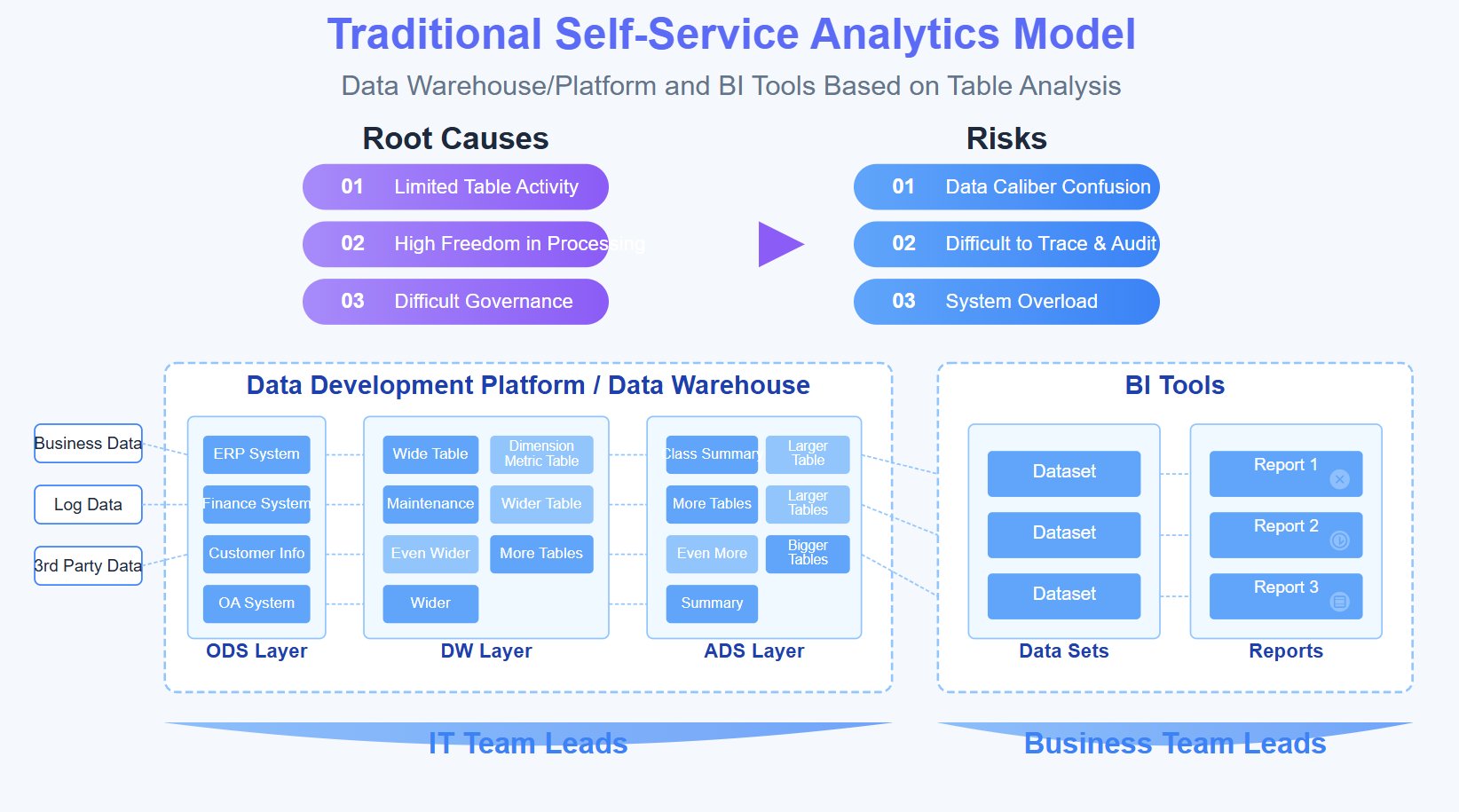
Retail dashboard building often fails because definitions drift across stores. One location counts stock availability one way, another excludes certain SKUs, and a third uses delayed inventory data. The result is confusion and skepticism.
To prevent that, define governance rules early.
Key data quality controls include:
Standard KPI definitions: Ensure every store measures the same metric the same way
Step 5: Test the dashboard with real store managers before rollout
Retail dashboards should be validated in live operating conditions, not just reviewed in conference rooms. Store managers will reveal friction points quickly when using the dashboard during actual routines.
Observe how managers use it during actual routines
Watch managers interact with the dashboard at the moments that matter most:
At opening, when they assess overnight sales, staffing, and stock readiness
Mid-shift, when traffic, labor, and conversion pressure are highest
At close, when they review execution and prepare handoff notes
During testing, pay attention to:
Where they pause or hesitate
Which metrics they skip
Which filters they never use
What additional context they ask for
Whether they can explain what action they would take from each KPI
These observations are more valuable than abstract design feedback. They show whether the dashboard supports operational thinking.
Refine the dashboard based on feedback
Once you have usage feedback, simplify aggressively.
Common refinements include:
Removing widgets that nobody uses
Renaming metrics with plain retail language
Simplifying filter structures
Moving high-priority KPIs to more visible positions
Improving mobile or tablet usability for floor-based access
A dashboard that works on a desktop in the back office but fails on a tablet during a shift is not truly store-ready.
Step 6: Train for adoption and build dashboard habits
Even the best dashboard will underperform if managers are not trained to act on it. Adoption depends on habit formation, not just system access.
Show managers how to turn insights into action
Training should be practical and scenario-based. Do not teach the dashboard as software. Teach it as a decision tool.
Step 7: Improve the dashboard over time as store needs change
Retail operations change constantly. Product mix, promotions, staffing models, seasonal traffic, and store priorities all shift. A dashboard must evolve without becoming unstable.
Review what is working and what is ignored
A mature retail dashboard building process includes regular review of actual usage and impact.
Look for patterns such as:
Which sections are viewed most often
Which KPIs frequently trigger action
Which widgets are consistently ignored
Whether current metrics still align with store priorities
Whether managers are using workarounds outside the dashboard
This analysis helps you remove clutter and focus on what drives performance.
Create a lightweight update process
Do not rebuild the dashboard every quarter. Use a lightweight update cycle that maintains familiarity while improving relevance.
A strong update process includes:
Scheduled KPI relevance reviews
Minor layout refinements based on usage patterns
Controlled introduction of new metrics
Clear version communication to store teams
Minimal disruption to existing habits
The goal is continuous improvement without forcing managers to relearn the tool too often.
Build retail dashboard building into a scalable operating system with FineBI
At this point, the pattern should be clear: effective retail dashboard building is not just a design task. It requires KPI discipline, operational alignment, reliable data integration, user testing, training, and continuous refinement.
That is exactly why building this manually is complex.
For enterprise retailers, trying to assemble all of this through spreadsheets, disconnected BI layers, and one-off reporting logic creates unnecessary friction. It slows deployment, increases definition conflicts, and makes store-level adoption harder than it should be.
This is where FineBI becomes the practical solution.
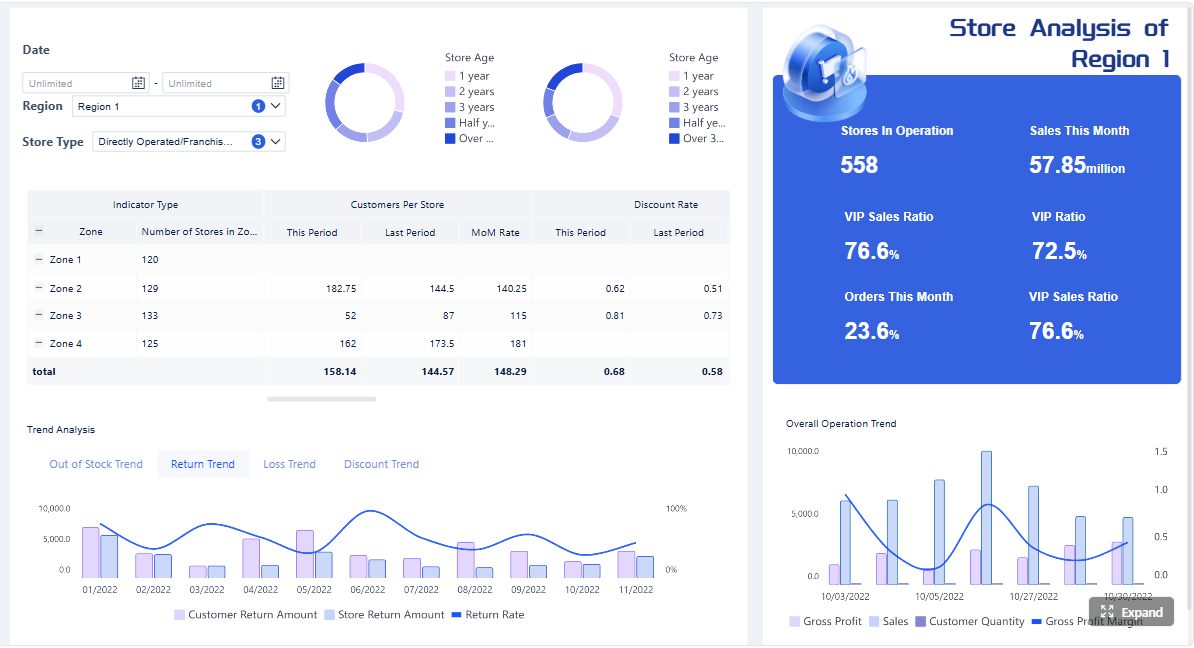
With FineBI, retail teams can use ready-made templates and automate this entire workflow. Instead of starting from scratch, you can accelerate dashboard deployment with structured retail reporting views, connect core systems more efficiently, standardize KPI logic, and give store managers fast, usable dashboards that support daily decisions.
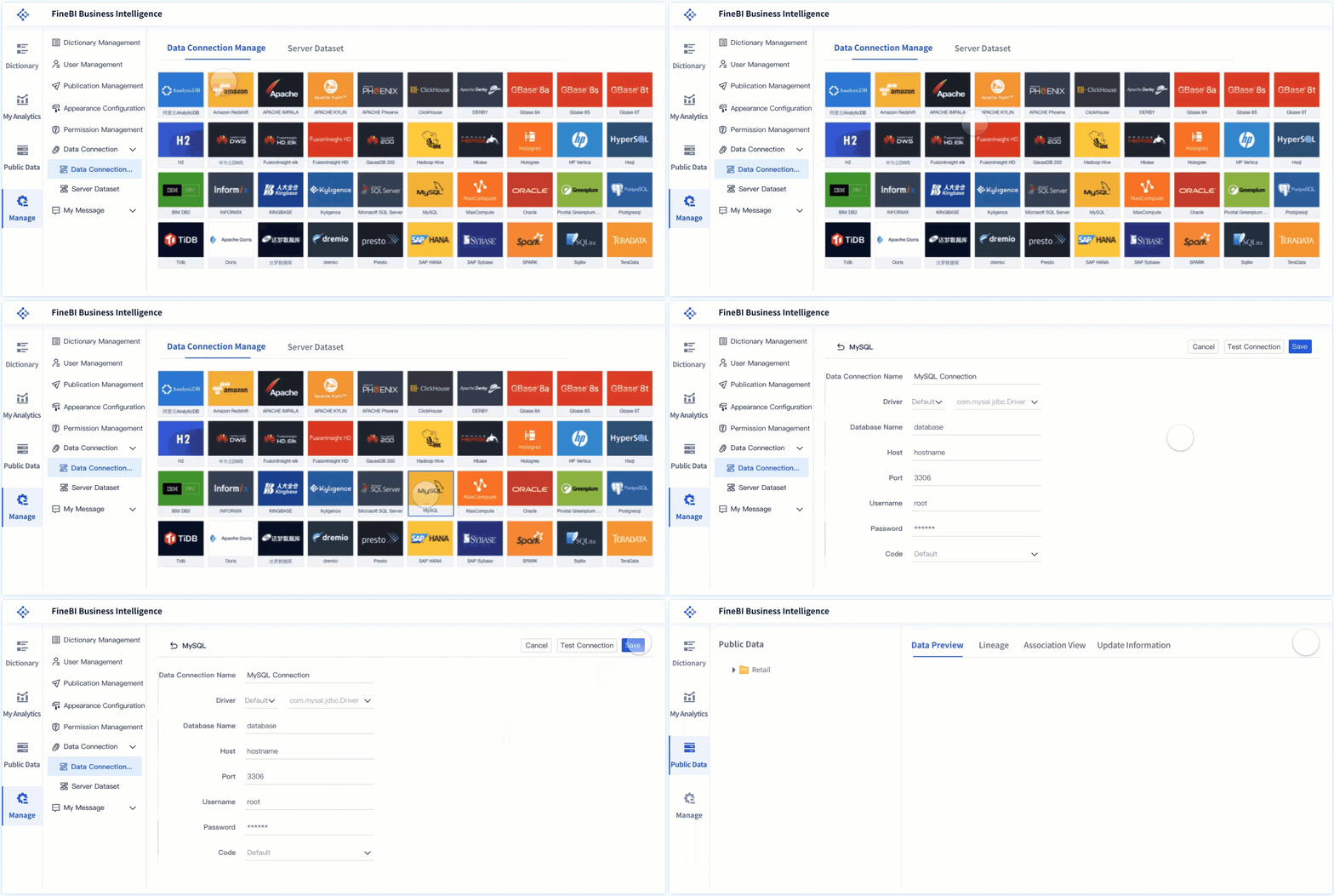
Consolidate POS, inventory, labor, and traffic data into one analytics layer
Standardize KPI definitions across stores and regions
Build dashboards optimized for speed, clarity, and operational use
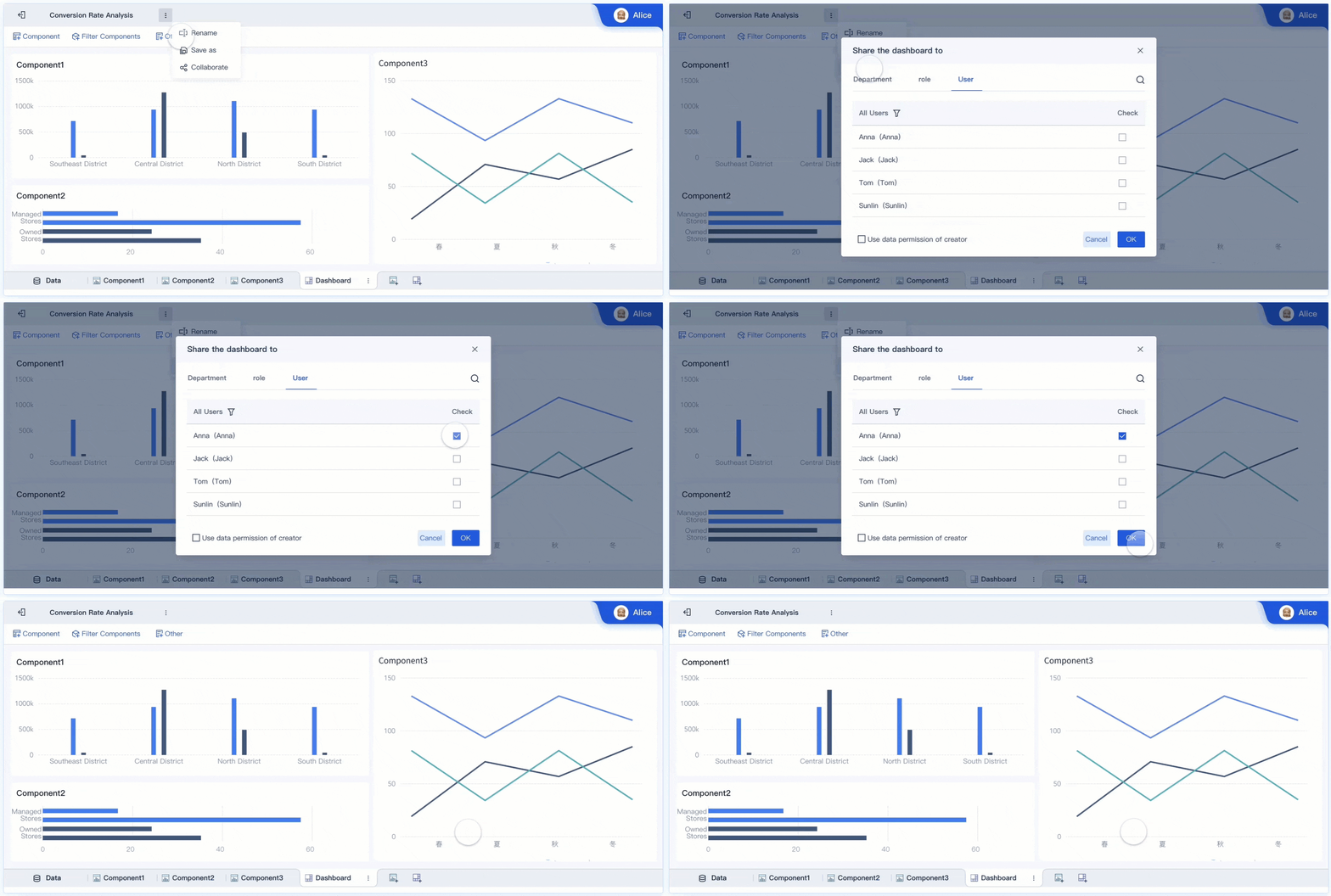
Support self-service analysis for store, district, and regional leaders
Scale updates and governance without rebuilding every report manually
For decision-makers, that means less dashboard maintenance and more operational consistency. For store managers, it means a dashboard they will actually use.
If your current retail dashboard building approach is producing low adoption, stale metrics, or unclear action paths, do not just redesign the interface. Rebuild the workflow around real decisions, trusted data, and scalable execution. FineBI gives you a faster path to do exactly that.
FAQs
The first view should highlight live operational metrics that drive immediate action, such as sales by hour, stock risk on key items, queue pressure, and labor coverage. If a manager cannot spot what needs attention within a minute, the dashboard is too complex.
Adoption usually drops when dashboards are overloaded, slow to refresh, or focused on head office reporting instead of shift-level decisions. Store managers will ignore tools that do not help them act quickly on the floor.
A store dashboard should focus on a small set of high-impact metrics tied to daily decisions. Too many KPIs create noise and make it harder for managers to identify the next best action.
Track both usage and business outcomes, such as daily active usage, time to insight, action rate, stockout reduction, and labor efficiency. A useful dashboard should lead to faster responses and measurable operational improvement.
A live retail dashboard supports in-the-moment decisions during a shift, while a reporting dashboard is mainly used to review past performance and trends. Store managers need operational visibility first, not just summary reporting for leadership.
Product Trial
FineReport
Pixel-perfect reports · Interactive dashboards · Easy data entry · Digital twins