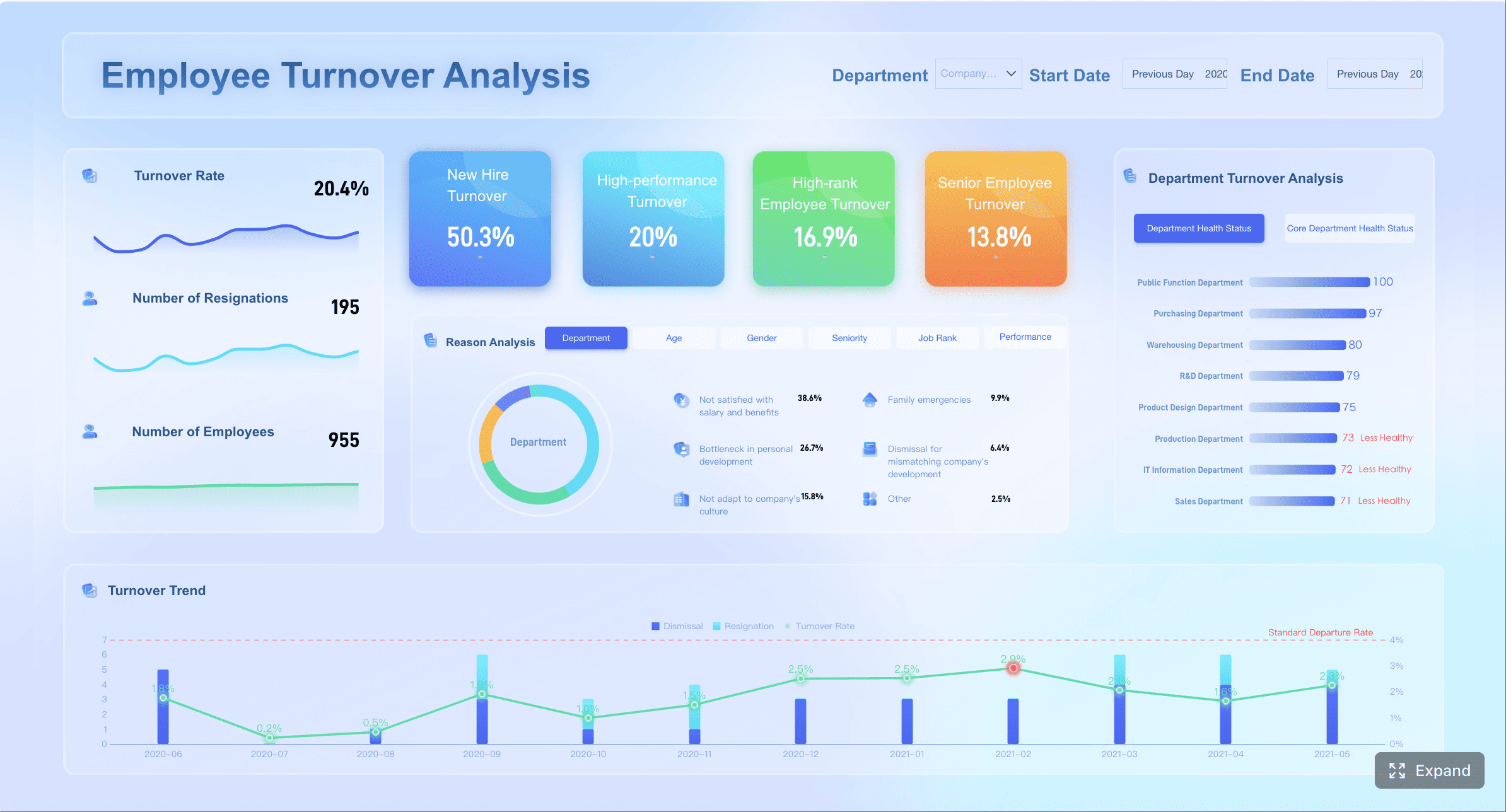
A call tracking dashboard gives enterprise teams a unified view of how phone calls connect to marketing spend, lead quality, sales outcomes, and service performance. For IT leaders, its value is not limited to reporting: it helps standardize attribution logic, reduce fragmented data silos, and provide business stakeholders with a reliable operational view of inbound call activity.
In organizations where phone calls remain a critical conversion or service channel, relying on disconnected call logs, CRM notes, and ad reports creates blind spots. A well-designed dashboard closes that gap by turning raw call records into actionable business intelligence.
What Is a Call Tracking Dashboard?
A call tracking dashboard is a centralized visual interface that shows which calls are coming in, where they originated, how they were handled, and what business results they produced. At a glance, teams can see call volume, source performance, missed-call patterns, lead quality, and downstream conversions.
In practical terms, the dashboard helps different functions answer different questions from the same dataset:
Marketing can see which channels, campaigns, and keywords drive qualified calls
Sales can identify which callers are most likely to convert
Support or operations can monitor response times, staffing load, and service bottlenecks
What makes a call tracking dashboard especially useful is its ability to connect multiple stages of the customer journey. It does not simply show that a phone rang. It links call activity with:
lead sources such as paid search, organic search, social, referral, or offline campaigns
campaign and ad performance
CRM records and pipeline status
appointment bookings or closed deals
revenue outcomes by source, campaign, or location
This is the key difference between a true call tracking dashboard and simpler tools.
A basic call log typically records items such as caller ID, timestamp, duration, and whether the call was answered. A phone system report may add queue, routing, or agent activity details. A broader analytics platform may track website and campaign metrics well, but often lacks precise call attribution and operational call handling visibility.
A call tracking dashboard sits between these worlds and connects them. It turns telephony events into business performance insight.
How a Call Tracking Dashboard Works?
A call tracking dashboard works by aggregating call-related data from multiple systems, applying attribution rules to connect calls to sources and campaigns, and presenting the result in role-specific reports. Its effectiveness depends on both data integration and a clear reporting model.
All dashboards in this article are created by FineBI
The most effective dashboards combine data from telephony, marketing, sales, and customer systems. Without this integration, teams may see call activity but still lack business context.
Tracking phone numbers assigned to campaigns, channels, web pages, or locations
Call detail records such as timestamps, duration, caller number, and answer status
Call recordings and transcripts for quality analysis and lead qualification
Call routing data including queue, agent, department, or location destination
CRM records such as lead owner, deal stage, opportunity value, and close status
Form submissions to compare phone leads with digital leads
Ad platform data from Google Ads, Meta Ads, Microsoft Ads, and similar sources
Website session data including landing page, referrer, campaign parameters, and keyword data
When these inputs are brought together, the dashboard becomes more than a reporting screen. It becomes an operational layer that links front-end acquisition with back-end outcomes.
For enterprise IT teams, this integration layer matters because data quality issues often arise from inconsistent source definitions, delayed syncs, or duplicated lead records. A scalable architecture should support API connectivity, transformation logic, identity matching, and governed access control.
How attribution and reporting are created
Attribution is the core mechanism that makes a call tracking dashboard useful. Without attribution, the dashboard can show how many calls happened, but not what caused them.
A typical process includes the following components:
Dynamic Number Insertion (DNI)
A visitor lands on a website from a specific source, campaign, or keyword. The site displays a unique tracking number based on that visit profile.
Source and campaign capture
The system records attribution data such as UTM parameters, referrer, landing page, ad click ID, channel, campaign, and sometimes keyword.
Call event matching
When the visitor calls the displayed number, the platform links the call to the stored session and source metadata.
Lead and CRM matching
The call is then matched to a CRM contact, lead, opportunity, or appointment when possible.
Outcome reporting
Once downstream events occur, such as qualification, booking, sale, or revenue recognition, those outcomes can be attributed back to the original source.
This is how the dashboard can answer questions such as:
Which Google Ads campaign drove the most qualified calls?
Which landing pages generate long-duration but low-conversion conversations?
Which sources produce repeat callers instead of new leads?
Which branch or sales team closes the highest-value calls?
For organizations that need to report across departments, this attribution model should be transparent and consistent. IT leaders should look closely at how the platform defines sessions, handles multi-touch journeys, and resolves duplicate or overlapping sources.
At this stage, many enterprises find that native call tracking reports are useful but insufficient for broader decision-making. This is where a BI platform such as FineBI becomes relevant. Once call tracking data, CRM data, ad data, and operational data are modeled together, FineBI can help IT teams build governed dashboards for different stakeholders, unify cross-source definitions, and support self-service analysis without sacrificing control. Rather than replacing call tracking software, it strengthens the enterprise reporting layer around it.
A call tracking dashboard becomes valuable when teams use it as part of routine decision-making, not just monthly reporting.
On a daily basis, teams typically use it to:
monitor live inbound call activity
compare current performance by source or campaign
identify spikes in missed calls or wait times
review lead quality patterns from recent campaigns
assess whether staffing matches peak call periods
prioritize callbacks for high-intent or missed leads
Marketing teams may review source-level call quality each morning. Sales managers may watch appointment-booked calls by rep or region. Support leaders may monitor queue pressure and answer rate during peak service windows.
For IT and data teams, day-to-day usage also includes validating data flow integrity, confirming integrations are syncing correctly, and ensuring reporting logic remains stable as campaigns, business units, or call routing structures change.
Key Metrics to Track in a Call Tracking Dashboard
The right metrics depend on business goals, but the best call tracking dashboard always combines call volume, lead quality, revenue impact, and service efficiency. Tracking only call counts creates a partial view and often leads to poor optimization decisions.
Volume and engagement metrics
These metrics establish the basic level of call activity and caller behavior. They help teams understand demand patterns and identify immediate call handling issues.
Key volume and engagement metrics include:
Total calls: Overall inbound and, where relevant, outbound call count
Unique callers: Number of distinct phone numbers contacting the business
First-time callers: New callers who have not previously contacted the business
Repeat callers: Returning callers, which may indicate loyalty, unresolved issues, or duplicate inquiries
Missed calls: Calls not answered by agents or routed destinations
Answer rate: Percentage of incoming calls answered successfully
These metrics are foundational because they show whether campaigns are generating response and whether the organization is capturing that demand effectively. A spike in call volume paired with a decline in answer rate usually signals a resourcing or routing problem, not necessarily a campaign success.
Quality and conversion metrics
Quality and conversion metrics indicate whether the calls being generated are valuable and whether teams are moving them forward successfully. These are often more important than raw call counts.
Important metrics in this group include:
Call duration: Useful as a directional signal, though not a definitive quality metric
Qualified calls: Calls that meet predefined lead or intent criteria
Booked appointments: Calls that result in consultations, demos, site visits, or service bookings
Lead-to-call rate: Percentage of leads or visitors that become callers
Conversion rate: Percentage of calls that lead to a desired outcome
These measures help separate volume from business value. For example, one campaign may generate many short, low-intent calls, while another generates fewer but more qualified conversations. The dashboard should make that distinction obvious.
Where conversation intelligence or scoring is available, teams can add fields such as:
sales-ready call rate
high-intent keyword match rate
appointment intent rate
spam or irrelevant call rate
This is also where enterprises benefit from a more advanced BI environment. With FineBI, IT teams can blend call qualification logic with CRM stage progression and revenue fields, allowing the business to analyze not just which calls converted, but which converted efficiently and at what long-term value.
These metrics connect call performance directly to spend and financial return. For budget owners, this is often the most important section of the dashboard.
Core marketing and revenue metrics include:
Cost per call
Cost per qualified lead
Return on ad spend (ROAS)
Revenue by source
Campaign performance
These metrics are only as reliable as the underlying attribution and revenue mapping. If the dashboard can tie calls to opportunities or closed deals, it becomes possible to compare channels based on actual business outcomes rather than superficial activity.
For example, an enterprise may discover that:
paid search drives the highest call volume
organic search drives the lowest cost per qualified call
local directory listings drive the fastest appointments
certain campaigns produce high call counts but low revenue contribution
This type of analysis improves not just campaign optimization, but planning, procurement, and executive reporting.
Service and operations metrics
Operational metrics show how well the organization handles call demand after it arrives. For support, service, and contact center leaders, these metrics are essential.
Key operational metrics include:
Average speed to answer
Call handling time
Agent performance
Peak call times
Additional operational measures may include:
queue wait time
abandonment rate
transfer rate
first-contact resolution proxy
after-call work time
occupancy or utilization by agent or team
These metrics help identify whether missed opportunities stem from insufficient staffing, poor routing logic, training gaps, or scheduling mismatches. They are particularly important for multi-department or multi-location environments where call performance varies by branch, service line, or operating hours.
Common Use Cases of a Call Tracking Dashboard Across Marketing, Sales, and Support
A call tracking dashboard is most valuable when it supports concrete business decisions across teams. It should not serve only one department; it should create a shared performance view while still allowing role-specific analysis.
Marketing attribution and budget decisions
The primary marketing benefit is clear attribution of phone-driven conversions to the sources and campaigns that generated them. This allows teams to shift budget toward channels producing the highest-value calls instead of optimizing only for clicks or form fills.
Common marketing use cases include:
identifying top-performing channels for qualified inbound calls
comparing campaign performance by call volume versus closed revenue
evaluating keyword-level call quality
measuring offline response from print, direct mail, or outdoor campaigns
proving ROI to business leadership or external clients
For enterprise IT leaders, this use case often raises an architectural question: should marketers work directly in call tracking software, or should the organization centralize KPI reporting in a broader analytics layer? In many cases, the most sustainable model is a hybrid one: operational call teams use the native platform, while enterprise reporting is standardized through BI dashboards.
Sales follow-up and lead qualification
The sales use case is straightforward: not all callers have the same intent, and response speed affects close rates. A call tracking dashboard helps sales teams focus attention where it matters.
Use cases include:
prioritizing missed calls from high-intent sources
routing calls based on product line, geography, or qualification status
identifying which reps convert inbound phone leads best
improving handoff between marketing-generated calls and sales follow-up
tracking which call characteristics correlate with closed-won outcomes
A well-integrated dashboard can also surface gaps in process. For example, it may reveal that qualified calls are being generated at a healthy rate, but many are not being assigned or followed up in the CRM within service-level targets.
Customer service and call center visibility
For support and service operations, the dashboard provides a near-real-time control panel for response effectiveness. The goal is to reduce customer friction and maintain service consistency.
Typical use cases include:
monitoring answer speed and missed-call trends
spotting departments with excess queue pressure
comparing workload across shifts or teams
identifying recurring call spikes by hour or weekday
evaluating service consistency across locations
In customer service settings, the dashboard often overlaps with broader call center reporting, but call tracking still adds value by connecting service interactions to original source data, prior customer context, or campaign-triggered events.
Agency and multi-location reporting
For agencies, franchises, branch networks, and distributed enterprises, a call tracking dashboard becomes a comparative reporting tool. It allows stakeholders to evaluate many entities in one environment while preserving local detail.
Common scenarios include:
comparing clients or branches by call volume, answer rate, and revenue
benchmarking regions or service areas
monitoring campaign effectiveness across multiple locations
identifying underperforming branches with high missed-call rates
producing stakeholder-ready roll-up reports with drill-down access
This is an area where data governance becomes especially important. Multi-entity reporting requires consistent definitions for qualified calls, booking events, attribution windows, and revenue assignment. Enterprise BI tooling can be useful here because it enables standardized semantic layers and permission-controlled access.
What to Look for in a Good Call Tracking Dashboard
A good call tracking dashboard should provide reliable attribution, operational clarity, and scalable reporting without creating unnecessary complexity. For enterprise buyers, the selection criteria should include both feature depth and fit with the broader data environment.
Must-have dashboard views and templates
The best dashboards include role-specific views that reduce manual reporting effort and make performance understandable quickly.
Look for capabilities such as:
Customizable reports for channel, campaign, location, team, or agent analysis
Saved filters for recurring analysis by date range, source, branch, or status
Exports for stakeholder reporting or deeper offline analysis
Executive summaries that simplify performance for non-technical audiences
A platform should allow both summary-level visibility and detailed drill-down. Enterprise stakeholders rarely need the same report. Marketing may need channel-level performance, while operations may need intraday queue monitoring, and executives may need only cost-to-revenue comparisons.
Integrations and automation features
Integrations are not optional. A call tracking dashboard is only as strong as the systems it can connect and the workflows it can support.
Priority features include:
CRM syncing with platforms such as Salesforce, HubSpot, or Microsoft Dynamics
Ad platform integrations for campaign and conversion feedback loops
Alerts for missed-call spikes, VIP callers, or high-intent lead signals
Scorecards for call quality, agent performance, or lead quality
Automated lead engagement workflows such as callback tasks, notifications, or routing triggers
For IT managers, integration depth is more important than the raw number of logos on a vendor page. Key questions include:
A dashboard must be easy enough for adoption, secure enough for compliance, and flexible enough to grow with the organization.
Evaluation points should include:
Easy setup for tracking numbers, dashboard views, and user onboarding
Role-based access to control who sees recordings, revenue data, or client-specific views
Compliance support for call recording disclosures, privacy obligations, and industry requirements
Scalability across growing call volumes, locations, departments, and stakeholders
Privacy and compliance deserve special attention. Depending on geography and industry, call recording, transcript storage, and caller identity handling may require explicit policies and technical safeguards. IT leaders should validate retention settings, consent workflows, audit logs, and data residency options before deployment.
Choosing a Call Tracking Dashboard Software and Getting Started
The best call tracking dashboard software is the one that matches your attribution needs, reporting maturity, integration landscape, and governance model. Selection should be driven by business workflows and data architecture, not feature checklists alone.
How to evaluate platforms
Start by clarifying what the business actually needs the dashboard to do. A smaller team may need straightforward campaign attribution and missed-call alerts. A larger enterprise may need cross-location reporting, CRM-to-revenue linking, and governed BI integration.
Key evaluation criteria include:
Attribution depth: session-level, source-level, keyword-level, and offline attribution support
Reporting flexibility: dashboards, filters, custom fields, exports, and API access
AI features: transcription, summaries, keyword detection, sentiment, and lead scoring
Integration breadth and quality: CRM, ad platforms, analytics tools, and BI systems
Pricing model: numbers, minutes, users, recordings, AI usage, and add-on costs
IT teams should also test implementation effort. A platform that appears feature-rich but requires fragile custom work to fit into the existing architecture can create long-term maintenance burden.
If the organization already has an enterprise analytics strategy, it is often wise to evaluate how the call tracking platform will feed a central BI environment. FineBI can play a strong role here by allowing IT to consolidate call tracking metrics with CRM, ERP, ad spend, and operational data, then publish controlled dashboards for executives, regional managers, marketing leaders, and frontline teams.
other call tracking software options depending on industry and use case
Each category tends to serve a slightly different need:
some focus on marketing attribution for SMB and agency use cases
some combine call tracking with softphone, routing, and contact center workflows
some specialize in performance marketing or pay-per-call environments
some emphasize AI-based conversation analysis and automation
The right choice depends less on brand familiarity and more on alignment with your required reporting model, compliance needs, and integration stack.
First steps to launch a useful dashboard
A useful launch starts with business outcomes, not visual design. The dashboard should be built around the decisions stakeholders need to make.
A practical rollout sequence is:
Set clear goals
Define whether the primary purpose is attribution, lead qualification, service monitoring, revenue reporting, or all of the above.
Choose metrics tied to outcomes
Avoid overloading the dashboard. Focus first on a concise KPI set linked to business decisions.
Connect data sources
Integrate call tracking data with CRM, ad platforms, website analytics, and any required operational systems.
Establish definitions and governance
Agree on what counts as a qualified call, conversion, missed call, booked appointment, and attributed revenue event.
Build role-specific views
Create separate dashboard experiences for marketing, sales, support, and leadership.
Test with real users
Validate that the dashboard answers practical questions and that users trust the numbers.
Refine based on feedback
Update filters, visualizations, and logic as teams begin using the reports in real workflows.
For enterprise teams, the long-term objective should be more than deployment. It should be creating a dependable decision layer around voice interactions. A strong call tracking dashboard helps the organization move from fragmented telephony data to measurable business performance, and when paired with a governed BI platform such as FineBI, it becomes far easier to scale reporting consistency across departments and locations.
A call tracking dashboard is therefore not just a marketing tool or a phone report. It is a cross-functional visibility system that links calls to outcomes, enables better operational control, and supports more accountable budget and performance decisions.
FAQs
A call tracking dashboard shows where calls come from, how they were handled, and whether they led to outcomes like qualified leads, appointments, or revenue. It combines call activity with marketing and CRM data so teams can see performance in one place.
It typically uses tracking numbers and dynamic number insertion to match a caller to a website session, campaign, keyword, or referral source. That attribution data is then linked to call records and, when possible, CRM and revenue outcomes.
Common metrics include call volume, answered and missed calls, source performance, response time, call duration, lead quality, conversion rate, and revenue by campaign or location. The right mix depends on whether the dashboard is used by marketing, sales, support, or operations.
A basic call log usually records details like caller ID, time, and duration. A call tracking dashboard adds attribution, operational context, CRM matching, and business outcomes so teams can understand both activity and impact.
Marketing teams use it to measure campaign ROI, sales teams use it to identify high-value leads, and support teams use it to monitor service performance. IT and leadership also rely on it to standardize reporting and reduce data silos across systems.