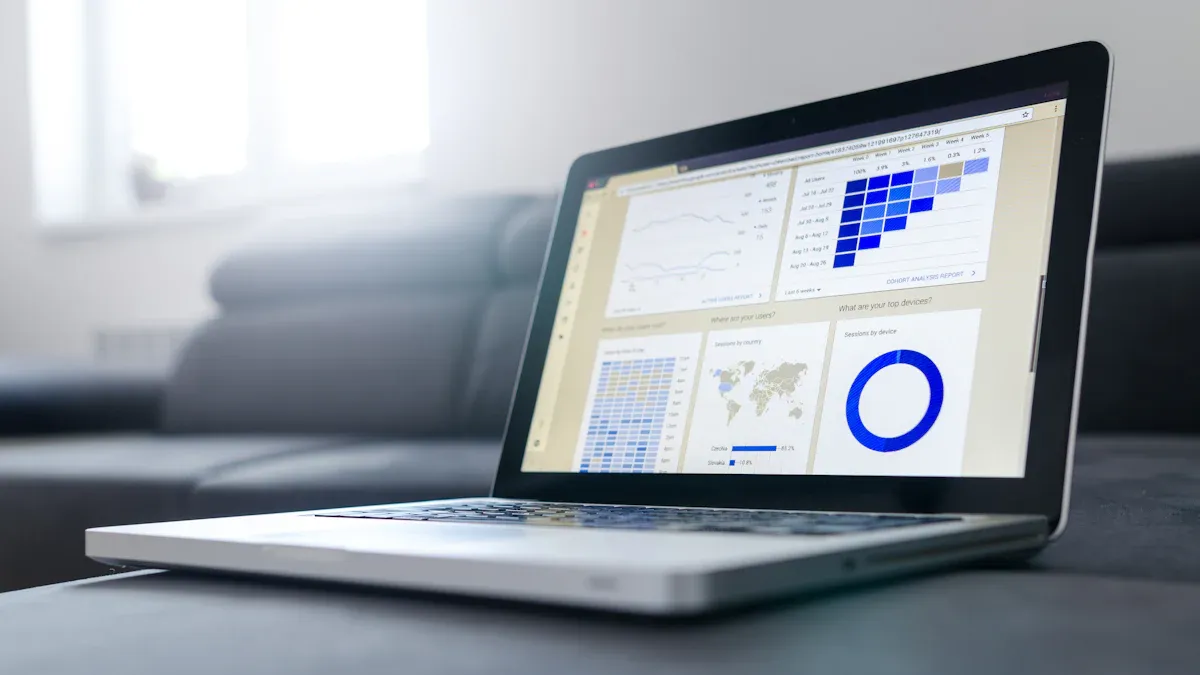
A monitoring dashboard is a visual tool that lets you track, analyze, and display key performance indicators and metrics in real time. You use a monitoring dashboard to gain immediate visibility into critical data, helping you spot trends and address issues quickly. Today, 78% of companies offer dashboards for real-time decision-making. This approach improves how you respond to challenges and streamlines operations. FineBIstands out as a leading solution, making monitoring accessible and effective for organizations of all sizes.
Monitoring Dashboard Basics
What Is a Monitoring Dashboard
A monitoring dashboard is a visual interface that displays real-time data, key metrics, and trends from multiple sources. You use a monitoring dashboard to track performance, identify issues, and make informed decisions quickly. This tool helps you manage information efficiently by presenting graphs, charts, and summaries of critical business or IT data.
You will find that a monitoring dashboard acts as a central hub for your organization’s most important information. In business, a dashboard provides a clear view of sales, revenue, and operational trends. In IT, a dashboard compiles and analyzes real-time data from servers, networks, and applications. This approach allows you to monitor system health, spot problems early, and respond before they escalate.
FineBIserves as a modern monitoring dashboard platform. You can use FineBI to connect to various data sources, visualize information, and create interactive data dashboards. FineBI supports both business and IT environments, making it a strong monitoring dashboard example for organizations seeking agility and insight.
A monitoring dashboard offers several core functions. You can:
Track key performance indicators (KPIs) in real time.
Visualize trends and patterns using charts and graphs.
Set up alerts for anomalies or threshold breaches.
Share insights across teams for better collaboration.
You can apply monitoring dashboards in many scenarios. The table below highlights common use cases across industries:
Industry
Use Case Description
IT and Network
Monitoring server health, uptime, and load tracking
Business Operations
Real-time updates on sales, revenue, and support performance
DevOps
Tracking CI/CD pipelines and deployment metrics
Marketing
Analyzing campaign performance and web traffic
Healthcare
Monitoring patient vitals and alerts
You can also use a monitoring dashboard template to standardize reporting and speed up deployment. FineBI provides templates and customization options, making it easier to build data dashboards that fit your needs.
FineBI stands out in the Asian market for its localization and high adoption rate. Compared to other platforms, FineBIoffers strong support for local languages and business practices, making it a preferred choice for many organizations.
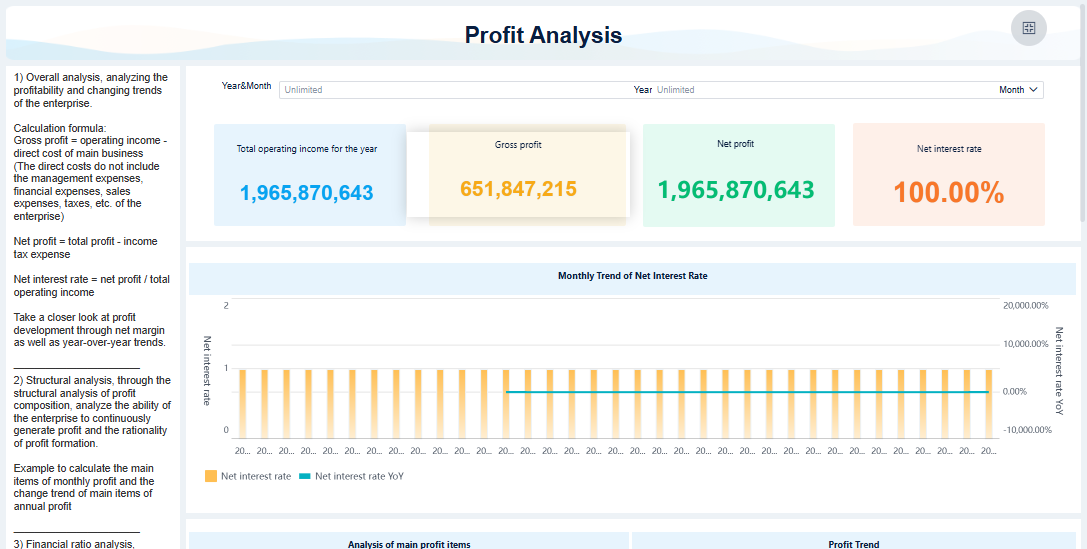
FineBI'sMulti AngleProfit Analysis Dashboard - Click To Engage
You need to make decisions quickly in today’s fast-paced business world. A monitoring dashboard gives you access to real-time information, which means you see the latest data as soon as it becomes available. This immediate visibility helps you respond to changes, spot problems, and take action before small issues become big challenges.
When you use a monitoring dashboard, you do not have to wait for manual reports or sift through spreadsheets. You see trends, anomalies, and key metrics in one place. This approach leads to better decision-making because you base your choices on facts, not guesses. Real-time data supports faster responses and helps you stay ahead of competitors.
The benefits of using a monitoring dashboard for real-time information are clear. The table below shows how organizations improve outcomes with real-time insights:
Benefit
Description
Faster Decision-Making
Enables quick decision-making, minimizing delays and allowing for timely, data-driven choices.
Increased Operational Efficiency
Provides insights into workflows and performance metrics, leading to improved efficiency and reduced costs.
Enhanced Customer Experience
Monitors interactions and personalizes services, resulting in better customer satisfaction and support.
Data-driven Culture
Promotes a culture of decision-making based on metrics rather than guesswork, fostering collaboration.
Improvement in Decision Time
Companies using real-time analytics see a 20% improvement in decision-making time (Gartner survey).
You can see that real-time information does more than speed up your work. It changes how your team collaborates and how your business operates. When you use a monitoring dashboard, you create a culture where everyone trusts the data and acts quickly.
Monitoring dashboards also improve incident response. With traditional reporting tools, you might miss critical events or react too slowly. When you use a dashboard, you receive alerts and updates instantly. For example, modern solutions like FineBIlet you set up notifications for key events. This means you can address issues as soon as they arise, reducing downtime and preventing bigger problems.
Organizations that use real-time information and analytics respond to incidents much faster than those relying on manual reports. You gain situational awareness and can mobilize your team quickly. This advantage leads to better outcomes and less risk.
Monitoring Dashboard Metrics That Drive Value
You need to track the right metrics to get the most value from your monitoring dashboard. Monitoring dashboard metrics help you measure performance, spot trends, and identify risks. FineBI makes it easy to track key performance indicators (KPIs) across your business, from sales and marketing to operations and IT.
The table below lists common KPIs you can monitor with a dashboard:
Lead generation, Conversion rates, Cost per lead, Website traffic, Social media engagement, Email marketing metrics
When you use FineBI, you can connect to many data sources and visualize these metrics in real time. You do not need to wait for IT support or build complex reports. You can set up your own dashboards, apply filters, and drill down into the details. This flexibility helps you focus on what matters most for your role.
Monitoring dashboards also improve data accuracy and efficiency. Organizations that use dashboards for KPI tracking report several benefits:
KPI dashboardsconsolidate critical business metrics into visual displays.
They enable instant decision-making.
They eliminate time-consuming data gathering.
You can see measurable improvements when you use a monitoring dashboard. Many organizations report increased efficiency and better decision-making. Some reduce the time spent on reporting by up to 89%. With clean, trusted data, you make faster and more precise decisions.
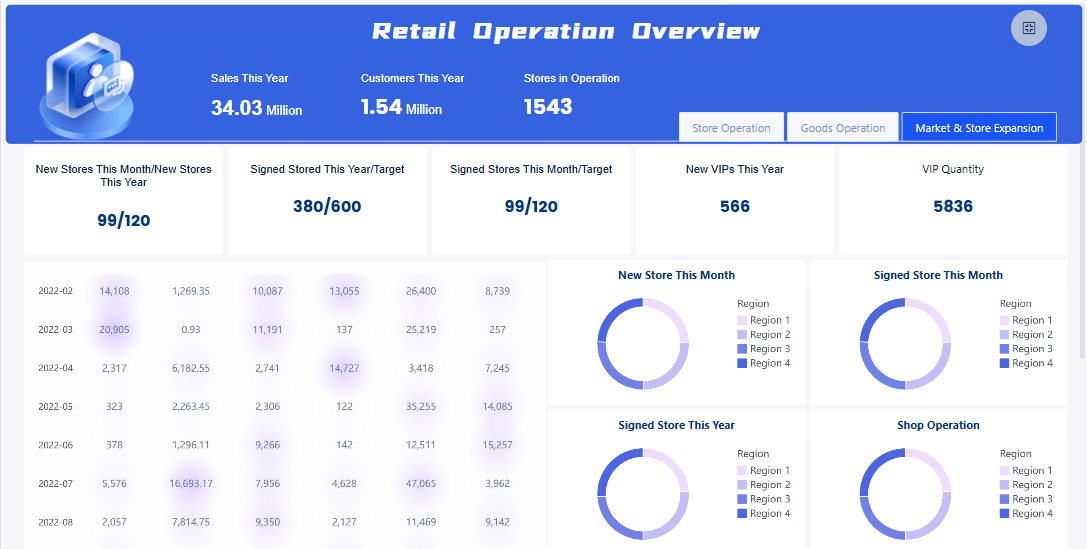
FineBI'sRetail Operation Analysis Dashboard - Click To Engage
BOE Technology Group, a global leader in IoT and semiconductor displays, faced challenges with fragmented data and inconsistent metrics. The company needed a way to unify data, standardize KPIs, and improve operational efficiency. BOE chose FineBIto build a comprehensive monitoring dashboard system.
With FineBI, BOE integrated data from multiple sources and created a unified framework for operational analysis. The company standardized over 250 metrics and built KPI dashboards for real-time performance monitoring. This transformation led to a 5% reduction in inventory costs and a 50% increase in operational efficiency. BOE’s teams now use dashboards to monitor business performance, identify risks early, and benchmark across factories.
You can achieve similar results by adopting a monitoring dashboard like FineBI. When you track the right metrics and use real-time information, you empower your team to make smarter decisions and drive business success.
Essential Features of a Monitoring Dashboard
Data Integration and Visualization
You need a dashboard that brings together data from many sources. This capability gives you complete visibility into your business or IT environment. Modern dashboards connect to databases, cloud services, and even IoT devices. They combine information from CRM, ERP, and social media platforms. The table below shows the essential data integration features you should look for:
Essential Capability
Description
Multi-source data integration
Aggregate data from CRM, ERP, social media, and IoT for a unified view.
Real-time data integration
Ensure your dashboard reflects the current state of operations for quick reactions.
Data consistency and quality
Maintain high data quality with cleansing and validation processes.
You also need strong data visualization tools. Interactive data visualizations help you understand complex information quickly. Features like real-time dashboards, customizable views, and interactive elements let you adjust your monitoring experience. These tools make it easier to spot trends and act fast.
Customization and User Experience
Customizable dashboards let you arrange information in ways that fit your needs. You can choose flexible layouts, pick from many visualization options, and create dashboards for specific teams or goals. The table below highlights popular customization options:
Customization Options
Description
Flexible layouts
Arrange dashboards to match your workflow.
Multiple visualization options
Display data in different ways for better analysis.
Custom dashboards
Build dashboards tailored to your team or use case.
A good user experience increases adoption. When you track user behavior and share dashboards, you improve performance transparency. This leads to better records, faster problem-solving, and higher customer satisfaction.
Security and Collaboration with FineBI
Security is critical for any monitoring dashboard. You need dashboards that include risk metrics, threat data, and compliance indicators. Real-time monitoring features give you visibility into vulnerabilities and compliance status. These tools help you protect your data and meet regulations.
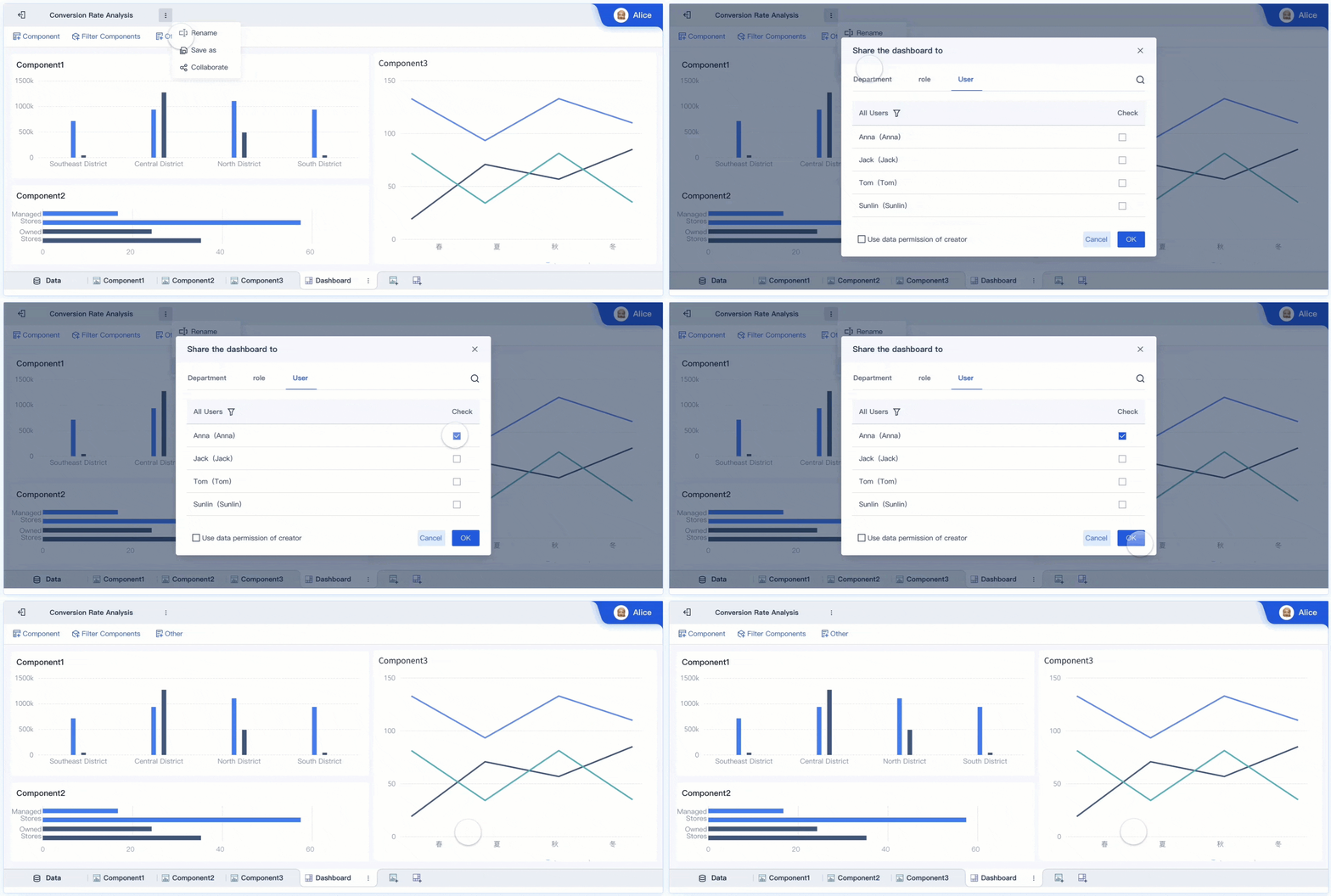
FineBIsupports secure collaboration. You can work with others on self-service datasets, share dashboards, and control who sees what. The table below shows how FineBI enables teamwork:
Feature
Description
Subject Collaboration
Collaborate on datasets, components, and dashboards with shared permissions.
Data Sharing
Publish datasets for review and controlled access.
Dashboard Sharing
Create public links or publish dashboards for easy sharing.
With FineBI, you gain real-time monitoring features, role-based access, and team collaboration. These strengths give you the visibility and control you need to make informed decisions.
When youevaluate a network monitoring dashboard, you need to focus on features that support network performance, troubleshooting, and network visibility. The right dashboard helps you monitor network health, identify issues, and streamline troubleshooting. Use the table below to compare key criteria:
Criteria
Description
Interface Customization
Adjusts to the demands and roles of users.
Performance Monitoring
Tracks network health and efficiency.
Security Measures
Identifies vulnerabilities and reduces risks.
Real-Time Monitoring Capabilities
Provides immediate information for network stability.
Ease of Use
Clear visuals and simple data analysis without technical expertise.
Scalability
Supports expanding networks and minimal system impact.
Security and Compliance Features
Ensures data protection and regulatory compliance.
Integration Capabilities
Works with other IT tools and automates processes.
You should alsocompare leading network monitoring dashboard solutionsfor scalability and reliability. For example, SolarWinds Network Performance Monitor offers deep network visibility and diagnostic tools for large organizations. ManageEngine OpsManager provides high customization and scalability but may require more maintenance. DataDog delivers predictive monitoring and strong troubleshooting. Zabbix stands out for distributed network performance and predictive analytics. Nagios XI is reliable with extensive plugin support for troubleshooting.
Digital Marketing Dashboard Selection Tips
A digital marketing dashboard should help you track marketing KPIs, simplify analytics, and support decision-making. Unlike a general monitoring dashboard, a digital marketing dashboard focuses on marketing goals and provides context for your data. The table below highlights the differences:
Feature
Effective Digital Marketing Dashboards
General Monitoring Dashboards
Purpose
Summarize marketing KPIs and metrics
Track performance metrics
Complexity
Simplify complex analytics
Visualize data sets without business context
Customization
Highly customizable and frequently updated
Less focus on customization
Visual Overview
Provide a visual overview of key metrics
Focus on data visualization without strategic insights
Decision Support
Inform decisions and demonstrate marketing value
Primarily for performance tracking
When you select a digital marketing dashboard, avoid common pitfalls. Do not overload your dashboard with too much data. Always provide context for your metrics. Use clear visualizations and set clear goals for your dashboard.
Pitfall
Description
Information Overload
Dashboards that show too much data can overwhelm users.
Lack of Context
Data without context makes it hard to understand significance.
Poor Visualization
Inappropriate charts can mislead and obscure insights.
Unclear Goals
Reporting random statistics leads to ineffective dashboards.
Implementation Best Practices with FineBI
To create a monitoring dashboard that delivers value, follow best practices during implementation. Start with continuous monitoring and feedback. This ensures your dashboard stays relevant and effective. Provide training and documentation so users can handle troubleshooting and get the most from network monitoring dashboard features. Encourage cross-department collaboration to align goals and share best practices. Use automation to streamline performance audits and troubleshooting.
Best Practice
Description
Continuous Monitoring and Feedback
Assess dashboards regularly with user input.
Training and Documentation
Offer training and clear guides for users and maintainers.
Cross-Department Collaboration
Align teams and share dashboard strategies.
Implementing Automation
Use automation for audits and troubleshooting.
FineBI supports governance and compliance during rollout. You can control access, monitor usage, and ensure your network monitoring dashboard meets regulatory standards. This approach helps you maintain security and reliability as you scale your monitoring and troubleshooting efforts.
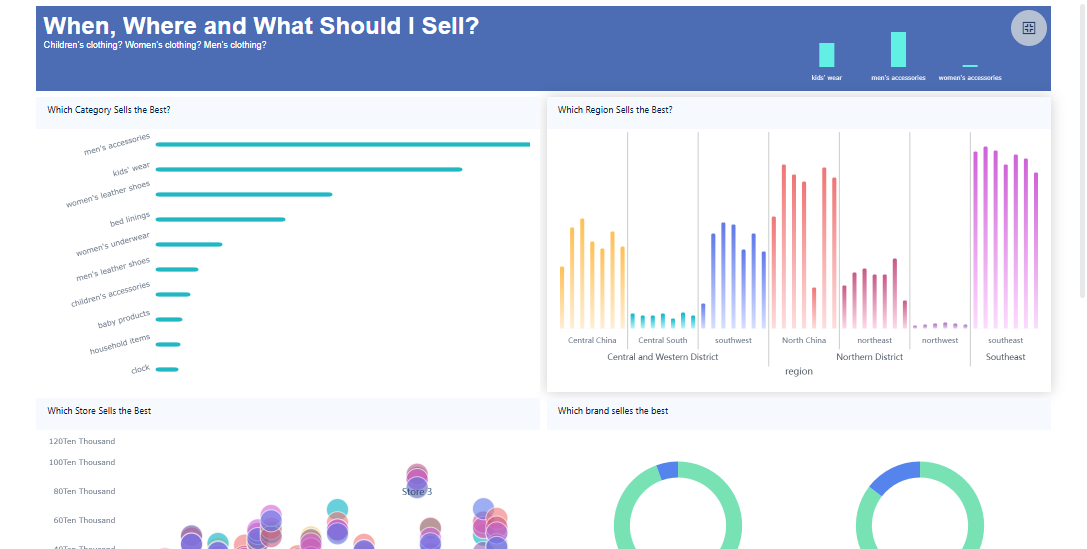
FineBI'sMultiple Built-in Charts For Visualization
A monitoring dashboard gives you a clear view of your organization’s performance. You gain continuous feedback, spot trends, and support strategic goals. You also streamline processes and coordinate across teams. FineBIempowers you to make data-driven decisions with AI-powered analysis, natural language queries, and collaboration features. Explore FineBI to enhance your monitoring and drive better outcomes.
Access a wealth of case studies, industry insights, and solution guides to accelerate digital transformation.
FAQ
What is a monitoring dashboard?
A monitoring dashboard is a visual tool that lets you track key metrics and performance indicators in real time. You use it to see important data at a glance and make quick decisions based on current information.
How does a monitoring dashboard help my business?
You gain instant access to critical data. This helps you spot trends, identify issues early, and improve your decision-making. A monitoring dashboard also saves time by replacing manual reports with automated, real-time updates.
Can I connect different data sources to a monitoring dashboard?
Yes. You can connect databases, cloud services, and spreadsheets to a monitoring dashboard. FineBI supports over 60 data connectors, so you can unify information from many systems for a complete view.
Is it possible to customize a monitoring dashboard for my team?
You can customize layouts, choose different charts, and set up dashboards for specific roles or departments. FineBI lets you build dashboards that match your team’s needs and goals.
How secure is my data in a monitoring dashboard like FineBI?
FineBI uses role-based access control and data masking to protect sensitive information. You decide who can view or edit dashboards, ensuring your data stays secure and compliant.