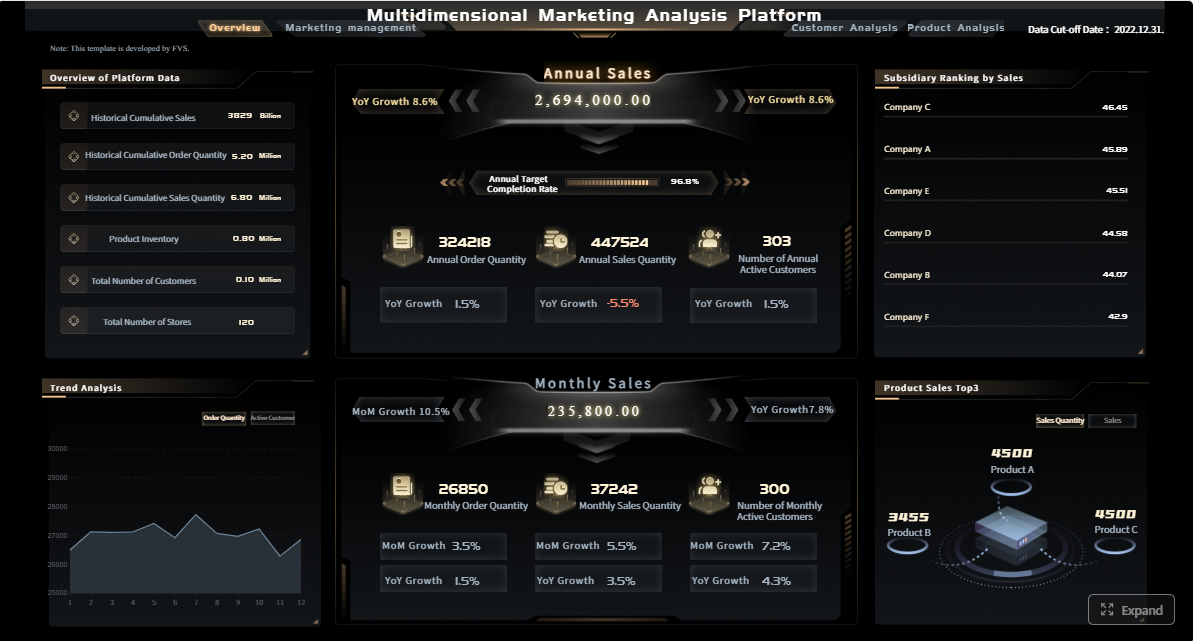
A reputation management dashboard gives enterprise teams one place to monitor reviews, mentions, sentiment, response activity, and broader brand health signals across digital channels. For marketing leaders, CX managers, support directors, and regional operators, that matters because brand perception now shifts daily, often faster than teams can react manually.
If your organization is still checking review sites one by one, exporting reports from separate tools, or relying on ad hoc alerts from local teams, you are already behind. Negative sentiment can spread before leadership sees it. High-performing locations can go unnoticed. Recurring service issues may stay buried in unstructured feedback. A centralized dashboard turns that chaos into operational visibility.
Click To Try The Dashboard
What a reputation management dashboard is and why it matters
A reputation management dashboard is a centralized reporting and action layer that consolidates signals from reviews, social media, forums, news, search visibility, customer surveys, local listings, and direct feedback channels. Instead of treating each channel as a separate workflow, the dashboard creates a unified view of how customers and the market perceive your brand.
This is not just a marketing report. In mature organizations, the dashboard supports coordinated decision-making across:
Marketing teams tracking brand perception and campaign impact
Customer experience teams identifying friction points and praise themes
Support teams managing response workflows and service recovery
Operations leaders comparing locations, regions, or business units
Executives monitoring risk exposure and brand health trends
The business value is simple: teams move from reactive monitoring to proactive management. Rather than finding out about reputation damage after a monthly report, they can detect issues in near real time, assign ownership, and respond with speed and consistency.
Reputation dashboard vs reporting tool vs platform
Many buyers confuse three categories.
Simple reporting tool: Primarily visualizes historical data. Useful for trend reporting, but often limited in workflow, alerts, and action management.
Online reputation dashboards: Focus on aggregating reviews, mentions, sentiment, ratings, and response activity into a centralized monitoring interface.
Reputation management platform: Goes further by combining monitoring, analytics, alerting, response workflows, approvals, benchmarking, governance, and often AI-assisted recommendations.
For enterprise use, the dashboard is the operational center. The platform is the broader system behind it.
Core components every dashboard should include
A reputation management dashboard is only as strong as the data, insight model, and action workflows behind it. If any of those are weak, leaders will see reports but still struggle to improve outcomes.
Data sources and monitoring coverage
The first requirement is broad and reliable data ingestion. A dashboard should capture signals from all channels that shape brand perception, including:
Review sites
Search results
Social media platforms
Community forums
News coverage
Local listings
Customer surveys
Contact center or support feedback
In-app or post-purchase customer feedback channels
This matters because reputation is not formed in one place. A drop in ratings on a review site may start with a service failure first discussed on social media. Search visibility issues may weaken trust before a prospect ever reads a review. Leadership needs one connected view.
Strong monitoring coverage should also include real-time or near-real-time alerts for:
Sudden spikes in negative sentiment
Unusual review volume changes
High-visibility mentions from influential accounts or publishers
Regional or location-specific rating drops
Emerging complaint clusters tied to a product, service line, or operational issue
Without alerting, a dashboard becomes a rearview mirror. With alerting, it becomes an early warning system.
Analytics and reputation insights
Once data is centralized, the next layer is analysis. This is where a reputation management dashboard shifts from passive reporting to decision support.
At minimum, the analytics layer should include:
Sentiment tracking to measure positive, neutral, and negative perception
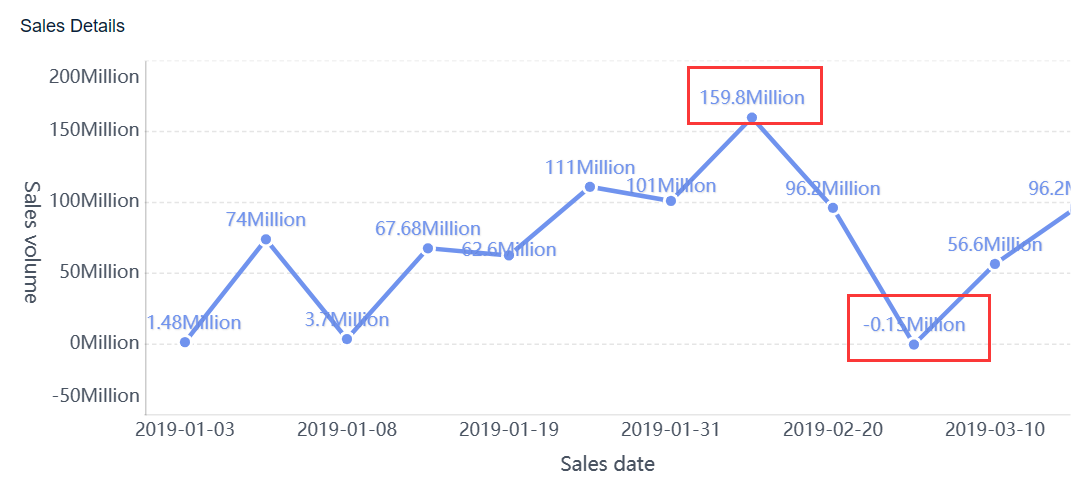
Trend analysis to identify movement over time
Share of voice to compare brand visibility against competitors
Issue clustering to group recurring complaints or praise themes
Competitor benchmarking to show where you are winning or lagging
Modern dashboards also increasingly use AI to summarize large volumes of unstructured feedback. This is especially valuable for enterprise teams managing thousands of reviews or mentions each week.
AI-powered summaries should help surface:
Root causes behind rating declines
Emerging brand risks before they escalate
Repeated operational pain points across locations
Product, service, or staff themes customers consistently praise
This saves analysts from reading every individual review while still preserving signal quality.
Workflow and response management
A dashboard without workflow is informative but incomplete. Enterprises need to operationalize the insights.
Core workflow capabilities should include:
Assigning owners to reviews, mentions, or cases
Setting priority levels based on severity or visibility
Tracking response times and response status
Using approved templates for consistent communication
Managing approval workflows for sensitive or regulated responses
For multi-location brands, healthcare organizations, financial services firms, and other regulated environments, governance features are equally important. Look for:
Audit trails that show who responded, edited, or escalated
Role-based access controls for local, regional, and corporate users
Location- or brand-level permissions to prevent data leakage or inconsistent action
Escalation paths for legal, compliance, PR, or executive review
This is what turns the dashboard into a system of accountability, not just visibility.
KPIs to track in a reputation management dashboard
Executives do not need more charts. They need the right KPIs tied to trust, responsiveness, customer loyalty, and business performance. A strong reputation management dashboard should make these metrics easy to track by brand, region, product line, and location.
Visibility and volume metrics
These KPIs show how visible your brand is and how much customer feedback is being generated.
Key Metrics (KPIs)
Review volume by source: Number of reviews received from each platform. Helps identify where customer feedback is concentrated.
Average rating: Mean star rating across sources or locations. Useful as a top-level trust indicator.
Rating distribution: Percentage of 1-star through 5-star reviews. More revealing than averages alone.
Brand mention volume: Total number of mentions across social, forums, news, and web channels. Indicates awareness and potential risk exposure.
Search visibility trend: Tracks how prominently your brand or locations appear in search-related discovery paths over time.
Location-level review count: Measures review generation by branch, region, or franchise unit. Useful for benchmarking operational consistency.
These metrics help answer basic but strategic questions: Are customers talking about us? Where? And is our visibility improving or deteriorating?
Quality and sentiment metrics
Volume alone does not explain reputation quality. That is why sentiment and issue-level analysis matter.
Key Metrics (KPIs)
Positive vs negative sentiment: Share of favorable versus unfavorable mentions and reviews.
Net sentiment trend: Directional measure of sentiment over time after balancing positive and negative signals.
Recurring complaint categories: Most frequent issue themes, such as billing, wait time, staff behavior, delivery, or product defects.
Recurring praise themes: Common positive signals, such as friendly service, product quality, or fast resolution.
Issue resolution rate: Percentage of identified complaints that were addressed and closed.
Competitor sentiment gap: Difference between your sentiment profile and competitor averages.
These KPIs help teams move beyond “how many reviews” to “what are customers actually telling us, repeatedly?”
Speed and business impact metrics
Reputation is not only about perception. It is also about response discipline and measurable business outcomes.
Key Metrics (KPIs)
Response time: Average time taken to respond to reviews or critical mentions.
Response rate: Percentage of reviews or mentions receiving a reply.
Escalation rate: Share of cases requiring legal, compliance, leadership, or advanced service intervention.
Customer retention indicators: Signals such as repeat purchase behavior, churn reduction, or account continuation in relation to reputation trends.
Conversion influence: Correlation between stronger ratings or sentiment and lead generation, bookings, foot traffic, or sales conversion.
Location-level performance: Comparative KPI rollups by store, clinic, branch, or territory.
Service recovery completion rate: Percentage of complaints that resulted in confirmed follow-up and closure.
For enterprise teams, this is where the dashboard becomes commercially meaningful. When you connect reputation signals with revenue, loyalty, and operational improvement, reputation management stops being a soft brand initiative and becomes a performance discipline.
How enterprises use reputation dashboards across teams
The most effective organizations do not use a reputation management dashboard as a standalone marketing asset. They use it as a shared operating system for brand trust, customer feedback, and risk detection.
Multi-location and franchise oversight
Multi-location organizations face a familiar challenge: headquarters wants standardized reporting, while local teams need flexibility to act on their own realities.
A well-designed reputation management dashboard solves this by allowing leaders to:
Standardize KPI definitions across regions
Compare locations, service lines, and local competitors
Identify underperforming sites quickly
Replicate successful playbooks from top-performing locations
This is especially valuable in franchise, retail, hospitality, healthcare, automotive, and field-service environments. One region may be winning on response speed but losing on issue resolution. Another may have strong ratings but declining review volume, signaling weaker customer engagement. The dashboard highlights both.
For operators, the benefit is speed. They can see where intervention is needed without waiting for static monthly reports.
Executive reporting and risk management
Senior leadership does not need channel-level noise. They need a concise view of enterprise brand health, major incidents, compliance exposure, and trend movement over time.
A reputation management dashboard supports this with executive-level summaries such as:
Overall rating and sentiment trends
Significant negative spikes by brand or geography
Major incidents and escalation status
Competitor shifts in visibility or trust
Compliance-sensitive response patterns
Top operational drivers behind reputation change
This is critical during crises. If a product issue, service failure, or public complaint begins to accelerate, leadership can see the trajectory early, mobilize the right teams, and communicate internally with clarity.
In regulated industries, this also supports better documentation and audit readiness.
Customer experience and service recovery
One of the most practical enterprise use cases is closed-loop service recovery. Negative reviews and complaints should not end as static data points. They should trigger action.
With the right dashboard, CX and support teams can:
Route complaints to the correct team or location
Prioritize cases by severity and customer impact
Track whether follow-up happened
Analyze whether the issue was resolved
Identify repeat complaints that point to a deeper operational problem
This creates a direct bridge between customer feedback and business improvement. If the same issue appears across regions, the dashboard can signal that the root cause is not local execution but product design, staffing, logistics, or policy.
That is where reputation analytics start influencing enterprise transformation, not just response management.
How to evaluate tools and choose the right platform
Many teams buy monitoring tools that look impressive in a demo but fail under enterprise complexity. The right platform should fit your data environment, governance model, workflow needs, and executive reporting expectations.
Key evaluation criteria
When comparing tools, focus on these capabilities first:
Integration depth: Can the platform connect to review sites, social sources, surveys, CRM, contact center, and internal data systems?
Data accuracy: Are mentions deduplicated correctly? Is sentiment reliable enough for decision-making?
AI capabilities: Can the tool summarize feedback, detect root causes, and surface anomalies without overwhelming analysts?
Reporting flexibility: Can different audiences get tailored dashboards without creating manual reporting overhead?
Governance controls: Are permissions, approvals, and audit logs robust enough for enterprise use?
Scalability: Can it support multiple brands, geographies, business units, or thousands of locations?
Ease of adoption: Will regional managers and frontline teams actually use it consistently?
Buyers should compare reputation management software and monitoring tools based on their actual operating model, not just feature checklists. A brand-focused corporate team may care most about sentiment and share of voice. A multi-location operator may prioritize local review response and performance benchmarking. A regulated enterprise may need compliance workflows above all else.
Questions to ask before buying
Before you shortlist vendors, ask practical questions that reflect real implementation risks.
Does the platform support review response, alerting, benchmarking, and executive dashboards in one place?
Can it scale across brands, markets, or locations without creating reporting silos?
How well does it support role-based access for local, regional, and corporate users?
Can AI summarize large feedback volumes in a way leaders can trust?
How easy is it to benchmark competitors at the location or market level?
Does the platform support both operational dashboards and strategic executive reporting?
How configurable are alerts, thresholds, and escalation workflows?
Can the system connect reputation data with retention, revenue, or conversion metrics?
What implementation support is available for enterprise rollout?
When reviewing the best online reputation management software reviews for 2026, which vendors show real strength in both analytics and workflow execution?
The right buying decision comes from matching tool capability to business outcomes, not chasing the longest feature list.
Best practices for implementation and ongoing optimization
A reputation management dashboard creates value only when governance, metrics, and workflows are defined clearly from day one. As a consultant’s rule, successful rollouts follow a disciplined operating model rather than a “launch and hope” approach.
1. Define ownership before you build the dashboard
Start by assigning clear accountability across teams.
Who owns reputation strategy at the enterprise level?
Who responds to reviews at the local level?
Who approves responses in regulated or sensitive cases?
Who monitors alerts after hours or during incidents?
If ownership is vague, dashboards become passive reports. If ownership is clear, dashboards drive action.
2. Establish baseline metrics and alert thresholds
Before optimization begins, document your starting point for:
Average rating
Review volume
Response time
Response rate
Net sentiment
Escalation volume
Top complaint categories
Then set thresholds tied to business risk. For example, a sudden rating drop in a key market or a surge in complaints about one service line should trigger immediate review. This prevents teams from treating all alerts as equally urgent.
3. Build role-specific dashboards for different audiences
Do not force one dashboard on every stakeholder. Different users need different views.
Frontline teams: Open reviews, pending replies, SLA timers, complaint categories
Executives: Brand health summaries, major incidents, risk exposure, business impact trends
This improves adoption and keeps each team focused on decisions they can actually influence.
4. Review KPIs regularly and tune workflows
Enterprise reputation management is not static. Channels change. Customer expectations shift. New risks emerge.
Schedule regular KPI reviews to answer:
Which metrics are improving?
Which complaint themes are increasing?
Are response SLAs realistic?
Are escalations happening too late?
Which regions or locations need coaching?
Use the dashboard as a management system, not just a scorecard.
5. Turn insights into operational improvement
The highest-performing organizations use the reputation management dashboard as a feedback engine for broader improvement. If reviews repeatedly flag slow onboarding, inventory problems, billing confusion, or poor handoffs, route those insights to operations, product, training, and service design teams.
This is the real payoff: stronger brand trust because the business is actually improving, not just replying faster.
From manual reporting to scalable execution with FineBI
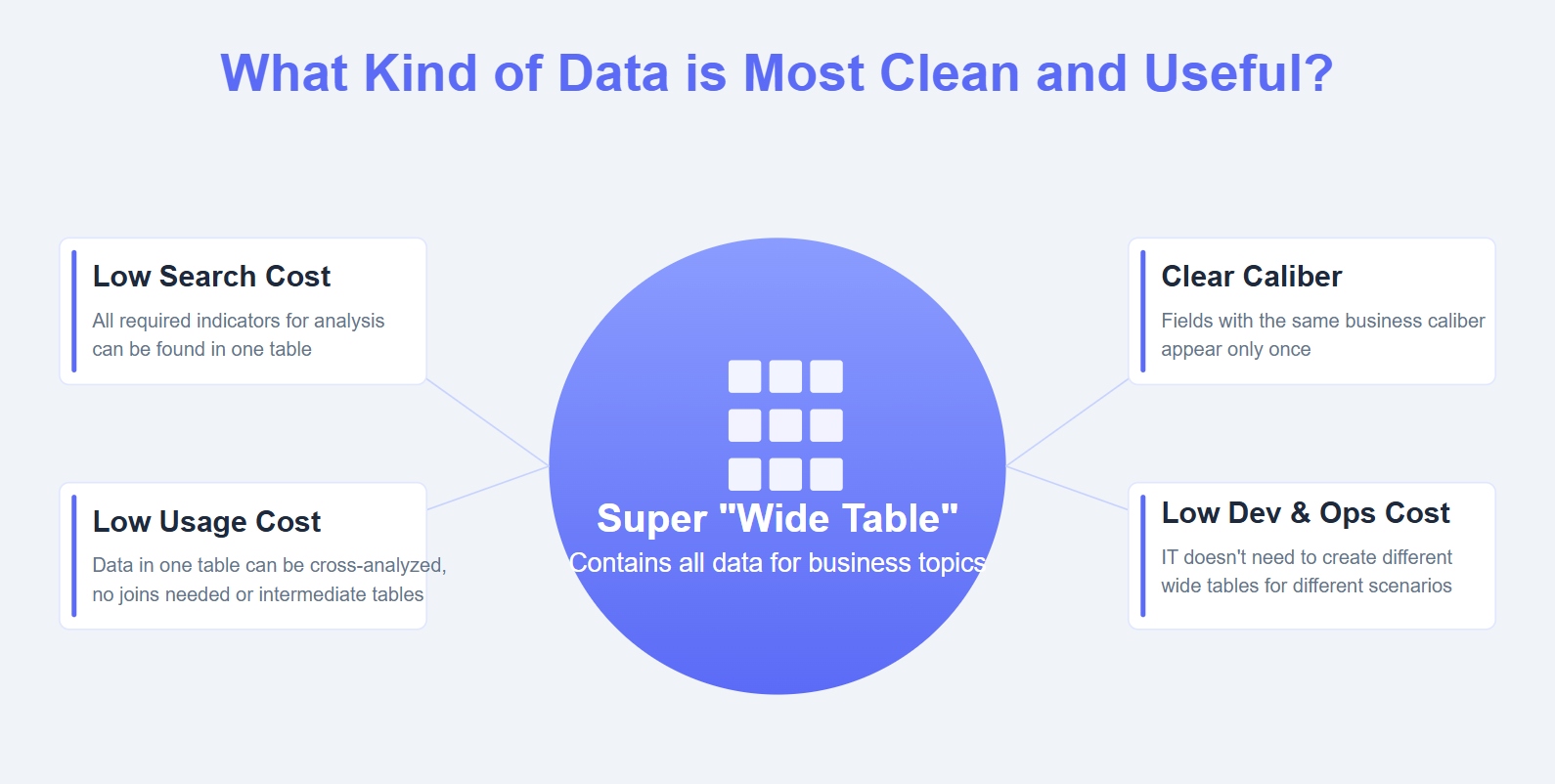
Building this manually is complex. Most enterprises end up stitching together review exports, social listening feeds, survey data, spreadsheets, and BI reports, then asking analysts to maintain dashboards that quickly become outdated. That approach is expensive, slow, and difficult to govern at scale.
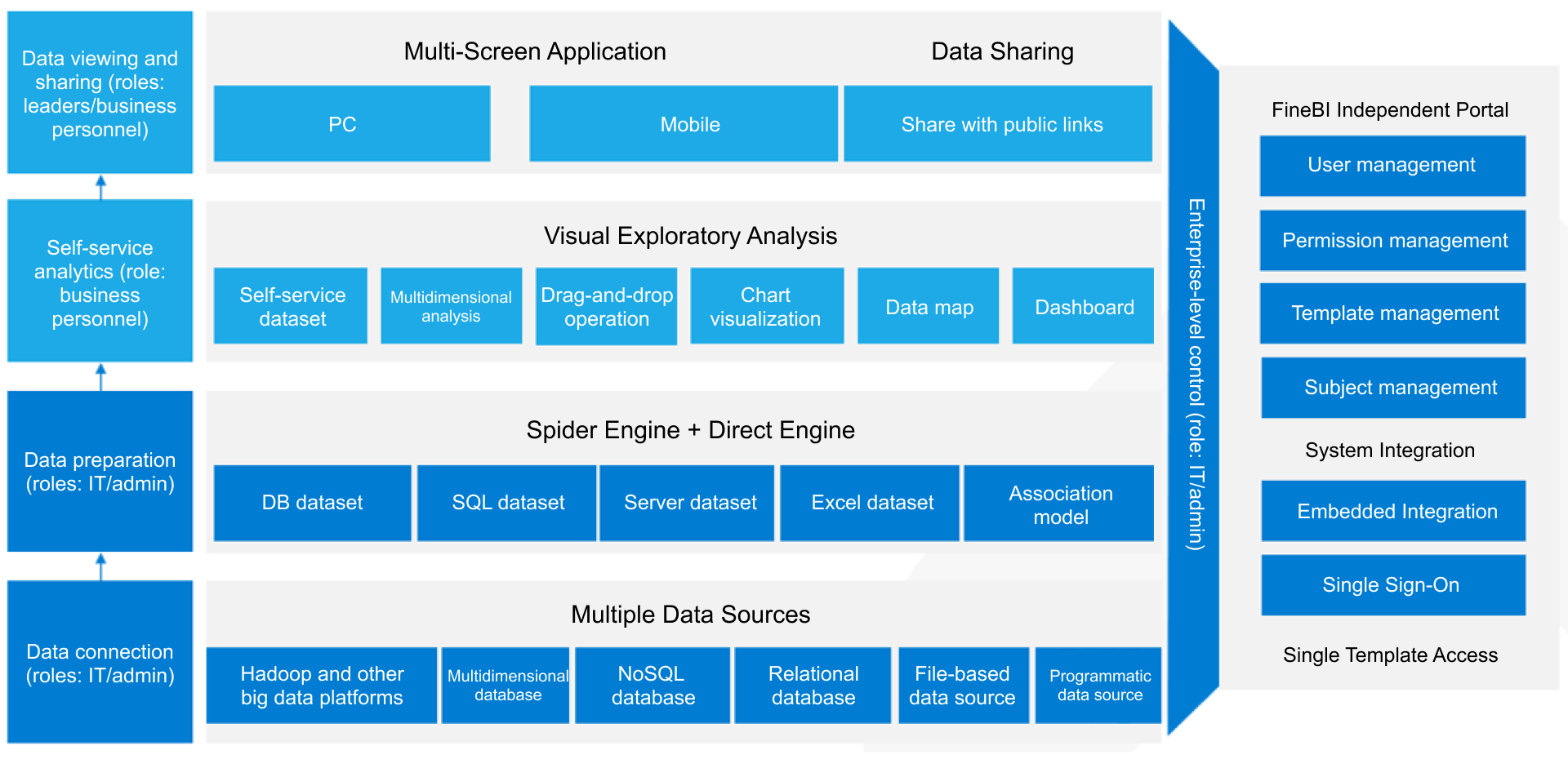
This is where FineBI becomes the practical solution.
With FineBI, enterprises can use ready-made templates and automate this entire workflow, turning fragmented reputation data into role-based, decision-ready dashboards. Instead of manually consolidating metrics across tools and business units, teams can centralize data, standardize KPI logic, and deliver the right views to frontline managers, regional leaders, and executives.
Unified dashboards across brands, regions, and locations
Flexible KPI modeling for ratings, sentiment, response performance, and business impact
Automated reporting workflows that reduce analyst dependency
Role-based access and governance for enterprise control
Visual drill-downs that make issue identification faster
Reusable templates that accelerate deployment and adoption
For organizations serious about reputation, the goal is not just to visualize customer feedback. It is to operationalize it across the business. FineBI gives enterprise teams a faster path to that outcome without forcing them to build everything from scratch.
If your current process still relies on scattered tools and manual reporting, a scalable reputation management dashboard built with FineBI can help your teams detect risks earlier, respond faster, and connect reputation directly to revenue, loyalty, and continuous operational improvement.
FAQs
A reputation management dashboard brings reviews, mentions, sentiment, ratings, and response activity into one place so teams can monitor brand perception and act faster. It helps enterprises move from scattered tracking to coordinated decision-making.
Key metrics usually include review volume, average rating, sentiment trend, response rate, response time, share of voice, and issue trends by location or business unit. The right mix depends on whether your priority is customer experience, brand risk, or operational improvement.
A reporting tool mainly shows historical data, while a reputation management dashboard is built for ongoing monitoring and operational visibility. Many dashboards also support alerts, ownership, and response workflows so teams can take action quickly.
Alerts help teams catch sudden rating drops, negative sentiment spikes, or high-visibility mentions before they become larger problems. Without alerts, leaders may only see issues after damage has already spread.
Marketing, customer experience, support, operations, and executive teams all use it for different goals. It gives each group a shared view of brand health while supporting location, regional, and enterprise-level decisions.
Product Trial
FineReport
Pixel-perfect reports · Interactive dashboards · Easy data entry · Digital twins