You want the best marketing reporting tool because your clients expect fast, accurate insights. When you use marketing analytics and automate reporting, you save time and boost results for clients. Many marketing agencies struggle with fragmented data and performance tracking. An all-in-one platform like FineReport from FanRuan helps unify data and marketing performance reporting, giving you clear insights and real-time data for every client.
More than half of professionals use eight or more marketing tools for clients.
40% manage ten or more tools, which reduces efficiency.
77.8% plan to invest in automation for better marketing results.
Marketing agencies need strong data integration for better insights and performance tracking. With FineReport, you get an all-in-one platform that streamlines marketing tasks and delivers the data your clients need.
Top 10 Marketing Reporting Tools for Agencies
Best Marketing Reporting Tool Overview
Choosing the best marketing reporting tool for your agency can feel overwhelming. You want a solution that helps you deliver fast, accurate reports to your clients. You also need a platform that brings together all your marketing data, so you can create clear insights and drive better results. Many marketing agencies use several reporting tools, but the right one can save you time and make your analytics more powerful.
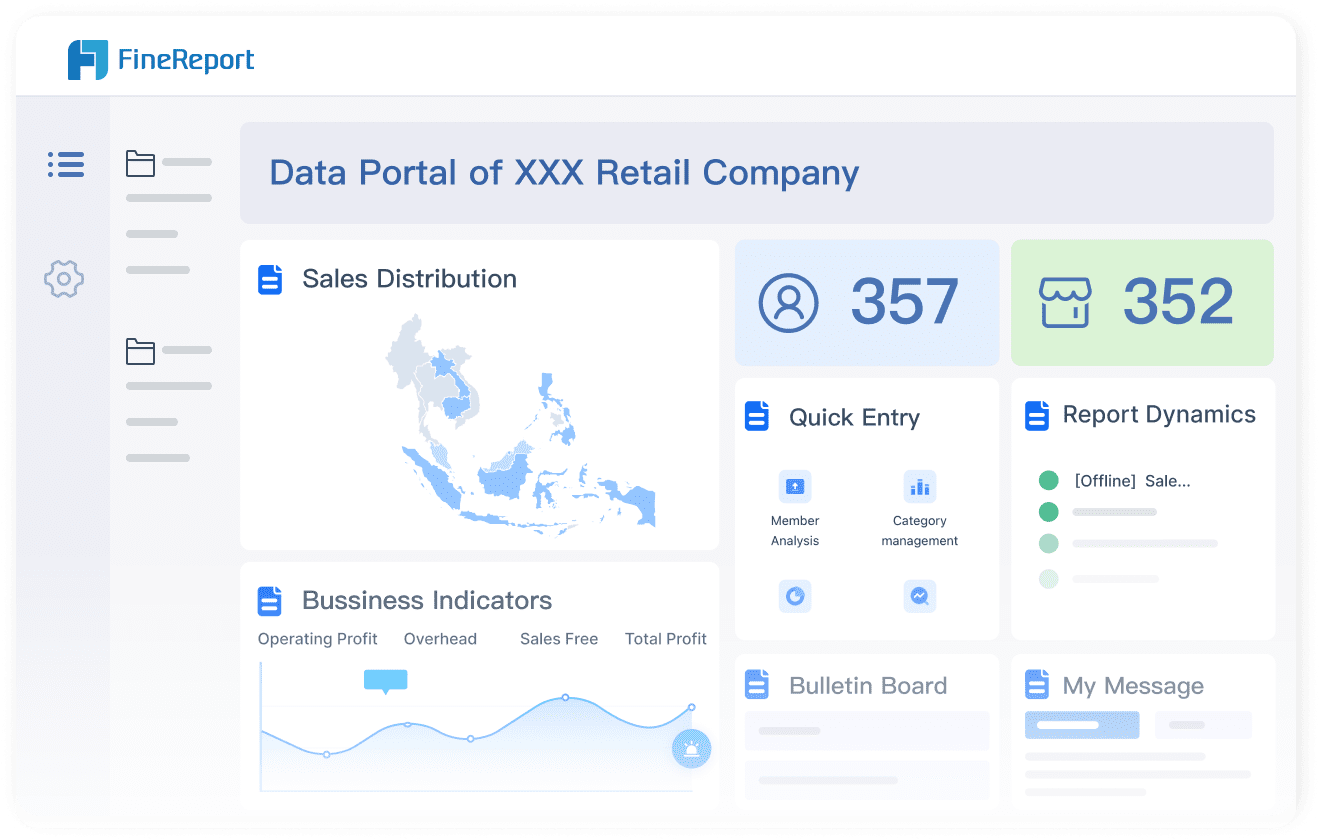
FineReport by FanRuan – You get enterprise-level reporting and dashboards. FineReport brings together data from multiple sources, automates reporting, and delivers pixel-perfect reports for your clients.
Two Minute Reports (TMR) – You get quick dashboards in Google Sheets and Looker Studio. TMR is built for marketers who want speed and simplicity.
Cyfe – This tool gives you simple, budget-friendly dashboards. You can track marketing performance without breaking the bank.
Klipfolio – You can build mature dashboards with strong data modeling. Klipfolio offers white-label options, so you can brand reports for your clients.
Looker Studio – You get free, flexible dashboards. Looker Studio has a huge community and makes sharing reports easy.
Geckoboard – You can set up TV dashboards for team visibility. Geckoboard is quick to deploy for marketing and operations.
AgencyAnalytics – You get all-in-one reporting with deep integrations. AgencyAnalytics connects to Google Ads, Meta Ads, and more.
Supermetrics – You can pull data from dozens of marketing platforms. Supermetrics makes reporting and analytics simple for agencies.
ReportsMate – You get wide integration options. ReportsMate connects to Google Ads, Meta Ads, LinkedIn, TikTok, and email platforms.
DashThis – You can create automated marketing dashboards. DashThis helps you track campaign performance and share insights with clients.
Tip: If you want to impress your clients, choose a reporting tool that lets you automate reports and customize dashboards. This saves you time and helps you deliver better marketing insights.
Key Features and Integrations
When you compare agency reporting tools, you should look at the features that matter most for your clients and your team. Agencies often evaluate reporting tools based on five main criteria:
Criteria
Description
Integration capabilities
Connect with platforms like Google Ads, Meta Ads, CRMs, and more.
Automated reporting
Schedule and deliver reports automatically to save time and ensure consistency.
Scalability
Support growth in client accounts without high costs.
White-labeling options
Brand reports and dashboards with your agency’s logo and colors.
Ease of use
Simple design so you can create and share reports without lots of training.
You want a tool that connects to all your marketing platforms. Some reporting tools stand out for their integration range. For example, ReportsMate, AgencyAnalytics, and Supermetrics all connect to Google Ads, Meta Ads, GA4, LinkedIn, TikTok, and email platforms. This means you can pull data from every channel your clients use and create unified reports.
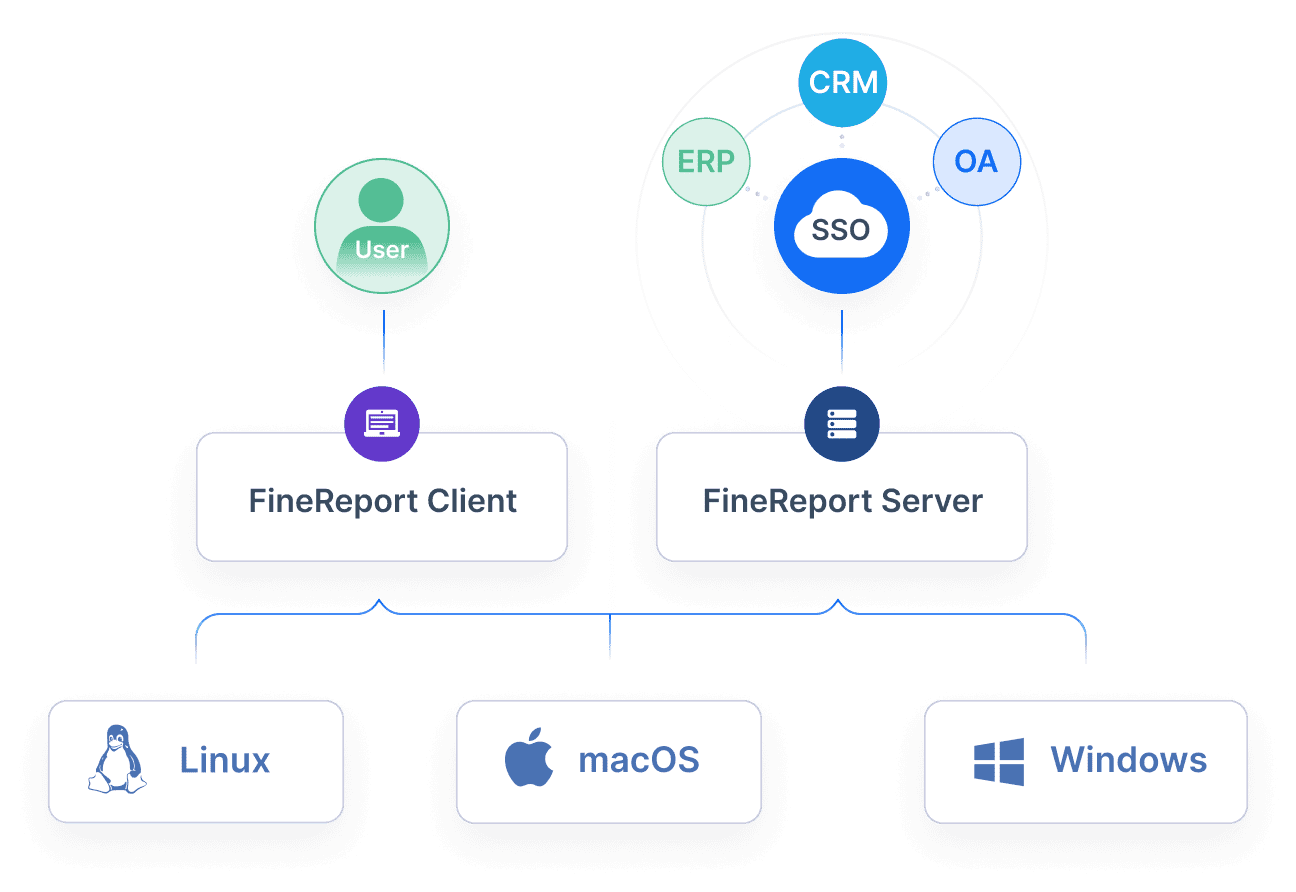
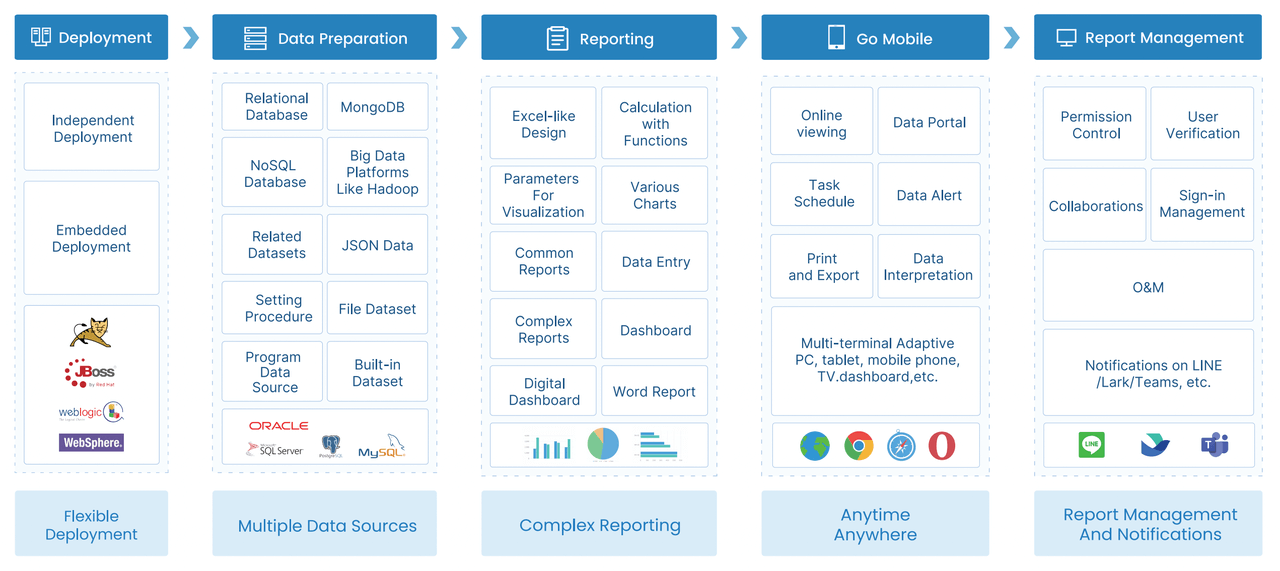
FineReport by FanRuan also excels in integration. You can connect to over 500 data sources, including mainstream databases, spreadsheets, and cloud platforms. FineReport lets you automate reporting, schedule delivery, and customize dashboards for each client. You can access reports on mobile devices, so you always have insights at your fingertips.
Note: The best marketing reporting tool for your agency is the one that fits your workflow, supports your clients’ needs, and grows with your business. Look for tools that offer strong analytics, flexible reporting, and seamless data integration.
You can use these reporting tools to track marketing campaigns, analyze performance, and share insights with clients. Automated reporting helps you deliver consistent results. Integration capabilities let you bring together all your marketing data. Custom dashboards make it easy to present insights in a way that clients understand.
If you want to boost your agency’s results, choose a reporting tool that combines automation, integration, and customization. This helps you deliver better reports, save time, and keep your clients happy.
Essential Features of Agency Reporting Tools
Automation and Customization
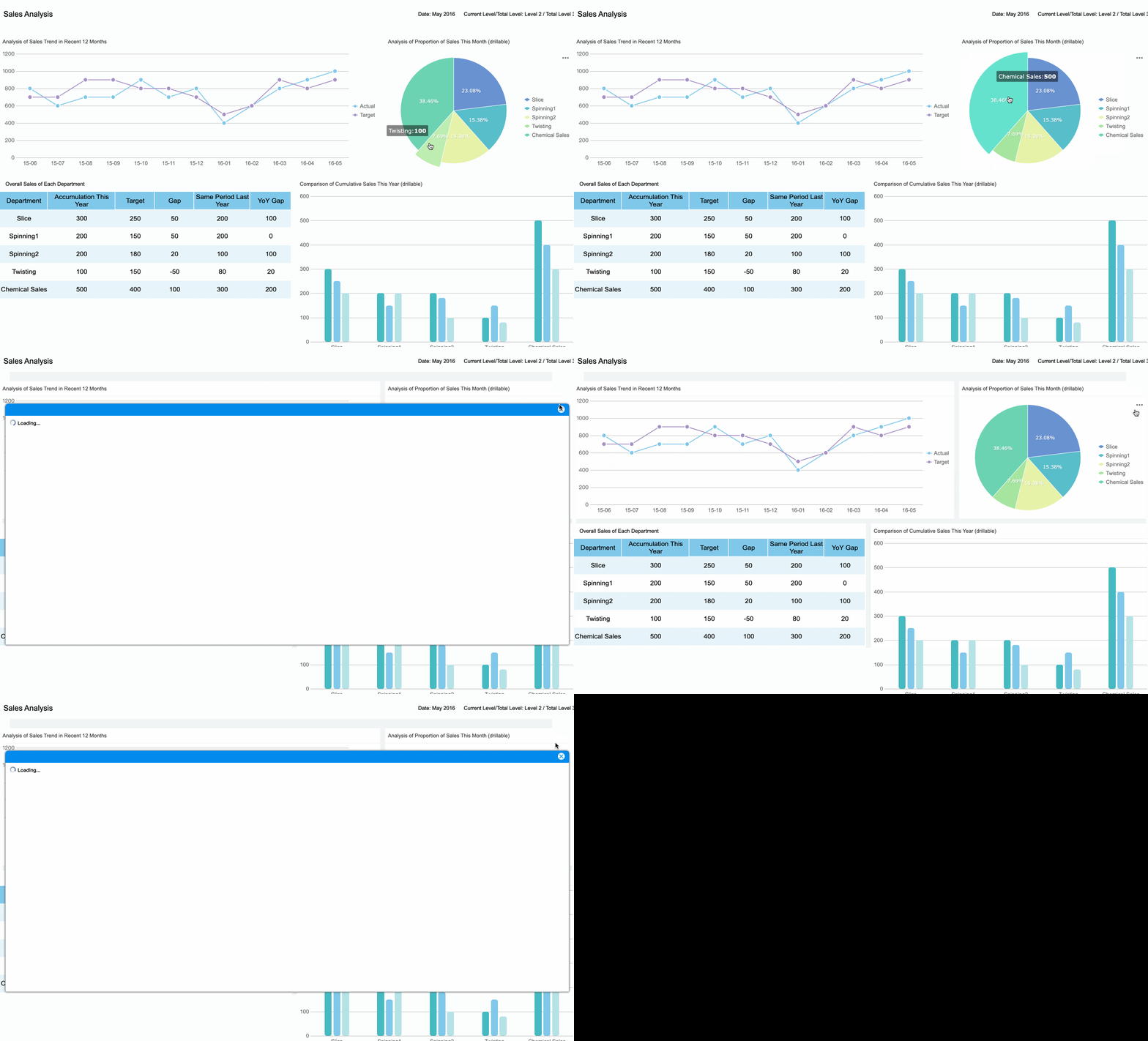
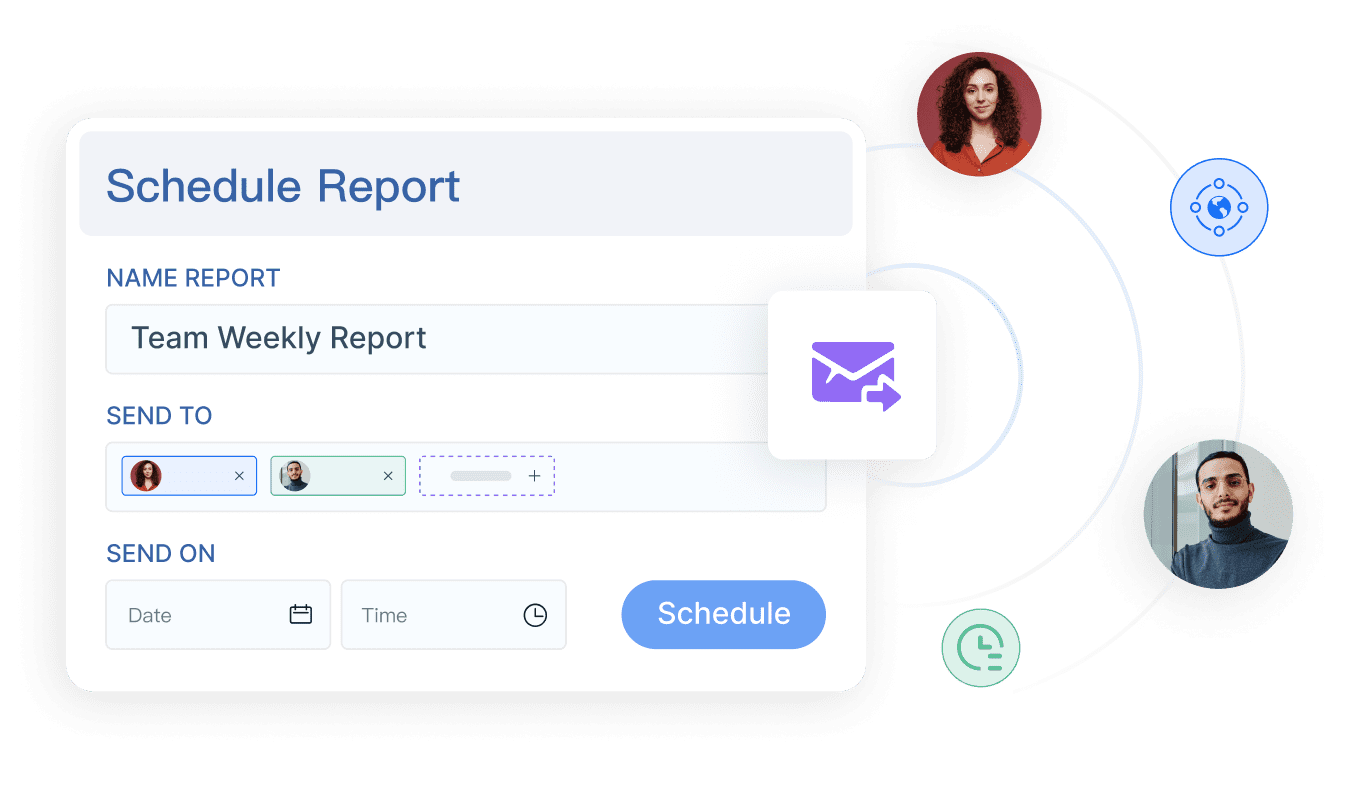
You want agency reporting tools that make your life easier. Automation saves you hours every week. Customizable dashboards let you show clients exactly what matters to them. With FineReport, you can automate report refreshes and schedule delivery for any time zone. You get drag-and-drop editors, so you build live dashboards without coding. You can blend marketing metrics from different platforms and create custom calculations for each client. Take a look at the features agencies value most:
Feature
Description
Custom calculations
Blend cross-platform metrics for tailored reporting.
Automated refresh
Keeps dashboards current without manual intervention.
Template customization
Customize report formats and white-label for clients.
Drag-and-drop editors
Build dashboards quickly and easily.
Custom scheduling
Deliver reports at the right time for each client.
White-labeling
Brand dashboards with your agency’s logo and colors.
Automated reporting means you never miss a deadline. You can focus on marketing strategy and analytics instead of manual tasks.
Data Integration and Accuracy
You know how messy data can get. Agency reporting tools need strong integration to pull data from every marketing platform. FineReport connects to over 500 sources, so you unify marketing, sales, and operational data in one place. You get real-time data and live dashboards that always show the latest numbers. Consistent naming rules keep your reports accurate for all clients. Here’s how top tools handle integration and accuracy:
Centralized data pipelines for unified management.
You avoid manual entry errors and misaligned systems. Your dashboards stay reliable, and your clients trust your insights.
Collaboration and Mobile Access
You want to work with your team and share insights with clients anywhere. FineReport gives you customizable dashboards that work on any device. You access live dashboards and analytics from your phone or tablet. Collaboration features let you manage permissions and share reports securely. Your clients get real-time updates and can view dashboards on the go. Mobile access means you respond faster and keep everyone informed.
Tip: If you want to impress clients, use agency reporting tools that automate workflows, integrate all your marketing data, and deliver real-time dashboards on any device.
Comparing Best Marketing Reporting Tools
Agency Reporting Tools: Pros and Cons
You want to pick the best marketing reporting tool for your agency, but each option has its strengths. Some tools focus on easy dashboards, while others offer deep analytics or strong integration. Here’s a quick look at how popular agency reporting tools compare:
Tool
Rating
Pros
Cons
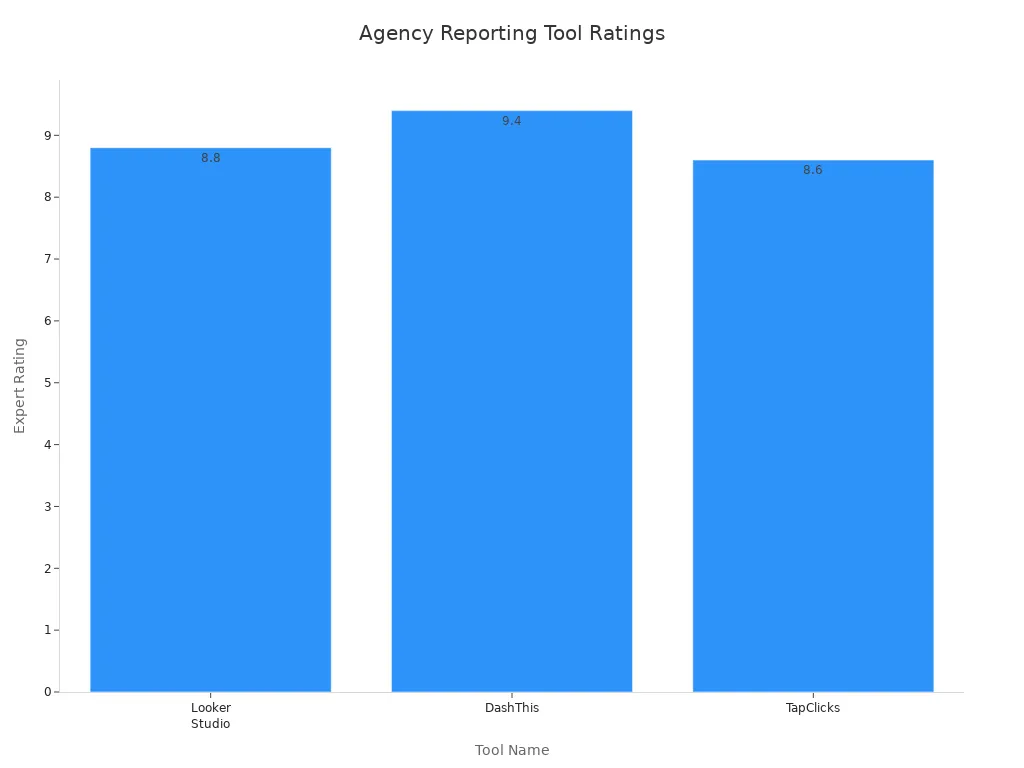
Looker Studio
8.8
Strong Google Integrations, KPI Snapshot, Data Aggregator
N/A
DashThis
9.4
User-Friendly, Easy to Navigate, Custom Designed Reports
N/A
TapClicks
8.6
Lots of Extras, Data Aggregator, KPI Snapshot
N/A
ReportGarden
N/A
Plenty of White Label Features
N/A
Whatagraph
N/A
Good for Agencies with 40+ Data Sources
N/A
Reportz
N/A
Useful for Freelancers & Small-Scale Agencies
N/A
DashClicks
N/A
Reporting + Marketing Fulfillment Software
N/A
You see that DashThis and Looker Studio score high for user experience and integration. Whatagraph stands out if you handle many data sources. Each tool helps you create reports and dashboards for your clients, but the right fit depends on your agency’s needs.
Pricing and Scalability
You want reporting tools that grow with your agency. Some tools charge per client or dashboard, while others offer unlimited reports for a flat fee. Always check for hidden costs, like extra fees for more data sources or users. Agencies often look for:
Easy-to-understand pricing
Scalability for more clients and bigger data sets
No surprise charges as you add new marketing channels
When you compare options, think about how each tool handles real-time data, automation, and integration. Agencies get the best return on investment when they choose reporting tools that fit their workflow and support long-term growth.
FineReport by FanRuan: Product Highlights
FineReport stands out as a top choice for agencies that want powerful reporting and dashboards. You get:
A user-friendly design that makes report creation simple, even if you’re not a tech expert
Drag-and-drop dashboards and reports for fast setup
Enterprise-grade features for complex marketing analytics and data management
Real-time data integration from over 500 sources, including marketing platforms and databases
Permission controls to keep client data secure
Advanced reporting with pixel-perfect layouts and live dashboards
FineReport helps you automate reporting, track marketing performance, and deliver insights to your clients on any device. You can scale up as your agency grows, making it a smart choice for both small teams and large organizations.
Tip: When you choose agency reporting tools, look for strong integration, automation, and real-time dashboards. These features help you deliver better reports and keep your clients happy.
Choosing the Right Client Reporting Tools
Assessing Agency Needs
You want agency reporting tools that fit your agency’s size, client base, and reporting needs. Start by looking at what matters most for your team and clients. Use this table to help you decide:
Criteria
Description
Functional scope
The tool must cover all user requirements and specific problems to ensure wide adoption.
Performance
It should manage large data volumes efficiently, with fluid and automated data processing.
Scalability
The solution must adapt as the organization grows, allowing for new functions without performance loss.
Safety
Security protocols are crucial, especially for sensitive data, to prevent data loss and ensure confidentiality.
Ease of use
The tool should be user-friendly, enabling users without technical skills to analyze data independently.
Customization
The ability to tailor the tool to specific needs is important for effective reporting.
Speed of deployment
Quick implementation is essential to meet immediate reporting needs.
Importance of training
Adequate training ensures users can effectively utilize the tool, maximizing its benefits.
You need reporting tools that handle large data sets and automate reporting. FineReport gives you flexibility, so you can scale up as your agency grows. You get quick deployment and strong security for client reports.
Matching Features to Client Requirements
Every client wants something different from their client reports. You need client reporting tools that let you customize dashboards, metrics, and visualizations. Check out these features:
Feature
Description
Configurability
Easy configurability to add to or delete metrics from the standard Dashboard.
Customizable Metrics
Calculate and display 70+ KPIs as recommended by SHRM and ISO.
Tracking KPIs
Ability to track and report on various key performance indicators (KPIs).
Customizable Data Visualization
Customizable data visualization to meet specific client reporting needs.
Notification Alerts
Notification alerts and reminders to keep clients informed.
User-Controlled Access
User-controlled privileged access to elements of the Dashboard for tailored client experiences.
FineReport lets you create professional client reports with custom dashboards and metrics. You can set up notification alerts and control who sees what. This helps you deliver client reports that match each client’s marketing goals.
Support and Training Resources
You want client reporting software that comes with strong support and training. Agencies need help when setting up new reporting tools or learning new features. Here’s what top providers offer:
Support Type
Description
Training Resources
A lot of training resources to help you get up to speed quickly.
24/7 Support
Always have a helping hand whenever you need it.
FineReport offers training resources and support, so you never feel stuck. You get help with integration, setup, and ongoing reporting. This means you spend less time troubleshooting and more time delivering great client reports.
Tip: Choose client reporting tools that grow with your agency, match your clients’ needs, and offer strong support. FineReport gives you the flexibility and resources to deliver top-notch marketing reports every time.
PPC Reporting Tools for Agencies
Key Integrations for PPC Data
You want to make your PPC campaign reporting easy and accurate. That’s where ppc reporting tools come in. These tools help you pull data from Google Ads, Meta Ads, and other platforms. You get all your numbers in one place. Popular ppc reporting tools include Looker Studio, Supermetrics, AgencyAnalytics, DashThis, Swydo, Opteo, Funnel, and TapClicks. These tools connect with Google Ads and Meta Ads, so you can track every click and conversion.
Check out this table showing key integrations for ppc reporting tools:
Tool
Integrations
Databox
Google Ads, LinkedIn Ads, HubSpot, Salesforce, and other major data sources
ReportGarden
Google Ads, Facebook Ads, Twitter Ads, and other PPC platforms
TapClicks
Connects to over 250 marketing platforms
Supermetrics
Pulling from 150+ platforms
NinjaCat
Connects phone leads directly to PPC reporting
FineReport stands out because it connects to over 500 data sources. You can link Google Ads, Meta Ads, Bing Ads, and more. You get real-time data and can build dashboards for every client.
You want to save time and keep clients happy. ppc reporting tools let you automate reporting, schedule recurring reports, and use dashboards that show results from every PPC platform. You can integrate PPC data from Google Ads, Microsoft Advertising, and Bing Ads into one dashboard. Cross-channel reporting gets easier. You see all your campaigns in one view.
Here’s how you can streamline campaign reporting with ppc reporting tools:
Automate PPC reporting to save time and resources.
Schedule recurring reports to keep clients updated.
Use intuitive dashboards to simplify reporting across multiple PPC platforms.
Consolidate data from over 80 sources for a complete view of performance.
Enable cross-channel reporting for all your PPC campaigns.
FineReport makes it simple to manage PPC data. You can automate workflows, customize dashboards, and deliver insights fast. With agency reporting tools like FineReport, you stay ahead and give clients the results they want.
Implementation Tips for Marketing Reporting Tools
Onboarding and Team Training
You want your team to get comfortable with new reporting tools fast. Start by centralizing training materials so everyone learns the same way. Track who completes training and encourage hands-on practice with dashboards and reports. Keep materials updated as your agency grows. Empower your team to find answers on their own, which builds confidence. Here’s a quick look at best practices:
Best Practice
Description
Accuracy
Keep processes up-to-date for smooth operation.
Efficiency
Give new hires quick access to information.
Consistency
Use centralized training for uniform results.
Compliance
Update info regularly to meet regulations.
Training
Track who has learned new materials.
Empowerment
Let team members self-serve information.
Business Growth
Refresh training as roles and strategies change.
Automating Workflows
You can save hours every week by automating reporting workflows. Set up scheduled data pulls so reports update in real-time. Use templates for dashboards and automate recurring tasks like client communication. This reduces manual errors and keeps your reports consistent. For example, agencies using FineReport automate client reports and billing cycles, freeing up time for strategy. Here’s how automation helps:
You want your reporting tools to show real business impact. Focus on dashboards that highlight revenue attribution and customer acquisition. Use transparent methods so clients trust your reports. Agencies that measure ROI often get bigger budgets. FineReport helps you track which channels drive growth and lets you benchmark results. Real-world success stories show how organizations like ADPIC and Yieh Phui Enterprise use reporting and dashboards to unlock business value. Here are some strategies:
Use reporting tools that integrate with your marketing platforms.
Create reusable templates for reports.
Schedule regular updates for real-time insights.
Benchmark data for context.
Highlight ROI to secure future budgets.
Tell a story with your reports.
Provide actionable insights for clients.
Keep dashboards consistent and easy to read.
Ask for feedback and improve your reporting.
Tip: When you implement new reporting tools, focus on onboarding, automation, and ROI. This helps your agency deliver better reports and dashboards, impress clients, and grow your business.
When you use the best marketing reporting tool, you get near-instant analysis, time savings, and improved client retention. Marketing agencies see steady growth with data-driven client reporting tools. Loyal clients boost profits. Check out these numbers:
Retention Rate
Profit Growth
5% increase
25% to 95%
Product Trial
FineReport
Pixel-perfect reports · Interactive dashboards · Easy data entry · Digital twins
Access a wealth of case studies, industry insights, and solution guides to accelerate digital transformation.
FAQ
How can you automate client reporting with FineReport?
You set up scheduled tasks. Reports refresh and send automatically. You save time and deliver updates to clients without manual work.
Can you access reports on your phone or tablet?
Yes! FineReport offers mobile access. You view dashboards and reports anywhere. Stay connected and share insights with clients on the go.
What data sources does FineReport connect to?
FineReport connects to over 500 data sources. You integrate marketing, sales, and operational data for unified reporting. No need to switch between platforms.