You want to make a dashboard courier solution. It helps you see things better and makes logistics management simple. A logistics dashboard gives you real-time information. This helps you find problems fast and work better. FineReport give you tools to build dashboards. These dashboards can grow and change with your needs. When you use supply chain analytics and logistics KPIs, you make better choices. You can also react faster when things change. Surveys say almost nine out of ten shippers use KPIs every week. This shows that data-driven dashboards are very important for logistics.
Dashboard Courier Basics and Business Value
What Is a Logistics Dashboard?
A logistics dashboard is a tool that shows important supply chain information. It gives you real-time pictures of how things work. You can see shipments, orders, and inventory in one spot. FanRuan is a leader and offers dashboards like Order to Delivery Analysis and Inventory Optimization. These dashboards help you check key numbers, find problems, and make smart choices. You can use a logistics kpi dashboard to watch your most important numbers and make your business better every day.
Why Logistics Dashboards Matter
You need a logistics dashboard to keep your business running well. It lets you see your logistics kpi dashboard clearly and helps you act fast when things change. The table below lists the main benefits:
Benefit
Description
Real-time visibility
Shows live logistics KPIs and gives instant information about operations.
Decision support
Puts important data in one place to help you make good choices for your business.
Improving response times
Helps you react faster to changes and makes logistics more flexible.
Dashboards help you make better choices. Some companies use predictive dashboards to change shipment routes before delays happen. This leads to faster deliveries and happier customers. Sharing real-time updates builds trust and keeps customers coming back. A logistics dashboard helps you gather and use data for better analytics. You can track every kpi and see how your team is doing. With the right dashboard, you use data to take action and keep your logistics strong.
Key Features of a Dashboard Courier
Essential Dashboard Components
You need the right parts to make your dashboard courier work well. Each part helps you see how your logistics work. The table below lists the main parts you should have in your logistics dashboard:
Component
Description
Maps
Show where routes and warehouses are. You can make logistics better with geospatial data.
Stacked Bar Charts
Help you compare shipping amounts and delivery rates. You can find problems fast.
Tables
Let you look at order history and shipping plans. You can find trends in your logistics data.
KPIs
Use scorecards or gauges to check how logistics are doing. You get a quick look at performance.
Cards
Show total shipments and average delivery time. You can quickly see how logistics are doing overall.
Filters/Slicers
Let you focus on certain data. You can learn more about your logistics operations.
Must-Track Logistics KPIs
You need to track the right kpi metrics to keep your logistics kpi dashboard helpful. These KPIs help you measure how things are going and find ways to get better. Here are the most important KPIs for your logistics dashboard:
On-Time Delivery Rate: Tells you how often shipments are on time.
Perfect Order Rate: Shows orders that arrive with no problems.
Freight Cost per Unit: Checks if shipping costs are good.
Inventory Turnover: Tracks how often inventory is sold and replaced.
Fill Rate: Shows if you meet customer needs without backorders.
Warehouse Capacity Utilization: Tells you how well you use warehouse space.
Transportation Cost as % of Revenue: Looks at logistics costs compared to revenue.
Carbon Footprint per Shipment: Checks how much shipments affect the environment.
Watching these KPIs on your logistics kpi dashboard helps you make delivery times better and lower costs. You can find problems and change routes or steps. Many companies use dashboards to watch planning time and help drivers do more. This makes customers happier and means fewer complaints.
FineReport Advantages for Logistics
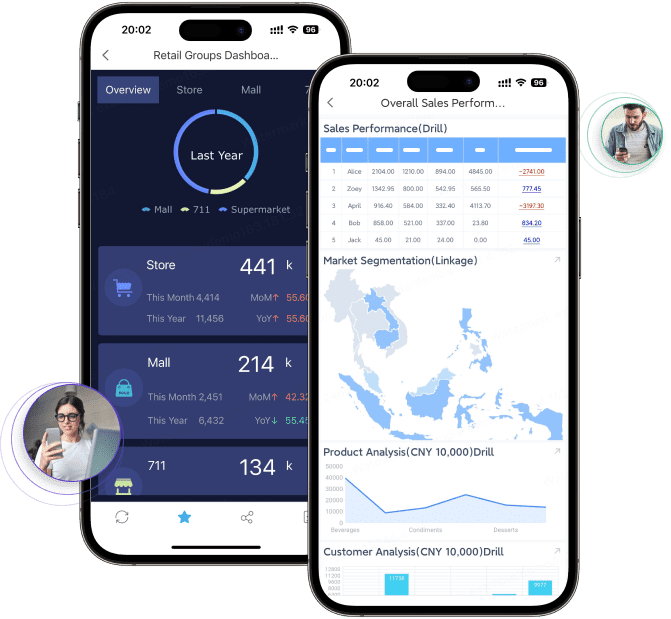
FineReport gives you strong tools for your logistics kpi dashboard. You can see real-time data and get updates right away. FineReport works on phones and tablets, so you can check your dashboard courier anywhere. The table below shows how FineReport helps your logistics analysis:
Feature
Description
Mobile Compatibility
Lets you see reports and dashboards anywhere. You always stay connected to your logistics data.
HTML5 Rendering
Gives you real-time updates. You always see the newest data on your logistics dashboard.
Visualization Options
Lets you use charts, maps, and tables for better analysis and choices.
FineReport helps you check rules and cut down on mistakes. You can use predictive analytics to find risks early and change shipments. Many companies save time and money by using dashboards to watch performance in real time. You get more control over your logistics data and make better choices with your logistics kpi dashboard.
First, you connect your data sources. FineDataLink helps you bring together information from warehouse systems, transportation management, and sales platforms. You use ETL to move and clean your data. This makes your logistics dashboard correct and trustworthy.
Here are some best ways to use ETL for your logistics dashboard:
Process data right away so you get quick answers.
Check if your data is correct and good.
Use smart tools to make work faster.
Connect data from different places, like warehouse and delivery systems.
Store data in a safe spot so you do not lose it.
Clean and fix data, like making location details the same.
Watch data to make sure nothing is missing or wrong.
Set up ways to catch mistakes fast.
Check data at every step to find errors early.
Look at data to find things that do not look normal.
Keep codes the same in all your systems.
Use checks to make sure all data is there.
Write down where data comes from to help fix problems.
FineDataLink lets you do these steps automatically. You can match data across tables right away. This gives you a strong base for your logistics kpi dashboard. You can track on-time delivery and other kpi metrics without waiting.
Designing Interactive Dashboards
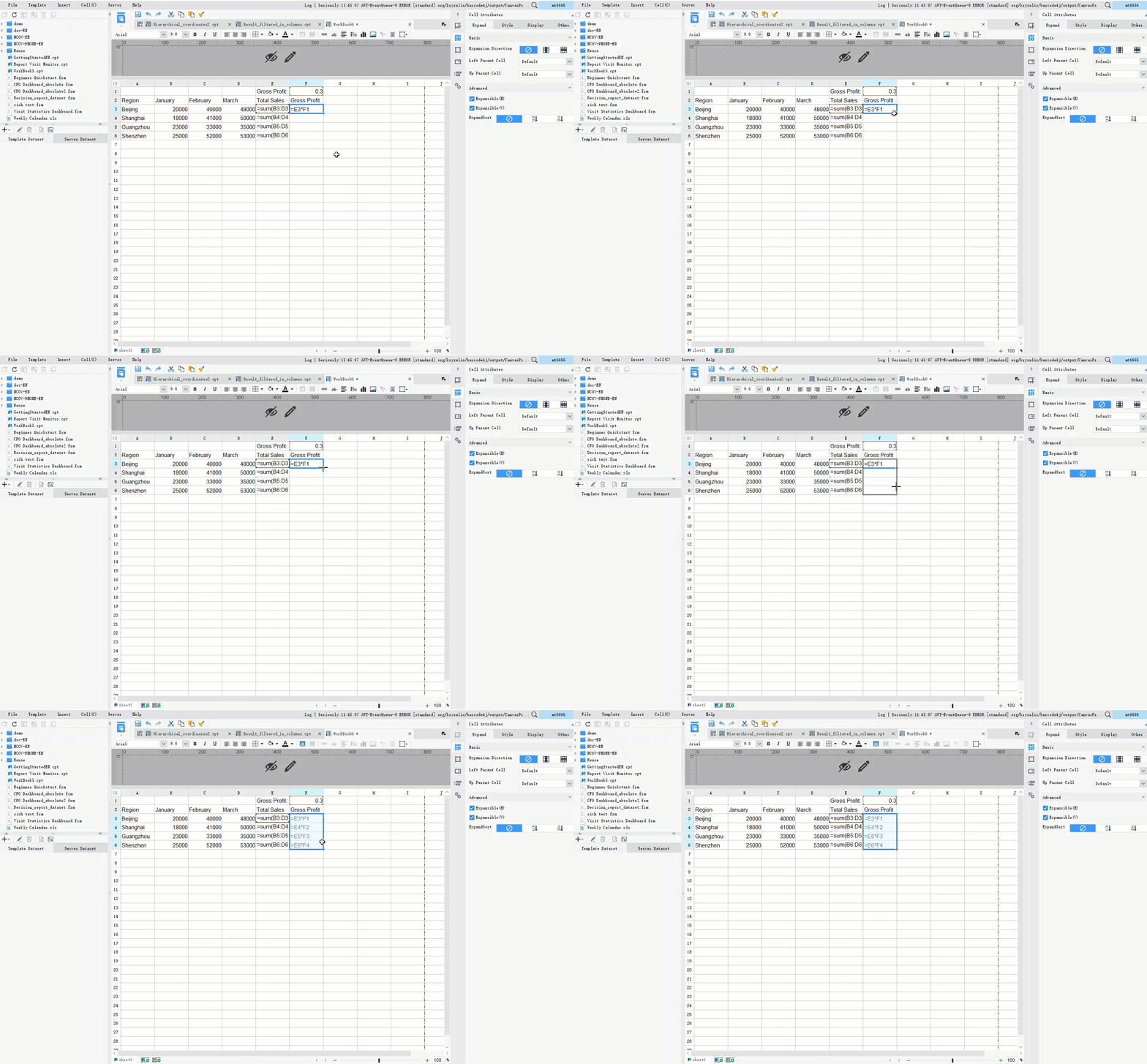
You make your dashboard courier easy for managers to use. FineReport gives you tools you can drag and drop. You can build reports and dashboards without writing code. You add charts, maps, and tables to show real-time numbers and kpi data.
The table below shows features that make dashboards better for users:
Feature
Benefit
Easy Drag-and-Drop Reporting
You make reports fast. You do not need special skills.
Real-Time Calculation & Analysis
You use the newest data to decide things. This helps you act quickly in logistics.
Advanced Data Visualization
You can change dashboards to fit your business.
Enterprise-Level Collaboration
You and your team can work together at the same time. This makes work faster.
Robust Security & Scalability
You keep your data safe and grow your dashboard as your business gets bigger.
You use trackmaps to show where delivery trucks and staff go. Trackmaps show points on a map that move with animation. You can see how fast things move, their color, and the order they go. This helps you watch deliveries and check on workers in the field.
FineReport lets you show reports and dashboards in many ways. You can see data in different styles. You use management analysis to make accounting and sales easier. IoT visualization helps you stop using paper and start using digital tools. Data entry features help you fill out forms and make fewer mistakes. You move from Excel and Access to a strong logistics dashboard.
Automating Data and Ensuring Scalability
You use automation to save time on data tasks. FineReport lets you set up reports and update data by itself. You make rules to check data and send alerts when things change. You use automation to watch kpi metrics like on-time delivery and fill rate.
Keeping data safe is important. You lock sensitive data and use strong security steps. You follow rules like GDPR and CCPA. You check your dashboard courier for dangers. Multi-factor authentication and end-to-end encryption keep your data safe when it moves. You use zero-trust frameworks so no one is trusted right away.
You build your logistics kpi dashboard to grow with your business. FineReport can handle lots of data and many users. You can add new data sources and make your dashboard bigger. You keep your logistics dashboard working well and fast.
You can see real results with FineReport. Kintetsu World Express (China) made the Kintetsu Business Reporting system with FineReport. They joined many data sources, like Electronic Data Interchange. Sales teams could see customer information, such as past visits and cargo amounts. Each customer got a real-time dashboard. This made information easier to manage and helped operations run better.
You use supply chain analytics to study logistics data. You watch deliveries, inventory, and sales. You check real-time numbers and kpi data. You make choices using good analysis. Your logistics dashboard helps you make delivery times better and keep customers happy.
Supply Chain Analytics and Actionable Insights with Dashboard Courier
Leveraging Real-Time Data
You can use supply chain analytics with your dashboard courier to make smarter choices in logistics. Real-time data shows what is happening right now. You see shipments, inventory, and deliveries as they happen. This helps you find problems early and fix them fast.
Here are ways supply chain analytics and dashboards help you:
You spot risks and stop problems before they hurt deliveries.
When you use real-time data in your logistics dashboard, you get clear benefits. The table below shows how real-time dashboards help logistics:
Benefit
Measurement/Impact
Productivity and Profitability
Companies say they are 5 to 6 percent more productive and profitable.
Delay Reduction
Real-time shipment tracking can cut delays by up to 58%.
Response Time Improvement
Warehouses using real-time data respond to disruptions 50% faster.
You also get early alerts for delivery issues. Teams can act quickly and keep shipments moving. You control costs better because you see expenses right away. This stops budget problems and keeps logistics running smoothly.
Enhancing Decision-Making with FanRuan Solutions
FanRuan’s manufacturing supply chain management solution gives you strong tools for analysis. You connect data from procurement, inventory, and sales. You use dashboards to see all your logistics information in one place. This helps you track on-time delivery and other kpi metrics.
You can use supply chain analytics to study trends and improve performance. FanRuan’s solution lets you manage inventory, make deliveries better, and decide things using real-time data. You lower risks and keep your logistics strong. With dashboards, you see every step of the supply chain and act fast when things change.
Product Trial
FineReport
Pixel-perfect reports · Interactive dashboards · Easy data entry · Digital twins
Access a wealth of case studies, industry insights, and solution guides to accelerate digital transformation.
FAQ
What is a logistics dashboard courier?
A logistics dashboard courier is a tool you use to see and manage your shipments, inventory, and delivery data in one place. It helps you track key numbers and make better decisions.
What KPIs should I track in logistics?
You should track these KPIs: on-time delivery rate, inventory turnover, freight cost per unit, fill rate
How does FineReport help with logistics dashboards?
FineReport lets you connect data from many sources. You can build dashboards with drag-and-drop tools. You see real-time updates and use charts, maps, and tables for analysis.
Can I use FineReport on my phone?
Yes! You can view and interact with your dashboards on your phone or tablet. FineReport supports mobile access, so you stay updated anywhere.