An ai report generator helps teams turn raw data, notes, dashboards, and recurring updates into structured reports faster, with less manual writing and formatting. For operations leaders, analysts, department heads, and managers under pressure to deliver weekly, monthly, or executive-ready reports, the business value is simple: reduce report production time, improve consistency, and free up skilled staff for analysis instead of document assembly.
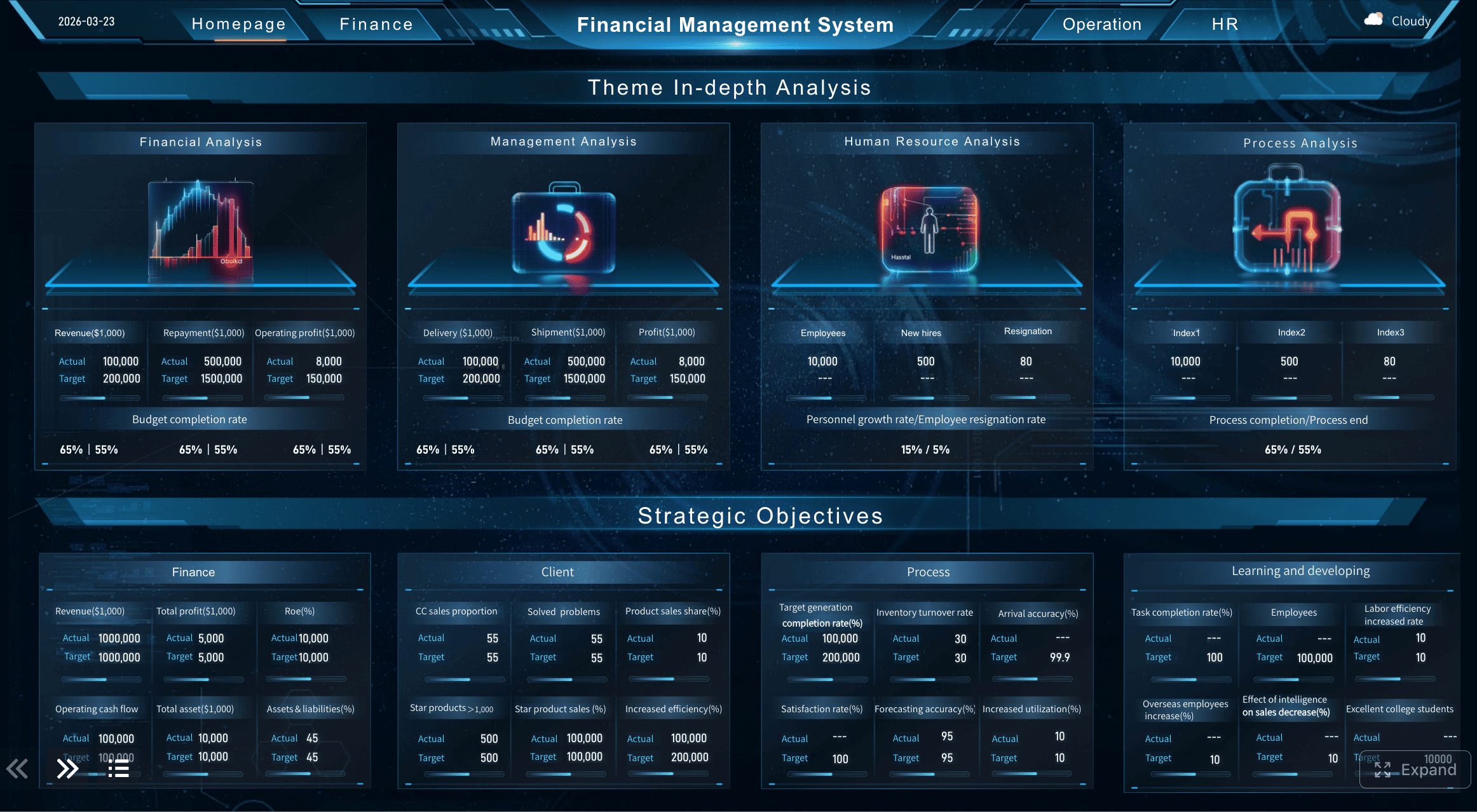
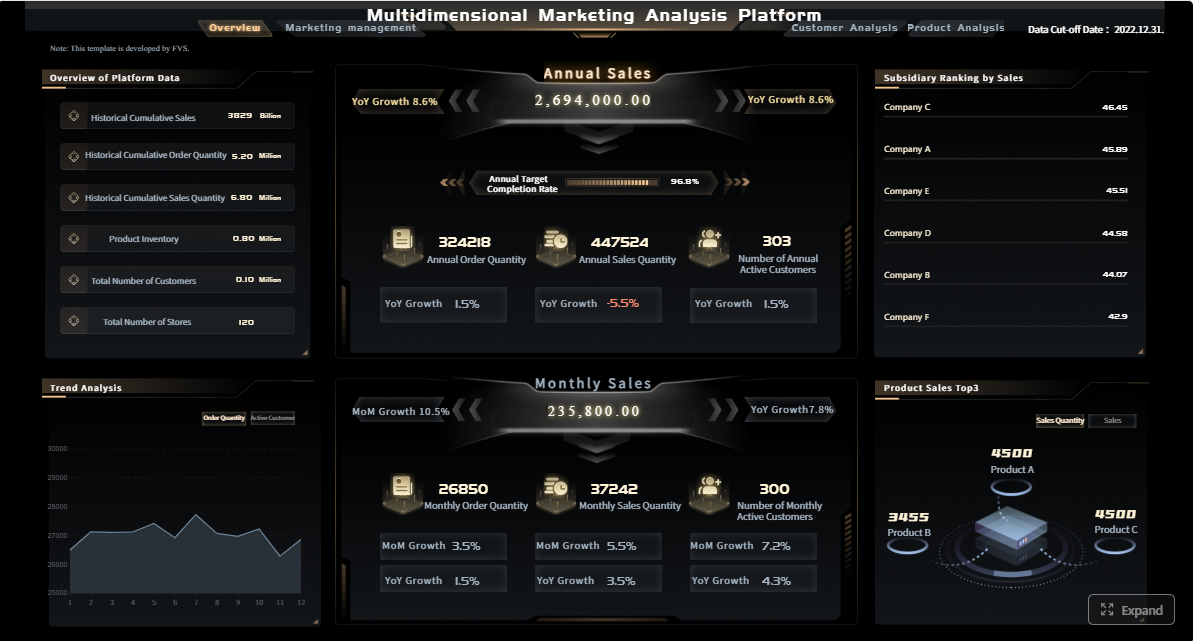
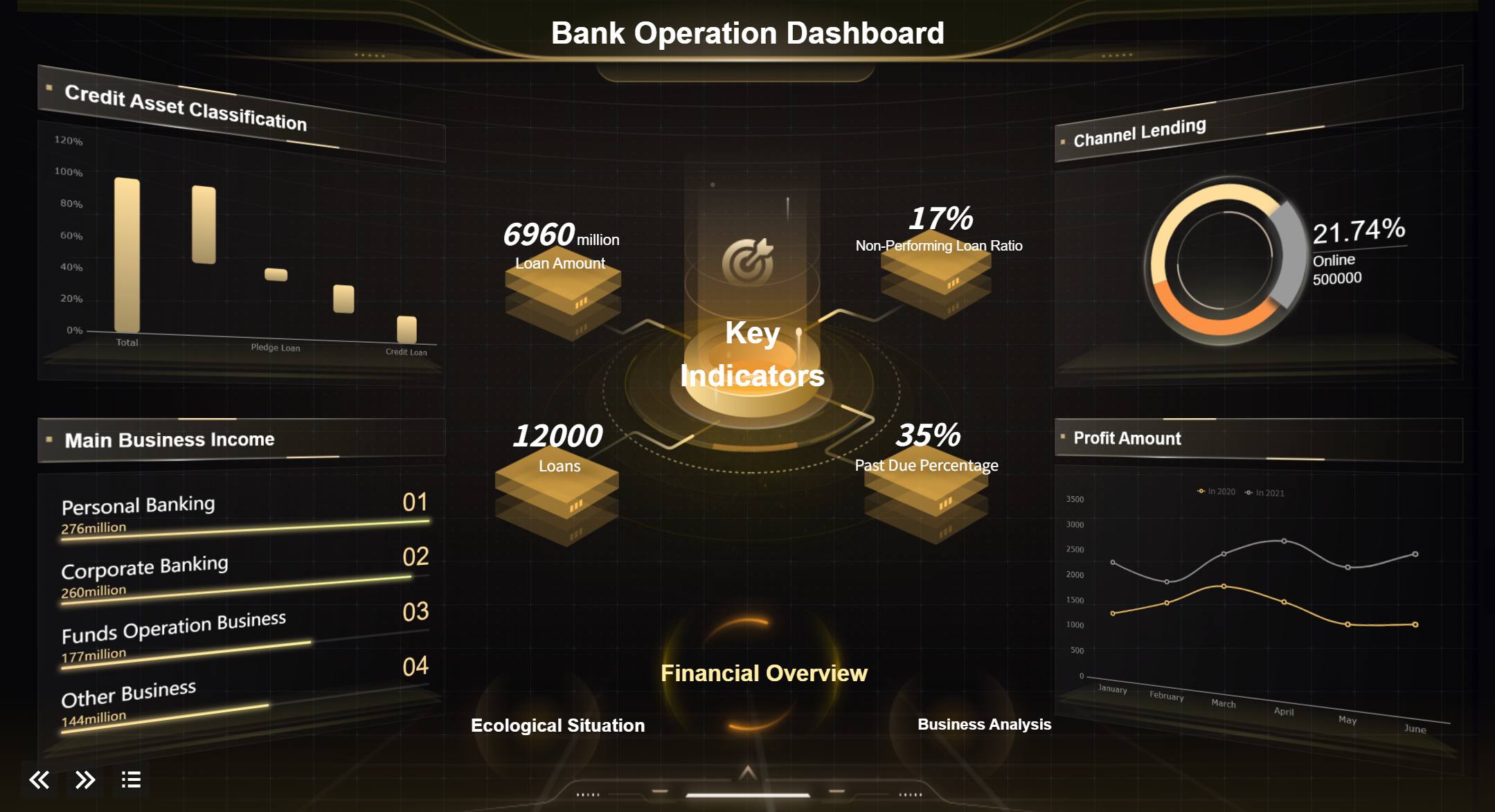
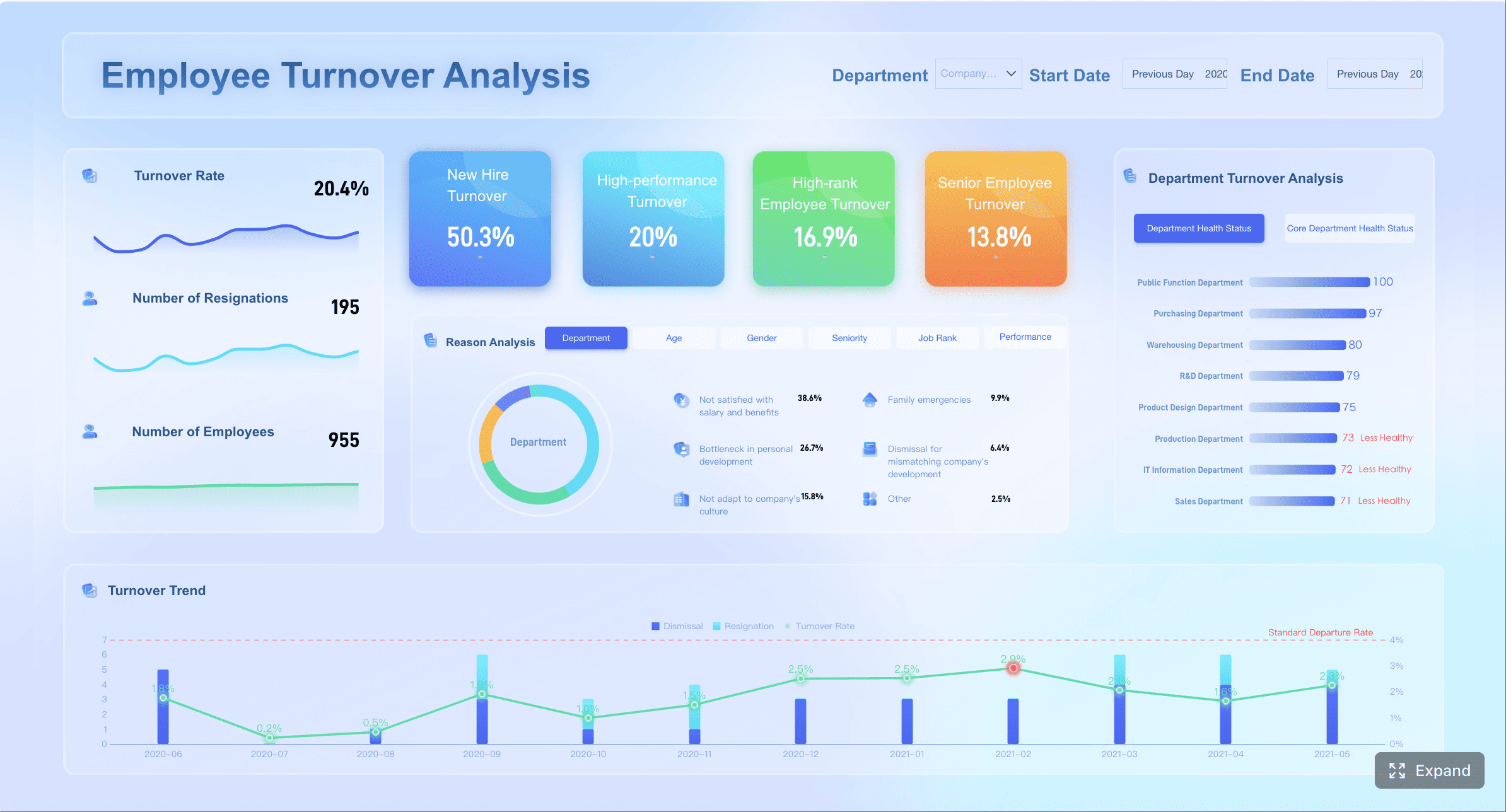
All reports in this article are built with FineReport.
What an AI Report Generator Does and Why Teams Use It
An ai report generator uses artificial intelligence to transform inputs such as spreadsheets, BI dashboards, meeting notes, CRM exports, survey responses, and written briefs into a draft report with structure, summaries, charts, and formatting. Instead of starting from a blank page, teams feed the tool relevant data and context, define the audience and report type, and let AI assemble the first version.
In practice, the workflow usually looks like this:
Input source data from systems such as Excel, ERP, CRM, HRIS, survey tools, or BI dashboards
Identify the report type, time period, and intended audience
Use AI to summarize trends, explain changes, and propose a logical narrative
Apply a template for formatting, branding, sections, and visual structure
Route the draft for human review, fact-checking, and approval
For busy teams, the biggest benefit is time compression. A report that once took three hours of collecting screenshots, writing summaries, cleaning tables, and formatting slides can often be drafted in minutes. That matters most in environments where reporting is repetitive but high stakes, such as weekly campaign reviews, monthly financial packs, hiring updates, project status reports, and research briefs.
Key Metrics (KPIs)
To make an ai report generator useful in a real business setting, track these core metrics:
Report production time: Total time from data collection to final approved report
First-draft turnaround: Time needed to generate the initial report draft
Editing effort: Number of revisions or hours spent refining AI output
Accuracy rate: Percentage of facts, calculations, and labels that are correct on first review
Template compliance: How consistently reports follow required structure and branding
On-time delivery rate: Percentage of reports delivered by deadline
Stakeholder readability: How clearly executives or managers can interpret the report
Data source coverage: Number of relevant systems or files the tool can incorporate
Recommendation quality: Whether action items are relevant, specific, and decision-ready
Review risk level: Degree of human oversight required before sharing internally or externally
AI helps most when reports are recurring, source data is structured, and the audience expects a familiar format. Human review is still essential when numbers affect budgets, compliance, hiring decisions, investor communications, or strategic direction. AI is excellent at acceleration. It is not a substitute for ownership.
AI Report Generator Use Cases by Role
Different teams use an ai report generator in different ways. The best implementations are role-based, template-driven, and connected to actual reporting workflows.
Marketing teams
Marketing teams produce a high volume of recurring reports, often across channels, campaigns, and regions. An ai report generator can pull from ad platforms, web analytics, social dashboards, email tools, and CRM data to create clear weekly or monthly summaries.
Typical outputs include:
Campaign performance reports
Channel comparison reports
Lead generation summaries
SEO and content performance updates
Executive marketing overviews
Instead of manually writing the same recap every reporting cycle, marketers can automate the narrative around spend, conversions, ROAS, engagement, and audience behavior. AI can also draft stakeholder-friendly takeaways such as what improved, what underperformed, and what to test next.
A strong use case is the monthly performance review for leadership. The AI creates a first draft that explains traffic changes, highlights top-performing channels, and suggests next-step optimizations. The marketing lead then validates context, flags external factors, and finalizes recommendations.
Finance teams
Finance teams benefit from AI when reporting is recurring, numbers are already validated, and presentation quality matters. An ai report generator can help draft:
Budget summaries
Variance analysis reports
Forecast updates
Department spend reviews
Executive financial briefings
The real gain is standardization. Finance leaders often need the same report every month, but still spend hours rewriting commentary around budget vs actuals, margin changes, or cash flow movement. AI can turn validated financial data into a structured narrative while preserving the same format across business units.
For example, a finance business partner can load monthly performance data, select a board-ready template, and generate a report with a variance explanation section, trend charts, and commentary prompts. That shortens writing time without compromising financial review controls.
HR teams
HR reporting often suffers from one of two problems: either it is too operational and hard for leadership to scan, or too high-level to drive action. An ai report generator helps HR teams convert people data into leadership-ready summaries.
Common HR outputs include:
Hiring pipeline updates
Employee engagement summaries
Training completion reports
Workforce diversity snapshots
Policy communication drafts
AI can summarize recruiting trends, attrition patterns, survey themes, and training outcomes in a more readable format. That makes it easier for executives to understand workforce issues without digging through raw tables.
A good use case is the quarterly people review. HR can combine applicant tracking data, engagement scores, and L&D participation into one report that highlights changes, risks, and action points for leadership review.
Project management teams
Project managers are expected to communicate status clearly and consistently, yet reporting often becomes fragmented across teams. An ai report generator can produce:
Weekly project status reports
Risk and issue updates
Milestone summaries
Portfolio reviews
Post-project retrospectives
This is especially valuable in PMO environments where each project manager reports differently. AI, paired with templates, creates a standardized structure for progress, blockers, budget status, timeline risk, and next actions.
For example, a PMO can use one workflow that ingests task data, RAID logs, and meeting notes, then drafts a report for every project in the same stakeholder-friendly format. That reduces inconsistency and improves governance.
Research and analyst roles
Researchers and analysts spend substantial time organizing findings, summarizing source material, and translating technical analysis into decision-ready reports. An ai report generator can speed up first drafts of:
Market research reports
Competitive analysis
Survey insight summaries
Internal strategy briefs
Executive research memos
AI is especially useful for structuring long-form content. It can organize themes, cluster evidence, draft executive summaries, and make complex findings easier to scan. The analyst still needs to validate claims, preserve nuance, and ensure recommendations are defensible.
The best use case is not fully automated thought leadership. It is accelerated synthesis. AI helps analysts get to a polished draft faster while they retain control over judgment and credibility.
How to Save Hours on Report Writing With AI
The fastest teams do not just use AI casually. They operationalize it. That means standard inputs, repeatable templates, clear review rules, and a reporting workflow tied to existing systems.
Use templates and repeatable workflows
If your team creates the same report every week or month, stop rebuilding it manually. Use a fixed structure for each report type.
A practical template should define:
Audience
Sections and heading order
Required KPIs
Tone and length
Charts and tables to include
Approval workflow
Brand and formatting rules
This is where platforms like FineReport become especially useful. Instead of treating reporting as disconnected writing work, teams can pair AI-assisted drafting with dashboard-based templates, automated data refreshes, and governed output formats.
Build reports in minutes from existing inputs
The biggest productivity gain comes from using what teams already have. Most reporting inputs already exist somewhere:
Spreadsheets
BI dashboards
Meeting notes
Survey exports
CRM activity logs
Interview transcripts
Project systems
Rather than copying those inputs into a blank document, connect them into a faster draft workflow. AI can summarize repetitive data commentary, surface key changes, and prepare first-pass narrative sections automatically.
Create visual and presentation-ready outputs
Executives do not want raw data dumps. They want reports they can review quickly and act on. The best ai report generator workflows produce outputs that are both analytical and presentation-ready.
That means including:
KPI scorecards
Trend charts
Variance visuals
Executive summaries
Decision-oriented commentary
Clear next actions
When visual reporting is part of the process, adoption improves. Stakeholders are more likely to trust and use a report that looks structured, branded, and easy to interpret.
Actionable Best Practices for Implementation
If you want an ai report generator to save real time, not just create more editing work, follow these consultant-level best practices.
1. Start with one high-volume report type
Choose a report that is frequent, structured, and painful to produce manually. Examples include monthly marketing reviews, weekly project status reports, or quarterly HR updates.
Why this works:
Easier to define a repeatable template
Faster ROI
Lower adoption risk
Clear before-and-after time savings
2. Standardize your data inputs before automating narrative
AI performs better when source data is clean, labeled, and consistent. Before scaling, define:
Required source systems
Naming conventions
KPI definitions
Date range logic
Owner for each input
If your metrics are inconsistent, AI will only accelerate inconsistency.
3. Write prompts like operating procedures
Do not use vague instructions such as “create a report.” Use prompt structures that specify:
Audience
Objective
Time period
Required metrics
Tone
Output format
Decision points to emphasize
A good prompt behaves like a reporting SOP, not a casual request.
4. Separate drafting from approval
AI should draft. Humans should approve. Create a review checkpoint for:
Factual accuracy
Calculations
Sensitive language
Compliance concerns
Strategic interpretation
This is non-negotiable for finance, HR, regulated operations, and client-facing reporting.
5. Measure success with time saved and report quality
Implementation should be judged by operational results, not novelty. Track:
Not every tool labeled as an ai report generator is suitable for enterprise reporting. Many can write text. Far fewer can support governed, scalable, decision-grade reporting.
Core features that matter most
When evaluating tools, prioritize the capabilities that fit real reporting operations:
Template variety for different departments and report types
Collaboration tools for review, editing, and approval
Export options such as PDF, Word, Excel, slides, or dashboards
Source handling for spreadsheets, notes, dashboards, and database inputs
Brand consistency controls for fonts, colors, headers, and layout
Visualization support for charts, tables, and KPI cards
Role-based access for permissions and governance
Scalability for recurring reporting across multiple teams
A mature reporting environment often needs more than text generation. It needs data integration, governed templates, workflow control, and reliable visual output.
Quality, accuracy, and review safeguards
Decision-makers should assess trust, not just speed. Ask how the tool handles:
Source transparency
Fact-checking support
Sensitive data
Version control
Auditability
Regeneration of specific sections
Human-in-the-loop review
If a tool cannot support review discipline, it is risky for formal reporting.
Free vs paid options
Free tools can be useful for experimentation, prompt testing, and simple internal drafts. Paid tools become more valuable when teams need:
Shared templates
Enterprise permissions
Stronger integrations
Better export formats
Branded reports
Higher output volume
Security and support
For individual use, free may be enough. For cross-functional reporting at scale, premium capabilities usually pay for themselves in saved labor and reduced process friction.
How to Choose the Right AI Report Generator for Your Team
The right choice depends less on flashy features and more on workflow fit.
Match the tool to your reporting workflow
Start with your reporting reality:
How often are reports created?
What systems hold the source data?
Who reviews and approves reports?
What level of formatting is required?
Are outputs for internal teams, executives, clients, or regulators?
The best solution fits the existing process with minimal disruption. If the tool adds manual cleanup, duplicate data entry, or extra review burden, adoption will stall.
For many organizations, the strongest fit is a platform that combines data connectivity, dashboards, pixel-perfect reporting, and governed templates. That is where FineReport can naturally support AI-assisted reporting workflows by linking live business data with repeatable report production.
FineReport Workflow
Questions to ask before adopting one
Before rollout, ask these questions:
What report types do we create most often?
How much editing does the first draft usually need?
Which teams need collaboration, permissions, or template controls?
What security and compliance standards must the tool meet?
Do we need dashboard-driven reports or text-only output?
Can the tool support both recurring operational reports and executive summaries?
How easily can non-technical users generate and revise reports?
These questions will expose whether you need a lightweight drafting tool or a broader reporting platform.
Common Mistakes to Avoid When Using AI Report Generator
AI can save significant time, but poor implementation creates new problems. The most common mistakes are predictable and avoidable.
Relying on AI output without checking facts, calculations, or context
Fast reporting is dangerous if the numbers are wrong or the explanation is misleading.
Using generic prompts that produce vague or repetitive summaries
Specific prompts generate better drafts. Weak prompts create weak reports.
Ignoring audience needs
A board update, team report, and client summary should not sound the same. Tailor structure and detail.
Treating speed as the only goal
The objective is not just faster writing. It is faster, clearer, and more credible reporting.
Automating bad inputs
If KPIs are undefined or source data is inconsistent, AI will scale confusion.
Skipping template governance
Without standard layouts and required sections, output quality will vary too much across teams.
Final Takeaway: Where an AI Report Generator Delivers the Most Value
An ai report generator delivers the most value when teams produce recurring reports, already have source data available, and need a faster path from inputs to stakeholder-ready output. Marketing, finance, HR, project management, and analyst teams all benefit when AI handles the repetitive drafting work and humans focus on judgment, validation, and decisions.
The winning model is straightforward:
Connect reliable data
Standardize templates
Generate the first draft fast
Review with human expertise
Deliver clear, visual, decision-ready reports
For enterprise teams, the real advantage is not just automated writing. It is building a governed reporting workflow that combines AI speed with business-grade accuracy, consistency, and presentation quality.
An AI report generator turns inputs like spreadsheets, dashboards, notes, and recurring metrics into a structured report draft. It typically organizes sections, summarizes trends, suggests commentary, and applies a template so teams can review and finalize faster.
Yes, it can support role-specific reporting across departments such as marketing performance reviews, finance variance reports, and operational status updates. The best results come from using the right template, audience context, and validated source data.
For recurring reports, teams can often reduce hours of manual writing and formatting to minutes for a first draft. Actual savings depend on data quality, approval workflows, and how much editing is still required.
Accuracy depends on the quality of the source data, prompt instructions, and review process. AI can speed up report creation, but human review is still essential for financial, compliance, and executive-facing content.
Include the report type, time period, target audience, key metrics, and any required structure or tone. Adding clear context and trusted data sources helps the AI produce a more relevant and usable draft.
Product Trial
FineReport
Pixel-perfect reports · Interactive dashboards · Easy data entry · Digital twins


 FineReport Workflow






