Blog

Dashboard

12 Best Dashboard Designers and Dashboard Design Tools for 2026 [Compared Side by Side]

fanruan blog avatar

Lewis Chou

Apr 27, 2026

A dashboard designer is a specialist or software platform that turns business data into clear, usable visual interfaces for faster decision-making.

12 Best Dashboard Designers and Dashboard Design Tools for 2026 at a Glance

Below is a practical shortlist of the best dashboard designers and dashboard design tools for 2026, covering both service-based and software-based options so teams can compare custom expertise against scalable platforms.

Quick shortlist

  1. FineBI
  2. Fiverr Dashboard Designers
  3. Toptal Dashboard Designers
  4. Fresh Consulting
  5. Tableau
  6. Microsoft Power BI
  7. Upwork Dashboard Designers
  8. Looker Studio
  9. Qlik Sense
  10. Sisense
  11. Geckoboard
  12. Mokkup.ai

These options represent the main paths most teams consider today:

In 2026, the most important evaluation factors are:

  • Data connectivity
  • Customization
  • Speed to deploy
  • Collaboration
  • Scalability
  • Reporting quality
  • Governance and security
  • Ease of maintenance

How to Evaluate Dashboard Designers and Tools Before You Choose

What makes great dashboard design in 2026

Great dashboard design is no longer just about visual polish. The best dashboard designers and tools help users find what matters quickly, understand performance in context, and act without confusion.

Key qualities to look for include:

  • Clear information hierarchy so the most important KPIs stand out first
  • Visual consistency across charts, filters, labels, and layouts
  • Fast decision support through concise metrics and relevant context
  • Accessible chart choices that favor readability over novelty
  • Reliable data storytelling that connects numbers to business questions
  • Responsive experiences across desktop, laptop, tablet, and mobile
  • Usability over decoration so dashboards remain practical under daily use

The strongest dashboards balance three things:

  1. Business relevance
  2. Data accuracy
  3. Interface clarity

If one of those is weak, adoption usually drops.

The two main paths: hiring dashboard designers vs using dashboard design tools

Most buyers choose between two routes.

Hiring dashboard designers

A dedicated dashboard designer is often the better fit when you need:

  • Custom executive dashboards
  • Product analytics interfaces
  • White-label or embedded analytics
  • Stakeholder workshops and requirement mapping
  • Strong UX thinking tied to data workflows
  • Tailored visual systems for complex internal tools

This route is especially useful when dashboard requirements are ambiguous, politically sensitive, or tied to high-visibility decision-making.

Using dashboard design tools

A dashboard design tool is often enough when you need:

  • Internal reporting dashboards
  • Department KPI tracking
  • Templated reports
  • Faster rollout across teams
  • Reusable models and self-service analytics
  • Routine dashboard production without heavy design work

This route is ideal for teams prioritizing speed, repeatability, and lower dependency on external specialists.

Hybrid setup

Many organizations now use a hybrid model:

  • A platform handles data pipelines, permissions, and recurring reporting
  • Expert dashboard designers define the structure, UX, and executive-ready presentation

This approach is common in larger companies that need both scale and polish.

Comparison criteria used in this guide

To compare dashboard designers and tools fairly, this guide focuses on:

  • Core features and integrations
  • Pricing and total cost of ownership
  • Ease of use for analysts and non-designers
  • Customization options
  • Collaboration and sharing
  • Performance and scalability
  • Pros, cons, and best-fit scenarios

Side-by-Side Comparison: 12 Best Dashboard Designers and Tools

Best dashboard designers for custom and freelance work

If your team needs tailored dashboards rather than a DIY platform, service-based dashboard designers can be the better option.

What to look for:

  • Proven dashboard portfolio
  • Experience in your industry or reporting model
  • Ability to simplify business questions into usable layouts
  • Understanding of BI tools, not just interface aesthetics
  • Strong communication with stakeholders
  • Familiarity with KPI design, filters, drill-downs, and executive reporting

Freelance and contract dashboard designers stand out for:

  • Faster hiring cycles
  • Flexible pricing
  • Specialized expertise
  • Project-based delivery

But quality can vary widely, so portfolio review matters more than marketplace presence alone.

Best dashboard design tools for teams and businesses

Software-based dashboard design tools are usually the better choice for organizations that need scale, standardization, and repeatability.

They are strongest for:

  • Self-serve reporting
  • Team collaboration
  • Shared dashboards
  • Data integration
  • Scheduled reports
  • Governance and permissions

The main trade-offs usually involve:

  • Flexibility vs ease of use
  • Power vs learning curve
  • Custom design freedom vs governance
  • Lower startup cost vs long-term licensing cost

Quick comparison table

OptionBest forStandout featuresProsConsStarting price
Upwork Dashboard DesignersFlexible freelance hiringLarge talent marketplace, varied budgetsFast sourcing, broad skill rangeQuality varies, vetting requiredCustom/project-based
Fiverr Dashboard DesignersLow-cost quick projectsFixed-price gigs, rapid turnaroundBudget-friendly, simple procurementLess strategic depth, inconsistent qualityCustom/project-based
Toptal Dashboard DesignersPremium freelance talentCurated experts, stronger vettingHigher quality, enterprise-friendlyHigher costCustom/project-based
Fresh ConsultingEnd-to-end custom dashboard projectsResearch-led UX, engineering supportStrong strategy and design alignmentAgency pricing, longer engagement cyclesCustom quote
TableauAdvanced visual analyticsRich visuals, broad ecosystemPowerful exploration, strong communityCan be expensive, steeper learning curveCustom / subscription
Microsoft Power BIMicrosoft-centric BIDeep Excel and Azure integrationStrong value, enterprise adoptionUI customization can be limitingLow entry pricing
FineBISelf-service BI with fast dashboard buildingDrag-and-drop analysis, strong sharing, enterprise data accessGood balance of power and usability, scalable for business teamsLess globally recognized than some legacy leadersCustom quote / demo
Looker StudioLightweight dashboardingGoogle ecosystem connectivity, easy sharingFree entry point, simple collaborationLimited advanced modeling and governanceFree / paid add-ons
Qlik SenseAssociative analyticsFlexible exploration, in-memory engineStrong data discoveryLearning curve for some usersCustom / subscription
SisenseEmbedded and scalable analyticsEmbedded BI, customization, multi-source dashboardsGood for product analytics use casesSetup can be more technicalCustom quote
GeckoboardKPI monitoring dashboardsTV dashboards, live metrics, simple sharingFast setup, highly readable KPI boardsLimited deep analyticsSubscription
Mokkup.aiDashboard wireframing and prototypingRapid mockups, layout ideationGreat pre-build workflowNot a full BI platformSubscription

Detailed Reviews: Pros, Cons, Features, and Best Use Cases

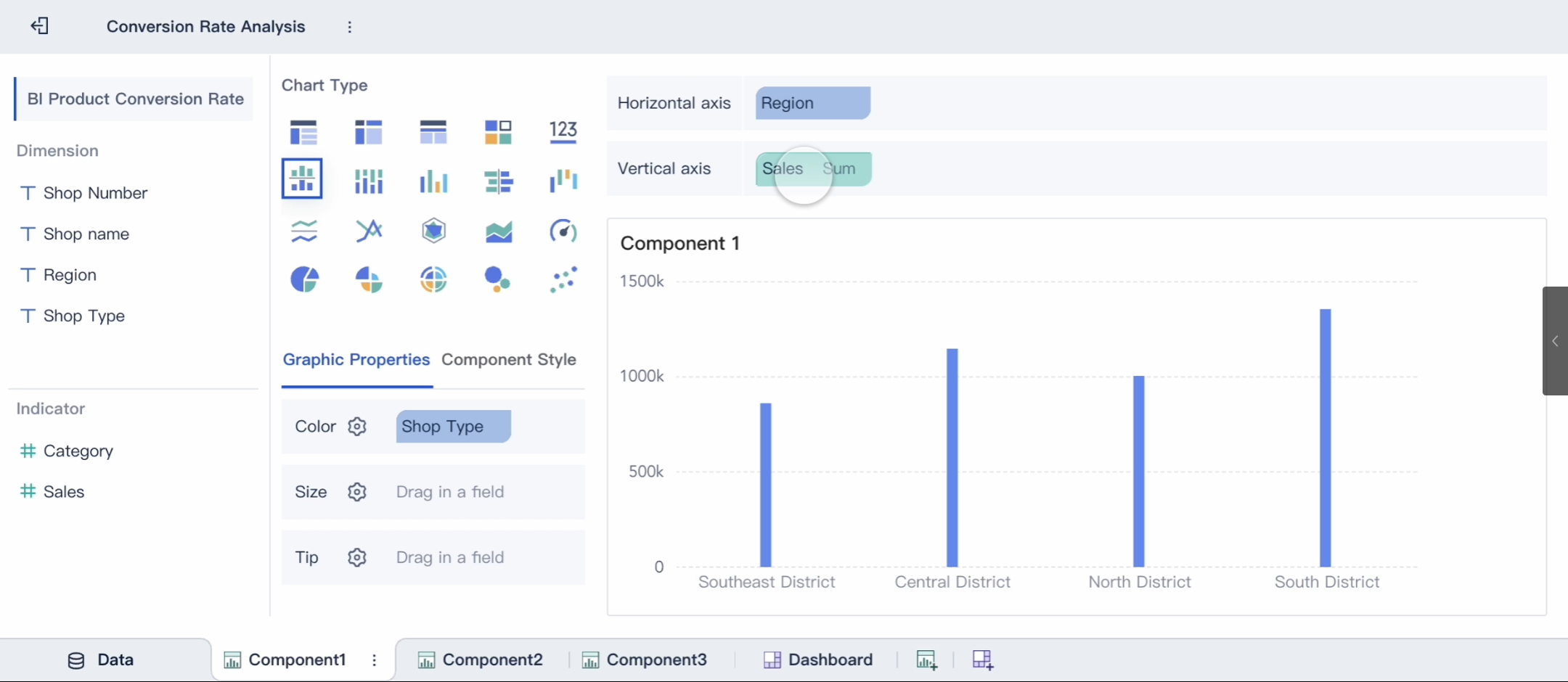
1. FineBI

One-sentence overview: FineBI is a self-service BI and dashboard design platform built for teams that need fast dashboard production, governed access to enterprise data, and business-friendly analysis workflows. dashboard designers: FineBI Key Features:

  • Drag-and-drop dashboard building
  • Self-service analytics for business users
  • Broad data connectivity
  • Reusable datasets and governed access
  • Collaboration, sharing, and reporting workflows
  • Mobile-friendly dashboard access

Pros & Cons:

  • Pros:
    • Easy for business teams to adopt
    • Strong balance between usability and enterprise control
    • Supports rapid dashboard creation without relying entirely on IT
    • Well suited to organizations that need scalable, repeatable reporting
  • Cons:
    • May require evaluation if your team is deeply committed to another BI stack
    • Premium features and deployment details often depend on quote-based planning

Best For: Companies that want a practical dashboard designer platform for cross-team reporting, self-service BI, and scalable analytics delivery.

OLAP FineBI.png

FineBI deserves particular attention for teams evaluating dashboard designers in a broader sense, because it reduces the need to hire separate specialists for every reporting request. In many organizations, that means business users can build routine dashboards themselves while analysts and designers focus on higher-value work.

2. Fiverr Dashboard Designers

One-sentence overview: Fiverr offers fixed-scope dashboard design services that are often suited to smaller projects and cost-sensitive buyers.

Key Features:

  • Fixed-price packages
  • Quick turnaround options
  • Large freelancer marketplace
  • Easy ordering workflow
  • Portfolio previews

Pros & Cons:

  • Pros:
    • Accessible pricing
    • Good for simple dashboards or revisions
    • Easy to test multiple providers
  • Cons:
    • Less suited for complex stakeholder-heavy work
    • Strategy and discovery may be limited
    • Quality consistency can be uneven

Best For: Startups and small businesses that need low-cost dashboard designers for straightforward reporting work.

3. Toptal Dashboard Designers

One-sentence overview: Toptal provides access to curated freelance talent, including dashboard designers with stronger enterprise and product experience.

Key Features:

  • Curated talent network
  • Higher screening standards
  • Support for enterprise staffing
  • Project or ongoing engagement options
  • Stronger fit for product and UX-heavy work

Pros & Cons:

  • Pros:
    • Better average talent quality
    • Stronger communication and delivery reliability
    • Useful for critical dashboards with executive visibility
  • Cons:
    • Higher rates
    • Smaller candidate pool than open marketplaces
    • Overkill for simple dashboard tasks

Best For: Mid-market and enterprise teams that need high-quality freelance dashboard designers without building a full in-house team.

4. Fresh Consulting

One-sentence overview: Fresh Consulting is a design and engineering agency that delivers custom dashboard experiences backed by UX research and technical implementation.

Key Features:

  • Research-led design process
  • UX and product strategy support
  • Front-end and back-end implementation capability
  • Custom dashboard interfaces
  • Strong cross-functional delivery

Pros & Cons:

  • Pros:
    • Strong stakeholder alignment
    • Good fit for complex, custom dashboard products
    • Combines design and engineering

Cons:

  • Agency engagements are typically more expensive
  • Longer ramp-up than freelance hiring
  • Less ideal for lightweight internal reporting

Best For: Organizations building custom analytics products, embedded dashboards, or high-value internal systems that need both UX strategy and implementation.

5. Tableau

One-sentence overview: Tableau is a mature analytics platform known for powerful data visualization, interactive exploration, and enterprise reporting.

Key Features:

  • Rich charting capabilities
  • Interactive dashboards
  • Broad data source support
  • Strong community and ecosystem
  • Advanced analytics options

Pros & Cons:

  • Pros:
    • Excellent for deep visual analysis
    • Highly flexible for analysts
    • Strong enterprise credibility
  • Cons:
    • Can become expensive at scale
    • Learning curve for non-technical users
    • Dashboard standardization may require governance effort

Best For: Analyst-heavy teams and enterprises that want advanced visualization and exploratory BI.

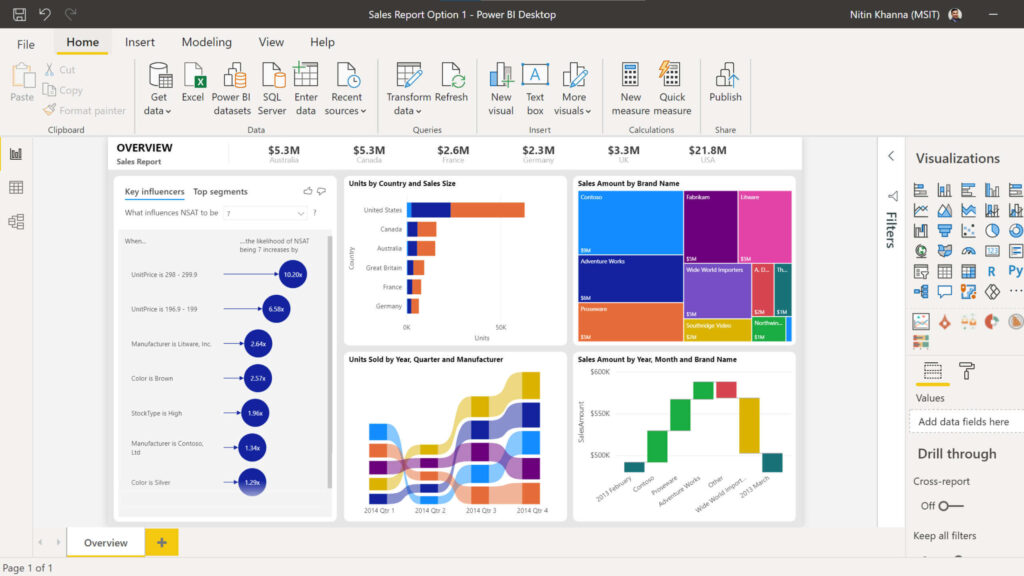
6. Microsoft Power BI

One-sentence overview: Power BI is a widely adopted BI platform that combines affordable entry pricing with strong Microsoft ecosystem integration. powerbi..jpeg Key Features:

  • Excel integration
  • Microsoft 365 and Azure connectivity
  • Data modeling
  • Interactive dashboards and reports
  • Enterprise security and governance

Pros & Cons:

  • Pros:
  • Cons:
    • Custom design freedom can be limited compared with pure design tools
    • DAX and modeling add complexity
    • Interface polish depends on builder skill

Best For: Organizations already invested in Microsoft tools and looking for scalable internal dashboarding.

7. Upwork Dashboard Designers

One-sentence overview: Upwork is a large freelance marketplace where businesses can hire dashboard designers for BI builds, reporting design, and data visualization projects.

Key Features:

  • Large pool of freelancers
  • Project-based or hourly hiring
  • Filters for skills, rates, and experience
  • Reviews and portfolio samples
  • Flexible contracts

Pros & Cons:

  • Pros:
    • Broad range of budgets
    • Good for short-term or specialized work
    • Easy to compare multiple candidates
  • Cons:
    • Quality varies significantly
    • Strong vetting still falls on the buyer
    • Some profiles are more tool-focused than design-focused

Best For: Companies that want flexible access to freelance dashboard designers for one-off builds, redesigns, or backlog support.

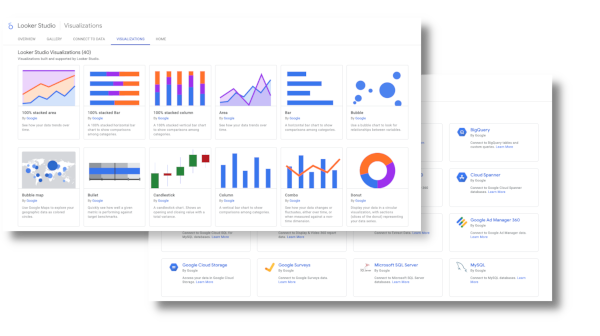
8. Looker Studio

One-sentence overview: Looker Studio is a lightweight reporting tool that makes it easy to build shareable dashboards, especially inside the Google ecosystem. google looker studio.png Key Features:

  • Google product integrations
  • Browser-based dashboard builder
  • Shareable live reports
  • Template support
  • Easy collaboration

Pros & Cons:

  • Pros:
    • Easy to get started
    • Good for marketing and web analytics dashboards
    • Cost-effective entry point
  • Cons:
    • Limited advanced governance
    • Can feel constrained for enterprise BI
    • Performance depends on data setup

Best For: Marketing teams, startups, and small businesses that need fast, shareable dashboards with minimal setup.

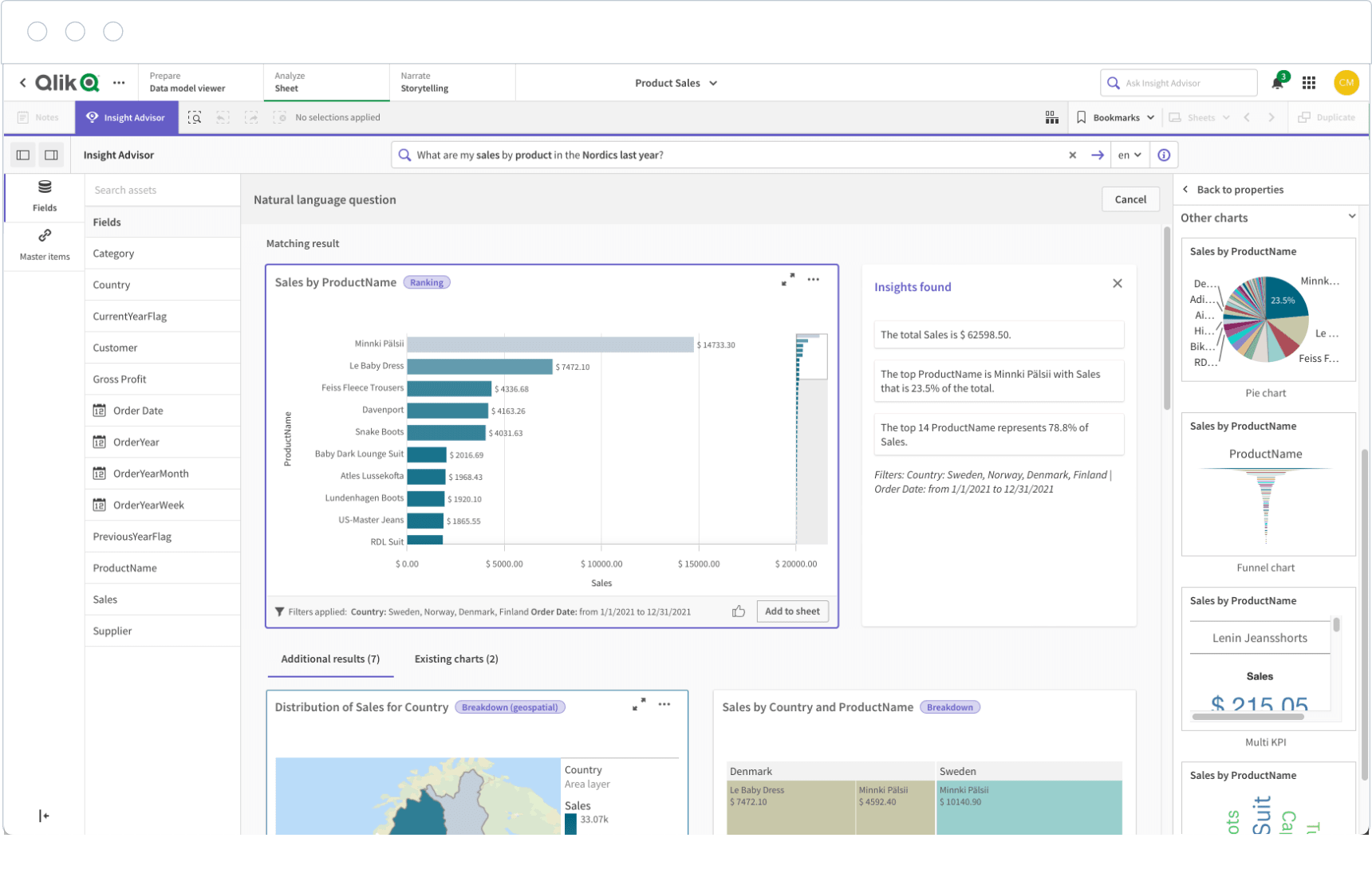
9. Qlik Sense

One-sentence overview: Qlik Sense is an analytics platform known for flexible exploration and associative data discovery. qlik sense.png Key Features:

  • Associative analytics engine
  • Interactive dashboards
  • Data preparation and modeling
  • Strong enterprise deployment options
  • AI-assisted insights

Pros & Cons:

  • Pros:
    • Strong exploratory analysis
    • Handles complex data relationships well
    • Enterprise-capable
  • Cons:
    • Can require training to use effectively
    • Design experience may be less intuitive for some business users
    • Licensing can be complex

Best For: Data-rich organizations that need advanced exploration beyond static reporting.

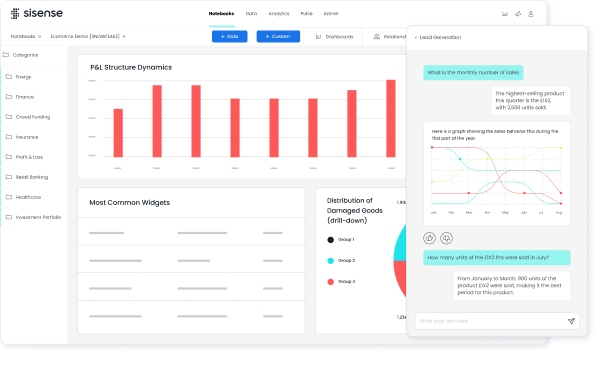
10. Sisense

One-sentence overview: Sisense is a BI platform that is particularly strong for embedded analytics and customizable data experiences. Dashboard Template (from Sisense).jpg Key Features:

  • Embedded analytics support
  • Multi-source dashboard creation
  • API and customization capabilities
  • Scalable deployment options
  • Collaborative dashboard authoring

Pros & Cons:

  • Pros:
    • Good choice for software products with analytics built in
    • Flexible customization options
    • Useful for complex multi-source scenarios
  • Cons:
    • More technical setup than lightweight tools
    • Pricing may not suit smaller teams
    • Requires planning for governance and implementation

Best For: SaaS vendors, product teams, and enterprises that need embedded analytics or highly customized BI deployments.

11. Geckoboard

One-sentence overview: Geckoboard is a KPI-focused dashboard tool designed for quick setup, operational visibility, and always-on monitoring.

Key Features:

  • TV dashboards
  • KPI scorecards
  • Simple integrations
  • Fast dashboard setup
  • Sharing and snapshot features

Pros & Cons:

  • Pros:
    • Very easy to use
    • Strong for live business monitoring
    • Clear layouts optimized for quick scanning
  • Cons:

Best For: Operations, support, and sales teams that need highly visible performance dashboards with minimal setup.

12. Mokkup.ai

One-sentence overview: Mokkup.ai is a dashboard wireframing tool that helps teams prototype layouts and data stories before building them in BI software.

Key Features:

  • Rapid dashboard mockups
  • Wireframing templates
  • Collaboration on layouts
  • Faster stakeholder feedback cycles
  • BI design planning support

Pros & Cons:

  • Pros:
    • Speeds up dashboard planning
    • Reduces wasted rework in BI tools
    • Useful for both designers and analysts
  • Cons:
    • Not a complete analytics platform
    • Requires a separate BI tool for final deployment
    • Limited value if your workflow skips prototyping

Best For: Teams that want better dashboard planning, wireframing, and design validation before development.

Which option is best for your situation

The right choice depends less on brand popularity and more on your reporting workflow.

Best for startups

Startups often need speed and cost control. Good options include:

  • Looker Studio for low-cost dashboarding
  • Power BI for affordable scalability
  • Fiverr or Upwork dashboard designers for one-off setup help
  • FineBI if you want a more structured self-service BI foundation early

Best for agencies

Agencies usually need repeatable delivery and flexible client work.

  • Upwork or Toptal dashboard designers help expand delivery capacity
  • Mokkup.ai is useful for pre-build client approval
  • Tableau, Power BI, or FineBI work well depending on technical stack and client expectations

Best for enterprise teams

Large organizations usually need security, governance, and maintainability.

  • Power BI
  • Tableau
  • Qlik Sense
  • Sisense
  • FineBI

For custom executive experiences, pairing one of these with expert dashboard designers often works best.

Best for product teams

If analytics is part of the product experience:

  • Sisense is a strong candidate
  • Fresh Consulting is valuable for custom UX-heavy builds
  • Toptal dashboard designers can help bridge product and analytics design

Best for internal operations

If you need recurring KPI visibility and low-maintenance dashboards:

  • Geckoboard
  • Power BI
  • FineBI
  • Looker Studio

How to Choose the Right Fit in 2026

Questions to ask before hiring or buying

Before choosing between dashboard designers and dashboard design tools, ask:

  • Do you need strategic dashboard design or just a way to visualize existing data?
  • Will multiple teams create dashboards, or is there one reporting owner?
  • Do you need embedded analytics or internal reporting only?
  • How important are governance, permissions, and auditability?
  • Do stakeholders need white-label customization or a standard BI interface?
  • How often will dashboards change?
  • Is your bottleneck design, data modeling, or stakeholder alignment?

If your biggest issue is unclear business questions, hire expertise first.
If your biggest issue is slow reporting production, prioritize the right platform.

Red flags and common mistakes to avoid

Many teams choose the wrong option for predictable reasons.

Common mistakes include:

  • Choosing based only on visual appeal
  • Ignoring data quality and metric definitions
  • Buying enterprise-grade tooling for a lightweight reporting need
  • Hiring a designer without validating BI tool knowledge
  • Underestimating stakeholder feedback cycles
  • Building too many dashboards without governance
  • Treating wireframing as optional when requirements are unclear

A polished dashboard that answers the wrong question is still a poor dashboard.

Final recommendation framework

Use this simple decision framework:

Choose a dashboard designer if:

  • You need bespoke UX
  • Stakeholder alignment is complex
  • Executive visibility is high
  • Reporting requirements are ambiguous
  • The dashboard is part of a product or premium client experience

Choose a dashboard design tool if:

  • Speed matters most
  • Dashboards need to be repeatable
  • Multiple teams need access
  • Governance and maintainability are priorities
  • Your reporting workflows are relatively standardized

Choose both if:

  • You want scalable software with expert setup
  • You need a governed BI layer plus polished executive dashboards
  • Your team needs self-service analytics but still benefits from strategic design guidance

For many businesses in 2026, the most balanced route is to adopt a strong platform such as FineBI and use dashboard designers selectively for high-stakes or custom reporting experiences. That approach keeps routine analytics efficient while preserving the option for expert-led optimization when clarity, adoption, and stakeholder trust matter most.

Conclusion for dashboard designers

The best dashboard designers help organizations translate messy reporting needs into usable decision tools, while the best dashboard design tools make that process faster, more scalable, and easier to maintain. If you need custom strategy and UX, hire a specialist. If you need repeatable, team-wide reporting, choose a platform. If you need both flexibility and scale, combine expert design support with a capable dashboard builder like FineBI to cover everyday BI needs without sacrificing quality.

FAQs

A dashboard designer is a person or service that creates tailored dashboards around your goals, users, and workflows. A dashboard design tool is software that helps teams build, share, and maintain dashboards at scale.

Hire a dashboard designer if you need custom UX, executive-ready presentations, or embedded analytics. Use a dashboard design tool if your priority is faster rollout, repeatable reporting, and self-service access for teams.

The most important factors are data connectivity, customization, collaboration, scalability, governance, and ease of maintenance. Teams should also weigh reporting quality and how quickly the tool can be deployed.

Popular choices include Tableau, Microsoft Power BI, FineBI, Looker Studio, Qlik Sense, and Sisense. The best fit depends on your data stack, budget, technical skill level, and reporting needs.

A strong dashboard highlights the most important KPIs first, uses clear visual hierarchy, and gives data enough context to support decisions. It should be easy to read, consistent across views, and practical for daily use on different devices.

fanruan blog author avatar

The Author

Lewis Chou

Senior Data Analyst at FanRuan