A business intelligence dashboard is a visual tool that helps you track, analyze, and display key information from across your organization in one place. You can connect data from different sources, create interactive charts, and view real-time updates to spot trends or issues quickly. With clear dashboards, you gain faster and more accurate decision-making, especially when your team trusts the information and receives proper training.
What Is a Business Intelligence Dashboard
A business intelligence dashboard is a data visualization tool that brings together information from different sources, turning complex data into clear, interactive visualizations for smarter business decisions.
Core Purpose and Function
You use a business intelligence dashboard to see your organization’s most important data in one place. This tool helps you track performance, spot trends, and make decisions based on facts instead of guesses. Business dashboards support your business intelligence strategy by making data easy to understand and share.
Here is a table showing the main functions and benefits of a business intelligence dashboard:
Function/Benefit
Description
Data Visualization
Dashboards use visual formats to present metrics and statistics, making complex data clear.
Decision-Making Support
They help you make informed choices and strategic plans using real data insights.
Performance Tracking
BI dashboards let you spot trends, find opportunities, and address problems quickly.
AI Integration
They use AI to process large data sets and reveal patterns in consumer behavior.
Self-Service BI
You can explore and analyze data without needing advanced analytical skills.
Collaborative Analysis
Dashboards make it easy to share information and work together on decisions.
Automation
They automate reporting and dashboard creation, saving you time and effort.
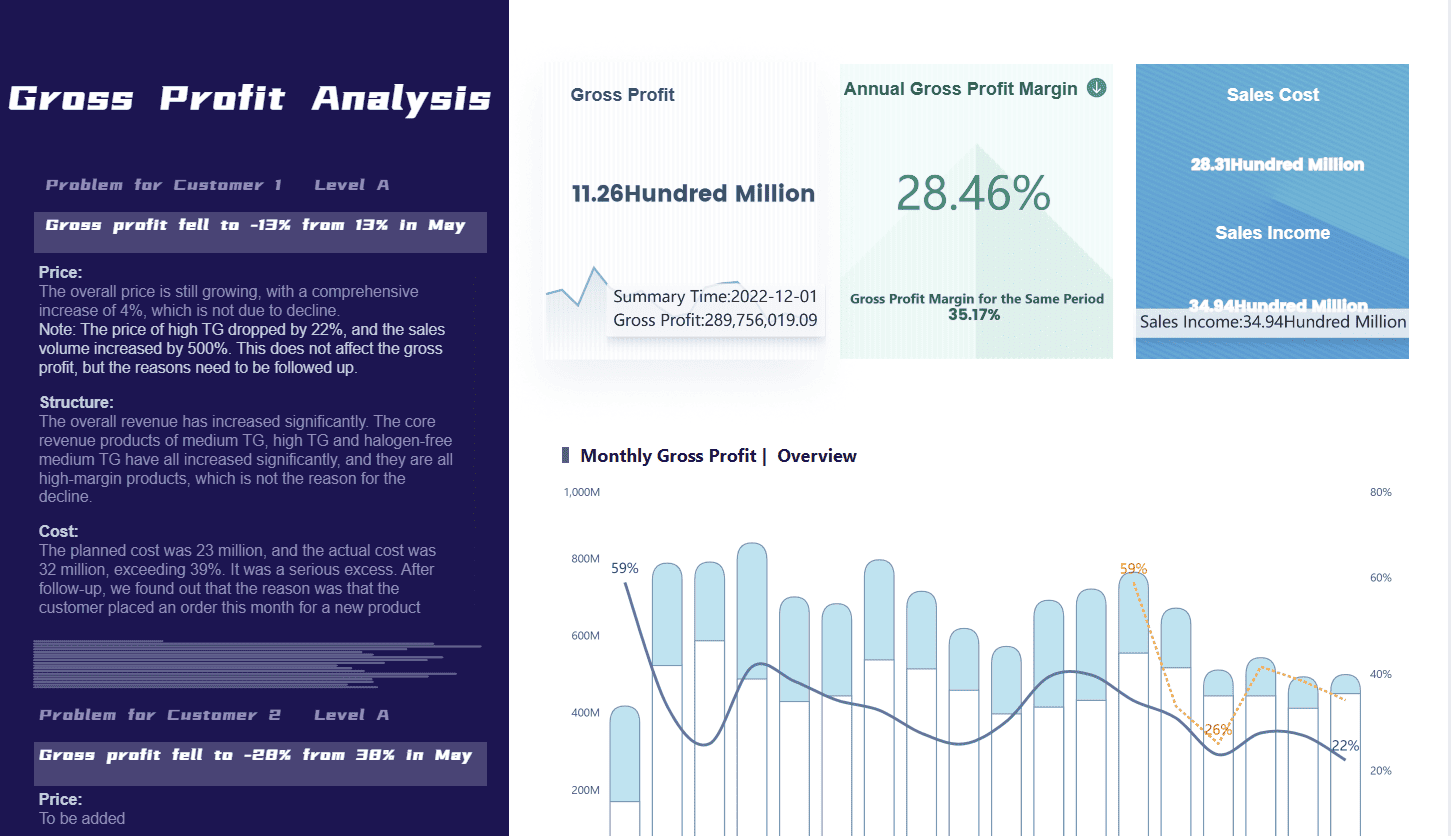
Business Intelligence Dashboard created by FineBI (Click to engage)
A business analytics dashboard also helps you build a data-driven culture. You and your team get the right data at the right time. Self-service BI empowers everyone to use analytics, not just experts. This approach removes barriers and helps everyone speak the same language about data.
How a BI Dashboard Works
A BI dashboard connects to many data sources, such as databases, cloud platforms, and even web APIs. You can pull in data from tools like Salesforce, Google Analytics, or your company’s warehouse. This central view means you do not need to jump between different systems. You see all your key metrics in one place.
The dashboard uses native connectors to gather and unify data. You can then create data visualizations like charts, graphs, and maps. These visualizations help you spot patterns and outliers quickly. For example, you might see sales trends, customer behavior, or inventory levels at a glance.
Data dashboards also support real-time updates. You get the latest information as soon as it is available. This feature is important for fast decision-making. You can filter, drill down, and interact with the visualizations to explore details.
Tip: A good dashboard makes it easy for you to switch between different views, compare time periods, and focus on what matters most.
However, connecting a BI dashboard to your existing systems can bring challenges. Here is a table showing some common integration issues:
Challenge
Description
Business Impact
Underestimating system complexity
You may need data from more systems than you expect.
Inconsistent data can block effective integration.
Inaccurate reports, bad decisions.
Incompatible data formats
Different systems may not "speak" the same language.
More time needed for data transformation.
Custom scripts/manual processes
Manual steps can break when systems change.
Higher costs, more errors.
Lack of error management
No error checks can lead to missing or wrong data in dashboards.
Delayed insights, missed opportunities.
A strong BI dashboard helps you overcome these challenges by offering built-in tools for data cleaning, error management, and secure sharing.
Key Features in FineBI
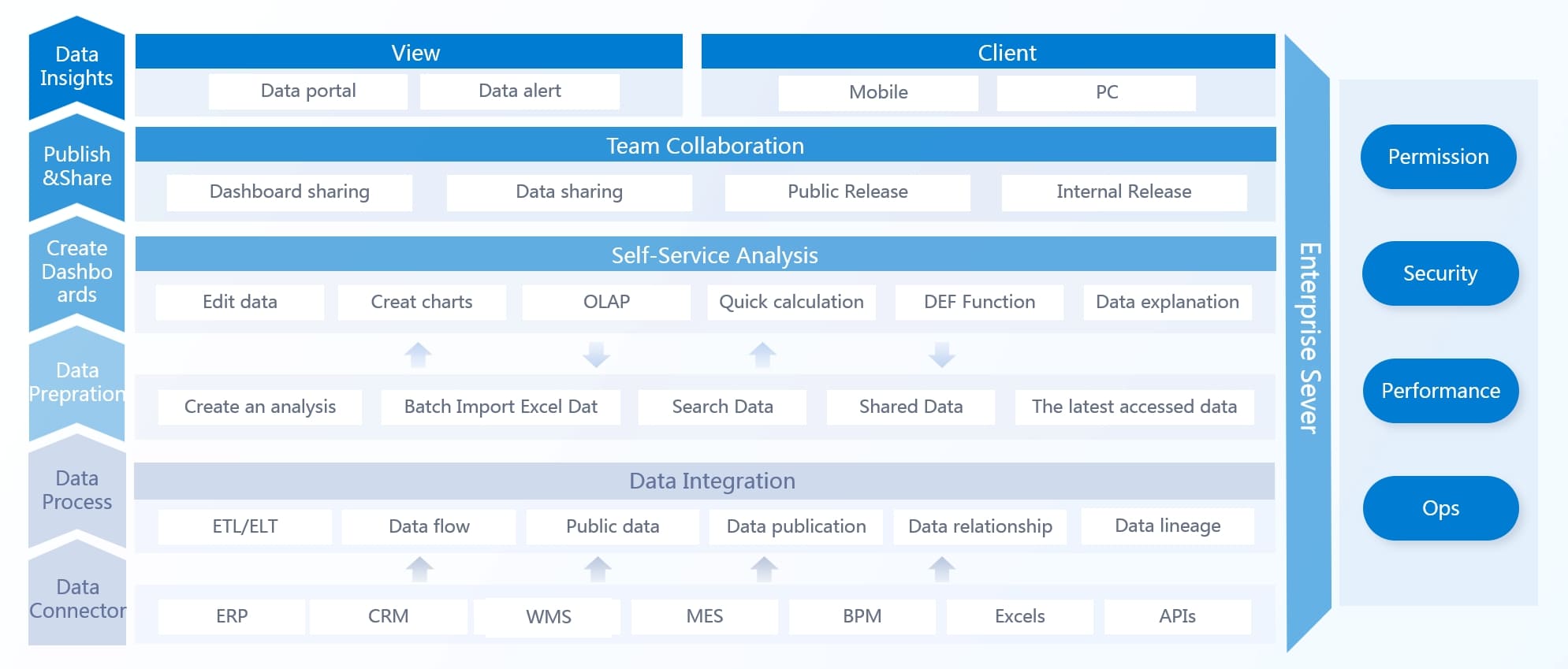
FineBI is a modern data visualization and analysis tool that makes building dashboards simple for everyone. You do not need coding skills to use it. FineBI stands out among business intelligence tools because it covers the full workflow:
Data Integration: You connect to over 60 types of data sources, including databases, cloud warehouses, big data platforms, files, and APIs. FineBI supports both simple and complex environments, so you can bring all your data together.
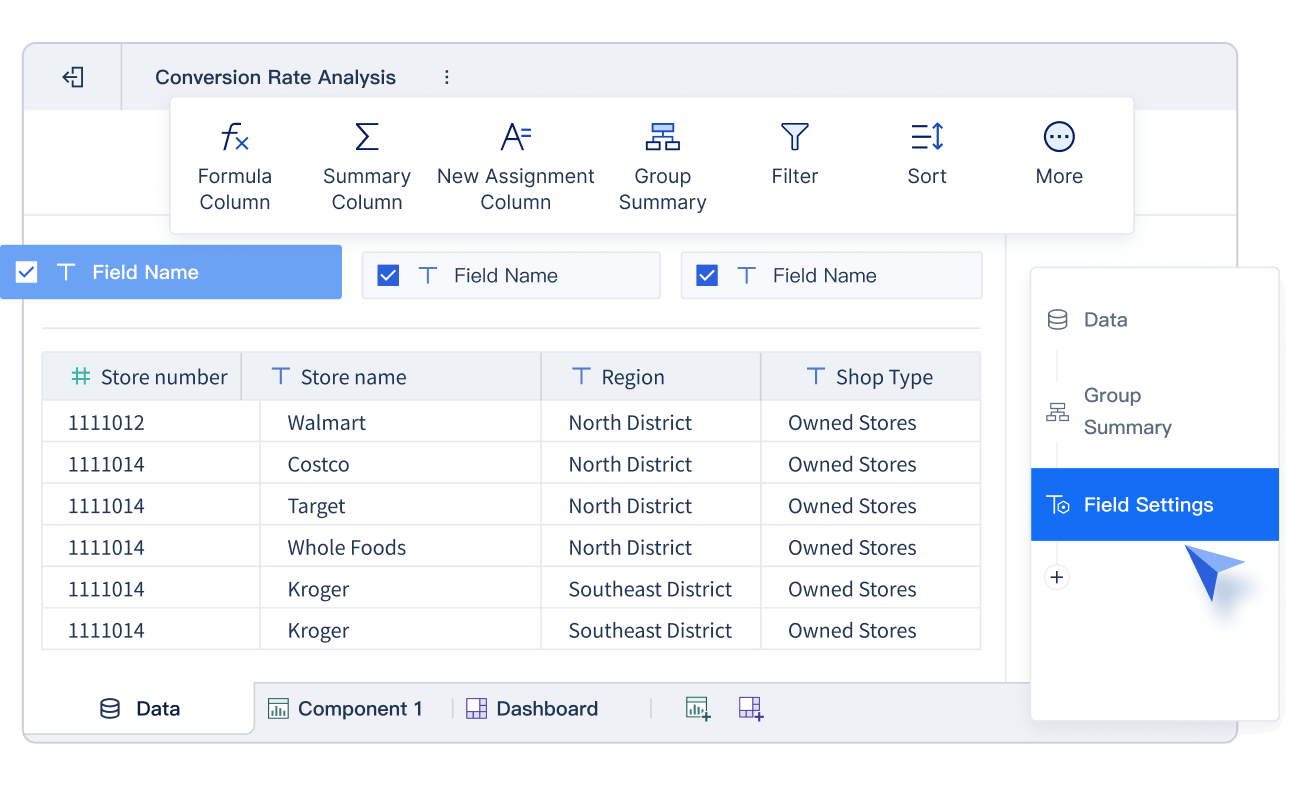
Data Processing: You prepare your data by joining tables, creating formulas, and cleaning up records. FineBI lets you build self-service datasets, merge data, and standardize values without writing code.
Visual Exploration: You drag and drop fields to create charts, maps, and tables. FineBI offers over 60 chart types and 70 styles. You can filter, drill down, and link visualizations for deeper analysis.
Publishing & Governance: You share dashboards securely with your team. FineBI provides role-based access, audit trails, and mobile access. You can publish dashboards for executives, analysts, or field teams.
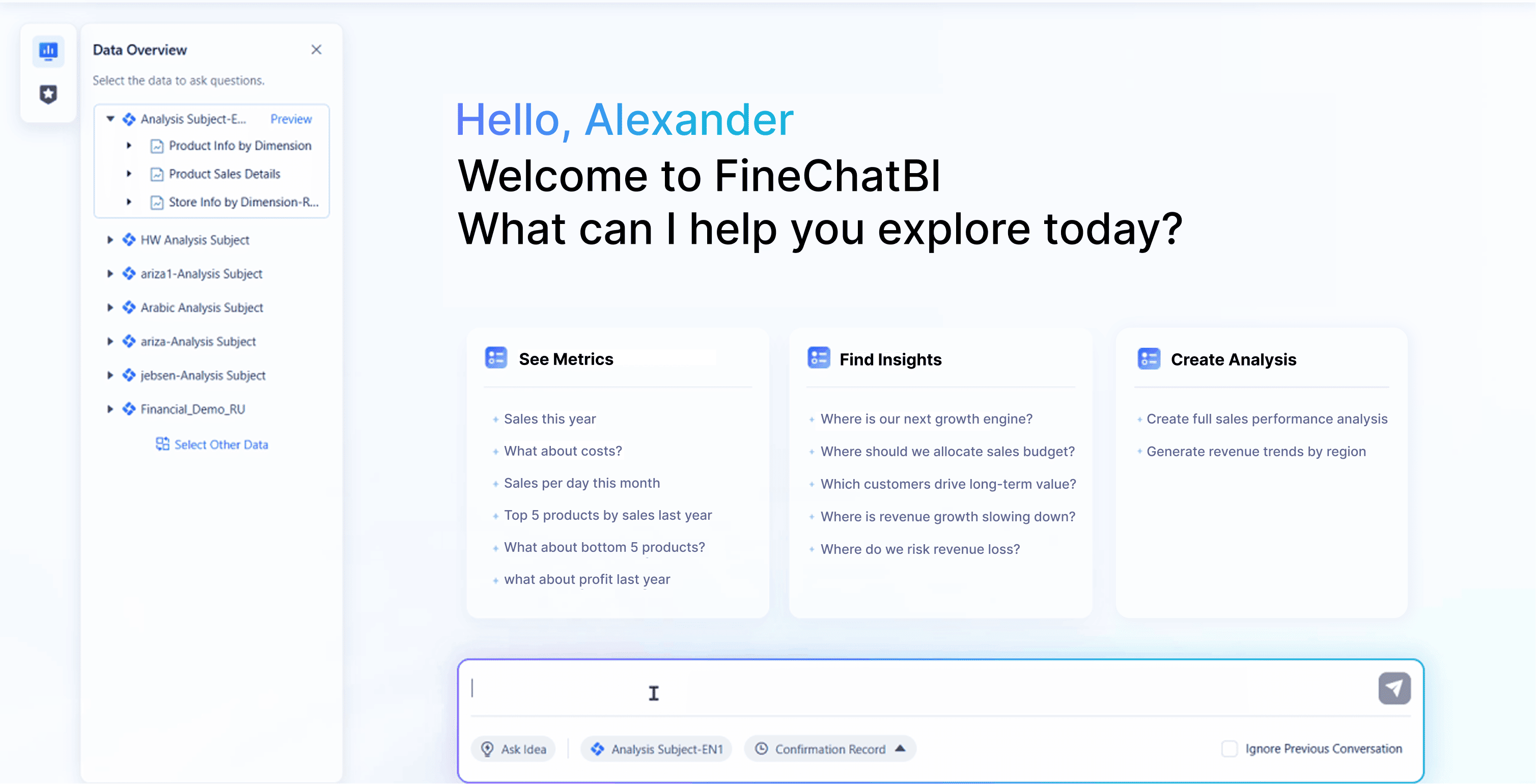
FineBI also includes AI-powered features. You can ask questions in plain language and get instant answers with visualizations. This makes data dashboards even more accessible.
With FineBI, you turn raw data into clear, interactive visualizations. You can track KPIs, monitor trends, and predict outcomes. The platform supports real-time analysis and collaboration, helping you build a strong data-driven culture.
FineBI collaboration
Note: FineBI’s self-service approach means you can create and update dashboards quickly, without waiting for IT support.
A business intelligence dashboard like FineBI gives you the power to make better decisions, faster. You get a unified view of your business, improved data quality, and the flexibility to adapt as your needs change. This is why many organizations choose FineBI as their main data visualization solution.
Types of Business Intelligence Dashboards and Use Cases
A business intelligence dashboard is a visual tool that lets you track, analyze, and share key data from different sources, helping you make better decisions quickly and confidently.
Operational, Analytical, and Strategic Dashboards
You will find three main types of BI dashboards, each serving a unique purpose. Operational dashboards focus on real-time performance monitoring. Analytical dashboards help you dive deep into complex data for detailed insights. Strategic dashboards give you a high-level overview to track long-term goals and KPIs.
Here is a table to help you compare these dashboard types:
Dashboard Type
Focus
Purpose
Example Metrics
Operational
Performance monitoring
Real-time insights for departmental operations
Inventory, Shipments, Returns
Strategic
High-level overview
Aligning organizational goals and tracking KPIs
Average Contract Value, Annual Recurring Revenue
Analytical
In-depth analysis
Detailed insights for complex decision-making
Sales trends, Campaign performance
Operational dashboards update in real time and show granular details. You can act fast when you see unexpected results.
Analytical dashboards help you analyze transactions and spot trends.
Strategic dashboards guide your long-term planning and forecasting.
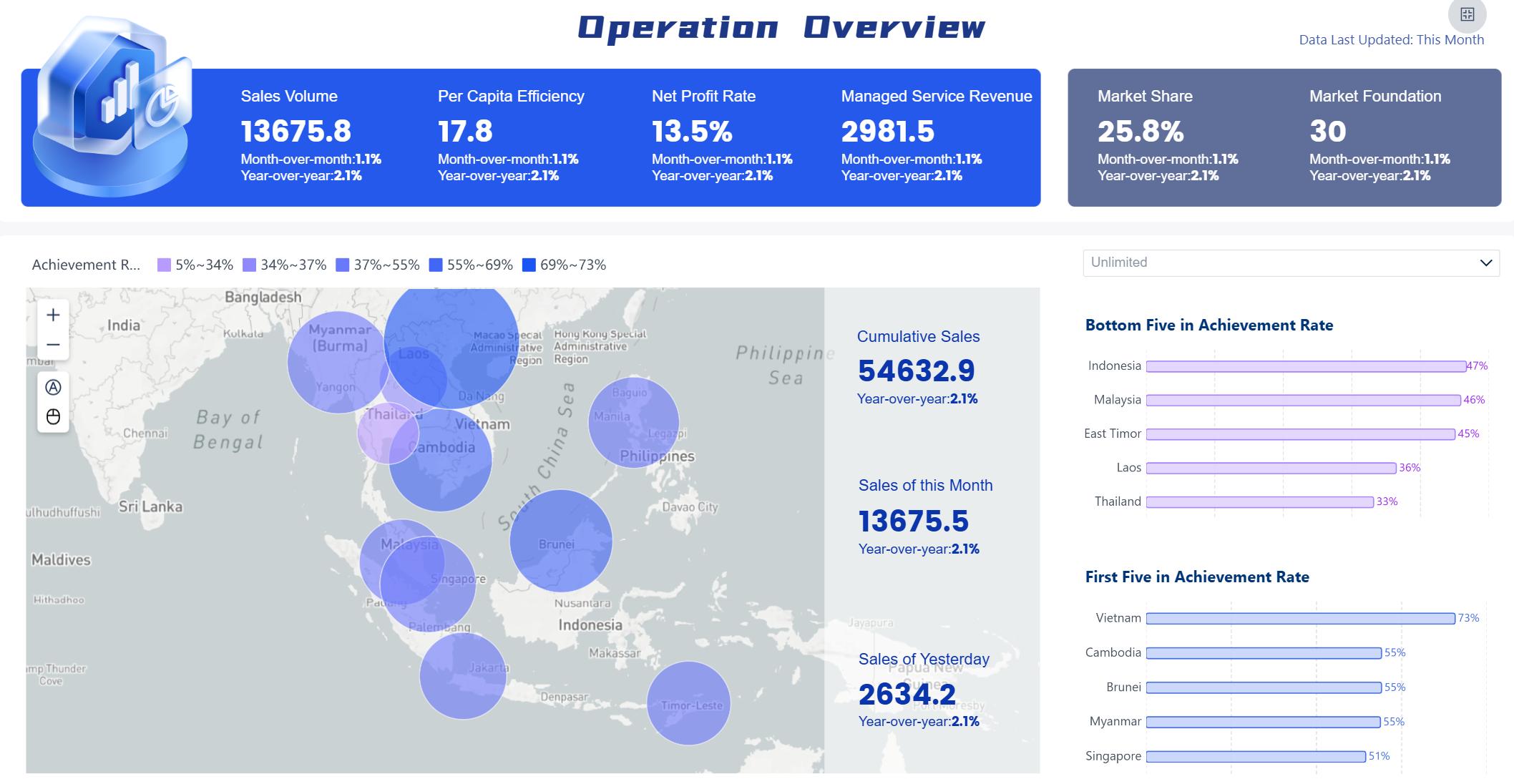
Operational dashboard created by FineBI (Click to Engage)
Industry Use Cases with FineBI
FineBI adapts to many industries and roles. You can use it for everything from inventory management in manufacturing to marketing strategy in retail. Here are some common use cases:
Industry
Typical Use Cases
Manufacturing
User segmentation, inventory management
Healthcare
Financial analysis, user behavior
Retail
Marketing strategy development
Finance
Financial analysis, user behavior
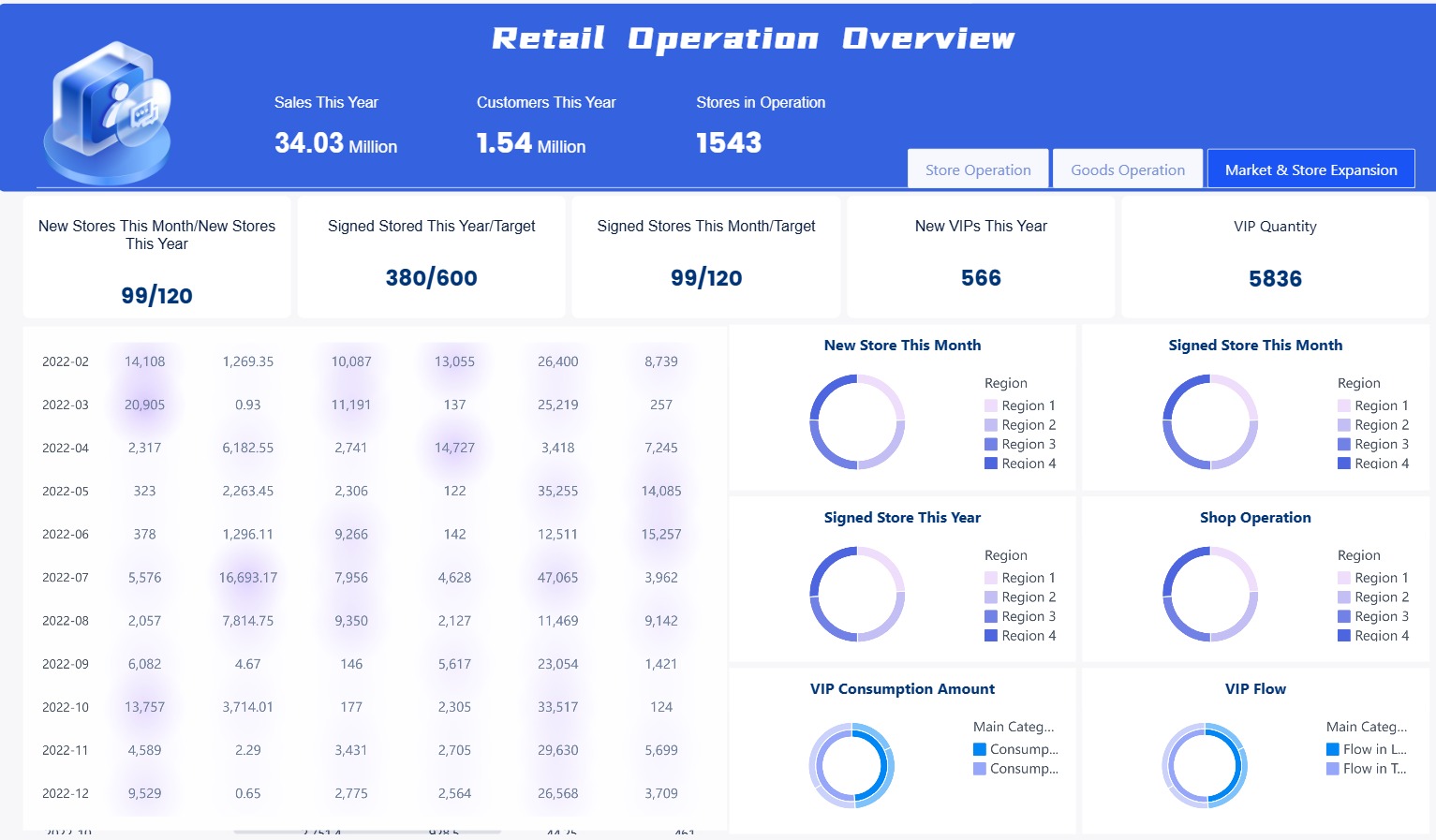
Retail Operation Overview Dashboar created by FineBI (Click to Engage)
You can customize dashboards to fit your team’s needs, whether you work in operations, sales, or finance.
Customer Story: BOE’s Digital Transformation
BOE Technology Group faced challenges with fragmented data and inconsistent metrics. By using FineBI, BOE built a unified data warehouse and standardized metrics across departments. This transformation led to a 5% reduction in inventory costs and a 50% increase in operational efficiency. KPI dashboards and cross-factory benchmarking helped BOE make faster, data-driven decisions and accelerate digital transformation.
Business Intelligence Dashboard Benefits for Decision-Making
A business intelligence dashboard is a visual platform that brings together data from multiple sources, helping you track key performance indicators and make data-driven decisions with speed and clarity.
Real-Time Insights and Efficiency
You need to make decisions quickly in today’s business world. A bi dashboard gives you real-time insights by displaying up-to-date information from across your organization. You see sales numbers, operational metrics, and customer engagement as they happen. This immediate access to real-time data helps you spot weak areas and take action before problems grow.
Real-time dashboards show sales, operations, and financial performance, so you act fast.
Teams align around shared metrics, improving collaboration and reducing confusion.
Decision turnaround time improves because you do not wait for manual reports.
Operational costs drop after you implement dashboard-driven data visualizations.
Productivity rises when you use actionable insights from your dashboard.
Executives monitor performance and respond instantly to changes. You can correct supply chain issues or adjust marketing campaigns without delay. This efficiency leads to better business decisions and stronger results.
Tip: When you use a business intelligence dashboard, you gain continuous updates that support proactive decision-making and keep your organization ahead of the curve.
Collaboration and Self-Service with FineBI
FineBI makes collaboration and self-service analytics simple. You and your team can explore data independently, create interactive dashboards, and share actionable insights without waiting for IT support. FineBI’s intuitive design encourages everyone to participate in data-driven decision making.
Collaboration Mode
Description
Subject collaboration
You work together on datasets, components, and dashboards, sharing viewing and editing permissions.
Data sharing
You publish self-service datasets after admin review, making data sharing smooth and secure.
Dashboard sharing
You create public links or request dashboard publication for easy access by others.
FineBI helps you break down barriers between departments. You foster a data-driven culture by letting users from different teams access and analyze data. You build trust in business insights because everyone works from the same source of truth.
You explore data on your own with self-service tools.
You create powerful visualizations and interactive dashboards.
You share insights across teams, driving collaboration and faster decision-making.
Note: FineBI’s self-service features empower you to make data-driven decisions without technical expertise, so your organization becomes more agile and responsive.
Overcoming Data Silos and Improving Data Quality
Data silos can slow down your business and block effective decision-making. When data is scattered across disconnected systems, you miss opportunities and lose trust in reports. A bi dashboard like FineBI unifies data access, giving you a single view of your organization’s information.
Challenge
Description
How BI Dashboards Help
Siloed Data Across Teams and Tools
Data is scattered across disconnected systems, making it hard for teams to access and share information.
BI dashboards unify data access, providing a single view of data regardless of its source.
Constant Delays or Lost Insights
Legacy systems lead to outdated data, causing missed opportunities.
BI dashboards provide real-time insights, enabling timely decision-making.
Inconsistent Business Definitions
Different meanings for terms lead to unreliable data.
BI dashboards standardize definitions, ensuring consistent metrics across tools.
Data Security Without Usability
Poorly implemented security can lock users out of workflows.
BI dashboards maintain security while ensuring usability, preventing risky workarounds.
Loss of Trust in Reports and Dashboards
Siloed and inconsistent data leads to decision paralysis and inefficiency.
BI dashboards enhance trust by providing consistent and reliable insights, turning data into an asset.
FineBI improves data quality by standardizing definitions and ensuring accuracy. You gain confidence in your data, which leads to faster decision-making and reliable business insights.
Improvement Type
Description
100% error-free regulatory reporting
You ensure compliance and accuracy in reporting.
Enhanced data trust
You build confidence among compliance and finance teams.
Faster decision-making
You reduce last-minute reporting stress.
Strengthened confidence in data integrity
You increase reliability of financial data.
You transform fragmented information into actionable insights. You make data-driven decisions with speed and confidence. FineBI helps you overcome data silos, improve data quality, and unlock the full value of your business intelligence dashboard.
Tip: When you break down silos and improve data quality, you empower your team to make smarter, faster business decisions and drive growth.
Business Intelligence Dashboard vs. Reports
A business intelligence dashboard is a digital tool that gives you a visual summary of your organization’s key metrics, helping you monitor performance and make quick decisions by bringing together data from multiple sources in one interactive view.
Key Differences
You might wonder how a dashboard differs from a traditional report. The main difference lies in how you interact with information and how you use it. Dashboards give you a visual overview, while reports provide detailed analysis. The table below highlights the main differences:
Aspect
Reports
Dashboards
Purpose
In-depth data analysis and details
Visual summary for quick insights
Format
Tables or written summaries
Charts, graphs, and gauges
Interactivity
Usually static, sometimes with filters
Highly interactive with drill-downs and filters
Level of Detail
Comprehensive and detailed
High-level overview of KPIs
Use Case
Audits, historical reviews, complex analysis
Real-time monitoring, performance tracking
Frequency
Generated as needed or on schedule
Updated in real time or near real time
Audience
Analysts, department leads, auditors
Executives, managers, front-line decision-makers
Customization
Custom queries or layouts
Custom widgets and layouts for fast visualization
Dashboards use visuals like charts and graphs to help you spot trends quickly. Reports give you structured information, often with background data and explanations.
Tip: Use dashboards when you need a fast overview. Use reports when you need to dig deep into the details.
When to Use Each
You should choose a bi dashboard when you want to monitor key metrics, track performance, or get real-time updates. Dashboards work best for executives and managers who need to make quick decisions. You can interact with the data, filter results, and drill down for more details.
On the other hand, use reports when you need to analyze data in depth, review historical trends, or prepare for audits. Reports are better for analysts who need to see all the numbers behind the metrics.
Here is a quick comparison:
Feature
Dashboards
Reports
Focus
Summary-focused
Data-focused
Visualization
Visual (charts, KPIs)
Tabular, detailed
Understanding
Brief overview
In-depth analysis
Consumption
Web, interactive
Paper or web, less interactive
FineBI gives you the flexibility to create both dashboards and reports. You can switch between high-level views and detailed analysis as your needs change. This helps you stay informed and make better decisions every day.
Choosing Business Intelligence Dashboard Software
A business intelligence dashboard is a tool that lets you see, analyze, and act on your organization’s most important data in one interactive view, helping you make smarter decisions with real-time data and clear visualizations.
Choosing Business Intelligence Dashboard Software
Key Features to Look For
When you start choosing a business intelligence dashboard software, you need to focus on features that support your goals and make your work easier. The table below highlights the most important features to consider:
Feature
Description
Seamless Data Integration
Connects to many data sources for reliable, unified analysis.
AI-Powered Analytics
Uses advanced algorithms for deeper insights.
Intuitive Dashboards
Offers easy navigation and clear visualizations for all users.
Real-Time Processing
Updates data instantly for timely decisions.
Custom Reporting
Lets you create reports tailored to your needs.
Scalability
Grows with your business and handles more users or data.
Mobile Accessibility
Allows you to check dashboards on any device, anywhere.
Data Security
Protects sensitive information and meets regulations.
Advanced Analytics
Provides tools for detailed exploration and forecasting.
You should also check if the software supports compliance with rules like GDPR and CCPA. Data security is essential for protecting your business.
Why Choose FineBI
FineBI stands out as a business intelligence dashboard software because it combines ease of use with powerful features. You get a user-friendly interface that supports both beginners and advanced users. FineBI offers seamless data integration, real-time data processing, and AI-powered analytics. You can access dashboards on any device, which helps you stay flexible. FineBI’s pricing model is budget-friendly and scales with your needs, making it a smart choice for organizations of any size. You also benefit from strong data security and compliance features.
FineBI supports collaboration by letting you share dashboards easily. You can embed dashboards or use public links to work with your team. The platform serves as a single source of truth, making it simple to join and analyze data from multiple sources in real time.
Best Practices for Implementation
To get the most from your business intelligence dashboard software, follow these best practices:
Define clear goals and objectives that match your business priorities.
Evaluate your current data setup to find strengths and gaps.
Plan for training and support using resources like learning paths, certification programs, and demo platforms.
Involve end users early to make sure the dashboard fits their needs.
Keep dashboards simple and organized. Start with high-level summaries and let users drill down for details.
Use color and layout wisely to highlight important information.
Set up feedback loops so users can suggest improvements.
Tip: Active engagement from leaders and regular workshops help keep your BI dashboard project on track.
By following these steps, you avoid common pitfalls like overcomplicated dashboards or poor user engagement. You create a tool that supports everyone in making better, faster decisions.
A business intelligence dashboard is a tool that brings your data together in one place, helping you see trends and make smart choices quickly. You gain real-time insights, collaborate easily, and explore information on your own.
Dashboards combine data from many sources, making it simple to track progress and spot trends.
You can analyze information as it arrives, share findings, and use interactive dashboards for deeper understanding. FineBI lets you work faster, reduce reporting time, and empower your team to make better decisions. Consider your needs and try FineBI to start your journey.
Access a wealth of case studies, industry insights, and solution guides to accelerate digital transformation.
FAQ
What is a business intelligence dashboard?
A business intelligence dashboard is a tool that lets you see, analyze, and share important data from different sources in one interactive view. You use it to track key metrics, spot trends, and make better decisions quickly.
How does FineBI connect to my data?
You connect FineBI to over 60 types of data sources, including databases, cloud warehouses, files, and APIs. You can bring all your data together for unified analysis without needing coding skills.
Can I use FineBI on my phone or tablet?
Yes, you can access FineBI dashboards on any device. The dashboards adjust automatically to fit desktops, tablets, and smartphones, so you always have your data with you.
Is my data secure in FineBI?
FineBI uses role-based access, data masking, and audit trails to keep your information safe. You control who can view or edit dashboards, which helps protect sensitive data.
Do I need IT support to build dashboards in FineBI?
You do not need IT support for most tasks. FineBI’s drag-and-drop interface lets you create dashboards and explore data on your own. You can build and update dashboards quickly without technical help.