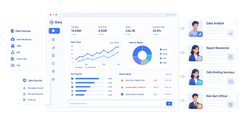
Content marketing reporting is the discipline that turns content from a publishing function into a measurable growth engine. If you are a beginner marketer, content lead, or operations manager, the biggest challenge is usually not a lack of data. It is too much disconnected data, too many dashboards, and no clear story about what content is actually contributing to traffic, leads, pipeline, or revenue. A simple reporting system helps you stop guessing, prioritize the right content, and prove business value without drowning in metrics.
[Insert Dashboard Demo Here: A beginner-friendly content marketing reporting dashboard showing traffic, engagement, conversions, and ROI signals in one executive view]
All reports in this article are built with FineReport
Why content marketing reporting matters for beginners
Many teams confuse content output with content performance. Publishing four blog posts, sending two newsletters, and running one webinar may show activity, but activity alone does not show impact. Content marketing reporting helps you separate what was produced from what actually moved the business forward.
For beginners, this matters because content can easily become a busywork machine. Teams often spend weeks writing, posting, and promoting assets without knowing which topics attract qualified visitors, which pages assist conversions, or which formats influence revenue. Reporting fixes that by creating a feedback loop. You learn what is working, what is underperforming, and where to invest next.
A strong reporting habit also helps teams make better decisions faster. Instead of debating opinions, you can answer practical questions with evidence:
Which blog posts bring in organic traffic?
Which landing pages convert visitors into leads?
Which webinars influence pipeline?
Which case studies help sales conversations move forward?
Simple, consistent reporting is more useful than tracking everything because decision-making depends on clarity, not volume. A monthly report with 8 to 12 stable metrics is far more valuable than a dashboard with 60 numbers nobody uses. The goal of content marketing reporting is not to collect data. The goal is to drive action.
[Insert Dashboard Demo Here: A comparison view showing publishing activity metrics versus business outcome metrics such as leads and influenced opportunities]
What to measure in content marketing reporting
The best content marketing reporting frameworks focus on metrics across the funnel: discovery, engagement, conversion, and business impact. For beginners, this means choosing a small KPI set that reflects how people find your content, interact with it, and take meaningful action afterward.
Key Metrics (KPIs)
Below is a practical KPI set you can use as the backbone of your content marketing reporting process:
Organic sessions: Visits from unpaid search traffic. Useful for measuring discoverability.
Pageviews: Total page loads. Helpful for trend tracking, but only when paired with quality signals.
Impressions: How often your content appears in search results. Indicates visibility potential.
Click-through rate (CTR): The percentage of impressions that become clicks. Measures how well titles and descriptions attract visitors.
Top landing pages: The pages users first enter through. Reveals which content drives discovery.
Time on page: Average time visitors spend on a page. A directional engagement signal.
Scroll depth: How far users scroll. Helps assess whether readers consume the main content.
Email sign-ups: New subscribers generated by content. A core conversion metric for nurture programs.
Demo requests: High-intent conversions often tied to consideration or decision-stage content.
Assisted conversions: Conversions where content influenced the journey without being the final touchpoint.
Qualified leads: Leads that match target criteria. More important than raw lead volume.
Influenced pipeline: Sales opportunities touched by content. Critical for proving downstream value.
Content-attributed revenue: Revenue linked to content interactions under your attribution model.
Retention impact: Evidence that content supports onboarding, upsell, or customer education.
[Insert Dashboard Demo Here: KPI tiles for organic sessions, CTR, email sign-ups, assisted conversions, and influenced pipeline]
Traffic and discovery metrics
Traffic and discovery metrics show whether your content is being found by the right audience. For most beginners, this starts with search and landing-page performance.
Focus on:
Organic sessions
Pageviews
Search impressions
Click-through rate
Top landing pages
Topic clusters that attract qualified visitors
Organic sessions show if SEO-driven content is increasing visibility over time. Impressions and CTR reveal whether your content is appearing in search and earning clicks. Top landing pages help you identify the assets that act as your front door.
This is where many teams make an important shift. Do not just ask, “Which post got the most traffic?” Ask, “Which topics brought in visitors who matched our ideal audience and kept moving through the funnel?”
For example, a high-traffic educational article may drive awareness, while a lower-traffic comparison page may attract much higher-intent visitors. Both matter, but for different reasons.
[Insert Dashboard Demo Here: Organic traffic trend chart, search impressions vs CTR chart, and top landing pages table by topic]
Engagement and conversion metrics
Traffic is only the start. Content marketing reporting becomes meaningful when you measure whether visitors actually engage and convert.
Track metrics such as:
Time on page
Scroll depth
Email sign-ups
Demo requests
Content download completions
Assisted conversions
Time on page and scroll depth help you understand whether people are consuming your content. They are not perfect, but together they provide useful context. If a long-form guide gets traffic but readers leave after a few seconds, the issue may be weak message match, poor structure, or low relevance.
Conversion metrics are where reporting starts proving value. Email sign-ups indicate growing owned audience. Demo requests show stronger buying intent. Assisted conversions help you see the hidden influence of top- and mid-funnel content that rarely gets credit in last-click models.
To connect content performance to lead quality and sales pipeline, integrate your analytics with CRM data. This allows you to go beyond “this page generated 50 leads” and instead say, “this page generated 12 qualified leads and influenced $80,000 in pipeline.”
[Insert Dashboard Demo Here: Engagement panel with time on page and scroll depth, plus conversion funnel from content visit to qualified lead]
Goal-based KPIs for different content types
One of the most common mistakes in content marketing reporting is using the same success metric for every content asset. That creates false conclusions.
Different content types serve different roles:
Content Type
Primary Goal
Best KPIs
Blog posts
Awareness and discovery
Organic sessions, impressions, CTR, top landing entries
Landing pages
Conversion
Conversion rate, form fills, demo requests
Newsletters
Nurture and retention
Open rate, click rate, content-driven visits, sign-ups
The reporting principle is simple: measure content by the job it is meant to do.
[Insert Dashboard Demo Here: A matrix dashboard mapping content type to funnel stage and KPI performance]
What to skip or stop overvaluing in content marketing reporting
Not all metrics deserve equal attention. Good content marketing reporting is as much about exclusion as inclusion. If a metric cannot help your team make a decision, it probably does not belong in your main report.
Vanity metrics that look impressive but mislead
Some metrics look strong in presentations but create poor strategic decisions when used in isolation.
Common vanity metrics include:
Raw pageviews without context
Social likes
Single keyword ranking wins
High impressions with weak click quality
Traffic spikes with no conversion impact
Why are these misleading? Because they often reward visibility without value. A post can generate thousands of visits and still bring in no qualified leads. A social campaign can collect likes while producing zero pipeline. A page can rank number one for a keyword that never converts.
High traffic does not always mean high value. In fact, low-volume content often outperforms high-traffic content in B2B environments because it targets buying-stage intent. This is why every headline metric should be paired with a quality or conversion metric.
For example:
Pageviews should be paired with conversion rate or assisted conversions
Impressions should be paired with CTR
Social reach should be paired with referral traffic or conversions
Rankings should be paired with landing-page business outcomes
Reporting mistakes that waste time
Beginner teams often build reporting processes that are far too heavy for the decisions they need to make.
Avoid these mistakes:
Pulling too many metrics
Changing KPI definitions every month
Using different date ranges in every report
Sharing dashboards without interpretation
Tracking numbers that no team can influence
Building reports for tools instead of stakeholders
A report should answer three questions quickly:
What happened?
Why did it happen?
What should we do next?
If your dashboard only shows numbers and no insight, it creates work but not value. Reporting should reduce confusion, not multiply it.
[Insert Dashboard Demo Here: A simplified reporting dashboard contrasting vanity metrics with actionable metrics tied to business outcomes]
How to build a simple content marketing reporting dashboard
A beginner dashboard should be clear enough for marketers, useful enough for managers, and concise enough for executives. It should not try to answer every possible question. It should summarize the health of your content program and highlight where action is needed.
The essential sections every beginner dashboard needs
A practical content marketing reporting dashboard should include four core sections:
1. Audience growth
This section shows whether your content engine is expanding reach over time.
Include:
Organic sessions trend
New users or new visitors
Email subscriber growth
Search impressions and CTR
2. Content performance
This section shows which pages, topics, and formats are producing meaningful engagement.
Include:
Top landing pages
Time on page
Scroll depth
Blog, webinar, newsletter, and case study performance by goal
3. Conversions
This section connects content to measurable actions.
Include:
Email sign-ups
Demo requests
Form completions
Assisted conversions
Qualified leads by content source
4. ROI signals
This section shows downstream business contribution, even if attribution is directional rather than perfect.
Include:
Influenced opportunities
Pipeline contribution
Content-attributed revenue
Cost per lead by content program
Conversion rate by content type
The best dashboards use simple visual structure: trend lines for movement over time, tables for top-performing assets, and funnel views for progression from visit to lead.
[Insert Dashboard Demo Here: Beginner dashboard layout with four panels for audience growth, content performance, conversions, and ROI]
Tools and templates to make reporting easier
Most teams do not need a complex data stack to get started. They need a repeatable structure.
A practical setup often includes:
Web analytics tools for sessions, engagement, and conversions
Search tools for impressions, clicks, and CTR
CRM systems for lead quality, opportunities, and revenue
SEO platforms for topic and ranking trends
Spreadsheets or BI dashboards for monthly rollups and stakeholder views
The key is to use these tools together without overcomplicating the process. Keep one monthly reporting template with fixed sections, fixed definitions, and fixed owners.
Your template should include:
Reporting period
Top KPIs with month-over-month trend
Best-performing content
Underperforming content
Conversion and pipeline summary
Recommended next actions
This structure makes reporting sustainable. Teams can maintain it monthly and refine it quarterly without rebuilding everything from scratch.
How to prove ROI with content marketing reporting
Proving ROI is where content marketing reporting becomes strategic. Executives rarely ask how many posts were published. They ask whether content is generating qualified demand, accelerating deals, or supporting retention.
A simple way to connect content to revenue
Start with a practical chain of evidence:
Track lead generation from content assets such as blog CTAs, gated guides, webinar forms, or newsletter sign-ups.
Identify qualified leads by syncing form fills or content touches into your CRM.
Measure influenced opportunities to see which content appears in journeys that later become pipeline.
Track customer acquisition by linking won deals to prior content interactions where possible.
Assess retention impact for content used in onboarding, customer education, or upsell motions.
This does not require perfect attribution to be useful. It requires a transparent method. Be clear about your attribution assumptions:
Is this first-touch, last-touch, or multi-touch?
Are assisted conversions included?
Are you reporting sourced pipeline or influenced pipeline?
What counts as a qualified lead?
If you explain your assumptions clearly, stakeholders are far more likely to trust the numbers.
[Insert Dashboard Demo Here: Revenue attribution flow from content touchpoint to lead, opportunity, and closed revenue]
How to present results to stakeholders
Stakeholders do not need more data. They need interpretation.
What happened: Organic sessions grew 18%, webinar registrations doubled, and case studies drove more demo requests.
Why it happened: Search visibility improved for high-intent topics, webinar promotion was more targeted, and sales used case studies more actively in late-stage deals.
What to do next: Expand high-converting topic clusters, refresh underperforming posts, and produce more decision-stage proof assets.
Use wins, losses, and content gaps to recommend action. Every report should end with decisions, not just observations.
Examples of useful stakeholder recommendations:
Double down on high-intent comparison topics
Improve underperforming landing-page CTAs
Refresh posts with high impressions but low CTR
Create more bottom-funnel content where traffic is strong but conversion is weak
Align newsletter nurture flows with top-performing webinar themes
This is how reporting becomes a management tool, not a documentation exercise.
A beginner-friendly content marketing reporting process you can repeat
The most effective content marketing reporting systems are repeatable. They do not depend on heroic manual effort every month.
Here is a practical process I recommend as a consultant:
1. Set goals before selecting metrics
Define what content is supposed to do this quarter:
Grow qualified organic traffic
Generate more newsletter subscribers
Increase demo requests
Influence more sales opportunities
Once goals are clear, choose only the KPIs that measure progress toward those outcomes.
2. Choose a small KPI set
Limit your core monthly report to a focused group of metrics across:
Discovery
Engagement
Conversion
ROI signals
This keeps the dashboard readable and the conversation strategic.
3. Review monthly, refine quarterly
Monthly reviews help teams identify performance changes quickly. Quarterly reviews help leadership evaluate whether the KPI set, content mix, and attribution model still support business priorities.
4. End each report with decisions and owners
Every reporting cycle should assign action:
Which content gets refreshed?
Which topic gets expanded?
Which CTA gets tested?
Who owns each next step?
That is how reporting supports strategy instead of creating busywork.
[Insert Dashboard Demo Here: Monthly reporting workflow dashboard with KPI review, insight summary, next actions, and owners]
Building this manually is complex; use FineReport to automate the workflow
Once your content program expands across blogs, landing pages, newsletters, webinars, and CRM data, manual reporting becomes slow and fragile. Different data sources create version-control issues, inconsistent definitions, and too much time spent stitching spreadsheets together.
Building this manually is complex; use FineReport to utilize ready-made templates and automate this entire workflow.
Build dashboards for marketers, managers, and executives
Standardize KPI definitions across reporting cycles
Visualize traffic, engagement, conversions, and ROI in one place
Create repeatable monthly templates without rebuilding reports each time
Reduce manual reporting effort and improve trust in the numbers
For enterprise decision-makers, this matters because scalable reporting is not just a marketing issue. It is an operational efficiency issue. When reporting is centralized and automated, your team spends less time preparing data and more time improving content performance.
[Insert Dashboard Demo Here: FineReport content marketing reporting dashboard with multi-source integration, KPI cards, and executive summary view]
After you establish the framework in this guide, the next step is making it sustainable. FineReport gives you the structure, templates, and automation layer to move from ad hoc reporting to a system leadership can trust.
If you want to simplify content marketing reporting, eliminate manual dashboard work, and prove ROI with confidence, start with a platform built for operational clarity and executive visibility.
The most useful metrics usually span discovery, engagement, conversion, and business impact. For beginners, start with a small set like organic sessions, CTR, time on page, email sign-ups, qualified leads, and influenced pipeline.
Connect content performance to leads, pipeline, and revenue instead of reporting only traffic or pageviews. A clear ROI story shows which assets influenced conversions and how content contributed to business outcomes.
Avoid relying on vanity metrics like raw pageviews, impressions, or social engagement without context. These numbers can be useful, but they do not prove value unless they are tied to qualified traffic, conversions, or revenue.
Monthly reporting works well for most teams because it keeps trends visible without creating noise. Weekly checks can support optimization, but executive reporting is usually more useful when it focuses on stable monthly KPIs.
Teams often combine GA4, Google Search Console, social platform analytics, and CRM data to build a full view of performance. Dashboard tools like FineReport help bring these sources together into one report.
Product Trial
FineReport
Pixel-perfect reports · Interactive dashboards · Easy data entry · Digital twins