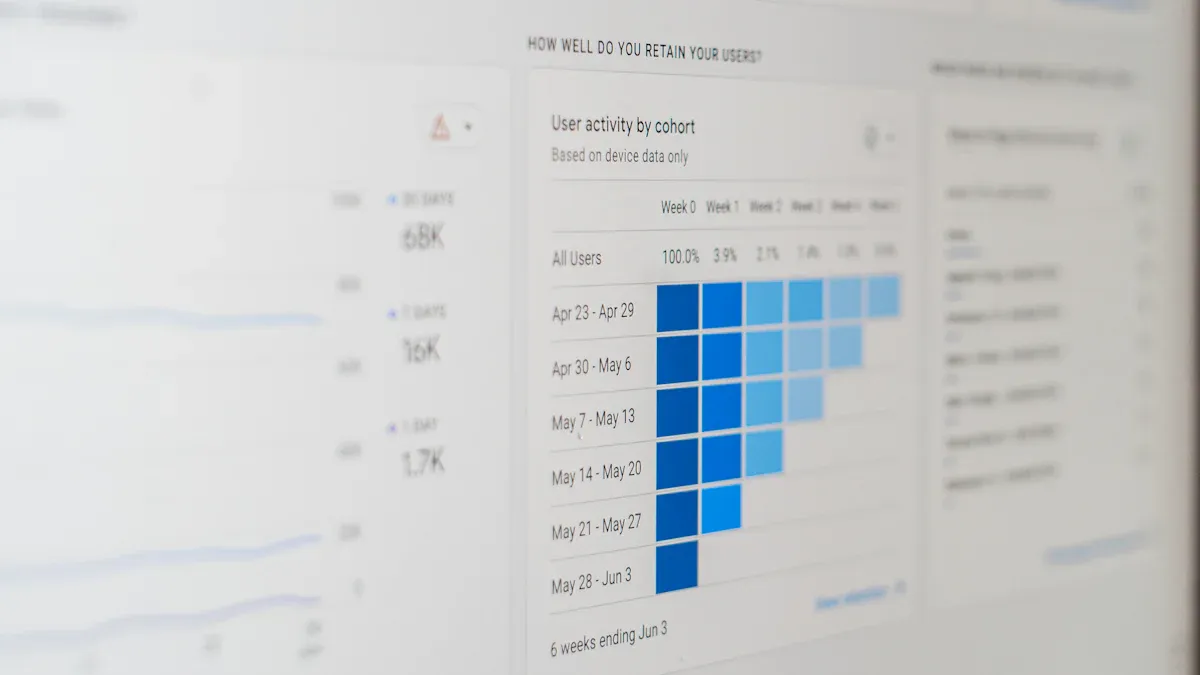
A dashboard tool is a data management platform that consolidates key metrics into a single interface, transforming complex data into intuitive visualizations to enable real-time performance tracking and informed decision-making.If you want to transform your business in 2026, you need dashboard tools that deliver real results. The following is the Top 10 Dashboard Tools to Transform Your Business in 2026:
FineReport
Power BI
Tableau
Looker
Google Data Studio
Qlik Sense
Domo
Sisense
Zoho Analytics
Klipfolio
Data visualization tools help you see live metrics visualization in action, making it easier to spot trends and act fast. Most businesses see a 15-30% boost in productivity when employees use these platforms. You can expect faster decisions, higher engagement, and better outcomes when you choose the right solution.
Check out how data visualization tools can improve the way you work. Well-designed dashboards make your information clearer and your decisions smarter.
Metric
Value Range
Adoption Rate
60-80% of employees active
Engagement Depth
15-25 prompts per user/day
Time-to-Proficiency
7-14 days
Productivity Impact
15-30% improvement
Why Dashboard Tools Matter in 2026
Business Transformation with Data Visualization
You want your business to move faster and smarter in 2026. That’s where data visualization tools come in. These tools turn complex numbers into clear pictures, so you can spot trends and make decisions quickly. When you use dashboards, you see real-time updates and can track performance as it happens. This means you catch problems early and keep your team focused on what matters most.
Dashboards transform complex data into clear insights.
A well-built dashboard helps spot issues early, monitor performance, and keep teams aligned.
As more companies shift to data-driven decision-making, the demand for data visualization tools keeps rising. Over 70% of businesses are expected to use these tools in 2026. You’ll find that dashboards not only help you understand your data, but also improve communication across your team. Everyone stays on the same page, and you can act on insights right away.
Here’s a quick look at the benefits you get from using dashboard tools:
Benefit
Description
Timely Data Access
Dashboards provide real-time updates, ensuring decisions are based on the most current data.
Enhanced Decision-Making
Visual formats help in understanding complex information, empowering data-driven decisions.
Improved Efficiency
Automation of data analysis reduces manual reporting time, allowing for deeper analysis.
Insight Discovery
Advanced machine learning capabilities uncover hidden patterns and correlations in data.
Better Communication
Visually engaging reports facilitate effective communication with stakeholders, fostering trust.
Key Trends in Dashboard Tools
You’ll notice some big trends shaping dashboard tools in 2026. Real-time data tracking lets you monitor your business as it happens. User-friendly interfaces make these tools easy for everyone, not just tech experts. Integration capabilities mean you can pull in data from all your favorite sources, giving you a complete view of your business.
Key Trend
Description
Real-time data tracking
Enables businesses to monitor performance as it happens.
User-friendly interfaces
Simplifies the user experience, making tools accessible to a wider audience.
Integration capabilities
Allows seamless connection with various data sources for comprehensive insights.
Customization
Offers tailored solutions to meet specific business needs.
Mobile accessibility
Ensures users can access dashboards on-the-go, enhancing flexibility.
Data visualization tools now offer more customization and mobile access than ever. You can check your metrics from anywhere, making it easier to stay flexible. As you focus on customer experience, remember that a good dashboard can help you track performance, spot trends, and personalize your approach. This is how you stay ahead and make the most of data-driven decision-making.
Top 10 Popular Dashboard Tools for 2026
Choosing the right dashboard software can change the way you work. Let’s dive into the top dashboard tools that will help you transform your business in 2026. You’ll find a mix of established leaders and innovative newcomers, each with their own strengths.
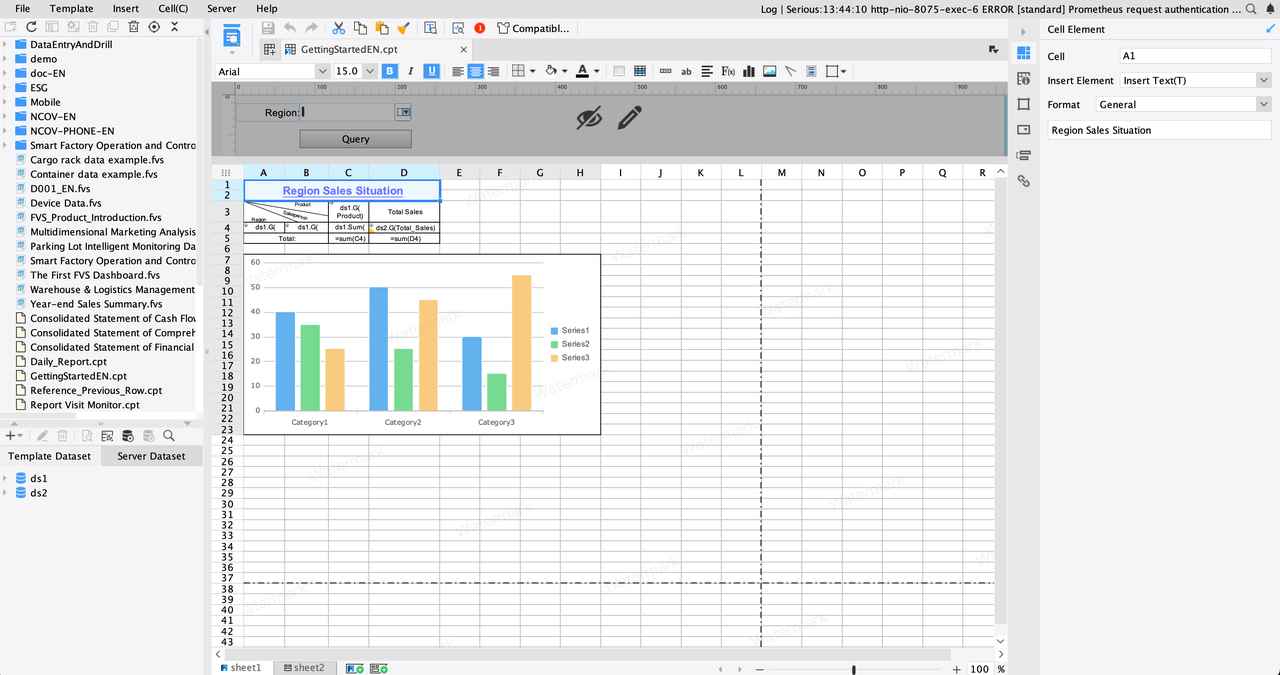
FineReport stands out as a flexible and powerful dashboard software trusted by over 15,000 companies worldwide. You can create pixel-perfect reports, interactive dashboards, and advanced data visualization tools—all with a drag-and-drop interface that feels familiar if you’ve ever used Excel. FineReport connects to more than 500 data sources, so you can bring all your information together in one place.
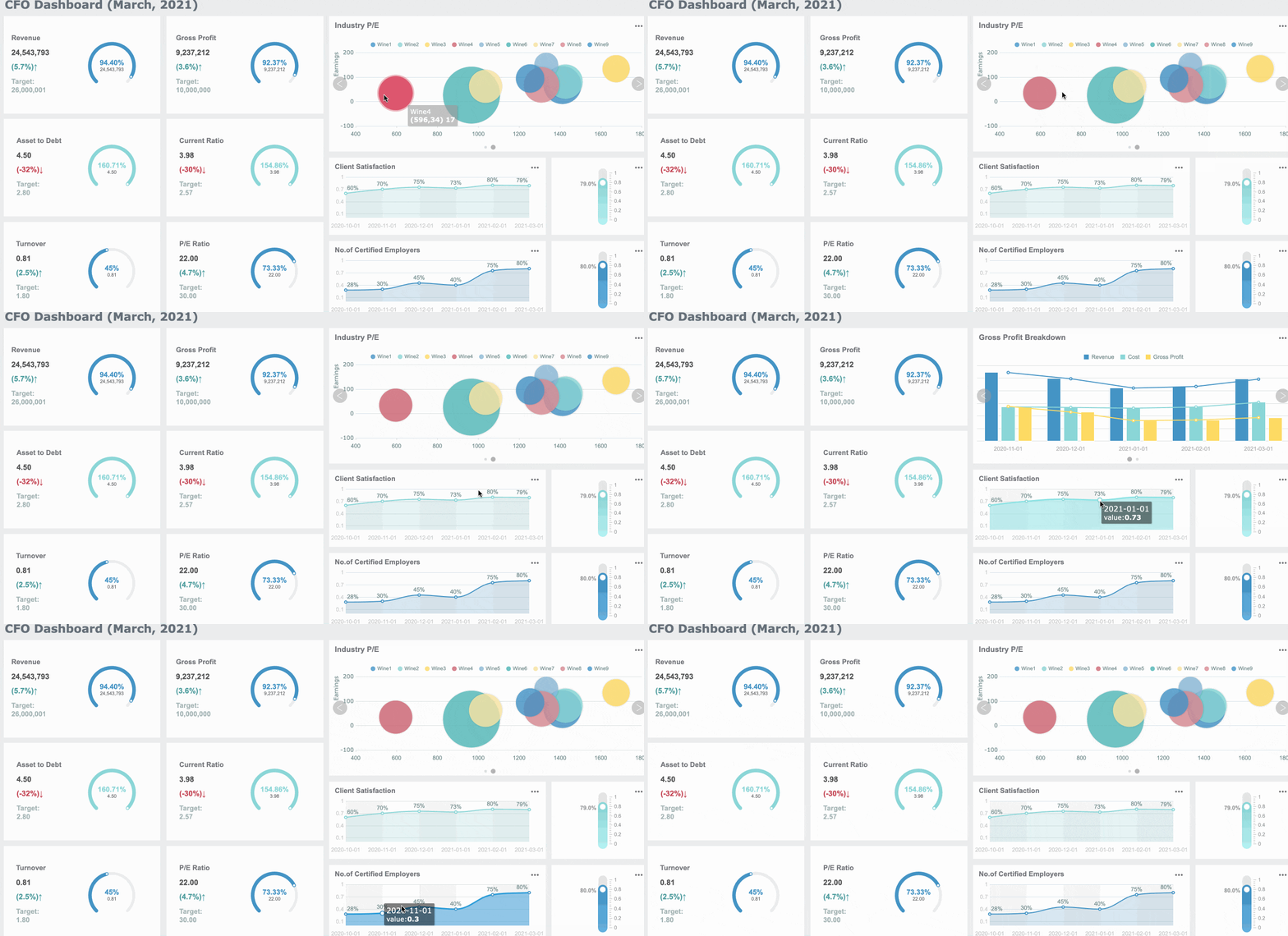
You’ll love how FineReport makes it easy to build dashboards for any department. In finance, you can automate financial reporting, track KPIs, and manage budgets with real-time data. In manufacturing, FineReport helps you monitor production, manage resources, and spot trends before they become problems. The software’s decision-making platform gives you a central hub for all your reports, dashboards, and user management, making collaboration simple.
Customer Success Story: BOE Technology Group, a global leader in IoT and semiconductor displays, used FineReport to unify their data and build KPI dashboards. They reduced inventory costs by 5% and boosted operational efficiency by 50%. FineReport helped them move from scattered spreadsheets to a single source of truth, making data-driven decisions faster and easier.
FineReport’s 3D dashboards, mobile access, and customizable layouts mean you can visualize your data anywhere, anytime. You can even embed dashboards into your own apps or use the mobile dashboard to keep an eye on key metrics on the go. FineReport’s data entry forms and multi-report layouts make it a top choice for dashboard reporting tools in both finance and manufacturing.
Power BI from Microsoft is one of the most popular dashboard tools for real-time data visualization. You get a user-friendly interface with drag-and-drop features, making it easy for anyone to build dashboards. Power BI integrates deeply with Microsoft products like Excel and Azure, so if you already use those, you’ll feel right at home.
Feature
Description
User-Friendly Interface
Drag-and-drop functionality for non-technical users to create dashboards.
Microsoft Integration
Seamless connection with Excel, Azure, and other Microsoft products.
Pricing
Free version; Pro at ~$14/user/month; Premium at ~$24/user/month.
Rich Visualizations
Many options for data visualization, including custom visuals.
AI-Enhanced Analytics
Predictive analytics and automated insights built in.
Pros:
Easy for business users to get started.
Deep integration with Microsoft tools.
Affordable pricing for most businesses.
Rich data visualization tools.
AI-powered analytics.
Cons:
Basic features may feel limiting if you want advanced options.
Sharing dashboards requires a Pro license.
The many features can feel overwhelming at first.
Power BI works best for businesses already using Microsoft products and those who want to upgrade from Excel to a more powerful dashboard analytics tool. You can start with the free desktop version or choose a paid plan for team collaboration.
Tableau is a leader in dashboard software, known for its advanced analytics and interactive data visualization tools. You can handle large datasets and create beautiful, interactive dashboards that help you dig deep into your data.
Advantages
Disadvantages
Advanced analytical abilities
High pricing, especially for smaller organizations
Comprehensive visualization options
Steeper learning curve compared to competitors
Handles large datasets with ease
Requires dedicated admins and ongoing maintenance
Rich library of visualization types
Not intuitive for non-technical users
Enables informed business strategies
Heavy reliance on analysts for report building
Tableau shines when you need to analyze complex data and want to create dashboards that tell a story. It’s a favorite among analysts and data professionals who need dashboard reporting tools that can handle anything you throw at them.
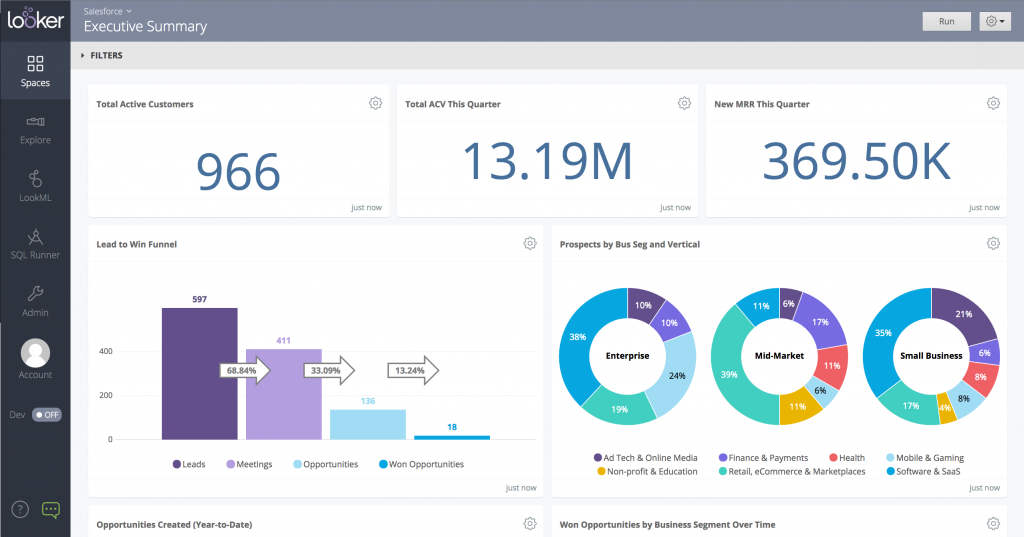
Looker, now part of Google Cloud, focuses on cloud-based dashboard software and AI-powered analytics. You can customize dashboards and reports, but you might notice a steeper learning curve compared to other data visualization tools. Looker’s integration capabilities are not as seamless as some competitors, often requiring third-party tools to connect to various data sources. Real-time analytics can be a challenge, so it’s best for businesses that don’t need instant updates.
Looker is a good fit for companies already invested in Google Cloud and those who want to build custom analytics solutions with strong governance.
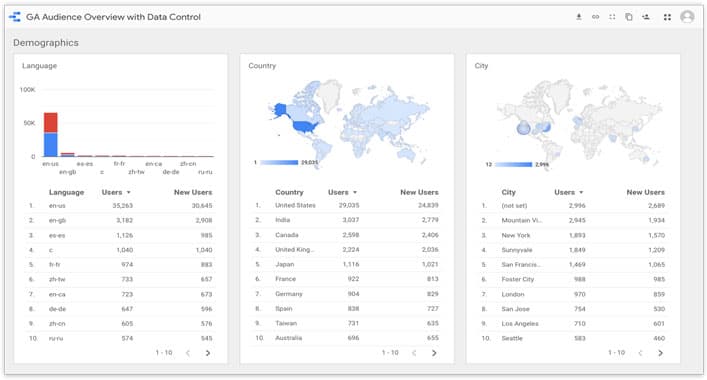
Google Data Studio, now called Looker Studio, is a free dashboard software that makes it easy to create interactive reports and dashboards. You can connect to Google Analytics, Google Ads, and other Google services right out of the box. For more advanced needs, Looker Studio Pro offers collaboration tools and Google Cloud support.
Pricing Model
Description
Free Option
Limited access to Google-native data sources like Google Analytics, Google Ads, etc.
Looker Studio Pro
For larger teams, includes service-level agreements and collaboration tools.
Third-party Connectors
Additional costs for using connectors to non-Google platforms.
You’ll find Google Data Studio perfect for marketing teams, small businesses, and anyone who wants to visualize Google data quickly. If you need more power, Looker Studio Pro is available for enterprise teams.
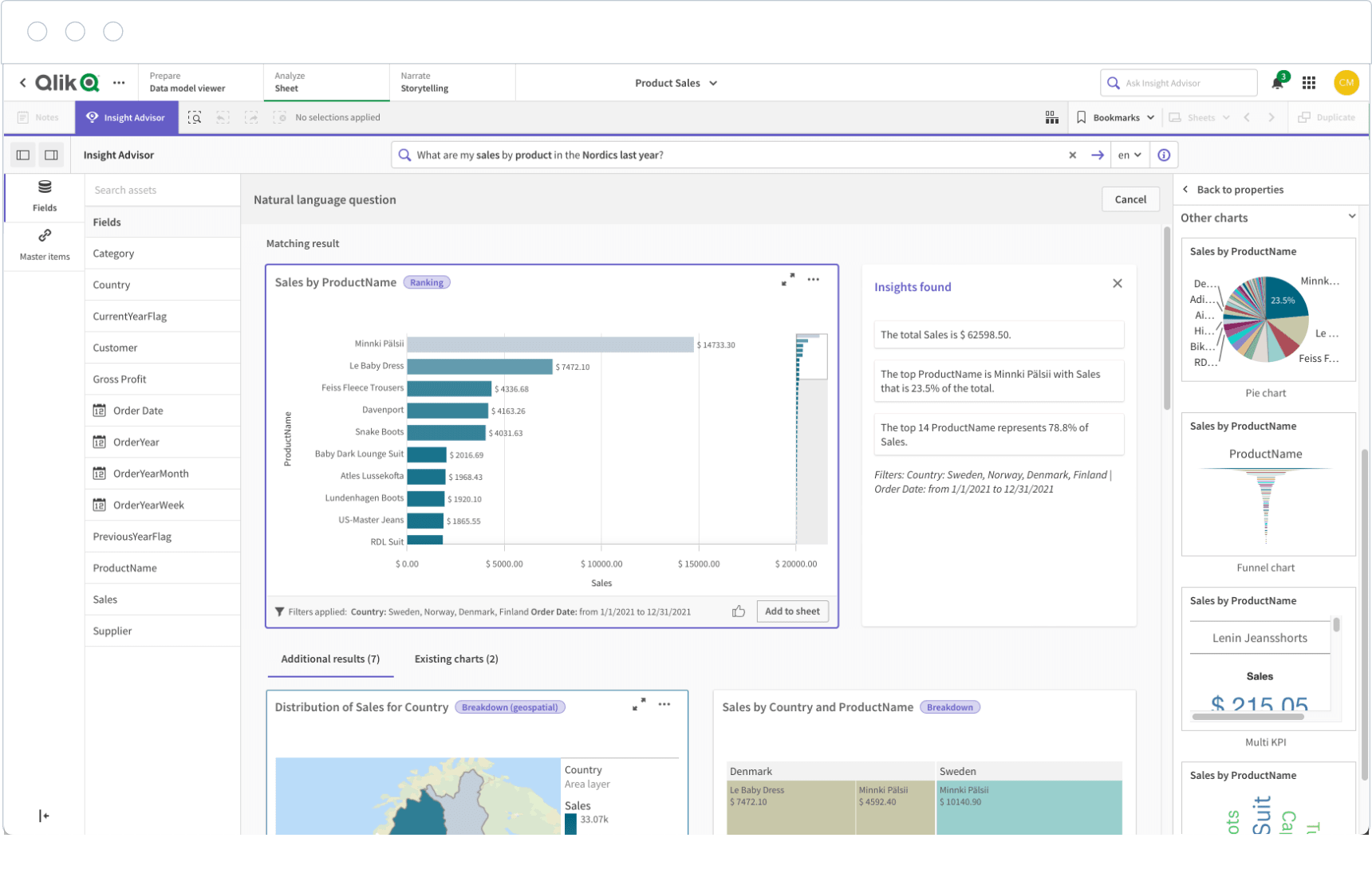
Qlik Sense is a flexible dashboard software that works well across many industries. You can use it to track sales in retail, monitor patient outcomes in healthcare, or manage risk in financial services. Qlik Sense stands out for its associative data model, which lets you explore data freely and uncover hidden insights.
Industry
Use Case Description
Retail
Track sales, evaluate demand, optimize inventory.
Healthcare
Monitor treatment results, aggregate patient records.
Financial Services
Conduct risk assessments, analyze portfolios.
Manufacturing
Boost production efficiency, reduce downtime.
Government
Enable non-technical users to analyze data for better decisions.
Qlik Sense is a great choice if you want dashboard reporting tools that adapt to your industry and help you make smarter decisions.
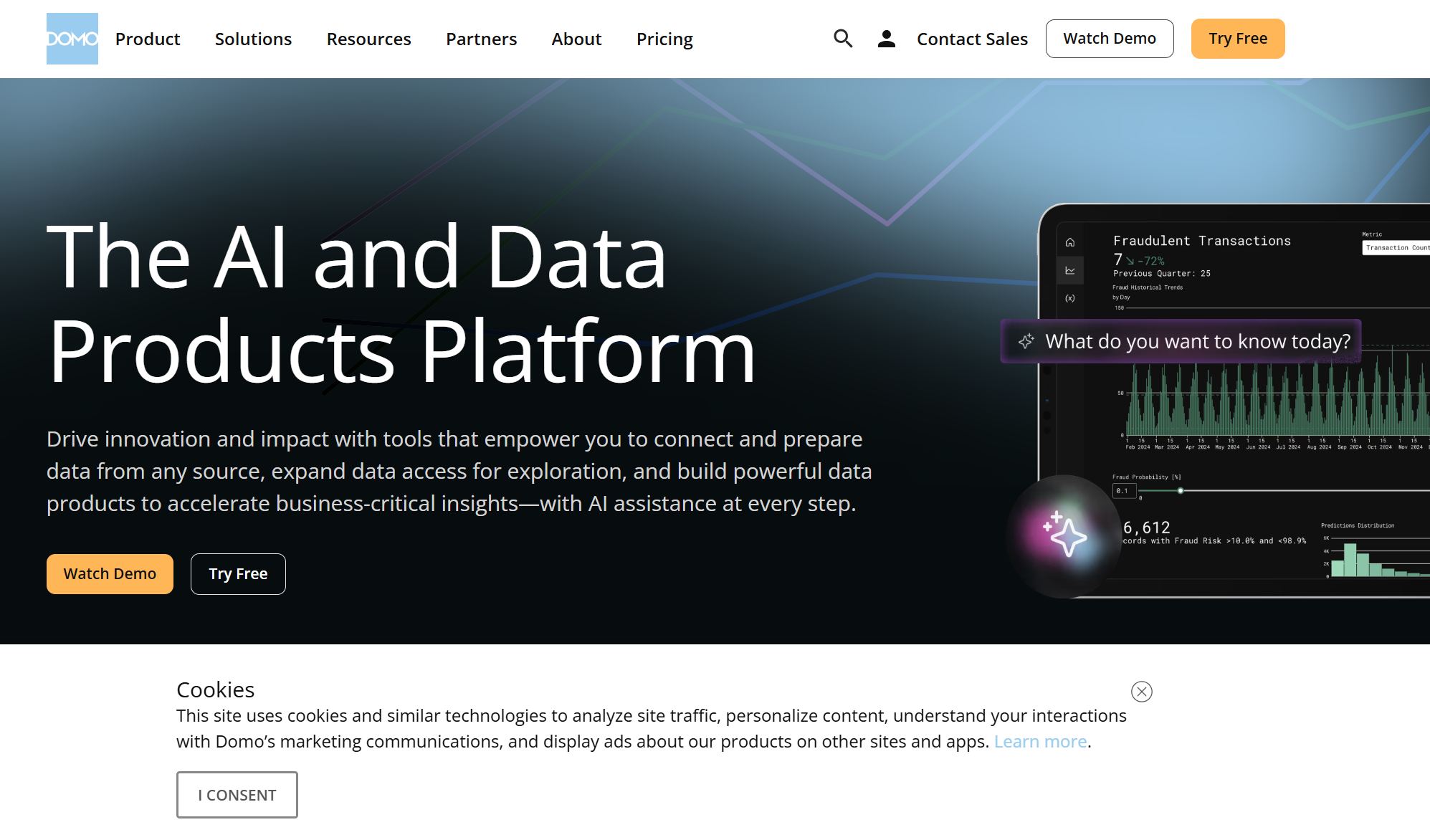
Domo is a cloud-based dashboard software designed for ease of use. You can create dashboards with drag-and-drop features and pre-built templates, even if you’re not a tech expert. Domo connects to over 1,000 data sources, so you can blend and clean data visually without writing code.
Pros:
User-friendly interface for quick dashboard creation.
Robust data integration with many sources.
Cons:
Pricing is not transparent, so budgeting can be tricky.
Performance may slow down with very large datasets.
Domo works well for businesses that want to bring together lots of data sources and need a dashboard analytics tool that anyone can use.
Sisense is a powerful dashboard software that brings advanced analytics and AI features to your business. You can use Sisense Intelligence to extract insights, identify trends, and manage risks. The AI Assistant helps you create visualizations and insights without needing to know SQL or data science. Sisense also offers narrative summaries and forecasting tools powered by machine learning.
AI-powered insights automate your data analysis.
Flexible deployment options (cloud, on-premises, hybrid) fit your needs.
Strong data modeling and governance keep your data secure and compliant.
Sisense is a smart pick if you want to use data visualization tools to drive innovation and make data-driven decisions.
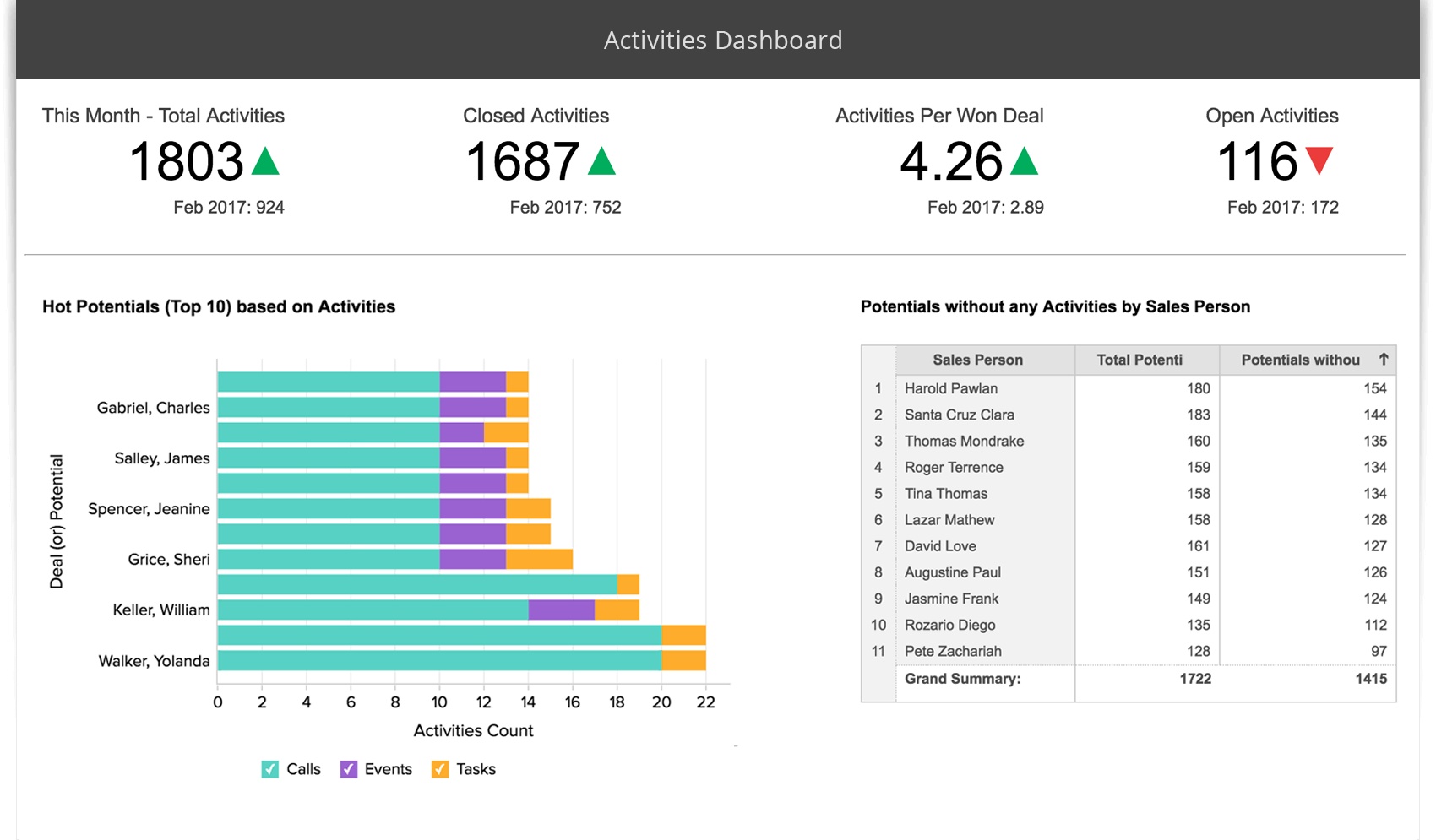
Zoho Analytics is a cost-effective dashboard software built for small and medium businesses. You can start with the Basic plan at $22 per month for two users, or scale up to the Premium plan for $112 per month for up to 15 users. Zoho Analytics handles large datasets with ease, using columnar storage and in-memory processing for fast performance. The auto-scaling infrastructure grows with your needs.
Extensive integration capabilities.
User-friendly interface.
Affordable plans for growing businesses.
Zoho Analytics is ideal if you want dashboard reporting tools that are easy to use, budget-friendly, and scalable.
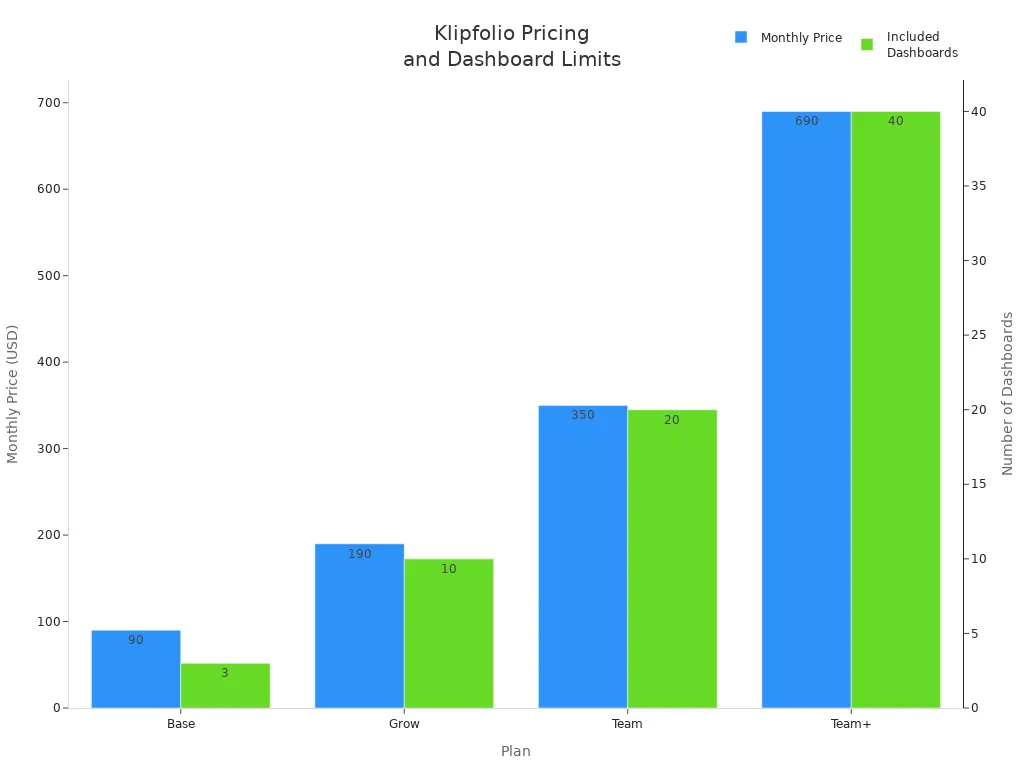
Klipfolio gives you customizable dashboards with over 140 integrations. You can create internal dashboards using “Klips” (widgets), but setting up custom metrics may require some technical know-how. Klipfolio offers strong security, including TLS 1.2 encryption and GDPR compliance. You can share reports by email, link, or PDF, and schedule automated updates.
Plan
Price/month (annual)
Included Dashboards
Key Features
Base
$80
3
Unlimited users, 4-hour data refresh, 130+ integrations, PDF reports
Grow
$170
10
1-hour data refresh, report scheduling, link sharing
Team
$310
20
15-min data refresh, SSO, custom onboarding, priority support
Team+
$600
40
All Team features plus custom onboarding and priority support
Klipfolio is a good fit for teams that want customizable dashboards and need to connect to many data sources.
Tip: When you choose dashboard software, think about your team’s needs, your data sources, and how much customization you want. The right dashboard tools will help you unlock the full power of your data visualization tools and make smarter decisions every day.
Key Features for Choosing the Right Dashboard Tool
When you pick dashboard software, you want something that fits your business now and grows with you. Let’s break down the features you should look for in dashboard reporting tools so you can make the best choice.
Integration and Customization
You need dashboard reporting tools that connect with all your data sources. This makes your data visualization application powerful and complete. Look for features like advanced filters, customizable templates, and user roles. These let you tailor dashboards for each department or team member. Here’s a quick look at what matters:
Feature
Description
Integrations
Connects with many data sources for better data visualization.
UI Interactivity
Drilldown and drill-through for deeper insights.
Data Filter Capabilities
Lets you refine searches and focus on what matters.
User Roles
Custom access for admins, editors, and viewers.
Advanced Graphs
Highlight trends with secondary axes and formatting.
Predictive Analytics
Forecast future outcomes using past data.
Tabs
Track different metrics across teams.
Custom Templates
Build dashboards that match your business needs.
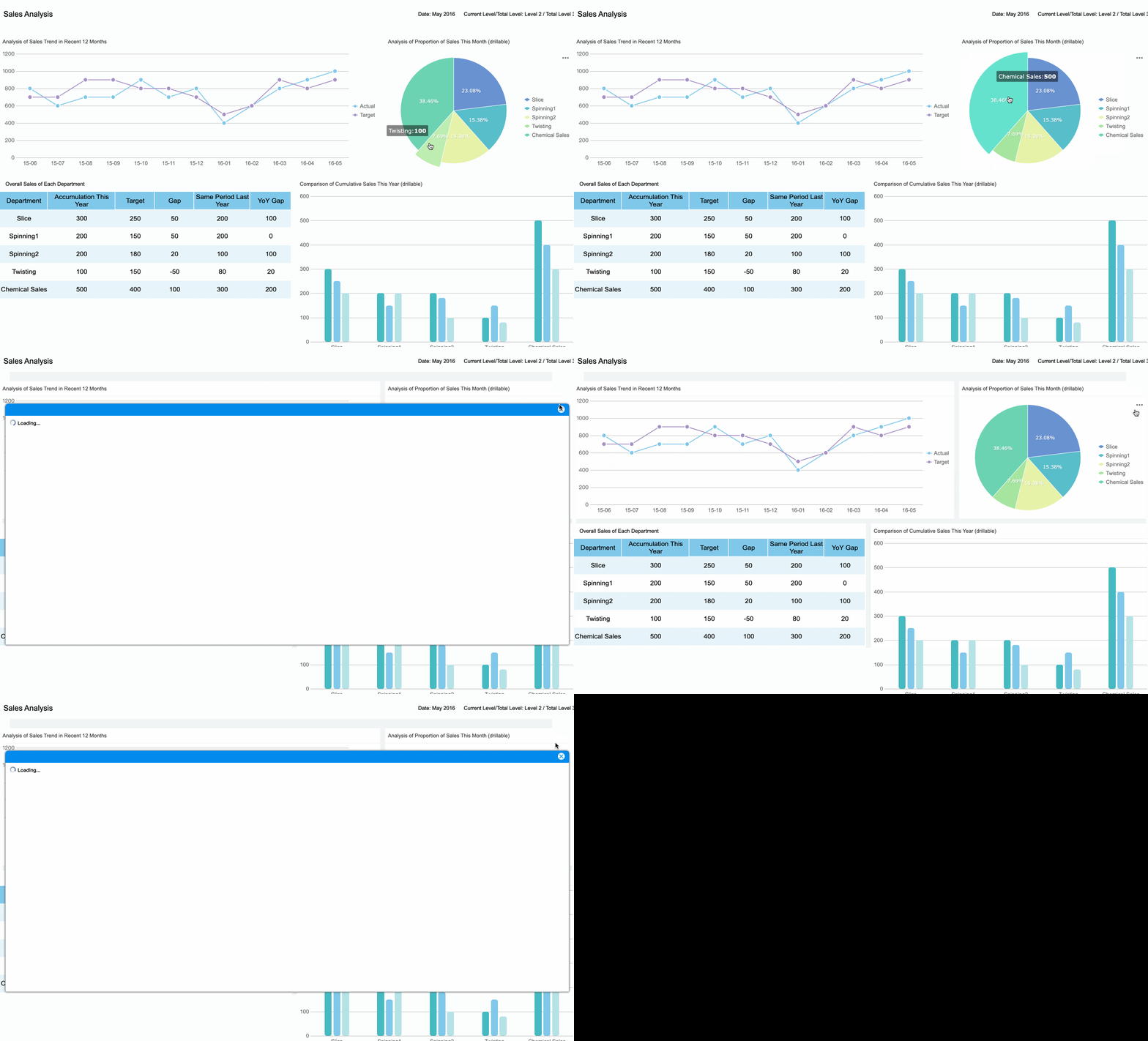
FineReport stands out here. You get flexible integration, drag-and-drop customization, and industry-specific solutions for finance and manufacturing. You can even design dashboards with the end-user’s goals in mind, making your data visualization clear and interactive.
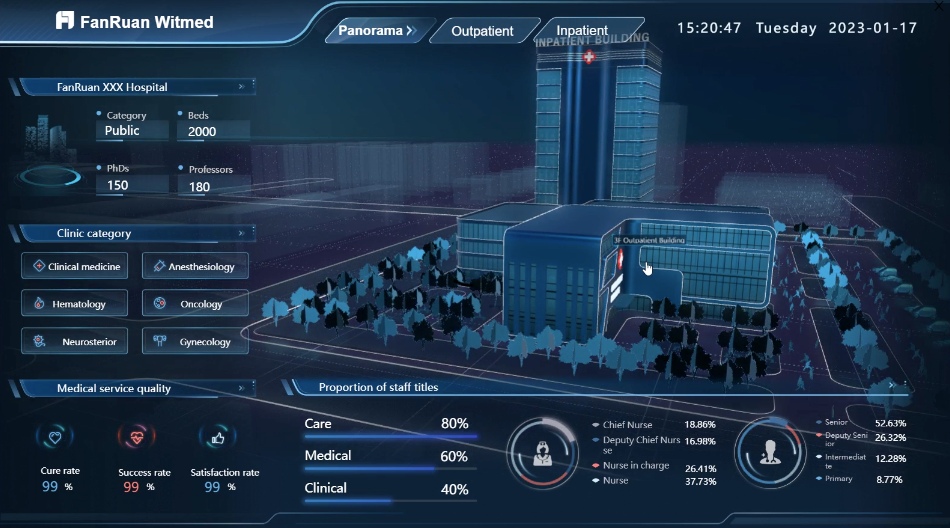
dashboard created by FineReport
Cost and Scalability
As your company grows, your dashboard software should keep up. Many traditional tools struggle with more users and bigger data. You want a solution that scales without slowing down or breaking the bank.
Key Insight
Description
Traditional BI Limitations
Older tools can’t handle lots of users or data, leading to higher costs.
Demand for Scalable Analytics
Most tech leaders want analytics at scale, but many tools fall short.
Barriers to Adoption
Legacy systems often block new dashboard reporting tools.
FineReport offers a scalable platform that adapts as your needs change, so you never have to worry about outgrowing your solution.
AI and Automation Features
Modern dashboard reporting tools use AI and automation to make your job easier. You can get predictive analytics, automated insights, and even natural language queries. These features help you spot trends and act fast.
Tool Name
AI and Automation Features
Target Users
Looker
Governed metric layer, great for embedding
Data-engineering teams
Domo
End-to-end cloud platform
Mid-to-large enterprises
Qlik Sense
Flexible exploration with AI
Teams needing deep data discovery
Sisense
Embedded analytics, scalable for big data
SaaS/product teams
Klipfolio
Fast KPI dashboards, many connectors
SMBs, marketing and sales teams
FineReport brings automation to your workflow with scheduled reports, real-time alerts, and smart data entry forms.
You want your dashboard software to keep your data safe and meet industry standards. Top tools support standards like SOC 2, ISO 27001, and GDPR. FineReport gives you robust permission controls and secure data management, so you can trust your dashboards with sensitive information.
Tip: Always choose dashboard reporting tools that match your security needs and compliance requirements.
What should you remember?
Think about your organization’s needs, data complexity, and long-term goals.
Prioritize clarity, interactivity, and user-focused design.
Choose a tool that grows with you and keeps your data secure.
Dashboard Tool Comparison: How They Can Help Your Business
Feature Comparison Table
You want to see how dashboard tools stack up side by side. Here’s a quick table that highlights their strengths, ideal use cases, and pricing info. FineReport stands out for its flexible integration and real-time reporting, while other tools offer unique features for different business needs.
Tool
Ideal Use Case
Key Features
Pricing Information
FineReport
Finance, manufacturing, enterprise-wide reporting
Drag-and-drop design, 3D dashboards, mobile access, direct database integration
Custom pricing, scalable for any size
Power BI
Teams using Microsoft products
User-friendly, deep Microsoft integration, AI analytics
Free, Pro $14/user/month, Premium $24/user/mo
Tableau
Data-heavy teams, deep BI projects
Advanced visualization, AI analysis
Starts ~$70/user/month
Looker BI
Enterprises with complex data systems
Strong data modeling, predictive analytics
Custom pricing, starts ~$60,000/year
Klipfolio
Custom dashboards, coding capability
Role-based access, wide integration reach
Base $80/mo, Grow $170/mo, Team $310/mo
Looker Studio
Beginners, Google users
Easy builder, native Google integrations
Free, Pro $9/user/month
Pros and Cons Summary
Every dashboard tool brings something special to the table. You want to know what works best for your business goals. Here’s a summary to help you decide:
Advantages
Disadvantages
Improved decision-making
Real-time dashboards may need extra setup and maintenance
Enhanced data accuracy
Too many metrics can cause information overload
Increased efficiency
Some tools may not integrate well with all your systems
Saves time and resources
Dashboard reporting needs meaningful metrics
Easy performance checks
Compatibility issues can arise
Up-to-date progress evaluation
Scalability and cost vary by tool
Tip: Focus on the features that match your team’s workflow. You’ll get the most value when your dashboard fits your business needs.
Pricing Overview
Pricing can make or break your dashboard choice. You want a tool that fits your budget and scales as you grow. Here’s a quick look:
FineReport: Custom pricing, scalable for any business size.
Power BI: Free for individuals, Pro at $14/user/month, Premium at $24/user/month.
Tableau: Starts at about $70/user/month.
Looker BI: Custom pricing, starting around $60,000/year.
Klipfolio: Base plan at $80/month, Grow at $170/month, Team at $310/month.
Looker Studio: Free version available, Pro at $9/user/month.
You can choose a dashboard tool that matches your budget and business needs. FineReport gives you flexibility and scalability, making it a strong choice for growing companies.
Data Visualization Tools for Business Insights
Enhancing Decision-Making
You want to make better decisions, and data visualization tools help you do just that. These tools turn complex numbers into clear visuals, so you can spot trends and act fast. When you use real-time dashboards, you see the latest updates without waiting for reports. This means you can respond to changes as they happen.
Managers using data visualization tools gather information 28% faster than those who do not.
Companies that rely on customer behavior data for decisions can see sales growth jump by up to 85%.
JPMorgan Chase saw a 15% drop in operational risks after using shared dashboards.
You do not need to be a data expert to benefit. These tools make analytics easy for everyone. You can share insights with your team, so everyone stays on the same page. As Paul Ross from Forbes says:
"Visual representations enable rapid data analysis, improving decision making efficiency by providing an instant overview of critical information."
FineReport stands out here. You can build interactive dashboards for finance, manufacturing, or any department. You get a clear view of your business, and you can act on insights right away.
Real-Time Analytics and Mobile Access
You do not want to be tied to your desk. With real-time dashboards, you can check key metrics on your phone or tablet. Mobile access means you always have the latest information, no matter where you are. These dashboards adjust to any screen size, so you get a smooth experience on any device.
Mobile dashboards let you see real-time data and respond quickly.
You get alerts and updates, so you never miss important changes.
Touch-friendly controls make it easy to explore data on the go.
FineReport gives you mobile-optimized dashboards that work across devices. You can track sales, monitor production, or manage budgets from anywhere. This flexibility helps you stay ahead and make smart choices, even when you are out of the office.
Data visualization tools bridge the gap between analytics and action. They help you turn numbers into insights and insights into results.
Choosing the right dashboard tool can transform your business in 2026. Start by setting up your data foundation, then expand with more analytics, and finally optimize with AI and mobile features. Here’s a simple path you can follow:
Build your data foundation and launch basic dashboards.
Optimize with AI, real-time processing, and mobile access.
When you compare tools, look for scalability, user-friendliness, integration, cost, AI, and mobile support. Try FineReport and other top options. Involve your team, review your needs, and keep an eye on new trends. Your best dashboard is the one that grows with you.
Access a wealth of case studies, industry insights, and solution guides to accelerate digital transformation.
FAQ
What is a dashboard tool?
A dashboard tool lets you see your key data in one place. You can track sales, monitor performance, and spot trends fast. These tools turn numbers into charts and graphs, so you get a clear view of what’s happening in your business.
What is the best tool for dashboards?
You have many great options, but FineReport stands out for its flexibility, real-time data, and easy drag-and-drop design. Power BI and Tableau are also popular choices. The best tool depends on your business needs and how you want to use your data.
What is the 5 second rule for dashboards?
The 5 second rule means you should understand the main message of your dashboard in five seconds or less. If you need more time, the dashboard might be too cluttered or confusing. Keep it simple and focused for quick insights.
What are the four types of dashboards?
There are four main types of dashboard tools designed to meet specific business needs: operational dashboards for tracking daily activities, strategic dashboards for monitoring long-term goals, analytical dashboards for deep data exploration, and tactical dashboards for supporting mid-term planning
Can FineReport make dashboards?
Absolutely! FineReport lets you build interactive dashboards with real-time data, 3D visuals, and mobile access. You can customize layouts, connect to many data sources, and create dashboards for any department. It’s a top choice for businesses that want powerful, flexible dashboards.