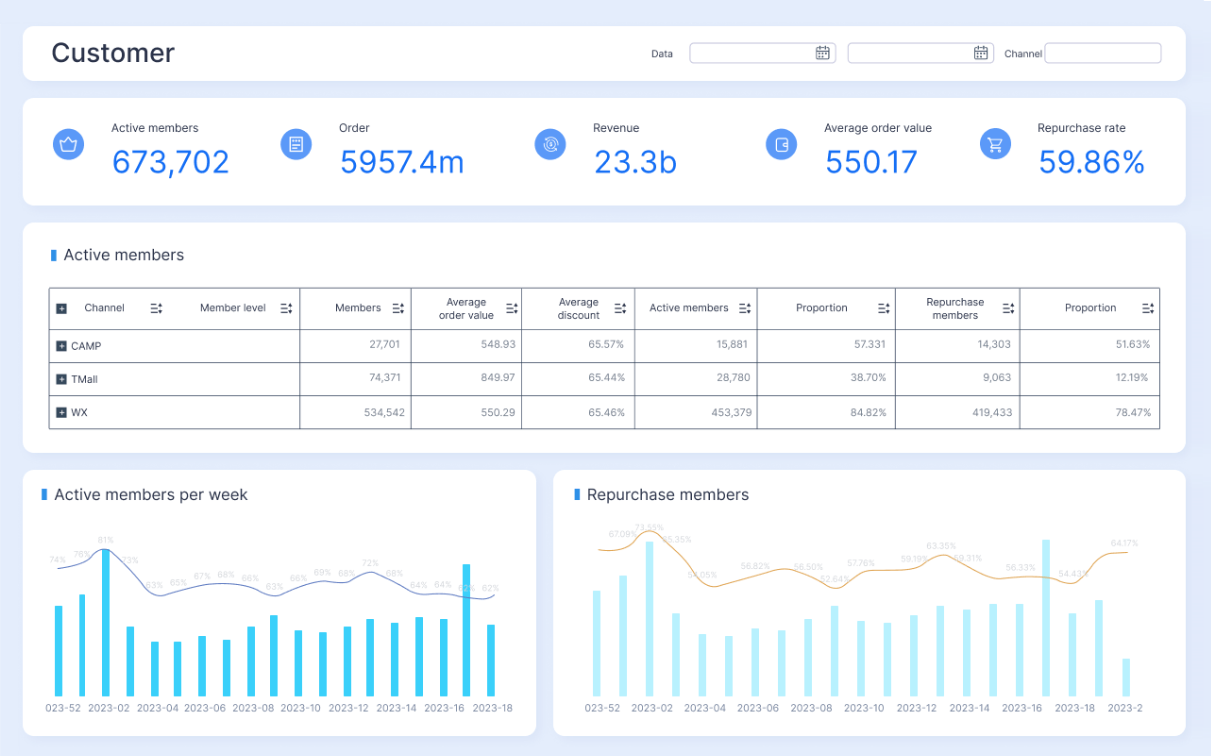
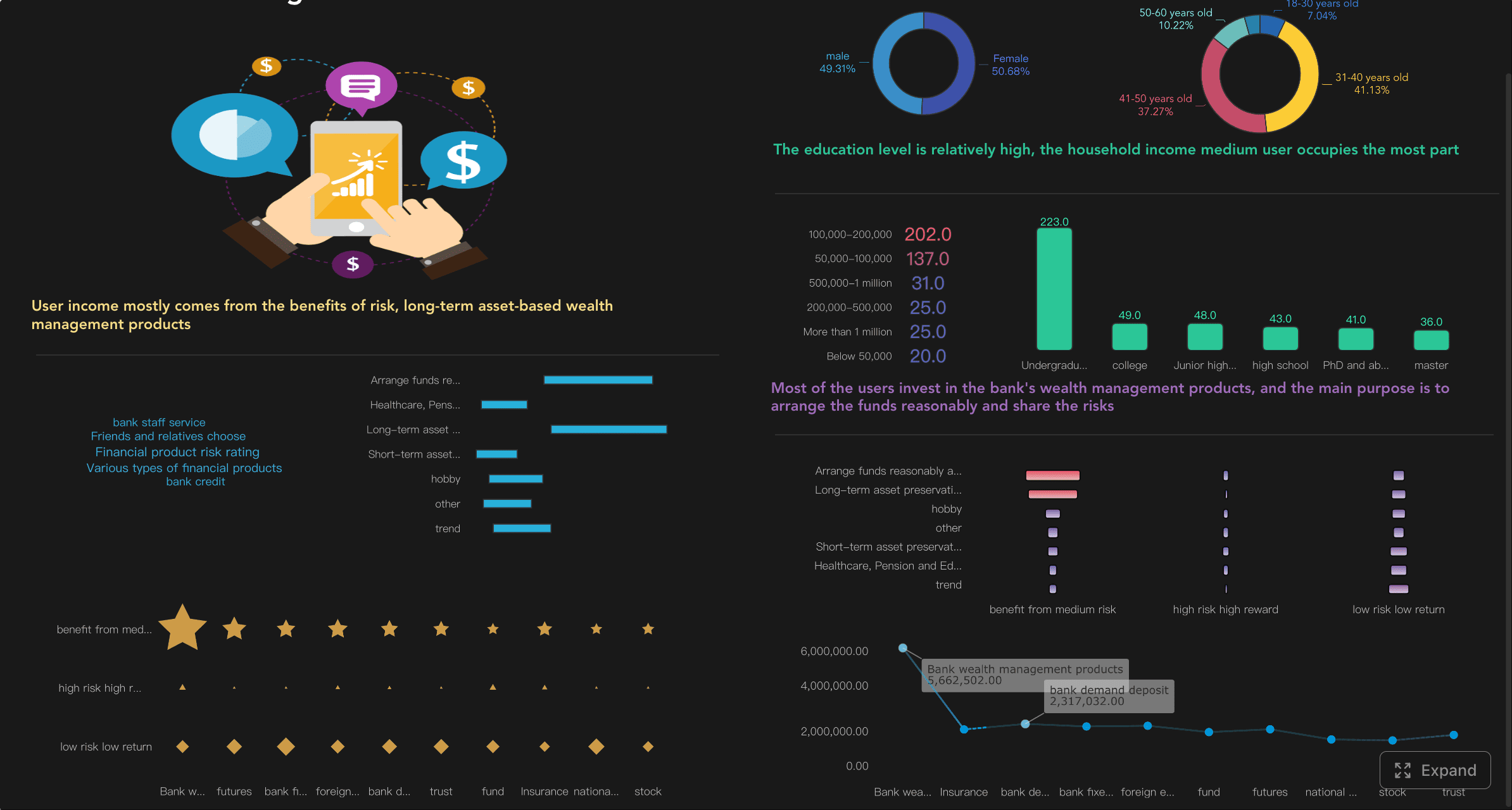
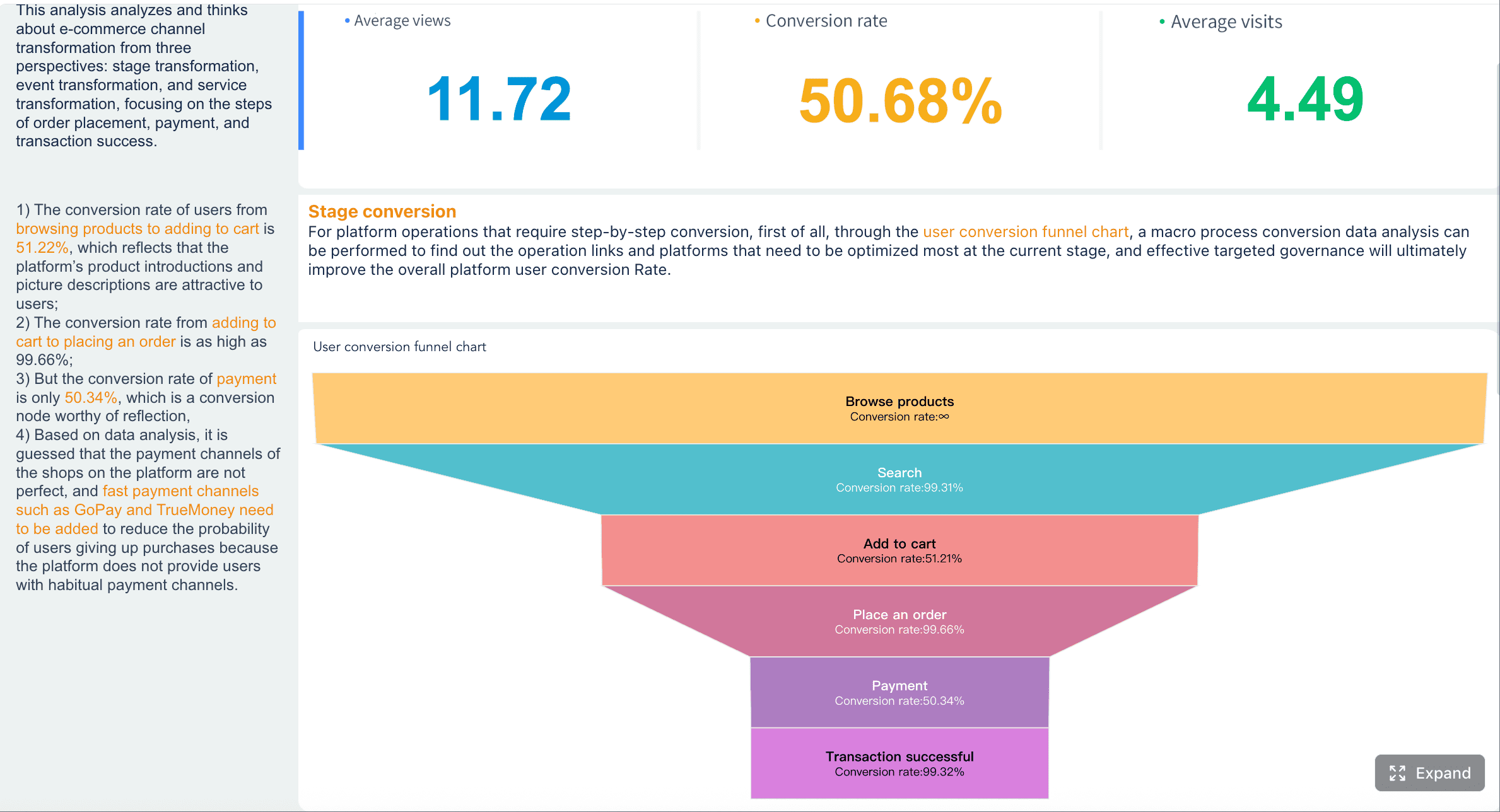
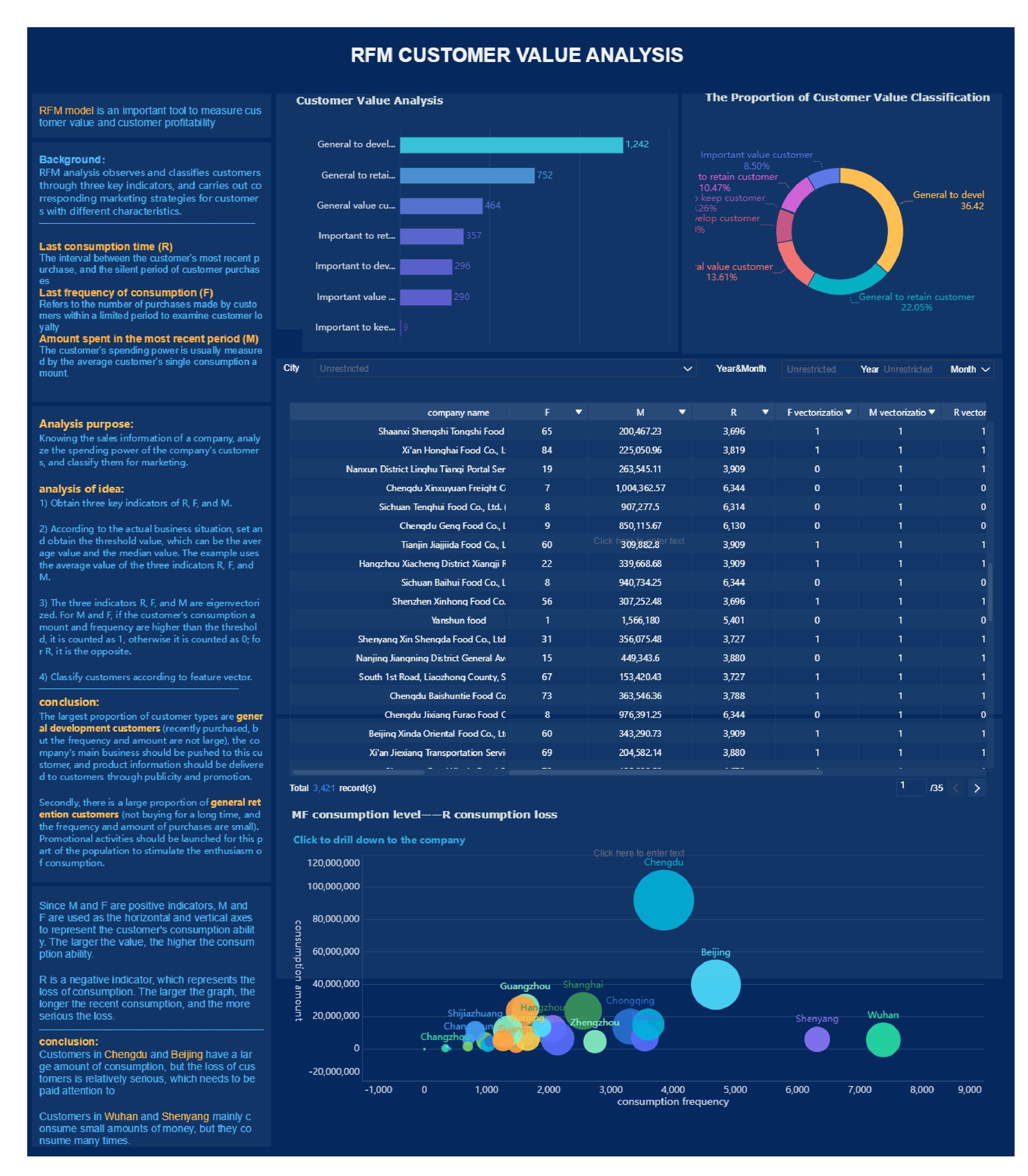
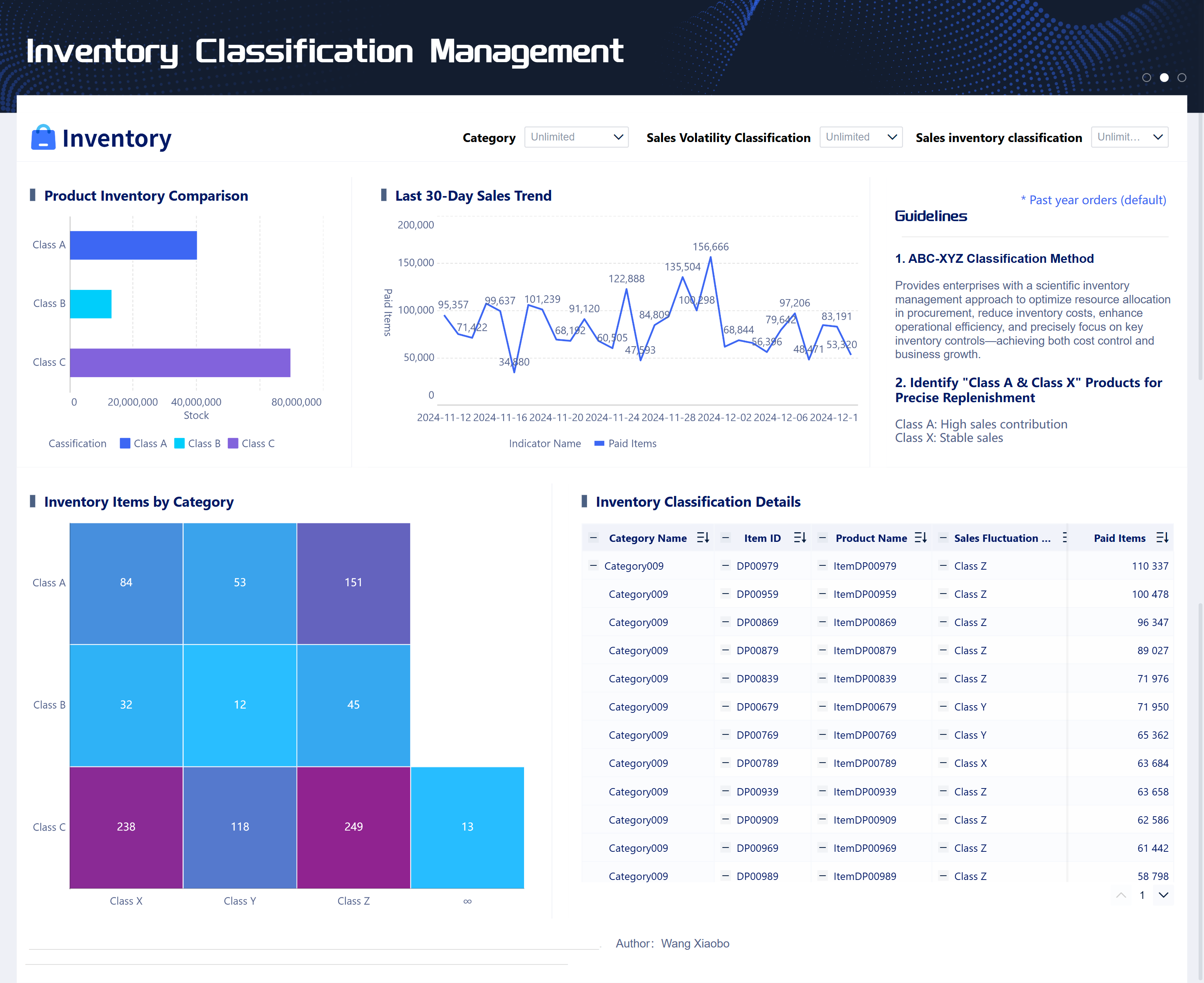
A customer report is a decision-making document that translates account activity, customer performance, service outcomes, and commercial risk into a clear executive readout. For sales leaders, customer success managers, support heads, and account owners, the pain point is familiar: data lives in CRM, support tools, product analytics, and spreadsheets, but leadership needs one concise view that explains what is happening, why it matters, and what action should come next. A strong customer report reduces reactive meetings, improves renewal planning, sharpens escalation management, and gives executives the confidence to act on facts instead of fragmented updates.
All reports in this article are built with FineReport
A customer report is a structured summary of an account’s current state, recent performance, key risks, growth opportunities, and recommended next actions. In practical terms, it helps sales, service, and account management teams turn scattered operational data into an executive-ready narrative.
Unlike an internal status update, a customer report is not just a list of activities. It is designed to answer questions such as:
Are we on track for renewal?
Is service quality improving or slipping?
Are there signs of expansion potential?
Where do executives need to intervene?
What actions should owners take next?
An executive readout also differs from a raw dashboard. A dashboard shows data. A customer report explains the business meaning behind that data. That distinction matters because senior stakeholders do not need every detail—they need signal, context, and decisions.
A well-built customer report supports critical business actions, including:
Renewal strategy: identifying churn risk early and aligning recovery plans
Escalation planning: surfacing unresolved service issues before they damage the relationship
Expansion planning: highlighting usage growth, stakeholder engagement, and whitespace opportunities
Executive alignment: giving leadership one trusted version of the account story
Cross-functional accountability: assigning owners, deadlines, and follow-up actions
Core Sections of an Executive-Ready Customer Report Template
An executive-ready customer report should be short, structured, and repeatable. Most high-performing teams build around three essential sections.
Account snapshot and reporting purpose
This opening section should orient the reader in seconds. It answers: who is the customer, what period does the report cover, and why does this readout matter now?
Include:
Customer name, segment, region, and contract status
Reporting period
Account owner and cross-functional contributors
Customer business goals
Current strategic priorities
Reason for the report, such as quarterly review, renewal preparation, service escalation, or executive business review
Intended audience, such as account leadership, regional management, service directors, or executive sponsors
This section is important because executives often read reports out of sequence. A clean account snapshot makes the rest of the report easier to interpret.
Performance metrics and trend highlights
This is the analytical core of the customer report. It should focus on trends and variance, not just current numbers. The goal is to show where the account is progressing, stalling, or deviating from expectations.
Use comparisons such as:
Against quarterly or annual targets
Against the previous reporting period
Against service commitments or SLAs
Against adoption milestones
Against forecast or renewal plan assumptions
Executives scan for change, so trend highlights should be explicit. Instead of saying “support response time was 3.2 hours,” say “support response time improved 18% from last month and is now within SLA.”
Key Metrics (KPIs)
Below is a practical KPI structure for a customer report. Not every metric belongs in every readout, but these are the most useful categories.
Renewal status: Current renewal stage, likelihood, blockers, and required intervention.
Account health score: Composite signal combining usage, support, stakeholder sentiment, and commercial status.
Revenue at risk: Contract value exposed to churn, reduction, or delayed renewal.
Expansion pipeline: Upsell or cross-sell opportunities with estimated value and stage.
Forecast confidence: How reliable the projected account outcome is based on current evidence.
Product adoption rate: Active usage relative to licenses, seats, or targeted user groups.
Feature engagement: Depth of use across high-value functions tied to retention or expansion.
Support case volume: Number of tickets opened in the period and whether demand is rising or stabilizing.
First response time: Speed of initial support engagement.
Resolution time: Time taken to close cases, ideally broken down by severity.
SLA attainment: Percentage of cases handled within agreed service levels.
Recurring issue rate: Frequency of repeated incident categories that point to systemic problems.
Customer satisfaction signal: CSAT, NPS, survey response trend, or direct sentiment from stakeholders.
Executive engagement: Presence of sponsor alignment, governance cadence, and stakeholder responsiveness.
Open action items: Unresolved commitments with owners and due dates.
Risks, opportunities, and recommended actions
This is where a good customer report becomes actionable. Metrics alone do not drive outcomes. Teams need a short interpretation of what those metrics mean and what to do next.
Opportunities: strong product usage, upcoming renewal leverage, executive sponsor support, new business unit interest, service recovery wins
Recommended actions: concrete next steps with named owners and deadlines
A useful rule is this: every major risk or opportunity in the report should have a corresponding action.
For example:
Risk: executive sponsor left the customer organization
Action: confirm new decision-maker map within 10 business days
Opportunity: adoption expanded to a second team with strong usage
Action: scope cross-functional expansion proposal before the next QBR
Risk: SLA misses increased for priority tickets
Action: launch service root-cause review and weekly progress checkpoint
Metrics to Include in Customer Reports for Sales, Service, and Account Teams
Different teams need different versions of a customer report, but executive readouts work best when they combine commercial, operational, and relationship signals.
Sales and revenue metrics
Sales and account leaders need a customer report that helps them protect and grow revenue. The report should show whether the account is commercially healthy and what is likely to happen next.
Include metrics such as:
Pipeline coverage within the account
Expansion opportunity count and value
Renewal date and stage
Forecasted renewal probability
Revenue at risk
Contract utilization
Pricing or discount pressure
Decision-maker engagement level
These metrics help leadership decide where to focus executive sponsorship, deal support, and commercial negotiation.
Service and support metrics
Service leaders need the customer report to identify whether operational delivery is strengthening or weakening the account relationship.
Key service metrics include:
Case volume by week or month
Ticket mix by severity or category
First response time
Mean time to resolution
SLA compliance rate
Reopened case rate
Top recurring issues
Backlog aging
Escalation frequency
These indicators help distinguish isolated incidents from systemic service problems. For executives, the most important question is not “how many tickets were opened?” but “is service quality improving, and is there business risk if current trends continue?”
Customer success and relationship metrics
Customer success teams need to prove whether the customer is realizing value and whether the relationship is strong enough to support renewal and expansion.
Useful metrics include:
Product adoption by team or role
Active user trend
Usage of strategic features
Success plan milestone completion
Training completion
Stakeholder engagement cadence
CSAT or NPS trend
Sponsor alignment score
Overall account health score
These metrics provide a forward-looking view. A customer may have low ticket volume and still be at risk if adoption is flat and executive engagement has disappeared.
Customer Report Examples by Use Case
The best customer report template depends on the meeting, audience, and decision horizon. Here are three common formats.
Executive business review example
An executive business review customer report should summarize outcomes, strategic risks, and growth opportunities in a compact format. It should lead with business value, not raw activity.
A typical structure:
Executive summary
Account goals and current status
KPI summary versus target
Strategic wins this period
Top risks requiring leadership attention
Growth opportunities and estimated value
Recommended decisions and next steps
This version is ideal for quarterly business reviews, sponsor meetings, and renewal preparation.
Example summary:
Adoption increased in the operations team and exceeded target by 12%
Renewal remains on track, but procurement timing may delay signature
SLA performance improved, though one recurring integration issue remains unresolved
Expansion opportunity identified in APAC team pending stakeholder alignment
Recommended action: schedule executive alignment call before procurement review window
Service performance report example
A service-focused customer report should translate support data into quality and risk insights. This is useful for service reviews, escalations, and joint improvement planning.
A good format includes:
Service summary for the reporting period
Ticket volume and severity trends
SLA attainment and exception analysis
Top recurring issue themes
Corrective actions in progress
Improvement commitments and owners
Example summary:
Case volume rose 22% month over month due to a workflow configuration issue
First response time remained within SLA, but high-priority resolution time slipped
Three issue themes account for 68% of total volume
Engineering patch scheduled next week
Recommended action: maintain temporary support coverage until incident trend normalizes
Account management update example
An account management customer report is usually more concise and operational. It works well for weekly or biweekly internal-executive readouts.
Common sections:
Renewal status
Stakeholder map changes
Recent account activity
Open risks and blockers
Expansion signals
Next actions with owners
Example summary:
Renewal remains amber due to delayed legal review
New VP stakeholder introduced; relationship mapping underway
Usage among licensed users is stable, but one business unit remains under-adopted
Upsell discussion started for analytics module
Recommended action: assign executive sponsor outreach and update mutual action plan by Friday
Best Practices for Making Reports Clear, Credible, and Actionable
Strong customer reports are not just informative—they drive better decisions. The following practices improve quality and executive trust.
Keep the narrative focused on decisions
Every customer report should tell a short business story:
What changed
Why it changed
What it means
What should happen next
This keeps the report grounded in decisions rather than data dumps. If a metric does not affect a decision, question whether it belongs in the executive version.
Make data easy to scan
Executives do not read reports line by line. They scan for signal. Make that easy with:
One-page or tightly structured layouts
Consistent formatting across accounts
Limited, high-value visuals
Variance indicators such as up/down trends
Clear color logic for risk states
Short commentary beside charts, not buried below them
The goal is instant comprehension. A reader should understand account status in less than a minute.
Avoid common reporting mistakes
The most common customer report failures include:
Including vanity metrics with no business implication
Showing numbers without trend context
Hiding risks in dense narrative
Overcrowding the page with too many charts
Failing to assign action owners
Mixing operational detail with executive messaging
Using inconsistent definitions across teams
Credibility depends on data consistency and narrative discipline. If leadership sees conflicting metrics between reports, trust drops fast.
4 practical implementation best practices
Below is a seasoned consultant’s approach to operationalizing a strong customer report process.
1. Standardize the template before you automate it
Start by defining a single reporting framework for executive readouts:
Required sections
KPI definitions
Risk rating logic
Commentary rules
Action tracking format
This creates consistency across account teams and makes comparisons far more useful.
2. Limit executive KPIs to the signals that drive action
Do not overload the report. Choose the small set of metrics most likely to affect:
renewal decisions
service escalations
executive intervention
expansion planning
A lean customer report is usually more persuasive than a comprehensive one.
3. Align data sources and ownership upfront
Map each metric to a source and owner:
CRM for commercial status
support platform for service metrics
product analytics for adoption
CS platforms or surveys for sentiment
account owner for strategic commentary
This reduces disputes during review cycles and improves trust in the report.
4. Build a review loop after each executive readout
After each readout, ask:
Which section executives used most?
Which metrics triggered questions?
What information was missing?
Which visual was ignored or misunderstood?
Then refine the template. The best customer report process evolves with decision-maker needs.
How to Build and Improve Your Customer Report Process
A reliable customer report process is not just about writing better summaries. It is about creating a repeatable operating system for executive communication.
Start with a template tailored to executive readers. That means leading with account context, highlighting only the most material KPIs, and ending with actions. Then align reporting cadence across teams. Some accounts may need monthly service reviews, while strategic customers may require quarterly executive business reviews plus weekly internal risk tracking.
Next, unify your data inputs. If sales, service, and customer success all maintain separate numbers, your customer report will quickly become a source of confusion instead of clarity. Clear ownership, shared definitions, and connected systems matter more than flashy formatting.
Finally, create a process for continuous improvement:
Review executive feedback after each readout
Track which metrics consistently predict churn or expansion
Retire low-value sections
Add automated alerts for deteriorating trends
Keep historical reports for pattern analysis and accountability
Building this manually is complex; use FineReport to utilize ready-made templates and automate this entire workflow.
FineReport is especially well suited for enterprise customer reporting because it supports:
Low-code report design with an Excel-like interface
Complex report layouts for executive readouts, grouped sections, and detailed account views
Dashboard creation for interactive customer performance monitoring
Word-based dynamic report generation for formal executive documents
Multi-source data integration across CRM, support systems, product platforms, ERP, and Excel
Drill-down and linked analysis for moving from executive summary to root-cause detail
Automated scheduling and distribution for recurring customer reports
Fine-grained permissions so the right stakeholders see the right account data
Mobile access and push delivery for leaders who need reports on the go
Instead of spending days stitching together screenshots, spreadsheets, and manual commentary, teams can build a standardized customer report framework once and scale it across accounts. That shortens reporting cycles, reduces manual errors, and improves consistency across sales, service, and customer success operations.
Get Ready-to-Use Dashboard Templates in Fine Gallery
If your organization wants executive-ready customer reporting that is faster to produce, easier to standardize, and more actionable for decision-makers, FineReport can turn fragmented account data into a repeatable reporting system.
A strong customer report template usually includes an account snapshot, performance trends, risk and opportunity signals, and clear next actions. The goal is to give executives a fast, decision-ready view instead of a long activity log.
A dashboard shows raw metrics and operational detail, while a customer report explains what the numbers mean for the account. It adds context, highlights business impact, and recommends actions for leadership.
The most useful KPIs often include renewal status, account health, product adoption, SLA performance, support trends, revenue at risk, and expansion potential. The right mix depends on the account stage and the audience reading the report.
Most teams create customer reports monthly or quarterly, with additional versions for renewals, escalations, or executive business reviews. The best cadence matches how quickly account risk, service quality, and commercial decisions change.
FineReport can help combine CRM, support, and usage data into one executive-ready report or dashboard. This makes it easier to standardize reporting, track trends, and share a consistent account story across teams.
Product Trial
FineReport
Pixel-perfect reports · Interactive dashboards · Easy data entry · Digital twins