If your finance team is still chasing receipts, correcting spreadsheet errors, and manually reconciling approvals, your reimbursement process is costing more than the claims themselves. The right excel expense report templates solve three critical business problems at once: reimbursement accuracy, policy compliance, and audit visibility. For finance managers, operations leaders, and department heads, that means fewer disputes, faster approvals, cleaner month-end close, and a defensible trail when auditors ask how a payment was reviewed and approved.
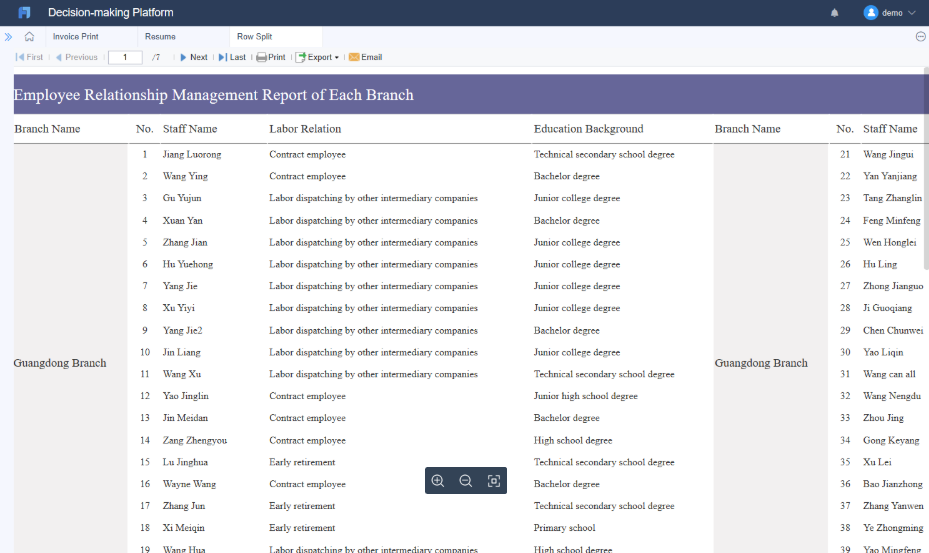
All reports in this article are built with FineReport
What makes Excel expense report templates audit-ready for employee reimbursements
An audit-ready reimbursement tracker is not just a list of expenses. It is a controlled reporting structure that captures who spent what, why it was spent, whether it complied with policy, who approved it, and when it was reimbursed. That is the difference between a basic spreadsheet and a finance-grade employee expense reporting tool.
In practical terms, your template should support four user groups:
Employees who submit claims quickly and correctly
Managers who review business purpose and budget alignment
Finance reviewers who validate compliance, tax treatment, and reimbursement totals
Auditors who need traceable documentation and approval history
To make that work, define the scope before you build. Decide which expense categories the template must cover, which reimbursement rules apply, and which approval checkpoints are mandatory. A template used for simple office purchases will not be enough for mileage claims, client entertainment, or partially reimbursable travel expenses.
Key Metrics (KPIs) for an audit-ready reimbursement tracker
Below are the core metrics every serious expense tracker should capture:
Total Claimed Amount: The full value of expenses submitted by the employee before adjustments.
Approved Reimbursable Amount: The amount finance has validated for payment after policy checks.
Out-of-Policy Spend: Expenses exceeding spending limits, missing required business justification, or violating category rules.
Receipt Attachment Rate: Percentage of expense lines with valid receipt references or supporting documents.
Duplicate Claim Rate: Number or percentage of suspected duplicate submissions based on date, vendor, amount, or receipt ID.
Approval Cycle Time: Time from employee submission to final approval.
Reimbursement Cycle Time: Time from final approval to employee payment.
Exception Count: Total number of flagged items such as missing receipts, invalid dates, or unsupported categories.
Tax-Recoverable Amount: Portion of claimable tax recorded separately for accounting treatment.
Pending Claims Aging: Number of open reports grouped by days pending, such as 0 to 7, 8 to 30, or 30+ days.
Step 1: Map the reimbursement workflow before building the spreadsheet
Too many companies start with columns and formulas when they should start with process design. Before you build a template, map how a claim moves from employee submission to reimbursement payment.
Identify the required fields for every claim
At minimum, each expense line should capture:
Employee name
Department
Report period
Expense date
Vendor
Business purpose
Category
Amount
Tax
Payment method
Receipt status
Approver name
Approval date
Reimbursement status
These fields are what make the template usable across submission, approval, and audit review. If a field is not captured at the start, finance will chase it later.
Set clear policies the template should enforce
Your template should not be passive. It should actively support policy enforcement. Build around rules such as:
Spending limits by category
Mileage reimbursement rules
Per diem logic
Duplicate claim checks
Missing receipt exception handling
This is where many generic excel expense report templates fail. They calculate totals, but they do not help prevent bad submissions.
Step 2: Build the Excel expense report template structure
Once the workflow is clear, design the workbook so each user sees only what they need. A clean structure reduces input mistakes and speeds up review.
Create the input section employees will complete
The employee-facing area should be simple and consistent. Use one row per expense line and provide direct instructions at the top of the sheet.
Best practices include:
Use fixed column names across all reporting periods
Lock header rows so labels stay visible during scrolling
Add short field guidance for business purpose and receipt reference
Use dropdown lists for categories, departments, and payment types
Protect formula cells so employees cannot overwrite calculations
Dropdowns matter more than most teams realize. They normalize data entry, which is essential when finance needs to summarize claims by department, category, or payment type later.
Add calculation and validation areas for finance teams
Finance needs a dedicated review layer inside the same workbook or on a separate protected tab. This area should include:
Step 3: Track expenses with Excel spreadsheets that are easy to review
A reimbursement tracker succeeds when reviewers can scan it fast, trust the logic, and identify exceptions immediately. That requires consistency in formulas and review notes.
Standardize formulas and error checks
Use formulas that can be copied down without breaking. This is especially important when different teams duplicate the same workbook month after month.
Common formula areas include:
Total amount calculations
Mileage reimbursement calculations
Currency conversion
Duplicate detection
Tax-only adjustments
Use conditional formatting to highlight:
Blank required cells
Negative values
Duplicate entries
Mismatched totals
Unsupported categories
Finance should never need to manually hunt for obvious errors in a well-built expense report.
Separate employee input from finance review notes
Do not mix correction comments into the same area where employees enter expenses. Reserve a clearly labeled section or review tab for:
Audit comments
Correction requests
Policy exception explanations
Final reimbursement decisions
This keeps the submission clean while preserving the review trail.
Step 4: Add approvals, receipts, and audit trail controls
This is the step that turns a useful spreadsheet into an audit-ready tracker. Auditors do not just want totals. They want evidence.
Make supporting documentation easy to verify
Every expense report should include a receipt verification mechanism. That can be a receipt reference number, a hyperlink to a shared folder, or a documented attachment naming standard.
At a minimum, include:
Receipt reference ID
Attachment instructions
Digital folder link or file path
Notes for exceptions where no receipt is available
If your team uses cloud storage, standardize folder naming so auditors can move from report to supporting document without guesswork.
Capture every approval step
The approval trail should record more than a final signoff. Capture each checkpoint in the process, including:
Manager review
Finance approval
Payment date
Payment reference
You should also implement basic version control practices, such as:
File naming conventions by employee and reporting period
Revision date tracking
Change history notes
Protected archived copies of finalized reports
Without version control, edits can erase the evidence needed for compliance reviews later.
Step 5: Test the template with real reimbursement scenarios
A template that looks correct in theory often fails under real-world edge cases. Before rolling it out, pressure-test it with actual reimbursement scenarios.
Run examples across common use cases
Validate the workbook against everyday claims such as:
Travel expenses
Meals and entertainment
Remote work purchases
Client meetings
Mileage claims
Then test edge cases such as:
Missing receipts
Split expenses
Tax-only adjustments
Partially reimbursable items
Duplicate submissions across periods
If the template cannot handle exceptions, finance will end up using side calculations and email approvals, which defeats the purpose of a standardized tracker.
Compare your tracker with other template styles
Before finalizing, compare your design against alternative formats:
The goal is not to copy other formats. It is to identify what improves usability without weakening control.
Step 6: Customize, share, and maintain the template over time
Even strong excel expense report templates degrade over time if categories, tax rules, and approver lists are not maintained. Treat the tracker as a controlled finance asset, not a one-time file.
Adapt the layout for different teams and reporting cycles
Different business units often need the same control framework with slight layout changes. Consider variations for:
Monthly reporting
Quarterly reporting
Project-based expense submission
Yearly consolidation
Small business reimbursement processes
Growing teams with multiple approvers
Personal versus business allocation scenarios
The key is to keep the core fields and validation logic consistent even when layouts change.
Create a maintenance checklist
Create a recurring checklist to review the template and its rules. Include:
Confirm reimbursement status codes remain consistent
This discipline keeps your reporting process stable as policy and organization structures evolve.
Best practices to implement an audit-ready reimbursement tracker
If I were advising a finance or operations team rolling this out across the business, I would focus on these practical implementation steps first.
1. Start with policy, not spreadsheet design
Document reimbursable categories, limits, receipt rules, and approval hierarchy before anyone opens Excel. A weak policy creates a weak template.
2. Standardize master data from day one
Use controlled dropdown lists for departments, categories, payment methods, and reimbursement statuses. This prevents reporting chaos later.
3. Build visible exception handling into the template
Do not hide issues in formulas. Make policy breaches, missing receipts, and duplicate risks impossible to miss through flags and formatting.
4. Separate submission, review, and archive stages
Use a clear process for draft, approved, and archived reports. This improves audit readiness and avoids accidental edits after reimbursement.
5. Test with messy real-world claims before launch
A reimbursement tracker should survive edge cases, not just ideal examples. Pilot it with users from sales, operations, and field teams before full rollout.
Building this manually is complex; use FineReport to automate the workflow
You can absolutely build an employee reimbursement tracker in Excel. But building one that is scalable, consistent, secure, and audit-ready across departments is far more complex than most teams expect. Manual file sharing creates version problems. Formula-heavy workbooks break. Approval tracking becomes fragmented. Receipts end up in different folders. Reporting across dozens or hundreds of files becomes a monthly burden.
That is where FineReport becomes the practical next step.
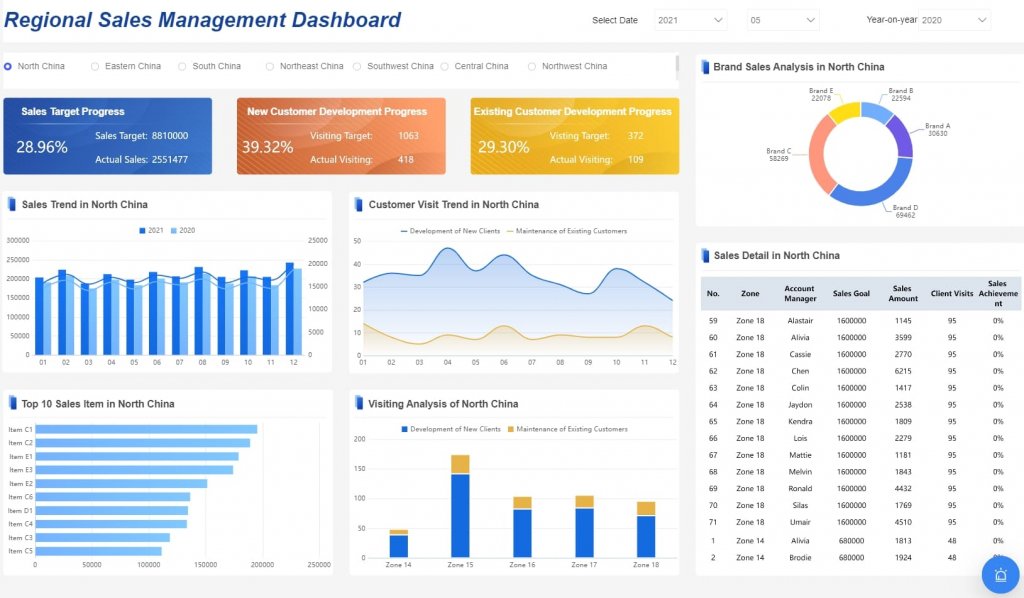
Instead of maintaining disconnected excel expense report templates, you can use FineReport to utilize ready-made templates and automate this entire workflow. Finance teams can standardize submission forms, enforce validation rules, centralize approvals, connect receipts, and monitor reimbursement status from a live dashboard. Managers get visibility into pending claims. Finance gets exception reporting and payment tracking. Leadership gets aggregate insight into spend trends and policy compliance.
FineReport is especially valuable when you need to:
Replace scattered spreadsheets with centralized reporting
Create reusable expense report templates for multiple teams
Track approval bottlenecks in real time
Build dashboards for reimbursement aging and exception analysis
Preserve audit trails without manual file control
Reduce finance workload through workflow automation
For enterprises, the value is simple: fewer manual errors, faster reimbursement cycles, stronger compliance, and reporting that scales with the business.
It should capture employee details, expense date, vendor, business purpose, category, amount, tax, receipt status, approver, approval date, and reimbursement status. An audit-ready template also needs validation rules and a clear approval trail.
Use one row per expense, fixed column names, dropdown menus, and protected formula cells. This keeps entries consistent and reduces common data entry mistakes.
A well-built tracker can flag missing receipts, spending limit violations, duplicate claims, and invalid categories before payment is approved. That helps finance teams catch issues early and enforce reimbursement rules consistently.
Key metrics include total claimed amount, approved reimbursable amount, out-of-policy spend, receipt attachment rate, duplicate claim rate, approval cycle time, and reimbursement aging. These measures help finance teams monitor accuracy, speed, and compliance.
Excel can work well for smaller or simpler reimbursement processes when the template is structured carefully. As claim volume, approvals, and audit requirements grow, many teams need a more automated reporting tool such as FineReport.
Product Trial
FineReport
Pixel-perfect reports · Interactive dashboards · Easy data entry · Digital twins