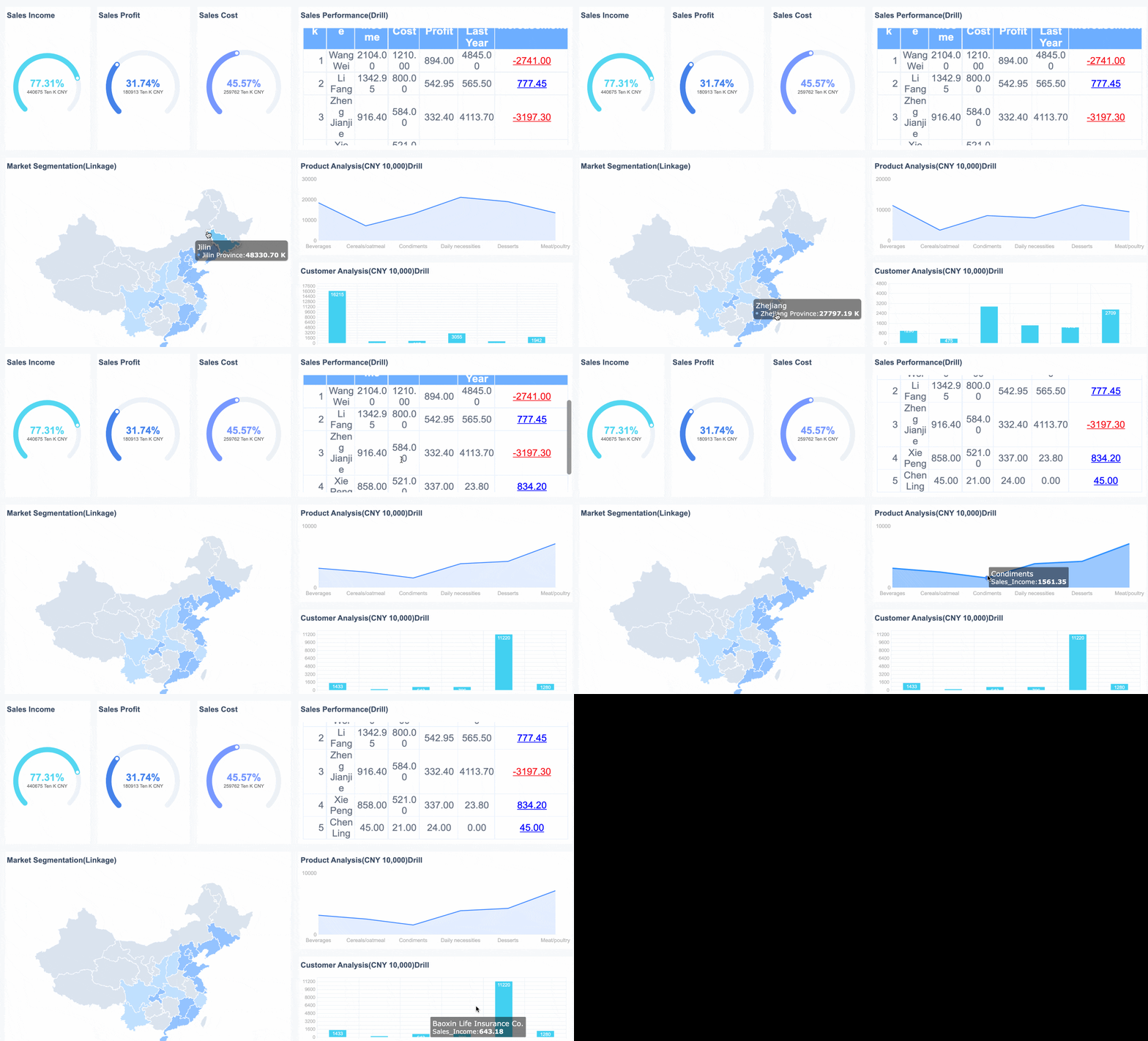
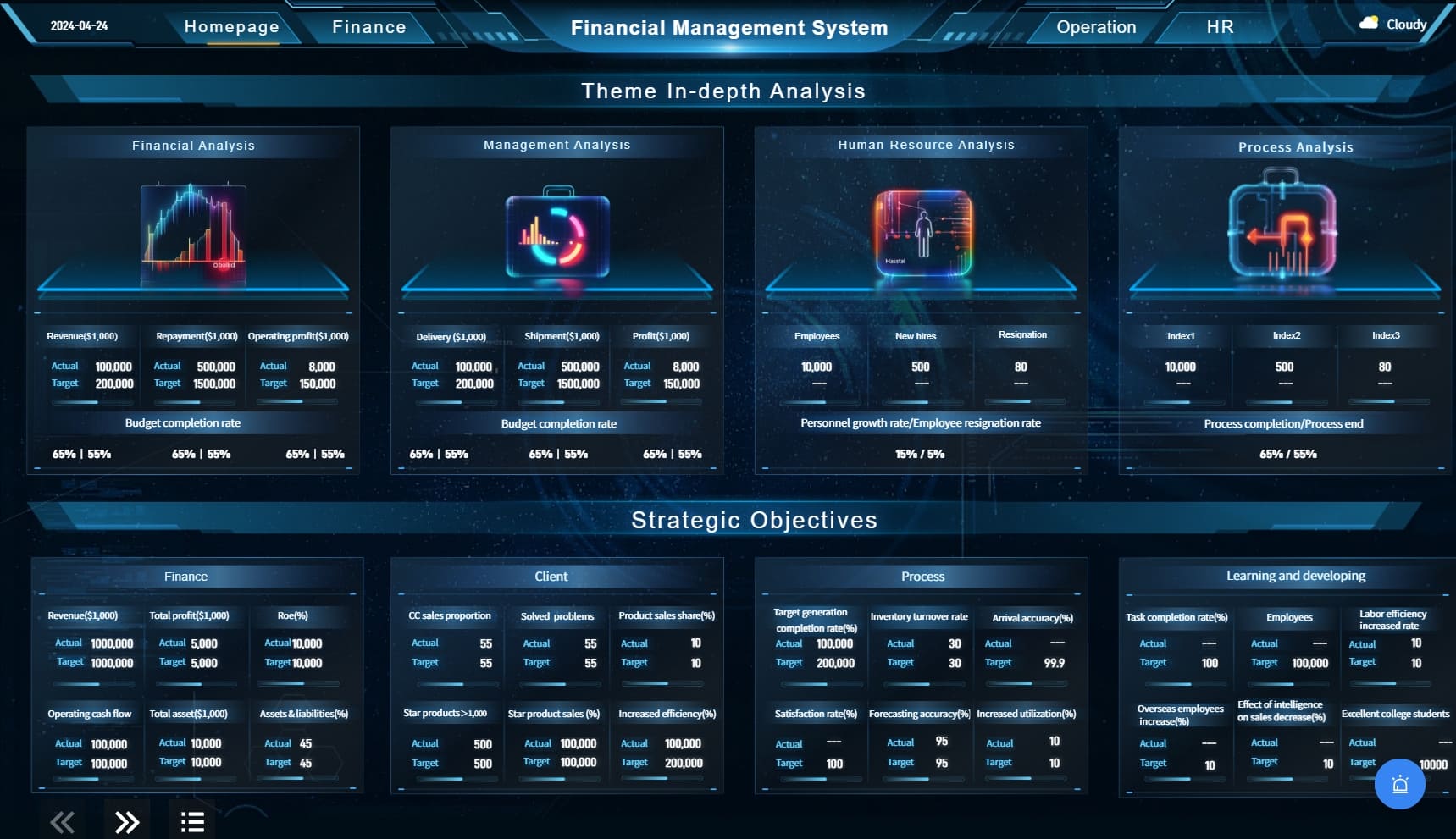
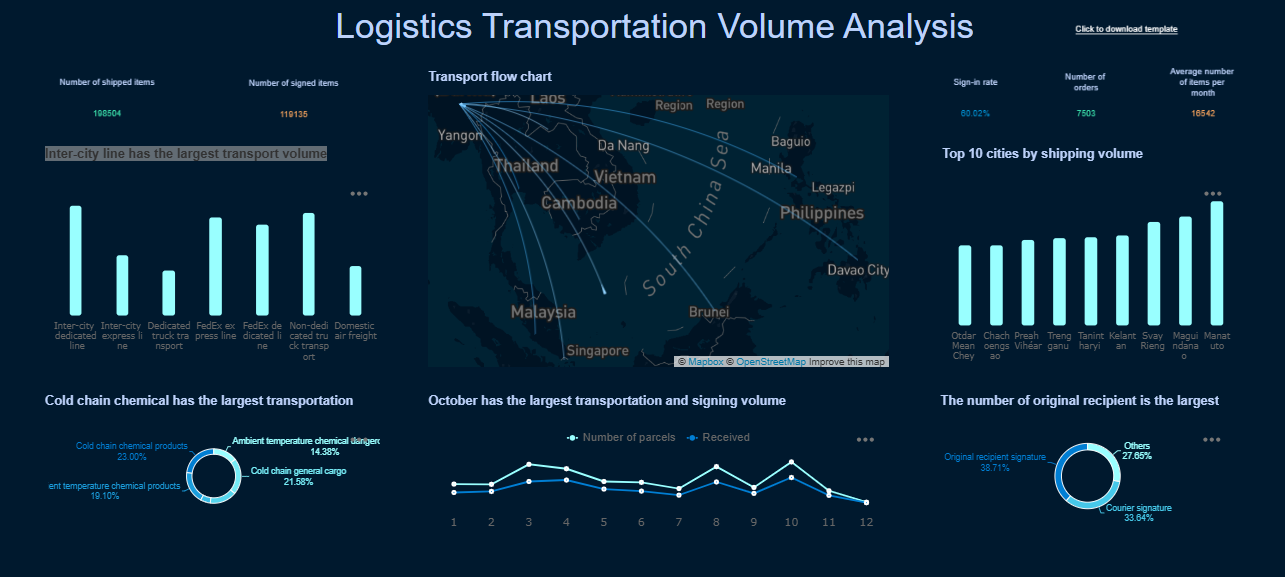
You want your business to grow. You need the right tools to make smart decisions fast. That’s where custom dashboard software comes in. This software lets you pull data from different sources and turn it into clear, interactive dashboards. You see trends, track key metrics, and share insights with your team—no coding required.
Picking the best custom dashboard software can give your business a real edge. Studies show that organizations using data-driven tools are 5% more productive and 6% more profitable. They also make better decisions and move faster than their competitors. As you explore the top options, remember to match your choice to your company’s needs and industry.
Top 15 Custom Dashboard Software Ranked
When you look for the best dashboard software, you want a solution that fits your business goals, scales as you grow, and helps you track the right metrics. The market for custom dashboard software keeps expanding, and each tool brings something unique to the table. To help you compare, here’s how we ranked the top 15 custom dashboard software for businesses:
Criteria
Description
Built-in AI
Software includes artificial intelligence features for enhanced analytics.
Data Integration Capabilities
Ability to consolidate data from various sources seamlessly.
User-friendliness
Ease of use for end-users, ensuring accessibility and efficiency.
Scalability
Capability to grow and adapt as business needs change.
Let’s dive into the top picks and see what makes each dashboard software stand out.
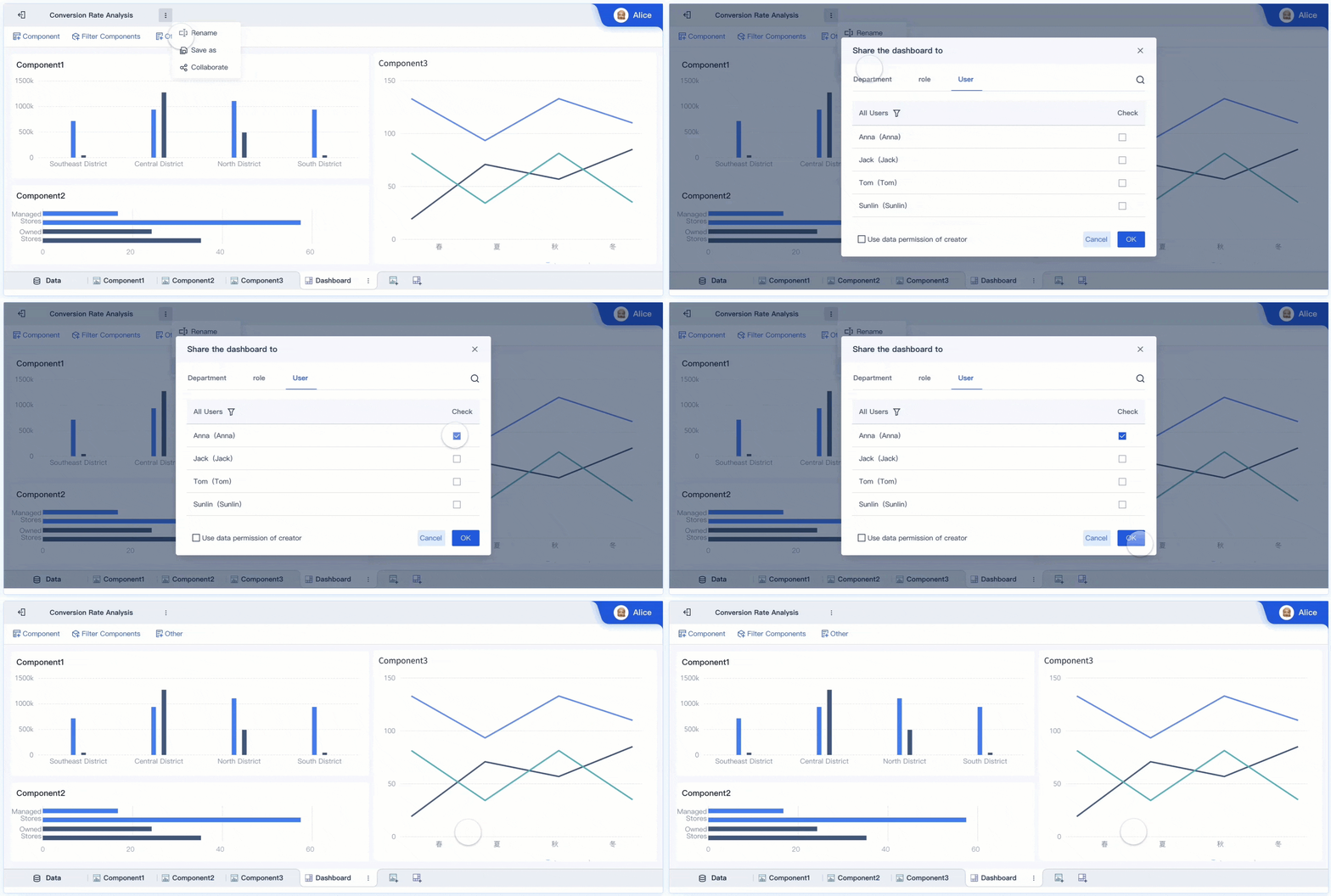
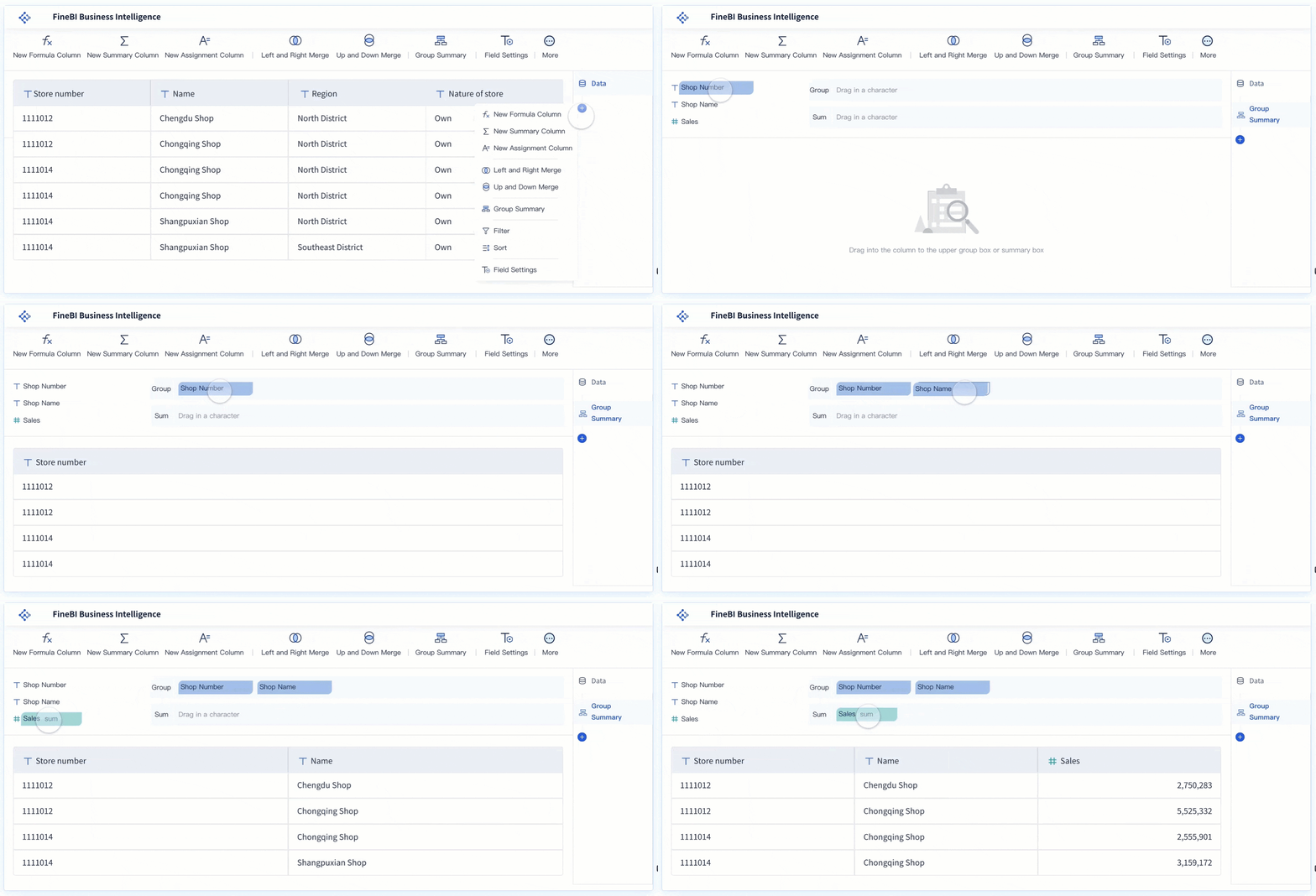
FineBIleads the way for organizations that want a user-friendly, self-service approach to analytics. You can connect to over 60 data sources, including big data platforms, cloud warehouses, and traditional databases. The drag-and-drop interface makes it easy for anyone to build dashboards and visualize metrics, even if you have no coding experience. FineBI’s workflow covers everything from data integration and processing to publishing and governance, so you get a complete solution for your analytics needs.
You’ll find that FineBI offers a competitive pricing structure, making it accessible for mid-sized businesses. The platform supports Asian languages and local business practices, which is a big plus if you operate in those markets. FineBI’s real-time filtering, responsive design, and AI-driven insights help you make fast, informed decisions. Teams can collaborate on dashboards, share insights securely, and set up role-based permissions for data access. If you want a custom dashboard software that balances agility, governance, and ease of use, FineBI is a strong choice.
Tableau remains a favorite for businesses that want powerful data visualization and interactive dashboards. You can connect Tableau to almost any data source, from spreadsheets to cloud databases. The platform’s drag-and-drop builder lets you create custom dashboards that highlight your most important metrics. Tableau’s built-in AI features help you spot trends and outliers quickly.
You’ll appreciate Tableau’s flexibility, but it can have a steeper learning curve than some other dashboard software. It’s a great fit if you need advanced analytics and want to share dashboards across your organization. Tableau scales well, so you can start small and expand as your needs grow.
Power BI stands out for its seamless integration with the Microsoft ecosystem. You can connect to Azure SQL Database, Azure Synapse Analytics, and Analysis Services, plus a wide range of third-party services like Salesforce and Google Analytics. This dashboard software is versatile and supports both cloud and on-premises deployments.
You get a familiar interface if you already use Microsoft products. Power BI makes it easy to track metrics, build interactive reports, and share insights with your team. The platform’s scalability and strong data integration capabilities make it a top pick for businesses of all sizes.
Looker, now part of Google Cloud, is known for its robust data modeling and embedded analytics. You can build custom dashboards that pull from multiple sources and deliver real-time insights. Looker’s pricing starts at around $35,000 per year for the Standard Edition, but costs can rise quickly for larger teams or advanced features. You pay based on user roles, so it’s important to plan your deployment carefully.
Looker works well for organizations that need advanced analytics and want to embed dashboards into other applications. The platform’s scalability and API-driven approach make it a strong choice for enterprises.
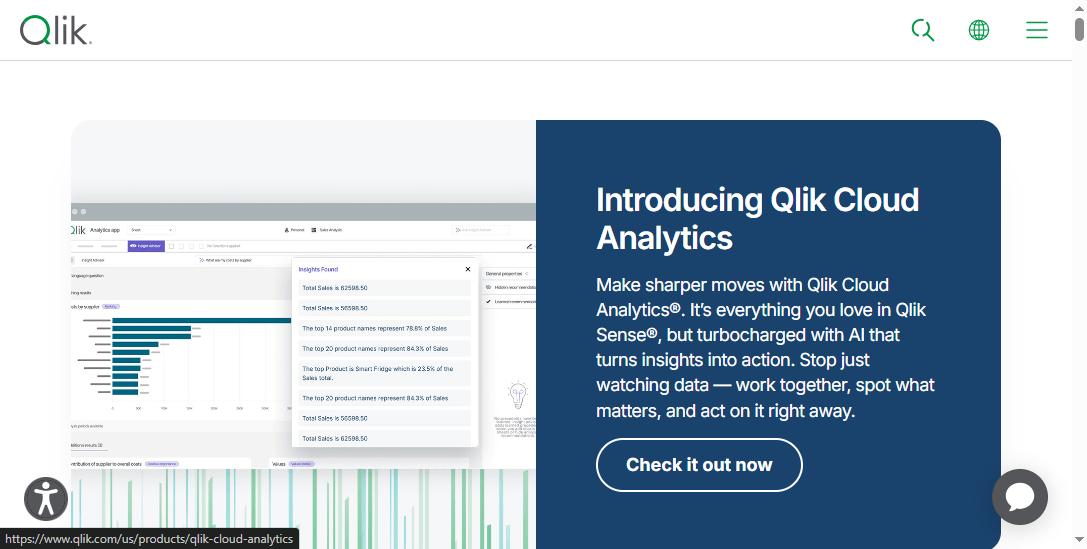
Qlik Sense offers flexible deployment options, including Qlik Cloud (SaaS), enterprise on Windows or Kubernetes, and hybrid data estates. You can scale your dashboard software as your business grows, and integrate with existing data infrastructures. Qlik Sense supports load balancing and resource optimization, so you get reliable performance even in large deployments.
You’ll find Qlik Sense easy to use, with a focus on self-service analytics. The platform’s associative engine lets you explore data from different angles and uncover hidden relationships between metrics.
Domo is a cloud-based analytics platform that connects data, people, and systems in real time. You get over 1,000 pre-built data connectors, 150 interactive charts, and a suite of business apps. Domo’s AI-driven capabilities help you turn raw data into actionable insights. You can collaborate instantly with chat and push notifications, and the drag-and-drop ETL tool makes data preparation simple.
“Being named to the Constellation Research ShortLists underscores Domo's commitment to delivering versatile, powerful AI-driven capabilities that empower organizations to connect data, people, and systems in real time, transforming raw data into actionable insights,” said Daren Thayne, Chief Technology Officer and EVP of Product at Domo.
Domo is a great fit if you want dashboard software that supports real-time analytics and easy collaboration.
Sisense is all about customization and extensibility. You can tailor the platform to your business needs, embed analytics into your own apps, and use APIs to build custom solutions. Sisense streamlines the analytics process from data prep to delivery, and its engine is both highly customizable and scalable.
If you have developers on your team, you’ll appreciate Sisense’s Compose SDK and API-first approach. You can deploy analytics anywhere and accelerate time-to-market for new applications. Sisense stands out for businesses that want a flexible, developer-friendly dashboard software.
Zoho Analytics is designed for small and medium-sized businesses that want affordable, easy-to-use dashboard software. You get an intuitive drag-and-drop interface, over 250 native connectors, and real-time insights powered by AI. Zoho’s self-service data preparation tools help you clean and transform data without specialist help.
Collaboration is simple, with fine-grained access controls and comment threads. Zoho Analytics makes it easy to track metrics and share dashboards with your team, all at a price point that fits most budgets.
Klipfolio gives you the power to connect with 85 third-party business applications, making it a flexible choice for dashboard software. You can build custom dashboards that pull in data from multiple sources, visualize key metrics, and share insights with your team.
The platform’s integration capabilities enhance your ability to monitor business performance in real time. Klipfolio is a solid option if you want a dashboard tool that adapts to your existing tech stack.
Google Data Studio makes collaboration and sharing easy. You can share dashboards via links, invite people by email, and embed dashboards in other platforms. Scheduled email exports and access control options let you manage who sees and edits your dashboards.
If you use Google Workspace, you’ll find Data Studio integrates smoothly with your existing tools. It’s a good choice for teams that want free, cloud-based dashboard software to track and share metrics.
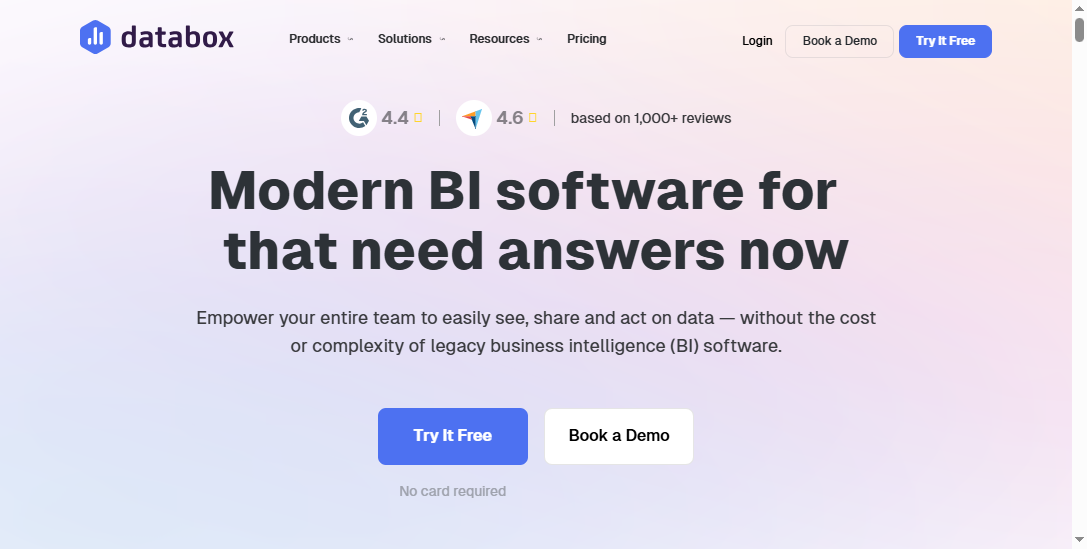
Databox is popular with marketing teams that need customizable dashboards and real-time performance tracking. You can connect to over 130 data sources, set goals, and get alerts when you hit key metrics. The drag-and-drop interface makes it easy to tailor dashboards to your needs, and mobile access lets you monitor performance on the go.
Databox helps you keep everyone aligned on goals and metrics, making it a valuable tool for fast-moving teams.
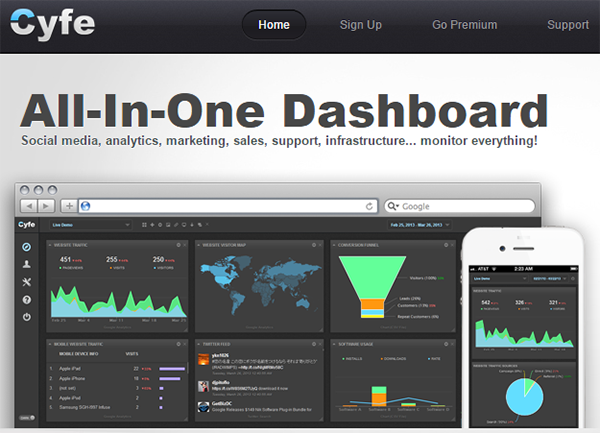
Cyfe focuses on security and compliance, which is important if you handle sensitive business data. The platform uses SSL/TLS encryption, role-based access controls, and regular audits to ensure data protection. AI monitoring tools help detect anomalies or breaches in data handling.
You can build dashboards that track metrics across different departments, and Cyfe’s all-in-one approach makes it easy to manage your business analytics in one place.
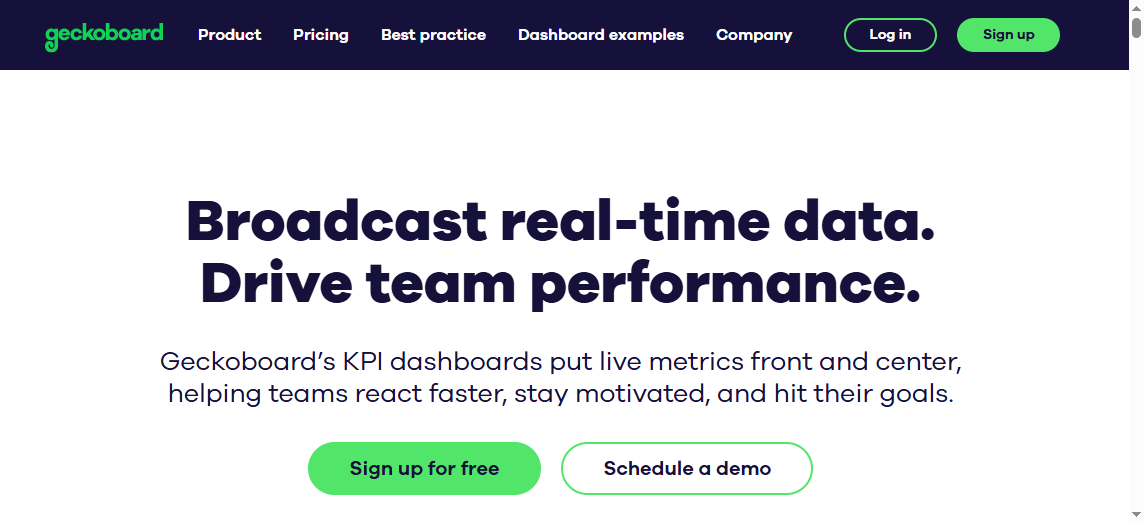
Geckoboard is designed for real-time performance monitoring. The interface is clean and uncluttered, so your team can focus on the metrics that matter. You can pull data from over 90 cloud-based business tools and create dashboards without technical skills.
Geckoboard’s dashboards are easy to share, and the design is optimized for broadcasting metrics in team spaces. If you want a simple, effective dashboard software for live data, Geckoboard is a strong pick.
Grow is a no-code platform that empowers non-technical users to create visualizations and track metrics. The user-friendly design ensures quick adoption, and you can invite unlimited users to foster a collaborative environment. Grow lets you drive data-driven results without relying on specialized data teams.
If you want dashboard software that anyone on your team can use, Grow is worth considering.
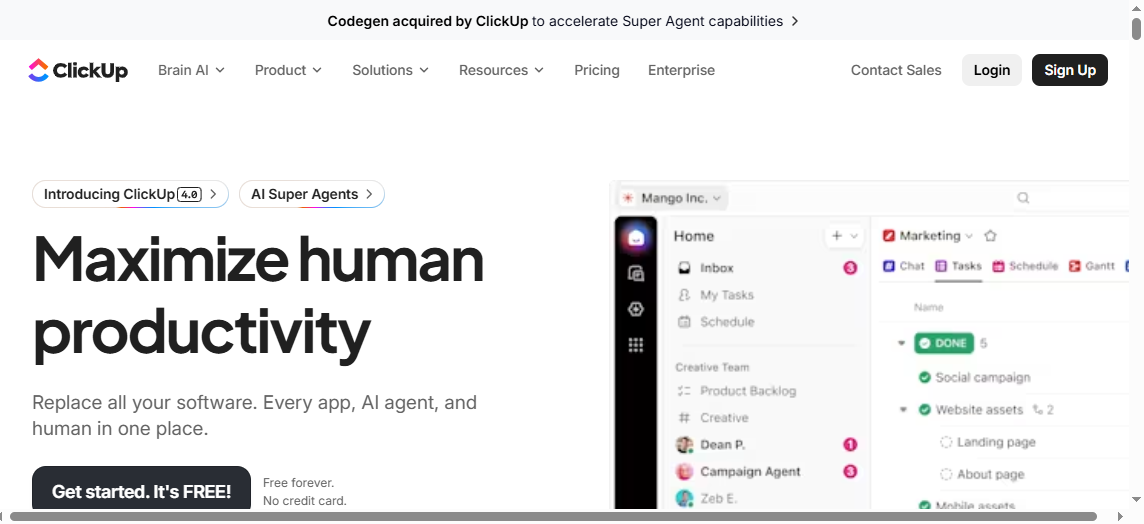
ClickUp brings project management and dashboard software together. You get real-time analytics on project statuses, time spent, and team workload. You can customize dashboards with widgets, track progress on goals, and use ClickUp Brain for AI-generated insights.
ClickUp’s dashboards help you visualize essential metrics, automate reporting, and keep everyone on the same page. The platform is ideal if you want to combine project tracking with business analytics.
Choosing the best dashboard software depends on your business size, industry, and the metrics you need to track. Each of these custom dashboard software options offers unique strengths, so take the time to match their features to your goals.
Best Custom Dashboard Software Comparison Table
When you compare dashboard software, you want to see how each tool stacks up in terms of features, pricing, and the types of business problems it solves. This table gives you a quick way to spot which platform matches your needs for tracking metrics and gaining real-time insights.
Features Overview
Most dashboard software focuses on three things: an intuitive interface, strong customization, and seamless integration. FineBIstands out with its ability to connect to over 60 data sources, drag-and-drop dashboard creation, and robust collaboration tools. Tableau and Power BI offer advanced analytics and flexible visualizations. Domo and Sisense shine with their real-time insights and developer-friendly options. Zoho Analytics and Klipfolio keep things simple for small teams, while Looker and Qlik Sense provide deep data modeling.
Software
Intuitive Interface
Customization
Integration
Real-Time Insights
Collaboration
Mobile Access
FineBI
Yes
High
60+ sources
Yes
Strong
Yes
Tableau
Yes
High
Extensive
Yes
Good
Yes
Power BI
Yes
High
Extensive
Yes
Good
Yes
Looker
Yes
High
API-driven
Yes
Good
Yes
Qlik Sense
Yes
High
Flexible
Yes
Good
Yes
Domo
Yes
High
1,000+
Yes
Strong
Yes
Sisense
Yes
High
API/SDK
Yes
Strong
Yes
Zoho Analytics
Yes
Medium
250+
Yes
Good
Yes
Klipfolio
Yes
Medium
85+
Yes
Good
Yes
Google Data Studio
Yes
Medium
Google Apps
Yes
Good
Yes
Databox
Yes
Medium
130+
Yes
Good
Yes
Cyfe
Yes
Medium
Moderate
Yes
Good
Yes
Geckoboard
Yes
Medium
90+
Yes
Good
Yes
Grow
Yes
Medium
75+
Yes
Good
Yes
ClickUp
Yes
Medium
Project Apps
Yes
Good
Yes
FineBI's Real Time Multi Source Data Integration Feature
You’ll notice that pricing for dashboard software varies a lot. Some tools, like Google Data Studio, offer free versions. FineBIprovides a competitive price for mid-sized businesses. Tableau and Looker tend to cost more, especially for enterprise features. Zoho Analytics and Klipfolio keep things affordable for small teams. Always check if the platform charges by user, by feature, or by data volume.
Software
Starting Price (USD)
Pricing Model
FineBI
Custom Quote
Per user/feature
Tableau
$15/user/month
Per user
Power BI
$10/user/month
Per user
Looker
$35,000/year
By deployment
Qlik Sense
$20/user/month
Per user
Domo
Custom Quote
By usage/feature
Sisense
Custom Quote
By deployment
Zoho Analytics
$24/org/month
By org/user
Klipfolio
$49/month
By account
Google Data Studio
Free
Free
Databox
$72/month
By account
Cyfe
$19/month
By account
Geckoboard
$39/month
By account
Grow
$75/month
By account
ClickUp
$7/user/month
Per user
Use Case Fit
Each dashboard software fits different business needs. FineBIworks well if you want to track metrics across departments and need real-time insights for fast decisions. Tableau and Power BI are great for deep analytics and custom metrics. Domo and Sisense suit companies that want to embed dashboards or need developer flexibility. Zoho Analytics, Klipfolio, and Databox help small teams monitor marketing or sales metrics. ClickUp is perfect if you want to combine project management with analytics.
Tip: Match your dashboard software to your most important metrics and the level of real-time insights you need. This way, you get the best value for your business.
FineBI gives you a powerful way to turn raw data into clear insights. You can connect to over 100 sources and build dashboards that update in real time. The platform supports dynamic dashboards, predictive analytics, and role-based access control. You get self-service analytics, so anyone on your team can track metrics without IT help. FineBI scales easily, handling large datasets and complex KPIs. Here’s a quick look at what you get:
Feature
Description
Dynamic Dashboards
Interactive visualizations for better data insights
Predictive Analytics
AI forecasts trends and supports decision-making
Data Source Connectivity
Connects to 100+ sources for comprehensive analysis
Role-Based Access Control
Secure data sharing among users
Real-Time Data Updates
Instant insights with up-to-date information
Self-Service Analytics
Non-technical users analyze data independently
Scalability
Handles large datasets and complex metrics
You see FineBI in action at BOE Technology Group, where it helped reduce inventory costs and boost operational efficiency by 50%. This dashboard software fits mid-sized to large businesses that want fast, secure, and collaborative analytics.
Tableau helps you createinteractive dashboards with strong data visualization tools. You can connect to many data sources and explore metrics from different angles. Tableau works well for companies that need deep analytics and want to share dashboards across teams. Pricing starts at $15 per user per month. Some users find the learning curve steep, but the flexibility makes it worth it for data-driven organizations.
Power BI Overview
Power BI integrates with Microsoft tools and lets you track metrics in real time. You can build custom dashboards and share them easily. Power BI is affordable, starting at $10 per user per month. It fits businesses of all sizes, especially if you already use Microsoft products. Some advanced features may require extra setup.
Looker Overview
Looker, part of Google Cloud, focuses on data modeling and embedded analytics. You can build dashboards that pull from multiple sources and deliver real-time metrics. Pricing starts at $35,000 per year. Looker is best for enterprises that need advanced analytics and want to embed dashboards in other apps.
Qlik Sense Overview
Qlik Sense offers flexible deployment and strong self-service analytics. You can explore metrics with its associative engine and uncover hidden trends. Pricing starts at $20 per user per month. Qlik Sense works for businesses that want scalable dashboard software with deep analytics.
Domo Overview
Domo connects data, people, and systems in real time. You get over 1,000 connectors and strong collaboration features. Domo’s dashboard software is great for companies that need real-time metrics and instant sharing. Pricing is custom, so you’ll need a quote.
Sisense Overview
Sisense lets you customize and embed analytics into your own apps. You can use APIs and SDKs for advanced solutions. Sisense fits businesses with developer resources that want flexible dashboard software. Pricing is custom.
Zoho Analytics Overview
Zoho Analytics gives you an easy way to track metrics and build dashboards. You get over 250 connectors and self-service data prep. Pricing starts at $24 per organization per month. Zoho Analytics suits small to medium businesses.
Klipfolio Overview
Klipfolio connects to 85+ apps and helps you monitor metrics in real time. You can build custom dashboards and share insights with your team. Pricing starts at $49 per month. Klipfolio is ideal for small teams that want flexible dashboard software.
Google Data Studio Overview
Google Data Studio is free and integrates with Google apps. You can share dashboards and track metrics easily. It’s a good choice for teams that want simple, cloud-based dashboard software.
Databox Overview
Databox helps marketing teams track metrics and goals in real time. You can connect to 130+ sources and get alerts when you hit targets. Pricing starts at $72 per month. Databox is great for fast-moving teams.
Cyfe Overview
Cyfe focuses on security and compliance. You can track metrics across departments and keep your data safe. Pricing starts at $19 per month. Cyfe works for businesses that need secure dashboard software.
Geckoboard Overview
Geckoboard gives you a clean interface for real-time metrics. You can pull data from 90+ tools and share dashboards easily. Pricing starts at $39 per month. Geckoboard is perfect for teams that want live data visualization.
Grow Overview
Grow is a no-code platform for building dashboards and tracking metrics. You can invite unlimited users and collaborate easily. Pricing starts at $75 per month. Grow fits businesses that want simple dashboard software for everyone.
ClickUp Overview
ClickUp combines project management with dashboard software. You can track project metrics, automate reports, and use AI insights. Pricing starts at $7 per user per month. ClickUp is best for teams that want analytics and project tracking in one place.
Key Criteria for Choosing the Best Custom Dashboard Software
When you start looking for dashboard solutions, you want to make sure the platform fits your business goals and helps you track the right metrics. Let’s break down the most important factors to consider before you choose a solution.
Integration Capabilities
You need dashboard software that connects to all your data sources. This means you can pull information from databases, cloud services, and marketing tools without hassle. If your dashboard solutions can’t bring all your data together, you’ll miss out on the full story. FineBIstands out here, letting you connect to over 60 sources, including big data and cloud warehouses. Take a look at the key integration capabilities:
Integration Capability
Description
Multi-Source Data Integration
Connects to a wide array of sources for a holistic view of your business.
A strong solution will let you generate dashboards that reflect every part of your business, from sales to marketing.
Customization Options
Every business tracks different metrics. You want dashboard software that lets you customize layouts, charts, and filters. This way, you can focus on the numbers that matter most to your marketing team or sales department. FineBI’s drag-and-drop interface makes it easy to build dashboards that fit your needs.
As your business grows, your dashboard solutions should grow with you. Look for software that handles more users, bigger datasets, and new departments. FineBIsupports thousands of users and large-scale data, so you won’t outgrow your solution.
You want a solution that offers clear guides, responsive support, and training resources. This helps your team get the most out of your dashboard software, whether you’re tracking marketing campaigns or financial metrics.
Security and Compliance
Protecting your data is critical. The best dashboard solutions offer features like role-based access, audit logs, and compliance tools. For example, dashboards should use color coding for compliance alerts, drill-down for root cause analysis, and easy sharing for audits. FineBI provides enterprise-grade governance, so you can trust your data is safe.
Tip: Always match your dashboard software to your business’s integration, customization, and security needs. The right solution will help you track metrics, boost marketing performance, and support growth.
Custom Dashboard Software Solutions for Different Business Needs
Small Business Fit
You want a small business dashboard that is easy to set up and affordable. Many owners choose Zoho Analytics, Power BI, Looker Studio, or Databox. These dashboard solutions help you track sales, expenses, and marketing results without a steep learning curve. For example, Zoho Analytics gives you an intuitive interface and lots of integrations, making it a top pick for a small business dashboard. Power BI works well if you already use Microsoft tools. Looker Studio is free and fits startups that rely on Google. Databox lets you monitor sales and marketing performance in real time. You can see the main options in the table below:
Platform
Best For
Key Benefit
Zoho Analytics
Small business dashboard, marketing teams
Affordable, easy integration
Power BI
Microsoft users, small business dashboard
Customization, low cost
Looker Studio
Google users, small business dashboard
Free, easy sharing
Databox
Agencies, small business dashboard
Real-time sales tracking
Enterprise Fit
If you run a large company, you need dashboard solutions that scale. Tableau and Power BI stand out for deep analytics and custom reporting. FineBI helps enterprises manage complex data, track sales KPIs, and support thousands of users. At BOE Technology Group, FineBIunified data from multiple factories, cut inventory costs, and improved sales analysis. You can automate reporting, set up role-based access, and handle big data with ease.
Marketing teams rely on dashboard solutions to measure campaign results and optimize spend. Databox and Zoho Analytics let you track website visits, ad performance, and sales leads. FineBI supports marketing dashboards that show real-time trends and help you adjust strategies quickly. You can set alerts for sales targets and monitor conversion rates across channels.
You need to see your sales numbers at a glance. Dashboard solutions like FineBI, Power BI, and Domo let you track sales by region, product, or team. You can set up a small business dashboard to monitor daily sales or use enterprise tools for advanced forecasting. FineBI’s dashboards help you spot trends, compare sales periods, and share insights with your team. Sales managers use these tools to set goals, track progress, and celebrate wins.
Financial teams use dashboard solutions to keep an eye on revenue, expenses, and cash flow. FineBI and Tableau offer dashboards that update in real time, so you always know your financial position. You can build a small business dashboard for monthly reports or use enterprise features for complex analysis. These tools help you catch issues early and make smart decisions.
IT and operations teams need dashboard solutions that monitor system health, uptime, and workflow efficiency. Sisense and Qlik Sense provide dashboards for tracking incidents and resource usage. FineBIsupports dashboards that combine sales, inventory, and operations data, giving you a full view of business performance. You can set up alerts for system issues and keep your operations running smoothly.
Choosing the right custom dashboard software can transform how you use data. Each tool on this list brings unique strengths. To find your best fit, start with these steps:
Define your main business goal.
Pick the top KPIs that matter most.
Match the tool to your team’s skills and budget.
Set up a real-time data pipeline for accurate insights.
Use the comparison table and overviews to guide your decision. Try a few platforms or talk with vendors before you commit.
Access a wealth of case studies, industry insights, and solution guides to accelerate digital transformation.
FAQ
What is custom dashboard software?
Custom dashboard software lets you create personalized dashboards that show your business data in real time. You can track key metrics, spot trends, and share insights with your team. This software helps you make better decisions faster.
How do you choose the best custom dashboard software for your business?
Start by listing your main goals. Look for custom dashboard software that connects to your data sources, fits your budget, and matches your team’s skill level. Try free trials to see which platform feels right for your workflow.
Can small businesses use custom dashboard software?
Yes, small businesses can use custom dashboard software. Many platforms offer affordable plans and easy setup. You can track sales, expenses, and marketing results without needing technical skills.
What features should you look for in custom dashboard software?
You should look for easy data integration, drag-and-drop dashboards, real-time updates, and strong security. Good custom dashboard software also offers mobile access and collaboration tools so your team stays connected.
Is custom dashboard software secure?
Most custom dashboard software uses strong security features like role-based access and data encryption. Always check if the platform meets your industry’s compliance standards before you share sensitive information.