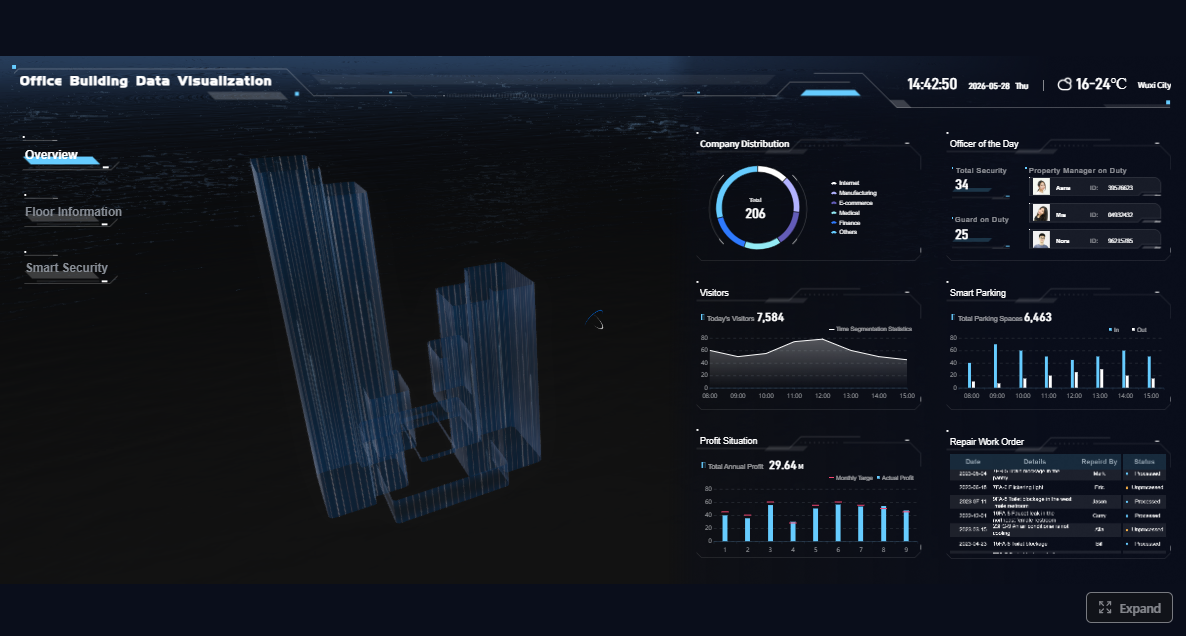
Security operations leaders do not need more raw data. They need a reliable way to capture field activity, document incidents, prove service delivery, and turn daily reporting into usable operational insight.
That is where security reporting software matters. In practical terms, it helps officers submit structured reports from the field, gives supervisors visibility into incidents and patrol activity, and enables management to review trends, accountability, and client-facing performance. With FineReport + Dora, teams can ask for a report summary in chat, generate structured narratives from trusted report assets, receive scheduled briefings, and push exceptions to the right owner.
Click To Try The Dashboard
All reports in this article are built with FineReport
What security reporting software is and why it matters
Security reporting software is a system used to document, organize, review, and analyze security operations activity. That includes incident reports, patrol logs, shift notes, observations, site exceptions, and follow-up actions. The goal is simple: help field teams record what happened accurately and help management act on that information quickly.
In daily operations, this supports several high-value needs:
searchable records for investigations and compliance
stronger proof of service for clients
better visibility across shifts, teams, and locations
Without a structured system, many security teams still rely on paper notes, text messages, emails, spreadsheets, or loosely managed forms. That usually leads to delayed reporting, missing details, inconsistent terminology, and limited oversight.
How it differs from basic logs, workforce tools, and broad security platforms
Not every security technology product is truly security reporting software.
General incident logs usually capture a record of events, but they often lack structured workflows, mobile usability, attachments, approval steps, and management reporting.
Workforce management tools focus on scheduling, attendance, payroll, and staffing. They may help with shift coverage, but they are not built to support detailed incident documentation or client-ready reporting.
Broader security platforms may include dispatch, access control, surveillance integrations, or command center workflows. Reporting can be part of those systems, but not always in a way that fits field-level documentation and operational accountability.
A good security reporting software platform sits at the center of field reporting and management visibility. It connects daily guard activity with structured documentation, trend analysis, and client communication.
The operational problems it solves
For security operations leaders, the software should solve concrete operational issues, not just digitize paperwork.
Common problems include:
Delayed reporting: officers complete reports after the shift, which weakens accuracy and response speed.
Inconsistent documentation: different officers describe the same event in different ways, making comparison difficult.
Limited supervisor visibility: managers cannot easily see which sites had issues, which reports need review, or where follow-up is overdue.
Weak accountability: patrol completion, checkpoint activity, and shift notes are hard to validate at scale.
Poor client transparency: clients want proof of service, incident summaries, and timely updates, not disconnected emails.
Manual reporting burden: operations teams spend too much time compiling summaries instead of resolving issues.
This is also where reporting maturity becomes important. Capturing data is only the first step. Enterprise teams increasingly need a trusted reporting layer plus an AI assistant layer to help people consume that reporting faster. FineReport standardizes reports, dashboards, and operational cockpits, while Dora adds a governed AI workflow for summaries, exception follow-up, and chat-based report consumption.
Core capabilities to look for in security reporting software
The best security reporting software should support both field execution and management review. It should not force teams to choose between officer usability and back-office visibility.
Incident capture and documentation
Incident capture is the foundation. If officers cannot submit complete, structured reports quickly, the rest of the reporting process breaks down.
Key capabilities to evaluate:
structured forms for incidents, observations, patrol notes, and exceptions
required fields to improve reporting completeness
configurable templates by site, post, or incident type
attachments for photos, videos, and supporting files
timestamp and location capture
witness, involved party, and response details
status tracking for review and closure
Below are core report elements to standardize.
Incident type
Definition: The category of the event, such as trespassing, theft, injury, property damage, suspicious activity, or policy violation.
Business value: Standard categories make it easier to route reports, analyze trends, and compare locations.
AI use:Dora can summarize incident mix by site, explain spikes by category, and include high-risk event types in a scheduled management briefing.
Time and location
Definition: The exact date, time, and site or checkpoint where the event occurred.
Business value: Accurate timing and location support investigations, accountability, and staffing decisions.
AI use:Dora can highlight recurring patterns by shift, identify hotspot locations, and answer chat questions such as which posts had the most after-hours incidents last week.
Narrative and evidence
Definition: The officer’s structured written account plus attached photos, videos, or witness notes.
Business value: Better documentation reduces ambiguity and improves incident review quality.
AI use:Dora can generate a structured report summary from the trusted report content and flag missing supporting evidence for supervisor review.
Response and follow-up status
Definition: Actions taken, supervisor review outcome, escalation path, and open or closed status.
Business value: This creates an auditable lifecycle, not just a static incident record.
AI use:Dora can monitor overdue follow-up items, push reminders to responsible owners, and produce daily exception summaries.
Guard activity tracking and field usability
A reporting system fails in the real world if officers find it slow, confusing, or difficult to use on mobile devices.
The field usability checklist should include:
mobile-first forms with minimal friction
fast submission during active patrol work
post-specific forms and task lists
checkpoint, patrol, and shift note tracking
offline access where connectivity is inconsistent
simple photo and note capture from the field
clear handoff and passdown support between shifts
Patrol completion
Definition: Confirmation that scheduled patrols, routes, or checkpoints were completed as required.
Business value: Helps prove service delivery, validate contract performance, and identify missed rounds.
AI use:Dora can summarize incomplete patrols by site, explain trend changes, and push exceptions to supervisors.
Shift notes and passdowns
Definition: Operational notes recorded during a shift and handed over to the next officer or supervisor.
Business value: Reduces information loss between shifts and improves continuity.
AI use:Dora can turn multiple shift notes into a concise handoff briefing for the next supervisor or management team.
Post-specific task compliance
Definition: Verification that officers completed required site-specific tasks, such as gate checks, visitor verification, or lock inspections.
Business value: Strengthens accountability and reduces variation across sites.
AI use:Dora can detect repeated missed tasks, summarize compliance trends, and support targeted coaching.
Reporting, dashboards, and audit readiness
Capturing reports is not enough. Operations leaders need dashboards and structured reporting that turn activity into decisions.
This layer should support:
daily, weekly, and monthly summaries
supervisor review queues
trend analysis across incidents, patrols, sites, and teams
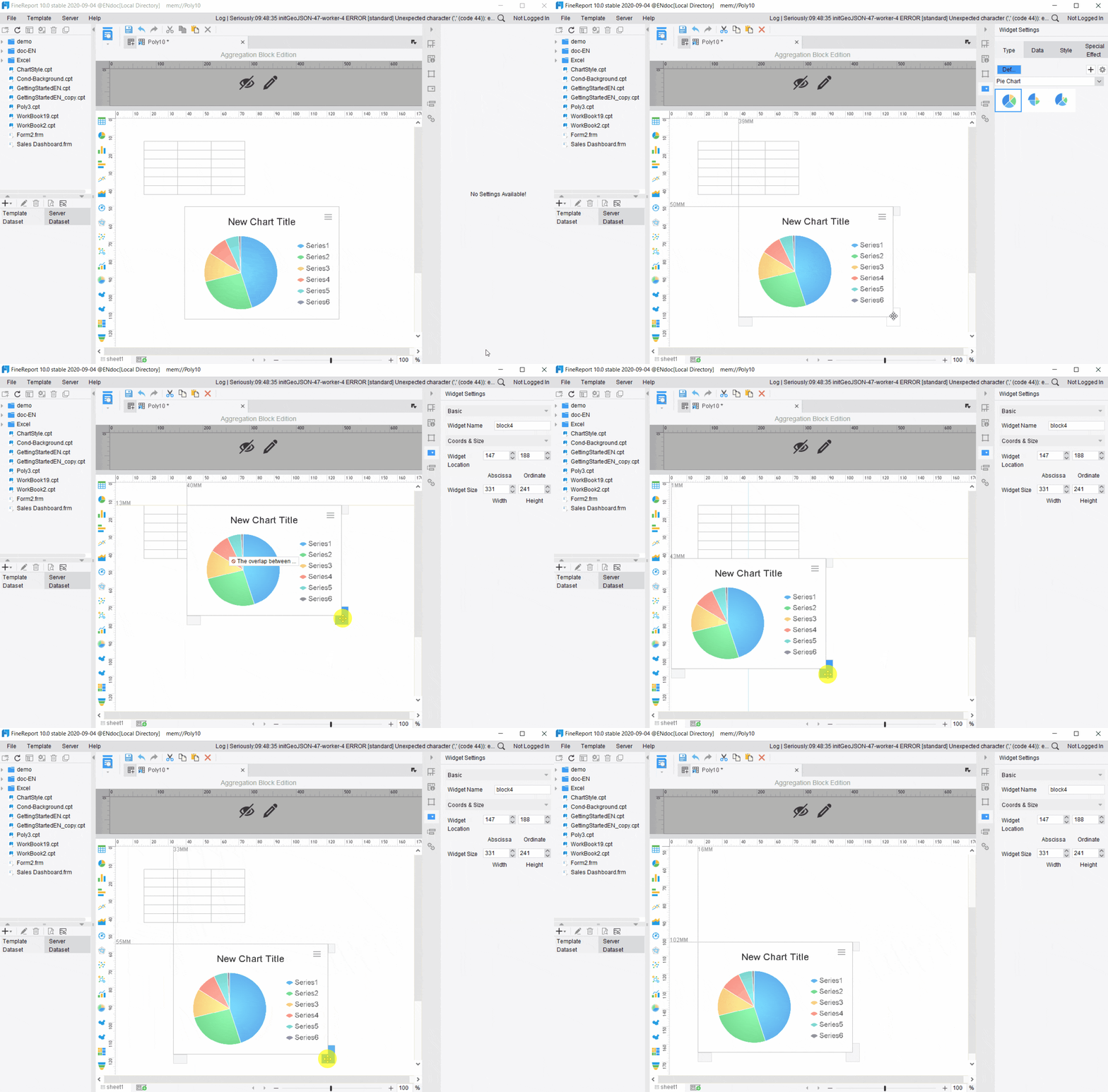
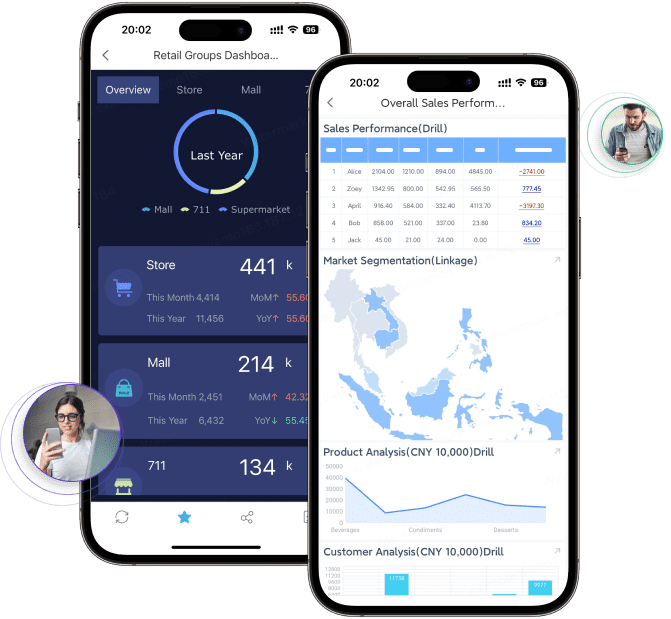
FineReport is especially relevant here because it provides the trusted reporting foundation: formatted reports, complex reports, operational cockpits, management reports, and reporting automation. Instead of leaving teams with scattered logs, it helps standardize how security operations data is presented, governed, and shared.
Definition: A visual summary of incident volume, type, timing, severity, and site distribution.
Business value: Helps leaders identify emerging risks and compare performance across locations.
AI use:Dora can explain abnormal changes in charts, summarize trend movement in plain language, and prepare management-ready narratives.
Client service report
Definition: A report that combines incidents, patrol proof, staffing coverage, and site activity into a client-facing summary.
Business value: Improves transparency and supports retention and contract renewal conversations.
AI use:Dora can generate structured client briefing drafts from trusted FineReport outputs and highlight service issues requiring proactive communication.
Audit trail and record history
Definition: A time-stamped record of submissions, edits, reviews, and follow-up actions.
Business value: Essential for investigations, compliance, and internal accountability.
AI use:Dora can retrieve the history of an incident workflow through natural-language query and summarize unresolved issues for auditors or supervisors.
How security teams use it in real operations
Security reporting software delivers the most value when it fits everyday operational scenarios. Buyers should evaluate the software based on those scenarios, not just a feature checklist.
Security incident reporting workflows
Security teams use the software to standardize how officers document:
accidents
suspicious behavior
policy violations
trespassing
theft or property damage
medical situations
emergency response events
A typical workflow looks like this:
An officer records the event on a mobile device using a structured template.
Photos, timestamp, location, and involved party details are attached.
The report is routed to a supervisor for review.
The supervisor approves, escalates, or requests clarification.
This reduces reporting gaps and creates consistency across officers and shifts.
Client service and contract accountability
For many contract security firms, reporting is not just internal documentation. It is part of the service being sold.
Clients often expect:
proof of patrol completion
summaries of incidents and exceptions
visibility into after-hours activity
evidence of responsiveness
clean monthly reporting on site performance
Security reporting software helps operations leaders show that the team did the work, documented issues properly, and handled follow-up in a timely way. This can improve client confidence and make renewal discussions easier.
FineReport helps here by turning operational data into professional, formatted reports and client-ready dashboards. Instead of manually assembling spreadsheets and screenshots, teams can standardize recurring service reports and management cockpits.
As operations scale, leadership needs a cross-site view.
Multi-site oversight requires teams to compare:
incident frequency by location
shift-level reporting quality
patrol compliance trends
recurring exceptions
supervisor review speed
staffing or training gaps
This is where a dashboard-style analysis view becomes especially valuable. An operations director should be able to see which sites have unusual incident growth, where guard activity compliance is dropping, and which supervisors are carrying open follow-up items.
With a governed reporting layer in FineReport, those views become more trustworthy and repeatable. With Dora on top, leadership can query those views in natural language instead of manually digging through every report.
How an AI Data Agent Automates Report Consumption
Many security teams already have reports. The real bottleneck is consumption.
Supervisors, operations managers, and executives often do not have time to open multiple site reports, compare charts, read long narratives, and manually extract what matters. That is why an enterprise Data Agent layer becomes valuable.
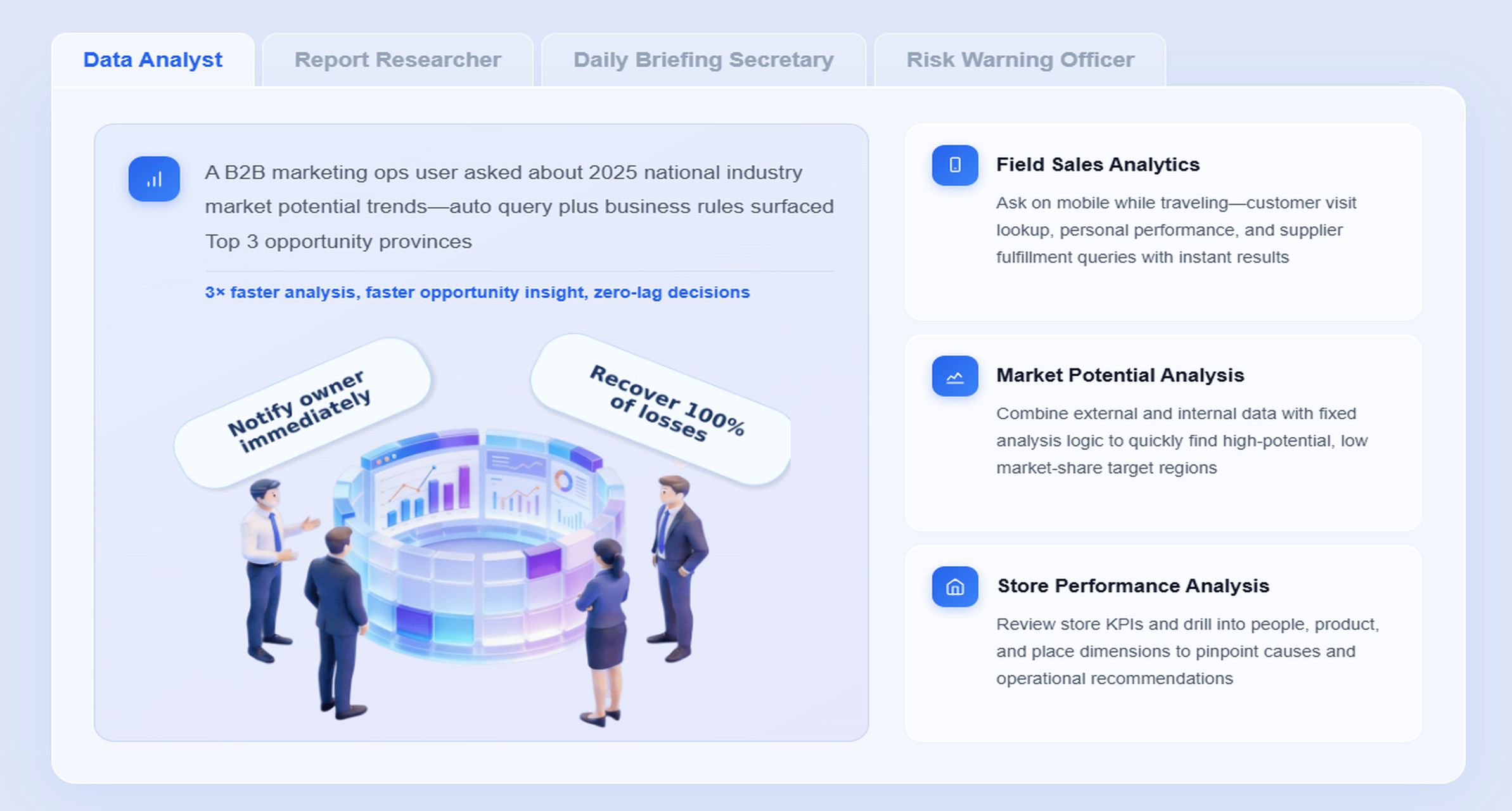
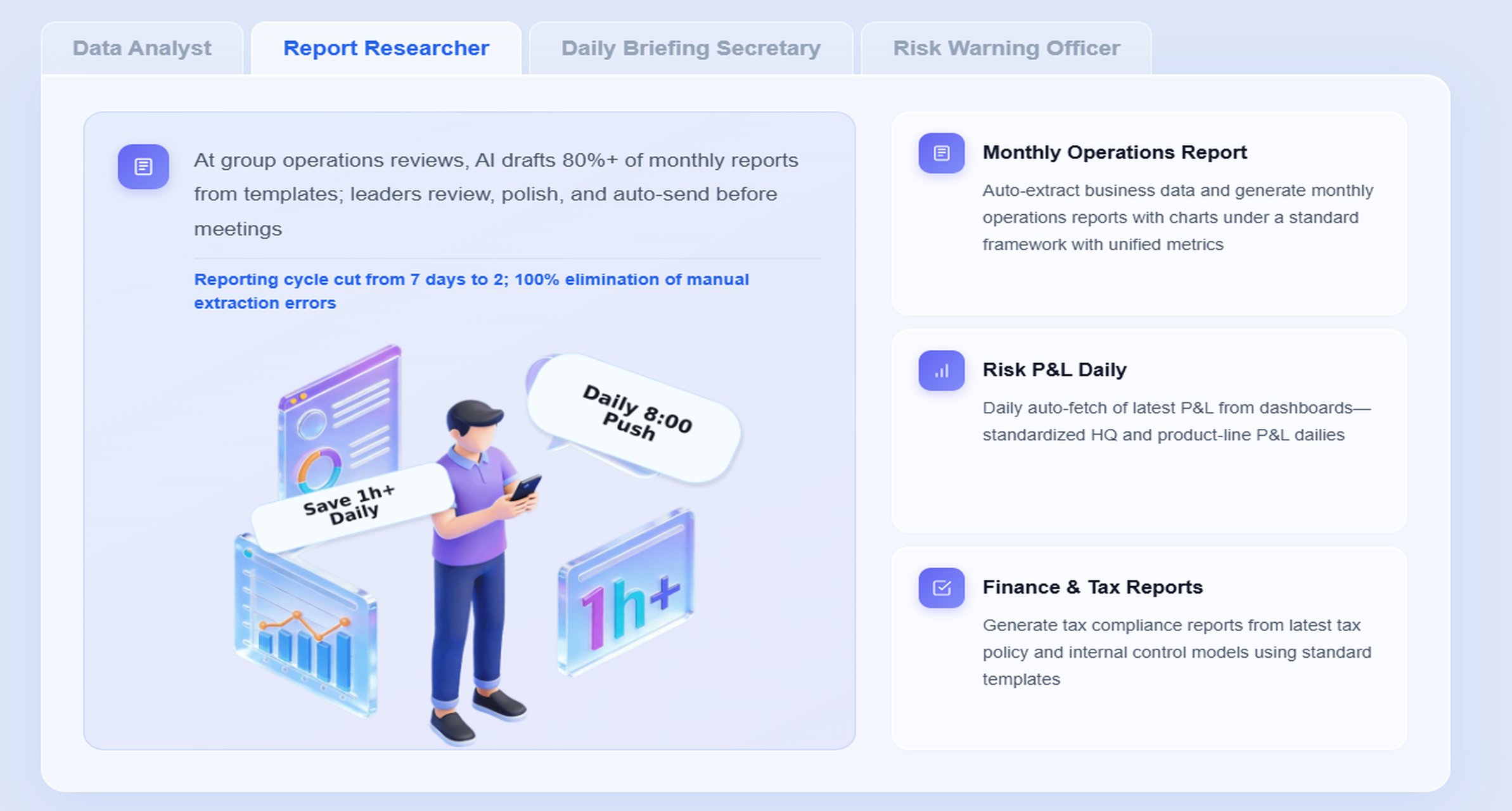
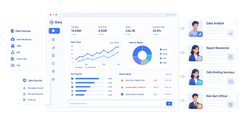
Dora acts as an AI assistant on top of trusted reporting assets. In this scenario, the most relevant digital employees are:
Report Researcher for structured report generation from FineReport outputs, templates, charts, and business rules
Daily Briefing Secretary for scheduled security summaries and meeting preparation
Risk Alert Officer for exception monitoring, overdue follow-up, and owner notification
Data Analyst digital employee for chat-based report query and metric explanation
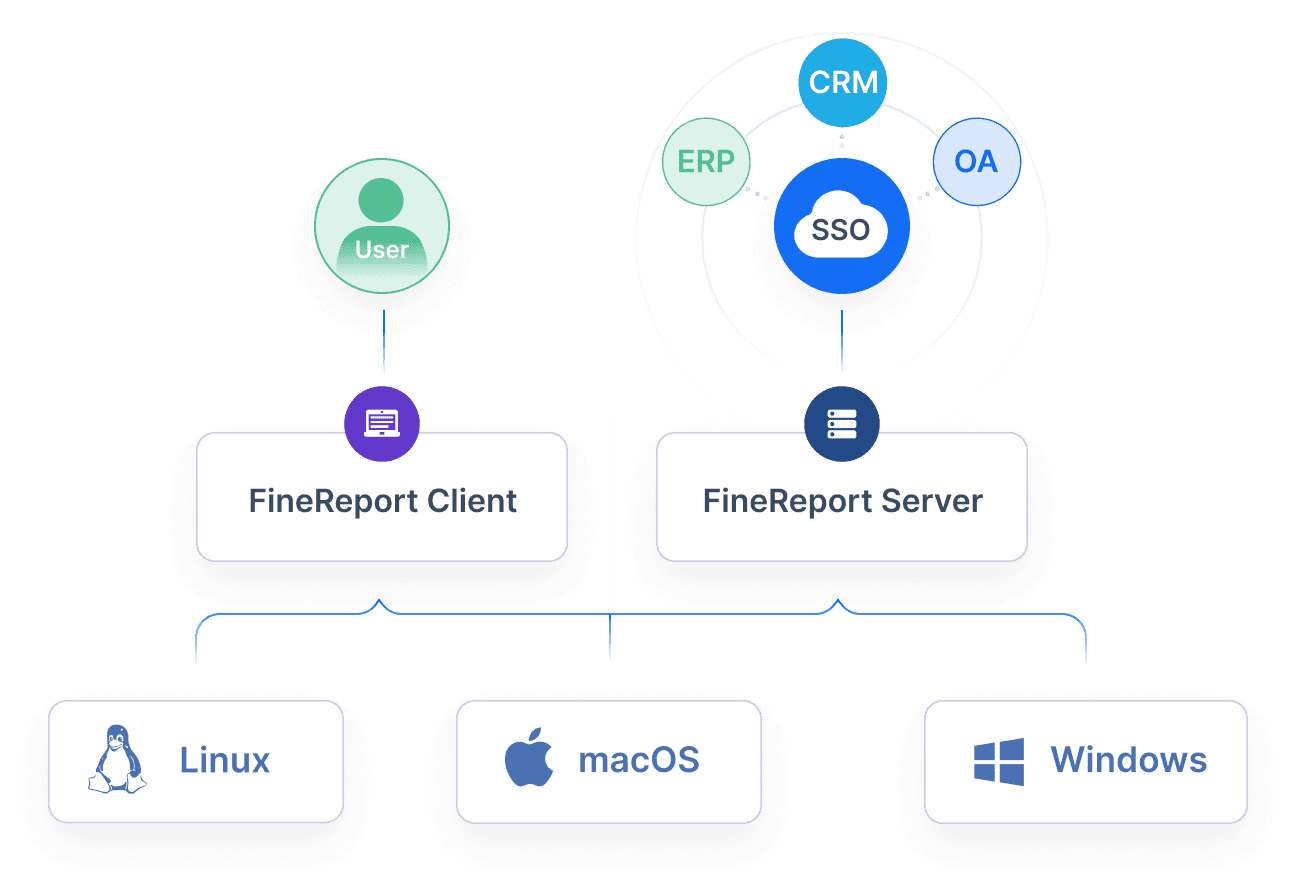
Dora is not a replacement for FineReport. FineReport provides the governed reporting, dashboard, KPI, and operational cockpit foundation. Dora turns that foundation into a scenario-specific AI assistant that helps teams query, summarize, push, alert, and follow up.
“Summarize this week’s security operations report, highlight sites with rising incident volume, list missed patrol exceptions, and identify supervisors with overdue follow-up actions.”
That is much closer to how leaders think than manually opening five dashboards, exporting data, and drafting an email summary.
A practical AI workflow for security reporting
Here is how a governed Dora workflow can support report consumption:
Retrieve trusted FineReport assets Dora accesses the approved security operations report, incident dashboard, patrol compliance report, and follow-up list built in FineReport.
Apply semantic understanding and KPI rules Dora interprets security terms such as incident severity, patrol exception, overdue review, site grouping, and shift definitions based on governed business rules.
Generate a structured report summary Dora creates a management-ready narrative that explains chart movement, notable incidents, missed patrols, and follow-up status in plain language.
Detect exceptions and abnormal changes Dora identifies rising incident trends, missed patrol thresholds, repeated post-task failures, or unresolved incidents that require escalation.
Push findings to the right owners Dora sends scheduled summaries, alerts, or exception notices to supervisors, site managers, or operations leaders.
Create follow-up records for review Dora supports review workflows by producing daily or weekly summary outputs and maintaining a clear list of items needing human action.
Why the FineReport foundation matters
AI summaries are only as useful as the reporting foundation underneath them. Security teams need governed data, consistent KPI definitions, standardized templates, permissions, and reliable source reports.
it supports formatted reports and management cockpits
it keeps KPI definitions and templates consistent
it enables role-based report access
it provides trusted assets for Dora to retrieve and interpret
Without that foundation, AI outputs can become inconsistent or hard to govern. With it, Dora becomes a practical Agentic BI layer for security report consumption.
Dora adds value in ways that matter to operations leaders:
Natural-language query over trusted reporting assets: leaders can ask direct business questions instead of navigating multiple dashboards.
Chat-based AI assistant for report consumption: supervisors can get a chart-based answer or structured summary quickly.
Report, cockpit, metric, and exception retrieval:Dora links answers back to FineReport reports and operational views.
Structured report summaries and management narratives: useful for daily briefings, shift handoffs, and weekly reviews.
Scheduled summaries and periodic briefings: operations leaders can receive recurring incident and patrol summaries automatically.
Exception alerts and push notifications: repeated missed patrols, overdue reviews, or incident spikes can be pushed to the right owner.
Follow-up support:Dora can help track who needs to review, investigate, or respond next.
For enterprise teams, Dora also offers stronger landing capability than feature-only agent comparisons because it is designed for governed workflows, Skills-based execution, and trusted report consumption. Compared with raw prompt-only agents, that means more controllable and auditable usage patterns, less token waste, faster execution paths, and more stable enterprise workflows.
How to evaluate vendors and compare solutions
The right product is not always the one with the longest feature list. It is the one that fits how your officers, supervisors, clients, and operations managers actually work.
Questions to ask during demos
Use demos to test real reporting scenarios, not canned marketing flows.
Ask questions such as:
How quickly can officers submit reports from a mobile device?
How many steps does it take to document an incident with photos and notes?
What templates are included for incidents, patrols, shift notes, and exceptions?
Can workflows route reports to supervisors for approval and escalation?
How does the system support both incident reporting and guard management?
What dashboards exist for operations leaders and client reporting?
Are records searchable by site, time, officer, incident type, or status?
How are permissions and audit trails handled?
Can scheduled reports be automated?
How does the system support AI-assisted report summaries or exception monitoring if needed?
If your organization is moving toward AI-assisted operations, also ask whether the vendor can support a governed reporting layer and enterprise Data Agent workflow rather than only offering a generic assistant experience.
Software value is limited if it creates another silo.
Review compatibility with:
scheduling systems
dispatch tools
payroll or timekeeping systems
access control systems
client portals
broader operations or management systems
Also assess implementation risk:
admin setup complexity
form and template design effort
onboarding time
officer training needs
supervisor review workflow setup
support responsiveness
change management requirements
From an enterprise perspective, the strongest rollout path often starts by standardizing the reporting foundation first. FineReport helps organizations consolidate reports, templates, metrics, and operational views. Dora can then be layered on for governed AI workflows such as briefing generation, chat-based report lookup, and exception follow-up.
Cost, scalability, and proof of value
Pricing should be evaluated against operational outcomes, not license cost alone.
Compare:
per-user vs per-site pricing
feature tiers
mobile capabilities
implementation and configuration costs
support and training costs
data storage or report distribution limits
AI add-on or automation costs if applicable
Measure value through:
time saved in report preparation
improved reporting consistency
fewer missing or late reports
better supervisor response and closure rates
stronger client transparency
improved client retention
better visibility across multi-site operations
For larger operations, scalability also means whether the platform can handle more sites, more reporting complexity, and more management reporting without forcing teams back into manual work.
Security operations leaders often make avoidable mistakes when selecting security reporting software.
Choosing strong dashboards but weak field usability
A platform can look polished in a demo and still fail in the field. If officers cannot submit reports quickly under real conditions, data quality will suffer. Mobile-first usability is not optional.
Overlooking the difference between incident reporting and a full guard reporting system
Some tools are good at incident logs but weak at patrol tracking, checkpoint validation, shift notes, post tasks, or client accountability. Buyers should map all major workflows before choosing.
Ignoring change management and template design
Even good software performs poorly if report templates are vague, supervisors do not review consistently, or officers are not trained on reporting standards. Rollout success depends heavily on process design.
Focusing only on price
Low-cost software can become expensive if it creates reporting friction, poor adoption, missing audit trails, or manual reporting work. Operational fit, reliability, reporting depth, and long-term scalability matter more.
Treating AI as a shortcut without governance
AI can help security teams consume reports faster, but it should not sit on top of inconsistent data and undefined KPIs. Dora works best when report templates, KPI definitions, permissions, and semantic rules are already governed through FineReport and related reporting workflows.
Final checklist for choosing the right platform
Before selecting a platform, use this shortlist checklist.
Clarify your top use cases, from incident reporting to patrol proof, shift documentation, follow-up tracking, and client reporting.
Prioritize ease of use for officers in the field, especially on mobile devices.
Check whether the system supports structured evidence capture, timestamps, locations, and searchable records.
Evaluate patrol tracking, checkpoint activity, and post-specific task support if guard management is part of your requirement.
Review reporting quality for supervisors, operations managers, and client-facing teams.
Confirm role-based access, audit trails, and record history.
Assess how well the platform fits your size, number of sites, and operational complexity.
Consider data quality, template standardization, and governance as part of implementation, not as an afterthought.
If AI-assisted report consumption matters, look for a governed approach that can summarize trusted reports, push exceptions, and support follow-up workflows.
Shortlist vendors that can support both today’s reporting needs and future scaling.
A successful deployment depends as much on process design as on software selection.
1. Standardize report templates, business terms, and exception rules
Define core report types, required fields, severity levels, site terms, and escalation criteria. This improves comparability across sites and makes reporting more useful for trend analysis.
2. Build a trusted semantic layer inside the reporting workflow
If management reports define patrol exceptions, incident categories, or overdue follow-up differently across teams, dashboards and AI summaries will be inconsistent. FineReport helps standardize KPIs, templates, and management reporting logic so all teams work from the same definitions.
3. Start AI with high-value recurring reporting scenarios
Do not try to automate every security report at once. Start with recurring operational needs such as:
daily incident summary
weekly patrol exception review
monthly client service report
overdue follow-up alerting
This is where Dora’s digital employees, such as Daily Briefing Secretary and Risk Alert Officer, can deliver practical value first.
4. Preserve permissions and review controls
AI outputs should respect existing report access boundaries. Dora should retrieve and summarize only what authorized users can access through the trusted reporting environment. Use human review for important narratives and gradually expand governed Skills.
5. Treat data quality as part of the AI rollout
If incident reports are incomplete, patrol logs are inconsistent, or site naming is messy, AI summaries will amplify that confusion. Clean templates, enforce required fields, and review report quality regularly.
Building this manually is complex. FineReport helps teams standardize trusted reports, operational cockpits, templates, and reporting workflows. Dora turns those assets into an AI assistant that can answer report questions in chat, generate structured summaries, push scheduled briefings, monitor exceptions, and follow up with responsible owners.
For security operations leaders, this matters because the challenge is rarely just data collection. The harder challenge is turning daily field reporting into timely management visibility, client-ready communication, and actionable follow-up.
FineReport can serve as the reporting foundation for:
incident dashboards
patrol compliance reports
shift and site performance views
management cockpits
formatted client service reports
reporting automation workflows
Dora then acts as the enterprise Data Agent layer on top of those assets:
Report Researcher for structured security report summaries
Daily Briefing Secretary for recurring operational briefings
Data Analyst digital employee for natural-language report queries
Risk Alert Officer for missed patrols, unresolved incidents, and follow-up alerts
This combination is useful for multiple personas:
For executives:Dora is not an AI experiment. It is a landed digital employee for recurring reporting work such as weekly operations summaries, exception reviews, client service reporting, and owner follow-up.
For IT teams: IT moves from manually building every report to optimizing enterprise data connections, semantic layers, data quality, permission governance, report templates, and reusable agent Skills.
For business users and supervisors:Dora helps teams get timely report summaries, chat-based answers, scheduled briefings, and exception pushes without waiting for analysts or manually searching through reports.
FineReport + Dora is not only a reporting upgrade; it is a practical fourth-generation Agentic BI path.FineReport provides governed reports and operational cockpits. Dora provides the AI assistant layer for scenario execution, with more controlled Skills, lower token waste, faster execution paths, and more stable workflows than prompt-only agents.
Get Ready-to-Use Dashboard Templates in Fine Gallery
The strongest Dora pitch is scenario + product + service: FineReport provides the trusted reporting foundation, Dora provides the AI digital employee, and implementation service connects data, governance, semantic setup, Skills, report templates, permissions, and rollout.
Security reporting software is used to capture incident reports, patrol activity, shift notes, and exceptions in a structured system. It helps security teams document field work faster and gives supervisors and clients clearer visibility into what happened and what needs follow-up.
A basic log records events, but security reporting software usually adds mobile forms, required fields, attachments, review workflows, alerts, and analytics. That makes it more useful for accountability, investigations, and operational decision-making.
The most important features include mobile incident capture, customizable templates, timestamps and location data, media attachments, supervisor review, search, dashboards, and client-ready reporting. Teams should also look for exception tracking and scheduled summaries to reduce manual admin work.
Yes, it can provide searchable records, real-time updates, and professional summaries that show patrol completion, incidents, and follow-up actions. This helps security companies demonstrate service quality and respond to client questions with evidence instead of scattered emails or paper notes.
FineReport provides the structured reports, dashboards, and operational views that standardize security data across sites and shifts. Dora adds AI-assisted summaries, scheduled briefings, chat-based report access, and exception routing so teams can act on reporting faster.
Product Trial
FineReport
Pixel-perfect reports · Interactive dashboards · Easy data entry · Digital twins