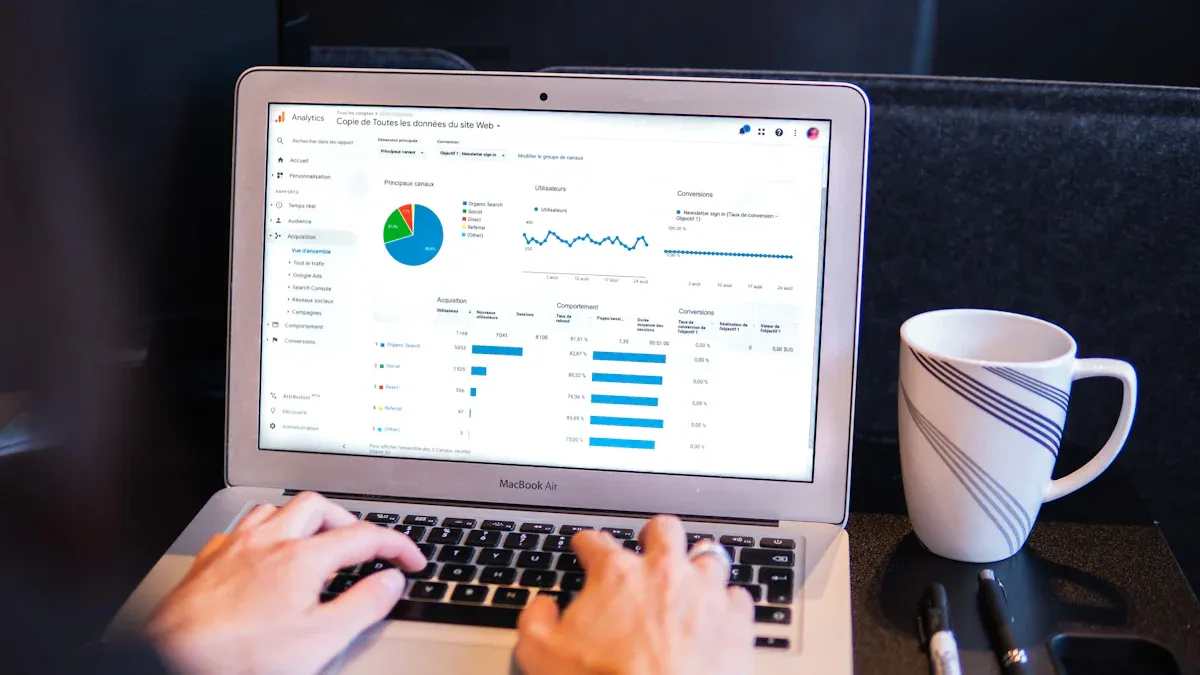
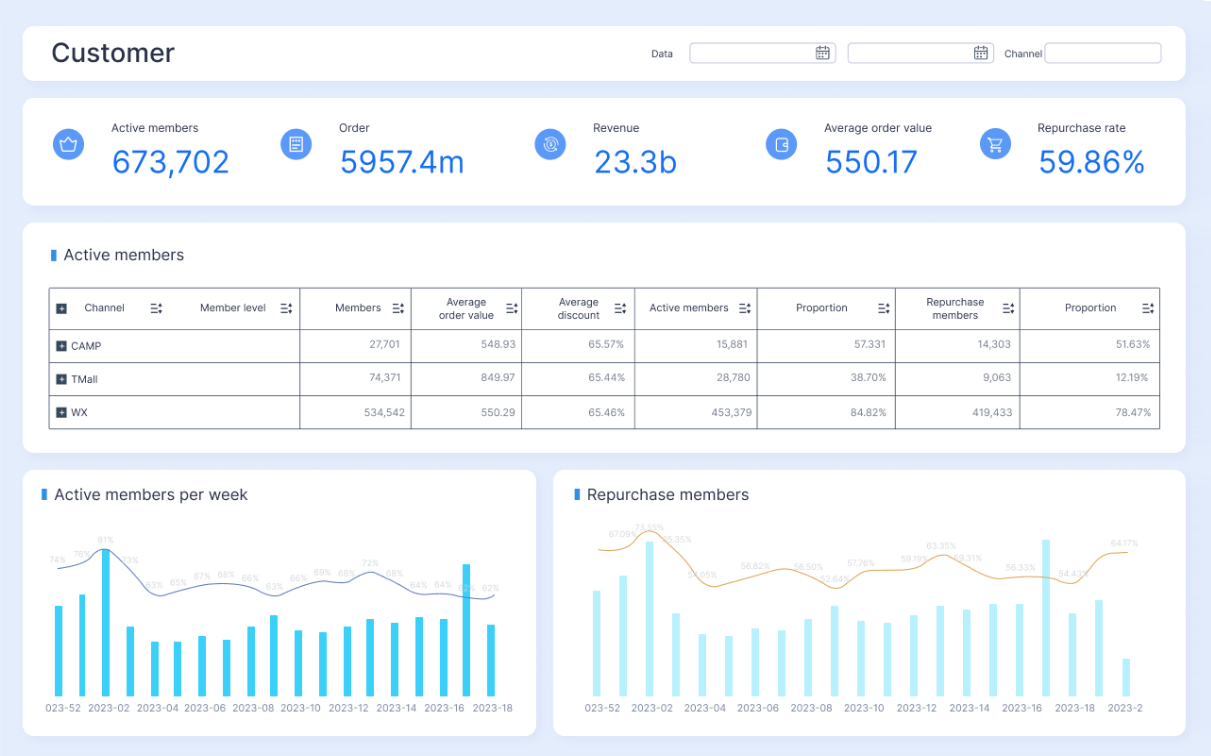
A business intelligence system helps you collect, analyze, and visualize data to guide your decisions. This technology lets you turn raw information into clear insights for your team. Today, only 20% of organizations use business intelligence software to support decision-making, but adoption is rising quickly. Studies show that business intelligence improves employee learning and enhances internal processes. Market data indicates global spending on business intelligence will nearly double by 2032. FineBIdemonstrates how a modern business intelligence system can empower you to act on data efficiently.
What is a Business Intelligence System
Definition and Core Purpose
Abusiness intelligence system is a technology platform that helps you collect, manage, and analyze business data. You use it to transform raw information into actionable insights. According to leading technology analysts, business intelligence refers to a set of technologies and practices that support decision-making by presenting data in accessible formats, such as dashboards and reports. You do not need advanced technical skills to benefit from these tools. The system integrates data from multiple sources, allowing you to see trends and patterns that guide your business strategies.
The main goal of a business intelligence system is to help you makebetter decisions. You gain a deeper understanding of your operations, customers, and market conditions. The system improves operational efficiency by streamlining processes and reducing costs. You can access data quickly, which drives informed decision-making and supports strategic planning. Business intelligence systems also help you identify sales opportunities and understand customer preferences, giving you a competitive edge.
Tip: When you use a business intelligence system, you empower your team to act on real-time information and adapt to changing business needs.
Key Features of Business Intelligence
Business intelligence systems offer a range of features that make data analysis easier and more effective. The most commonly cited features include seamless integration with various data sources, customizable dashboards, and advanced analytics powered by AI and machine learning. You can access cloud-based solutions from any device, which reduces costs and increases flexibility. Security and data protection remain essential, ensuring compliance with privacy laws.
Feature
Description
Seamless Integration
Connects to internal and external data sources for comprehensive insights.
Customizable Dashboards
Lets you create reports and dashboards tailored to your needs.
AI-Powered Analytics
Uses artificial intelligence for predictive analytics and trend forecasting.
Real-Time Processing
Processes data instantly for timely decision-making.
Security and Data Protection
Protects sensitive information and ensures compliance.
Visualizations
Transforms complex data into clear, visual formats for easy understanding.
You benefit from these features by gaining faster access to insights, improving collaboration, and making data-driven decisions. Business intelligence systems continue to evolve, preparing you for future challenges in a data-centric world.
Business intelligence systems help you transform raw data into actionable insights. You use these systems to collect, integrate, and analyze information from many sources. The workflow of a business intelligence system includes data integration, preparation, analysis, visualization, and decision support. Each step brings you closer to making data-driven decisions that improve your business performance.
Data Integration and Preparation
You start by identifying the need for combined data. This often comes from user requests or organizational goals. You determine which data sources are relevant and select the specific data you need. You extract data from these sources in their native formats and combine them into a single dataset. You cleanse and normalize the data to ensure consistency and accuracy before loading it into analytics applications.
Business intelligence platforms use several integration techniques to streamline this process:
Real-time data integration keeps your applications updated with the latest information.
Middleware data integration helps data flow smoothly across different systems.
Data consolidation creates a centralized repository for effective management.
Data federation combines varied datasets into a single virtual database.
ETL methods extract, transform, and load data for analysis.
Change Data Capture syncs data in real time.
You benefit from automated integration, which is more reliable and efficient than manual methods. Consolidation reduces data silos and enables quick identification of opportunities.
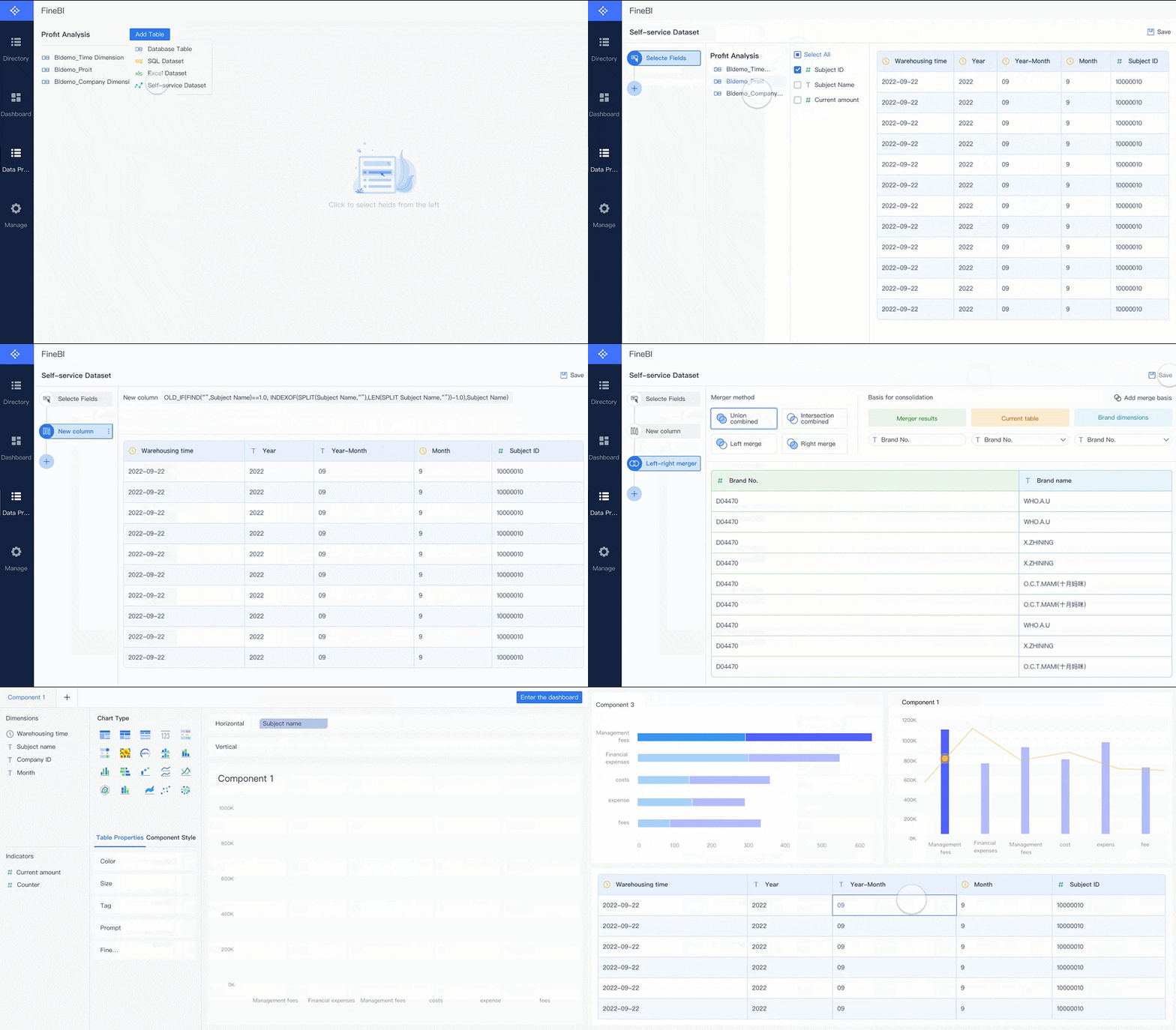
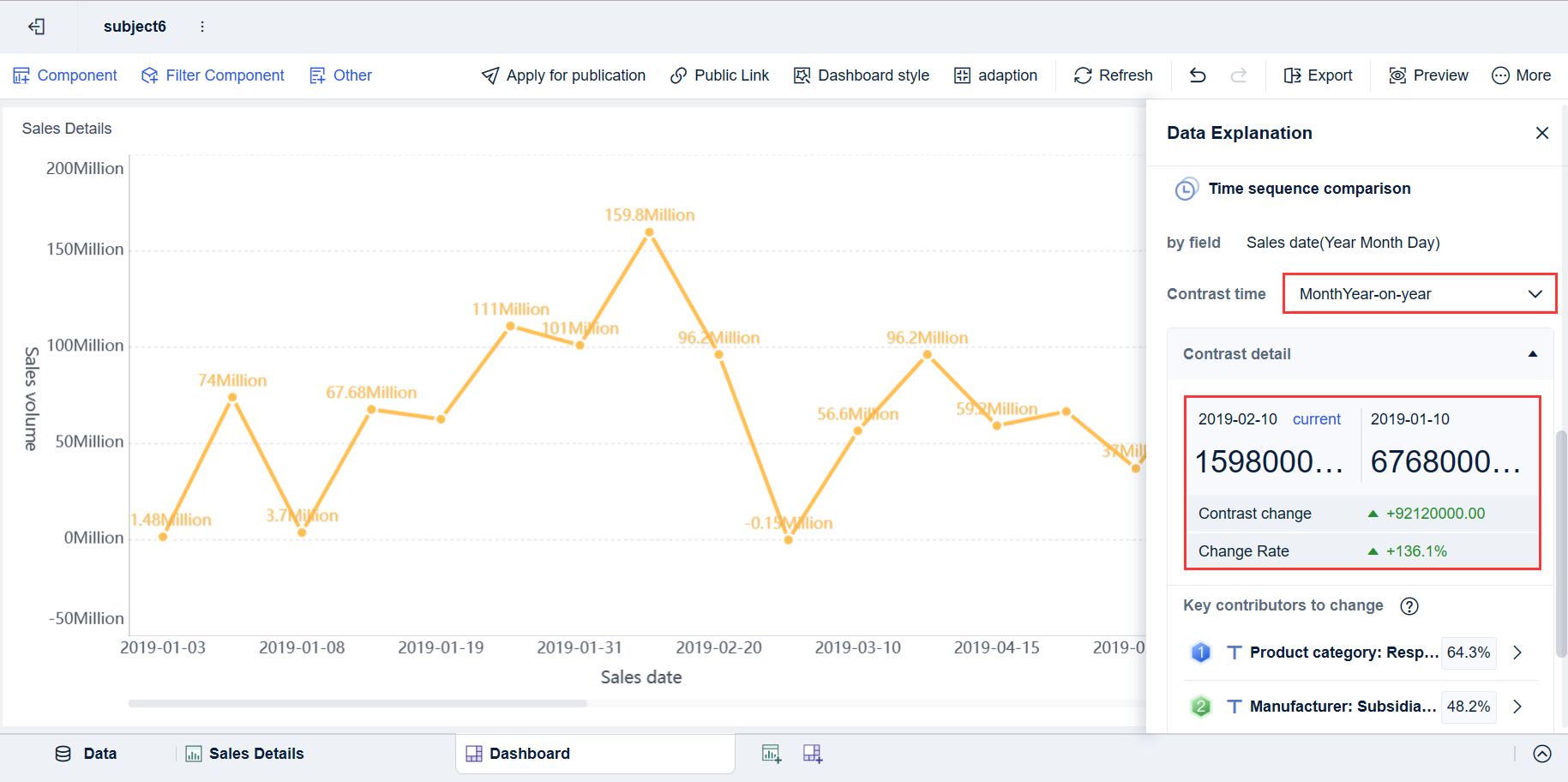
FineBI demonstrates these capabilities with its robust data integration workflow. You connect to over 60 data sources, including databases, cloud warehouses, big data platforms, and APIs. FineBIsupports both ETL and ELT modes, allowing you to process data before or after loading. You can upload files, connect to APIs, and use custom connectors for legacy systems. FineBI’s self-service business intelligence features let you create datasets, join tables, add formulas, and apply filters—all without coding. You preview results at every step, ensuring your data is ready for analysis and insight generation.
Tip: Clean and well-prepared data forms the foundation for effective business analytics and data insights.
FineBI's Real Time Multi Source Data Integration Feature
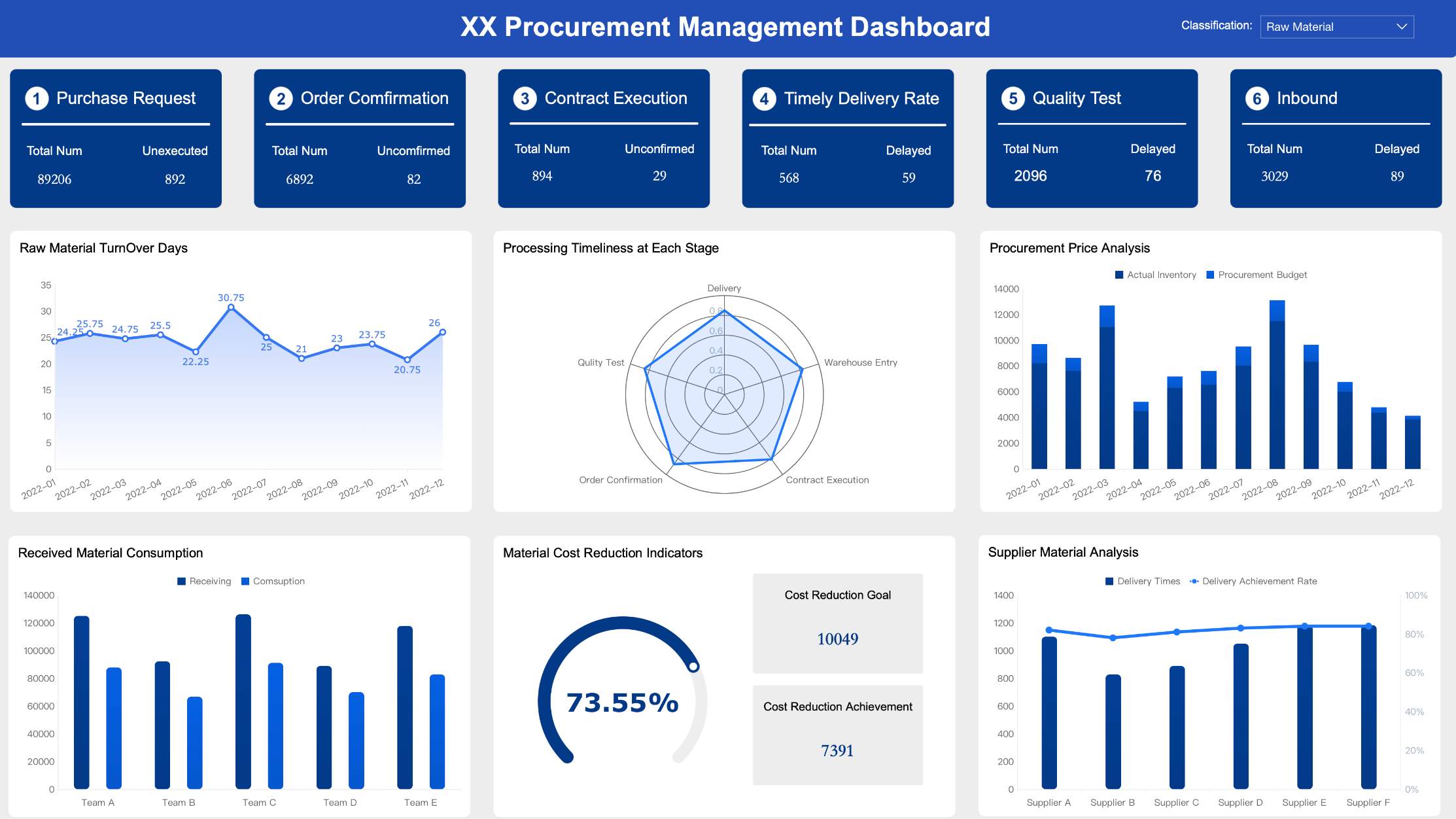
Once your data is integrated and prepared, you move to analysis and visualization. Business intelligence systems provide tools for exploring data, identifying trends, and generating insights. You use dashboards tovisualize key metrics and business trends. These dashboards combine charts, tables, and indicators, giving you a unified view of your operations.
FineBI excels in this area with its intuitive drag-and-drop interface. You build dashboards by selecting visual components and arranging them to suit your needs. FineBIsupports over 50 chart types, including bar charts, line charts, pivot tables, and geographic maps. You apply filters and slicers to analyze different dimensions and time periods. Real-time data processing ensures your dashboards reflect the most current information.
Feature
Description
Intuitive Interface
Easily create visual dashboards using drag-and-drop tools.
Multiple Data Sources
Integrate databases, Excel files, APIs, and big data platforms.
Real-Time Analysis
Process large datasets efficiently for instant queries and analysis.
Self-Service BI
Conduct data analysis independently, without IT support.
Collaborative Function
Enable cross-departmental participation in data analysis.
Extensive Chart Types
Visualize data with over 50 chart types.
Data Exploration Features
Drill, filter, and link data for deeper analysis.
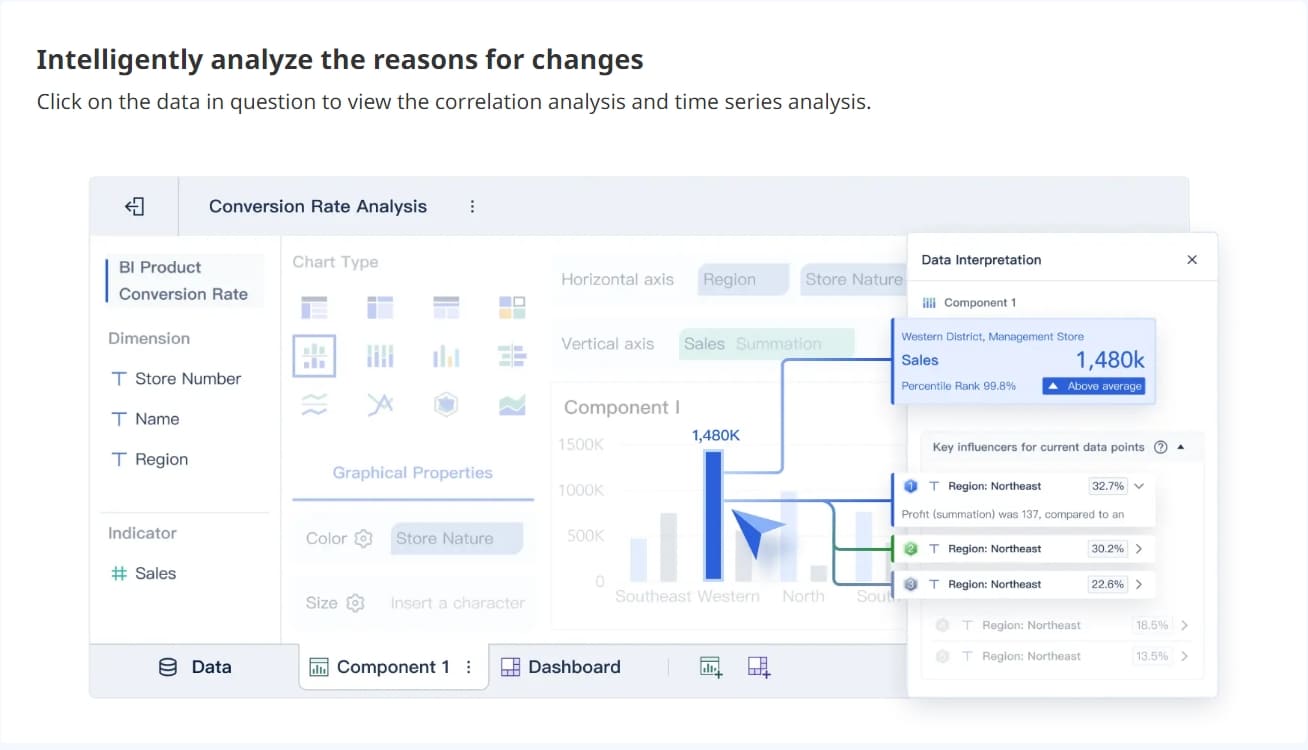
FineBI’s self-service business intelligence approach empowers you to analyze data independently. You create self-service datasets, process existing data, and generate new metrics. The system recommends visual effects based on your selected data, speeding up analysis and insight generation. You can share dashboards instantly across your organization, supporting collaborative decision-making.
Note: Real-time data visualization helps you spot issues and opportunities as they arise, making your business analytics more effective.
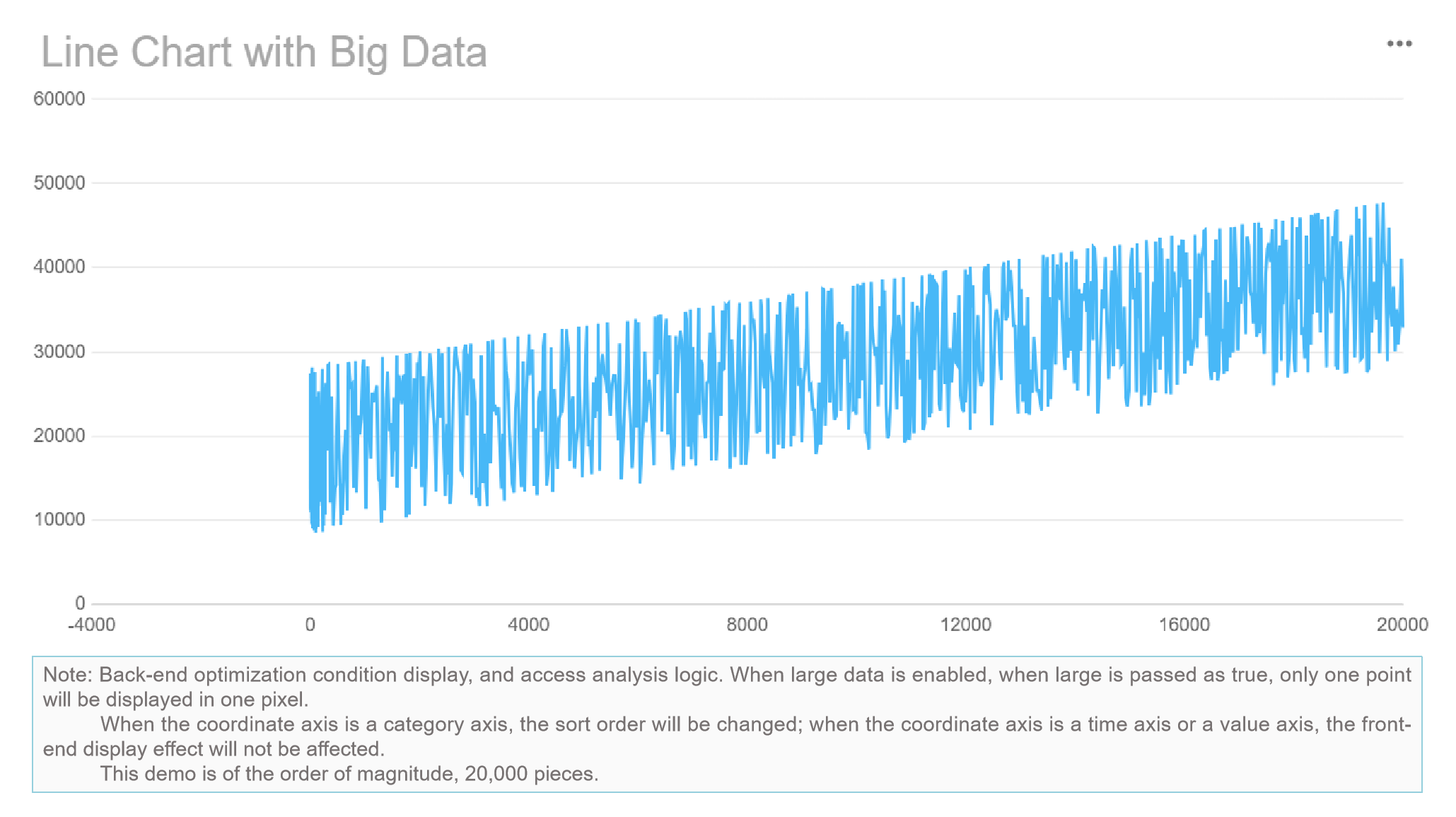
FineBI'sMultiple Built-in Charts For Visualization
Business intelligence systemssupport decision-making by providing accurate, timely, and actionable insights. You use these insights to understand business dynamics, forecast trends, and identify opportunities. Research shows that 67% of successful companies rely on business intelligence and analytics tools to make informed decisions.
You replace intuition with data-backed insights. Business intelligence systems and ERP platforms enable faster and more accurate decisions through real-time data analysis. You gain a clear view of your operations, customers, and market conditions. This leads to better business decisions and improved performance.
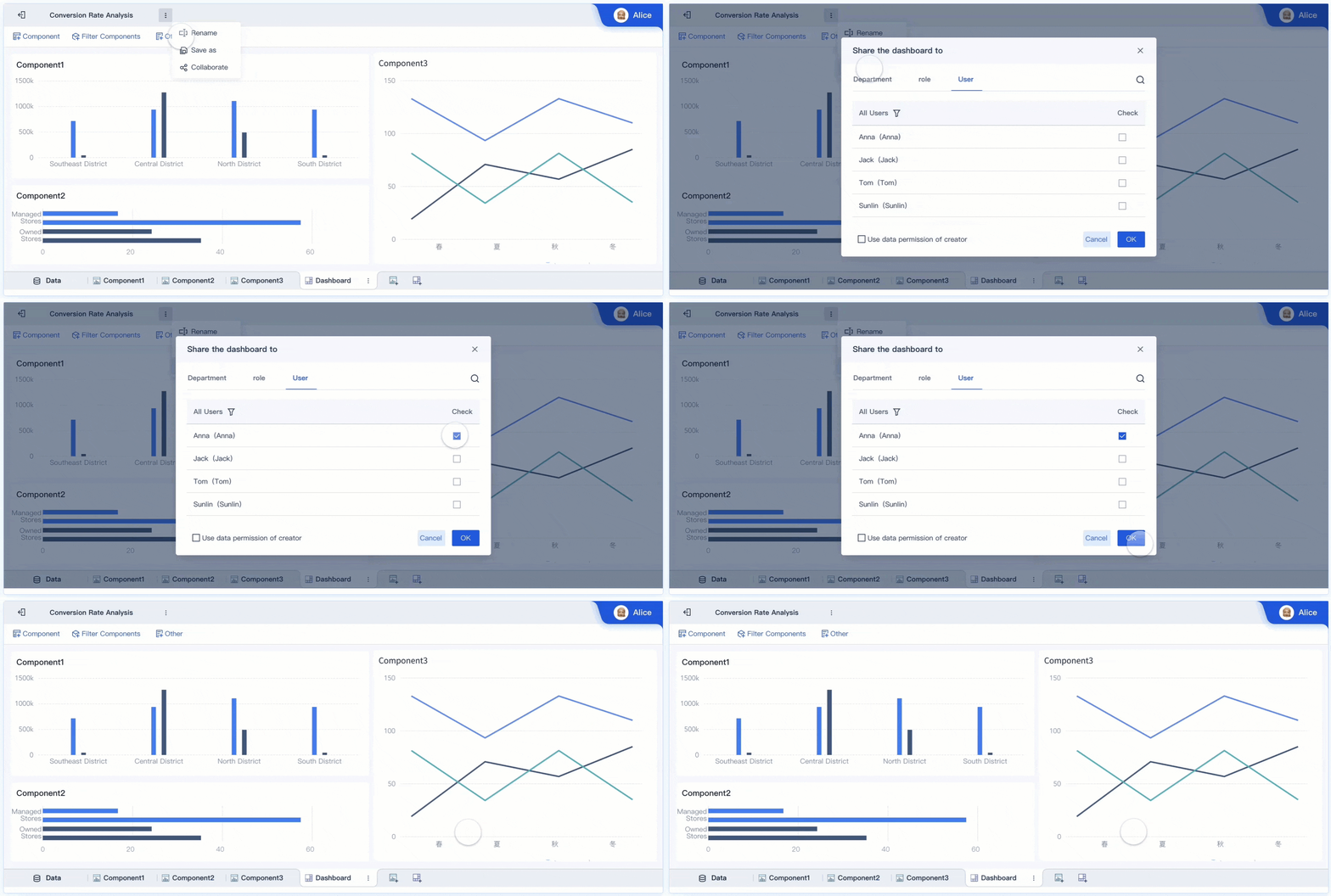
FineBI enhances this process with features like collaborative dashboards, role-based access control, and real-time data sharing. You set up alerts for critical metrics and receive notifications when thresholds are met. FineBI’s self-service business intelligence capabilities allow you to act on data insights quickly, without waiting for IT support. You can export results, generate reports, and share findings with your team.
Tip: Use business intelligence systems to drive your business intelligence strategy and make data-driven decisions that give you a competitive edge.
You see how business intelligence systems, especially platforms like FineBI, streamline the entire workflow from data integration to analysis and insight generation. You gain the tools to turn raw data into actionable insights, supporting your business analytics and decision-making processes.
Benefits and Applications of Business Intelligence System
Business Value and Efficiency
You gainmeasurable advantageswhen you use a business intelligence system. Organizations report a 30% increase in operational efficiency after adopting these platforms. Data-driven companies are 23 times more likely to outperform competitors in customer acquisition. You see direct financial benefits, such as reduced data redundancy and lower compliance penalties. Indirect benefits include improved decision-making accuracy and increased user adoption. Business intelligence benefits extend to enhanced collaboration, faster reporting, and better resource allocation.
Note: Selecting the right performance indicators helps you assess the impact of your business intelligence projects.
Key Aspect
Description
Performance Indicators
Assess the impact of BI projects using relevant metrics.
Direct Benefits
Reduce costs and improve efficiency in data handling.
Indirect Benefits
Enhance decision-making and increase user adoption.
Real-World Use Cases
Business intelligence systems support a wide range of applications across industries. You use these tools to optimize supply chains, manage customer relationships, and improve financial operations. The table below shows how different sectors apply business intelligence to solve specific challenges.
Industry
Application
Description
Supply Chain
Supply chain analysis
Analyze sales trends and supplier performance to optimize logistics and inventory.
Retail
Cross-selling opportunities
Review purchase patterns to create targeted upselling strategies.
Financial
Risk management
Detect vulnerabilities and mitigate risks using historical data.
Healthcare
Customized treatment plans
Combine health records to tailor care plans for patients.
Logistics
Delivery route assessment
Evaluate route data to reduce delivery time and costs.
You also seebusiness intelligence trendsshaping the future, such as collaborative BI, real-time insights, and conversational analytics. Modern platforms now allow you to interact with data using natural language and trigger actions based on real-time insights.
FineBI Success Stories
FanRuan’s business intelligence solutions deliver results across industries. You can look at Bifido Foods, a Taiwanese company that improved its data integration and visualization using FineReport. The company streamlined reporting and enhanced decision-making by connecting data from multiple sales channels and product lines. FineBI enables you to create interactive dashboards, share insights securely, and collaborate across teams. You benefit from real-time analysis, predictive modeling, and enterprise-grade governance. These capabilities help you optimize operations, reduce costs, and maintain a competitive edge.
Tip: When you adopt a business intelligence system like FineBI, you empower your organization to act on data and drive continuous improvement.
Main Components and Business Intelligence System Tools
Core Components of BI Systems
You need to understand the main components that make up a business intelligence system. These components work together to help you turn raw data into valuable insights. Most business intelligence systems include the following:
Data sources and ingestion: You collect data from databases, cloud storage, spreadsheets, and external APIs.
Data integration and ETL/ELT: You use processes to extract, transform, and load data, making it ready for analysis.
Data warehousing: You store integrated data in a central location for easy access.
Data lakes and semantic models: You organize large volumes of structured and unstructured data for flexible analysis.
Analytics engines: You process and analyze data to find patterns and trends.
Dashboards and self-service BI: You use business intelligence dashboards to visualize and explore data independently.
Governance, security, and quality management: You control access, ensure data quality, and protect sensitive information.
Monitoring, metadata, and lifecycle management: You track data usage and manage the entire data lifecycle.
Tip: A strong business intelligence system depends on effective data collection and integration, as well as clear visualization and distribution of insights.
Business intelligence toolshelp you analyze and visualize data efficiently. These tools offer features like security, metadata management, pre-built connectors, data profiling, and interactive dashboards. You can use natural language querying to ask questions in plain language and receive instant answers. Many business intelligence tools translate your requests into actionable insights, making data analysis easier for everyone.
Core Features
Description
Security and management
Protects your data and controls user access
Metadata management
Organizes information about your data
Pre-built connectors
Links to popular data sources
Data preparation
Cleans and structures data for analysis
Interactive dashboard
Lets you explore data visually
Advanced analytics
Supports complex calculations and predictions
When you choose business intelligence software, consider ease of use, integration with your existing systems, and the ability to scale as your organization grows. You should also look for strong business intelligence dashboards and data visualization tools that support your team’s needs.
Why Choose FineBI
FineBI stands out among business intelligence tools for several reasons. You get an intuitive drag-and-drop interface that makes building business intelligence dashboards simple. FineBIsupports real-time analytics, so you always see the latest data. You can customize dashboards and reports to match your business needs. FineBI’s high-performance computing engine handles large datasets without slowing down.
Feature
FineBI
Qlik Sense
Looker
Ease of Use
Intuitive drag-and-drop interface
Less intuitive
More complex
Real-time Analytics
Yes
Limited
Limited
Customization Options
Extensive
Moderate
Limited
Collaboration Features
Strong support
Moderate
Limited
Performance with Large Datasets
High-performance engine
Moderate
High scalability
You benefit from FineBI’s user-friendly design, real-time data analysis, and strong collaboration features. FineBI helps you create business intelligence dashboards that support decision-making across your organization. You can rely on FineBI to deliver fast, accurate insights and empower your team to act on data.
Common Challenges and Solutions in Business Intelligence System
Implementation Issues
When you implement abusiness intelligence system, you may face several challenges. Many organizations struggle with data silos, where information stays isolated in different departments. This separation makes it hard to get a complete view of your business. Integration issues often arise when you try to connect new tools with legacy systems. User adoption can also be a hurdle. Employees may resist change or lack the training needed to use new technology. Other common problems include choosing the right business intelligence software, managing costs, and ensuring proper governance and security.
You might also encounter these obstacles:
Spiraling costs if you do not manage the project scope.
Skill and culture gaps that slow down progress.
Performance issues as your data grows and more users join.
Compliance risks if you lack clear rules for data access.
FineBIhelps you overcome these challenges by providing a unified analytics platform. You can break down data silos and promote collaboration across departments. FineBI’s advanced data preparation tools make integration easier, even with complex or legacy systems. The platform supports self-service analytics, so users at all skill levels can participate in data-driven decision-making. With built-in governance and security features, you can control access and protect sensitive information.
Tip: Choose a business intelligence system that matches your operational needs and supports your team’s growth.
Business intelligence gives you the power to make informed decisions by transforming raw data into actionable insights. You improve team performance and adapt to market changes with real-time visibility into key metrics. FineBIdelivers practical value through user-friendly dashboards, strong reporting, and seamless integration with over 60 data sources. To get started, define your objectives, build your BI team, select the right solution, and activate your insights for continuous improvement.
Continue Reading About Business Intelligence System
Access a wealth of case studies, industry insights, and solution guides to accelerate digital transformation.
FAQ
What is the main purpose of a business intelligence system?
You use a business intelligence system to turn raw data into useful insights. This helps you make better decisions, track performance, and find new opportunities for your business.
Can I use a business intelligence system without technical skills?
You do not need advanced technical skills. Many platforms, like FineBI, offer drag-and-drop tools and clear guidance. You can create dashboards and reports with simple steps.
How does a business intelligence system keep my data secure?
You control who can see or edit your data. Most systems use role-based permissions, encryption, and audit logs. These features protect sensitive information and help you meet privacy rules.
What types of data can I analyze with a business intelligence system?
You can analyze data from databases, spreadsheets, cloud services, and APIs. The system lets you combine information from different sources for a complete view of your business.