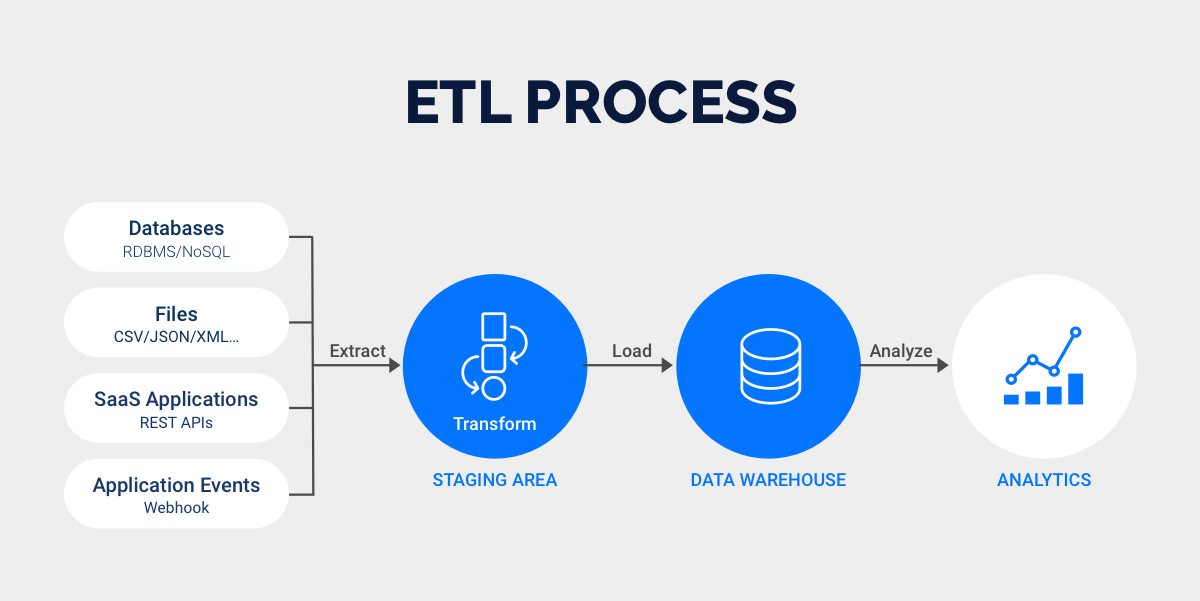
You want fast, reliable access to your data. Top real time data integration tools can help you connect hundreds of applications and unlock real-time insights for smarter decisions:
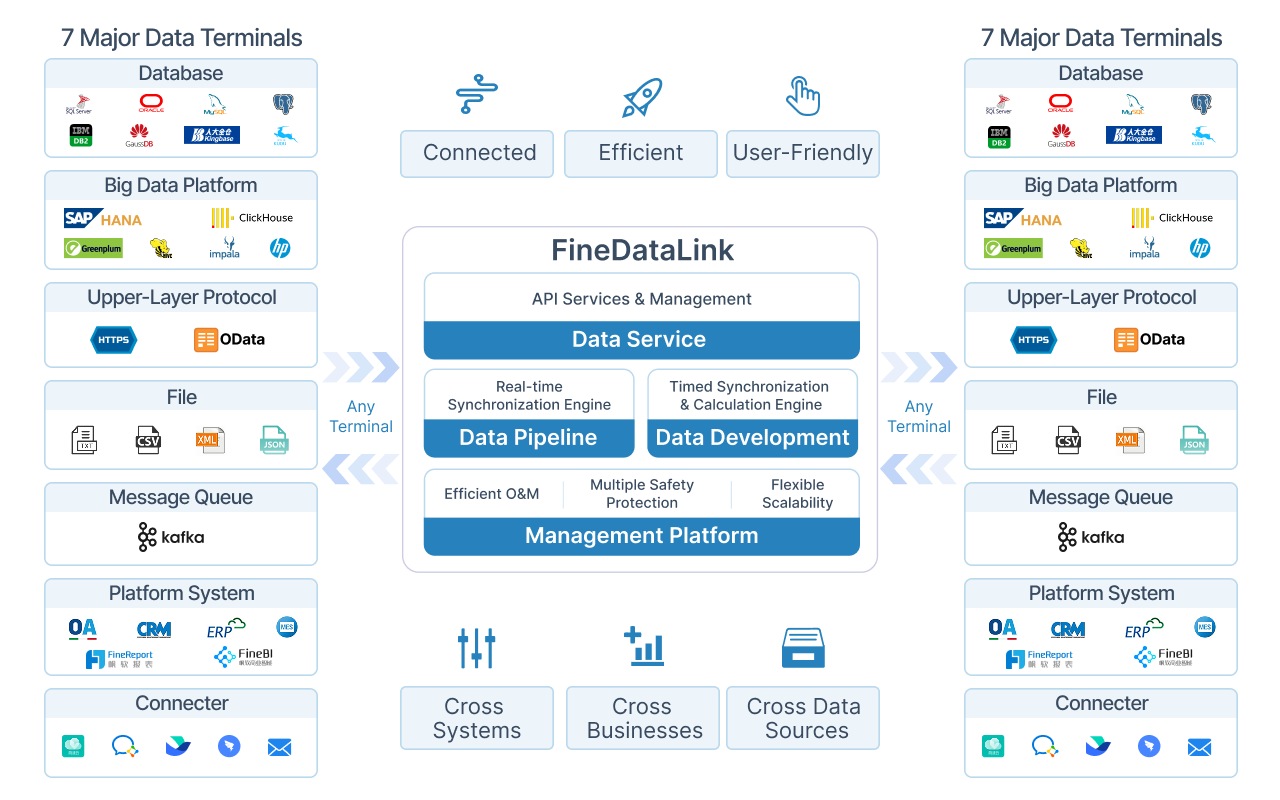
FineDataLink
Apache Kafka
Fivetran
Talend Data Fabric
Informatica Cloud
Microsoft Azure Data Factory
StreamSets
Google Cloud Dataflow
AWS Glue
Qlik Data Integration
Striim
Rapidi
The market for automated data integration and no-code data integration is booming, with companies using real-time analytics and etl tools to stay ahead. FineDataLink by FanRuan stands out for real-time access and seamless integration. As you explore options, think about your business goals and choose the solution that fits your needs.
Here’s a quick look at the latest adoption statistics:
Statistic
Value
Data integration market size in 2024
$15.24 billion
Percentage of applications integrated
29%
Average number of applications per enterprise
897
What Are Real Time Data Integration Tools?
Core Functions and Benefits
When you use real time data integration tools, you get more than just a way to move data. These tools help you bring together information from many places, so you always have the latest updates at your fingertips. Here’s what they can do for you:
Bring together transactional, behavioral, and even external threat data without hassle.
Power up analytics engines to spot issues fast, which helps with things like fraud detection and staying compliant.
Feed AI models with fresh, real-time data streams for better predictions.
Give you a single view of all your data through data virtualization, which saves you time and money.
Keep different systems in sync, so your data stays accurate and storage costs go down.
Process data with very low delay and high speed, so you never miss a beat.
Make sure data gets processed only once, which helps you save on costs.
Combine data before sending it to its final spot, cutting down on storage and computing needs.
Tip: When you use data integration tools with these features, you can handle big data loads and keep everything running smoothly.
Why Businesses Need Real Time Data Integration
You want your business to run like a well-oiled machine. Real-time data integration makes that possible. Take a look at how it helps:
Benefit
Description
Enhanced Decision-Making
You get up-to-the-minute data, so you can make smart choices quickly.
Improved Data Synchronization
Your teams always see the same info, which means fewer mistakes.
Optimized Operational Efficiency
Automation cuts down on manual work and errors, freeing you for big ideas.
Enhanced Customer Experience
Real-time insights help you give customers what they want, right when they want it.
Scalability
You can grow your business without worrying about slowdowns.
Flexibility
Easily connect new systems as your needs change and your business evolves.
If you rely on outdated information, you might miss out on new opportunities. Slow data can lead to mistakes, unhappy customers, and even trouble with compliance. As your company grows, the amount of data you handle gets bigger. Without real-time solutions, you risk bottlenecks and higher costs. Real time data integration tools help you avoid these problems and keep your business moving forward.
Top Data Integration Tools for 2025
Choosing the right real time data integration tools can transform how you manage and use your data. Let’s look at the top platforms that will power your business in 2025. Each one brings something special to the table, so you can find the best fit for your needs.
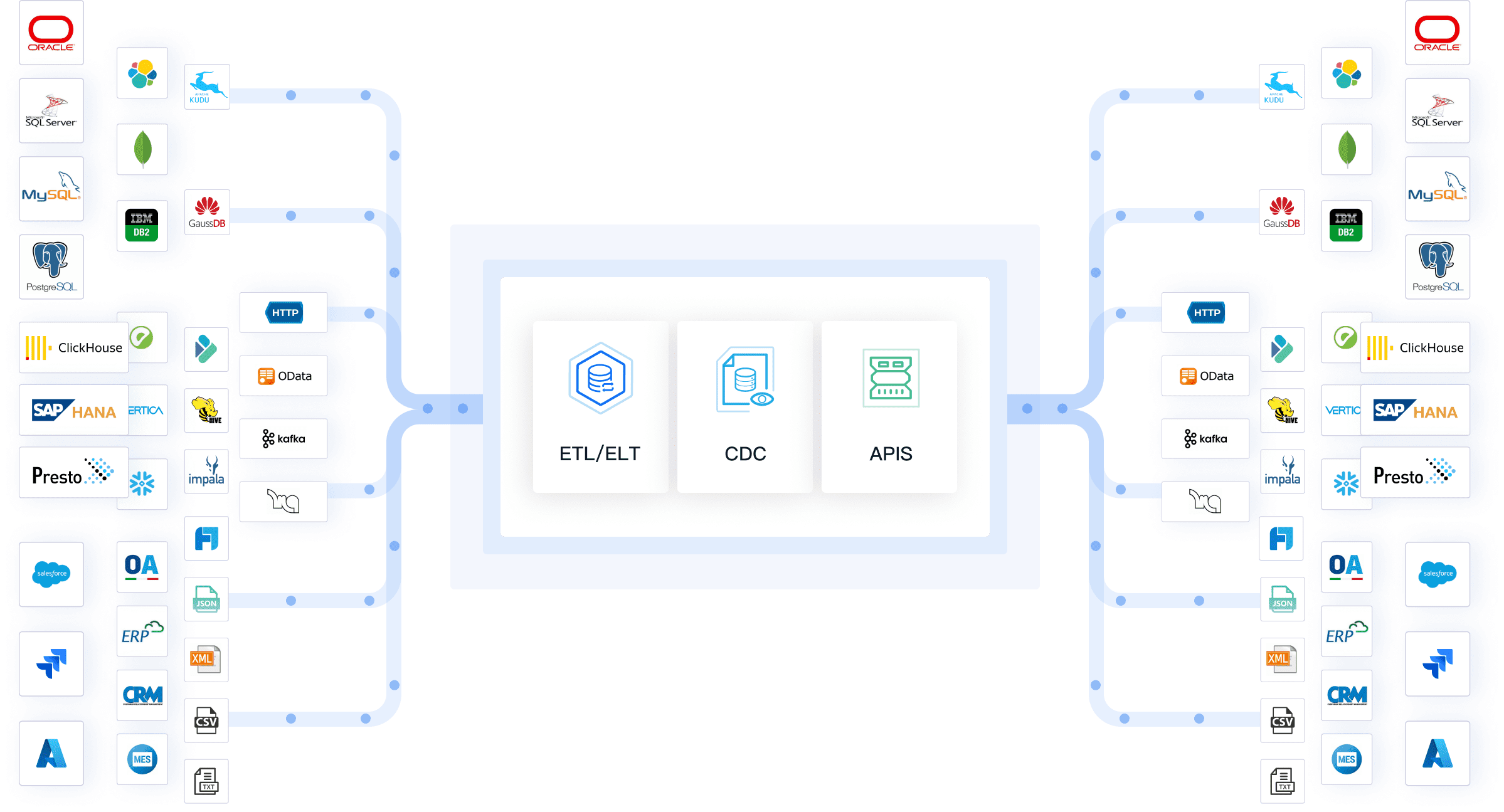
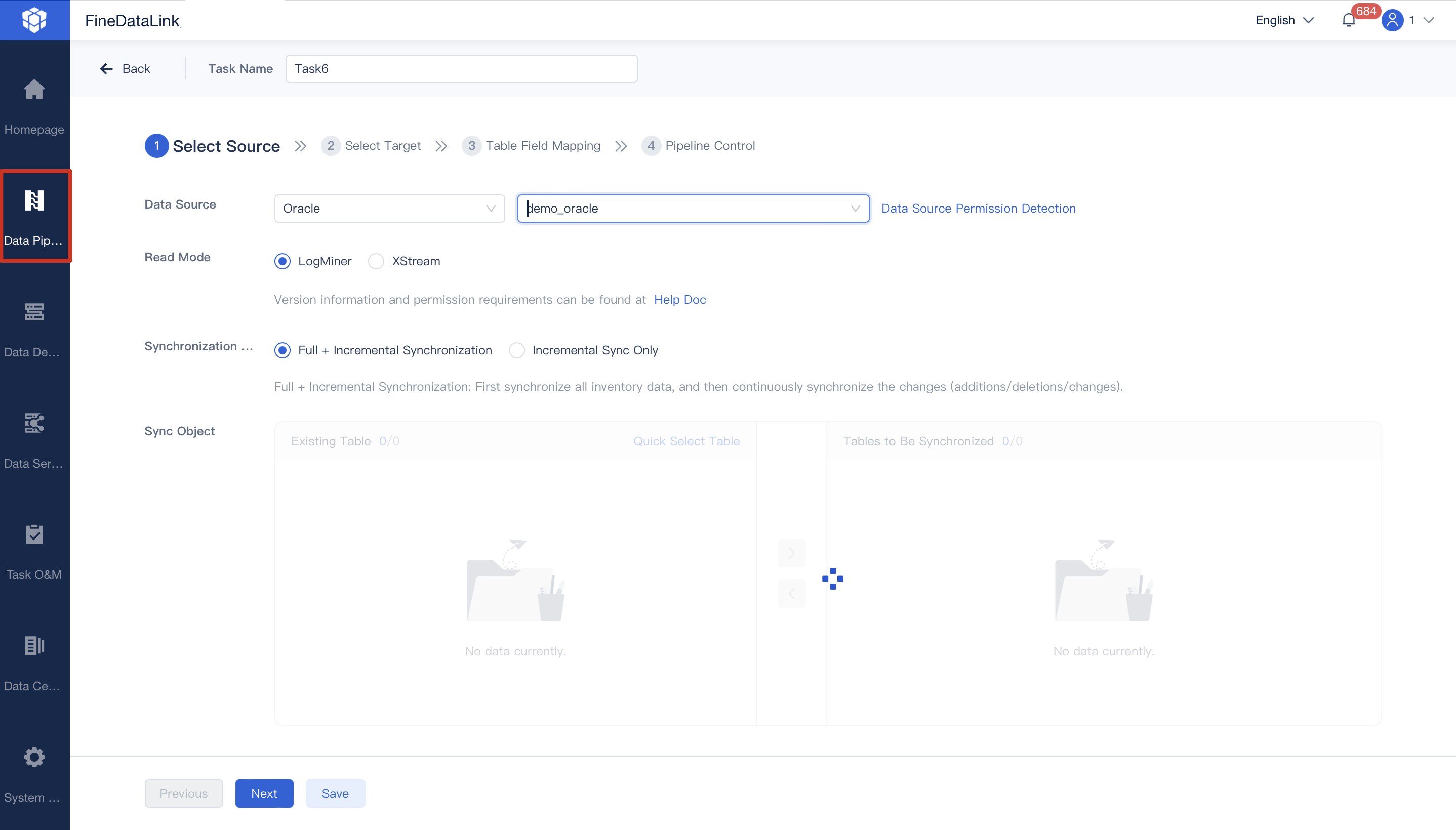
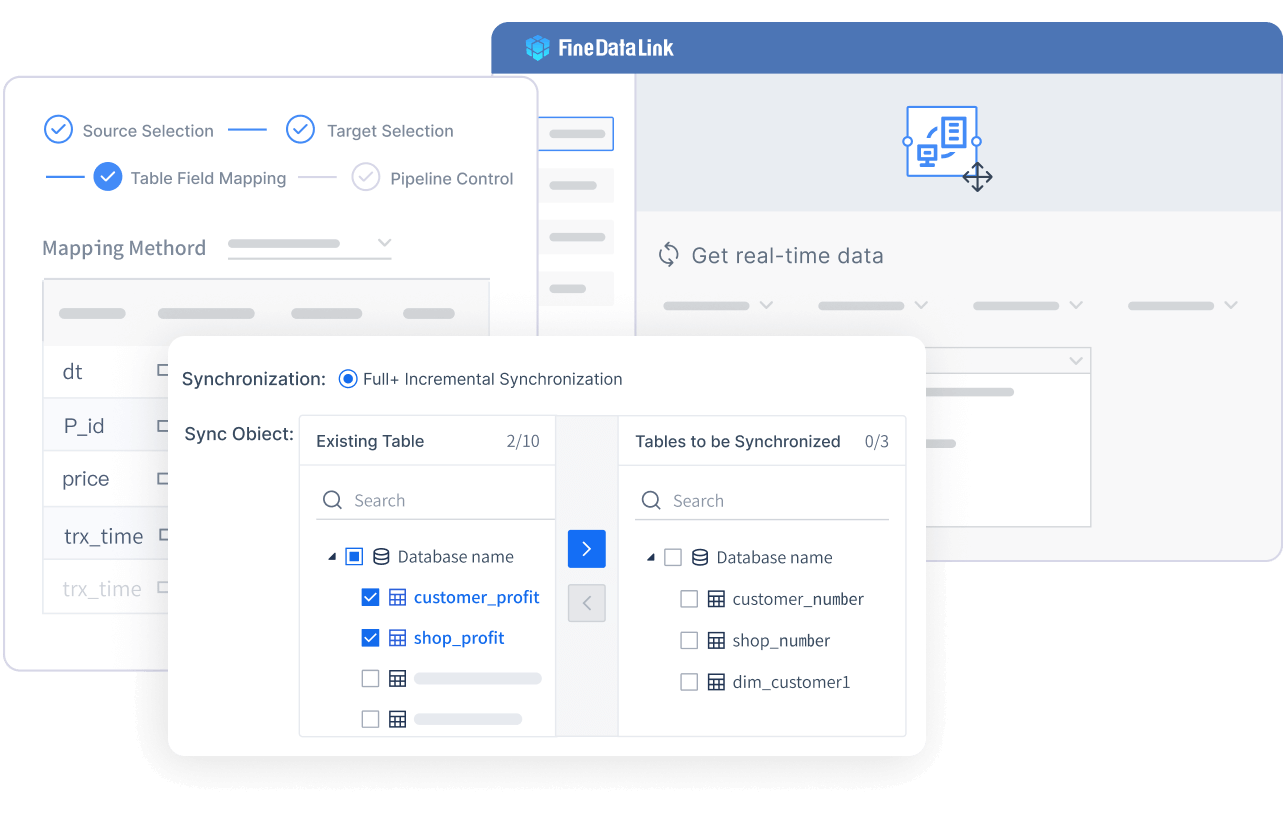
If you want a modern, low-code solution that makes real-time data integration simple, FineDataLink by FanRuan is a top choice. You get a visual, drag-and-drop interface that lets you build data pipelines without writing code. FineDataLink synchronizes data across multiple tables with latency measured in milliseconds. You can connect to over 100 data sources, including cloud apps and on-premises databases. This flexibility means you can automate ETL processes, schedule jobs, and monitor everything in real time. FineDataLink helps you build a real-time data warehouse, manage data governance, and break down silos—all while keeping things cost-effective and user-friendly. If you want a data integration platform that grows with your business, this tool stands out.
You might know Kafka as the backbone of many real-time data integration tools. Kafka lets you build data pipelines that move information between systems as soon as it’s created. You can shift from slow batch processing to real-time streaming, which helps you make quick, data-driven decisions. Kafka ingests, stores, processes, and analyzes data as it arrives. This makes it perfect for real-time analytics and monitoring. You get a flexible, scalable way to handle massive data streams without missing a beat.
Fivetran takes the hassle out of managing data pipelines. You don’t have to worry about schema changes or vendor updates—Fivetran’s fully managed connectors handle it all. This automation means you spend less time on ETL tasks and more time on analysis. Fivetran standardizes data replication, so you get real-time analytics and better decision-making. You can scale quickly, gain deeper customer insights, and future-proof your data architecture. If you want to focus on growth instead of maintenance, Fivetran makes it easy.
Talend Data Fabric brings together real-time ETL, data quality, and governance in one platform. You can use Change Data Capture (CDC) for continuous data synchronization without reloading entire tables. The visual development tools let you extract, transform, and load data from over 1,000 sources. Talend’s low-code approach means you can build and manage data pipelines quickly. Eneria, for example, uses Talend CDC for real-time data sync, showing how well it works in action.
Feature
Description
Real-time processing
Change Data Capture (CDC) for continuous data synchronization without full table reloads.
Comprehensive ETL/ELT engine
Extract, transform, and load data from 1,000+ sources using visual development tools.
Low-code platform
Combines data integration, data quality, and data governance in a unified solution.
Informatica Cloud stands out for its scalability and ability to connect a growing number of applications. You can process data in both batch and real-time modes, using traditional ETL or modern ELT. Informatica synchronizes data between apps automatically, capturing only changes to save time. The platform consists of turnkey cloud services and a flexible integration platform, so you can handle any workflow. If your business needs to scale fast and connect diverse systems, Informatica Cloud is a strong choice.
Aspect
Description
Scalability
The solution can handle growing data volumes and increasing numbers of applications.
Application Integration
Excels in real-time data processing and connecting diverse applications, ideal for dynamic workflows.
Azure Data Factory helps you move and transform data in real time across cloud and hybrid environments. You can use event-driven triggers for immediate processing, which keeps your analytics up to date. Azure Data Factory integrates with Azure Event Grid for minimal latency. You also get strong monitoring and error handling tools, so your data pipelines stay reliable. Whether you’re connecting cloud or on-premises sources, Azure Data Factory gives you secure, real-time integration.
Feature
Description
Real-Time Data Movement
Utilizes event-driven triggers for immediate data processing.
Integration with Azure Event Grid
Supports real-time analytics with minimal latency.
Monitoring and Error Handling
Provides tools to ensure reliable data integration and transformation.
StreamSets makes real-time data integration and pipeline monitoring easy. You can capture data from databases, IoT devices, and apps, then process it as soon as it arrives. StreamSets transforms raw data into formats ready for analysis and combines information from different sources in real time. You can monitor business operations, gain instant customer insights, and optimize processes based on current data. StreamSets helps you keep everything running smoothly, even as your data grows.
Google Cloud Dataflow handles both streaming and batch data, making it a great fit for large-scale, real-time applications. You can process data as it arrives, group it into time windows, and set triggers for when results should be sent. Dataflow ensures each event is processed only once, so your analytics stay accurate. You can connect Dataflow with BigQuery, Pub/Sub, and AI tools for advanced analytics and real-time predictions. If you need to power live dashboards or detect fraud instantly, Dataflow has you covered.
AWS Glue automates complex data workflows, so you don’t have to worry about manual errors. It scales automatically to handle any workload size. You can integrate Glue with other AWS services like S3, Redshift, and Athena. Glue brings in data from many sources, transforms it, and loads it into your analytics tools. This makes it a solid choice for real-time data integration in the cloud.
Capability
Description
Automation
Automates complex data workflows, reducing manual effort and human errors.
Scalability
Automatically scales to handle workloads of any size, eliminating concerns about resource allocation.
Integration
Seamlessly integrates with other AWS services like Amazon S3, AWS Redshift, and Amazon Athena.
Data Ingestion
Facilitates bringing data into the ecosystem from various sources.
Data Transformation
Cleans, aggregates, and applies business logic to prepare data for analysis.
Data Loading
Moves processed data into analytics tools such as Amazon Redshift or Athena.
10.Qlik Data Integration
Qlik Data Integration focuses on real-time data replication and analytics. You can use Change Data Capture (CDC) to stream updates as they happen, so your downstream systems always have the latest information. Qlik eliminates batch processing, giving you instant insights. This agility helps you respond quickly to market trends and operational challenges. Financial institutions use Qlik to spot fraud instantly, while healthcare providers monitor patient data in real time.
Continuously monitors and streams real-time changes, ensuring downstream systems have the latest data.
Real-Time Insights
Eliminates batch processing, allowing businesses to achieve insights based on the freshest information.
Business Agility
Enables quick responses to market trends and operational challenges by providing current data for decision-making.
11.Striim
Striim gives you real-time data streaming and integration across hybrid environments. You can capture and move data from over 150 connectors with sub-second latency. Striim supports Change Data Capture (CDC) for database changes without downtime. You can process and transform data in-flight using SQL queries, and the platform handles millions of events with in-memory processing. Striim makes it easy to move data from on-premises to the cloud, optimizing storage and analytics.
Captures and moves data from various sources with sub-second latency, supporting 150+ connectors.
Change Data Capture (CDC)
Enables real-time capture of database changes without downtime, supporting major databases.
Streaming SQL and Analytics
Allows processing and transformation of data in-flight using SQL-based queries for real-time insights.
In-Memory Processing
Provides high-performance processing with caching and stateful stream handling for millions of events.
Hybrid Cloud Integration
Facilitates continuous data movement from on-premises to cloud environments, optimizing cloud storage.
12.Rapidi
Rapidi solves real-time data synchronization for mid-sized businesses with a no-code integration platform. You don’t need programming skills to connect different systems. Rapidi scales easily and offers strong connectivity, so you can manage data efficiently as your company grows. If you want a simple, flexible way to keep your data in sync, Rapidi is a smart pick.
Tip: When you compare these real time data integration tools, think about your current systems, your team’s skills, and how much you want to automate. The right choice will help you unlock the full value of your data and keep your business agile.
Key Features of Leading Data Integration Tools
Scalability and Performance
You want your data integration platforms to keep up as your business grows. Scalability and performance matter when you handle more data or add new systems. Some platforms use ETL, which needs powerful servers and longer batch windows as data increases. Others use ELT, taking advantage of cloud flexibility but still facing batch limits. The best real-time data integration platform uses event-driven architecture. This means it processes changes as they happen, so you never fall behind.
Approach
Scalability Characteristics
ETL
Needs stronger servers and longer batch windows as data grows.
ELT
Uses cloud elasticity for processing but still has batch window limits.
Real-Time Integration
Scales with event-driven design, handling changes instantly.
FineDataLink stands out here. You get real-time synchronization with minimal delay, even as your data grows.
You need your data integration platforms to connect with everything—cloud apps, on-premises databases, and more. Top platforms offer pre-built connectors, API management, and support for both cloud and on-premises data. This flexibility helps you break down data silos and keep information flowing.
Feature
Description
Pre-built connectors
Quick connections to many data sources without heavy coding.
API management
Easy creation and management of APIs for smooth data flow.
Cloud and on-premises
Connects both cloud and on-site data for maximum reach.
Security
Keeps your data safe during integration.
High availability
Makes sure your tools are always up and running.
FineDataLink supports over 100 data sources, so you can integrate almost anything you need.
No-code and low-code features make data integration platforms easier for everyone. You can drag and drop to build pipelines, automate workflows, and reduce manual work. Many platforms offer prebuilt connectors, workflow automation, and even AI-driven recipes. FineDataLink gives you a visual interface and low-code tools, so you can set up real-time pipelines without writing code.
Tip: No-code automation means you spend less time on repetitive tasks and more time on insights.
Security and Compliance
You want your data integration platforms to protect your data and follow the rules. Leading platforms comply with standards like GDPR and HIPAA. They use privacy-by-design, encryption, and access controls. You should look for tools that offer strong security, clear agreements, and regular risk checks.
Implement strong security measures
Use encryption for sensitive data
Set up access controls
Train your team on security best practices
Support and Community
Great vendor support and active communities help you get the most from your data integration platform. You can find answers, share ideas, and solve problems faster. FineDataLink offers detailed documentation, training, and a helpful support team. When you choose a platform with strong support and a vibrant community, you set yourself up for long-term success.
How to Choose the Right Real Time Data Integration Tool
Assessing Business Needs
Start by looking at what your business really needs. Think about the size of your company, the industry you’re in, and how complex your data is. You want a tool that adapts to different data sources and can grow with you. Make sure it has strong data transformation features, so you don’t get stuck cleaning up data by hand. Ask yourself who will use the tool and how tech-savvy they are. If your team prefers simple tools, look for a platform with a friendly interface and clear instructions.
Tip: Check if the tool supports both batch and real-time integration. This helps you handle scheduled jobs and instant updates with ease.
Evaluating Cost and ROI
You want to get the most value for your money. Look at both the price tag and the benefits. Count the hours you’ll save by automating manual tasks. Think about how much faster your team can work and how quickly you’ll see results. To figure out the payback period, divide the total cost by the monthly savings. Don’t forget to include things like better teamwork and happier customers in your calculations.
Vendor Support and Ecosystem
Great support can make all the difference. Choose a vendor with a strong reputation and a helpful support team. Look for detailed guides, training videos, and a community where you can ask questions. FanRuan, for example, offers rich documentation and customer stories that show real-world success. You want a partner who keeps improving their product and listens to your feedback.
Planning for Growth
Pick a tool that grows with you. Look for features like data orchestration and a unified data layer. These help you manage more data and new systems without extra headaches. A platform that supports self-service and automation lets your team handle more tasks on their own. This way, you stay ready for whatever comes next.
Note: Choosing the right tool now sets you up for long-term success. Take your time, compare options, and think about where your business is headed.
Data Integration Tools Comparison Table
You want to see how these top data integration tools stack up side by side. A clear table helps you spot the differences fast. Below, you’ll find a handy comparison of some of the most popular real-time data integration platforms, including FineDataLink, MuleSoft, Boomi, Talend, and Microsoft Azure Data Factory. This table covers pricing models, scalability, and key features so you can make a smart choice for your business.
Tool
Pricing Model
Scalability
Key Features
FineDataLink
Affordable, low-code subscription
Scales with business growth
Real-time sync, ETL/ELT, 100+ connectors, visual interface, API integration, drag-and-drop
MuleSoft
Enterprise pricing (cores/usage)
Best for large organizations
Complex integration, API management, strong security, supports hybrid environments
Boomi
Subscription (connectors/environments)
Mid-to-large organizations
No-code, fast deployment, prebuilt connectors, cloud-native, workflow automation
Talend
Open-source & enterprise (features)
Flexible and customizable
Real-time ETL, data quality, governance, visual tools, CDC, open-source option
Azure Data Factory
Consumption-based
Scales with usage
Event-driven, hybrid integration, strong monitoring, pay-as-you-go, cloud and on-premises
Tip: If you want a tool that grows with you and keeps things simple, FineDataLink’s low-code platform and wide connector support make it a strong pick. For large, complex needs, MuleSoft and Boomi offer robust enterprise features. Talend gives you flexibility, especially if you like open-source options. Azure Data Factory works well if you prefer pay-as-you-go and need tight cloud integration.
Here’s what you should consider:
FineDataLink gives you a visual, drag-and-drop interface and supports over 100 data sources. You can set up real-time pipelines without coding.
MuleSoft fits best if your company has complex, long-term integration needs.
Boomi works well for mid-sized to large businesses that want fast, no-code deployment.
Talend lets you start with open-source and scale up as you need more features.
Azure Data Factory keeps costs low at first but watch your usage as you grow.
You can use this table to match your business needs with the right tool. Think about your team’s skills, your budget, and how much you want to automate. The right choice will help you unlock the full power of your data.
Picking the right real-time data integration tool can shape your business success in 2025. You want a solution that fits your goals and grows with you. Check out this table to help you match features with your needs:
Key Consideration
Description
Number of Supported Data Sources
Make sure your tool connects to all the data you use.
Data Update Frequency
Decide if you need instant updates or scheduled ones.
Data Transformation
Look for easy ways to change and combine your data.
Scalability
Choose a platform that can handle more data as you grow.
Security and Compliance
Protect your data and follow the rules.
Ready to move forward? Try these steps:
Set clear goals for your data integration project.
Test a few tools with a free trial or demo.
Ask integration experts for advice.
Keep learning about new technologies like FineDataLink by FanRuan.
Stay curious and keep your business ready for the future!
Continue Reading About Real Time Data Integration Tools
Track energy and carbon in real time to reduce cost, meet disclosures, and prove ESG impact.
FAQ
What is a real-time data integration tool?
You use a real-time data integration tool to connect, sync, and process data instantly across different systems. This keeps your information up to date and ready for analysis.
How do I know if my business needs real-time integration?
If you want instant insights, faster decisions, or need to sync data across apps, you need real-time integration. It helps you stay competitive and avoid delays.
Can I use FineDataLink without coding skills?
Yes! FineDataLink gives you a visual, drag-and-drop interface. You can build data pipelines and automate workflows without writing any code.
What types of data sources can these tools connect to?
Most top tools connect to cloud apps, databases, spreadsheets, and APIs. FineDataLink supports over 100 data sources, so you can integrate almost anything you use.
Is my data safe with these platforms?
Leading platforms use encryption, access controls, and follow strict compliance standards. You control who sees your data and how it moves.