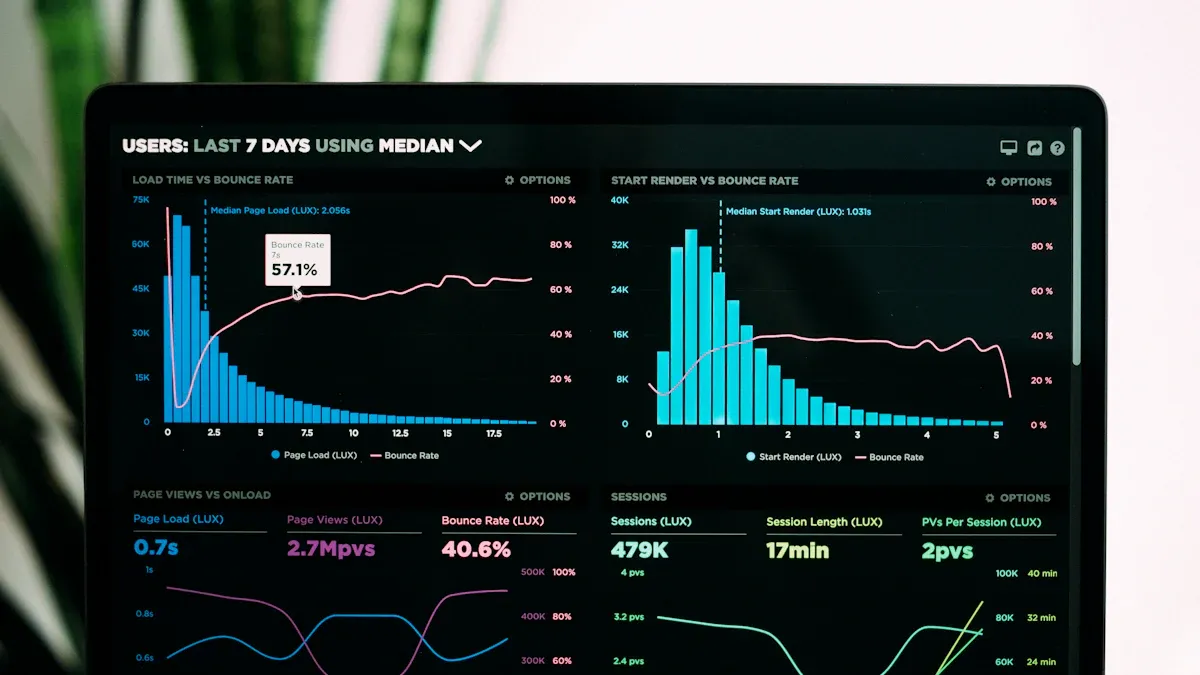
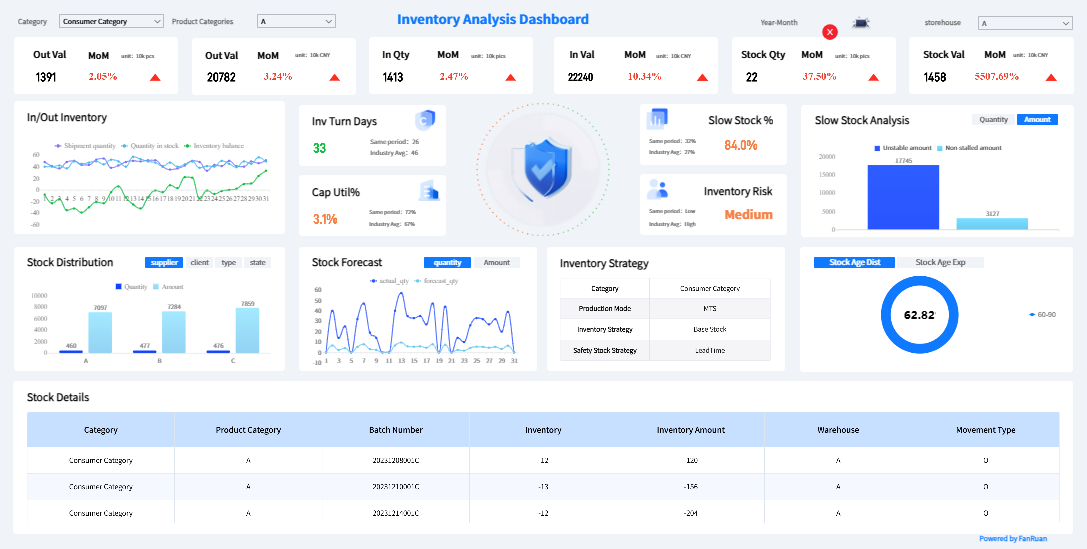
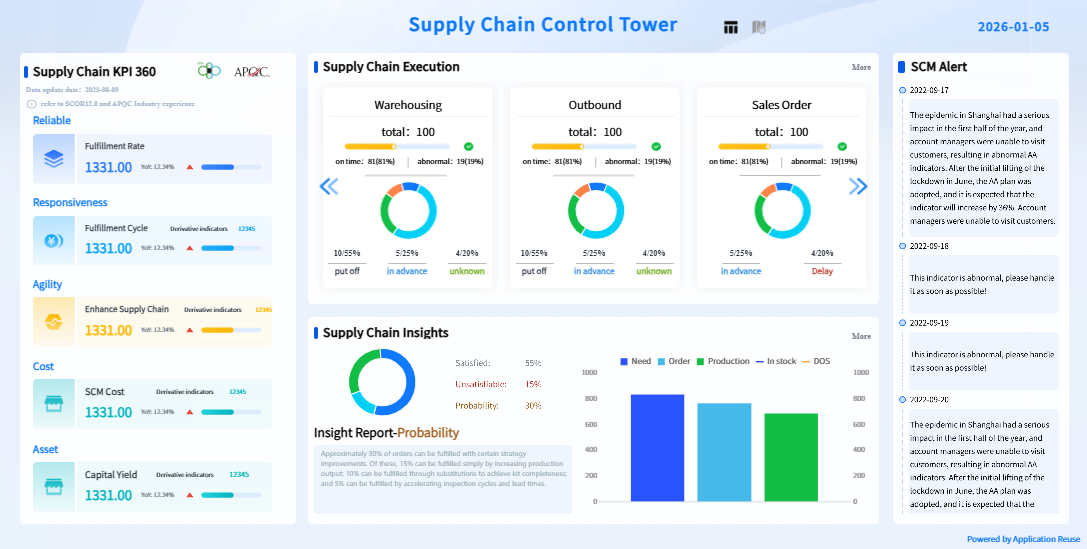
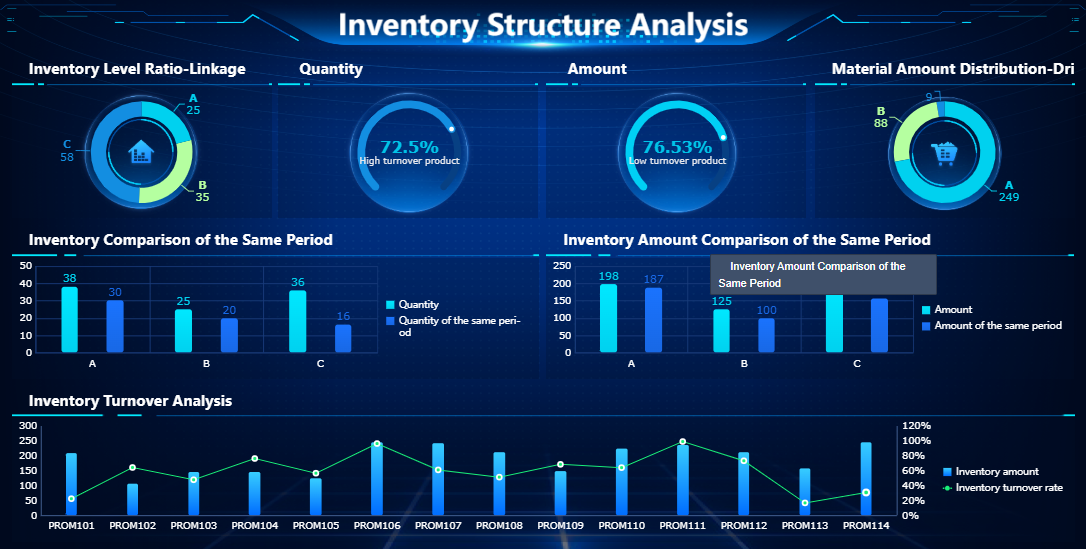
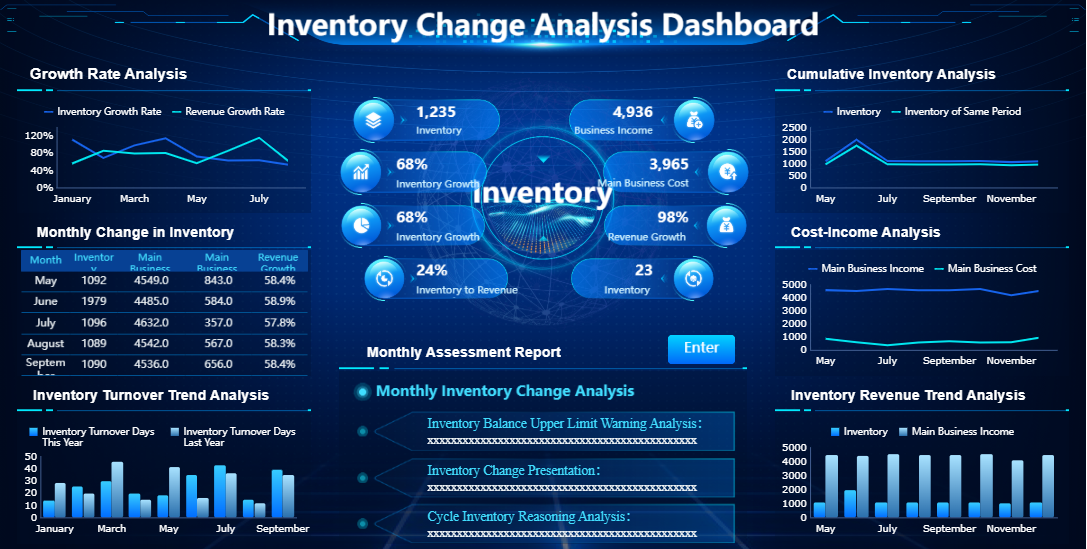
An inventory dashboard is a digital tool that displays key inventory metrics and trends in one interactive view. You use it to monitor stock levels, track product movement, and analyze supply chain performance. The dashboard helps you spot issues fast and make better decisions for your business. Real-time data from inventory dashboards improves efficiency by giving you instant updates on inventory. You avoid stockouts and overstocking, and you respond quickly to market changes. FineReportoffers advanced inventory dashboard solutions that support real-time visibility and smarter management.
Inventory Dashboard Overview
What Is an Inventory Dashboard?
An inventory dashboard is a visual tool that helps you manage and monitor your inventory. You see all the important metrics in one place, including stock levels, sales, forecasts, and supply chain performance. This dashboard gives you a clear overview of your inventory health. You can track trends, spot potential issues, and make quick decisions. Businesses use inventory management dashboards to oversee stock availability and detect problems before they affect operations.
Aninventory management dashboardserves as a visual tool that aggregates and presents essential metrics related to inventory levels, sales, forecasts, and supply chain performance. It enables you to oversee stock availability, monitor trends, and detect potential issues in real-time.
The core purpose of an inventory management dashboard is to help you run your business more efficiently. You gain transparency across complex inventory structures and improve accuracy. The dashboard supports informed decision-making by providing critical insights into inventory health.
Inventory management dashboards work by integrating data from different sources. You connect your inventory management software with other business systems, such as sales, procurement, and logistics. The dashboard synchronizes information and updates metrics automatically. This process improves data visibility and accuracy. You can automate many tasks, such as tracking inventory levels and generating alerts for low stock.
Here is how an inventory management dashboard typically operates:
Synchronizes inventory management software with other business systems.
Improves data visibility and accuracy.
Supports automation and enhances decision-making.
You benefit from seamless integration with your existing logistics and supply chain infrastructure. The dashboard provides immediate improvements in inventory accuracy and operational efficiency. You can track inventory movement, monitor supplier performance, and analyze sales trends in one place.
Metric
Improvement
Operational Efficiency
30%
Reduction in Inventory Discrepancies
25%
Inventory management dashboards also use advanced technologies to deliver real-time updates. You may see features such as sensor-driven updates, automated alerts, and predictive analytics. These tools help you anticipate stockouts, optimize delivery routes, and manage replenishment needs.
Sensor-driven updates provide live feedback on item movement and replenishment needs.
Automated alerts notify staff of low inventory and approaching expiry dates.
Predictive analytics help anticipate stockouts and optimize delivery routes.
Real-Time Inventory Visibility
Real-time inventory visibility means you always know the status of your inventory. You can see stock levels, item locations, and movement as they happen. This visibility helps you respond quickly to changes in demand and avoid costly mistakes like stockouts or overstocking.
Inventory management dashboards use technologies such as RFID, IoT devices, cloud infrastructure, and automated systems to provide real-time data. These technologies enable you to track inventory accurately and make faster decisions.
Technology
Description
RFID
Utilizes radio-frequency identification tags to track inventory in real-time, providing live feedback on item movement and conditions.
IoT
Internet of Things devices that monitor stock levels and environmental conditions, enabling automated alerts and predictive analytics.
Cloud Infrastructure
Supports centralized data management and real-time visibility across platforms, enhancing order and inventory management.
Automated Systems
Systems that generate alerts for low inventory and optimize replenishment processes based on predictive analytics.
Ecommerce retailers often use cloud-based order management systems to achieve both order and inventory visibility from a single platform. This integration improves the customer experience by making shopping and fulfillment smoother and more accurate.
When you have real-time inventory visibility, you can optimize resource use and streamline operations. Automated updates reduce manual checks, saving time and minimizing errors. You can align priorities across your organization and escalate decisions when necessary. This agility helps you respond to market changes and improve overall efficiency.
Businesses that implement real-time inventory management dashboards report measurable improvements:
Improvement Type
Before AI Adoption
After AI Adoption
Source
Inventory Accuracy
63%
95%
IJAEM, Sayonetech
Fulfillment Accuracy
N/A
99.5%
IJAEM, Sayonetech
Reduction in Stockouts
N/A
35%
Cimulate AI, Sayonetech
Reduction in Overstocks
N/A
20%
Cimulate AI, Sayonetech
Efficiency of Demand Forecasting
N/A
40% more efficient
Sayonetech, IJAEM
Reduction in Inventory Carrying Costs
N/A
25%
Sayonetech, IJAEM
You can see how inventory management dashboards transform inventory tracking and business operations. You gain accurate, up-to-date insights that support smarter, faster decisions. This capability helps you maintain optimal stock levels, reduce costs, and improve customer satisfaction.
You rely oninventory management dashboards to keep your business running smoothly. These dashboards give you instant access to critical inventory data, helping you avoid common problems like stockouts and overstocking. Real-time inventory tracking provides visibility across all your sales channels and warehouses. You see exactly what you have and where it is, so you can reorder before stock runs out. This reduces the risk of missing sales due to empty shelves.
Inventory management dashboards also help you order only what you need. You avoid tying up cash in excess stock, which can lead to waste and higher carrying costs. With accurate tracking, you forecast demand based on actual purchase behavior. You eliminate guesswork and make smarter decisions about what to buy and when.
Tip: Use inventory management dashboards to set dynamic min/max levels for each product. This helps you adjust quickly to changes in demand and prevents both shortages and excess inventory.
Here are some ways inventory management dashboards help you manage stock more effectively:
Real-time data enables you to order only what is needed, avoiding overstock situations.
Accurate tracking allows for better demand forecasting and smarter purchasing.
Automated replenishment triggers restocking based on real-time data, preventing shortages.
Monitoring supplier performance helps you adjust reorder timing and reduce risks.
Optimized safety stock ensures critical products are available during demand surges.
Benefit
Description
Min/Max Levels
Dynamically adjust based on usage to prevent stockouts and overstock.
Identify Stockouts and Overstock
Helps in recognizing when inventory levels are critical.
Monitor Supplier Performance
Adjust reorder timing based on supplier reliability.
Forecast Demand
Anticipate needs by location or product, reducing guesswork.
Automated Replenishment
Triggers restocking based on real-time data, preventing shortages.
Optimized Safety Stock
Reduces excess inventory and ensures critical products are available during demand surges.
Inventory management dashboards give you the tools to maintain inventory visibility and control. You respond faster to market changes and keep your business agile.
Impact on Profitability and Efficiency
Inventory management dashboards have a direct impact on your profitability and operational efficiency. You track key business KPIs such as inventory turnover rate, gross margin return on investment, and days sales of inventory. These metrics show how well you manage your inventory and how quickly you convert stock into sales.
KPI
Description
Impact on Profitability Metrics
Inventory turnover rate
Measures how quickly inventory is sold and replaced.
Higher rates indicate efficiency and lower carrying costs.
Gross margin return on investment (GMROI)
Shows profitability of inventory investment.
Rising GMROI indicates improved efficiency in generating profit from stock.
Days sales of inventory (DSI)
Average number of days it takes for inventory to be sold.
Lower DSI means faster inventory movement and quicker cash conversion.
Stock to sales ratio
Compares inventory on hand to sales for a given period.
A balanced ratio is crucial to avoid overstocking or stockouts.
Inventory carrying costs
Total cost of holding inventory (storage, insurance, obsolescence).
Reducing these costs directly boosts profitability.
You use dashboards to monitor these metrics in real time. This helps you spot inefficiencies and take action before they affect your bottom line. For example, if your inventory turnover rate drops, you can investigate the cause and adjust your purchasing or sales strategy.
Inventory management dashboards also improve operational efficiency. You get real-time insights into inventory performance, which helps you optimize inventory management. In manufacturing, dashboards streamline operations and reduce downtime. You empower your team with actionable data, improving quality and reducing missed opportunities.
Inventory dashboards provide real-time insights into inventory performance.
They help you optimize inventory management and reduce costs.
Dashboards enable data-driven decision-making, which enhances operational efficiency.
Manufacturing dashboards streamline operations and reduce downtime.
They improve quality and empower teams with actionable data.
FineReportoffers advanced inventory dashboard solutions for manufacturing companies. You can track raw material levels, production rates, and work-in-progress items. This helps you avoid delays due to shortages and keeps your production lines running smoothly.
Dashboard Type
Key Features
Business Impact
Inventory Dashboard
Real-time stock levels, trend analysis for stock movement
Metrics for assessing inventory efficiency, balance between holding costs and sales performance
Enhances understanding of inventory management efficiency, aids in decision-making
Inventory Planning Dashboard
Current stock levels, past purchasing trends, future needs forecasting
Helps avoid overstocking or stockouts, refines inventory management processes
Manufacturing Inventory Dashboard
Reorder levels, tracking raw material levels, production rates, work-in-progress items
Optimizes inventory management, improves operational efficiency, reduces delays due to shortages
You see measurable improvements in profitability and efficiency when you use inventory management dashboards. You reduce inventory carrying costs, improve cash flow, and increase customer satisfaction.
Inventory management dashboards play a key role in data-driven decision-making. You use real-time data to make informed choices about inventory, purchasing, and supply chain management. This reduces waste and improves profitability.
Minimized waste: Dashboards help you identify issues like spoilage and obsolescence, so you can reduce waste and improve profitability.
Optimized order management: You guarantee fast fulfillment and restocking, which enhances customer satisfaction and loyalty.
Supplier management improvement: Dashboards provide data on supplier performance, enabling better partnerships and cost reductions.
Industry studies show that real-time monitoring can reduce logistics costs by up to 15 percent and lower inventory holding costs by over 30 percent. You improve service levels and make decisions quickly, based on accurate data.
A data-driven supply chain gives you clarity. You see how every decision affects financial performance, service levels, and customer satisfaction. Real-time data creates visibility across your network, allowing you to act immediately instead of relying on outdated information.
FineReport supports data-driven decision-making with customizable dashboards and automated reporting. You track business KPIs, analyze trends, and share insights across your organization. In the manufacturing industry, companies use FineReportto integrate procurement, sales, and warehouse management. This leads to better inventory tracking, improved supplier relationships, and optimized inventory management.
You gain a competitive edge when you use inventory management dashboards for data-driven decision-making. You respond faster to market changes, reduce costs, and improve overall business performance.
Essential Features of Inventory Management Dashboard
When you use an inventory dashboard, you gain access to a wide range of features that make inventory management easier and more effective. The most important features help you track stock, monitor inventory movement, and analyze trends. You see product categorization, product history, and collaborative inventory functions. Automated stock out reports and vendor managed inventory tools keep your business running smoothly. You can manage e-commerce orders, perform stock inquiries, and customize reports to fit your needs.
Product categorization and history
Collaborative inventory and automated stock out reports
Vendor managed inventory and e-commerce integration
Stock inquiries and report customization
KPI and metric assistance for better decision-making
Shipment by ID and multi-carrier shipping
API integration and labeling for efficient tracking
You benefit from an easy-to-use interface that does not require advanced training. Automation eliminates manual processes, reducing errors and labor costs. A secure database provides accurate, real-time data for fast, actionable inventory monitoring. You can scale the system by adding modules with minimal configuration. Software integrations and automated features minimize manual inventory updates.
Automation dramatically reduces the time and effort required for asset tracking and audits. You log into a dashboard, access real-time data, and generate reports instantly. This reduction in manual work frees up time for more strategic initiatives, boosting overall productivity.
Types of Inventory Dashboards
You can choose from several types of inventory dashboards to match your business needs. Some dashboards focus on inventory control, while others specialize in inventory management or inventory tracking. You may use dashboards for inventory barcoding, optimization, or alerts. Each dashboard type helps you monitor stock levels, track movement, and optimize inventory analytics.
Dashboard Type
Main Function
Use Case
Inventory Control
Manage stock levels
Warehouse operations
Inventory Management
Oversee inventory processes
Retail and manufacturing
Inventory Tracking
Track inventory movement
Logistics and supply chain
Inventory Barcoding
Barcode-based tracking
Asset management
Inventory Optimization
Analyze and optimize stock
Demand forecasting
Inventory Alerts
Automated notifications
Prevent stockouts and overstock
FineReport Capabilities for Inventory Management
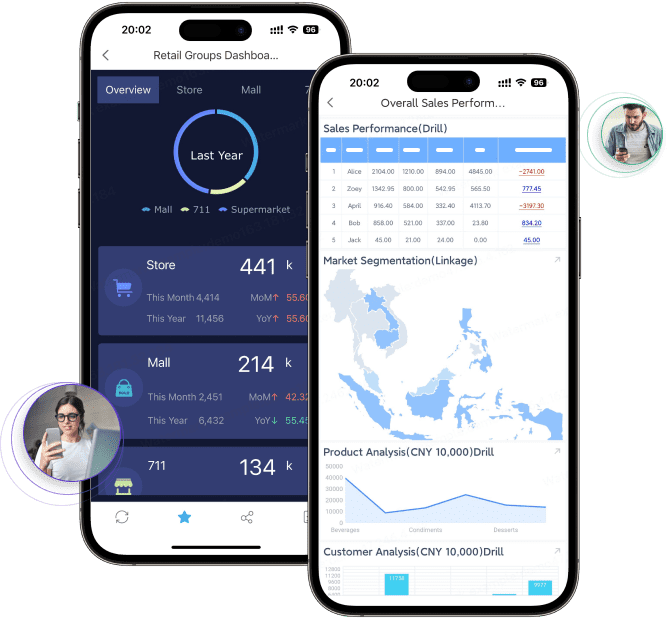
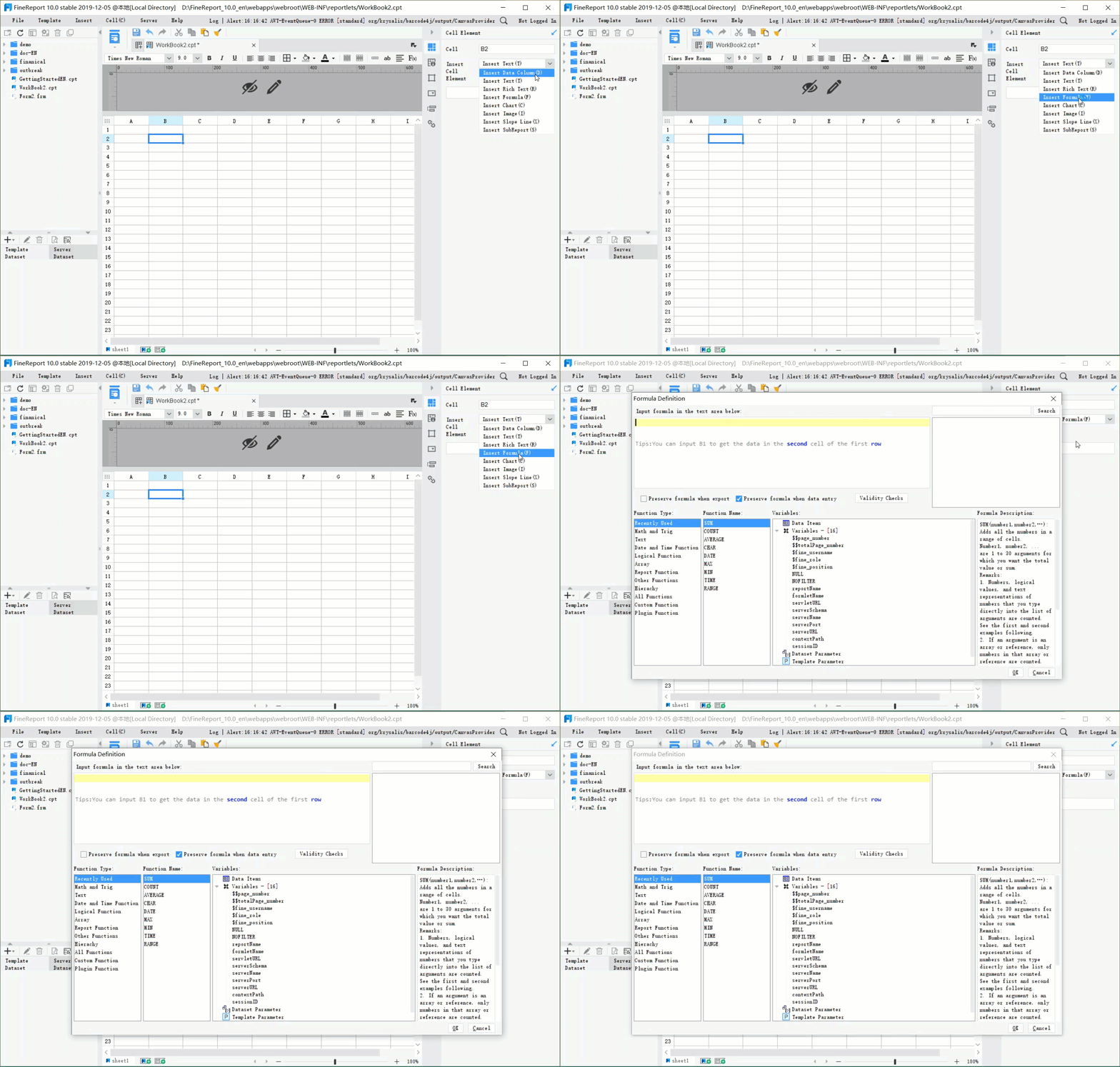
FineReport gives you advanced tools for inventory analytics dashboard creation. You can design dashboards with drag-and-drop simplicity and integrate data from multiple sources. FineReport supports mobile dashboards, so you access inventory analytics dashboard insights on any device. You use 3D visualization to explore inventory analytics dashboard data in new ways. The platform offers real-time inventory analytics dashboard updates,automated reporting, and seamless integration with your existing systems.
Mobile data visualization reports serve as a compass for real-time business analysis and daily business processing. You stay informed and make decisions wherever you are.
FineReporthelps you track stock, monitor inventory analytics dashboard trends, and optimize inventory management dashboard processes. You gain control over inventory tracking and improve business performance with powerful inventory analytics dashboard features.
You can transform your business operations by using areal-time inventory dashboard. This tool automates many inventory management tasks, streamlining workflows and reducing turnaround times by up to 40%. You gain instant visibility into stock levels, shipment status, and supply chain activities. Automated alerts notify you about delays or shortages, minimizing downtime and boosting efficiency by 25%. When you maximize visibility, you reduce errors and operational costs. Optimized routing and real-time shipment tracking can lower transportation costs by as much as 25%. Immediate access to supply chain data shortens lead times by 30%, ensuring timely deliveries and minimizing costs from delays. These improvements help you maintain effective inventory control and support better resource allocation.
Real-time dashboards automate processes and reduce manual errors.
You adjust inventory levels proactively, avoiding overstock and stockouts.
Actionable insights from inventory analytics enable smarter decisions.
Enhancing Data Visibility and Control
An inventory management dashboard gives you a unified view of your entire inventory process. You see historical order behavior, multi-channel SKU movement, and seasonal patterns. This level of visibility strengthens demand forecasting and reduces friction in your operations. High-quality data inputs improve forecasting accuracy, helping you maintain effective inventory control. Accurate inventory data reduces picking and packing errors, leading to higher order fulfillment rates and increased customer satisfaction. You allocate resources more efficiently, spending less time searching for items and more time on value-added tasks. Companies that use integrated data for demand planning often lower inventory levels and operational costs.
Benefit
Description
Improved order fulfillment
Accurate inventory data reduces errors and enhances fulfillment rates.
Effective forecasting
Precise data allows for better demand forecasting, minimizing overstocking and stockouts.
Accurate orders and reduced lead times improve the customer experience.
Cost savings
Fewer errors and better resource allocation lead to significant cost reductions.
Supporting Strategic Planning with FineReport
You can support strategic planning by leveraging the advanced features of FineReport’s inventory management dashboard. Centralizing data ensures collaboration across departments, making communication easier and decisions more accurate. Classifying inventory by profit impact helps you monitor and prioritize stock. Real-time dashboards provide current inventory levels, supporting accurate forecasting and timely decision-making. FineReport’s solution enables you to maximize visibility and maintain control over your inventory. The BOE customer story highlights these benefits: after implementing FineReport, BOE reduced inventory costs by 5% and increased operational efficiency by 50%. You can scale the dashboard as your business grows, adapting to new requirements without major redevelopment.
Tip: Use FineReport’s inventory analytics dashboard to centralize data and automate reporting. This approach improves forecasting, supports strategic planning, and drives business growth.
To implement aninventory dashboardeffectively, you should follow a structured approach. Start by validating your data. Clean and standardize your inventory records to ensure reliable information. Next, pilot the dashboard in one location or product line. This allows you to gather feedback and refine your processes before a full rollout. Deliver role-specific training sessions so each team member understands how to use the dashboard for their responsibilities. Monitor key metrics from day one to identify issues early and celebrate quick wins. Iterate quickly and expand gradually, adjusting your processes based on pilot results. Keep improvement cycles short by scheduling regular check-ins to capture feedback and make enhancements.
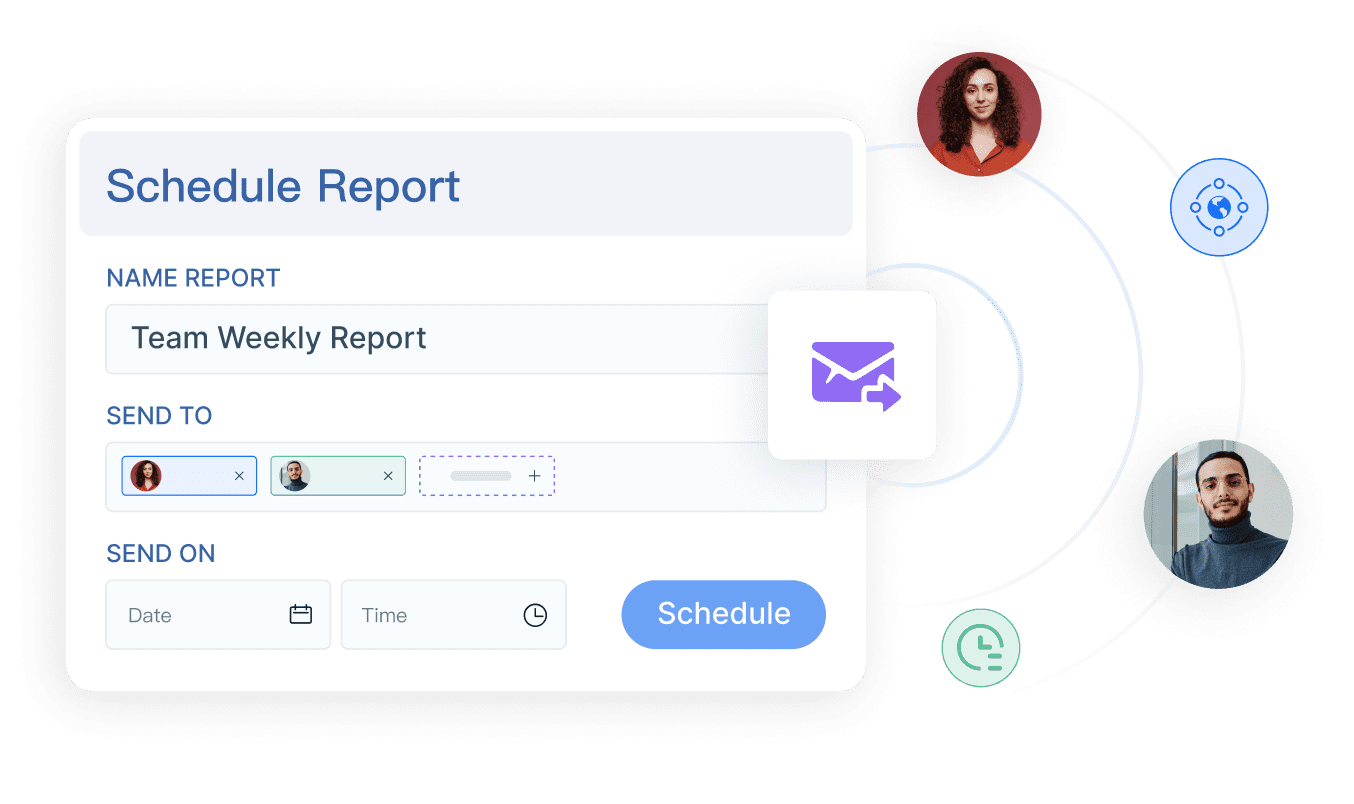
FineReport supports you throughout this process. You can automate inventory tracking, design custom dashboards with a drag-and-drop interface, and connect to multiple data sources for real-time updates. Scheduled reporting and collaboration features help your team stay informed and aligned.
You can ensure ongoing success by following best practices. Set clear usage targets for user engagement and track metrics to measure progress. Communicate transparently about changes and highlight the benefits for users. Provide comprehensive, role-specific training and ongoing support. Design hands-on training modules with interactive exercises. Offer detailed documentation and video tutorials to reinforce learning. According to recent studies, ongoing training increases employee retention and adoption of new systems.
FineReport'straining and support services make it easier for your team to adapt. You receive tailored guidance and resources to maximize the value of your inventory management system.
Common Pitfalls to Avoid
When deploying an inventory control system, avoid common mistakes. Failing to maintain precise records can lead to operational inefficiencies and asset loss. Overlooking software updates exposes your business to security threats. Starting with too much complexity can overwhelm users. Using dashboard gadgets that lack context may confuse viewers. Prioritize usability over variety to ensure effective data visualization.
Pitfall
Description
Failing to maintain precise records
Leads to chaos, inefficiencies, and asset loss
Overlooking software updates
Increases risk of security threats and compatibility issues
By following these steps and best practices, you can achieve improved forecasting, better inventory control, and a more efficient inventory management software experience.
You gain a powerful advantage when you use an inventory dashboard to manage your inventory. Real-time insights help you make smarter decisions and improve business performance. FineReportoffers a flexible solution for optimizing inventory management and driving operational excellence. To get started, follow these steps: gather your inventory data, customize the system, install and configure the software, migrate and verify data, train your team, test the system, go live, and monitor for improvements.
Access a wealth of case studies, industry insights, and solution guides to accelerate digital transformation.
FAQ
What is an inventory dashboard?
An inventory dashboard is a digital tool that displays key inventory metrics. You use it to monitor stock levels, track product movement, and analyze supply chain performance in real time.
How does an inventory dashboard improve business efficiency?
You gain instant visibility into inventory data. This helps you avoid stockouts, reduce excess inventory, and respond quickly to changes. Automated alerts and analytics support faster, smarter decisions.
Can you customize an inventory dashboard for your business needs?
You can customize an inventory dashboard to show specific metrics, integrate with your systems, and match your workflow. FineReport offers drag-and-drop design and flexible data connections.
Is an inventory dashboard accessible on mobile devices?
You access your inventory dashboard on smartphones and tablets. FineReport supports mobile dashboards, so you monitor inventory and make decisions anywhere.
What data sources can you connect to an inventory dashboard?
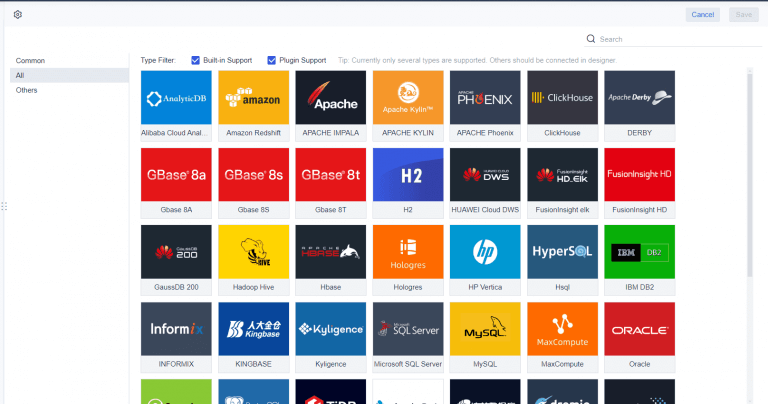
You connect your inventory dashboard to databases, spreadsheets, ERP systems, and cloud platforms. FineReport supports over 500 data sources for seamless integration.