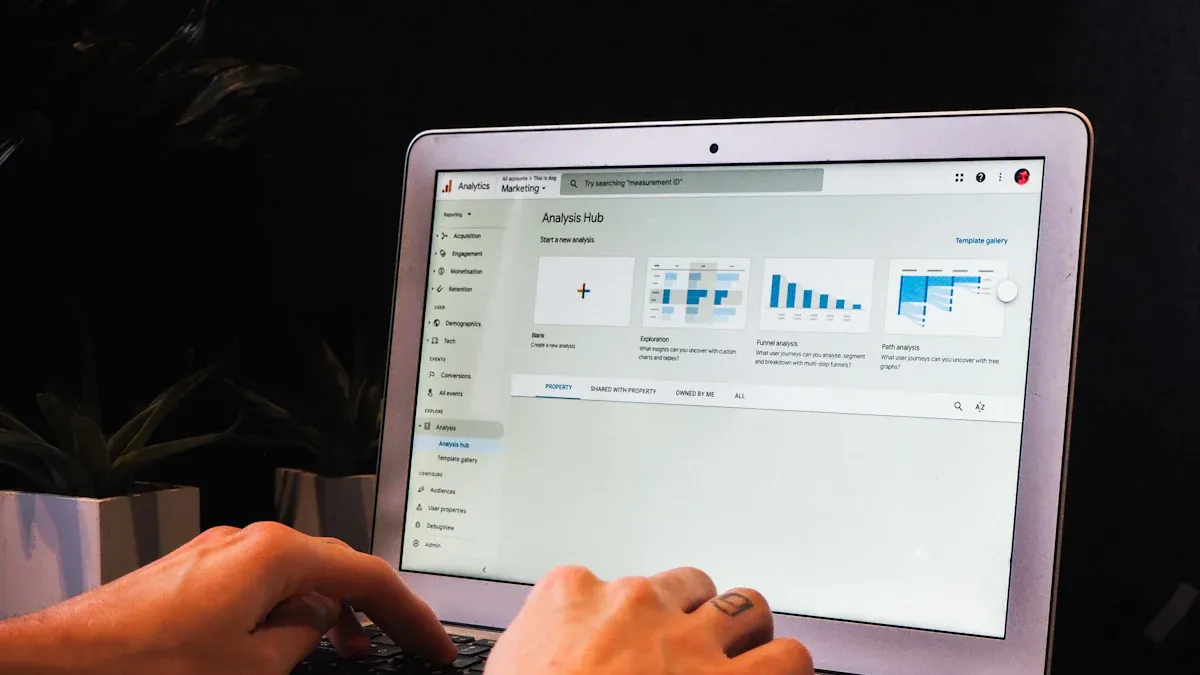
Self service analytics lets you explore and analyze data on your own, without waiting for IT experts. You gain the power to create reports, spot trends, and answer business questions directly. This approach matters because it puts you in control of insights that drive business intelligence.
Many organizations now choose self service analytics platforms. The table below shows how quickly adoption is rising:
Year
Number of Organizations Adopting Self-Service Analytics
2025
Over 1,200 enterprises deployed self-service analytics solutions
2025
Over 900 companies adopted self-service analytics solutions
You see a major shift from IT-centric reporting to user-driven analytics. Today, AI tools automate dashboards and routine reports, so you can focus on interpreting results and making decisions. FineBIstands out as a leading self-service analytics solution, helping you move from experience-based choices to data-driven strategies. With self service analytics, you can respond faster, boost efficiency, and shape a customer-focused culture.
Understanding Self Service Analytics
Definition and Key Concepts
You encounterself service analytics as a modern approach in business intelligence. This method gives you direct access to data, letting you analyze information without waiting for IT support. You use intuitive tools to create dashboards, generate reports, and visualize trends. The goal is to help you make decisions based on facts, not assumptions.
Here is how leading industry sources define self service analytics:
Source
Definition
TechTarget
Self-service analytics requires a front-end BI application with a user-friendly interface that enables users to easily view and manipulate the data. It allows users to work directly with data from multiple sources and create dashboards and reports without needing IT support.
Denodo
Self-service analytics enables non-technical users to independently access, analyze, and visualize data without requiring support from IT or data specialists. It provides intuitive tools for generating insights and making data-driven decisions.
AtScale
Self-service analytics are BI tools that empower users to access, analyze, and visualize data independently, allowing them to generate reports and uncover insights without relying on IT.
You see four key concepts in self service analytics platforms:
User-friendly tools make data analysis simple for everyone.
Data preparation and integration ensure your data is clean and ready.
Visualizations help you interpret and understand information.
Data accessibility lets you and your team use data whenever you need it.
Self service analytics platforms focus on these components to help you explore data confidently and independently.
Self-Service vs. Traditional Analytics
You may wonder how self service analytics differs from traditional analytics. The main difference is who controls the process. In traditional analytics, IT professionals and data analysts handle most tasks. You must submit requests and wait for reports. This process can slow down your decision-making.
The table below highlights the differences:
Feature
Traditional Analytics
Self-Service Analytics
User Type
Designed for IT professionals and data analysts.
Accessible to non-technical users, like business teams.
Speed
Time-consuming due to reliance on IT for reports.
Faster, as users can create reports independently.
Complexity
Requires advanced technical knowledge.
User-friendly with intuitive interfaces.
Customization
Limited customization options.
High customization; users can tailor dashboards easily.
You gain autonomy with self service analytics. You access and analyze data directly, which speeds up your workflow and reduces your reliance on IT. You create customized visualizations that fit your needs, making your data more engaging and useful.
Tip: Self service analytics lets you generate reports and dashboards on-demand. You avoid delays and get answers when you need them.
Self service analytics also democratizes data access. You and your colleagues can explore information independently, increasing productivity and collaboration. You see real-time insights and respond quickly to changes in your business environment.
Self service analytics matters because it transforms how you and your organization use data. You experience several advantages:
Benefit
Description
Increased Agility in Decision Making
Self service analytics enables teams to quickly ask questions and receive answers, allowing for immediate action and faster decision-making, which can lead to competitive advantages.
Reduced Dependence on IT
Business users can generate their own reports and analyses, reducing delays caused by IT bottlenecks and allowing data teams to focus on more strategic projects.
Enhanced Cross-team Collaboration
Access to shared data fosters collaboration across departments, aligning efforts and improving communication, which leads to better overall performance.
Establishment of a Data-first Culture
Making data accessible to all promotes evidence-based decision-making, reducing reliance on intuition and fostering a culture that prioritizes data-driven strategies, ultimately leading to improved outcomes.
You measure the impact of self service analytics using several metrics:
Metric Type
Description
Data Quality Metrics
Completeness, Accuracy, Consistency, Timeliness
User Adoption
Active users, Feature utilization, Self-service ratio
Decision Impact
Decision velocity, Decision confidence, Course corrections, Value attribution
You notice that organizations with high adoption rates of self service analytics report better performance. You see faster decisions, higher confidence in outcomes, and more effective course corrections. You also observe improved data quality and greater user engagement.
Note: Self service analytics helps you build a data-first culture. You rely on facts, not guesses, and you make smarter choices for your business.
Self service analytics empowers you to take control of your data journey. You drive business intelligence forward, making your organization more agile, collaborative, and successful.
How Self Service Analytics Platforms Work
Self service analytics platformshelp you unlock the full value of your data. You gain the ability to connect, prepare, analyze, and share information without relying on IT specialists. These platforms follow a structured workflow that guides you from raw data to actionable insights. You see how each stage supports your journey toward data-driven decision-making.
Data Integration and Preparation
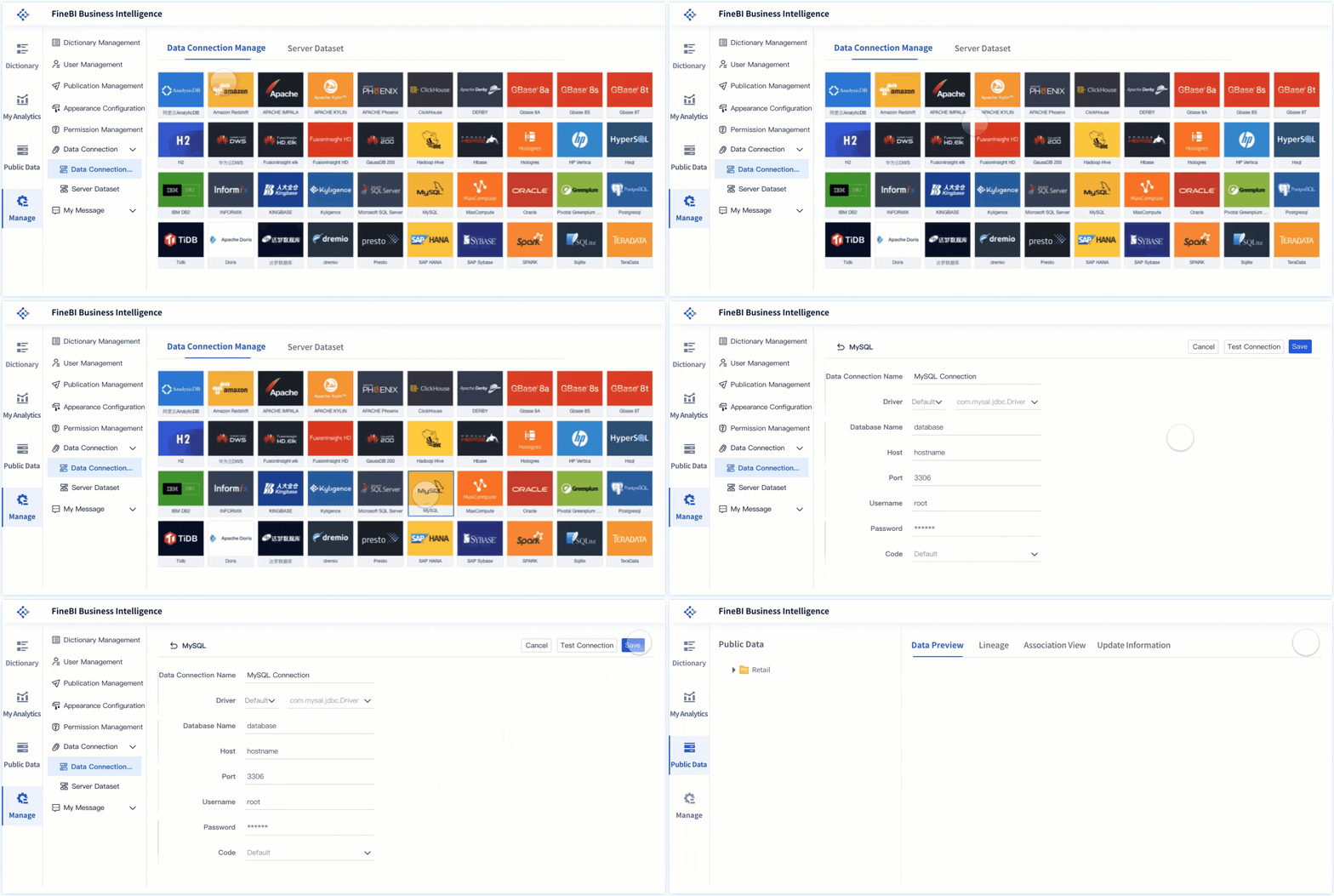
You start with data integration and preparation. This step brings together information from different sources and ensures it is ready for analysis. Most self service analytics platforms support a wide range of connectors, allowing you to access databases, cloud warehouses, and file-based data.
Here is a table showing common databases and connection options:
Supported Databases
Data Extraction
Direct Connection
Amazon Redshift
√
√
Apache Impala
√
√
PostgreSQL
√
√
Microsoft SQL Server
√
√
MySQL
√
√
Oracle
√
√
SAP HANA
√
√
IBM DB2
√
√
Hadoop Hive
√
×
MongoDB
√
×
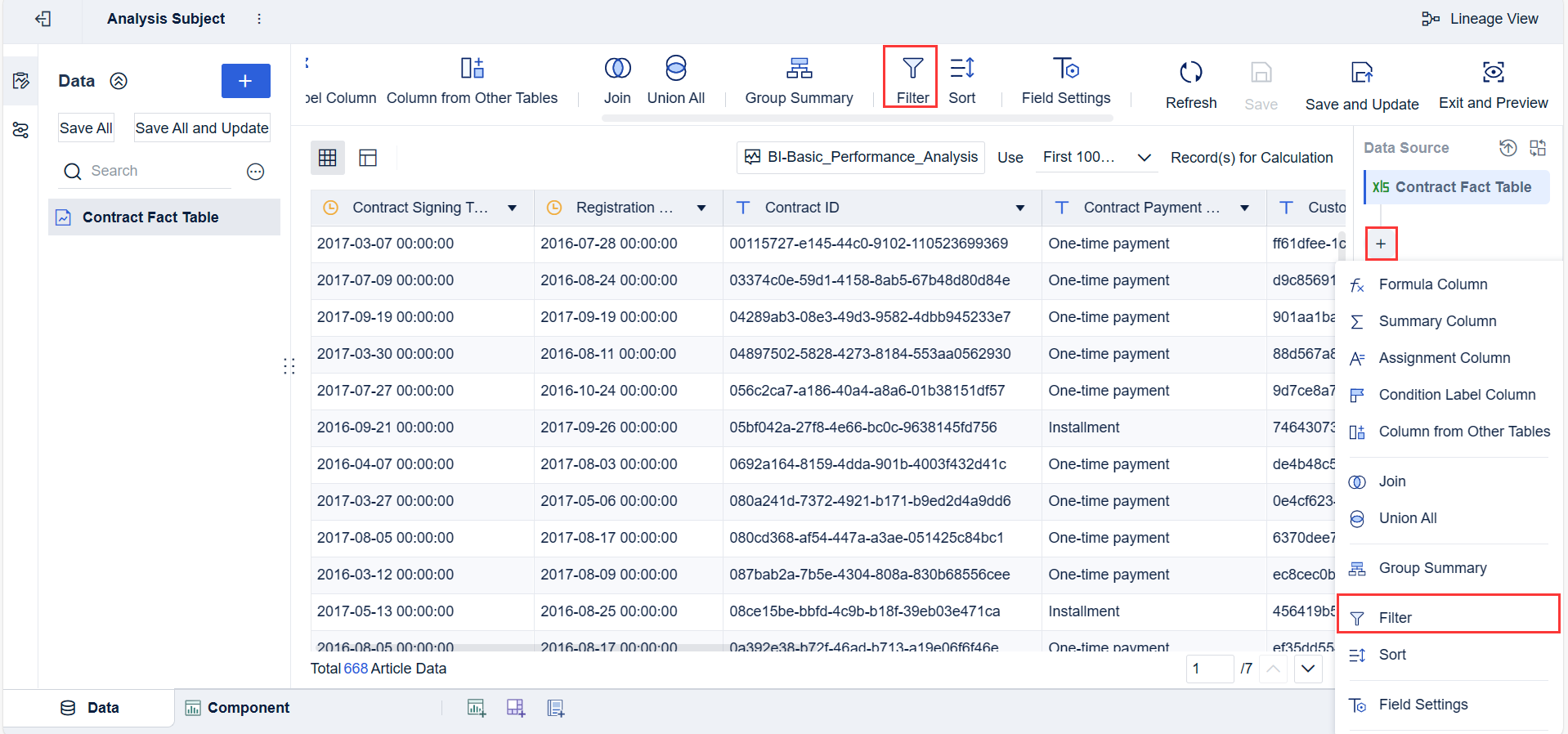
Once you connect your data, you need to prepare it for analysis. You use drag-and-drop tools to clean, merge, and reshape your data. You can create calculated fields and validate your dataset. The table below outlines typical steps in data integration and preparation:
Step
Description
Data Cleansing
Correcting or removing inaccurate, corrupted, or incomplete data.
Normalization
Standardizing formats to ensure data consistency.
Combining data
Merging data from different sources to create a cohesive dataset.
De-duplication
Removing duplicate records to ensure uniqueness.
Reshaping data
Pivoting, aggregating, or splitting data to fit analysis needs.
Creating calculated fields
Adding new data fields derived from existing data.
Validation
Applying rules to ensure data meets quality standards.
Anomaly detection
Identifying outliers or unusual patterns in the data.
Drag-and-drop tools
Allowing users to perform complex operations without coding.
Visualizations
Providing visual interfaces to understand data transformations and relationships.
Adding context
Integrating external data to enrich the analysis.
Output formats
Exporting data in formats suitable for analytics tools or reporting software.
Collaboration
Sharing capabilities to collaborate with other team members.
You see that self service analytics platforms make data preparation accessible. You do not need coding skills. You use visual interfaces to understand and transform your data. This process ensures your analysis starts with high-quality information.
FineBI, a leading self service analytics platform, supports over 60 connectors. You can link to relational databases, big data platforms, and cloud warehouses. You also upload files and connect to APIs. FineBI’s workflow guides you through data integration, processing, and preparation with intuitive tools.
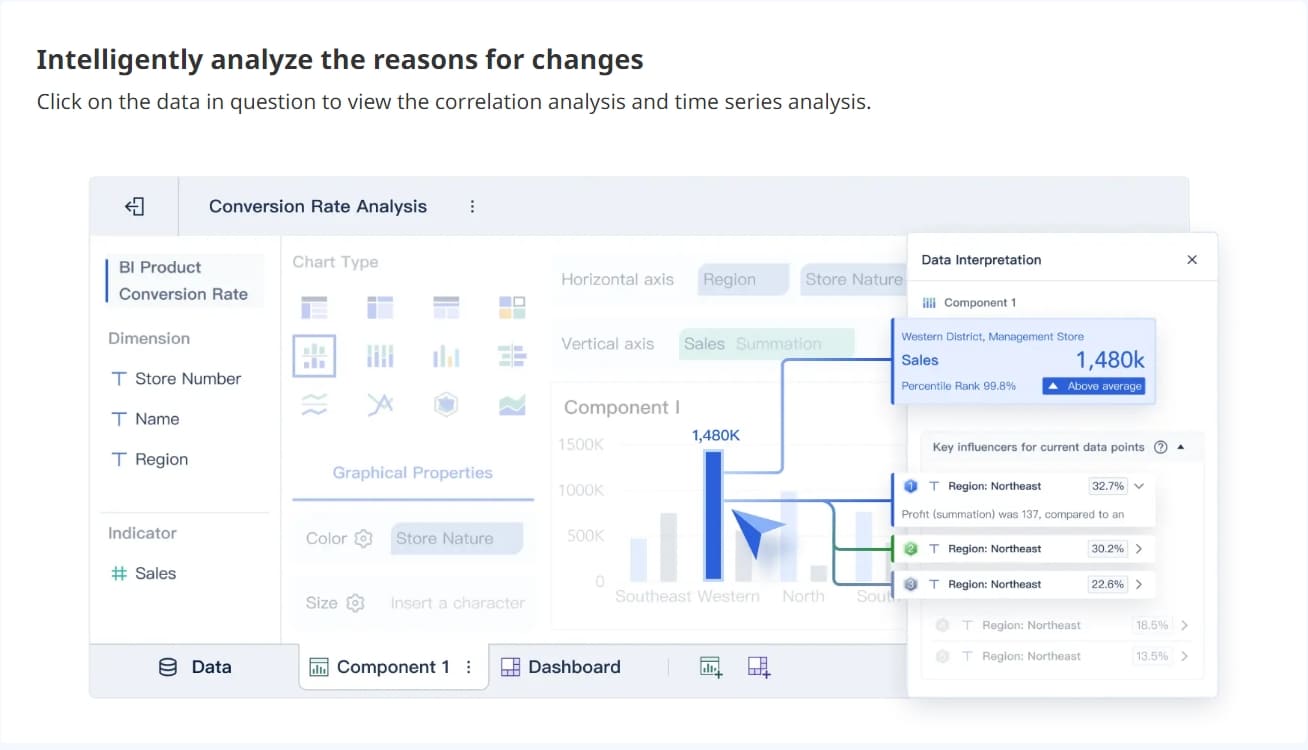
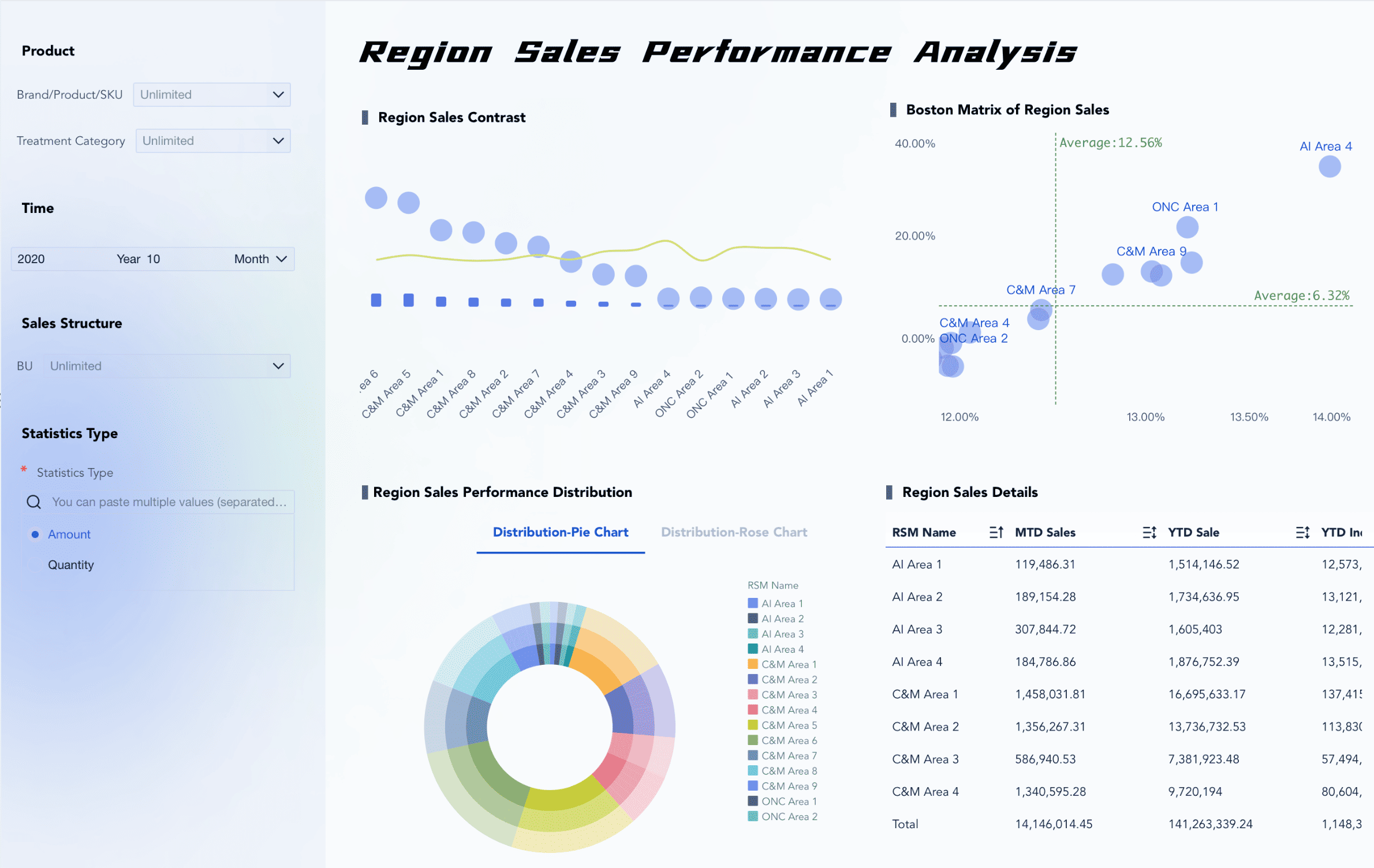
After preparing your data, you move to visual exploration and dashboard creation. Self service analytics platforms give you the power to build interactive dashboards without technical expertise. You use drag-and-drop features to create charts, tables, and maps.
You benefit from:
Intuitive tools for visual exploration.
Customizable dashboards that fit your business needs.
Guided navigation and dynamic filtering for deeper analysis.
You interact with your data using filters, dropdowns, and drill-down options. You see trends, compare metrics, and uncover insights in real time. Popular visualization types include bar charts, line graphs, pie charts, and custom charts tailored to your data.
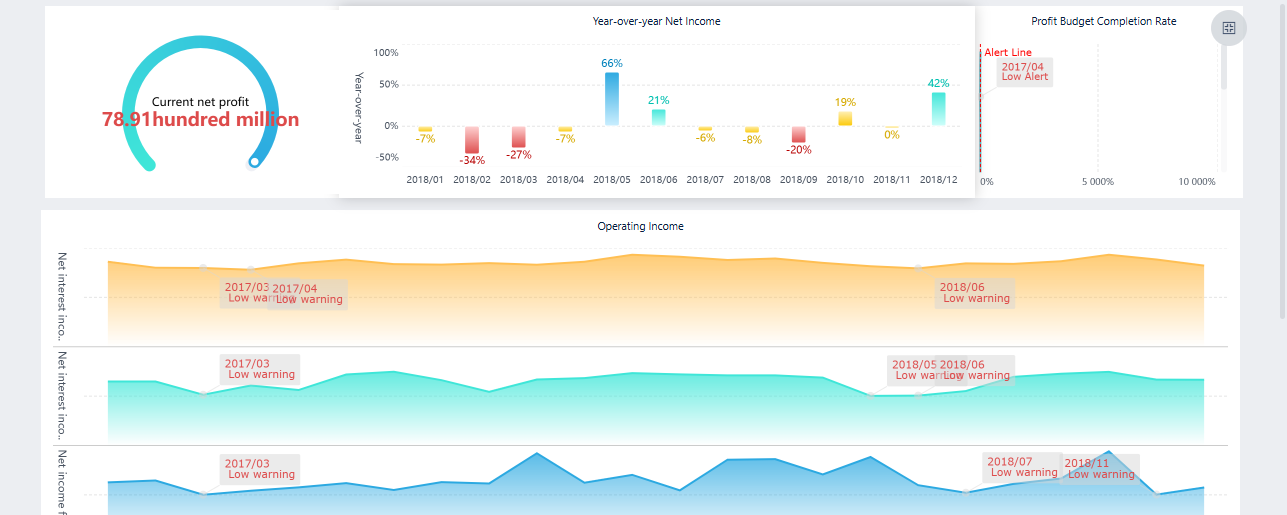
FineBI makes dashboard creation simple. You select components, arrange layouts, and apply styles. You can preview and publish dashboards for your team. FineBI supports responsive design, so you access dashboards on any device.
Tip: You can use real-time filters to explore different dimensions and time periods. This helps you answer business questions quickly.
FineBIalso integrates with FineReport, allowing you to share data sources and report pages across platforms. This unified approach supports both structured reporting and dynamic analysis.
Collaboration and governance are essential in self service analytics platforms. You work with your team to share insights and validate findings. These platforms provide secure sharing options and role-based access controls.
Key steps for governance include:
Key Steps for Governance in Self-Service Analytics
Description
Set up your environment rapidly
Create immediate value for users.
Centralize and standardize your data models
Ensure consistency and reliability of data.
Empower your people to be self-reliant
Build trust and enhance user independence.
Monitor and audit usage
Optimize performance and ensure compliance.
You see robust security features that protect data integrity and confidentiality. Platforms like FineBI offer row-level security, audit logs, and compliance with regulations such as GDPR. You maintain user trust by ensuring accurate and reliable data usage.
Essential governance features include:
Feature
Description
Data Integrity
Measures and policies that protect data integrity, ensuring accurate and reliable data usage.
Confidentiality
Safeguards that protect sensitive data from unauthorized access.
Compliance
Adherence to regulatory standards such as GDPR, SOC 2 Type II, and HIPAA to ensure legal safety.
User Trust
Effective security measures that maintain user confidence in the platform's data handling.
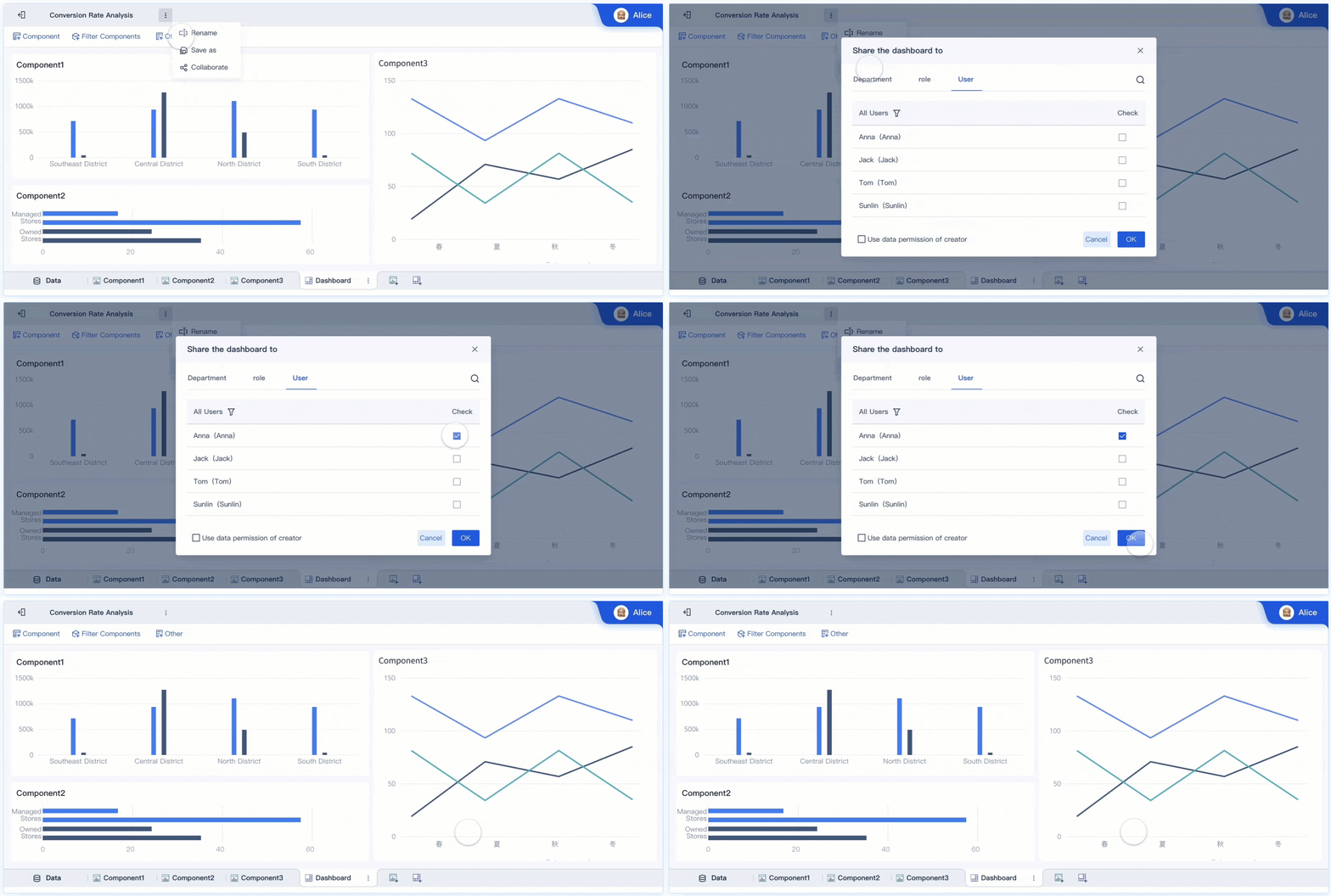
You collaborate with colleagues using shared dashboards and datasets. You comment, annotate, and discuss findings within the platform. FineBI supports team collaboration, allowing multiple users to work on the same dashboard and share analysis approaches.
Macao Water, a leader in the Asian water industry, adopted FineBI to overcome scattered and siloed data. The company integrated data from multiple sources, streamlined analysis, and empowered teams to make data-driven decisions. This transformation improved operational efficiency and fostered a smarter, more connected organization.
Self service analytics platforms help you work faster and make clearer decisions. You reduce technical barriers and strengthen collaboration across departments. You maintain data quality and compliance while empowering your organization to achieve business intelligence goals.
You experience faster decision-making when you useself service analytics. You access data instantly, create reports quickly, and update dashboards without waiting for IT support. This direct access means you get timely insights and respond to business changes with agility. You avoid bottlenecks and reduce the backlog of requests.
Immediate access to data for end-users
Faster report creation and updates
Timely insights without overburdening the IT team
Self service analytics empowers you to explore data sources directly. You retrieve critical information, such as user engagement statistics, almost instantly. This speed enriches your decision-making process and helps you stay ahead in a competitive environment.
Aspect
Self-Service Analytics
Traditional Reporting
User Empowerment
Non-technical users can create reports independently
Reliance on IT teams for report generation
Speed of Report Generation
Faster due to direct access to data
Slower due to bottlenecks in IT assistance
Real-Time Insights
Provides immediate access to data
Often delayed due to processing time
Empowering Non-Technical Users
Self service analytics gives you the tools to analyze data without technical expertise. You use intuitive interfaces and drag-and-drop features to create meaningful visualizations. Automated data preparation reduces complexity, so you focus on insights rather than technical details.
Platforms provide intuitive interfaces for non-technical staff
Automated data preparation features simplify data handling
Customizable visualizations enhance understanding and engagement
You see increased productivity as more employees access and use data independently. Data democratization breaks down silos and fosters collaboration. You understand trends across teams and make informed decisions.
Source
Evidence
Gartner
49% of executives see self-service data and analytics as a driver of employee productivity, enhancing organizational speed and agility.
QRvey
Business users can explore data and generate insights independently, allowing technical teams to focus on strategic tasks.
Real-World Applications with FineBI
FineBI demonstrates the value of self service analytics in real-world scenarios. Macao Water, a leader in the Asian water industry, adopted FineBI to overcome scattered and siloed data. The company integrated data from multiple sources and empowered teams to makedata-driven decisions. This transformation led to enhanced data accessibility and increased productivity. You see how FineBI streamlines data connection, management, and analysis, supporting a culture of data-driven decision-making.
Tip: When you use FineBI, you gain the ability to create interactive dashboards, collaborate with your team, and access real-time insights on any device.
Self service analytics platforms like FineBI help you respond quickly to business needs, improve data literacy, and drive organizational success.
When you implement self service analytics, you may face several barriers. Data silos often appear as a major challenge. Departments store information in separate databases, making it hard to create a unified view. Risk management becomes difficult when you cannot trust the accuracy of your data. Cost control can slip if employees run duplicate queries without oversight. You may also encounter delays in creating consistent data sets, hesitation to invest in trusted data stores, and ongoing issues with data quality.
To overcome these barriers, you can use proven strategies:
Start with a pilot team and scale after you see value.
Provide hands-on training and e-learning for all users.
Implement robust permissioning, auditing, and validation checks.
Data governance and security are critical in self service analytics. You must protect sensitive data and ensure compliance with regulations. Risks include unauthorized access, poor data quality, and privacy violations. Effective governance balances control with usability. Regular reviews and leadership support help maintain standards. User education reduces risks.
Leading platforms address these concerns by:
Setting granular access controls based on user roles and data sensitivity.
Prioritizing data security and compliance to avoid disclosure risks.
Staying updated with regulations like GDPR and implementing necessary measures.
Using cookieless tracking and automatic data expiration to manage privacy.
Ethical data collection and clear consent controls build trust and ensure compliance.
Training and Adoption
Training is essential for successful self service analytics adoption. You should identify and train super users early. These individuals support others and help establish best practices. Hands-on training and structured programs make learning effective. A mature governance strategy maintains data integrity and security.
You can measure training success by monitoring productivity, evaluating work quality, and tracking employee retention. Learning management systems help you track participation and progress. Collecting feedback from participants gives you insights into training effectiveness. Linking training to business outcomes shows the real impact of your self service analytics initiative.
Building a Self Service Analytics Strategy
Implementation Best Practices
You need a clear plan to launch a successfulself service analytics strategy. Start by focusing on data quality. High-quality data forms the foundation for reliable insights. Provide user-friendly tools so everyone can engage with data, not just technical experts. Establish governance to control data access and ensure everyone uses trusted sources. Offer training to help users avoid errors and improve the quality of their analysis. Develop standards to keep metrics and reports consistent across teams.
Best Practice
Description
Data Quality
Build a strong foundation for analytics by maintaining clean, accurate data.
User-Friendly Tools
Make analytics accessible for all users.
Governance
Control data access and ensure reliability.
Training
Teach users how to use analytics tools effectively.
Standards Development
Keep metrics and reporting consistent.
You can also embrace gooddata quality practices, create a report certification process, embed data science in reporting, and establish security practices early.
Choosing the Right Platform
Selecting the right platform is a key step in your self service analytics strategy. Look for ease-of-use so you can access and analyze data quickly. Choose a platform that scales with your business and handles more users and data without slowing down. Flexibility lets you create custom reports independently. Strong security features protect your data from unauthorized access. AI-powered features help you find insights faster, even if you lack advanced skills.
Tip: FineBIoffers multitenancy, AI assistance, and robust data governance. These features support multiple departments, automate insights, and ensure data accuracy.
You should assess data sources, document governance policies, leverage metadata, automate validation checks, and monitor performance metrics to maintain data quality and consistency.
You will see major changes in self service analytics strategy over the next five years. Augmented analytics will use AI and machine learning to automate data analysis. Natural Language Processing (NLP) will let you interact with data using everyday language. Voice-based queries will become common, making data access even easier. Predictive insights will help you make proactive decisions. Embedded analytics will integrate insights into your daily workflow, empowering non-technical users and promoting data democratization.
Note: Staying updated with these trends will help you build a future-ready self service analytics strategy.
Self service analytics gives you the power to make faster, smarter decisions. You improve efficiency and build a data-driven culture in your organization. FineBIhelps you connect, analyze, and share data with ease. You see practical benefits like real-time insights and better collaboration. To get started, review your current data processes, choose a platform like FineBI, and train your team. You can unlock the full value of your data and drive business success.
Access a wealth of case studies, industry insights, and solution guides to accelerate digital transformation.
FAQ
What is the self service analytics maturity model?
You use the self service analytics maturity model to measure your organization’s progress in adopting self service analytics. This model helps you identify strengths, weaknesses, and areas for improvement. You can plan your next steps and set realistic goals for data-driven decision-making.
How do you assess your organization’s position in the self service analytics maturity model?
You evaluate your organization’s position by reviewing data accessibility, user adoption, governance, and collaboration. You compare current practices to the stages in the self service analytics maturity model. This assessment guides you in building a stronger analytics culture.
Why does the self service analytics maturity model matter for business growth?
You rely on the self service analytics maturity model to track how well your teams use data independently. This model highlights gaps in skills, technology, and processes. You use these insights to drive business growth and improve decision-making across departments.
How can you advance through the self service analytics maturity model stages?
You move forward by investing in training, improving data quality, and adopting user-friendly tools. You encourage collaboration and set clear governance policies. You monitor progress and celebrate milestones as you reach higher levels in the self service analytics maturity model.
What role does self service analytics play in digital transformation?
You use self service analytics to empower teams and speed up decision-making. This approach supports digital transformation by making data accessible and actionable. You build a culture where everyone can contribute insights and drive innovation.