The Best Self-Service Tools for Analytics include FineBI, Tableau, Power BI, Qlik Sense, Looker, and more. These self-service tools give business users direct data access, transforming how you analyze information and drive results. You can now explore trends and create dashboards without waiting for IT support.
Impact Area
Description
Decision-Making Speed
Self-service tools give you immediate data access, reducing the time to turn insights into action.
IT Resource Allocation
Business users gain independence, so IT teams can focus on strategic projects.
You should consider how these tools fit your own data access needs.
Power BI: Integrates well with Microsoft products and offers strong value.
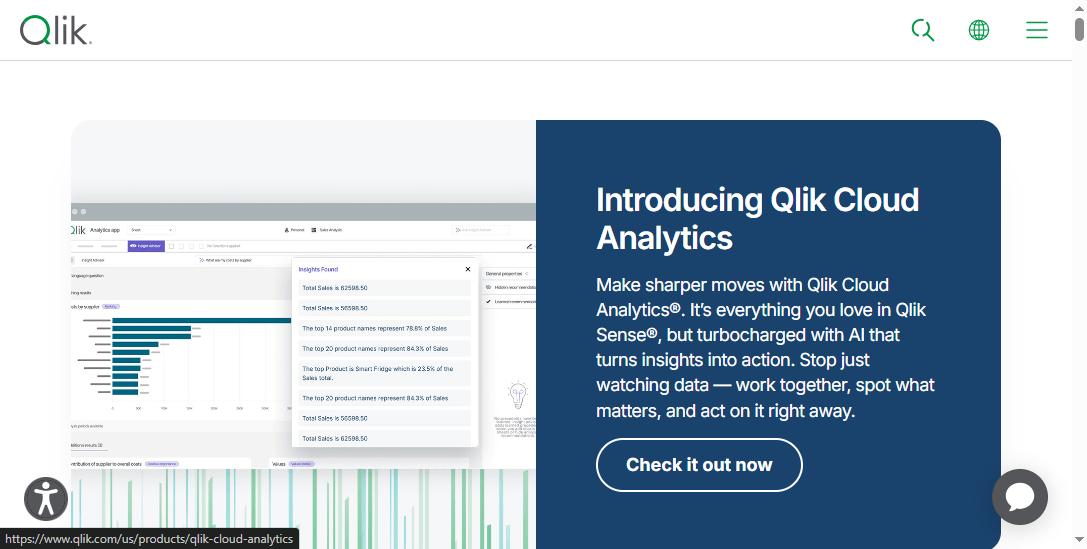
Qlik Sense: Provides an associative analytics engine for flexible exploration.
Looker: Offers a modern data platform with strong governance features.
Qrvey: Designed for SaaS companies, helping you save time and costs.
These tools help business users access data, create dashboards, and analyze trends without waiting for IT support. You can choose a tool that matches your company’s size, industry, and technical needs.
Why These Analytics Tools Lead the Market
You want to know why these solutions stand out. The best self-service analytics tools lead the market because they meet the needs of business users in several ways:
They provide a single source of truth, so you always see consistent and accurate data.
They let you explore data on your own, making it easy to find answers quickly.
You can create reports without technical help, which saves time and boosts productivity.
These tools make it simple to share insights with your team in secure ways.
They protect your data and help you follow compliance rules.
They improve the productivity of your data team by automating tasks and supporting reuse.
They keep performance high, even as your data and user numbers grow.
When you use these tools, you empower business users to make faster, smarter decisions. You also reduce the burden on IT teams and help your organization become more data-driven.
You need to understand what setsself-service analytics tools apart. These platforms give business users the power to access and analyze data without waiting for IT support. You can explore information, create reports, and share insights on your own. The main features that define these tools include:
Characteristic
Description
Ease-of-use
Enables fast access to data with a simple interface, enhancing productivity and decision-making.
Scalability
Adapts to growing business needs, handling more users and data without compromising performance.
Flexibility
Allows users to create customized reports independently, fostering a data-driven culture.
Security
Ensures strong data protection measures are in place to prevent unauthorized access.
Self-service tools also differ from traditional analytics platforms. You gain high autonomy, which means you can analyze data and generate reports without IT involvement. This independence leads to faster insights and more efficient workflows.
Why Self-Service Tools Matter for Business
You see the impact of self-service analytics tools in many organizations. These tools simplify data access for business users, making it easier to find answers and act quickly. Research shows that when you equip frontline workers with these solutions, you improve customer and employee satisfaction, as well as product quality.
Consider these benefits:
Enhanced decision-making with up-to-date data access.
Faster responses to business challenges.
Improved collaboration, since all users work with the same version of data.
A table below highlights the business value:
Benefit
Description
Enhanced Data Accuracy
Ensures users access the same version of critical data, improving collaboration and productivity.
Increased Efficiency
Reduces reliance on disparate data sources, streamlining decision-making processes.
Democratization of Access
Allows all users to access reliable data, fostering a data-driven culture within the organization.
You empower your team when you choose self-service tools. You give business users the ability to make informed decisions, which drives better outcomes for your company.
When you compare the best self-service analytics tools, you want to see how each one supports business users in their daily work. The table below highlights the most important features you should consider. These include usability, data access integration, visualization options, AI capabilities, and governance.
Tool
Usability
Data Access Integration
Visualization
AI Capabilities
Governance & Security
FineBI
Zero-code, intuitive
60+ connectors, strong ETL
Drag-and-drop, rich
Conversational AI,
Row-level security,
interface for business
(databases, files, APIs)
dashboards, 60+ charts
predictive analytics
audit logs, compliance
Tableau
Visual, easy to learn
Many connectors, strong API
Advanced, interactive
Some AI, forecasting
Role-based permissions
Power BI
Familiar, user-friendly
Deep Microsoft integration
Custom visuals,
AI insights, natural
Data loss prevention,
for Microsoft users
(Excel, Azure, SQL)
real-time dashboards
language queries
row-level security
Qlik Sense
Associative, flexible
Broad data source support
Interactive, responsive
AI-powered suggestions
Centralized governance
Looker
Modern, web-based
Strong cloud integration
Clean, web dashboards
Embedded analytics
Data modeling, access
(BigQuery, Redshift, etc.)
controls
Tip: When you evaluate analytics tools, focus on how easily business users can access data, create dashboards, and share insights. Look for tools that offer intuitive interfaces, trusted connectors, and secure data access.
Strengths and Limitations
You want to choose the best self-service analytics tool for your needs. Each platform has unique strengths and some limitations. Here is a quick overview to help you decide:
FineBI gives business users a zero-code experience, strong data access integration, and advanced AI-driven insights. You can connect to many sources and enjoy robust governance.
Tableau stands out for its visualization power and ease of use, but you may find integration and governance less comprehensive.
Power BI works best if you already use Microsoft products. It offers strong data access and AI features, but some users report a learning curve with complex models.
Qlik Sense provides flexible data access and associative exploration. You get AI-powered suggestions, but advanced customization may require more training.
Looker offers modern dashboards and strong cloud data access. You benefit from embedded analytics, but setup and modeling can take time.
You should always match the tool’s strengths to your business users’ needs. Consider how each platform supports data access, visualization, and secure sharing as you search for the best self-service analytics solution.
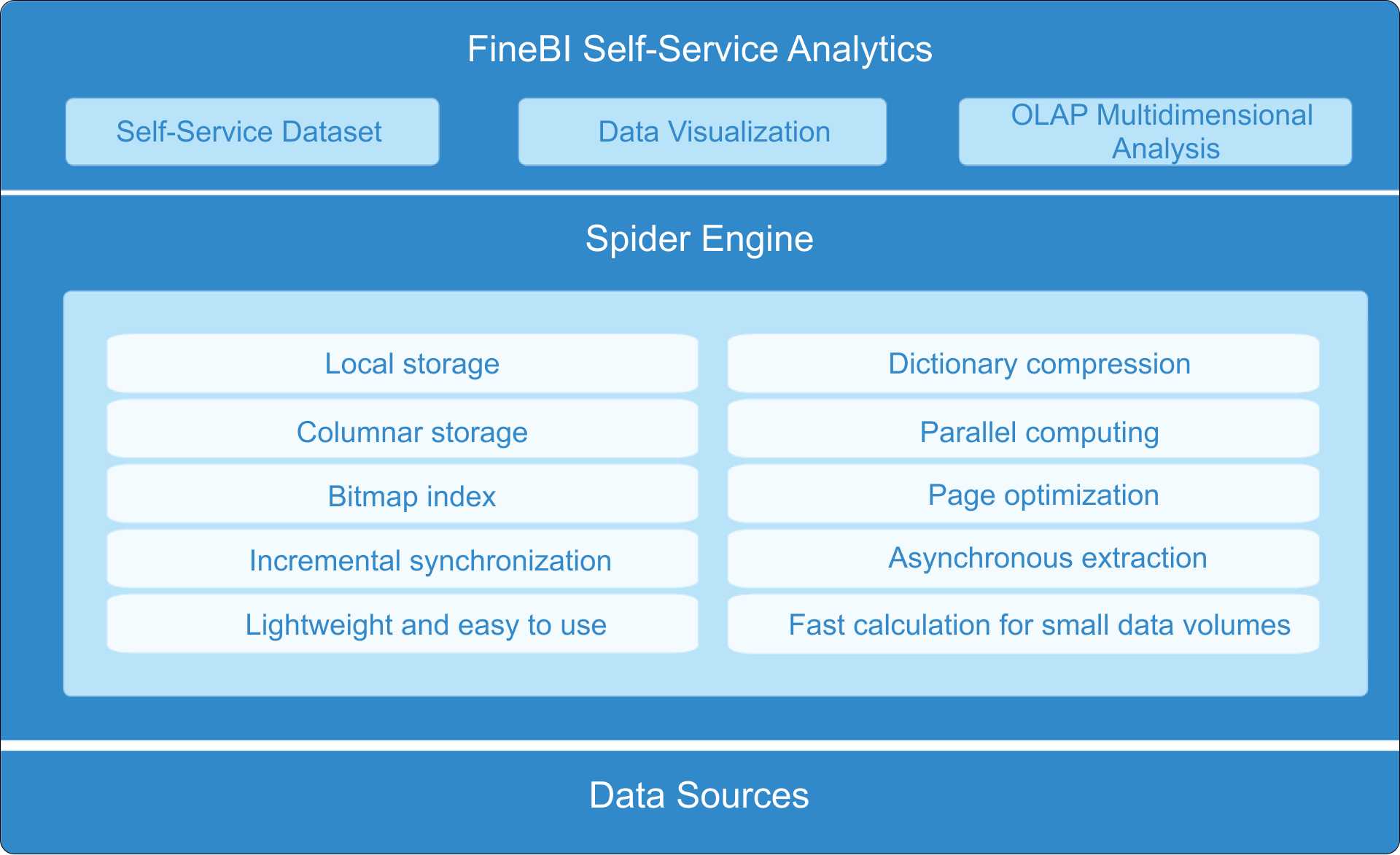
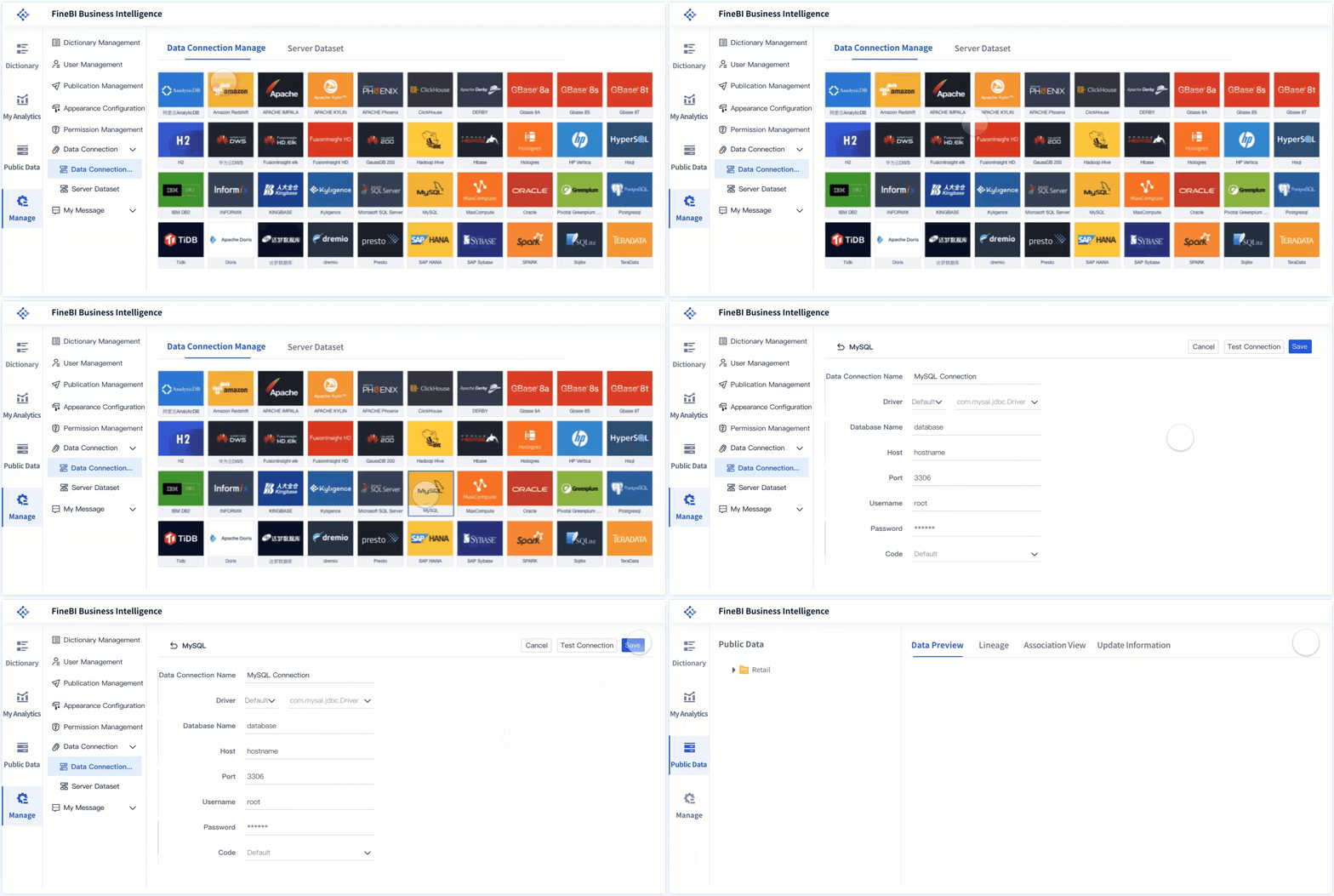
FineBI stands out amongself-service analytics tools for its focus on empowering business users with direct data access and advanced analytics. You can use FineBI’s drag-and-drop interface to create dashboards and reports without writing code. The platform supports over 60 data connectors, including databases, files, and APIs, making it easy for you to unify information from different sources.
FineBI’s workflow covers every step you need for analytics. You start by connecting to your data sources. The integrated ETL tools help you prepare and clean your data, so you can trust your results. You can then build visualizations using a wide variety of charts and tables. FineBI’s in-memory computing engine ensures fast response times, even with large datasets. You can access your dashboards on any device, including mobile, which means you always have insights at your fingertips.
Security is a top priority in FineBI. You can set role-based access control, row-level security, and audit logs to protect sensitive information. The platform also supports single sign-on for easy and secure user management. FineBI’s scalability allows your analytics environment to grow with your business, supporting both small teams and large enterprises.
The table below summarizes FineBI’s key strengths:
Feature
Description
User-Friendly Interface
Drag-and-drop GUI lets you create complex visualizations without coding.
Real-Time Data Processing
Enables real-time updates and processing for timely insights.
Integrated ETL Tools
Seamlessly prepares and cleans data within the platform.
Mobile App Support
Access insights anytime, anywhere, with a consistent experience across devices.
Scalability
Grows with your business, supporting expanding analytics needs.
In-Memory Computing Engine
Handles large data volumes efficiently for fast queries.
Enterprise-Grade Security
Role-based access, row-level security, single sign-on, and audit logging for strong governance.
You also benefit from FineBI’s strong localization, which supports Asian languages and regional data formats. The platform offers competitive pricing, making it accessible for mid-sized organizations. FineBI’s self-service approach means you can explore data and generate insights independently, reducing your reliance on IT teams.
Microsoft Power BI is apopular choice for organizationsthat need robust data access and integration with Microsoft products. You can connect Power BI to a wide range of data sources, including Excel, Azure, and SQL databases. The platform offers interactive dashboards and reports, which help you visualize trends and share insights with your team.
Power BI’s main advantages include a user-friendly interface, affordable pricing, and strong self-service functionality. You can start with a free version, which is helpful for small businesses. The platform supports centralized data models, role-based access control, and audit logs, which enhance governance and security for enterprise users.
Advantages
Drawbacks
User-friendly interface
Challenges with complex data modeling
Strong data source support
Limited compatibility on non-Windows platforms
Affordable pricing
Dataset size constraints
Interactive content
Confusing licensing structure
Self-service functionality
Limited localization and language support
You may find the interface bulky at times, and the formula language (DAX) can be challenging for new users. Power BI also has some limitations in handling very large datasets, especially in the free version. However, its integration with Microsoft Entra ID, data loss prevention policies, and secure sharing features make it a solid choice for organizations focused on governance.
Tableau is known for its leadership in data visualization. You can use Tableau to create interactive dashboards that highlight key metrics and trends. The platform supports self-service analytics, allowing business users to analyze data without a technical background. Tableau’s predictive analytics features help you identify future trends and make proactive decisions.
Feature
Description
Interactive Dashboards
Create customized dashboards for quick insights.
Self-Service Analytics
Empower all employees to analyze data independently.
Predictive Analytics
Identify trends and make proactive decisions.
Cloud-Based Analytics
Access data anytime, anywhere for real-time collaboration.
Data Governance
Protect data and ensure compliance.
Data Integration and Transformation
Merge data from various sources for comprehensive analysis.
You may encounter some challenges with Tableau. The platform’s premium pricing can be a barrier for large deployments. While basic visualizations are easy to create, advanced features require more training. Governance can become complex if you do not manage dashboards and metrics carefully. Tableau Prep, the data preparation tool, is improving but may not match dedicated ETL solutions for complex tasks.
Qlik Sense offers a unique approach to data access with its associative analytics engine. You can explore data in any direction, selecting elements and instantly seeing related information while unrelated details fade into the background. This associative logic helps you uncover patterns and trends without needing technical expertise.
The associative engine indexes every data point and relationship, letting you select a data element and see all related information.
You can explore data quickly and create visual connections between datasets.
The model maintains your selection context across all sheets, so follow-up questions are seamless.
The engine recalculates analytics and highlights relationships after each interaction, revealing insights that traditional BI tools may miss.
You may face challenges when migrating from other platforms, as data modeling and transformation logic often need to be redesigned. Users sometimes report confusion due to an overabundance of dashboards and inconsistent metrics. Performance issues can arise with very large datasets, so you should plan your deployment carefully.
Looker positions itself as a modern data platform with strong integration and scalability. You can connect Looker to various data sources, including all major cloud data hosting platforms. The platform is designed to scale with your organization’s growing data needs.
Feature
Description
Integration
Seamlessly connects with various data sources and cloud platforms.
Scalability
Accommodates expanding data requirements effectively.
You may find that Looker requires more manual effort for report preparation and sharing. The platform can face scalability issues if too many automated schedulers run at once. Some users report limited options for slicing and dicing data in generic reports. Drill-down functionality needs explicit field definitions, which can limit flexibility for end users. Developers often need to write custom code to enhance features, which increases complexity.
Other Notable Analytics Tools
Several other self-service analytics tools are gaining attention. You may want to explore these options based on your organization’s needs:
Wren AI: Best for natural-language exploration and lightweight insights. It offers natural language querying and API access, focusing on accurate AI responses.
Mitzu: Integrates natively with data warehouses and automates SQL queries. It provides advanced segmentation tools, making it useful for subscription-based businesses.
Mixpanel: Excels in event tracking, user segmentation, and funnel analysis. It supports predictive analytics and A/B testing for product improvement.
PostHog: An open-source platform that provides session replays, auto-capture for user tracking, and insights through heatmaps and A/B testing.
You can choose from these tools to match your data access requirements, business user needs, and analytics goals. Each platform offers unique features that support different use cases, so you should evaluate them based on your organization’s priorities.
How to Choose the Best Self-Service Analytics Tool
Key Evaluation Criteria
You need to focus on several important factors when selecting the Best Self-Service Tools for Analytics. The right choice will help business users gain value from data access and analytics. Use the table below to compare the most critical criteria:
Evaluation Criteria
Description
User-friendliness
Platforms should have natural-language querying and user-friendly interfaces for quick insights.
Security and Data Governance
Look for features like SOC 2 Type II compliance and role-based access controls.
Integration Capabilities
Assess compatibility with existing data infrastructure to save time and effort.
Total Cost of Ownership
Consider the complete cost structure, including implementation and training.
Simplification of Data Preparation
Tools that simplify data preparation can significantly reduce time spent on analytics projects.
You should also consider cost and scalability. Many self-service tools offer subscription-based pricing, which lowers your initial investment. These platforms require less IT support, so you save on operational costs. You can scale these tools quickly as your organization grows, especially with cloud-based options. When business users generate their own reports, you reduce the need for specialized analysts and free up IT resources for strategic work.
Matching Tools to Business Needs
You should match the Best Self-Service Tools for Analytics to your specific business needs. Start by identifying the most importantdata-driven processesin your organization. Work with business users to review and select the right platform. Begin with simple use cases that show quick results. As your team gains confidence, introduce more advanced analytics features.
Encourage business users to experiment with different types of analysis. Identify any gaps in your data and ensure your information is accurate and ready for use. Plan for future growth by preparing your infrastructure for more users and larger data sets. Set clear data standards and promote a culture of exploration. Always make security, privacy, and compliance a priority. Understand the limits of self-service tools so you can set realistic expectations for your team.
Tip: Involve business users early in the selection process. Their feedback will help you choose a tool that fits your company’s workflow and goals.
When you adopt theBest Self-Service Tools for Analytics, you may face several obstacles. Many organizations struggle with data governance, user adoption, technical limitations, and security. You need to address these challenges early to ensure a smooth rollout.
Challenge Type
Description
Data Governance and Quality Issues
Maintaining data quality and governance is crucial when multiple users access and manipulate data.
User Adoption and Data Literacy
Resistance to new tools and varying levels of data skills can hinder effective use of analytics.
Technical Challenges
As data grows, organizations face scalability and performance issues that need to be addressed.
Security and Compliance Obstacles
Ensuring data security and compliance with regulations is essential in self-service analytics.
You can overcome these barriers by following proven best practices:
Use tools and processes that ensure data consistency and reliability.
Implement security measures like masking and access controls.
Encourage collaboration and sharing among users to prevent silos.
Develop training programs to improve data literacy.
Focus on quick wins to build confidence in the new system.
Establish strong policies for data access, standardization, and privacy.
Tip: Start with small, high-impact projects to show value quickly and build momentum for broader adoption.
Maximizing Value from Analytics Tools
You can unlock the full potential of the Best Self-Service Tools for Analytics by integrating them into your daily operations. When you empower users with direct data access, you reduce bottlenecks and accelerate time-to-insight. This approach helps your organization respond faster to changing business needs.
A real-world example shows how a healthcare analytics team reduced hospital stays by 33% after deploying self-service analytics. Analysts focused on high-value tasks while clinical teams accessed real-world data directly. This shift improved efficiency and quality.
To maximize value, you should:
Automate common inquiries to lower operational costs.
Improve satisfaction by providing fast, accurate responses.
Allow experts to focus on complex issues by enhancing self-service capabilities.
Integrate analytics tools with CRM, CMS, and other systems for seamless data flow.
You should also track your progress. Use these metrics to measure success:
Metric Category
Metrics
Adoption Metrics
Active Users, Query Volume, User Diversity, Champion Network
Impact Metrics
Time to Insight, IT Ticket Reduction, Decision Velocity, ROI
Quality Metrics
Data Quality Score, User Satisfaction, Dashboard Utilization, Support Ticket Trends
By following these best practices, you ensure that your investment in theBest Self-Service Tools for Analytics delivers measurable results and supports a data-driven culture.
You have explored the Best Self-Service Tools for Analytics, including FineBI, Tableau, Power BI, Qlik Sense, and Looker. FineBIstands out for its zero-code interface, strong governance, and advanced analytics. When choosing a tool, consider user skills, tool capabilities, training needs, and governance. Free trials and demos help you compare features:
Tool
Free Trial Duration
Additional Features
Power BI
30 days
Free training resources
Tableau
30 days
Comprehensive analytics with CRM
Qlik Sense
30 days
Demo available
After selection, follow these steps for success:
Establish governance early.
Build data literacy.
Use AI-driven features.
Balance autonomy with oversight.
Design dashboards for roles.
Monitor and evolve your approach.
Like choosing a checkout lane, your decision depends on your needs and readiness. Start with training and support for your team.
Access a wealth of case studies, industry insights, and solution guides to accelerate digital transformation.
FAQ
What are the Best Self-Service Tools for Analytics?
You can find the Best Self-Service Tools for Analytics by looking at platforms like FineBI, Tableau, Power BI, Qlik Sense, and Looker. These tools help you analyze data, create dashboards, and share insights without needing advanced technical skills.
How do the Best Self-Service Tools for Analytics improve decision-making?
You gain faster access to data with the Best Self-Service Tools for Analytics. This means you can make decisions quickly. You do not need to wait for IT support. You see trends and act on insights right away.
Can you use the Best Self-Service Tools for Analytics without coding skills?
Yes, you can use the Best Self-Service Tools for Analytics without coding. Most platforms offer drag-and-drop interfaces. You build reports and dashboards by selecting data and visual elements. This makes analytics easy for everyone.
What should you consider when choosing the Best Self-Service Tools for Analytics?
You should look at ease of use, integration options, security, and cost. Make sure the tool fits your business needs. Try free trials to see which platform works best for your team.
Do the Best Self-Service Tools for Analytics support mobile access?
Many of the Best Self-Service Tools for Analytics support mobile access. You can view dashboards and reports on your phone or tablet. This helps you stay informed wherever you are.