A customer dashboard is a visual tool that lets you see key customer data and metrics in one place. You use it to track customer satisfaction, monitor interactions, and analyze trends. This dashboard helps you understand your customer journey and make quick decisions.
You need a customer dashboard because it gives you a centralized view of customer information. It helps you spot issues, improve support, and boost satisfaction. Real-time insights from your dashboard let you respond faster and make better choices.
| Metric/Insight | Impact on Decision-Making and Customer Satisfaction |
|---|---|
| Low NPS Score | Shows customer dissatisfaction and signals issues that need attention. |
| Internal Support Notes | Highlights common customer questions and suggests areas for improvement. |
| Response Times and CSAT | Faster responses lead to happier customers and guide resource allocation. |
| Centralized Data View | Combines customer data to improve understanding and strategy. |
| Real-Time Insights | Enables swift action to resolve customer problems and increase satisfaction. |
| Tracking Business Performance | Measures retention and resolution rates to inform strategy adjustments. |
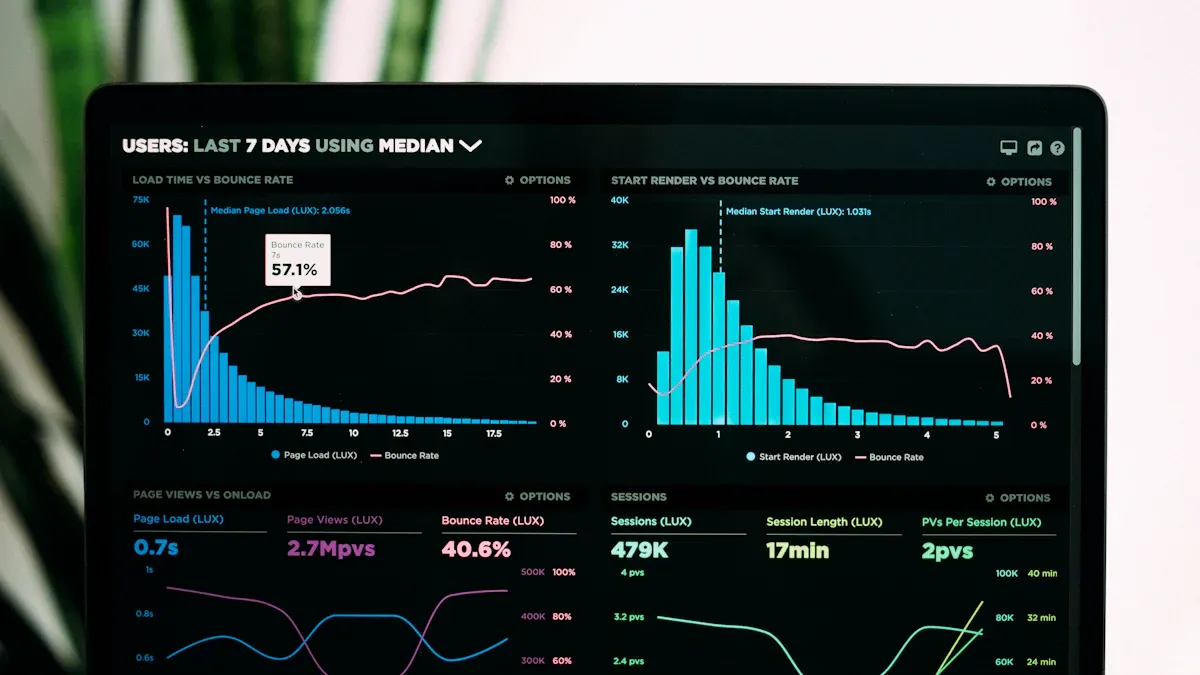
A customer dashboard gives you a clear view of your customer data in one place. You use it to track important metrics, monitor interactions, and analyze trends. The main purpose of a customer dashboard is to help you make better decisions and improve customer satisfaction. You can see feedback, support tickets, and purchase history all together. This makes it easier to spot problems and find opportunities to help your customers.
Industry experts agree that a customer dashboard serves several key purposes:
A customer dashboard is not just a tool for viewing data. It is a central hub that brings together information from many sources. You can see both numbers and comments, which helps you understand your customers better. This holistic view makes it easier for your team to work together and align on strategies.
Shay, a product manager, said, "A core part of my job is making sure we have a central location for people to go to for data on a particular product, launch, or initiative, and dashboards have been crucial for that."
When you use a customer dashboard, you get access to several powerful features. These features help you visualize, analyze, and share customer data quickly.
| Core Feature | Description |
|---|---|
| Customizable interface | You can tailor the dashboard layout and elements to fit your needs. |
| Interactivity | You can filter data and drill down into details for deeper analysis. |
| Real-time data access | You see up-to-date information for timely decisions. |
| Web accessibility | You can access dashboards from any web browser, making them easy to use. |
| Standard templates | You can use pre-designed layouts to create dashboards faster. |
| Sharing capability | You can share insights with your team for better collaboration. |
You also benefit from these common functions:
FineBI makes these features even more powerful. You can connect to over 60 types of data sources, including databases, cloud platforms, and APIs. FineBI lets you merge and clean data, build custom datasets, and create dashboards with drag-and-drop tools. You can explore customer trends, track satisfaction scores, and share dashboards securely with your team. FineBI’s real-time filtering and mobile access ensure you always have the latest customer insights at your fingertips.
A customer dashboard helps you centralize and visualize customer data from multiple sources. You can see both quantitative and qualitative data together. This approach fosters teamwork and helps everyone make informed decisions. You can view data over different time frames, which helps you understand customer behavior and adjust your strategies.
You use a customer dashboard to align your team, improve customer experience, and drive business growth. With tools like FineBI, you can unlock the full value of your customer data and stay ahead in a competitive market.
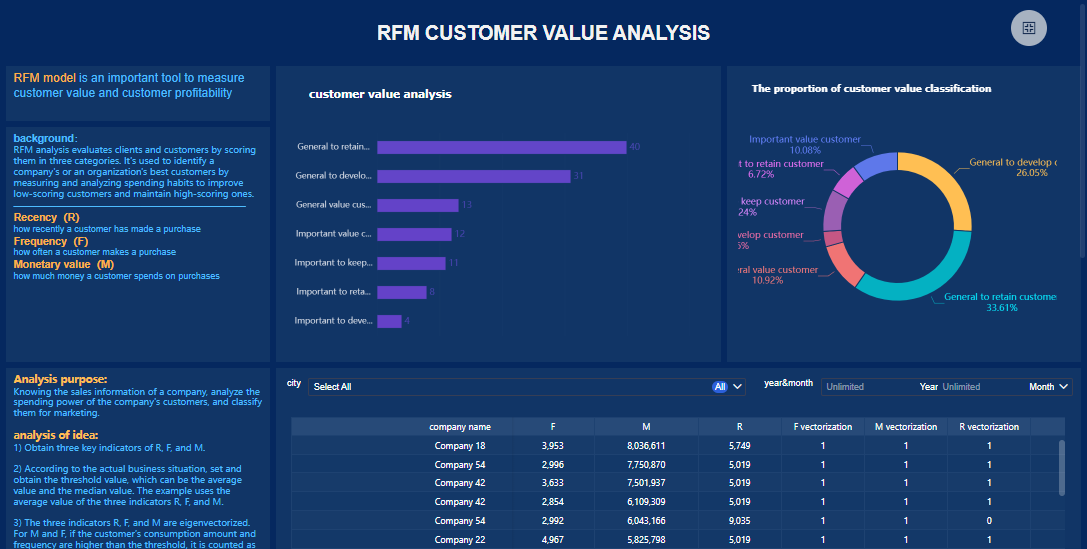
You need a customer dashboard to gain a clear advantage in today’s competitive market. When you use a customer dashboard, you unlock the ability to analyze customer data and trends in real time. This helps you make smarter decisions and respond quickly to changes in customer behavior.
A customer dashboard gives you a holistic view of your customers. You see how they interact with your business, what they like, and where you can improve. This centralized hub lets you track key metrics such as customer satisfaction, retention rates, and feedback. You can identify patterns and spot issues before they become major problems.
Consider these ways customer dashboards deliver value:
Customer dashboards also drive measurable business outcomes. You can monitor performance with real-time updates and transform complex data into actionable insights. Teams become empowered to make data-driven decisions that align with your business goals.
| Scenario | Description |
|---|---|
| Increase qualified leads | Focus on growing revenue by attracting more potential customers. |
| Acquire new customers | Set clear objectives to gain new customers and measure success. |
When you use a customer dashboard, you align your customer experience efforts with business goals. You can see how metrics like customer satisfaction and Net Promoter Score (NPS) connect to outcomes such as retention and revenue growth. This direct link helps you adjust strategies and improve results.
A customer dashboard does more than show numbers. It helps you understand customer interactions and improve their experience. You see real-time insights into customer behavior, preferences, and satisfaction levels. This information lets you personalize your approach and simplify operations.
Customer experience dashboards help you:
You can use a customer dashboard to personalize interactions. For example, you might notice that certain customers respond well to specific offers or support channels. You can adjust your approach to meet their needs and boost satisfaction.
FineBI plays a key role in this process. With FineBI, you connect to multiple data sources and visualize customer data in real time. You can track customer satisfaction scores, analyze feedback, and share dashboards securely with your team. FineBI’s self-service analytics and mobile access let you respond to customer needs anytime, anywhere.
FineBI also supports collaborative decision-making. Your team can work together on dashboards, share insights, and align strategies. This unity helps you deliver a better customer experience and achieve your business goals.
Tip: Use FineBI’s real-time filtering and interactive dashboards to drill down into customer data and uncover hidden trends. This approach helps you stay ahead of customer expectations and drive continuous improvement.
A customer dashboard is essential for understanding and enhancing customer interactions. You gain the ability to act on insights, improve satisfaction, and grow your business. With tools like FineBI, you turn customer data into a powerful asset that sets you apart from the competition.
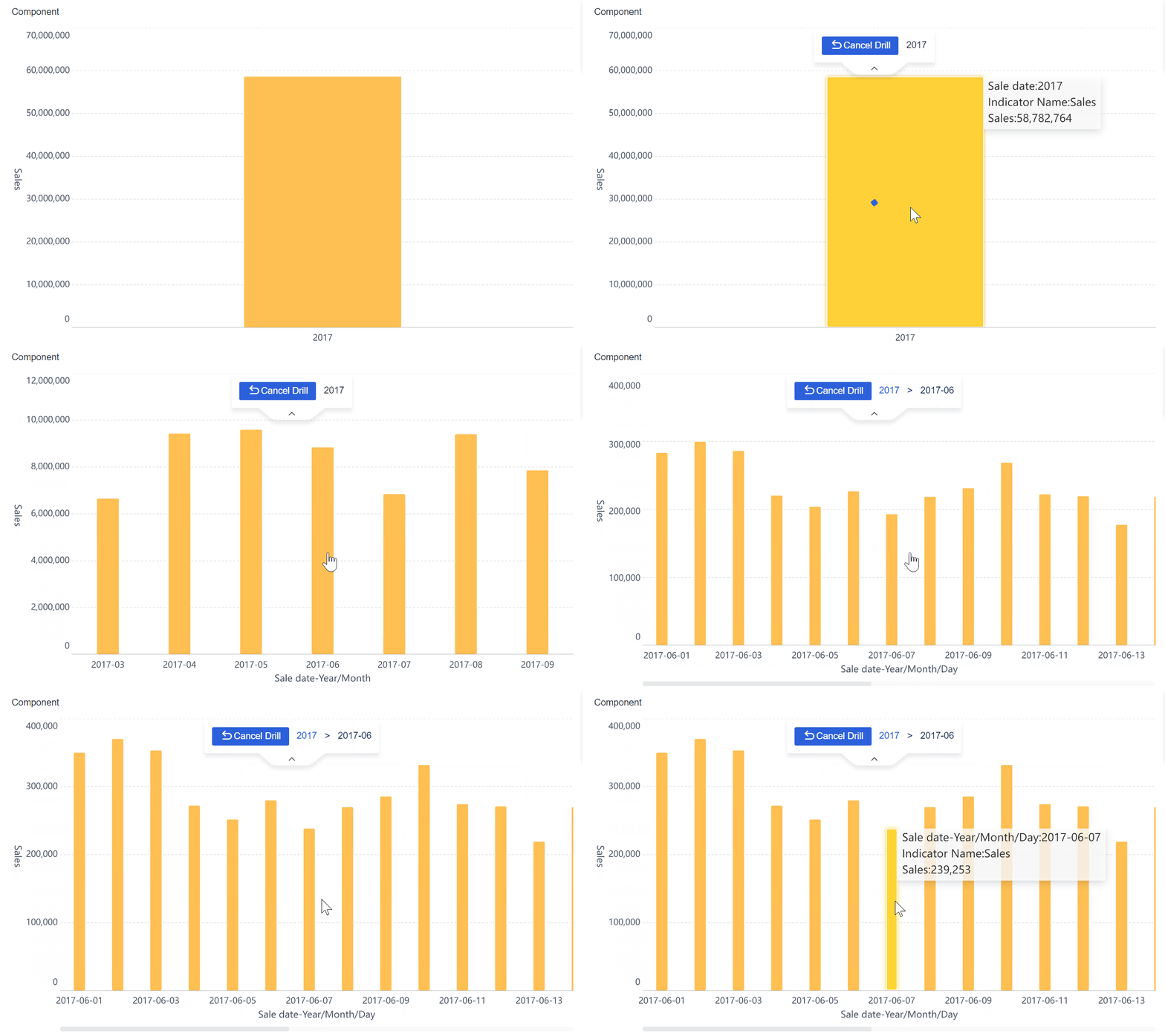
A customer dashboard gives you a powerful way to understand your business and your customers. You can see important data in real time, work better with your team, and make faster decisions. Let’s look at the main benefits you get when you use a customer dashboard.
You need to make decisions quickly. A customer dashboard helps you do this by showing you real-time data. You can track key metrics like satisfaction scores, support tickets, and spending. When you see a sudden change, you can act right away. This helps you solve problems before they grow.
You also get clear visuals that make complex data easy to understand. Charts and graphs help you spot trends and patterns. You can monitor service levels, resource use, and customer feedback. This makes it easier to adjust your strategy and improve your results.
FineBI supports you with self-service analytics and real-time filtering. You can connect to many data sources and see the latest information on any device. This means you always have the insights you need to stay ahead.
Tip: Use your customer dashboard to set alerts for important metrics. This way, you never miss a change that could impact your business.
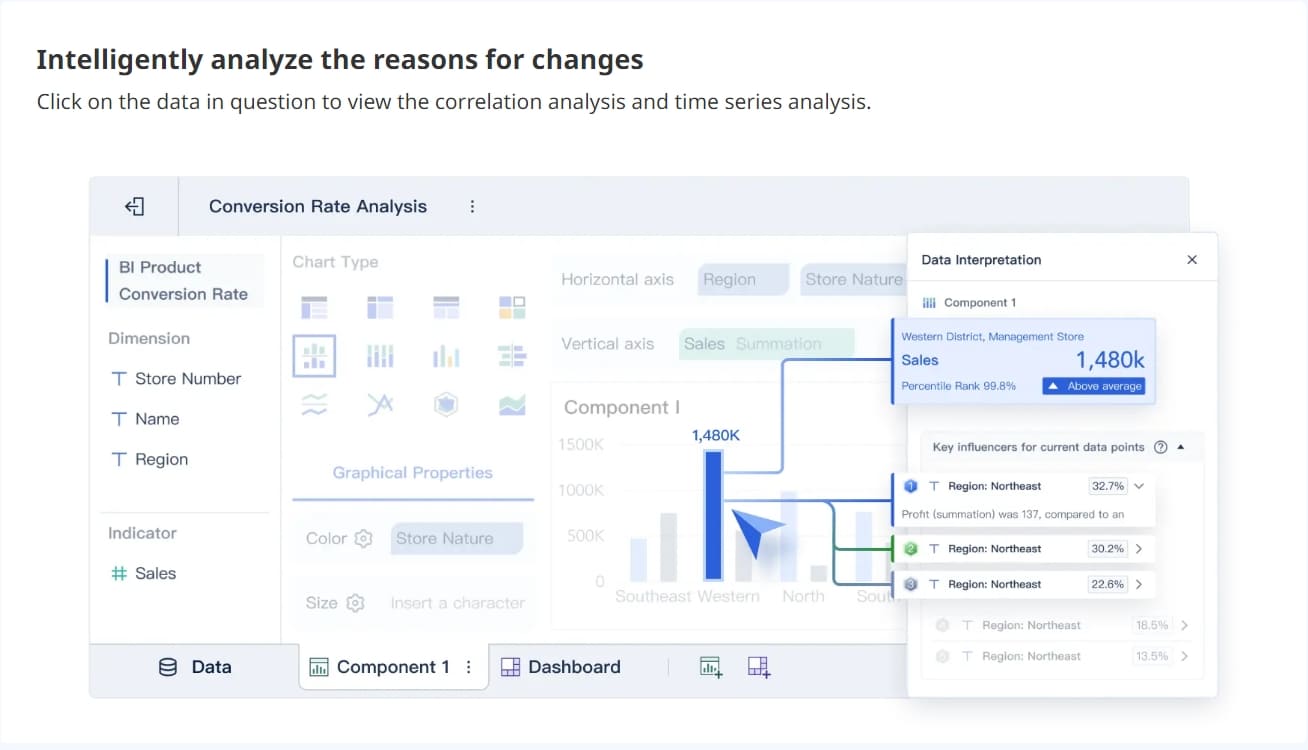
A customer dashboard helps your team work together. Everyone can see the same data and stay focused on shared goals. You can comment on charts, tag team members, and discuss results in real time. This improves communication and helps you solve issues faster.
| Collaboration Feature | How It Helps Your Team |
|---|---|
| Unified View of Metrics | Keeps everyone aligned on customer goals |
| Real-Time Discussions | Lets teams talk about data as it happens |
| Tailored Data Access | Shows each team the metrics that matter most |
| Automated Reporting | Sends updates to the right people at the right time |
| Shared Workspaces | Makes it easy for teams to work from the same dashboard |
FineBI lets you share dashboards securely and set permissions for different users. You can build a workspace where sales, support, and marketing all see the data they need.
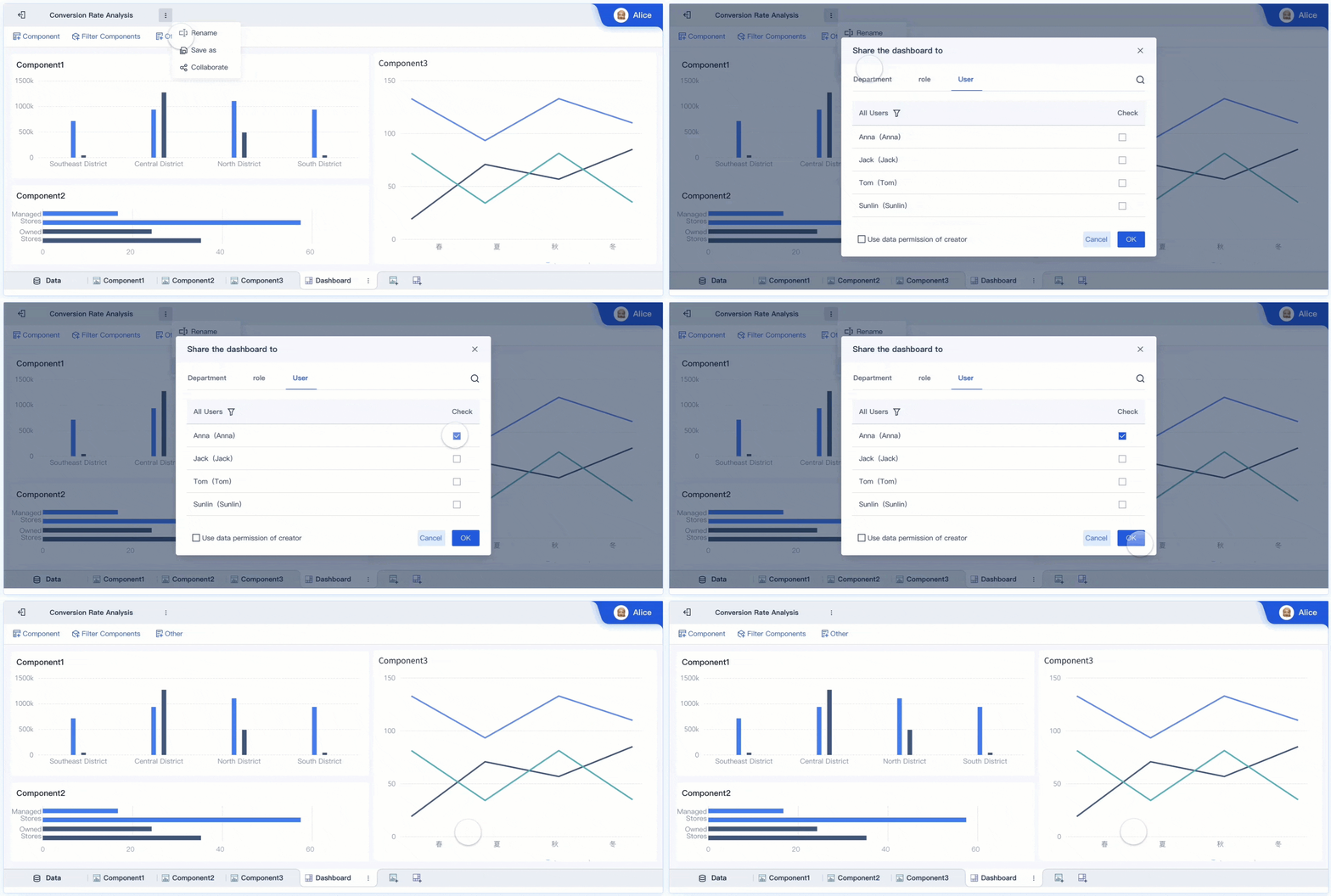
An online business dashboard gives you more flexibility than old reporting tools. You get real-time updates instead of waiting for static reports. You can interact with your data, drill down for details, and react to changes right away.
| Feature | Online Business Dashboard | Traditional Reporting Tools |
|---|---|---|
| Data Access | Real-time updates | Static snapshots |
| Interactivity | Drill down and filter data | Limited interactivity |
| Decision-Making | On-demand insights | Slower, less flexible |
| Visualization | Interactive charts and graphs | Mostly text and tables |
| Responsiveness | Immediate reaction to changes | Only shows past data |
FineBI's mobile access means you can check your customer dashboard anywhere. You can respond to customer needs even when you are not at your desk. Companies like Kintetsu have used dashboards to improve efficiency and manage customer information in real time. In retail, dashboards help teams track membership activity and adjust marketing strategies quickly.
A customer dashboard helps you make better decisions, work as a team, and stay flexible in a fast-changing market.
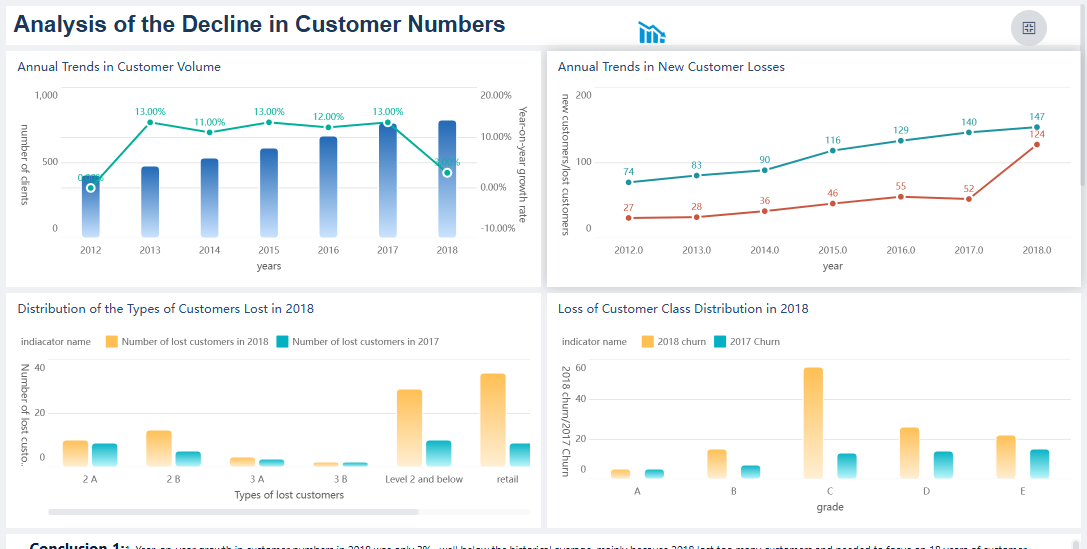
Tracking the right customer dashboard metrics helps you understand what drives satisfaction and loyalty. You need to focus on key performance indicators that reveal how customers interact with your business and how you can improve their experience.
Customer satisfaction and feedback are central to any customer dashboard. You should monitor scores that show how happy customers feel after interacting with your products or services. The most important metrics include:
| Metric | Description | Impact on Business Success |
|---|---|---|
| Customer Satisfaction Score | Measures happiness with specific interactions or products. | Improves experience and satisfaction |
| Net Promoter Score | Assesses customer loyalty and likelihood to recommend your brand. | Critical for retention and long-term growth |
| Customer Effort Score | Evaluates how easy it is for customers to resolve issues or complete tasks. | Optimizes processes and boosts satisfaction |
You can also track reviews, testimonials, and quarterly business review ratings. FineBI supports these customer dashboard KPIs by unifying metric definitions and providing instant visual dashboards. You get AI-driven insights that help you spot patterns in customer feedback and satisfaction.
Engagement and retention KPIs show how well you keep customers involved and loyal. Important metrics include:
FineBI makes it easy to visualize these customer dashboard metrics. You can compare engagement trends, monitor retention, and share dashboards with your team for better decision-making.
Sales and churn metrics help you understand growth and risk. You should watch for:
| Metric | Implication | Impact on Growth |
|---|---|---|
| High Churn Rate | Signals unmet customer needs and risks to retention and revenue. | Can slow growth and reduce revenue |
| Effective Sales | Strategies that lower churn support lasting profitability. | Drives long-term business growth |
User retention metrics reveal how well your sales efforts build lasting relationships. FineBI’s metrics hub and auto-generated dashboards let you track these numbers in real time. You can identify issues early and adjust your strategy to support customer loyalty and business growth.
Tip: Use FineBI to set alerts for key customer dashboard metrics. This helps you respond quickly to changes and keep your business on track.

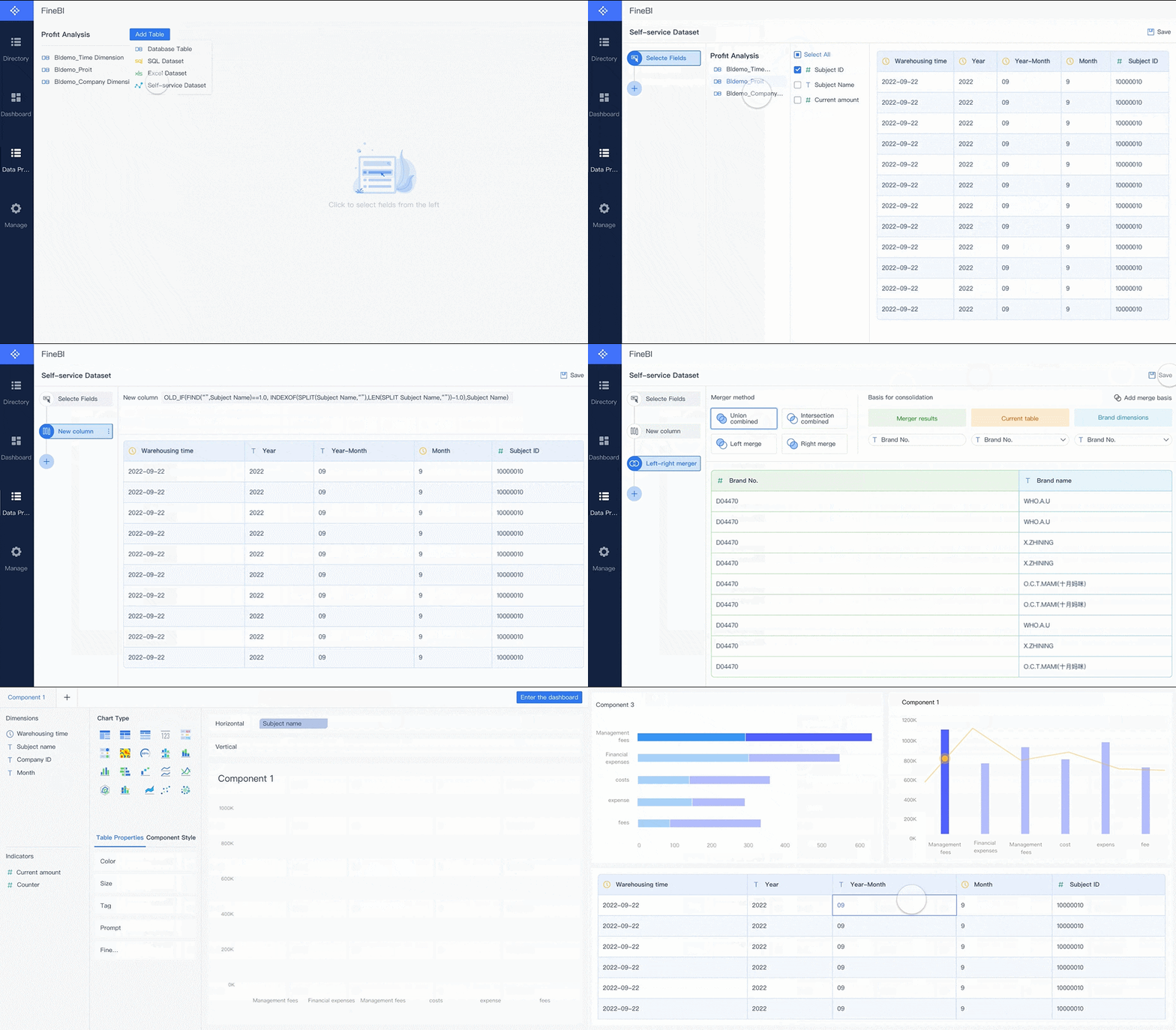
You can create a customer dashboard that drives customer engagement and supports customer experience management by following a clear process. Start by logging in to FineBI as an admin. Go to System Management, then Data Portal, and select Portal Management. Add a new portal and set the portal name and parameters. Modify the layout by removing any unnecessary components. Add an image component for your dashboard title and upload the image. Set up the data dashboard by choosing the right components from your directory. Include a quick entry component if you want fast access to key areas. Adjust the style by setting backgrounds for the page and components. Save and preview your dashboard to check the results. Enable customization support so users can personalize their view. Set the homepage and manage directory permissions to control who can see different parts of the dashboard.
You need to follow best practices to maximize the value of your customer dashboard. Build a user adoption plan during development. Offer ongoing training, such as workshops and courses, to help users become skilled with dashboards. Promote dashboard usage across all levels of your organization using internal communications and contests. Monitor dashboard usage and collect feedback to improve the dashboard and address customer issues. Regular updates and reviews keep your dashboard relevant and aligned with business goals.
| Best Practice | Description |
|---|---|
| Plan for User Adoption | Develop a strategy to encourage dashboard use and maximize value. |
| Provide Ongoing Training | Help users learn and improve their skills with dashboards. |
| Promote Organization-wide | Raise awareness and encourage usage throughout your company. |
| Monitor Usage | Track how people use the dashboard and gather feedback for improvements. |
Note: Companies that offer ongoing training see higher employee retention and better dashboard adoption.
You can see the impact of a customer dashboard example in real business scenarios. Kintetsu used FineBI to integrate multiple data sources and create real-time dashboards for customer information. This improved operational efficiency and helped teams manage customer trends and interactions. In retail, membership management solutions use dashboards to segment customers, track engagement, and personalize marketing. These dashboards help you identify customer issues, optimize campaigns, and boost loyalty. FineBI supports these use cases with flexible data integration, secure sharing, and mobile access, making it easy to manage customer data and drive business growth.
A customer dashboard gives you the tools to improve retention, support, and onboarding. You can identify upsell opportunities and guide product decisions. The table below highlights key advantages:
| Advantage | Description |
|---|---|
| Higher customer retention leads to steady revenue | A 5% increase in customer retention can lead to a 25% boost in profitability. Dashboards help identify at-risk customers. |
| Faster support improves customer satisfaction | Tracking response and resolution times enables quick issue resolution, leading to increased customer loyalty. |
You gain measurable improvements in customer experience and business outcomes. FineBI offers prebuilt dashboards that save time, accelerate insights, and minimize risk. Prioritize customer data and insights to drive growth and stay competitive.

Best Dashboard Apps for Business Insights
What is a Call Center Dashboard and Why Does It Matter
What is a Reporting Dashboard and How Does it Work
What is An Interactive Dashboard and How Does It Work
What is a Call Center Metrics Dashboard and How Does It Work

The Author
Lewis
Senior Data Analyst at FanRuan
Related Articles
Payment Analytics Dashboard: 12 KPIs Every Operations Leader Should Track to Cut Revenue Leakage
Losing revenue to declines? Discover 12 essential KPIs to track in your payment analytics dashboard to stop leakage and manage disputes.

Lewis Chou
May 05, 2026
SOC Dashboard Explained: 12 Essential KPIs, Views, and Workflows Security Teams Use
Learn about SOC dashboards, the 12 essential KPIs for security teams, and how they centralize alerts and workflows for faster threat detection and response.
Lewis Chou
May 05, 2026

EMR Dashboard Guide: 12 Metrics to Track for Faster Clinical and Operational Decisions
Learn the 12 essential EMR dashboard metrics to track for faster clinical and operational decisions, improving patient flow and revenue cycle management.
Lewis Chou
May 05, 2026





