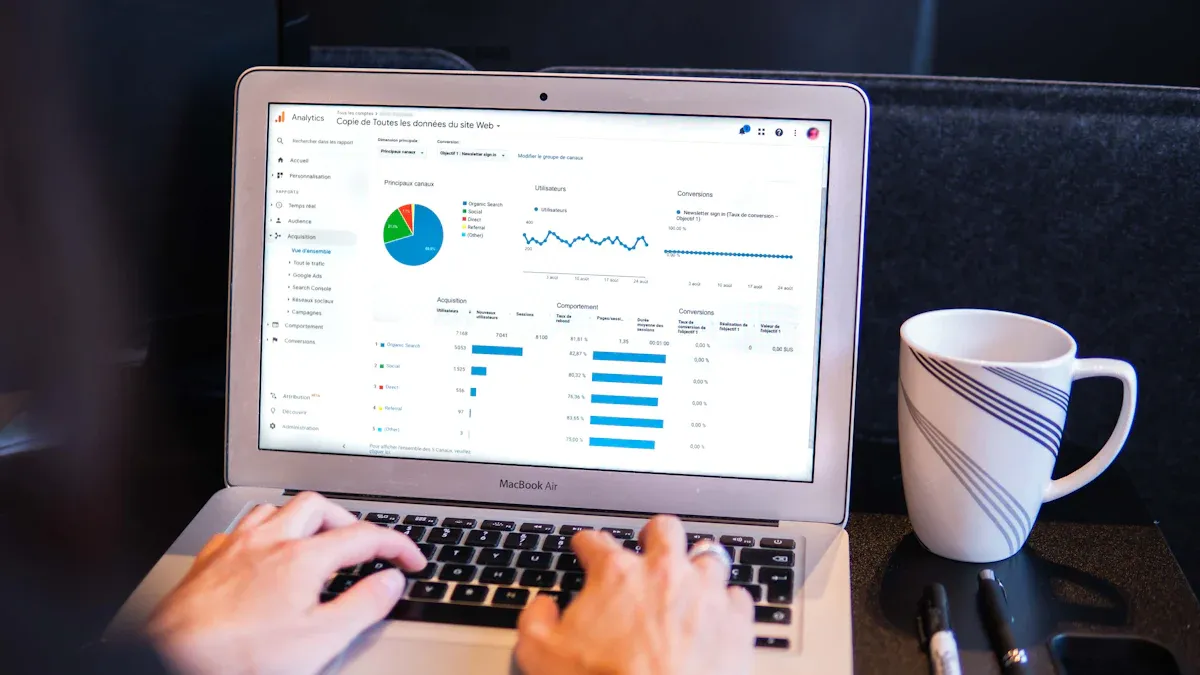
What is an operations dashboard? An operations dashboard is a visual tool that brings together key data and metrics in one place. It lets you see and understand important information about your business operations at a glance. You use it to track performance, monitor processes, and spot trends in real time.
Operational dashboards play a vital role in modern business. They give you instant access to critical data, so you can respond quickly to changes and make informed decisions. Recent studies show that real-time data analytics helps organizations act faster and stay competitive. Tools like FineBImake it easy to build dashboards that support operational excellence.
Understanding Operations Dashboard
What is an Operations Dashboard
Anoperations dashboardserves as a data visualization and analysis tool that brings together key performance indicators and essential business metrics on a single screen. You can use this tool to monitor your business in real time and make informed decisions quickly. Industry experts recognize that an operations dashboard is crucial for organizations because it provides vital data points to everyone, from executives to team members. This tool helps you see the big picture and focus on what matters most for your business.
The main functions and components of operational dashboards include:
Customizable metrics that let you choose which KPIs to track and how often to update them.
Seamless integration with tools like CRM, HR, and accounting systems, so you can view all your information in one place.
Scalability that supports monitoring across multiple locations or departments.
A user-friendly design that makes the dashboard easy to understand and use.
Mobile accessibility, which allows you to check operational data from anywhere.
How Operational Dashboards Work
You can think of an operations dashboard as a workflow that starts with data and ends with actionable insights. The process involves several key steps:
Step
Description
Data Integration
Connect to your data sources to ensure accurate and timely information flows into the dashboard.
Designing Dashboard Layout
Create a clean and intuitive design that highlights the most important metrics and trends.
Choosing Visualization Types
Select charts, graphs, or tables that best communicate your data to stakeholders.
By following these steps, you ensure that your operational dashboards deliver clear and reliable information for daily management.
FineBI’s Role in Operations Dashboards
FineBI makes the creation and management of operations dashboards straightforward for business users. You do not need advanced technical skills to get started. Here is how you can use FineBI to build effective dashboards:
Create a new dashboard by selecting the Dashboard tab and naming your project.
Add components such as tables and charts to analyze your data visually.
Share your dashboards with team members or generate public links for wider access.
FineBIstreamlines the entire process, from connecting your data sources to sharing insights across your organization. This approach helps you focus on analysis and decision-making rather than technical setup.
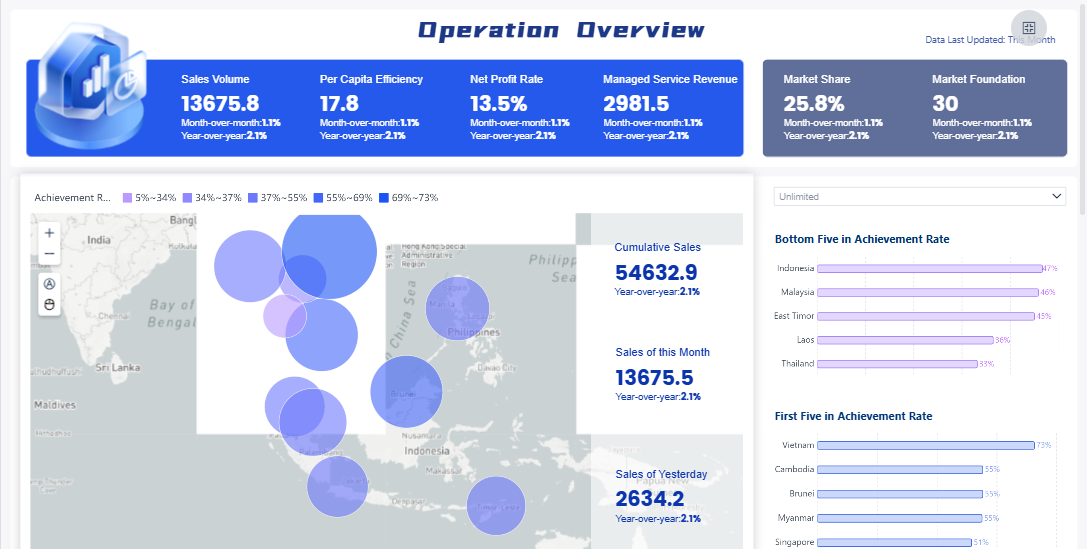
FineBI'sOperation Overview Analysis Dashboard - Click To Engage
You need to make decisions quickly in today’s business environment. Anoperations dashboard gives you real-time insights that help you respond to changes as they happen. Many companies struggle with traditional dashboards because they require skilled users to interpret complex datasets. These dashboards often present raw numbers without context, making it hard to understand trends or spot anomalies. As a result, businesses miss opportunities for proactive decision-making.
Recent surveys show that 67% of executives feel dissatisfied with their existing tools. Most business intelligence dashboards do not provide real-time data, which means critical information can be overlooked. Timely intervention is essential for companies that operate integrated ecosystems. Real-time monitoring helps you manage data proactively and avoid costly mistakes.
Benefit
Explanation
Immediate Insights
You get instant visibility into your business operations, so you can monitor progress and act fast.
Anomaly Detection
Dashboards highlight outliers and unusual patterns, allowing you to investigate issues before they grow.
Smarter Decisions
You make smarter choices with up-to-the-minute data, reducing delays and improving outcomes.
For example, your sales team can use a dashboard to track progress toward monthly targets. If you see a gap, you can take action right away. Continuous monitoring of key metrics helps you flag potential issues and address them before they escalate. Companies using real-time analytics and dashboards see a 20% improvement in decision-making time. These tools transform raw data into actionable insights, enabling you to respond quickly to challenges and opportunities.
Improving Efficiency and Accountability
Operational dashboards improve efficiency by integrating data from different departments. Everyone works from the same real-time insights, which reduces miscommunication and increases productivity. When you monitor KPIs closely, you can identify potential issues before they become major problems. This proactive approach minimizes downtime and keeps your operations stable.
Dashboards also promote accountability. They align operational activities with your organization’s long-term goals. Team members stay engaged and focused because they know how their work impacts overall performance. Smart dashboards ensure that everyone has access to the same information, which enhances collaboration and transparency.
Improvement Area
Description
Real-Time Operational Insights
Warehouse teams access critical data instantly, improving responsiveness and task optimization.
Improved Accuracy & Efficiency
Automated dashboards eliminate manual tracking errors and reduce reporting time.
Cost Savings
Companies avoid extra costs by using existing infrastructure and minimizing training needs.
Scalability and Flexibility
Dashboards scale easily, allowing for future enhancements without major redevelopment.
Enhanced User Experience
Intuitive layouts and responsive designs help users adapt quickly without extensive training.
Improved Decision-Making
Teams focus on high-revenue products and prioritize opportunities based on data insights.
Streamlined Opportunity Management
Businesses segment opportunities by probability, improving resource allocation.
Significant Time Savings
Automated dashboards save management days each month by eliminating manual tasks.
Improved Communication
Dashboards clarify corporate value drivers, enhancing communication across the organization.
When you use dashboards for monitoring, you optimize team performance and ensure resources are used effectively. Accurate utilization and capacity control help you meet client demands without exceeding available resources. Enhanced forecasting allows for better financial planning and strategic adjustments.
Data Integration and Self-Service with FineBI
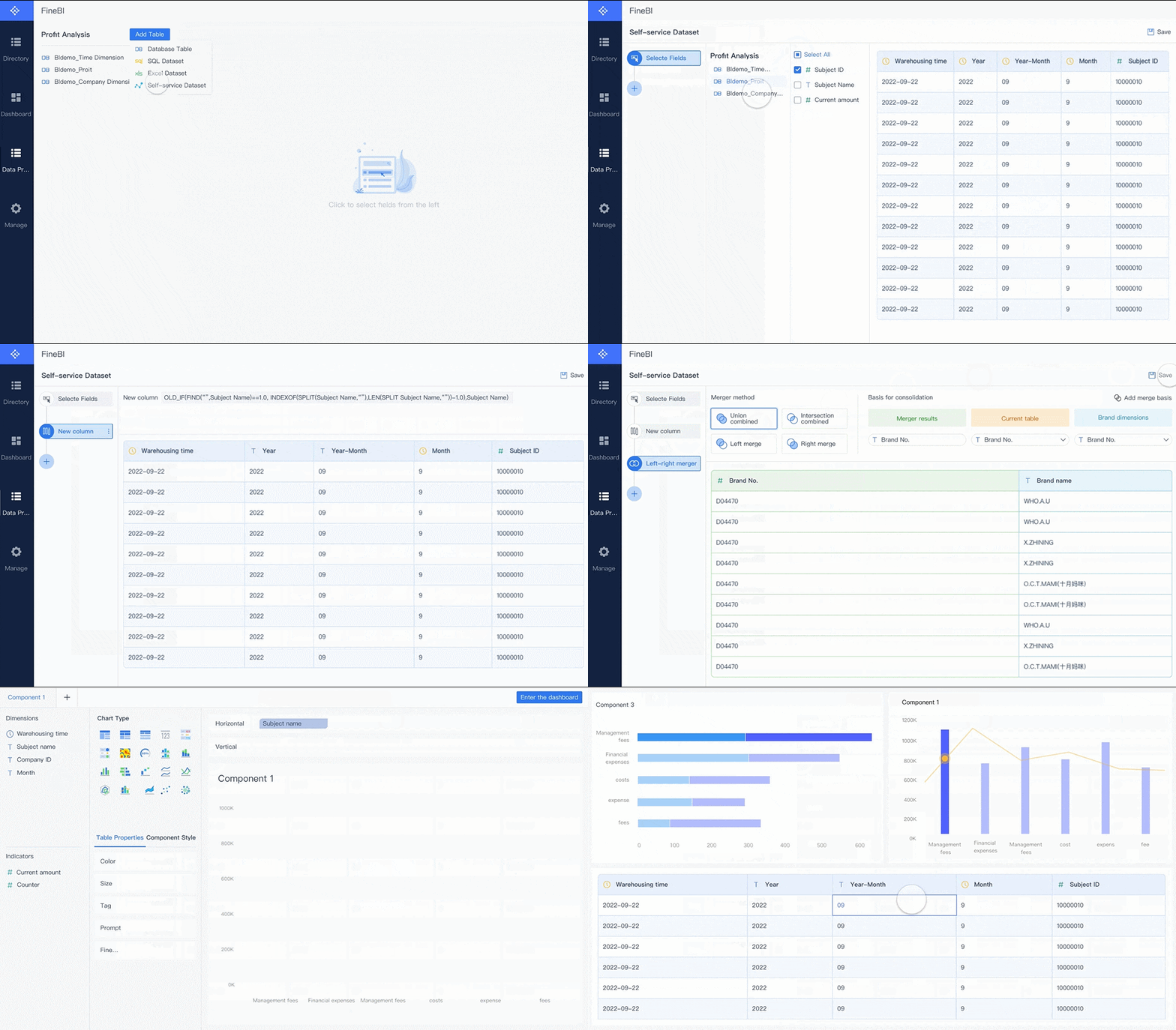
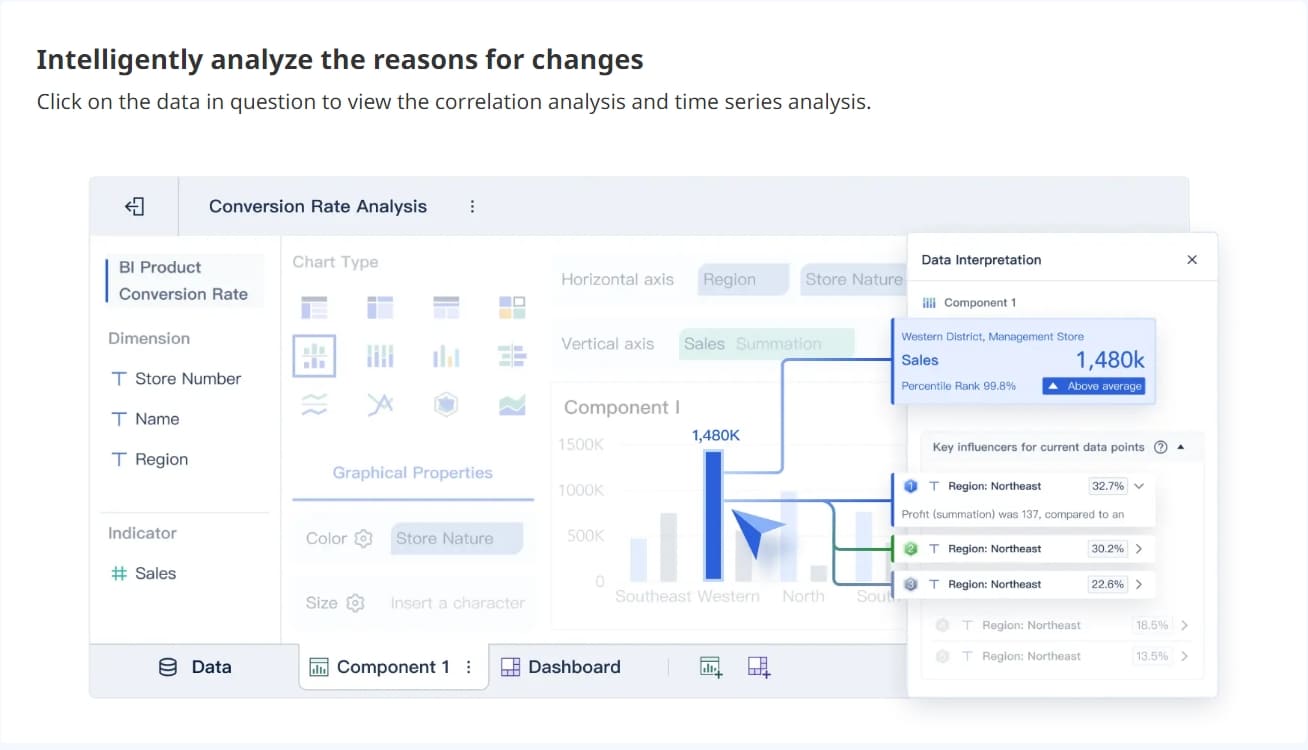
FineBI stands out by enabling seamless data integration and self-service analytics. You can connect to over 30 big data platforms and SQL data sources, including Excel datasets. Admins model data based on relationships in the data warehouse, so you can explore information without manual configurations. FineBI’s user-centric visualizations help you identify data issues easily, recommending effects based on selected data.
You can create dashboards and charts using a simple drag-and-drop model. FineBIsupports self-service datasets, allowing you to add columns, filter, sort, and merge data with minimal learning costs. Automatic modeling features streamline the analytics process, making it easy for business departments to utilize their data effectively.
Feature
Description
Data Source Connectivity
FineBI connects with a wide range of data sources, ensuring unified visibility across systems.
Data Modeling
You explore data relationships without manual setup, saving time and reducing errors.
Visual Data Analysis
FineBI recommends visual effects based on your data, making analysis straightforward.
Self-Service Datasets
You customize datasets to fit your needs, enhancing flexibility and control.
Collaboration Modes
FineBI supports data sharing and dashboard collaboration, promoting teamwork and transparency.
FineBI’s collaboration modes allow you to share dashboards and insights across teams. This feature enhances teamwork and ensures everyone has access to the latest information. When you use FineBI, you gain the ability to create dashboards that deliver actionable insights, improve efficiency, and support data-driven decision-making.
You gain the most value from an operations dashboard when you can see your data clearly and interact with it. Effective dashboards use a variety of visualization techniques to help you understand trends and patterns quickly. For example, bar charts compare categories, line charts show changes over time, and pie charts illustrate how different parts contribute to a whole. Scatter plots help you spot relationships or outliers.
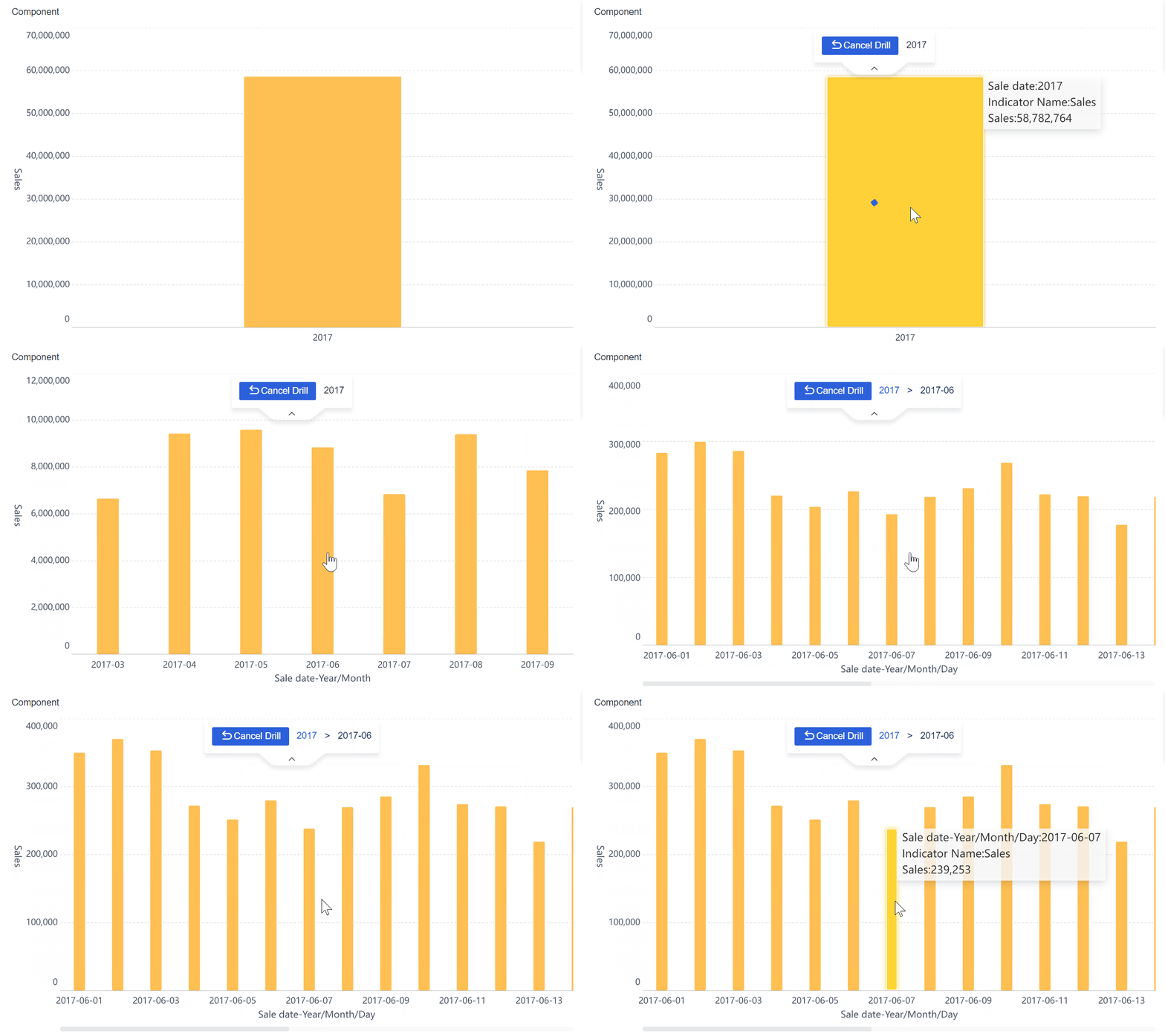
A well-designed dashboard places the most important metrics at the top, groups related charts together, and uses consistent colors and styles. You can filter data to focus on what matters to you. Interactive features let you explore data, drill down for details, and adjust views based on your needs. This approach transforms you from a passive observer into an active participant, making it easier to discover insights and take action.
Tip: Test your dashboard regularly to ensure clarity and relevance. Update visuals as your business evolves.
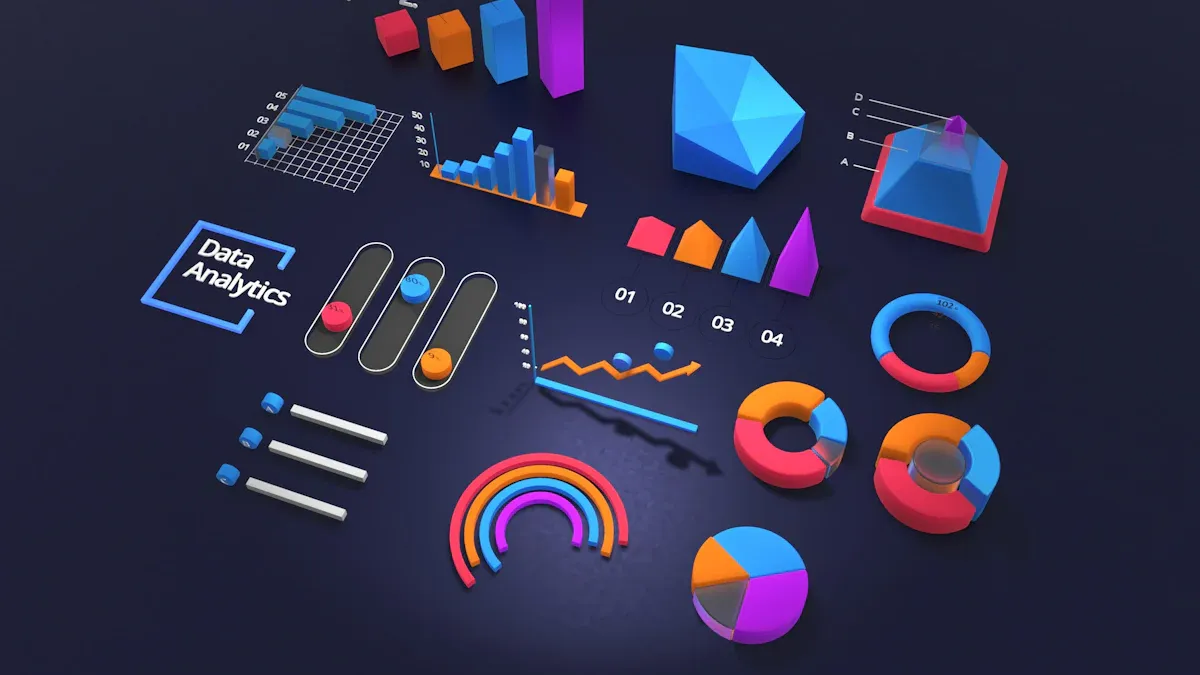
FineBI'sMultiple Built-in Charts For Visualization
An operations dashboard stands out when it brings together information from many sources. You can connect databases, cloud platforms, spreadsheets, and APIs to create a unified view. This integration ensures you always have current data for monitoring and decision-making.
Requirement
Description
Data Integration Tools
Combine data from different systems for a complete picture.
Real-time Data Updates
Keep your dashboard current so you can respond quickly to changes.
Customizable Dashboards
Tailor your view to specific needs, such as departments or regions.
FineBImakes this process simple. You can connect to over 60 data sources and use drag-and-drop tools to build dashboards that fit your business. Real-time synchronization and custom KPI tracking give you full visibility across your organization.
FineBI's Real Time Multi Source Data Integration Feature
Protecting sensitive business data is essential. High-performing operational dashboards use strong security protocols, such as ISO 27001 and SOC 2, to safeguard information. Role-based access control lets you decide who can view or edit specific data. This approach enhances security, increases accountability, and creates a customized user experience.
Enhanced security prevents unauthorized access.
Clear permissions help you track responsibility for data use.
Users see only the information relevant to their roles.
FineBIsupports enterprise-level access control, so you can manage permissions down to individual rows and columns.
Alerts and Automated Reporting
Automated alerts and reporting features keep you informed without manual effort. Your operations dashboard can notify you of important changes or issues in real time. This capability improves accuracy, supports faster decisions, and encourages collaboration by providing a single source of truth.
Real-time alerts enable proactive management.
Automated reports reduce errors and save time.
Teams work together more effectively with shared, up-to-date information.
With FineBI, you can set up alerts for key metrics and receive notifications by email or message. This ensures you never miss critical updates and can act quickly to maintain smooth operations.
You will find that not all dashboards serve the same purpose. Strategic dashboards help you track long-term goals and measure progress toward your organization’s vision. These dashboards give you a high-level overview of business health and align performance with your main objectives. Operational dashboards focus on real-time activities. You use them for daily monitoring and quick responses to changes. Tactical dashboards sit in the middle. They provide detailed analysis for mid-level managers who need to develop strategies and make informed decisions.
Here is a table that shows the main differences:
Dashboard Type
Purpose
Audience
Time Frame
Strategic Dashboard
High-level overview of business metrics and strategic goals.
Executives
Long-term
Operational Dashboard
Real-time monitoring of business processes.
Junior management
Short-term
Tactical Dashboard
In-depth analysis for strategy and performance improvement.
Mid-level management
Varies
Note: You should choose the dashboard type that matches your business needs and the level of detail you require.
Industry Use Cases
You can apply operations dashboards in many industries. In healthcare, hospitals use dashboards totrack patient wait times, bed occupancy, and staff availability. This improves resource allocation and patient care. Retailers monitor daily revenue, sales trends, and customer feedback. This helps them make better decisions about inventory and promotions. Customer service teams use dashboards to track satisfaction scores and ticket resolution rates. Supply chain managers rely on dashboards for visibility into inventory levels, shipping efficiency, and vendor performance.
FineBI in Manufacturing and BOE’s Success Story
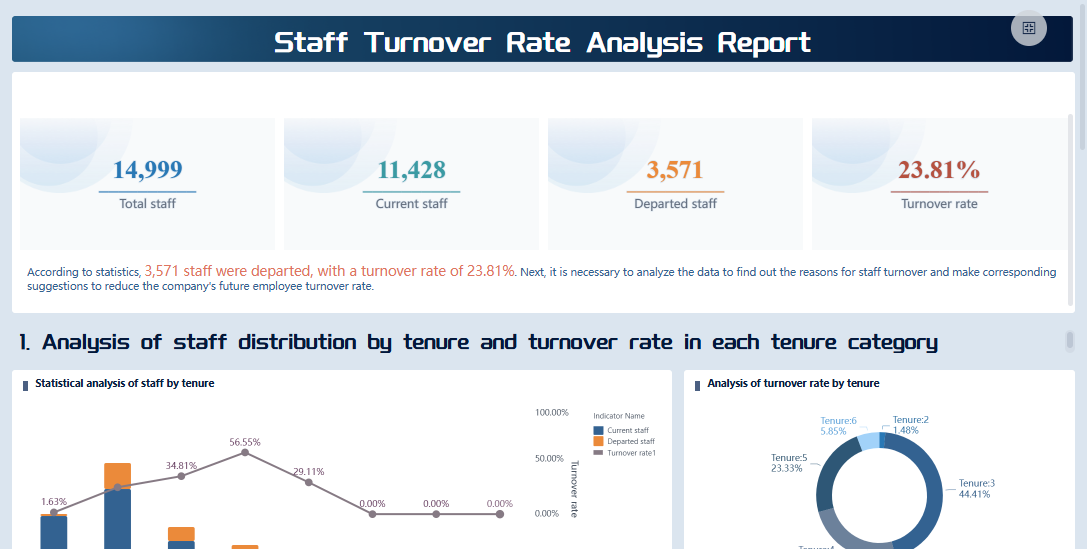
Manufacturing companies benefit greatly from operational dashboards. You can use them for production monitoring, workforce productivity, quality control, inventory management, and maintenance management. FineBIsupports these needs by providing real-time insights and easy-to-use tools for tracking key metrics. For example, BOE Technology Group used FineBI to integrate data from multiple sources and standardize business metrics. This improved their operational efficiency by 50% and reduced inventory costs by 5%. You can see how dashboards help you identify trends, compare performance across factories, and make data-driven decisions. FineBI gives you the visibility and control needed to maintain high standards and drive continuous improvement.
FineBI'sStaff Turnover Rate Analysis Dashboard - Click To Engage
Best Practices for Implementing Operations Dashboard
Steps to Successful Dashboard Deployment
You can achieve asuccessful operations dashboardrollout by following a clear process. Start by gathering user requirements and creating prototypes. Build dashboards using real data, then test for accuracy and usability. After quality checks, deploy the dashboards and set up regular maintenance to keep them relevant.
Key Considerations
Description
Relevant Metrics
Select metrics that match user roles and business goals to avoid overload.
Clear Visualizations
Use intuitive visuals like line graphs and heat maps to show data clearly.
Interactive Elements
Add features that let users customize views and analyze data.
Performance & Accessibility
Optimize dashboard speed and ensure access on all devices.
Tip: Involve end users early in the development process. This helps you create dashboards that meet real-world needs and encourages higher engagement.
You should prioritize integration with existing systems for real-time updates. Design dashboards for simplicity, using clean layouts and easy navigation. Highlight critical metrics with visual cues and include alerts for significant changes. Display key metrics on a single screen to avoid confusion and use hyperlinks for deeper performance views.
Maximizing Value with FineBI
FineBIhelps you get the most out of operational dashboards by focusing on communication and usability. Position important information above the fold for quick visibility. Start with high-level summaries and allow users to drill down for details. Arrange charts logically and customize dashboards to fit user needs.
You can use web-based dashboards for centralized and real-time access. Implement alerts to monitor key performance indicators and use color strategically to highlight important data. Mandatory training for end users ensures everyone understands how to use the dashboards. Leadership should communicate the value of dashboards and connect them to organizational goals to boost adoption.
Maintaining data quality is essential. Make sure your dashboards display timely and complete information. Use color-coding and clear visuals to build trust and support effective monitoring. Regular updates and feedback sessions help you optimize dashboards and keep them aligned with business needs.
Note: When you use FineBI, you improve visibility, support better decision-making, and enhance insights across your organization.
You can drive business success by adopting an operations dashboard. With real-time data access, you monitor key metrics, spot trends, and make quick decisions. Operational dashboards help you align resources with strategic goals and respond to market changes. You save time and reduce errors through automated reporting. To get started, optimize data queries, improve dashboard design, and foster collaboration across teams. FineBIgives you the tools to turn data into actionable insights and support growth.
Access a wealth of case studies, industry insights, and solution guides to accelerate digital transformation.
FAQ
What is the main purpose of an operations dashboard?
You use an operations dashboard to monitor key metrics and track business performance in real time. This tool helps you make quick decisions and respond to changes as they happen.
How does FineBI simplify operations dashboard creation?
You can build an operations dashboard in FineBI with drag-and-drop tools. You do not need coding skills. FineBI connects to many data sources and lets you share dashboards easily.
Can you access an operations dashboard on mobile devices?
Yes. You can view and interact with your operations dashboard on smartphones and tablets. FineBI supports responsive design, so your dashboard works well on any device.
How do operations dashboards improve team collaboration?
You share insights and data with your team through an operations dashboard. Everyone sees the same information. This improves communication and helps your team work toward common goals.