A white label reputation management dashboard lets you deliver reputation management tools to your clients under your own brand. You control the dashboard’s look, features, and custom domain, while clients access everything they need for online reputation management. With a secure solution like FineReport, you can complete the white label setup in just a few steps. You get straightforward setup, strong data protection, and full control over your reputation management strategy.
Select a Platform for White Label Reputation Management Dashboard
Choosing the right platform for your white label reputation management dashboard is the first step in delivering a seamless experience to your clients. You want a solution that not only supports your brand but also keeps client data secure and makes your setup process smooth. Let’s break down what matters most when you’re evaluating options for your white-label reputation management needs.
Why Choose a Secure Solution
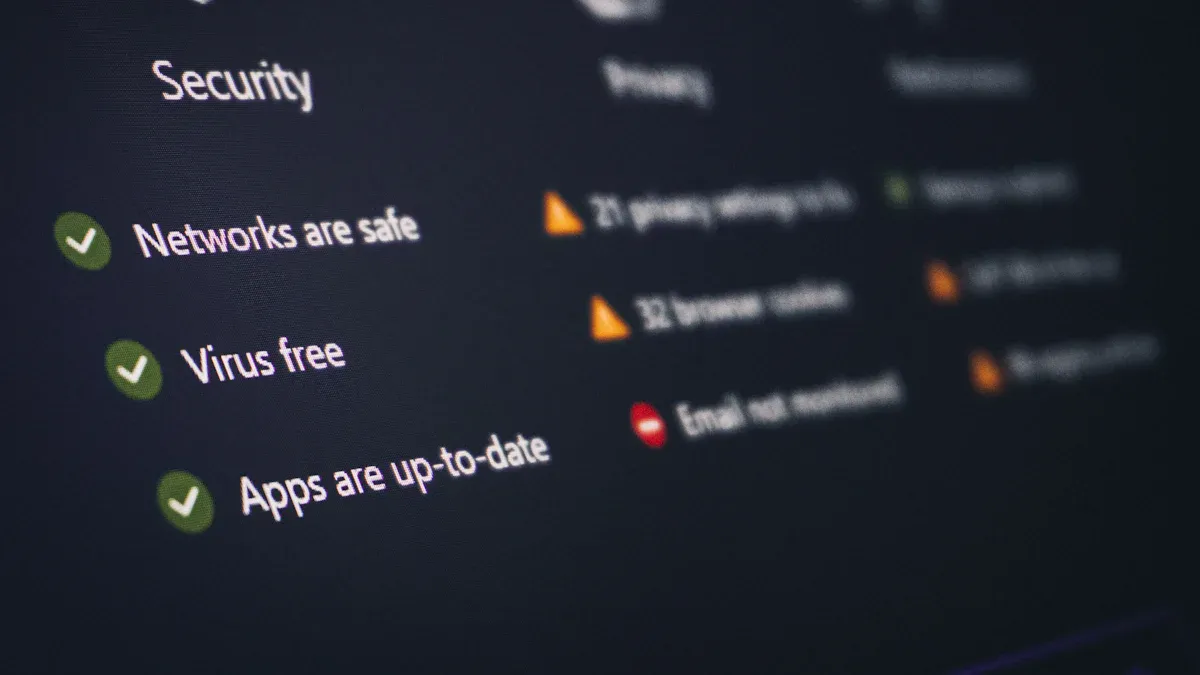
Security is the foundation of any successful white-label reputation management dashboard. When you handle sensitive client data, you need to show clients that you take their privacy seriously. You want to avoid any risk that could damage your reputation or theirs. Here’s whysecurity should be your top priority:
When your customers trust you enough to give you their information, you must do everything you can to protect it. Protect customer data and mitigate the reputational risk of a data breach. Build a strong cybersecurity posture so your customers know you’re doing everything you can to protect them.
A secure white-label reputation management platform helps you build trust and confidence. Clients expect you to safeguard their information and provide a reliable reputation management solution. If you choose a platform with robust security features, you reduce the risk of breaches and show your commitment to protecting your clients.
FineReport for White Label Dashboards
After you’ve considered security, you need to look at the features that make a white-label reputation management dashboard stand out. Agencies and businesses often compare platforms based on branding options, integration capabilities, and support. Here’s a quick overview of the top criteria you should consider:
Criteria
Description
White-labeling & Branding
Ability to brand all customer touchpoints with the agency's identity.
Review Monitoring & Responses
Tools to aggregate and respond to reviews across various platforms.
Review Generation & Campaigns
Features for collecting new reviews through various channels like SMS and email.
Analytics & Reporting
Client-facing dashboards and internal insights for tracking performance and trends.
Integrations & Automation
Compatibility with CRMs and marketing tools for enhanced efficiency.
Scalability & Support
Capability to handle varying numbers of clients with adequate support resources.
FineReportchecks all these boxes and brings even more to the table for your white-label reputation management dashboard. You get a solution that’s easy to use, even if you’re just starting out. The platform feels familiar if you’ve used Excel before, so you can design dashboards and reports without a steep learning curve. FineReport offers detailed teaching resources and videos, so you always have help when you need it. If you run into any issues, you can reach out to their 24/7 technical support team.
Feature
Description
Ease of Use
Designed for users familiar with Excel, making it accessible for beginners.
Teaching Resources
Offers detailed teaching documents and videos to assist users.
24/7 Technical Support
Provides round-the-clock support for users needing assistance.
Visual Effects
Includes a variety of visual effects, charts, and maps for data presentation.
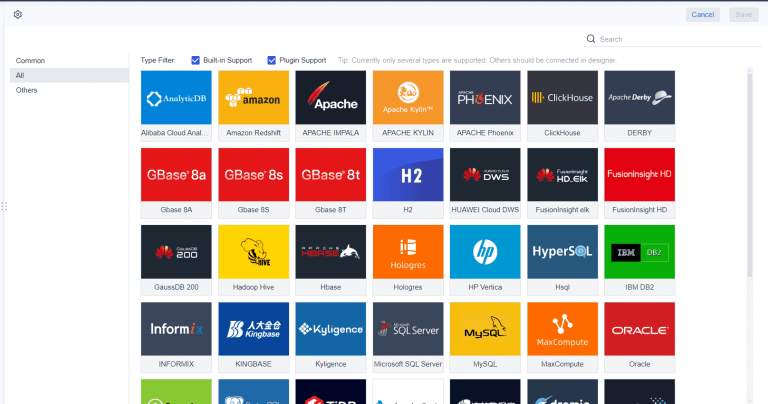
You also want your white-label reputation management dashboard to integrate with all the data sources your clients use. FineReport delivers enterprise-level data integration, connecting to over 70 different sources in real time. This means you can pull in reviews, social media mentions, and other reputation data without manual work. The platform’s monitoring features help you keep an eye on system operations and logs, which boosts security and compliance.
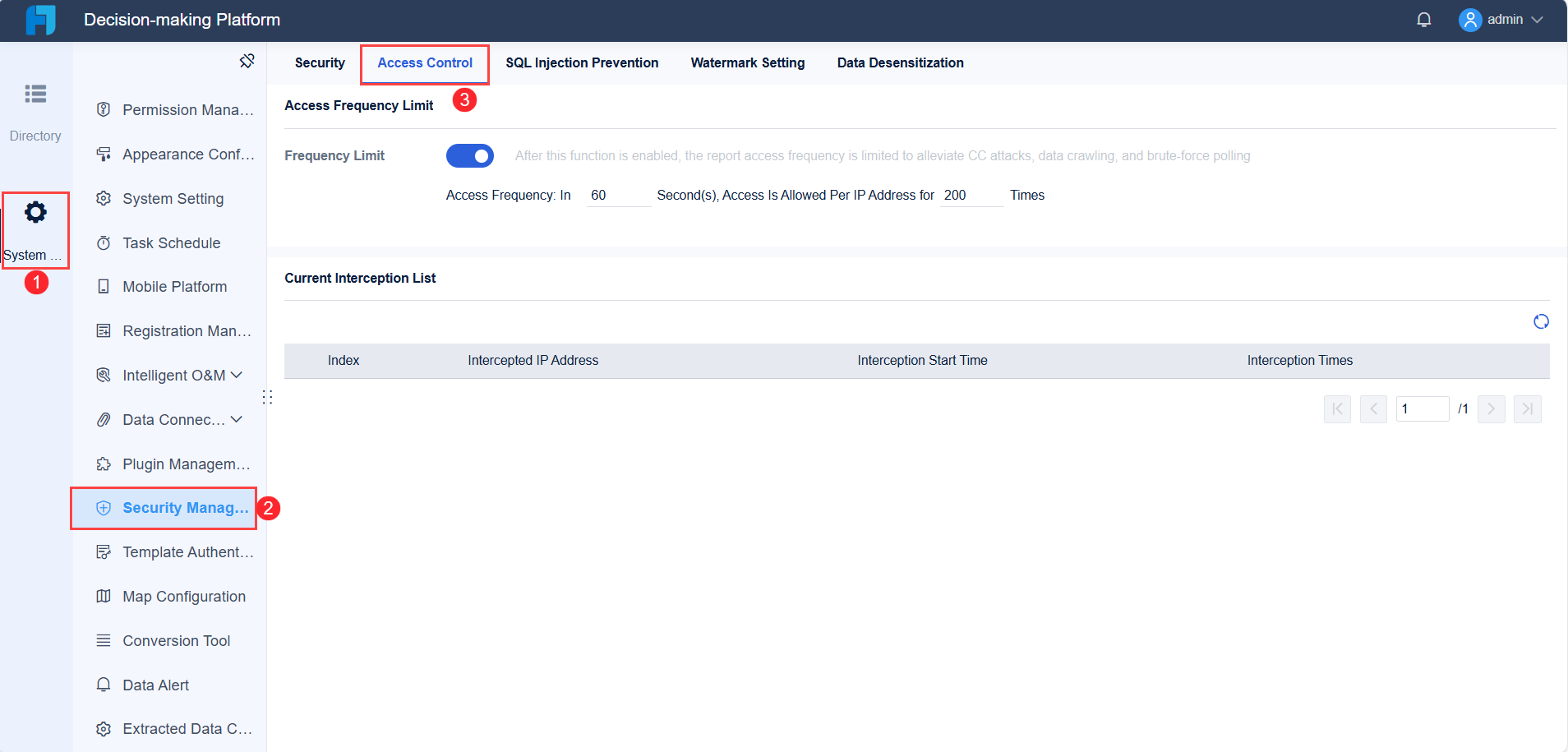
FineReport’s platform log feature lets you monitor and analyze system operations. This is vital for maintaining data security and ensuring compliance in reputation management. You can track who accesses what data and when, so you always know your client information stays protected.
When you choose FineReport as your white-label reputation management solution, you get a dashboard that’s secure, easy to brand, and packed with features. You can customize every touchpoint to match your brand, automate review campaigns, and deliver powerful analytics to your clients. The setup process is straightforward, so you can launch your reputation management software quickly and start helping clients manage their online reputation with confidence.
When you set up your white label reputation management dashboard, the first thing you need to do iscreate secure accounts for your clients. FineReport makes this process simple and safe. You can add new clients with just a few clicks. Each client gets a unique login, so their data stays separate from others. This setup helps you avoid mix-ups and keeps sensitive information protected.
You can organize your clients by business type, region, or any category that fits your agency’s workflow. FineReport'suser management tools let you quickly add, edit, or remove client accounts as your business grows. If a client leaves or changes their team, you can update their access instantly. This flexibility means you always have control over who can see and manage reputation data.
Tip: Always use strong passwords and enable two-factor authentication for your clients. This adds an extra layer of security and builds trust.
Role-Based Access Control
Managing permissions is just as important as creating accounts. FineReport’srole-based access controllets you decide exactly what each client or team member can do inside the dashboard. You can assign roles like admin, editor, or viewer, depending on what your clients need.
Here’s how role-based access control improves your dashboard:
Enhanced security: Only authorized users can view or change sensitive business information, which helps prevent data breaches.
Increased accountability: Clear permissions make it easy to see who accessed or changed data, so you know who is responsible for each action.
Regulatory compliance and resource optimization: You can meet privacy rules and make sure resources are used efficiently.
With FineReport, you can update permissions at any time. If a client hires a new manager or wants to limit access for certain staff, you can adjust their roles in seconds. This keeps your white label reputation management dashboard secure and flexible for every client.
Customize Branding & White Label Reputation Management Dashboard Features
White Label Branding Options
You want your white-label reputation management dashboard to look and feel like your own product. Custom branding is more than just adding a logo. It shapes how clients see your services and builds trust from the first login. When you use strong branding, you show clients that you care about their experience and their reputation.
Customer perception grows from every interaction and your social media presence. Custom branding helps you stand out in the crowded reputation management market.
When you manage public perceptions with your own branding, you can reduce negative feedback and build loyalty.
A strong brand reputation forms quickly online. Custom branding lets you guide that process and earn client trust.
Positive brand reputation leads to more loyal clients and greater trust in your white-label reputation management services.
FineReportmakes it easy to add your logo, set your colors, and use your own domain. You can customize login screens, dashboard headers, and even system notifications. This level of control means your clients always see your brand, not a third-party provider. You can update these elements anytime as your brand grows or changes.
Dashboard Layouts & Personalization
Your white-label reputation management dashboard should fit each client’s needs. Agencies often ask for dashboards that are flexible, easy to use, and packed with features. Here’s what you can expect:
Feature
Description
Customization
Tailor the dashboard to match each client’s preferences.
Integration
Connect with many data sources for a complete view of reputation data.
Real-time reporting
See the latest trends and insights as they happen.
User-friendly design
Make navigation simple for all users, no matter their skill level.
Interactive widgets
Let users engage with data for deeper analysis.
Filters
Focus on the metrics that matter most to your clients.
Branding options
Align the dashboard’s look with your client’s brand for a professional finish.
Multi-device support
Access dashboards on any device, from desktop to mobile.
Automated reports
Save time with reports that generate and send themselves.
Embedded capabilities
Place dashboards inside other platforms for broader access.
FineReport’s drag-and-drop designer gives you a canvas-style interface. You can build dashboards for large screens or mobile devices. Just drag charts, tables, and widgets into place. You don’t need to code. You can set up multi-dimensional analysis to show the business indicators that matter most. This makes your white-label reputation management dashboard both powerful and personal.
Tip: Start with your agency’s colors and logo, then adjust layouts for each client. This approach keeps your brand front and center while delivering a tailored experience.
Integrate White Label Reputation Management Dashboard Tools & Data
Connecting Data Sources
You want your white label reputation management dashboard to give clients a complete picture of their reputation. Connecting all the right data sourcesis the first step. Most agencies link review platforms like Facebook, Google Reviews, and Yelp. You can also pull in social media mentions and feedback from sites such as Brandwatch, Grade.us, and ReviewTrackers. These tools help you track reviews, monitor public sentiment, and respond quickly.
FineReport makes this process easy. You can integrate multiple review networks and social channels, so clients see everything in one place. Use a Reviews Overview report to summarize feedback metrics. This helps clients spot trends and address issues fast. You can monitor conversations across channels, making customer service more effective. When you streamline online review management, you save time and improve results for your clients.
Tip: Set up response templates and guidelines for prompt review management and response. This keeps your team ready to act on feedback.
Automating Reports & Alerts
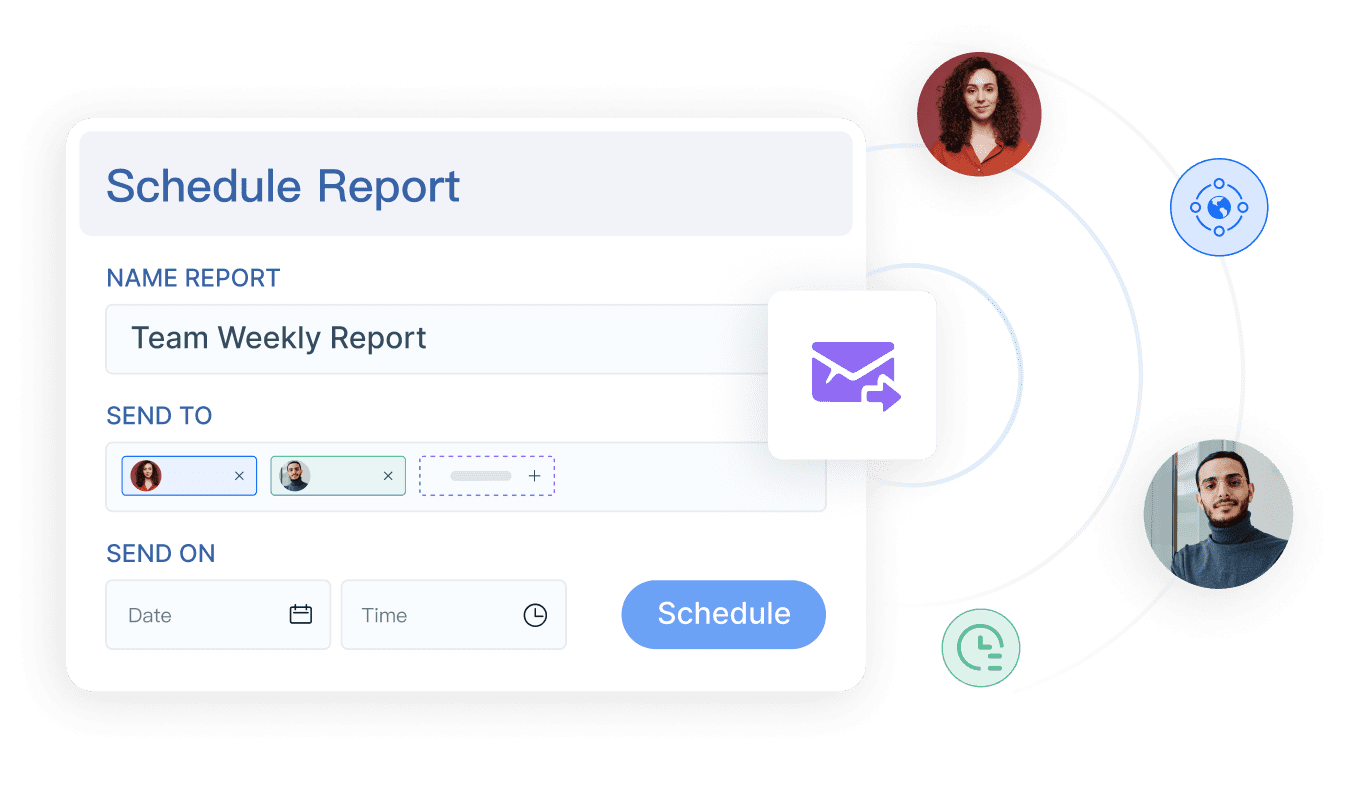
Automating reports and alertsis a game changer for reputation management software. You don’t have to spend hours pulling data or searching for reviews. FineReport’s solution lets you schedule reports to run automatically. Clients get consistent updates on sentiment changes and significant online mentions. This means you deliver insights without manual effort.
Automated reporting saves time and reduces the workload for your team. Clients receive regular updates, so they always know what’s happening with their reputation. You can include notes on trends, sentiment shifts, and important reviews. Monitoring becomes effortless, and you can focus on improving business operations.
When you use FineReport as your reputation management software, you give clients a powerful solution for review management and response. They get a dashboard that keeps them informed and ready to act, making reputation monitoring simple and effective.
Secure & Test Your White Label Reputation Management Dashboard
Data Encryption & Security
You want yourwhite-label reputation management dashboardto keep client data safe at every step. Security is not just a feature—it’s a promise you make to your clients. Start by using strong encryption methods for all data transfers and storage. Here’s a quick look at the best practices you should follow:
Encryption Method
Description
HTTPS
Secure communication over a computer network.
Double Encrypted Passwords
Enhanced security for user credentials.
Hashes
One-way encryption for data integrity.
Encryption at Rest
Protects data stored in databases.
Always enable HTTPS for your white-label dashboard. This keeps all communication between users and your platform private. Use double encrypted passwords and hashes to protect user credentials. Encryption at rest ensures that even if someone accesses your database, the data stays unreadable. Set up access controls so only authorized users can view or change sensitive information. Schedule regular security audits to catch any weak spots before they become problems.
Tip: Make security a habit. Review your white-label reputation management dashboard’s security settings every quarter.
Usability & Client Feedback
A secure white-label reputation management dashboard is only effective if your clients find it easy to use. Before you launch, test the dashboard with real users. Watch how they navigate and see where they get stuck. This helps you spot confusing areas and fix them fast. Here are some proven ways to gather feedback:
Method
Description
Conduct Usability Testing
Observe real users to find navigation issues and confusion points.
Use A/B Testing
Compare different dashboard versions to see which works best.
Collect User Feedback
Use forms, surveys, or interviews to gather insights and spot common themes.
Usability testing does more than just improve your dashboard. It helps users feel involved and valued. When you include clients in the process, you build a sense of community. They become more comfortable with the dashboard and more likely to use it every day. This approach leads to higher adoption rates and better satisfaction with your white-label reputation management solution.
Note: Early feedback can save you time and money. Fixing issues before launch means fewer support requests and happier clients.
Launch & Support Your White Label Reputation Management Dashboard
Onboarding & Training
You have built your white label reputation management dashboard. Now, it is time to launch and bring your clients on board. A smooth onboarding process helps clients feel confident and ready to use your solution for reviews and reputation monitoring. Here is a simple path you can follow:
Invite clients to sign up and join your platform.
Rebrand the dashboard with your agency’s logo and colors so clients see your brand from the start.
Offer personalized training. Walk clients through review monitoring, automation tools, and dashboard features.
Collect client details and set up their accounts, making sure each client has access to the right reviews and data.
FineReport makes onboarding easy. You can use help documents, video tutorials, webinars, and even certification programs to train clients. These resources help clients learn how to track reviews, respond quickly, and get the most from your dashboard. When clients know how to use every feature, they trust your brand and rely on your solution for their daily review management.
Tip: Schedule a live demo or Q&A session for new clients. This gives them a chance to ask questions and see the dashboard in action.
Ongoing Support & Updates
After onboarding, you need to keep clients happy and informed. FineReportoffers 24/7 technical support, so your clients always have help when they need it. You can direct clients to support channels for questions about reviews, dashboard features, or account settings.
Regular updates keep your white label reputation management dashboard secure and up to date. FineReport’s update process ensures your solution always has the latest features and security patches. You can notify clients about new review tools or improvements, showing that your brand stays ahead in reputation management.
A strong support system builds trust. When clients know they can get help and see your brand improving the dashboard, they stay loyal. You create a reputation for reliability and care, which sets your agency apart.
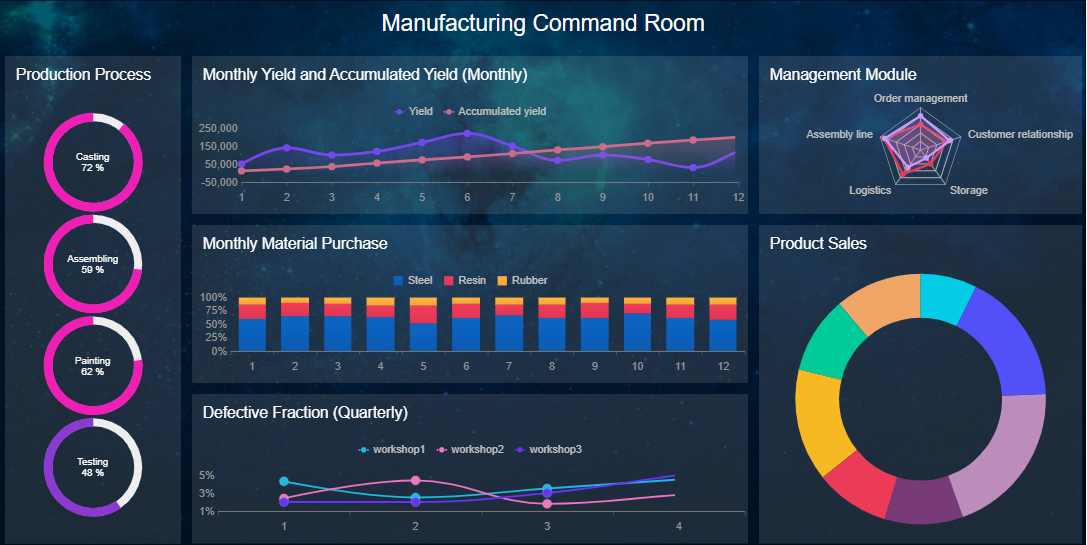
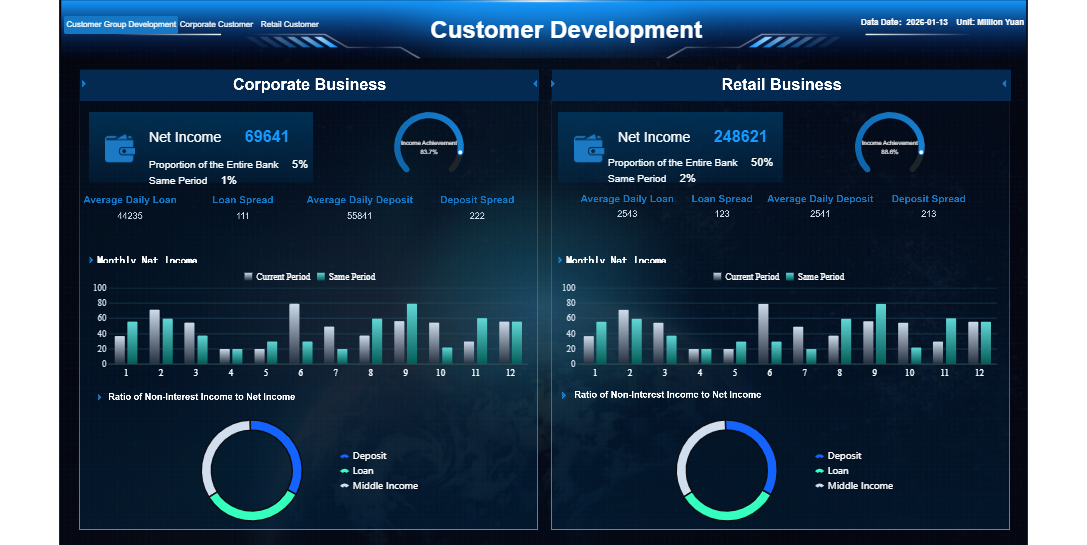
FineReport'sMultiple Built-in Charts For Visualization
You now know how to set up a secure, branded white label reputation management dashboard for your clients. With FineReport, you get a reputation management solution that saves time, protects data, and lets you customize every detail. Agencies report real benefits:
Benefit
Description
Identify customer complaints
Spot and respond to negative reviews quickly, showing commitment to improvement.
Automate client responses
Use automation for timely replies, boosting customer service and engagement.
Retain more clients
Keep more clients and gain referrals through better service.
Address reputational risks
Monitor and respond to threats to your reputation fast.
Start building your solution today. Keep learning and adapting your reputation management solution to help your clients succeed.
Continue Reading About White Label Reputation Management Dashboard
Access a wealth of case studies, industry insights, and solution guides to accelerate digital transformation.
FAQ
How do you set up a white label reputation management dashboard for clients?
You start by choosing a secure platform like FineReport. Add your branding, create client accounts, set permissions, and connect reputation data sources. The process takes just a few steps.
Can you customize the look of your white label reputation management dashboard?
Yes, you can add your logo, colors, and custom layouts. FineReport lets you personalize every touchpoint so your dashboard matches your brand and meets client needs.
What data sources can you integrate with a white label reputation management dashboard?
You can connect review platforms, social media, and CRM systems. FineReport supports over 70 data sources, making it easy to pull in all reputation data for your clients.
How does FineReport keep your white label reputation management dashboard secure?
FineReport uses strong encryption, role-based access control, and regular security audits. You control who sees client data and monitor system activity to protect sensitive information.
What support options are available for your white label reputation management dashboard?
You get 24/7 technical support, detailed help documents, and video tutorials. FineReport provides ongoing updates and resources to help you and your clients succeed.