You can make a helpful software development dashboard by setting clear goals. Use metrics that your team can act on. Make sure your dashboard connects well with other tools. Start by picking metrics that show how often you deploy and how long cycles take. Tools like FineReport by FanRuan help link data sources. They let you build dashboards your team can use fast. When you design your dashboard, think about your team’s work steps and what data they need. This helps your dashboard give real value.
Define Software Development Dashboard Goals
Identify Team Objectives
First, you need to know why you want a software development dashboard. Think about what your team wants to do. Teams use dashboards to get better at their work. Dashboards help teams make smart choices and see how close they are to their goals. They also let everyone check the status of projects and tasks. If you set clear goals, your team will want to use the dashboard every day.
Make the team work better
Help teams use data to make choices
Watch progress toward business goals
Make it easier for people to talk
These goals help you pay attention to what matters most for your team.
Select Key Metrics
Next, pick key metrics that fit your team’s goals. These metrics show how well your team works and where you can do better. Many teams use dora metrics like deployment frequency, lead time for changes, change failure rate, and time to restore service. These numbers show how often you release software, how fast you fix things, and how steady your process is. You can also check bug rates, cycle time, and story points finished. When you choose the right metrics, your dashboard shows what is really happening in your work.
Align with Stakeholder Needs
You also need to think about what your stakeholders want. Stakeholders can be managers, team leads, or customers. Each group cares about different things. Some want to see big progress, while others want to check certain tasks. Good dashboards help managers watch how people do their jobs and connect team work to company goals. To do this well, talk with your stakeholders and ask what they want to see. Grouping stakeholders by their job or power can help you decide what to show. This way, your dashboard helps everyone and makes your team do well.
Data Integration for Software Development Dashboards
Connect Multiple Data Sources
To build a good software development dashboard, you need to gather data from many tools. Your team uses Git for code. Jira helps track tasks. CI/CD pipelines handle deployments. Each tool has important details about your work. When you connect these tools, you see everything your dev team does.
Here are some best ways to connect your data:
Write down each step in your deployment process.
Split the process into parts like testing, building, deployment, and clearing cache.
List all environments, such as development, staging, and production.
Make separate workflow files in your CI/CD tool for each environment. Make each step its own job.
Keep passwords and keys safe in repository secrets, not in files.
Test every job in your pipeline to check if it works.
Set alerts for important parts of your CI/CD pipeline.
Build a way to undo changes if something goes wrong.
Move to the next environment only after the first one works.
Link your CI/CD tool with Jira. This keeps everyone updated about deployments and environments.
These steps help your developer productivity dashboard show the right progress and status. Your team can spot problems early and fix them fast.
Use FineReport for Seamless Integration
Many teams have trouble with data silos. Data silos happen when information stays locked in one tool or department. This makes it hard to see everything. You are not alone—look at these numbers:
Source
Percentage of Organizations Experiencing Data Silos
Context
IBM Research
82%
Enterprises report data silos disrupting workflows
Adalo.com
81%
IT leaders say silos hinder digital transformation
Salesforce.com
80%
Organizations report data silos as a concern
FineReport by FanRuan helps break down these walls. You can collect data from many places and bring it together. FineReport connects to different databases and uses SQL to build reports. You can combine data from Git, Jira, and CI/CD tools. This gives you one platform for all your reporting and visualization needs. You can use features like data entry and parameter queries to make your developer productivity dashboard even better. With FineReport, your team gets unified data management and clearer visibility.
Automate Data Collection
Collecting data by hand takes time and can cause mistakes. You want your developer experience dashboard to show real-time information. Automation fixes this problem. You can set up your dashboard to collect data from your tools without extra work.
Automated testing is a big part of this process. When you use automated tests with Continuous Integration and Test-Driven Development, your dashboard data stays correct. This cuts down manual work and speeds up your tasks. You can also use real-time data collection to track metrics like CPU, memory, and disk usage. Dynamic alerts warn you when something goes wrong. Predictive analytics help you spot problems before they happen.
Here is a quick look at common automation features:
Feature
Description
Importance
Real-Time Data Collection
Gathers metrics like CPU and memory all the time
Gives instant visibility into server health
Dynamic Threshold Alerts
Sends alerts when metrics go above safe levels
Flags critical issues, reduces false alarms
Predictive Analytics
Uses past data to predict failures
Helps prevent downtime
When you automate data collection, your engineering productivity metrics and dora metrics stay current. Your dashboard always shows the latest status. This helps your team make smart choices and keep projects on track.
Choose a Software Development Dashboard Platform
Build vs Buy Considerations
You have to pick between making your own dashboard or buying one. Each choice has good and bad sides.
Advantage
Description
Increased Control
You can make the dashboard fit your needs and control everything.
Cost-Effective
Building it yourself might save money if you skip license fees.
Control Data & Intellectual Property
You keep your data safe and own all your work.
Disadvantage
Description
Higher Initial Costs
Custom dashboards cost more at first.
Longer Development Times
Making your own takes longer and needs planning.
Legacy Code Risks
If team members leave, old code can cause problems.
Buying a platform like FineReport is faster and can save money. You get a dashboard that works right away. Vendors test these tools, so there is less risk. You also get more features and updates. But you might have trouble connecting it to your other tools. You also have to pay fees to keep using it.
FineReport Features and Advantages
FineReport is a great choice for your dev team dashboard. You can make dashboards fast with drag-and-drop tools. The dashboard fits any screen, so you can see it on computers or phones. FineReport lets you use different graphs and see trends in your data. You can link charts to show reports in a set format. This makes it easy to track progress and status.
Feature
Description
Flexible Dashboard Creation
Drag pieces to build dashboards quickly and make them look nice.
Intelligent Component Layout
The dashboard fits any screen, so it is easy to use.
Mobile Accessibility
You can check dashboards on your phone or tablet anytime.
Integration and Scalability
You want your dashboard to work with your current tools. FineReport connects to business systems like OA, CRM, and ERP. It also links with BI systems and many data sources, like relational databases. This means you can bring in metrics and other important data without extra work.
FineReport grows with your team.
You do not need tools that need lots of data work.
The platform gives you a dashboard that matches your workflow.
With FineReport, you see all your team’s work in one place. You can track progress, watch status, and see all your projects clearly.
Software Development Dashboard Design
Layout and Visualization Best Practices
You want your dashboard to show important information quickly. Group similar metrics together so they are easy to find. Put key data like engineering productivity metrics and dora metrics at the top or in the middle. Use layouts that help your eyes go to the main numbers first. Add color for meaning. Green means things are going well. Red means something needs attention. Icons help you see trends and status fast without reading a lot.
Pick the best chart for each story. Line charts show changes over time. Bar charts are good for comparing numbers. Progress bars and percentages tell you how close you are to your goals. Trend lines show if your dev team dashboard is moving in the right direction.
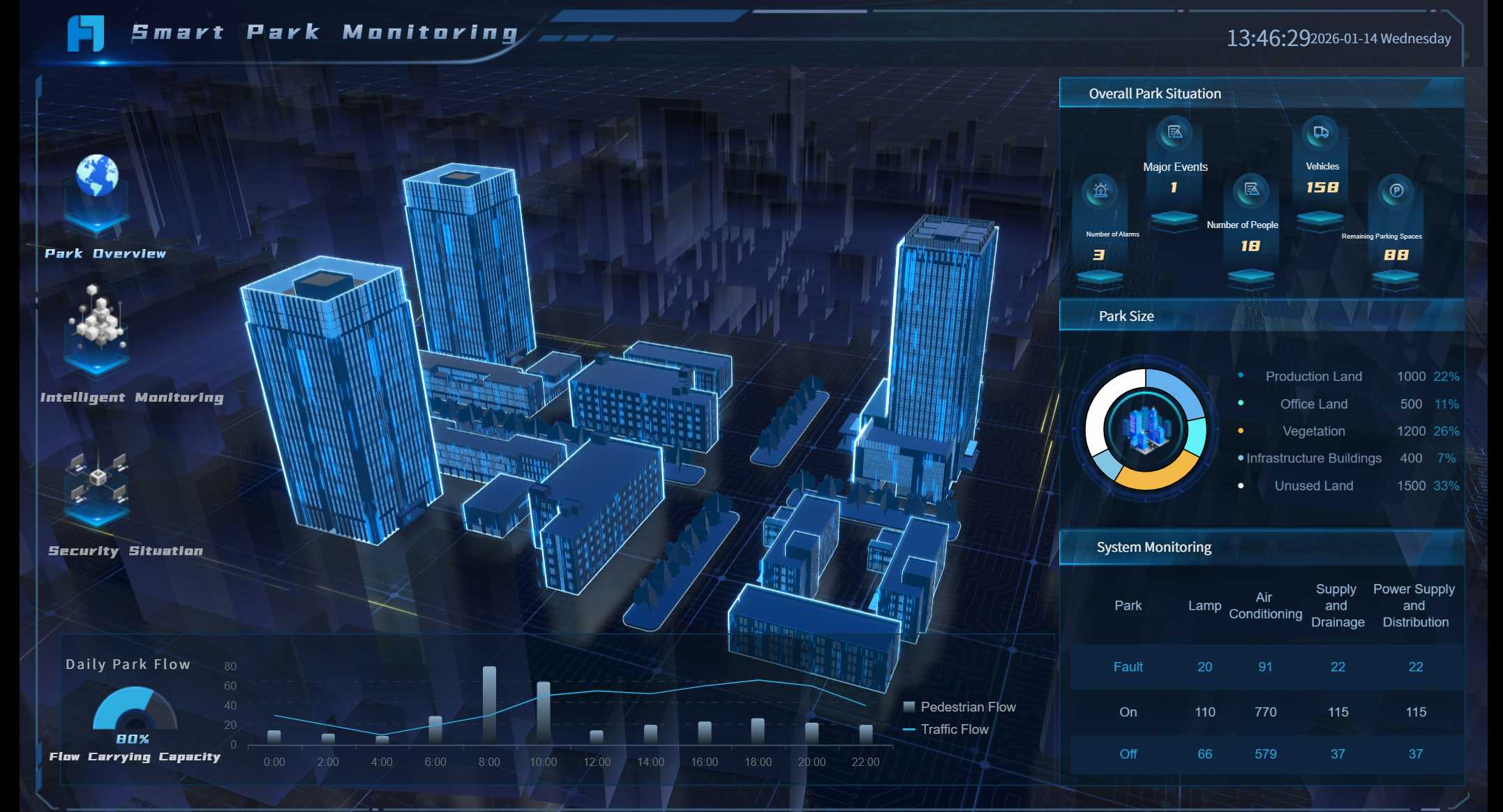
FineReport’s 3D dashboards and animations make your data look exciting. You can use 3D card animations for hard data. Custom display paths let you highlight what matters most. Dynamic visuals make your developer productivity dashboard more fun and easier to understand.
Your team needs to see dashboards anywhere. Responsive design makes your dashboard look good on any device. Group parts so the layout stays clear on phones and tablets. Test your dashboard on different screens to keep it organized.
Strategy
Impact on User Adoption
Responsive Design
Dashboards are easy to use on any device, so more people use them.
Grouping Elements
Layout stays neat across devices, so users do not get lost.
Thorough Testing
Dashboard works well everywhere, so more people want to use it.
FineReport lets you use dashboards on your phone or tablet. This helps remote teams stay connected and see updates in real time. It makes teamwork better and helps everyone see what is happening.
Ensuring Usability and Clarity
You want everyone to understand your dashboard in five seconds or less. Use usability testing to check if your dashboard is clear. Eye tracking shows where people look first. Think-aloud sessions help you find out what confuses users. Remote testing lets people try the dashboard at home.
Method
Description
Tools Available
Example
Eye Tracking
Shows where users focus, so you can put key data in the right spot.
Tobii Pro, EyeQuant
Users look at graphics before metrics, so move numbers higher for clarity.
Think-Aloud Protocol
Lets users explain their thoughts, revealing unclear icons or labels.
Marvin, Lookback.io, Figma
A user hesitates at an icon, so you add a label.
Remote Usability Testing
Finds issues in real settings, like slow features or confusing layouts.
UserTesting, Hotjar
Users struggle with a feature needing fast Wi-Fi, so you add offline support.
A clear dashboard helps your team track status and progress. Everyone gets the visibility they need to make smart choices.
Rollout and Continuous Improvement of Software Development Dashboard
Launch to Your Team
You should share your dashboard in a way that helps your team use it fast. Show only helpful information and keep things simple. Think about what story your dashboard tells. Decide if you need a new dashboard or can just update an old one. Pick the data you want to show. Know who will use the dashboard and why. Look at other teams’ dashboards for ideas to make yours better.
Teams may not like change, have tech issues, or not talk enough. You can fix these by talking clearly, giving training, and working together with other teams.
Gather Feedback and Iterate
Feedback helps you make your dashboard better. Ask for feedback often so your dashboard stays useful. Use daily meetings, sprint reviews, and retrospectives to get ideas. Change features during the sprint with backlog refinement.
Feedback Mechanism
Frequency
Daily Standup
Every day
Sprint Review
End of each sprint
Sprint Retrospective
End of each sprint
Backlog Refinement
Ongoing throughout sprint
Watch how people use the dashboard. Listen to what they say and see if they get confused. Change your dashboard based on what you learn. This keeps your dashboard easy to use and helpful.
Maintain Dashboard Value
You want your dashboard to stay helpful for a long time. Focus on metrics that help your business. Use clear charts so everyone understands the data. Make dashboards for different people who need them. Automate data collection to keep info up to date and lower mistakes. Always look for ways to make the dashboard better. Make sure your dashboard answers important questions and helps people make choices.
FineReport’s scheduling tool helps you manage dashboards well. You can set how often reports are made. Email and SMS tell users when there are updates. FTP/SFTP uploads send reports to users. Automation means less work and fewer mistakes. Easy prompts help you set up schedules.
Feature
Contribution to Dashboard Management
User-friendly front-end prompts
Makes it easy to use task schedules.
Detailed frequency settings
Lets you pick exact times for reports.
Email and SMS notifications
Sends updates and alerts to users.
FTP/SFTP upload attachments
Sends special reports to users.
Automation of report generation
Means less manual work and more correct reports.
Track metrics like Net Promoter Score, customer happiness, time to market, customer numbers, churn rate, and ROI. Watch dora metrics like deployment frequency and lead time for changes. Check work-in-progress and time to restore service. These numbers show how well your dashboard helps your team and business.
You can help your team do better by building a software development dashboard step by step. When you connect your data and use dora metrics, your team can see progress and find problems early.
Developer dashboards show what each person does and where to get better.
Team dashboards help everyone share updates and work together.
Project dashboards keep goals clear and help you stay on track.
Start now by picking a tool like FineReport by FanRuan. Choose the metrics that matter most for your team.
Product Trial
FineReport
Pixel-perfect reports · Interactive dashboards · Easy data entry · Digital twins
Access a wealth of case studies, industry insights, and solution guides to accelerate digital transformation.
FAQ
What is a software development dashboard?
You use a software development dashboard to track your team’s progress. It shows key metrics like deployment frequency and bug rates. You can see project status and spot problems early.
How do I choose the right metrics for my dashboard?
You should pick metrics that match your team’s goals. Focus on numbers that help you improve work. Common choices include cycle time, deployment frequency, and bug rates.
Can I connect different tools to my dashboard?
Yes, you can connect tools like Git, Jira, and CI/CD pipelines. FineReport helps you bring all your data together. This gives you a complete view of your engineering team dashboard.
How do I keep my dashboard up to date?
You can automate data collection. FineReport supports real-time updates and scheduled reports. This keeps your dashboard current without extra work.