Data analysis tools in research help you process, interpret, and extract meaning from data. You use these tools to turn raw information into clear insights that support your research goals. Data analysis tools in research can include software for statistics, spreadsheets, business intelligence platforms, and programming languages. Tools such as Tableau, Microsoft Power BI, SAS, Erwin, SQL Server Integration Services, Apache Spark, and RapidMiner are common in both academic and industry settings.
Data analysis tools in research play a key role in guiding your decisions and ensuring accuracy. You can choose from simple spreadsheets or advanced solutions like FineBI, depending on your needs. Selecting the right data analysis tools in research helps you work efficiently and ensures your results are reliable. Data analysis tools in research allow you to organize, clean, and visualize your data, making your research process more effective.
Why Data Analysis Tools in Research Matter
Improving Accuracy and Efficiency
You rely ondata analysis toolsto improve the accuracy and efficiency of your work. These tools help you select the right data analysis techniques, such as regression or thematic analysis, which lead to meaningful insights. When you use platforms like SPSS, R, or NVivo, you increase both the efficiency and accuracy of your results. Data analysis is essential for credible research, no matter which data analysis methods you choose. Evidence-based evaluation tools also enhance the credibility of your assessments. They use empirical data and structured methodologies to ensure accuracy. When you ground your evaluations in evidence, you foster trust in your outcomes.
Data analysis tools automate many tasks. They collect, prepare, and analyze unstructured data in real time. Automation can reduce your workload by up to 80% compared to manual analysis. AI agents deliver immediate insights, helping you make quick decisions. These agents use sophisticated algorithms to improve the precision and relevance of your research. By integrating various tools into a single platform, you enhance team collaboration and streamline your workflow.
Enabling Data-Driven Decisions
Data analysis tools empower you to make data-driven decisions. When you use advanced data analysis techniques and methods, you gain access to real-time updates and improved visibility into your activities. For example, Dr. Williams implemented a centralized analytics platform that integrated data from all departments. This approach led to a significant increase in funding success rates by aligning applications with agency priorities. Dr. Roberts used data analysis to reveal a strategic focus on immunotherapy, while Dr. Carter evaluated public health initiatives by integrating multiple data sources. These examples show how data analysis tools help you focus on projects with high potential and generate successful outcomes.
Supporting Collaboration and Reproducibility
Collaboration and reproducibility are vital in research. Data analysis tools support teamwork by providing platforms that facilitate real-time collaboration and integration of data sources. The table below highlights how these platforms enhance your workflow:
Evidence Description
Key Features
Collaborative research platforms enhance teamwork and streamline processes
Facilitate real-time collaboration, integration of data sources, and effective communication
They simplify complex tasks and enhance productivity
Allow individuals to share insights and data in real-time, regardless of location
They empower researchers to streamline workflows
Make it easier to analyze data, manage projects, and generate reports
They ensure insights are readily accessible
Lead to more informed decisions and innovative solutions
You can share insights and data instantly, no matter where you are. These tools make it easier to analyze data, manage projects, and generate reports. When you use data analysis techniques and methods within collaborative platforms, you ensure that your findings are reproducible and accessible to others. This leads to more informed decisions and innovative solutions in your research.
When you conduct research, you have access to a wide range ofdata analysis tools in research. Each type of tool supports different data analysis needs, from handling numbers to exploring text. Understanding these categories helps you choose the right approach for your project.
Statistical Software (SPSS, SAS, JASP, R)
Statistical software plays a central role in data analysis. You use these tools to perform statistical tests, model data, and interpret results. Some of the most widely used options include:
SPSS: This software has led health sciences research for decades, with adoption rates rising from 27.9% in 1997 to over 50% in 2017.
SAS: Once the second most popular, SAS now ranks lower as other tools gain ground.
Stata: Its popularity has grown, surpassing SAS in recent years.
R-project: This open-source tool is now used by over 11% of researchers, thanks to its flexibility and strong statistical packages.
Spreadsheet Tools (Excel, Google Sheets)
Spreadsheet tools remain essential for data analysis. You might choose:
Microsoft Excel if you need advanced functions for statistical or financial modeling. Many researchers prefer Excel for its familiarity and power.
Google Sheets if you value real-time collaboration and cloud access. It offers a simpler interface and integrates well with Google Workspace. Both tools help you organize, clean, and analyze data, making them a staple in many research workflows.
Business Intelligence Tools (FineBI, Tableau, Power BI)
Business intelligence tools take data analysis to the next level. You can connect to multiple data sources, create interactive dashboards, and visualize trends. Tableau stands out for advanced visualizations and data storytelling. Power BI integrates seamlessly with Microsoft products and is cost-effective for small teams. FineBI emerges as a leading choice for self-service analytics. You can use FineBIto connect, process, and visualize data from various sources without coding. Its integration features allow you to combine data from different platforms, making your analysis more comprehensive and efficient.
Tool
Strengths
Tableau
Advanced visualizations, data storytelling
Power BI
Microsoft integration, affordability
FineBI
Self-service, strong integration, zero-code
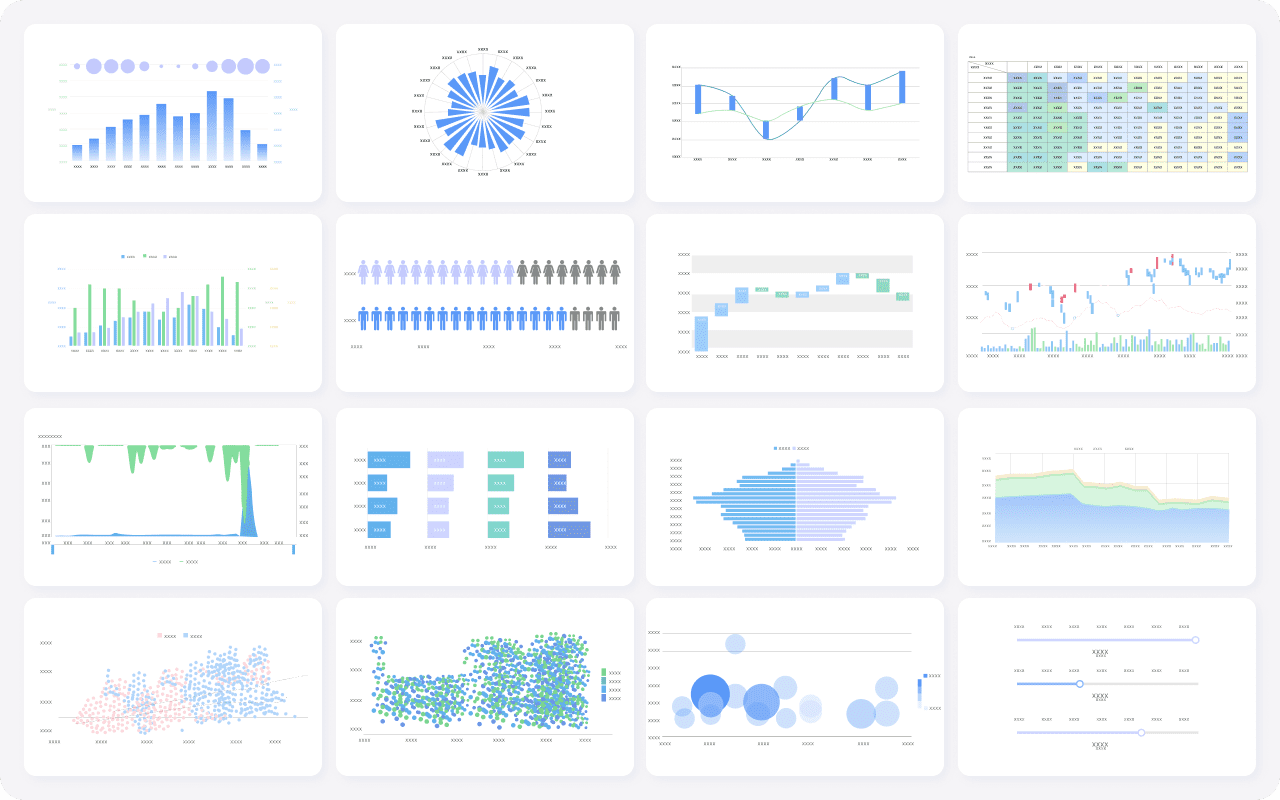
FineBI's Rich Built-in Charts For Data Visualization
Programming languages give you flexibility for complex data analysis. Python is popular for its scalability and rich libraries, such as pandas and SQLAlchemy, which support large datasets and automation. R excels in statistical modeling, offering packages like MASS and lme4 for advanced analysis. You can use Python for machine learning and deep learning, while R is ideal for detailed statistical work.
Qualitative Analysis Tools (NVivo, ATLAS.ti)
Qualitative data analysis tools in research help you explore non-numerical data. NVivo and ATLAS.ti let you import text, audio, video, and images. You can code, query, and visualize data to uncover patterns and themes. NVivo supports flexible coding and theory building, while ATLAS.ti offers structured visualizations and fast onboarding. These tools are essential for analyzing interviews, focus groups, and open-ended survey responses.
By understanding the main types of data analysis tools in research, you can select the best fit for your project and ensure your analysis is both thorough and reliable.
Using Data Analysis Tools in Research
When you usedata analysis tools in research, you follow a clear workflow that transforms raw information into actionable insights. This process involves several key steps, each supported by specialized data collection and analysis tools. Understanding this workflow helps you manage your research efficiently and ensures your results are reliable.
Data Collection and Analysis Tools
You begin your research by defining the question you want to answer. This step sets the direction for your entire project. Next, you usedata collection toolsto gather the information you need. These tools can include surveys, sensors, online forms, or direct database queries. Programming languages like Python and R are popular choices for both collecting and analyzing data. You might also use platforms such as Open Science Framework for managing collaborative projects or DMPTool for planning how you will handle your data.
Data collection and analysis tools help you organize and store your data in a structured way. For example, you can use OpenRefine to clean and transform your data before analysis. These tools save you time and reduce errors, making your workflow more efficient. You can also use project management platforms to keep track of your progress and ensure that your data remains secure and accessible.
After collecting your data, you need to prepare and clean it. This step is critical because errors, missing values, or inconsistencies can affect your analysis. You start by tidying your data, making sure each row and column is organized and that you have unique identifiers for each record. You then validate the quality of your data by checking for completeness and consistency. This process helps you spot outliers or errors that could skew your results.
Many researchers face challenges during this stage. You may struggle with time constraints, especially if you balance research with other responsibilities. Delays in accessing datasets or learning new skills can also slow you down. Common issues include missing values, duplicate records, inconsistent formatting, and structural problems that make grouping or filtering difficult.
To address these challenges, you can use a variety of data collection and analysis tools. The table below highlights some popular options and their key features:
Tool
Key Features
Displayr
AI-powered data cleaning, automatic inspection, variable restructuring, audit trail
Tableau Prep
Drag-and-drop interface, connects to many sources, automated workflows
KNIME
Open-source, automated workflows, over 300 connectors for integration
SightX
Finds duplicates and incomplete responses automatically
SurveyMonkey
AI-powered tool to flag poor-quality responses
You should also de-identify, correct, and annotate your data to protect privacy and ensure accuracy before sharing or publishing your results.
Visualization and Reporting
Once your data is clean, you move to analysis and visualization. You apply statistical techniques or machine learning algorithms to uncover patterns and insights. Visualization and reporting tools play a vital role in this stage. They help you turn complex data into clear, engaging visuals that make your findings easy to understand.
You can use tools like Tableau Public or Google Data Studio to create interactive dashboards and reports. These platforms offer drag-and-drop interfaces and real-time data integration, allowing you to customize your reports for different audiences. Visualization tools help you highlight trends, identify patterns, and communicate your results effectively. Stakeholders can quickly grasp the key points, which supports better decision-making.
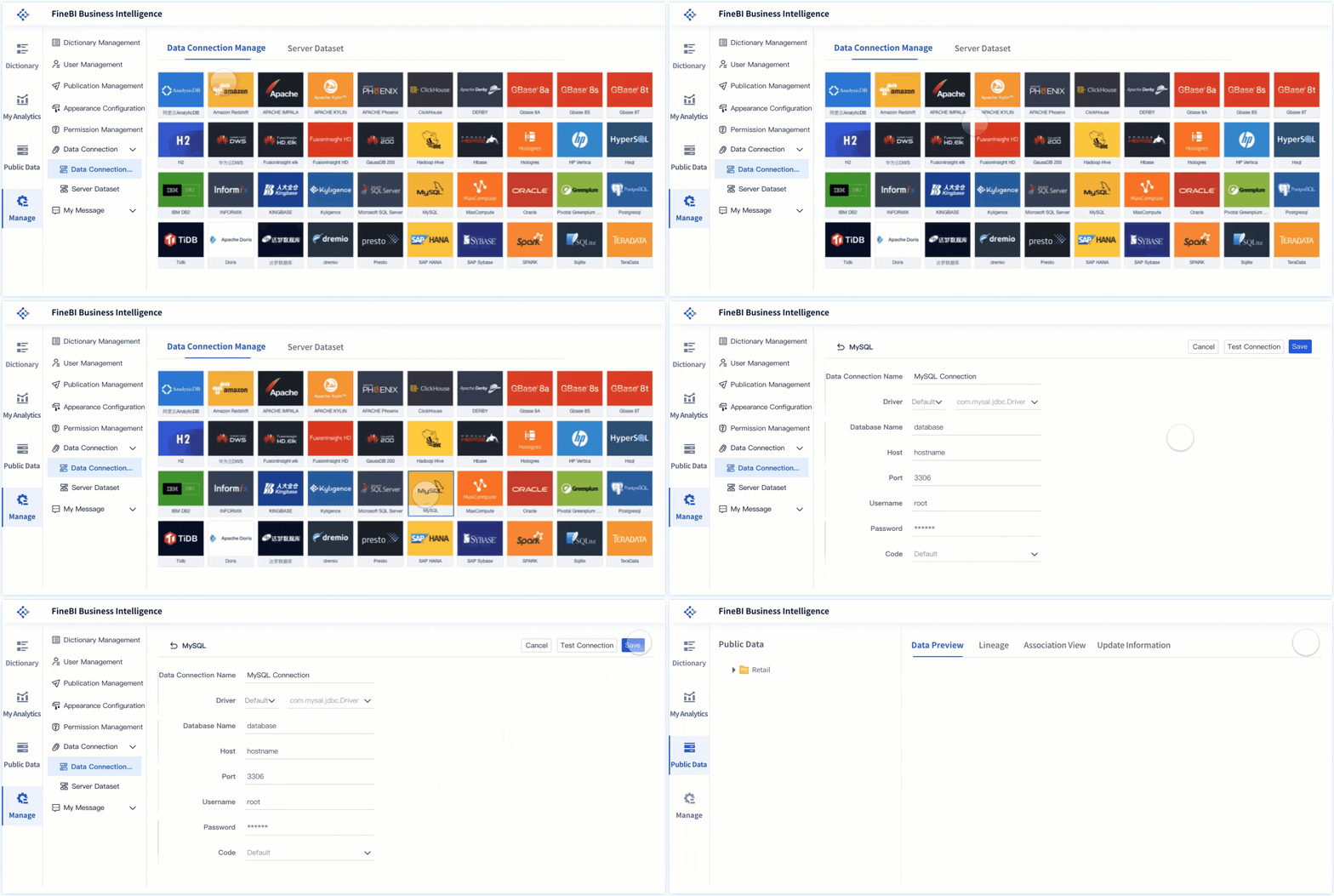
To see how these steps come together, consider FineBI as a case study. FineBI is a self-service business intelligence platform that supports the entire data analysis workflow. You start by connecting FineBI to your data sources, whether they are databases, cloud warehouses, or files. FineBI offers over 60 connectors, making it easy to bring all your information together.
Next, you use FineBI’s data preparation features to clean and structure your data. You can join tables, add calculated fields, and apply filters without writing code. FineBI’s interface lets you preview changes in real time, so you always know how your data will look.
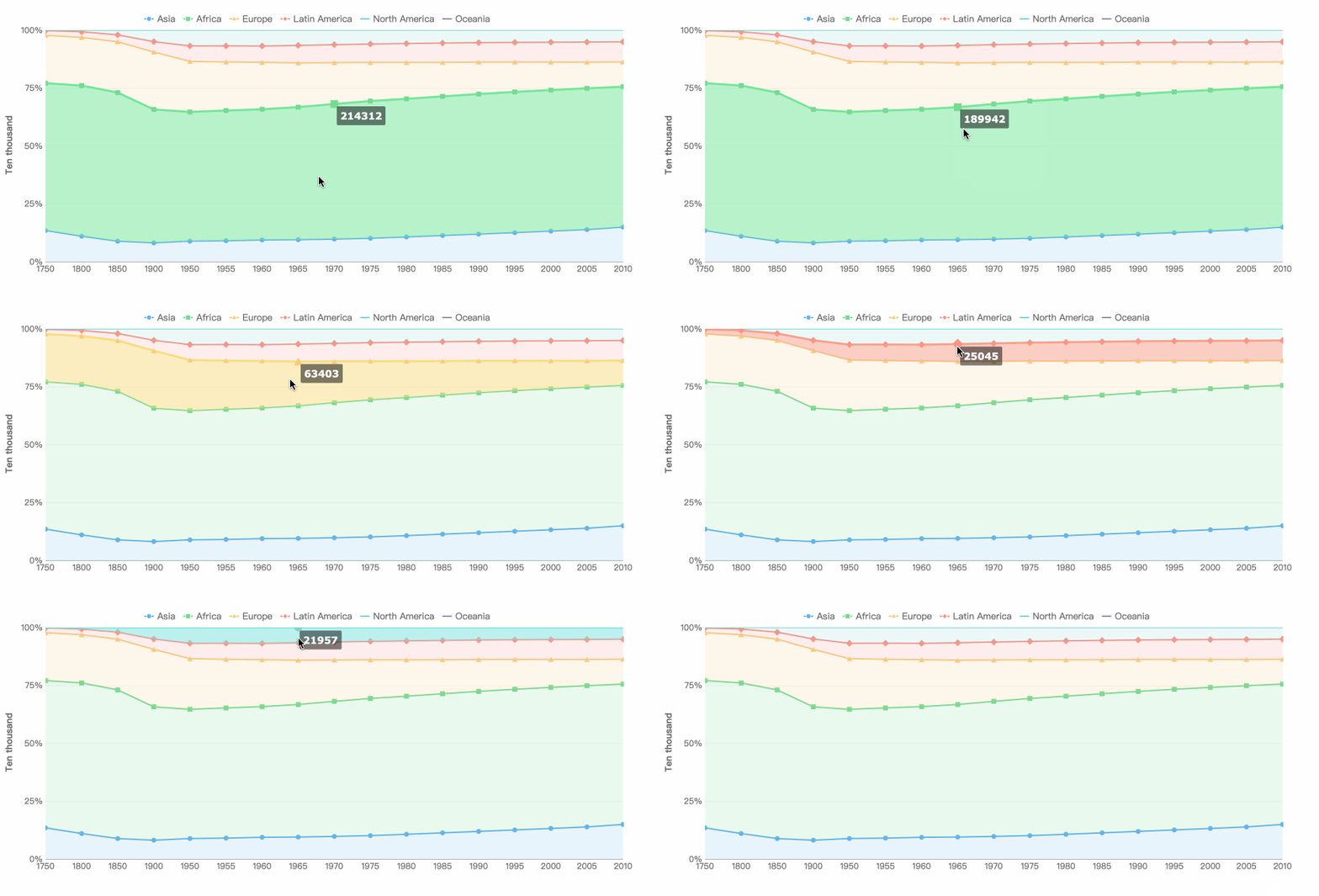
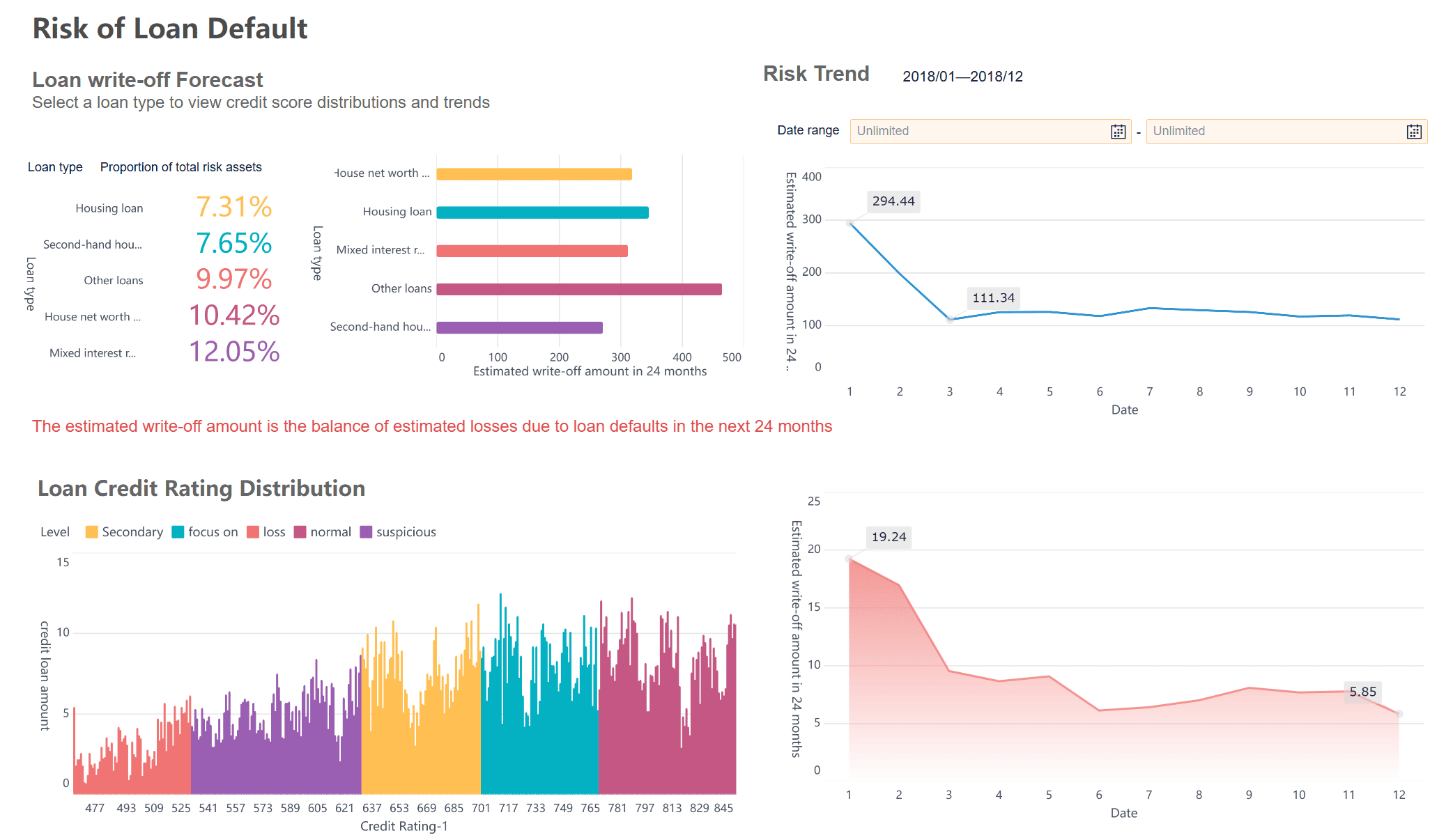
When you are ready to analyze, you can build interactive dashboards using FineBI’s drag-and-drop tools. You choose from a wide range of charts, maps, and tables to visualize your data. FineBI supports real-time filtering and responsive design, so you can access your dashboards on any device.
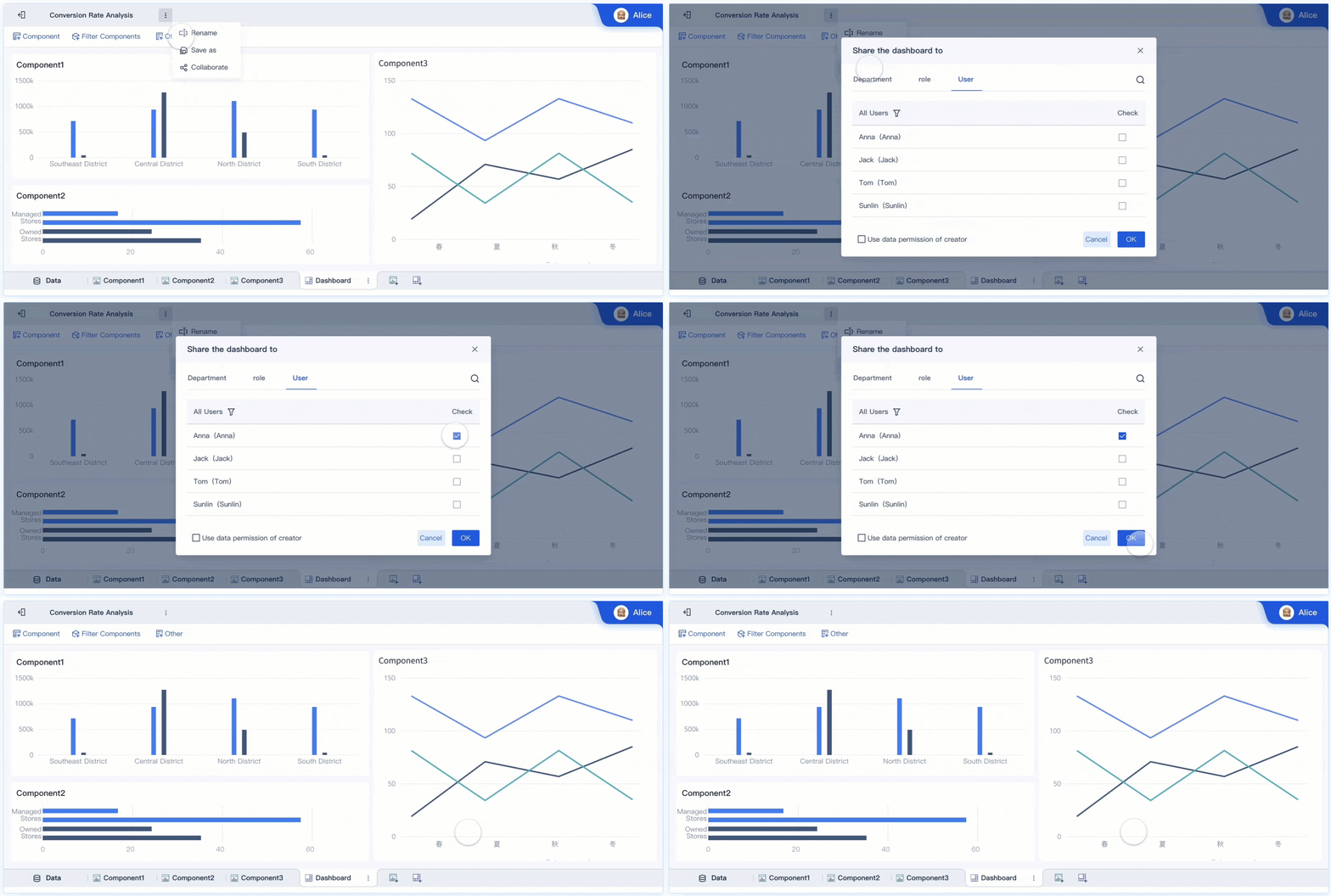
FineBIalso makes it easy to share your findings. You can publish dashboards with role-based permissions, ensuring that only authorized users see sensitive information. Teams can collaborate on the same dashboard, making it simple to validate results and share insights.
A real-world example comes from NTT DATA Taiwan. The company used FineBI to integrate data from multiple systems and empower different departments to perform their own analysis. This approach reduced the burden on IT staff and allowed business units to make faster, data-driven decisions. FineBI’s self-service features helped the organization create over 300 analysis templates, improving both efficiency and strategic planning.
By following this workflow and using advanced data analysis tools, you can transform raw data into meaningful insights. You gain the ability to make informed decisions, share results with your team, and drive your research forward.
Choosing the Right Data Analysis Tools in Research
Key Factors to Consider
When you selectdata analysis tools, you need to look at several important factors. These factors help you make sure the tool fits your project and supports your data analysis goals.
Type of data and complexity: Think about whether your data is structured, unstructured, or very large.
Types of data analysis required: Some tools work best for statistical analysis, while others are better for reporting or visualization.
User expertise and technical skills: Choose a tool that matches your team’s skills. For example, Excel is easier for beginners, while Python or R suits advanced users.
Integration with existing systems: Make sure the tool works well with your current software and databases.
Scalability and performance: Check if the tool can handle your data now and as your needs grow.
Platform compatibility: Confirm the tool runs on your operating system.
Team collaboration: Look for features that support teamwork and sharing.
Learning curve: Consider how much time you need to learn the tool.
Ethical and legal issues: Always protect privacy and follow laws like FERPA.
Time and resources: Pick a tool that fits your schedule and budget.
Tip: Reliability and validity are key. Reliable data analysis tools help you collect quality data, while valid methods ensure your findings are credible.
Matching Tools to Research Needs
You should always match your data analysis tools to your research objectives. Start by defining your goals. Different tools serve different purposes. For example, some tools focus on statistical analysis, while others manage large datasets or support qualitative analysis. The right choice streamlines your process and improves your results.
Software
Description
MatchIt
Prepares data for outcome analysis using matching methods.
Matching
Offers multivariate and propensity score matching.
cem
Uses coarsening to create balanced groups for analysis.
optmatch
Enables flexible group matching to minimize differences.
MatchingFrontier
Balances sample size and covariate balance for trade-off analysis.
CBPS
Optimizes covariate balance directly during propensity score estimation.
PanelMatch
Designed for longitudinal data with repeated observations.
PSAgraphics
Provides visual tools for propensity score analysis.
rbounds
Tests sensitivity to unmeasured confounders in matched data.
twang
Uses boosted models for propensity score weighting.
Getting Started with FineBI
If you want to try FineBI for your data analysis, you can follow these steps:
Data analysis tools in research shape the quality and impact of your findings. When you select the right tool, you match your methods to your data and research goals. This choice improves both efficiency and accuracy, especially as sample size and data complexity change. You should consider your skill level and the nature of your data before deciding. Explore platforms like FineBIfor self-service analytics. Try different tools to find what fits your workflow and enhances your research outcomes.
Access a wealth of case studies, industry insights, and solution guides to accelerate digital transformation.
FAQ
What are data analysis tools in research?
Data analysis tools in research are software or platforms that help you collect, process, and interpret data. You use these tools to turn raw information into meaningful insights that support your research goals.
How do you choose the best data analysis tools in research?
You should consider your data type, research objectives, and skill level. Look for tools that match your needs, offer integration options, and support collaboration. FineBI is a strong choice for self-service analytics.
Can you use data analysis tools in research without coding skills?
Yes. Many data analysis tools in research, such as FineBI and Tableau, offer drag-and-drop interfaces. You can analyze and visualize data without writing code, making these tools accessible to beginners.
Why is data preparation important when using data analysis tools in research?
Data preparation ensures your results are accurate and reliable. You clean, organize, and validate your data before analysis. This step helps you avoid errors and improves the quality of your research findings.
What makes FineBI different from other data analysis tools in research?
FineBI provides self-service analytics, strong integration features, and real-time collaboration. You can connect to many data sources, prepare data visually, and share dashboards securely. FineBI supports both business users and analysts.