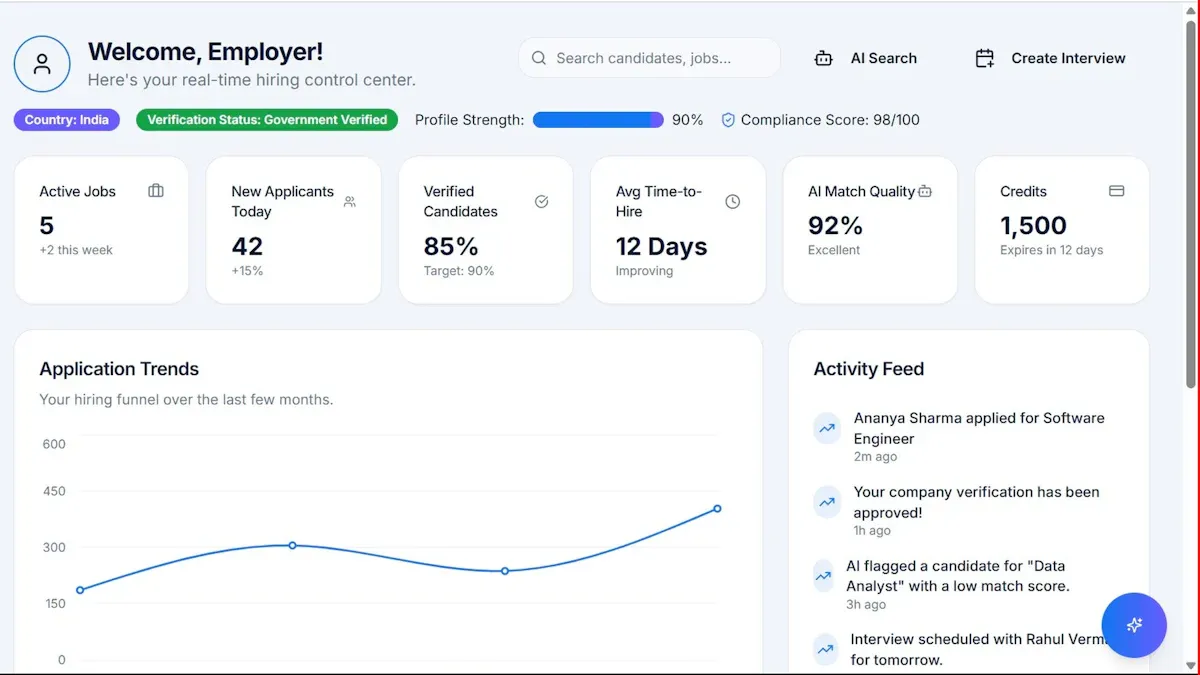
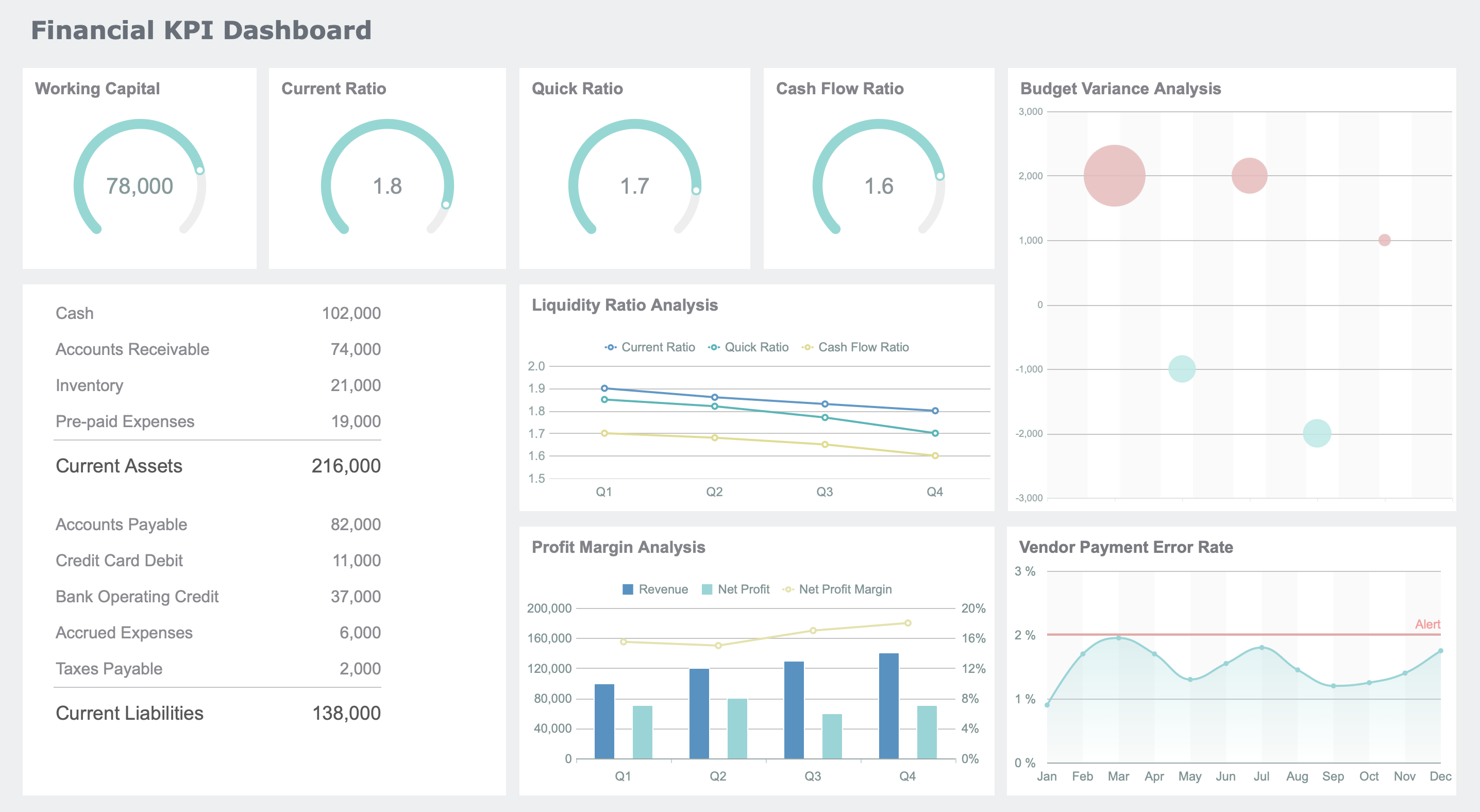
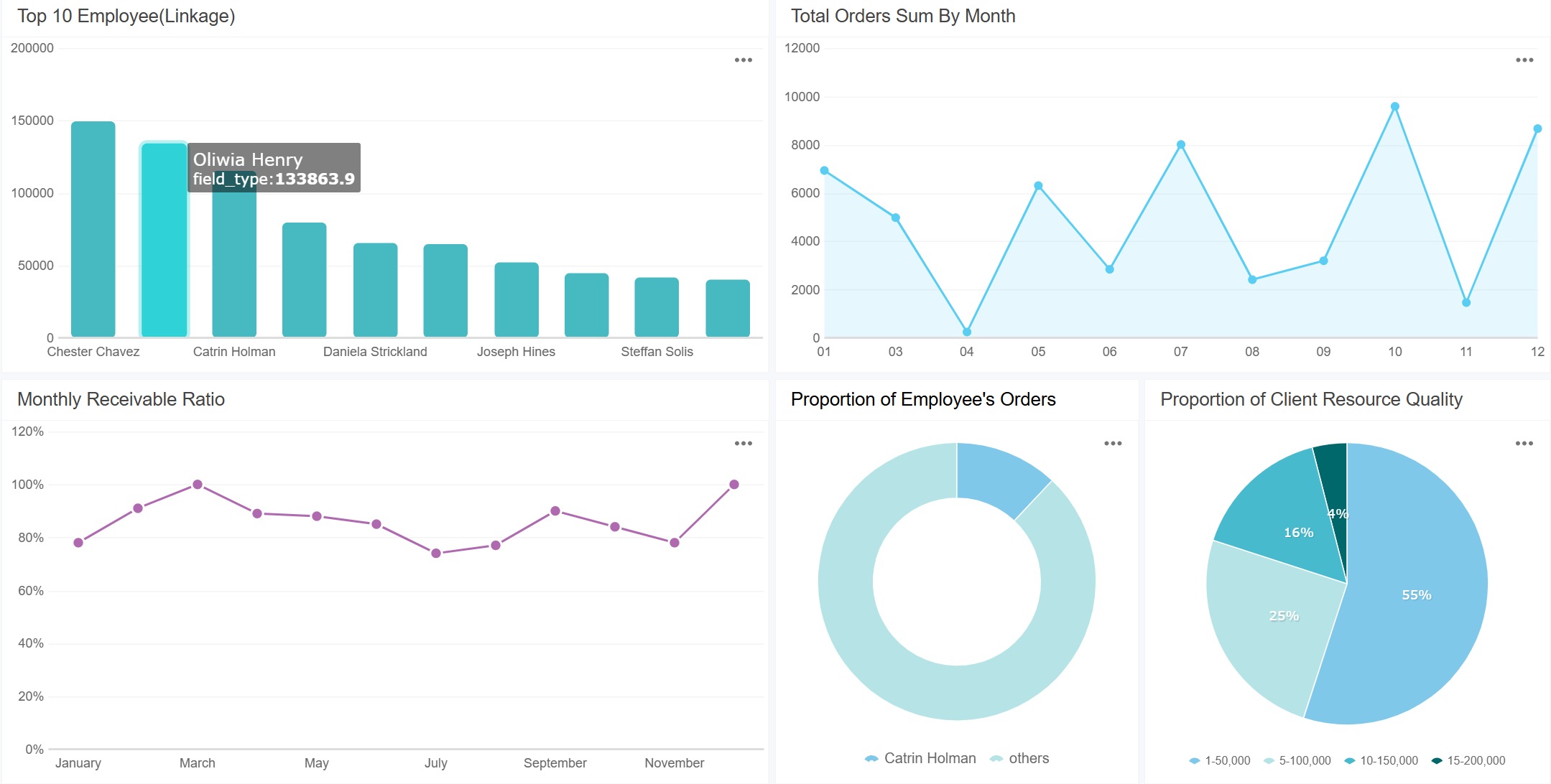
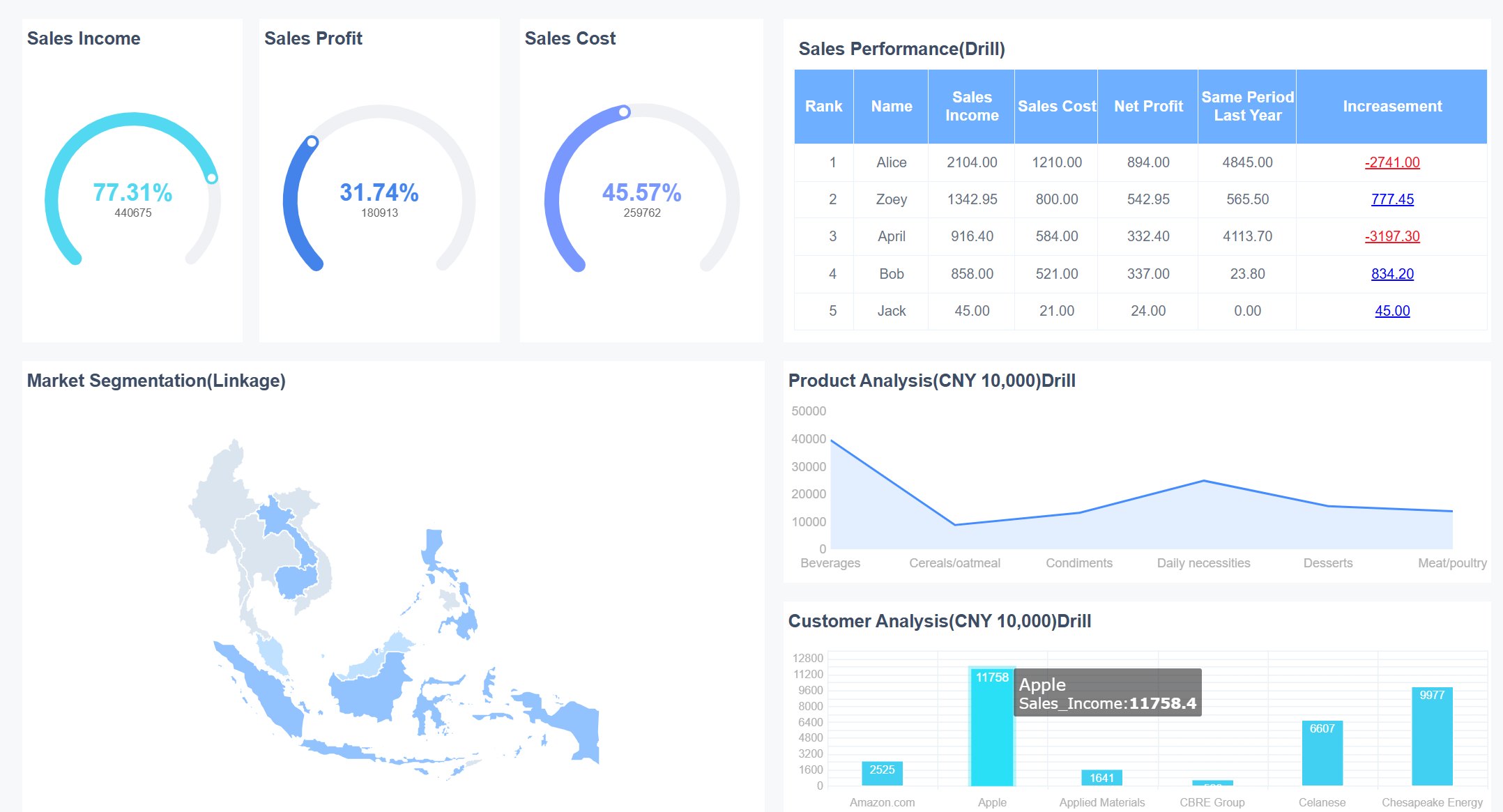
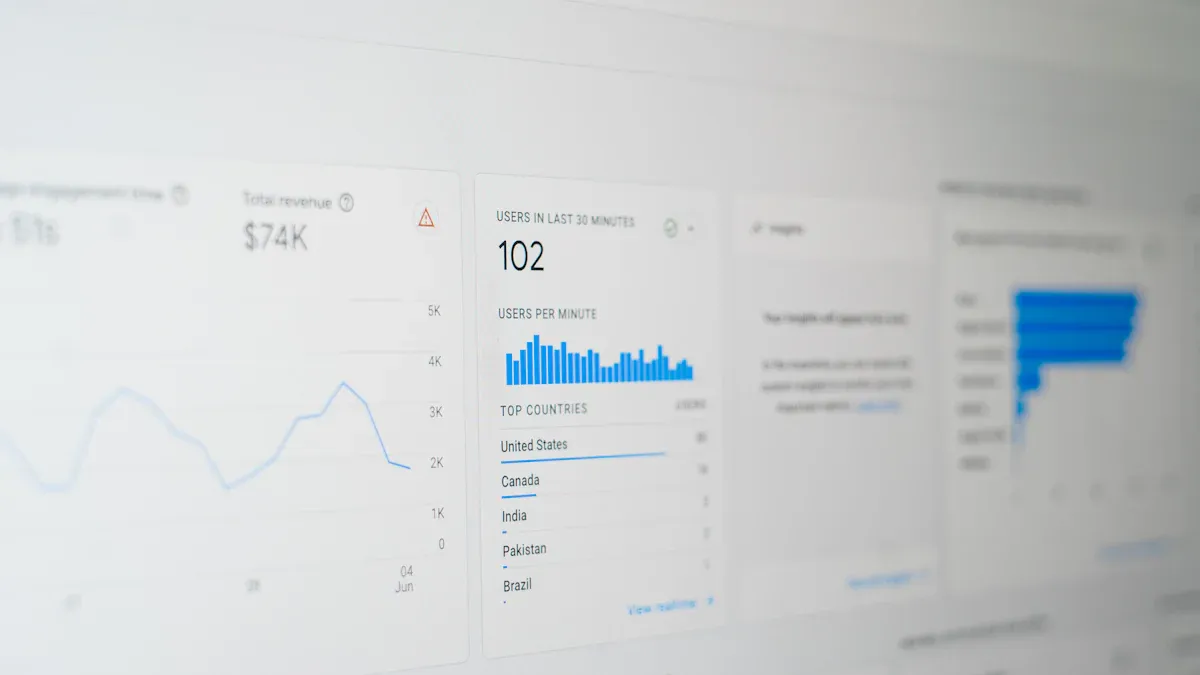
A revenue dashboard is a visual tool that helps you track, analyze, and understand your organization’s income streams by displaying real-time data, trends, and key performance indicators in one place. You gain quick access to critical metrics and spot trends easily with dashboards. These tools promote a data-driven culture, support real-time monitoring, and enable you to make informed decisions.
Dashboards help you identify revenue trends and patterns.
They allow you to monitor business performance and adjust strategies quickly.
You can uncover inefficiencies and optimize operations for better results.
When you use a revenue dashboard, you improve sales forecasting, detect revenue leakage, and boost team performance. Consider how you can adapt these dashboards, including FineReport, to fit your unique business needs.
Sales Performance Revenue Dashboard
A revenue dashboard is a visual tool that lets you track, analyze, and understand your company’s income streams by displaying real-time data, trends, and sales KPIs in one place. You can use it to monitor performance, spot trends, and make informed decisions quickly.
Core Metrics Overview
Sales performance dashboards give you a clear view of your most important sales KPIs. You can track total sales revenue, sales conversion rate, and average deal size. These dashboards also show you metrics like quarterly sales growth, year-over-year growth, and repeat customer rate. You can monitor pipeline coverage, win rate, quota attainment, and the number of meetings booked. A sales dashboard example might include a leaderboard for top sales reps, a sales pipeline dashboard for tracking deals, and a sales growth dashboard for measuring progress over time.
You can use FineReport’s Common Dashboard to monitor these KPIs in real time. The dashboard brings together actionable sales data from multiple sources, so you always have the latest information. With dynamic visualizations, you can see how your team performs against targets and identify areas for improvement.
Use Cases for Sales Teams
Sales teams rely on sales dashboards to drive revenue growth and improve performance. You can use a sales performance dashboard to get real-time analytics, which means you do not have to wait for reports. This helps you make quick decisions and adjust your strategy as needed. Sales dashboard examples show how teams use dashboards to track sales activities, monitor conversion rates, and analyze sales pipeline health.
You can share dashboards with your team to keep everyone aligned and accountable. Sales analytics dashboards reveal high-impact KPIs, helping you focus on what matters most. You can spot trends, identify bottlenecks, and take action before small issues become big problems. FineReport’s sales dashboard makes it easy to manage your sales pipeline, track sales growth dashboard metrics, and boost revenue outcomes.
Tip: Use sales dashboard examples to inspire your own dashboard design. Choose the KPIs that match your business goals and customize your dashboard for maximum impact.
Subscription Revenue Dashboard Templates
Key Metrics for Recurring Revenue
You need to track the right revenue metrics to understand your subscription business. Dashboard templates help you monitor these metrics in real time and spot trends quickly. The most important revenue metrics for subscription models include:
Monthly Recurring Revenue (MRR)
Annual Recurring Revenue (ARR)
Churn Rate
Renewal Rate
Customer Lifetime Value (LTV)
Customer Acquisition Cost (CAC)
Retention Rate
Expansion Revenue
Payment Processing Cost
Transaction Approval Rate
MRR shows you how much predictable revenue you generate each month. ARR gives you a yearly view by multiplying MRR by 12. Churn Rate tells you what percentage of customers cancel their subscriptions. A low churn rate means you keep more customers, which is key for growth.
You can use dashboard templates to visualize these revenue metrics and compare them over time. Templates let you set up alerts for sudden changes in churn or MRR. This helps you react fast and protect your recurring revenue.
Here is a quick overview of the key metrics you can track with dashboard templates:
Metric
What It Measures
Healthy Range
Focus Area
MRR
Predictable monthly revenue
+5–15% MoM growth
Growth stability
ARR
Annualized recurring revenue
+15–30% YoY
Investor confidence
Churn Rate
% of customers lost
<5% monthly
Retention
LTV
Lifetime revenue per customer
3× CAC
Profitability
CAC
Cost per acquisition
Varies
Efficiency
LTV to CAC Ratio
Revenue-to-cost balance
~3:1
Growth sustainability
ARPU
Avg. monthly revenue per customer
Growing
Monetization
NRR/GRR
Revenue retention quality
NRR >100%
Expansion revenue
Activation Rate
Onboarding success
>70%
User experience
MRR Growth Rate
Revenue momentum
Consistent positive
Market traction
SaaS and Service Industry Use Cases
If you run a SaaS or service business, dashboard templates help you manage recurring revenue with ease. You can use templates to segment customers, track retention, and measure customer lifetime value. Templates also help you identify high-value customers and focus your resources where they matter most.
With dashboard templates, you can:
Allocate resources to customers who drive long-term revenue
Tailor marketing campaigns based on customer lifetime value
Segment customers by behavior to improve retention
FineReport’s dashboard templates give you flexibility. You can connect to multiple data sources and customize each template to fit your business. Templates let you automate reporting, set up alerts, and share dashboards with your team. This makes it easy to keep everyone focused on the right revenue metrics.
Tip: Use dashboard templates to monitor churn and retention. Quick action on these metrics can boost your recurring revenue and help your business grow.
Executive Revenue Dashboard
A revenue dashboard is a visual tool that gives you a clear, real-time overview of your company’s income, trends, and key performance indicators, helping you make faster and smarter business decisions.
High-Level Revenue Insights
You need a dashboard that gives you a strategic view of your business. Executive revenue dashboards focus on high-level KPIs, not just operational details. These dashboards help you see the big picture and track revenue progress at a glance. You can use them to monitor trends, compare performance over time, and spot market shifts quickly.
Here are the main characteristics of an effective executive dashboard:
Characteristic
Description
Visual and Intuitive
Clear data visualizations make complex data easy to understand.
High-Level and Strategic
Focuses on strategic KPIs for leadership decisions.
Real-Time Data
Shows up-to-date information about your business.
Customizable
Tailors to your specific needs and priorities.
Interactive
Lets you drill down for more details when needed.
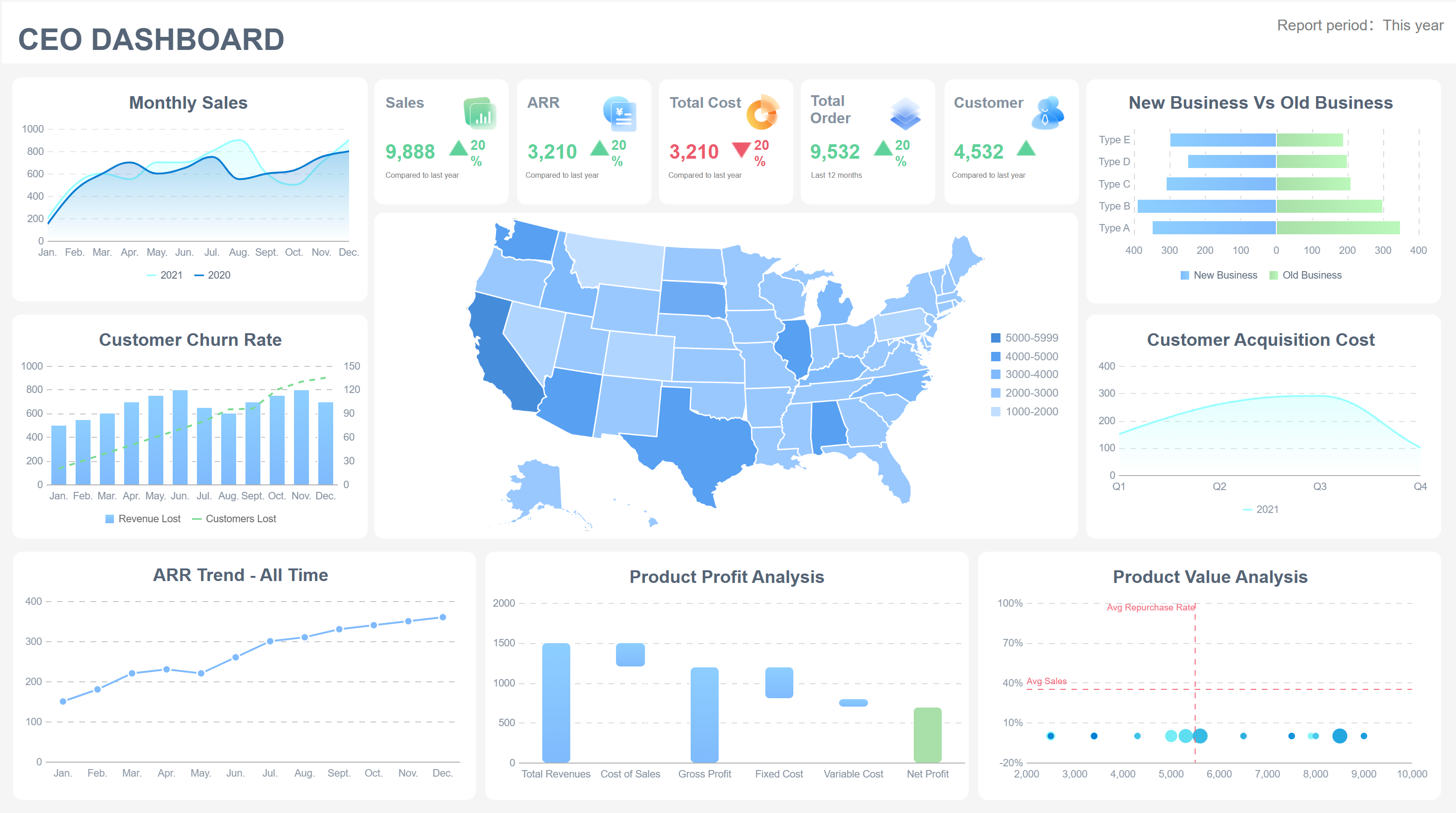
Revenue Dashboard created by FineReport (Click to Engage)
Executive dashboards give you a consistent view of key metrics. You can analyze historical data, identify patterns, and make accurate forecasts. This helps you plan for the future with confidence.
Decision-Making Support
You want to make decisions based on facts, not guesses. Executive dashboards simplify complex data and put all critical information in one place. This makes it easier for you to assess financial health, track project status, and monitor key performance indicators.
FineReport’s Decision-Making Platform supports executive dashboards by providing:
Centralized insights for all your KPIs and revenue data
Real-time updates for immediate risk and opportunity detection
Tools to link performance metrics with responsible teams, improving accountability
Interactive features for drilling into details when you need more information
With these dashboards, you can align departmental goals with your overall business objectives. You get a clear view of revenue progress and can adjust strategies quickly. Dashboards also foster a culture of adaptability and continuous improvement, helping you stay ahead in a changing market.
Tip: Use executive dashboards to turn raw data into visual stories. This makes it easier to communicate results and strategies with your team.
E-commerce Revenue Dashboard
A revenue dashboard is a visual tool that gives you real-time data on your sales, income streams, and business performance, helping you make smarter decisions and optimize results.
Real-Time Sales Tracking
You need real-time data to stay ahead in e-commerce. A revenue dashboard gives you instant access to sales numbers, order volume, and customer behavior. You can track every sale as it happens, monitor inventory, and adjust your marketing strategies on the fly. This real-time visibility helps you respond quickly to trends and sales events.
Here are common features you will find in e-commerce dashboards for real-time sales tracking:
Feature
Description
Real-Time Data
See up-to-the-minute sales and revenue for fast decision-making during campaigns.
Smarter Decision-Making
Use immediate data to adjust marketing and manage inventory.
Customer Behavior Insights
Track cart abandonment and average order value to understand what drives your customers.
Multi-Store Management
View all your sales channels in one dashboard for easier management.
Sales Forecasting
Analyze past data to predict future sales and demand.
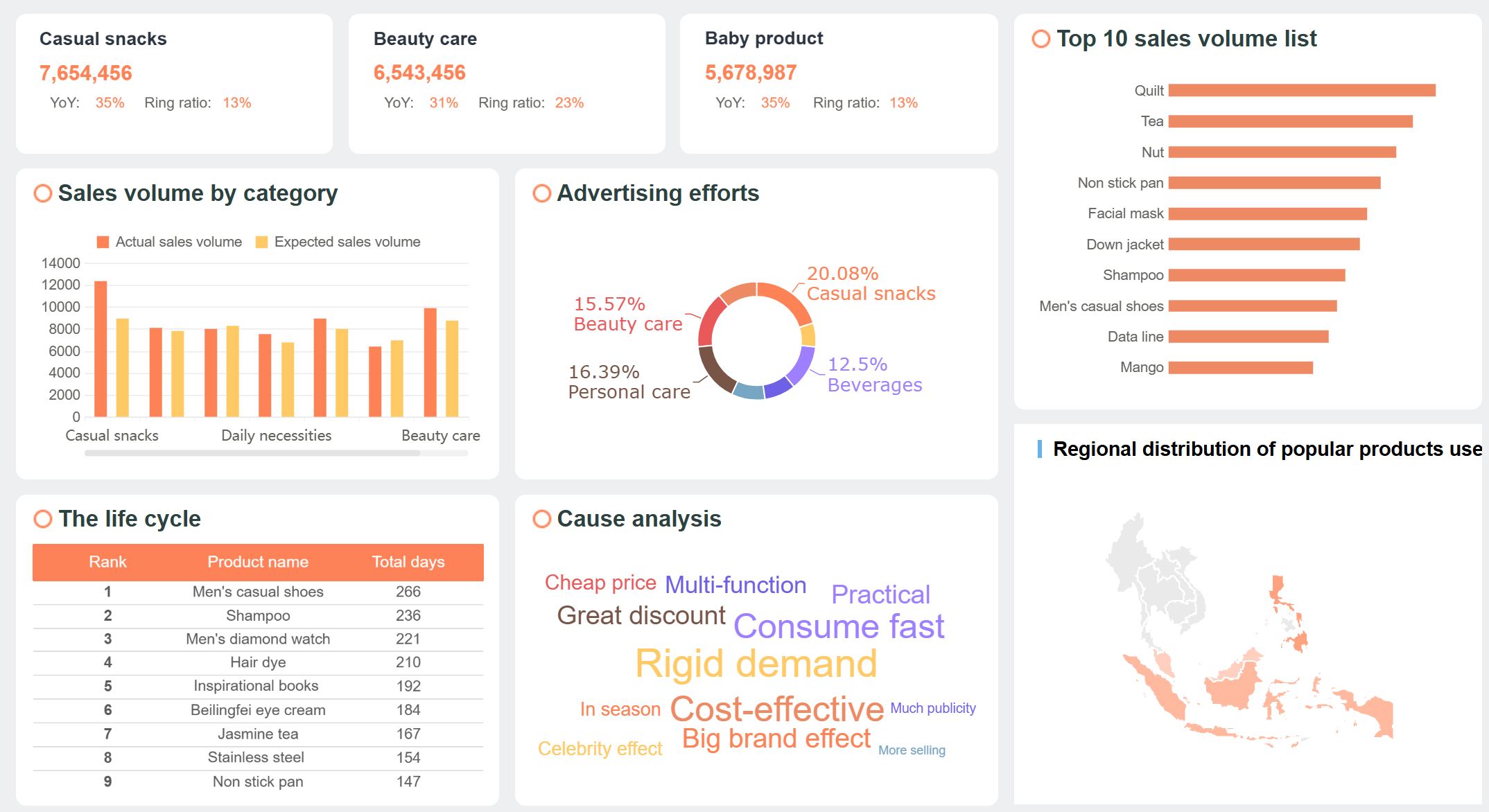
E-commerce Popular Products Analysis Dashboard (Click to Engage)
FineReport’s mobile dashboard supports all your devices, so you can check real-time data from your phone, tablet, or computer. You never miss a sales update, even when you are on the go. This flexibility keeps you connected and ready to act.
Channel and Conversion Analysis
You want to know which marketing channels drive the most revenue. E-commerce dashboards let you compare performance across platforms like Shopify, Meta, and Google Ads. You get real-time visibility into key metrics such as customer acquisition cost (CAC), return on ad spend (ROAS), average order value (AOV), and lifetime value (LTV). You can track ROI daily and link campaigns to revenue, making it easy to adjust your budget for the best results.
The real foundation of any high-impact web analytics dashboard is selecting the right Key Performance Indicators (KPIs). Avoid tracking vanity metrics that do not connect to real business outcomes.
Dashboards also help you analyze conversion rates and channel performance. You can use different report types to get deeper insights:
Report Type
Insights
Traffic Source Conversion Performance
See how each channel converts visitors into sales and track user behavior.
Monthly Performance Report
Spot trends in conversions from different sources over time.
Landing Page Performance Dashboard
Monitor which pages drive the most conversions and where users drop off.
Keyword Performance Dashboard
Track which keywords bring in the most sales and identify threats to conversion.
Top Performing Pages Identification
Find your highest-converting pages and focus your optimization efforts.
With FineReport’s mobile dashboard, you get real-time data and real-time visibility into every channel and campaign. You can share dashboards with your team, reduce manual work, and focus on interpreting trends. This approach ensures everyone stays aligned and ready to act on the latest sales insights.
A revenue dashboard is a visual tool that brings together your most important income data, helping you track sales, monitor trends, and make better business decisions by displaying real-time metrics in one place.
Visualizing Revenue Data
You can use power bi dashboard examples to turn complex revenue data into clear, actionable insights. Power bi offers a wide range of data visualization techniques that help you understand your sales performance and financial health. You might use bar charts to compare sales across different products or regions. Line charts show you how revenue changes over time, making it easy to spot trends or seasonal patterns. Area charts highlight the volume of sales growth, while tables and matrices let you examine detailed numbers for each sales channel or time period.
Here is a quick reference for common visualization techniques in power bi dashboard examples:
Visualization Technique
Description
Use Case
Bar Charts
Compare data across categories
Track sales by product or region
Line Charts
Show changes over time
Monitor monthly or yearly revenue trends
Area Charts
Highlight volume of trends
Visualize sales growth
Tables
Display data for quantitative comparisons
Review sales by channel or salesperson
Matrices
Aggregate and summarize data
Analyze revenue by year and region
Donut/Pie Charts
Show proportions within a whole
See sales mix by product category
Power bi dashboard examples often include combo graphs for analyzing income and expenses together. You can use these dashboards to evaluate financial performance and track progress toward your goals. FineReport also provides advanced data visualization features, including interactive 3D dashboards and mobile-friendly layouts, giving you flexibility for any device.
Power bi dashboard examples adapt to many industries. In hospitality, you can track occupancy rates, room prices, and revenue per available room in real time. In finance, dashboards automate reporting and reduce manual errors, freeing up time for deeper analysis. For manufacturing, dashboards support lean production by integrating data from production, quality, and cost modules. You can monitor equipment status, production schedules, and quality metrics, helping you optimize operations and reduce costs.
For example, a fractional CFO consultancy used power bi dashboard examples to automate client reports. They connected directly to accounting systems, saving hours each month and improving accuracy. In manufacturing, FineReport’s lean production solution provides a control tower view, combining real-time data from multiple sources. You can track key performance indicators, spot bottlenecks, and drive continuous improvement.
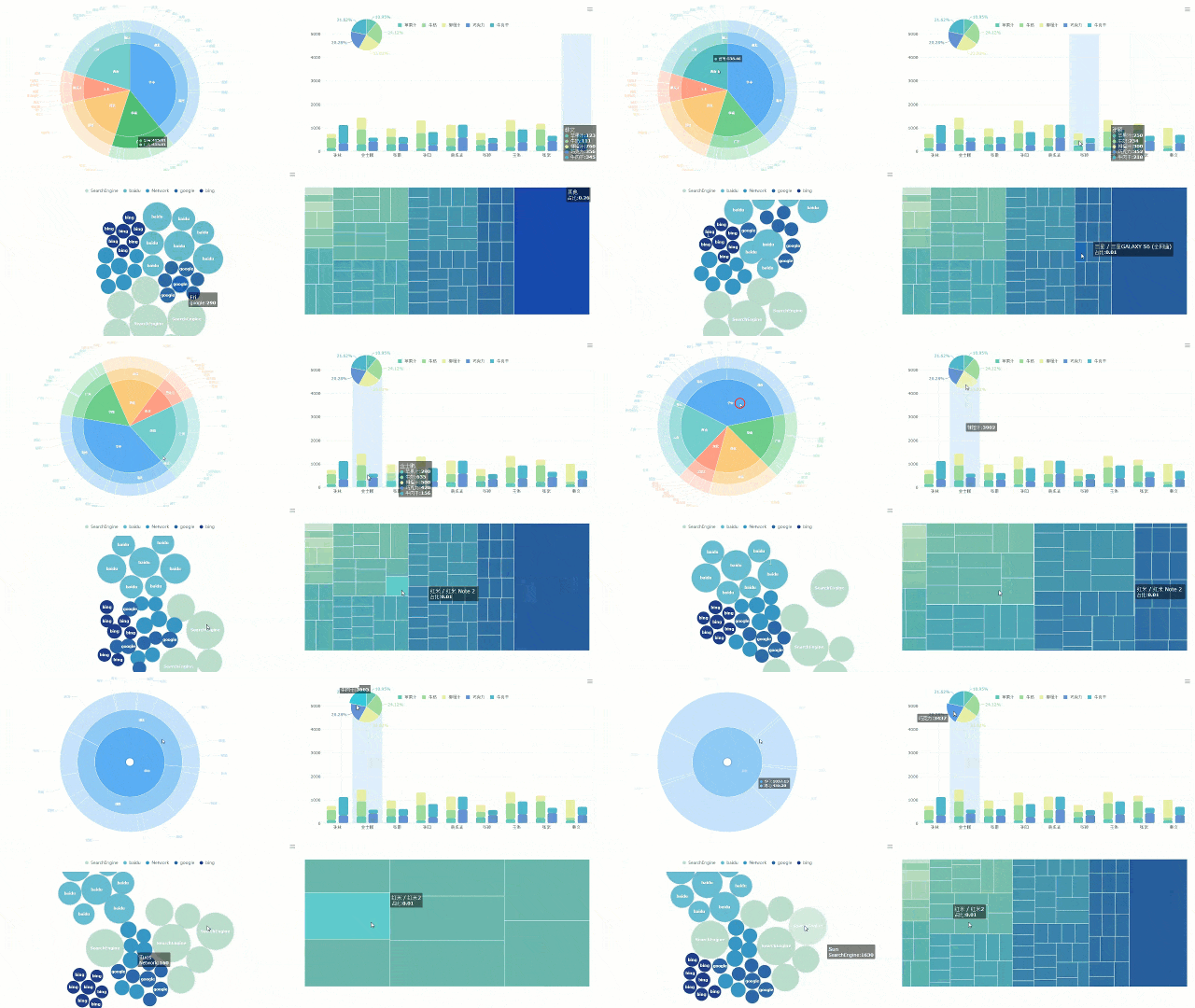
CFO Dashboard created by FineReport (Click to Engage)
Power bi templates make it easy to start building dashboards for your industry. You can customize these templates to fit your unique needs, whether you focus on sales, finance, or operations. FineReport also offers customizable templates and advanced integration options, supporting your business as it grows.
Tip: Choose the right dashboard template for your industry to get the most value from your revenue dashboard.
Regional Revenue Dashboard
A revenue dashboard is a visual tool that helps you track and analyze income by region, giving you clear insights into sales performance and market trends for smarter business decisions.
Geographic Revenue Segmentation
You can use a regional revenue dashboard to break down sales and revenue by geographic area. This approach helps you understand which regions drive the most business and where you need to focus your efforts. To segment revenue by region, follow these steps:
Define your geographic segments, such as country, state, or city.
Collect accurate sales data for each segment.
Choose metrics that matter, like total revenue, sales growth, or market share.
Adjust for currency changes if you operate internationally.
Maps make it easy to see which regions perform best. You can compare growth, analyze market share, and tailor your marketing to local preferences. FineReport’s dashboard offers mapping and drill-down features, so you can click on a region to see detailed sales data. This helps you assess resources, optimize logistics, and respond to local trends.
Tip: Use region-specific feedback and consider local regulations to improve your strategy.
Identifying Growth Opportunities
A regional revenue dashboard lets you spot growth opportunities in different markets. You can see financial performance across regions and analyze trends for each area. This helps you find regions with strong sales and identify places with potential for expansion.
Analyze key drivers for each region.
Compare performance metrics to highlight areas for improvement.
Use the dashboard to evaluate costs and customer lifetime value by region.
Anticipate external impacts, such as seasonality or competition.
FineReport’s dashboard allows you to drill down into specific regions and uncover hidden opportunities. You can use these insights to guide your sales strategy and allocate resources more effectively.
Region
Sales Growth
Market Share
Opportunity Level
North
High
35%
Strong
South
Moderate
25%
Emerging
East
Low
15%
Needs Focus
West
High
25%
Strong
Note: Regularly review your dashboard to stay ahead of market changes and maximize your revenue.
Custom Revenue Dashboard Templates with FineReport
A revenue dashboard is a tool that lets you track, analyze, and visualize your company’s income and sales data in real time, helping you make better business decisions.
Flexible Design and Integration
You can create custom kpi dashboard templates in FineReport with ease. The drag-and-drop designer gives you full control over every template. You can adjust layouts, add or remove charts, and set up custom sales metrics. FineReport lets you connect to many data sources, so your dashboard always shows the latest numbers.
You can personalize each template by changing the title of any hyperlink sub-template in the form attribute. Use the Component Settings in the property panel to do this. When you preview your dashboard on a PC, the form attribute title appears at the top.
FineReport supports custom chart styles for your dashboard templates. You can change the background color, set word cloud colors, and adjust the legend. You can even use 3D dynamic rotation and other 3D properties to make your sales data stand out. This flexibility helps you build templates that match your brand and business needs.
When to Customize vs. Use Pre-Built Templates
You should choose custom kpi dashboard templates when your sales process or revenue tracking needs are unique. Custom templates let you focus on the exact metrics that matter most to your business. If you need to track special sales KPIs or want a dashboard that matches your workflow, customization is the best choice.
Pre-built dashboard templates work well when you want to get started quickly. These templates cover common sales and revenue scenarios. You can use them as a starting point and then adjust them as your needs grow.
UnionPay Data Services used FineReport to build a unified data visualization platform. They customized templates to analyze credit card revenue and sales, which helped them improve customer targeting and boost revenue. Their story shows how custom templates can drive real results.
Tip: Start with pre-built dashboard templates if you are new to dashboards. Move to custom templates as your business grows and your sales tracking needs become more complex.
How to Choose the Right Revenue Dashboard
A revenue dashboard is a tool that displays your most important sales and revenue data in one place, helping you track performance and make informed decisions. You need to choose a dashboard that fits your business goals, supports your team, and grows with your company. The right template will help you focus on the sales metrics and kpis that matter most, making your data easy to understand and act on.
Assessing Business Needs
Start by matching dashboard features to your business goals. You want a template that aligns with your sales process and tracks the right kpis. Use the table below to guide your assessment:
Criteria
Description
Scalability
The template should handle more data and users as your business grows.
Ease of Use
The dashboard must be simple for everyone, including non-technical users.
Alignment with Business Goals
The kpis in your template should connect directly to your main objectives.
Actionable Metrics
Focus on 5-10 key sales metrics that drive action, not clutter.
Look for templates that let you customize kpis and sales data. FineReport offers templates that connect to many data sources and support real-time updates. This flexibility helps you adapt as your business changes.
Implementation Tips
You want your dashboard to deliver value from day one. Follow these best practices for a smooth rollout:
Secure executive sponsorship to show leadership support for your dashboard project.
Invest in data quality before building templates. Clean data leads to better insights.
Design templates around user needs and workflows, not just available data.
Use agile development. Build your dashboard in small steps and get feedback from users.
Provide training so everyone understands how to use the dashboard and templates.
Plan for continuous improvement. Review usage and update templates as your sales process evolves.
You may face challenges like data silos or resistance to new tools. Solve these by setting up strong data governance and involving users early. Avoid dashboard clutter by using templates with clear executive summaries and links to detailed sales views.
Tip: Start with a simple template, then add more features as your team gets comfortable. This approach helps you get quick wins and build momentum.
A revenue dashboard is a tool that shows your sales and income data in real time. Choosing the right dashboard helps you make faster decisions, respond quickly to changes, and improve teamwork. The right template connects your sales outcomes with pipeline behavior and conversion patterns. You can use these templates to turn your sales data into clear, actionable stories. Explore FineReport templates or build your own to track sales, monitor trends, and support better decisions. Start by turning your Excel sales data into a decision-ready dashboard and keep improving your templates as your business grows.
Access a wealth of case studies, industry insights, and solution guides to accelerate digital transformation.
FAQ
What is a revenue dashboard?
A revenue dashboard is a visual tool that lets you track, analyze, and understand your company’s income streams in real time. You can use it to monitor sales, spot trends, and make informed decisions quickly. It helps you see all your key metrics in one place.
How do I choose the right template for my sales dashboard?
You should pick a template that matches your sales process and tracks the most important KPIs. Look for templates that let you customize metrics, connect to your data sources, and support real-time updates. This helps you adapt as your business changes.
Can I use power bi to create a sales dashboard?
Yes, you can use power bi to build a sales dashboard. Power bi offers many visualization options and templates. You can connect to different data sources, track sales performance, and customize your dashboard for your team’s needs. Power bi makes it easy to share insights.
Why should I use a template instead of building a dashboard from scratch?
A template saves you time and effort. You get a ready-made structure for tracking sales and revenue. Templates help you focus on the right metrics and avoid common mistakes. You can start quickly and adjust the template as your needs grow.
How often should I update my sales dashboard?
You should update your sales dashboard as often as possible. Real-time updates give you the best results. If you cannot use real-time data, update your dashboard daily or weekly. This keeps your sales team informed and ready to act.