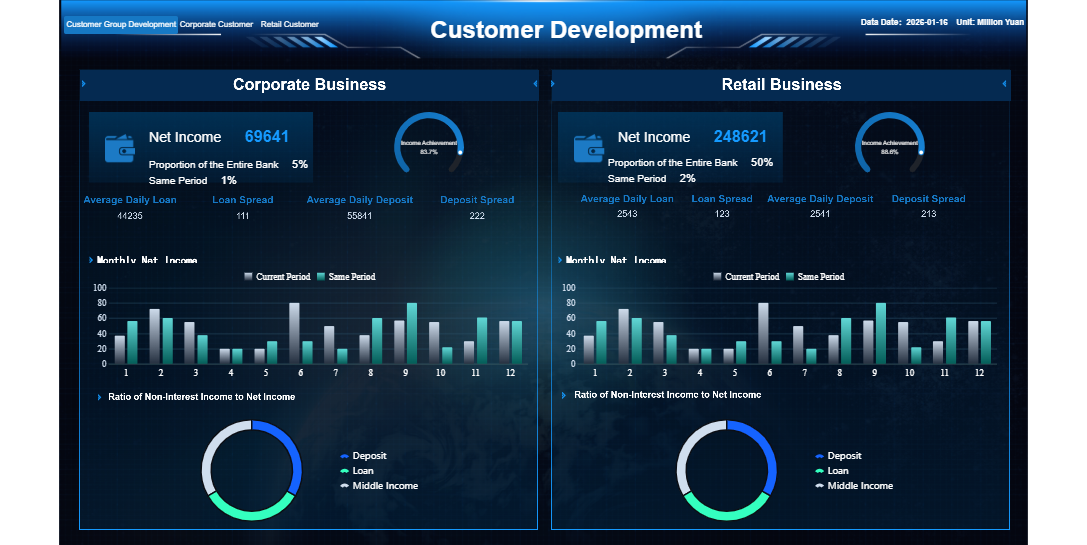
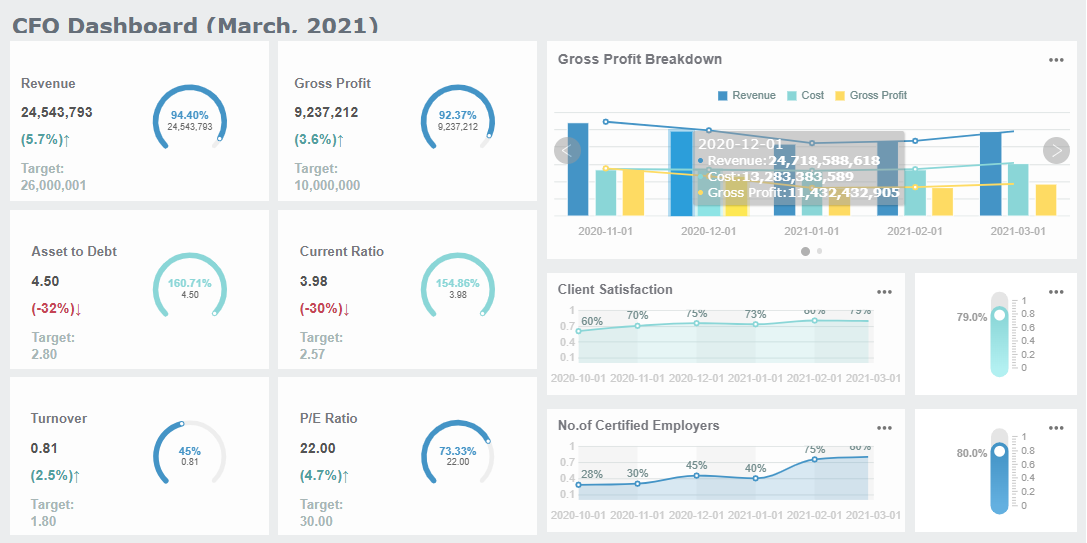
A legal practice dashboard gives you a centralized platform to view your law firm’s operations, track case progress, and monitor performance metrics in real time. You use this tool to simplify complex workflows, reduce manual tasks, and make better decisions faster. When you adopt management software like FineReport, you transform everyday processes and boost efficiency. You gain actionable insights that help you manage cases and resources with confidence.
Legal Practice Dashboard For Law Firm Workflow Management
Real-time Insights and Performance Tracking
A legal practice dashboard gives you a single place to view all your law firm’s operations. You see every case, client, and team member’s workload in one glance. This centralized view helps you manage tasks, deadlines, and resources without switching between different tools or spreadsheets. When you use a legal practice dashboard, you turn your firm’s standard operating procedures into dynamic, actionable workflows. This transformation lets you automate routine tasks, track progress visually, and improve communication across your team.
Many law firms face common workflow bottlenecks before adopting a legal practice dashboard. These include:
Manual data entry and duplicate work
Slow client intake
Poor document management
Time-tracking and billing delays
Inefficient case and matter management
Compliance and risk management hurdles
Lack of reporting and insights
A legal practice dashboard addresses these issues by providing real-time insights into your firm’s performance. You can monitor key metrics as they happen, which allows you to spot problems early and make quick adjustments. For example, you can track financial health, productivity, and client satisfaction all in one place. This immediate access to data helps you make informed decisions and respond to changes in your workload or client needs.
Here are some of the most valued types of performance tracking you can achieve with a legal practice dashboard:
KPI Category
Description
Client Development
Tracks growth and acquisition of new clients
Client Satisfaction
Measures client happiness and retention rates
Marketing Performance
Evaluates effectiveness of marketing strategies and lead generation
Financial Health
Focuses on profitability metrics such as revenue and costs
Team Productivity
Assesses the efficiency and output of legal teams
With these metrics, you can see which areas of your firm are thriving and which need attention. You gain a clear view of your financial indicators, team productivity, and client relationships. This level of insight supports better resource allocation and helps you set realistic goals for your team.
A legal practice dashboard also gives you actionable intelligence. You can quickly identify trends, track the status of cases, and measure the impact of your decisions. This real-time feedback loop improves your firm’s responsiveness and helps you stay ahead of potential challenges.
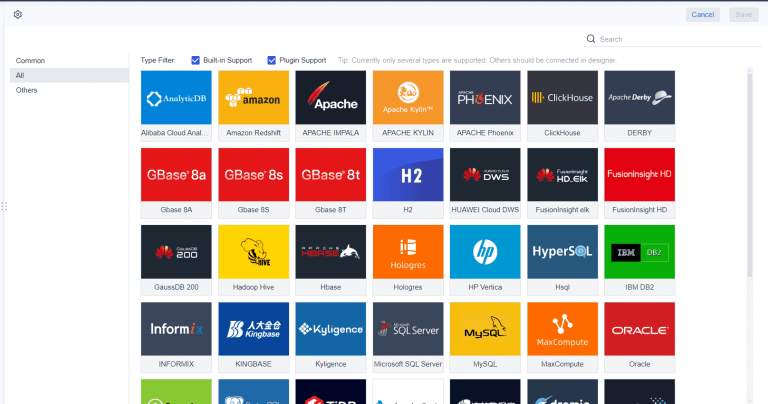
FineReport takes the legal practice dashboard to the next level. You can connect data from multiple sources, such as case management systems, billing software, and client databases. FineReport’s drag-and-drop interface makes it easy to build dashboards that fit your firm’s unique needs. You do not need advanced technical skills to create or customize reports.
With FineReport, you streamline your workflow by automating repetitive tasks and reducing manual data entry. The platform supports advanced features like funnel analysis and competitive intelligence, which are essential for understanding your market performance. These tools help you identify bottlenecks in your processes and optimize your team’s efficiency.
FineReport stands out because it enhances operational efficiency for large and growing law firms. You can monitor every aspect of your workflow, from client intake to case resolution, in real time. The dashboard provides visual management of tasks, making it easier to assign responsibilities and track progress. You also benefit from improved document management and faster billing cycles.
By integrating FineReport into your legal practice dashboard, you gain a powerful tool for managing compliance and risk. The system helps you maintain accurate records, track deadlines, and ensure that your firm meetsregulatory requirements. You can generate detailed reports for audits or client reviews with just a few clicks.
Key Features of Legal Practice Dashboard
Legal practice management software gives you the tools to manage your law firm’s operations with greater accuracy and speed. When you use legal practice dashboards, you gain a centralized view of your cases, clients, and financials. These dashboards help you track performance, automate routine tasks, and improve collaboration across your team. The key features of legal practice management software drive efficiency and support better decision-making.
You can see how these features benefit your firm in the following table:
Feature
Benefit
Case Management
Centralizes client data, improving organization and access to case information.
Client Relationship Management
Automates client interactions, enhancing experience and reducing administrative tasks.
Automation
Frees up time by handling routine tasks, allowing focus on substantive legal work.
Document Management
Reduces errors and saves time through secure document handling and automation.
Billing and Accounting
Keeps financials organized and transparent, aiding in financial management.
Communication Tools
Enhances interactions with clients, reducing delays through integrated messaging and calls.
Data Analysis and Reporting
Aids strategic decision-making with performance dashboards and analytics.
Access and Security
Ensures secure, remote access to data with user permissions, enhancing data security.
Financial Metrics and Billing Automation
Financial tracking and billing automationare essential components of legal practice management software. You can monitor your firm’s financial health, track revenue, and manage expenses with real-time dashboards. These features help you identify underperforming areas and improve profitability.
Billing automation reduces common financial errors such as time tracking mistakes, double billing, block billing, delayed invoicing, and trust accounting errors. These mistakes can damage client trust and lead to ethical violations. When you automate billing, you convert time entries into detailed invoices using pre-set rules and templates. This process improves billing accuracy and reduces administrative workload.
You can see the impact of financial tracking and billing automation in the table below:
Evidence Type
Description
Response Time Statistics
28% of firms respond to web leads within five minutes, leading to higher business acquisition.
Consumer Behavior Insight
78% of consumers hire the first company that responds, indicating the importance of timely responses.
Efficiency Gains from Automation
Automation can save lawyers about four hours a week, translating to $100,000 in additional billables per attorney annually.
Automated workflows allow time entries to flow directly to invoices without duplicate data entry. Automated invoice generation creates invoices from tracked time and expenses. Real-time financial reporting helps you identify collection issues early and improve cash flow management. Firms that accept online payments see invoices paid 70% faster, with some reporting monthly collection increases of over $10,000.
By automating routine tasks, legal practice management software reduces the need for extensive administrative support. You save time and reduce costs. Legal billing automation applies billing rules and templates, which improves billing accuracy and reduces errors.
Predictive models in legal practice management software identify client billing patterns. You can adjust payment terms and protect revenue. CFOs now focus on measuring AI’s efficiency and rethinking pricing strategies to maintain profitability. Real-time financial metrics help you spot inefficiencies and improve your firm’s performance.
Matter management tools are a core feature of legal practice management software. You use these tools to organize cases, track deadlines, and manage documents. Legal practice dashboards give you a clear view of every case and matter, helping you monitor progress and improve resolution times.
Cloud-based legal practice management software ensures accessibility and real-time updates. You can store data securely and collaborate across multiple devices. Legal professionals manage cases, track time, and communicate with clients effectively, no matter where they work.
Matter management tools increase efficiency by allowing all team members to access and update information. Easy retrieval of data reduces the time spent locating case details. Comprehensive case management software reduces errors in data entry and deadline tracking. You maintain compliance with statutes of limitations and ethical guidelines.
Law firms request several features in matter management tools:
Legal calendaring for tracking deadlines and scheduling court dates, with automated reminders.
AI-powered analytics for insights into case strategy and performance metrics.
Client portal for secure access to case information.
Document management for centralized storage and easy access.
Task management for tracking and assigning tasks.
You also benefit from integrated client communication tools, such as email and SMS, which keep all communications organized within case files. Billing and financial management features streamline invoicing and expense tracking, improving your firm’s financial health.
Matter management tools provide secure storage and easy retrieval of case documents. Calendar and deadline tracking features prevent missed deadlines. Task and workflow management help you track case progress and manage team responsibilities. These features support better performance and faster case resolution.
Data Entry and Mobile Reporting with FineReport
FineReport enhances legal practice management software by offering advanced data entry and mobile reporting capabilities. You can create custom data entry forms for client intake, case updates, and billing information. These forms simplify data collection and reduce errors. FineReport supports seamless Excel imports and exports, allowing you to work in familiar formats while maintaining data accuracy.
Mobile reporting in FineReport gives you real-time access to legal practice dashboards on any device. You can view performance metrics, case updates, and financial reports from your smartphone or tablet. The platform offers data portal customization, quick access functions, and dynamic notifications. You stay informed about new reports and changes, even when you are away from the office.
FineReport’s mobile terminal optimization ensures that you can access and view reports easily on mobile devices. You adjust portal content according to your usage habits, enhancing personal accessibility. Features like favorites and recent visits help you locate important reports quickly.
FineReport integrates with multiple data sources, including case management systems, billing software, and client databases. You consolidate data from different platforms into a single dashboard. This integration supports better decision-making and improves your firm’s overall performance.
With FineReport, you automate data entry, streamline workflows, and enhance collaboration. You reduce manual tasks and improve data accuracy. The platform’s mobile reporting features keep your team connected and informed, supporting efficient operations and better performance.
Legal practice management software, combined with FineReport’s advanced features, gives you the tools to manage your law firm more effectively. You track financial metrics, automate billing, organize cases, and access data on the go. These key features of legal practice management software drive efficiency and support your firm’s growth.
You can boost law firm workflow management by using legal practice dashboards to streamline daily operations. For example, you can simplify the client intake process with online forms and automation. This helps you capture new client information quickly and accurately. Document drafting becomes more efficient when you automate repetitive tasks, which reduces errors and saves time. Billing workflows improve as you generate invoices promptly and collect payments with ease. You also establish a communication workflow that keeps clients updated, which increases satisfaction and supports ethical compliance.
Legal practice dashboards centralize crucial data such as analytics, timelines, and resources. You and your team access the same information, which enhances collaboration and reduces confusion. When you integrate dashboards into law firm workflow management, you create a cohesive system that minimizes errors and increases efficiency at every stage. Teams work together more effectively because everyone stays informed and aligned.
Enhancing Decision-making with Dashboards
Legal practice dashboards give you real-time insights that support better decision-making. You can track client acquisition and retention strategies, understand client preferences, and monitor market trends. Dashboards help you filter client comments and analyze competitive positioning, which improvesoperational efficiency. You allocate resources more effectively and enhance performance for both attorneys and clients. Partners use dashboards to view firm-wide performance, benchmark metrics, and identify workflow bottlenecks. This comprehensive view helps you make informed decisions and set realistic goals.
Case Study: Risk Management and FineReport
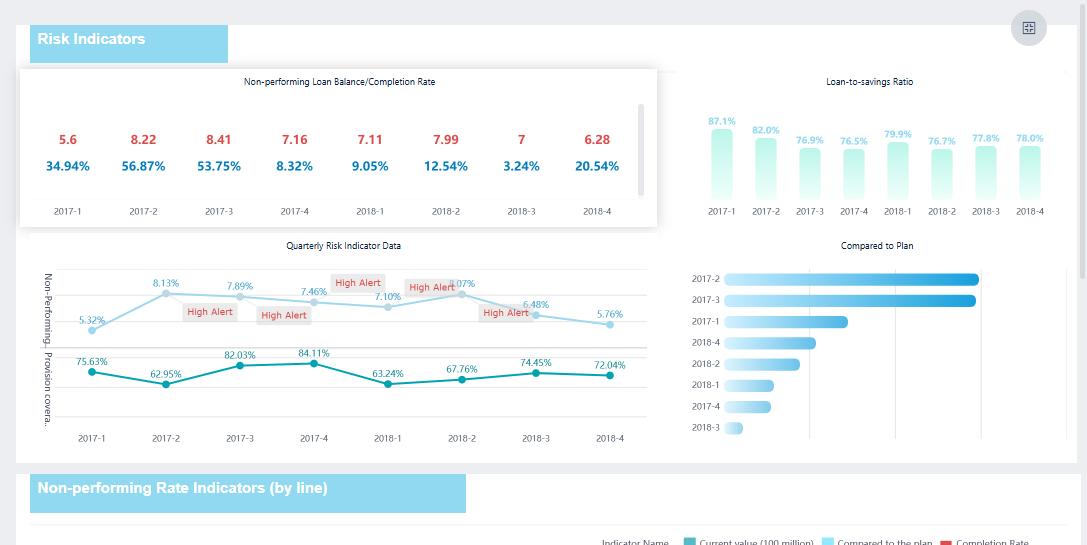
FineReport demonstrates efficient law firm workflow management in industries like finance and manufacturing. For example, companies use FineReport to manage risk by integrating data from multiple sources and visualizing key metrics. In the leasing sector, FineReport helps teams anticipate market trends, monitor customer credit risks, and ensure asset quality. You can apply these strategies to law firm operations by using dashboards to track compliance, manage deadlines, andsafeguard client data. FineReport’s centralized dashboard supports dynamic risk prediction and asset management, which improves efficiency and reduces losses. By adopting these solutions, you shift from manual data collection to strategic planning, boosting law firm workflow management and operational efficiency.
Implementing Legal Practice Dashboard For Maximum Impact
Integration Steps and Best Practices
To achieve the best results with amanagement dashboard, you need a clear plan for integration. Start by focusing on high-priority metrics that matter most to your law firm. This approach keeps your management dashboard simple and avoids overwhelming users. Use visualizations to highlight trends and patterns, making the data easy to understand. Interactive features allow you to explore deeper insights and keep your management dashboard current with regular updates. Review and adjust your KPIs to ensure they stay relevant as your workflow evolves.
Follow these steps for a smooth integration of your management dashboard:
Begin with a focused set of metrics to avoid clutter.
Deploy your management dashboard in phases, refining features based on feedback.
Provide comprehensive training for your staff to ensure everyone understands the management dashboard.
Regularly review and optimize your management dashboard to align with your practice goals.
Best practices for management dashboardadoption include engaging stakeholders from all departments, defining key performance indicators, and ensuring your management dashboard integrates with existing software. Choose a management dashboard with an intuitive interface and strong data security. Test the management dashboard in your environment before full deployment.
FineReport supports seamless integration with your existing systems. Its adaptability allows you to connect data from multiple sources, making your management dashboard a central hub for your workflow.
Training plays a crucial role in the success of your management dashboard. When you invest time in training, your team adopts the management dashboard faster and uses it more effectively. Well-trained staff make better decisions and improve operational efficiency. Established software vendors like FineReport offer extensive training options, including workshops and on-demand sessions, to enhance user capability.
Training Factor
Description
Training Importance
Training ensures user adoption and effective use of the management dashboard.
Implementation Success
Proper training leads to higher adoption rates and faster value realization.
Training Support
Vendors provide workshops and on-demand sessions for user skill development.
Change management strategies help your team adjust to new management dashboard technologies. You can use models like Kotter’s 8-Step Change Model or the ADKAR Model to guide your approach. These models focus on creating urgency, building support, and reinforcing new habits. Lean change management encourages co-creation and continuous improvement, which fits well with the evolving needs of a law firm’s workflow.
Measuring Results and Continuous Improvement
Measuring the impact of your management dashboard is essential for long-term success. Start with a few key metrics to avoid complexity. Gradually expand your management dashboard as your workflow grows. Visually intuitive management dashboards encourage regular use and help you quickly identify patterns and opportunities.
Set quantifiable goals for your management dashboard. Track time for multiple clients and evaluate your progress. Adjust your workflow and management dashboard features as needed to stay aligned with your firm’s objectives. FineReport makes it easy to update your management dashboard, ensuring it remains effective as your needs change.
Continuous improvement ensures your management dashboard delivers value over time. Regular reviews and updates keep your workflow efficient and your law firm competitive.
FineReport'sMultiple Built-in Charts For Visualization
Legal practice dashboards transform your law firm’s efficiency. You gain better case strategy, improved client service, and higher profits. The table below highlights key benefits:
Benefit
Description
Better Case Strategy
Analyze past cases to assess risks and build stronger arguments.
Improved Client Service
Use data to give accurate cost estimates and show concrete results.
More Efficient Operations
Reveal workflow improvements and optimize resource use.
Higher Profits
Find new opportunities and market more effectively.
You make confident, data-driven decisions and foster collaboration. FineReport helps you centralize metrics, respond quickly, and drive innovation. Start using legal practice dashboards to future-proof your firm.
Access a wealth of case studies, industry insights, and solution guides to accelerate digital transformation.
FAQ
What is a dashboard in legal practice management?
A dashboard in legal practice management gives you a real-time overview of your law firm’s key metrics. You can track cases, billing, and team performance. The dashboard helps you make informed decisions and manage your workflow efficiently.
How does a dashboard improve law firm efficiency?
You use a dashboard to centralize data from different sources. The dashboard reduces manual work and streamlines processes. You can spot bottlenecks, monitor deadlines, and allocate resources better. The dashboard supports faster, data-driven decisions for your law firm.
Can I customize my dashboard for specific law firm needs?
Yes, you can customize your dashboard to display the metrics that matter most to your firm. You choose which data sources connect to the dashboard. You design the dashboard layout to match your workflow and reporting preferences.
Is a dashboard accessible on mobile devices?
You can access your dashboard on smartphones and tablets. The dashboard adapts to different screen sizes. You stay connected to your law firm’s data wherever you are. Mobile access ensures you never miss important updates from your dashboard.
How secure is the data on my dashboard?
Your dashboard uses advanced security features. You control user permissions and data access. The dashboard protects sensitive client and case information. Regular updates and security protocols keep your dashboard safe from unauthorized access.