Financial reporting and accounting only creates value when month-end numbers become clear decisions, faster follow-up, and stronger control. For finance managers, the monthly management report is not just a pack of statements. It is the operating lens that helps leaders understand performance, explain variance, manage risk, and hold teams accountable.
Today, the reporting challenge is no longer only about producing the pack. It is also about helping stakeholders consume it quickly and act on it confidently. With FineReport + Dora, teams can ask for a report summary in chat, generate structured narratives from trusted report assets, receive scheduled briefings, and push exceptions to the right owner.
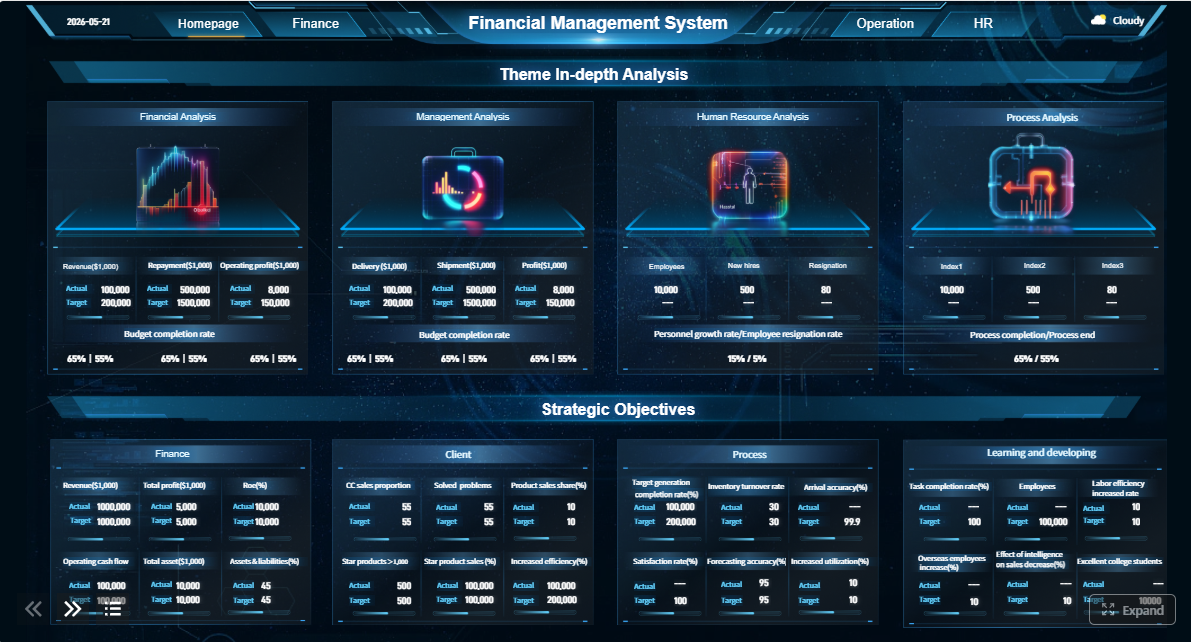 Click To Try The Dashboard
All reports in this article are built with FineReport
Financial reporting and accounting for finance managers: what trusted monthly reports must achieve
A trusted monthly management report should help finance managers do four things at once: present financial truth, explain business performance, support decisions, and trigger accountability.
Unlike external financial statements, which are designed for statutory, investor, lender, or regulatory purposes, management reporting is built for internal decision-making. It usually combines accounting results with business context, operational drivers, budget comparisons, and commentary on what management should do next.
That distinction matters. External financial statements aim for compliance and formal disclosure. Monthly management reports must support planning, execution, and control.
For finance leaders, three qualities matter most:
- Credibility: users must trust the numbers and understand where they come from.
- Consistency: KPI definitions, account groupings, and layouts must stay stable enough for comparison.
- Timeliness: the report must arrive soon enough to influence decisions, not simply document history.
Each reporting cycle should therefore meet stakeholder expectations across several levels:
- Executives need summary insight, major variances, risks, and required actions.
- Department heads need ownership views by cost center, business unit, or function.
- Controllers and finance teams need traceability from summary pages to detailed schedules.
- Operations leaders need links between financial outcomes and business drivers such as volume, price, productivity, and working capital.
A reliable monthly reporting process is not just an accounting routine. It is a management system.
Step 1–3: Build the reporting foundation before the month-end pack
Step 1: Define the audience, decisions, and reporting cadence
The first step in strong financial reporting and accounting is deciding who the report serves and what decisions it should support. Too many monthly packs try to satisfy everyone with the same level of detail. That usually leads to bloated reports, delayed close cycles, and weak executive engagement.
Start with clear stakeholder mapping:
- Executive leadership
- CFO and finance leadership
- Business unit managers
- Cost center owners
- Operations or sales leadership
- Project or product managers
Then define the decisions each group makes. For example:
- Should we tighten discretionary spending?
- Which business unit needs margin recovery action?
- Is working capital improving or deteriorating?
- Do we need to revise forecast assumptions?
- Which overdue balance sheet items require resolution?
Finally, set reporting cadence by audience:
- Monthly full management pack for executives and finance leadership
- Weekly flash views for liquidity, revenue, or cost control when needed
- Periodic departmental views for functional leaders
- Quarterly deeper reviews for strategic and trend analysis
A good structure often includes layered reporting:
- Executive summary
- Core financial statements
- KPI dashboard
- Variance analysis
- Business unit or department schedules
- Action list and follow-up items
When the audience and cadence are clear, the report becomes easier to design, automate, and govern.
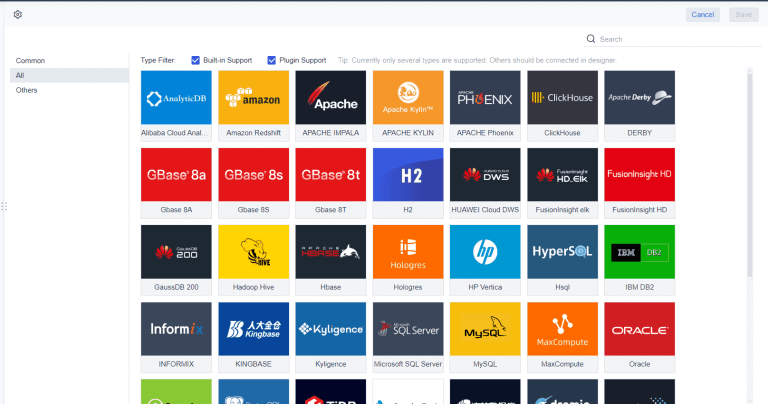
Step 2: Standardize data sources and chart of accounts
Monthly reports fail when teams pull numbers from different systems using different logic. Finance managers need one reporting model across ERP data, subledgers, planning tools, operational systems, and supporting schedules.
This means documenting:
- Source systems for revenue, cost, payroll, inventory, AP, AR, fixed assets, and treasury
- Mapping logic into the chart of accounts
- Ownership for each key balance and reporting section
- Standard treatment of reclasses, accruals, eliminations, and management adjustments
A common issue in financial reporting and accounting is that departments use similar terms with different meanings. “Gross margin,” “net sales,” “operating cost,” or “overhead” may not be defined consistently. That creates debate instead of action.
Finance managers should standardize:
- Account definitions
- Cost center structures
- Entity and department hierarchies
- Product, project, or business unit mappings
- Reporting calendars
- Budget and forecast versions
With FineReport, teams can build standardized formatted reports, management reports, and drillable schedules on top of trusted data logic. That reporting foundation is essential before adding AI. Without semantic consistency, an AI assistant will only summarize confusion faster.
Step 3: Establish month-end close controls and review checkpoints
Reliable reporting depends on disciplined close controls. If the month-end process is unstable, no dashboard or narrative will fix it.
At minimum, finance managers should define:
- Period cutoffs
- Journal entry deadlines
- Reconciliation checkpoints
- Balance sheet review responsibilities
- Accrual and prepayment review rules
- Approval steps for adjustments
- Final signoff timing
A close timetable should balance speed and accuracy. Fast reporting is valuable only if stakeholders trust the results. Slow reporting is accurate but less useful if decisions have already moved on.
A practical close framework often includes:
- Day 0–1: transaction cutoffs and initial postings
- Day 1–2: accruals, prepayments, key estimates
- Day 2–3: reconciliations and balance validation
- Day 3–4: draft statements and variance review
- Day 4–5: management commentary, pack finalization, and distribution
Review checkpoints also reduce late surprises. For example, a finance manager may require signoff on:
- Unusual revenue entries
- Large manual journals
- Aged accruals
- Intercompany mismatches
- Cash flow classification issues
- Material forecast deviations
This control layer becomes even more powerful when exceptions can later be monitored and pushed through an AI-driven workflow.
Step 4–6: Turn accounting data into clear financial statements and insight
Step 4: Prepare complete and accurate accounting and financial statements
Before analysis begins, finance must confirm the integrity of the core statements. That includes the income statement, balance sheet, and cash flow view, along with the schedules that support them.
Key validation areas include:
- Revenue recognition and cutoff accuracy
- Expense completeness
- Accruals and reversals
- Prepayments and amortization
- Inventory and cost adjustments
- Fixed asset movements and depreciation
- Intercompany balances
- Tax and treasury items
- Working capital reconciliations
The goal is not just formal correctness. It is to ensure the three statements tell a consistent business story.
For example:
- A profitability change should be explainable through revenue, margin, and cost movement.
- A cash flow change should connect to earnings, working capital, and investment activity.
- A balance sheet movement should reconcile with related P&L and cash effects.
Core monthly report elements finance managers should define
-
Income Statement: Summary of revenue, cost, gross profit, operating expenses, and profit levels.
Business value: Shows whether the business created earnings during the period.
AI use: Dora can summarize margin movement, explain large cost variances, and generate a management narrative from the FineReport statement view.
-
Balance Sheet: Snapshot of assets, liabilities, and equity at period end.
Business value: Supports solvency, liquidity, and control over the financial position.
AI use: Dora can flag unusual balance movements, overdue reconciliations, or working capital issues and include them in an exception briefing.
-
Cash Flow View: Analysis of operating, investing, and financing cash movements.
Business value: Helps management assess liquidity and funding pressure.
AI use: Dora can explain why cash changed despite profit movement and highlight cash conversion risks in a scheduled summary.
-
Accruals and Adjustments Schedule: Listing of material estimates, provisions, reversals, and manual adjustments.
Business value: Increases transparency and supports review confidence.
AI use: Dora can summarize material adjustment categories and call out balances needing follow-up.
-
Department or Cost Center Reporting: Detailed view of controllable spend and ownership.
Business value: Improves accountability across managers.
AI use: Dora can prepare owner-specific report summaries and push variance alerts to responsible departments.
Step 5: Analyze variances, trends, and business drivers
Once the statements are validated, finance managers should move from “what happened” to “why it happened.”
Variance analysis should compare:
- Actual vs budget
- Actual vs forecast
- Actual vs prior month
- Actual vs prior year
- Current trend vs target run rate
Good analysis separates temporary items from structural issues. A one-time legal fee should not be treated the same as recurring margin decline. A timing-related working capital spike should not be confused with deteriorating collections discipline.
Finance managers should connect financial outcomes to operational drivers such as:
- Sales volume
- Pricing or discounting
- Product or customer mix
- Gross margin by category
- Headcount and labor utilization
- Procurement cost changes
- Inventory turns
- Days sales outstanding
- Capital expenditure timing
This is where the report becomes a management tool rather than a finance archive.
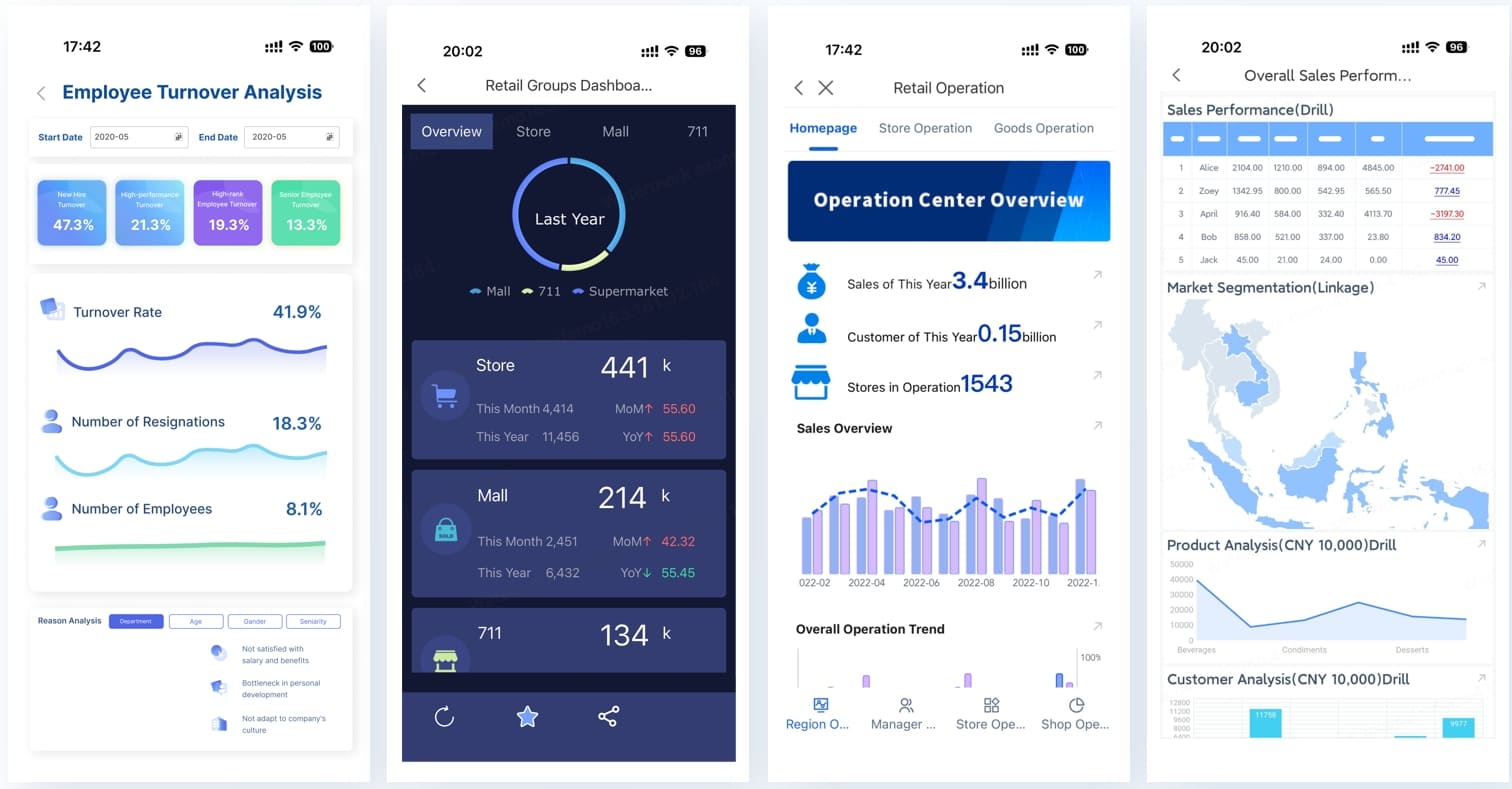
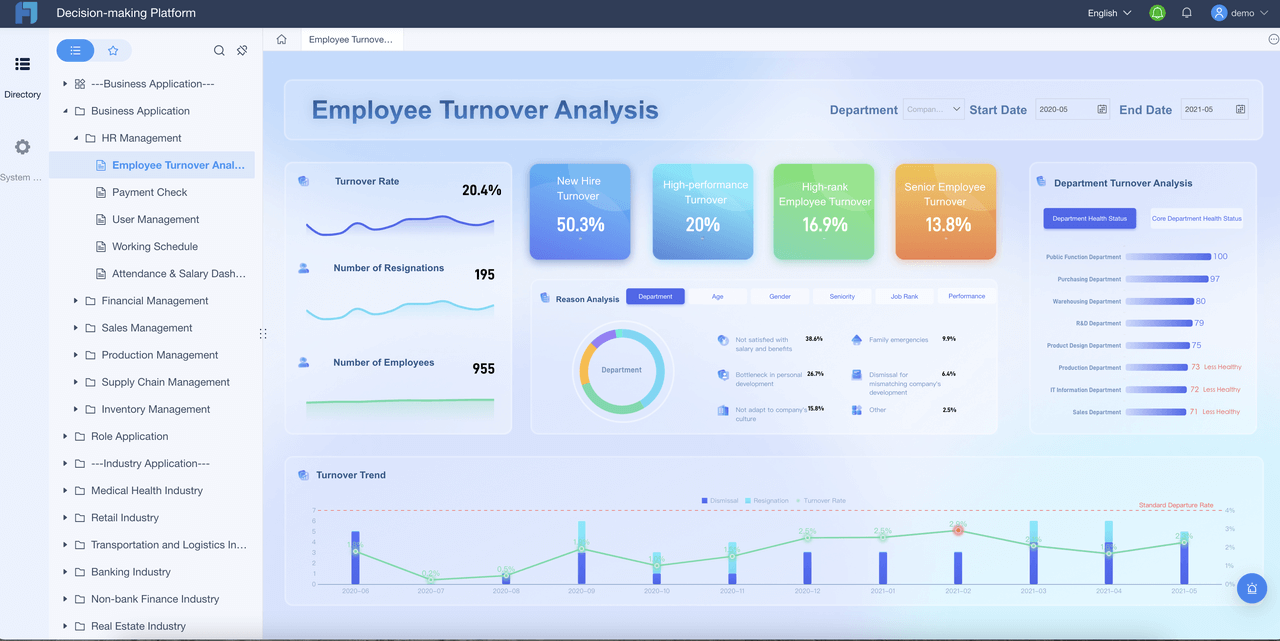
In FineReport, finance teams can present these views through formatted reports and operational cockpits that combine summary charts, detailed tables, status indicators, and exception lists. Instead of forcing leaders to read every line manually, reports can be structured for fast scan and controlled drill-down.
Step 6: Present the right types of financial statements for management use
Management does not always need the same presentation format used for statutory reporting. The right management view depends on who is reading the report and what action they need to take.
Finance managers should decide:
- Which sections belong on summary pages
- Which schedules should sit in appendices
- Which views should be split by business unit, region, project, or product line
- Which KPIs deserve prominent display every month
A useful management pack often includes both statement views and targeted analysis pages.
Recommended report structure by management use
-
Executive summary page
Definition: High-level highlights of performance, risks, and required decisions.
Business value: Helps leaders absorb the month quickly.
AI use: Dora can generate a structured report summary for executives and prepare pre-meeting briefings.
-
P&L by business unit
Definition: Revenue and cost performance segmented by operating structure.
Business value: Improves accountability and profitability analysis.
AI use: Dora can answer natural-language questions such as which units drove the largest unfavorable variance.
-
Working capital page
Definition: Receivables, payables, inventory, and cash conversion metrics.
Business value: Supports liquidity control and operating discipline.
AI use: Dora can detect deterioration in DSO, inventory buildup, or overdue payables issues and notify owners.
-
CAPEX and project spend schedule
Definition: Spend against approved plans and project milestones.
Business value: Improves investment control.
AI use: Dora can summarize overspend exceptions and follow up with project owners.
-
Risk and exception page
Definition: Material threshold breaches, unusual entries, delayed reconciliations, or adverse KPI shifts.
Business value: Directs management attention to what needs action now.
AI use: Dora can function as a Risk Alert Officer, pushing timely alerts and suggested next-step reviews.
How an AI Data Agent Automates Report Consumption
Traditional financial reporting and accounting still leaves a major gap: even when finance produces a solid monthly pack, many stakeholders do not read it fully, cannot interpret it quickly, or wait for analysts to explain it.
This is where Dora, FanRuan’s enterprise Data Agent platform, adds practical value. Dora sits on top of trusted reporting assets and turns recurring report consumption into a governed AI workflow. It is not a replacement for FineReport. FineReport remains the reporting foundation. Dora turns that foundation into a scenario-specific AI assistant or AI digital employee.
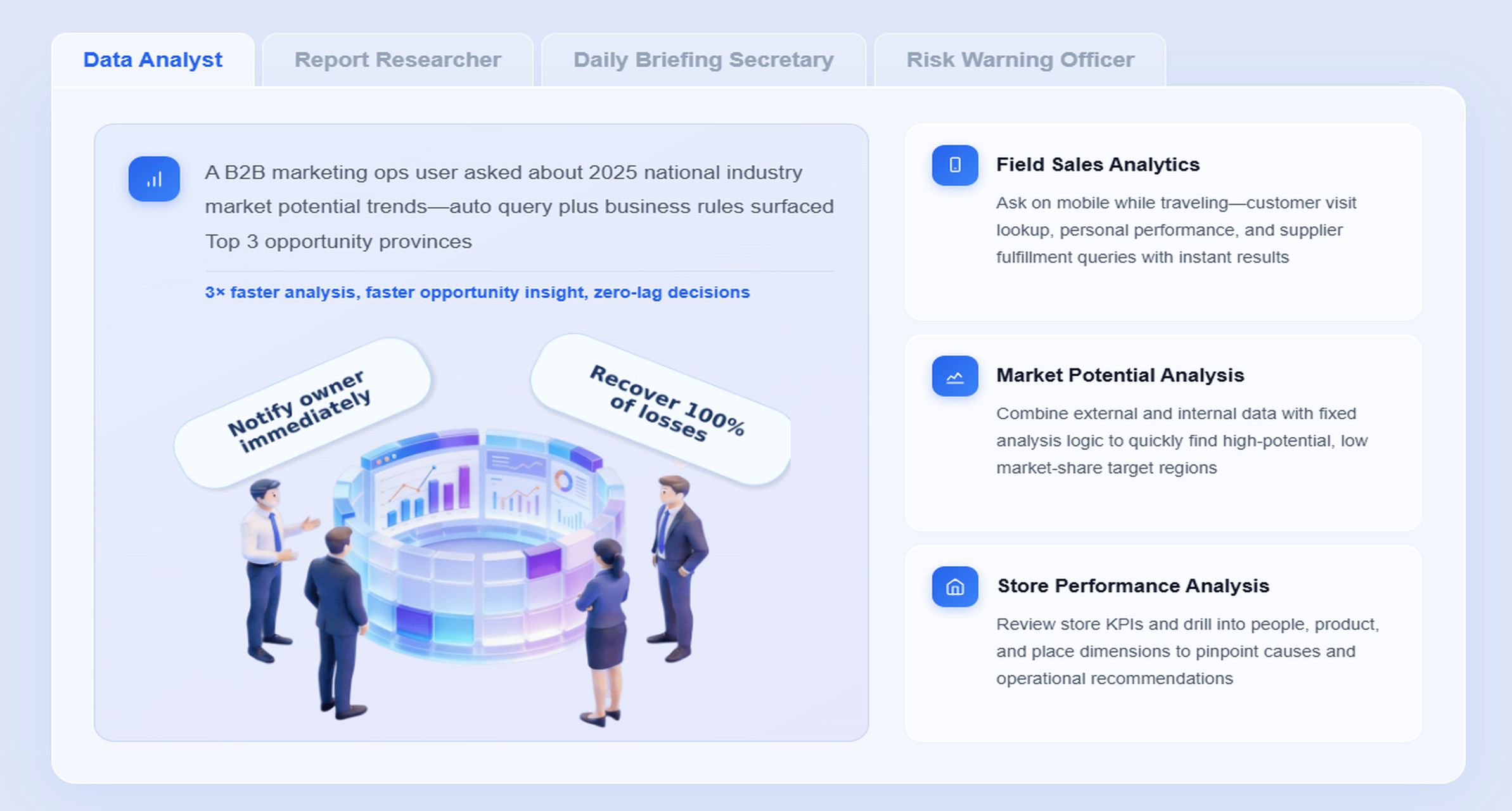
For monthly management reporting, the most relevant Dora digital employees are:
- Report Researcher for structured report generation from FineReport outputs and templates
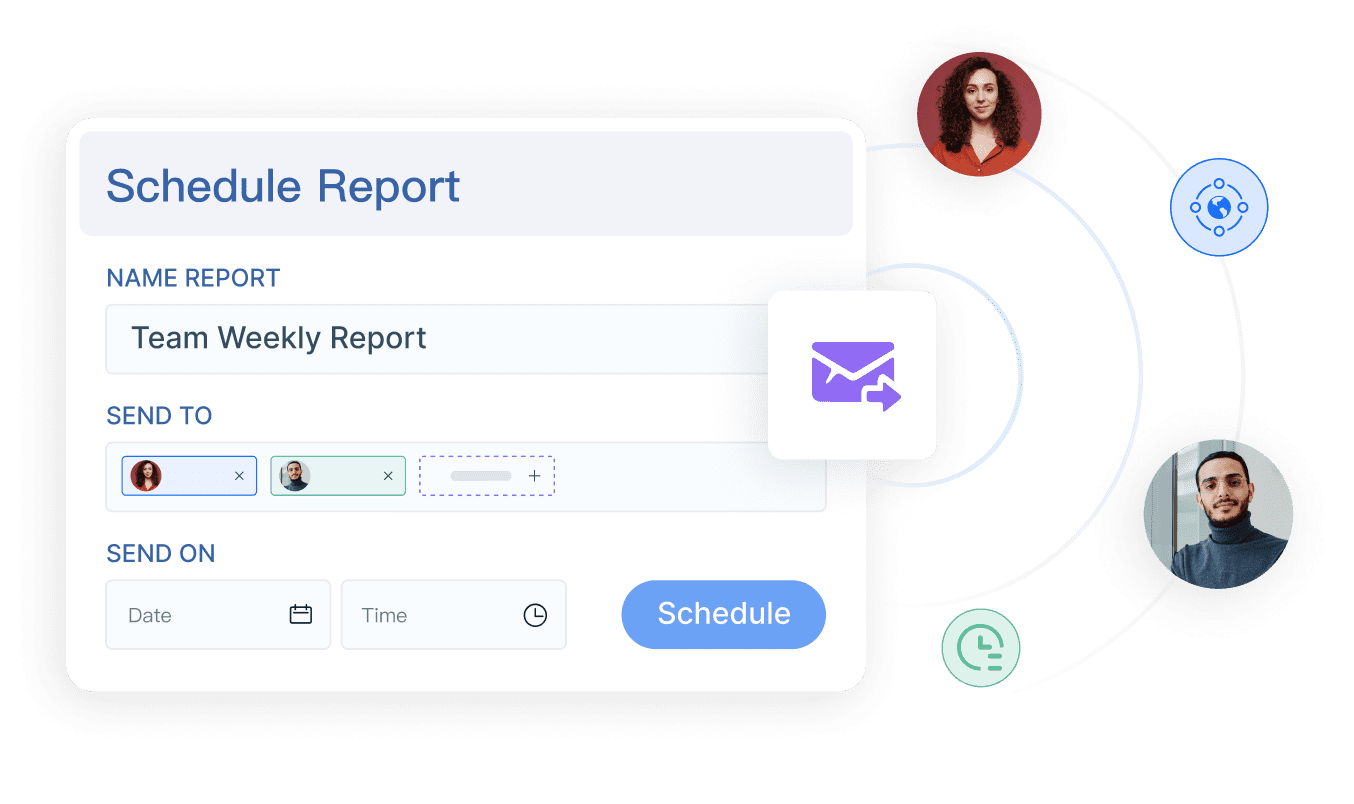
- Daily Briefing Secretary for scheduled monthly or weekly summary push
- Data Analyst digital employee for natural-language report query and metric explanation
- Risk Alert Officer for threshold monitoring, anomaly alerts, and owner follow-up
A concrete finance manager chat example
A finance manager or executive could ask:
“Summarize this month’s management report, explain the biggest operating expense variances versus budget, highlight cash flow risks, and list the departments that need follow-up.”
Dora can then work against governed FineReport assets instead of relying on unstructured guessing.
Dora workflow for monthly management reporting
-
Retrieve trusted FineReport report or operational cockpit data
Dora accesses the approved monthly management report, supporting schedules, KPI logic, and exception views built in FineReport.
-
Understand KPI definitions, report templates, filters, business terms, and semantic rules
Because FineReport provides structured report templates and governed business logic, Dora can interpret what “operating expense variance,” “working capital,” or “adjusted EBITDA” means in the enterprise context.
-
Generate a structured report summary and chart-based answer
Dora creates a concise management narrative covering period performance, major movements, and relevant context from the trusted report sections.
-
Detect exceptions, abnormal changes, or threshold breaches
Dora can identify unusual cost spikes, overdue reconciliations, margin deterioration, or working capital pressure when rules are configured.
-
Push summaries, alerts, and action prompts to responsible users
Instead of waiting for leaders to open the pack manually, Dora can deliver scheduled briefings and exception notifications to executives, finance leaders, or business owners.
-
Produce follow-up records and recurring review summaries
Dora can support a governed follow-up process by documenting which issues were flagged, who owns them, and what should be reviewed in the next cycle.
Why FineReport matters to AI reporting success
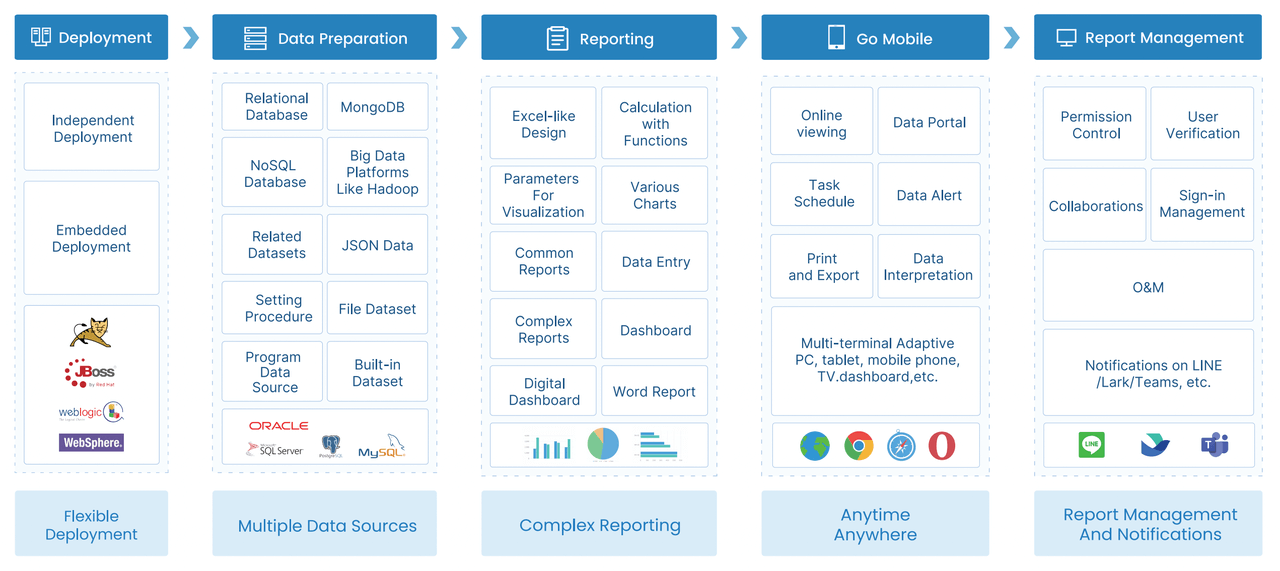
AI only works well in enterprise finance when the reporting layer is already trusted. FineReport provides that foundation through:
- formatted management reports
- drillable supporting schedules
- operational cockpits
- permission governance
- KPI definitions
- report templates
- automated distribution workflows
That foundation matters because Dora does not operate as a generic chatbot. It uses governed assets, semantic rules, and reusable Skills to make AI workflows more controllable and auditable.
This is important for finance teams. Monthly reporting requires stable outputs, permission boundaries, and business definitions that hold up under review. Compared with raw prompt-only agents, Dora is better suited for report consumption because it is designed for:
- natural-language query over trusted reporting assets
- report and metric retrieval from FineReport assets
- structured report summaries and chart explanations
- scheduled briefings and push notifications
- skills-based execution for more stable workflows
- stronger enterprise fit through permissions, KPI governance, and semantic rules
- reduced token waste through narrower, governed execution paths
What finance teams gain from an AI Data Agent
For finance managers, Dora helps reduce recurring friction such as:
- answering the same variance questions every month
- manually preparing summary commentary from multiple tabs
- chasing department heads to review exceptions
- sending the same report extracts to different stakeholders
- preparing briefing notes before management meetings
For executives, the value is concrete: they receive timely, structured summaries of the monthly pack without digging through every supporting page first.
For IT and data teams, the role shifts from building every one-off report request manually to improving data connections, semantic layers, report templates, permissions, and reusable agent Skills.
For business users, Dora lowers the barrier to report consumption. They can ask for explanations, receive scheduled summaries, and get targeted exception pushes without waiting on finance analysts for every answer.
Step 7–9: Make monthly reports trusted, useful, and repeatable
A monthly management report is only useful if non-finance stakeholders can understand it quickly. Commentary should explain the movement, the driver, the implication, and the required response.
Strong commentary usually answers four questions:
- What changed?
- Why did it change?
- Does it matter structurally or temporarily?
- What action is needed?
Keep it concise and decision-oriented. For example:
- Revenue was below budget due to lower volume in one region, partly offset by better pricing in another.
- Gross margin declined because input costs rose faster than price adjustments.
- Operating cash weakened mainly due to slower collections and inventory buildup ahead of a seasonal launch.
- Two departments require cost containment plans before next month’s review.
This is a high-value area for Dora’s Report Researcher capability. Based on FineReport outputs, Dora can generate a first-draft structured report summary that finance reviews and refines. That saves time while preserving human oversight.
Step 8: Review for accuracy, consistency, and executive readability
Before distribution, the report should pass both finance checks and communication checks.
Review for accuracy:
- Do statement totals tie across sections?
- Do KPI values match the source schedules?
- Do commentary statements align with the numbers?
- Are all major variances explained?
- Have material items been classified consistently?
Review for readability:
- Is the executive summary truly summary-level?
- Are labels plain enough for non-finance users?
- Are visuals helping rather than distracting?
- Is unnecessary detail pushed to supporting schedules?
- Are risks and required actions clearly visible?
FineReport helps here by standardizing report layouts and templates so that every monthly cycle does not start from scratch. That consistency improves both trust and adoption.
Step 9: Create a feedback loop to improve each reporting cycle
The best monthly reports evolve. Finance managers should actively gather input from users and refine the process over time.
Ask stakeholders:
- Which sections are most useful?
- Which pages are rarely used?
- Was the pack timely enough?
- Were risks clear?
- Was there too much detail or too little?
- Which follow-up actions were delayed because the report was unclear?
Use that feedback to improve:
- report templates
- account groupings
- KPI definitions
- exception rules
- workflow timing
- automation priorities
- owner-specific views
This is also where an AI Data Agent can mature. Start with one or two recurring workflows, such as monthly executive summaries or working capital exception alerts, then expand as governance and confidence improve.
Common reporting mistakes finance managers should avoid
Even experienced teams can weaken financial reporting and accounting through avoidable process gaps.
Inconsistent data definitions across teams or systems
If sales, operations, and finance use different definitions for the same metric, the monthly report becomes a negotiation instead of a control tool. Standard definitions and semantic governance are essential.
Explaining variances without root cause or action
Saying that expenses were above budget is not enough. Management needs to know whether the issue is timing, volume, pricing, mix, control weakness, or a structural problem requiring intervention.
Overloading the report with detail while hiding the key message
Too much information can be as damaging as too little. A monthly pack should surface the few issues that matter most, then allow drill-down when required.
Internal monthly reporting should not be a ritual that simply proves the books were closed. It should help management allocate resources, control risk, and improve performance.
Adding AI before governance is ready
Dora can significantly improve report consumption, but finance teams should not expect reliable AI reporting without:
- data quality controls
- KPI governance
- standardized report templates
- semantic setup
- permission management
- clear exception logic
AI accelerates a strong reporting system. It does not rescue a weak one by itself.
Actionable Best Practices
1. Standardize templates, KPI definitions, and business terms first
Before introducing any AI assistant workflow, make sure monthly packs use stable layouts, consistent KPI logic, and clear account groupings. FineReport is particularly valuable here because it helps teams build governed, repeatable management report templates.
2. Start with one high-value recurring report scenario
Do not try to automate every finance report at once. A better starting point is one repeatable process such as the monthly management pack, cash flow briefing, or expense variance review. This creates faster adoption and clearer governance.
3. Build semantic logic into the reporting workflow
AI output quality depends heavily on trusted meanings. Define how terms like operating margin, free cash flow, controllable cost, or overdue reconciliation should be interpreted. Dora performs best when it can work against governed semantic rules rather than ambiguous spreadsheet logic.
4. Use alerts, thresholds, and ownership rules deliberately
AI becomes more actionable when exception logic is tied to responsibilities. For example, if a working capital threshold is breached, Dora can push an alert to the right owner instead of simply surfacing the issue in a dashboard.
5. Keep human review in the loop for management narratives
Finance leadership should review AI-generated summaries, especially for material variance explanations, executive commentary, and sensitive performance messages. Start with human-approved narratives, then expand reusable Skills over time.
FineReport + Dora Solution Pitch
Building this manually is complex. FineReport helps teams standardize trusted reports, operational cockpits, templates, and reporting workflows. Dora turns those assets into an AI assistant that can answer report questions in chat, generate structured summaries, push scheduled briefings, monitor exceptions, and follow up with responsible owners.
For finance managers, this combination supports a practical reporting model:
- FineReport builds the monthly management pack, supporting schedules, statement views, and exception pages.
- Dora acts as the enterprise Data Agent layer that helps users query, summarize, explain, push, alert, and follow up.
- Together, they move the team from manually preparing and interpreting every report to a governed AI-assisted reporting workflow.
FineReport + Dora is not only a reporting upgrade; it is a practical fourth-generation Agentic BI path. FineReport provides governed reports and operational cockpits. Dora provides the AI assistant layer for scenario execution, with more controlled Skills, lower token waste, faster execution paths, and more stable workflows than prompt-only agents.

Get Ready-to-Use Dashboard Templates in Fine Gallery
The strongest Dora pitch is scenario + product + service: FineReport provides the trusted reporting foundation, Dora provides the AI digital employee, and implementation service connects data, governance, semantic setup, Skills, report templates, permissions, and rollout.
Conclusion: A practical reporting process that builds confidence month after month
Trusted financial reporting and accounting does not happen by accident. Finance managers need a repeatable process that starts with audience design and data standardization, moves through close control and accurate statements, and ends with clear insight, concise commentary, and continuous