

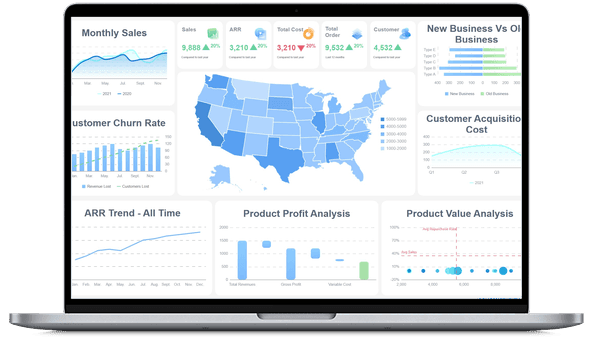
What is CRM Analytics?
CRM Analytics vs. CRM Reporting, CRM dashboards, and Sales Analytics
CRM analytics is often used interchangeably with CRM reporting, CRM dashboards, and sales analytics. They overlap, but they are not the same job.
A crm report usually communicates performance for a period or audience. For example, a weekly CRM report may summarize new leads, opportunities created, pipeline value, stage conversion, sales activities, open tasks, churn risks, or renewal status. A monthly executive CRM report may explain pipeline coverage, revenue forecast, customer growth, and key account risk.
A CRM dashboard helps users monitor live or recently refreshed metrics. A crm analytics dashboard may show pipeline trend, deal stage movement, activity volume, win rate, forecast, customer health, and owner-specific exceptions. It is useful when users need a visual workspace for exploration.
CRM analytics includes the reasoning behind the report and dashboard. It asks why a region's win rate changed, whether a campaign created qualified opportunities, which account segments are at renewal risk, whether customer support signals predict churn, and whether the forecast is supported by activity, pipeline quality, and deal movement.
Sales analytics is one major part of CRM analytics, but CRM analytics should not stop at sales. A sales team may focus on lead response, rep activity, pipeline coverage, deal velocity, quota attainment, win rate, and forecast. CRM analytics also includes marketing source quality, customer onboarding, service history, retention, expansion, renewal risk, account engagement, and the broader crm experience.
The practical rule is simple: use reporting to create a shared performance story, use dashboards to watch the signal, and use analytics to investigate the next question.
Why CRM Analytics is Important
Most companies do not lack CRM records. They lack trusted definitions, clean owner workflows, connected systems, and a shared path from customer signal to action.
Without CRM analytics, teams often bring different versions of the customer story to the same meeting. Marketing may focus on campaign leads. Sales may focus on pipeline and activities. Customer success may focus on account health. Finance may focus on forecast and revenue. Support may focus on tickets and satisfaction. Executives may ask why growth is not matching the effort invested.
CRM analytics creates a common review layer.
Strong CRM analytics helps teams:
- Connect demand to revenue: Link campaigns, lead sources, sales activities, account segments, and opportunities to pipeline, closed-won revenue, retention, and expansion.
- Improve funnel conversion: See where prospects slow down between lead capture, qualification, meeting, proposal, negotiation, and close.
- Increase forecast confidence: Compare pipeline value with stage age, activity history, deal movement, close date changes, win probability, and owner notes.
- Prioritize sales effort: Identify accounts, opportunities, territories, or segments that need follow-up instead of asking teams to scan every record.
- Improve customer retention: Use service, product usage, renewal, payment, and engagement signals to find accounts that may churn or expand.
- Clarify marketing and sales alignment: Compare campaign volume with lead quality, CRM acceptance, sales follow-up, opportunity creation, and revenue contribution.
- Reduce manual reporting work: Replace repeated spreadsheet exports with governed dashboards, reusable templates, scheduled reports, and shared KPI definitions.
- Build a learning system: Preserve assumptions, follow-up questions, owner notes, and review outcomes so teams improve the next cycle instead of restarting the same analysis.
The value is not "more CRM data." The value is fewer unresolved questions in revenue meetings: what changed, why it matters, which customer or deal needs attention, who owns the next step, and what will be reviewed next.
Don’t just collect CRM data. Visualize what matters.
Download the KPI Dashboard Guide to strengthen your CRM analytics foundation:
- 10 essential steps to build effective KPI dashboards
- How to choose the right charts and avoid visual clutter
- 15 top-notch dashboard templates for 2026

Types of CRM Analytics
CRM analytics is often described in four levels. Most teams need all four, but they do not need to build every level at once. Start with the recurring CRM decision that matters most, then add deeper analysis as the data foundation becomes more trusted.
Descriptive CRM analytics
Descriptive analytics explains what happened. It is the foundation for CRM reports, sales dashboards, customer health summaries, campaign-source reviews, renewal reports, and executive revenue updates.
Common examples include:
- New leads, lead source, lead quality, and lead aging
- MQLs, SQLs, opportunities, stage movement, and conversion rate
- Pipeline value, pipeline coverage, forecast category, and expected close date
- Win rate, loss reason, average deal size, deal velocity, and sales cycle length
- Sales activities such as calls, meetings, emails, tasks, demos, and follow-up completion
- Customer onboarding progress, support tickets, satisfaction, usage, and account health
- Renewal rate, churn rate, expansion revenue, repeat purchase, and customer lifetime value
- CRM data quality indicators such as missing owner, duplicate contacts, stale close dates, and incomplete source fields
Descriptive CRM analytics is useful when the question is, "What changed?" It becomes more useful when users can drill from a top-level number to the account, opportunity, owner, stage, source, segment, region, product, or customer cohort behind it.
Diagnostic CRM analytics
Diagnostic analytics explains why something happened. It connects a top-level CRM KPI to the drivers behind it.
Use diagnostic CRM analytics when you need to know:
- Why did qualified opportunities decline even though lead volume increased?
- Why did one region's win rate fall faster than another?
- Why did enterprise deals stall in proposal or procurement?
- Why did sales cycle length increase for a product line?
- Why did customers with high support ticket volume renew at a lower rate?
- Why did a campaign create form fills but not pipeline?
Good diagnostic analysis needs context. A stage conversion chart alone may not explain whether the issue came from source quality, sales follow-up, qualification criteria, pricing, product fit, procurement delay, competitor pressure, implementation risk, CRM owner changes, or missing data.
Predictive CRM analytics
Predictive analytics estimates what may happen next. In CRM analytics, prediction can support lead scoring, opportunity scoring, churn risk, renewal likelihood, expansion potential, demand forecasting, sales capacity planning, and revenue forecast review.
Examples include:
- Estimating which leads are most likely to become qualified opportunities
- Flagging opportunities likely to slip based on stage age, activity gaps, and close date changes
- Forecasting pipeline coverage based on conversion rates and sales cycle history
- Identifying accounts with rising churn risk from usage, support, payment, and engagement signals
- Estimating customer lifetime value by segment, product, channel, or cohort
- Predicting which customers may respond to upsell, cross-sell, loyalty, or win-back campaigns
Prediction should stay connected to business review. A score is only useful if teams know what data it used, what assumptions apply, which owner should review it, and what action options are available.
Prescriptive CRM analytics
Prescriptive analytics suggests possible next actions. It may recommend that a sales manager review stalled enterprise deals, a rep follow up with accounts that have no activity, customer success contact renewal-risk customers, marketing pause a low-quality campaign source, or RevOps fix missing source data.
Prescriptive CRM analytics needs governance because it can influence customer communication, forecast review, sales prioritization, and revenue planning. Recommendations should include evidence, assumptions, owner review, and business context. In most enterprise settings, humans should still approve final customer, sales, and revenue decisions.
Metrics of CRM Analytics
CRM analytics metrics should match the decision you need to support. A sales rep, sales manager, RevOps analyst, marketing leader, customer success manager, CFO, and CEO do not need the same first screen.
Start with the business question, then choose the smallest metric set that can explain performance.
A useful crm kpi dashboard usually organizes metrics into three layers:
- Outcome metrics: Revenue, pipeline, forecast accuracy, renewal rate, churn, expansion, customer value, quota attainment.
- Driver metrics: Lead quality, conversion rate, sales activity, stage movement, deal velocity, customer engagement, support volume.
- Diagnostic fields: Lead source, campaign, account type, industry, segment, region, product, owner, stage, loss reason, renewal date, activity history.
Avoid reporting every available CRM number. If a metric does not explain performance, diagnose a problem, or support a decision, move it to a drill-down view. A focused KPI dashboard is easier to trust than a crowded screen that treats every metric as equally important.
Data Sources
CRM analytics depends on connected data. Many projects fail because the visual layer looks complete while the data layer remains fragmented, duplicated, or unclear.
Common CRM analytics data sources include:
Before building charts, define the business terms. "Lead," "qualified lead," "opportunity," "active customer," "renewal," "churn," "source," "influenced revenue," and "customer lifetime value" can mean different things across systems. If definitions are not governed, the analytics output will be debated instead of used.
This is where business intelligence, BI reporting, and reporting software become practical. CRM analytics needs more than a charting layer. It needs a metric dictionary, refresh rhythm, source ownership, permission model, and review workflow.
Examples and Templates
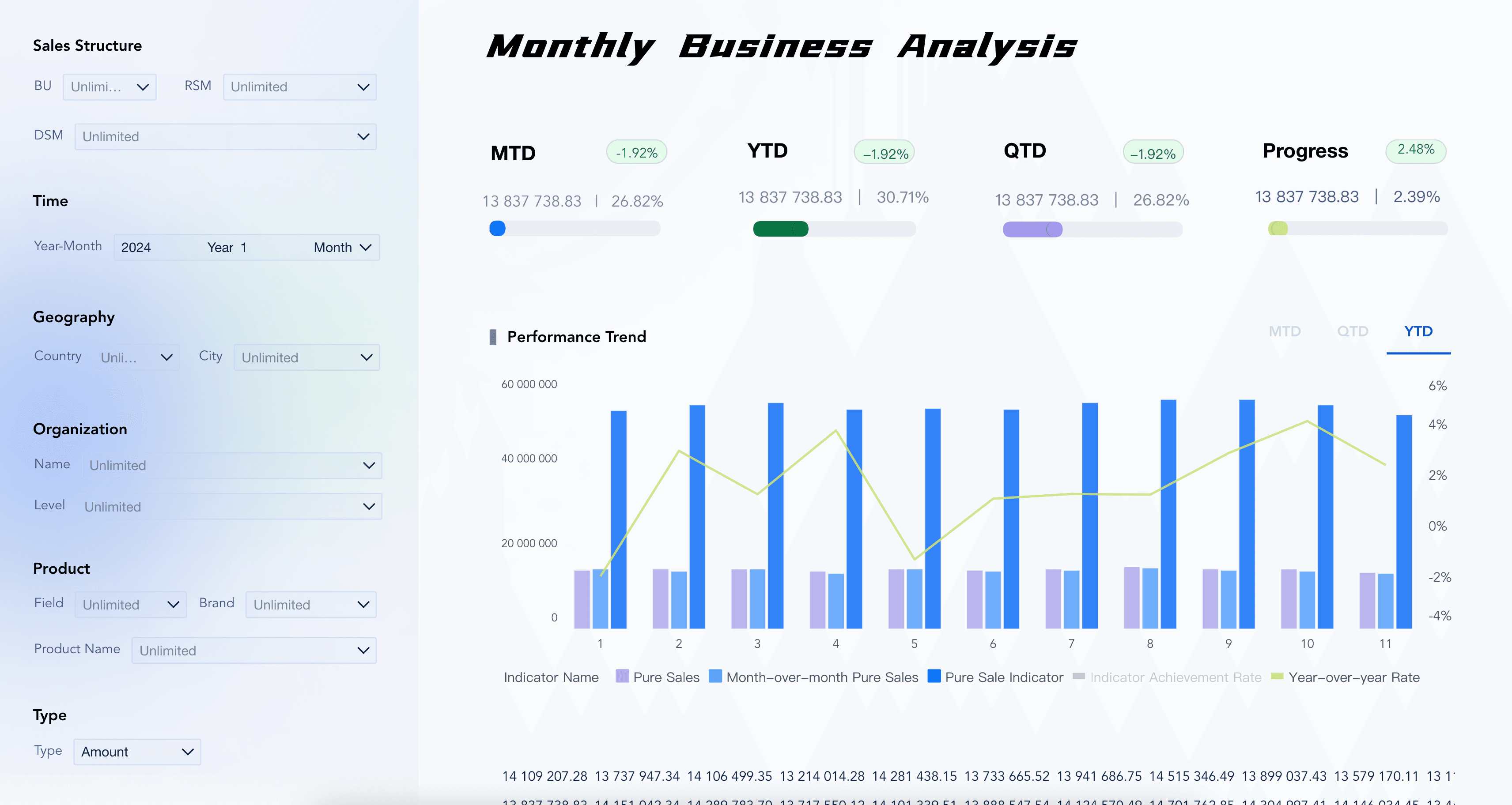
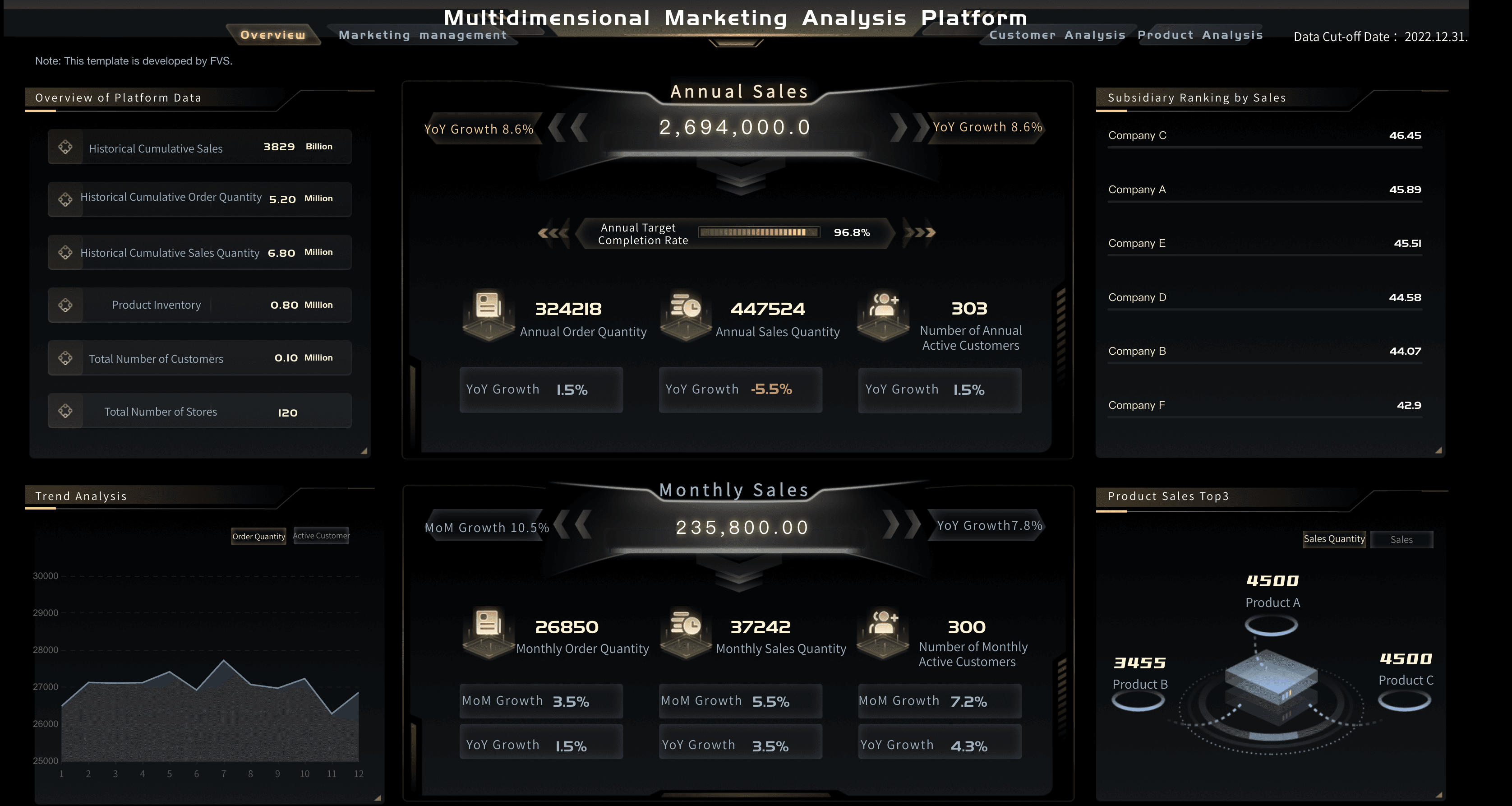
Examples make CRM analytics easier to understand because they turn a broad topic into specific decision spaces. The demo cards below come from the Gallery demo file and match CRM analytics topics such as customer insight, sales management, sales performance, funnel conversion, segmentation, loyalty, forecasting, and sales force effectiveness.
Use these examples as learning prompts. Before copying a layout, ask: Who will use this view? What customer decision should it support? Which KPI definitions must remain consistent across CRM reports, dashboards, and executive reviews?
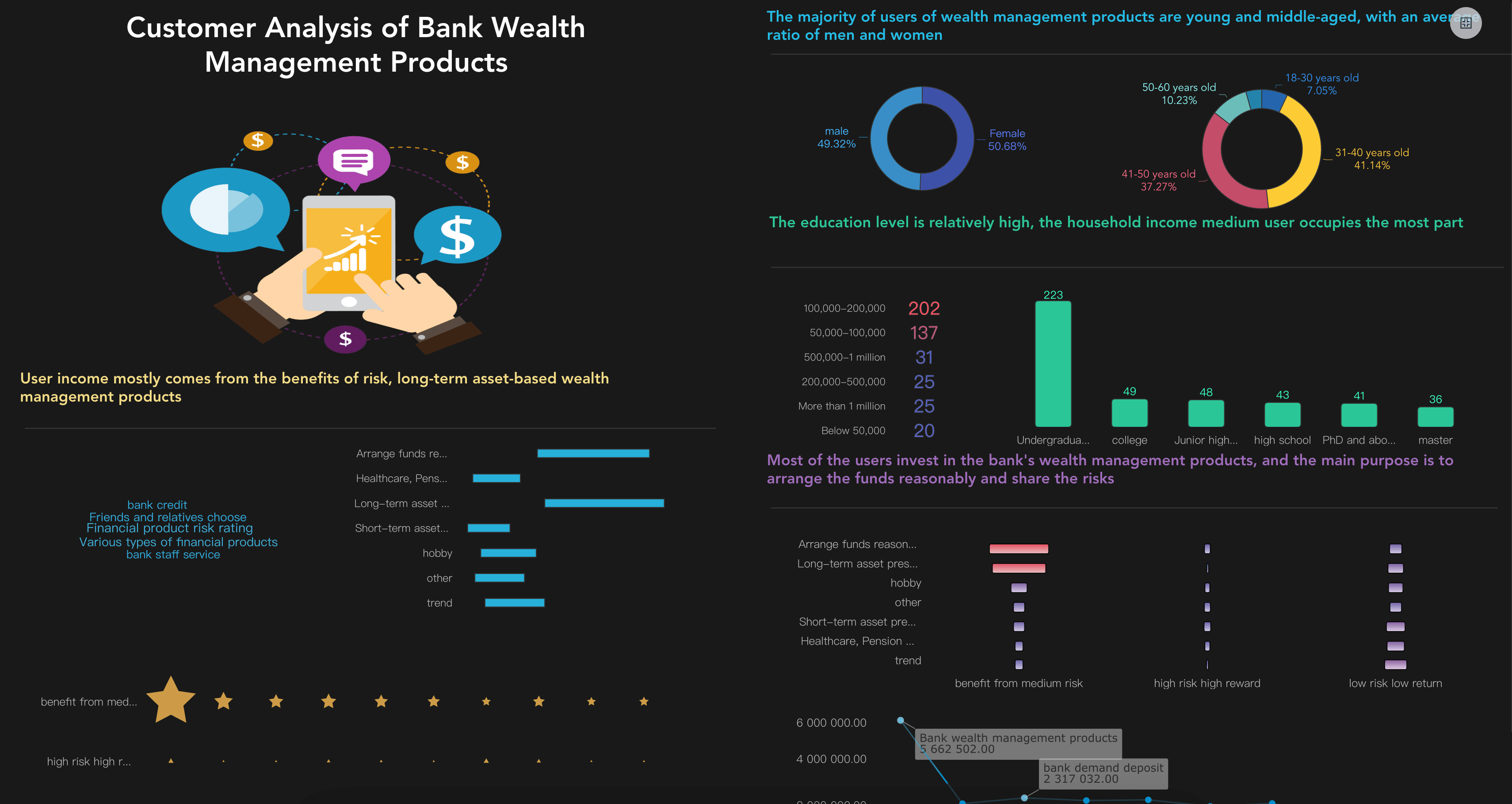
Customer Analytics Dashboard
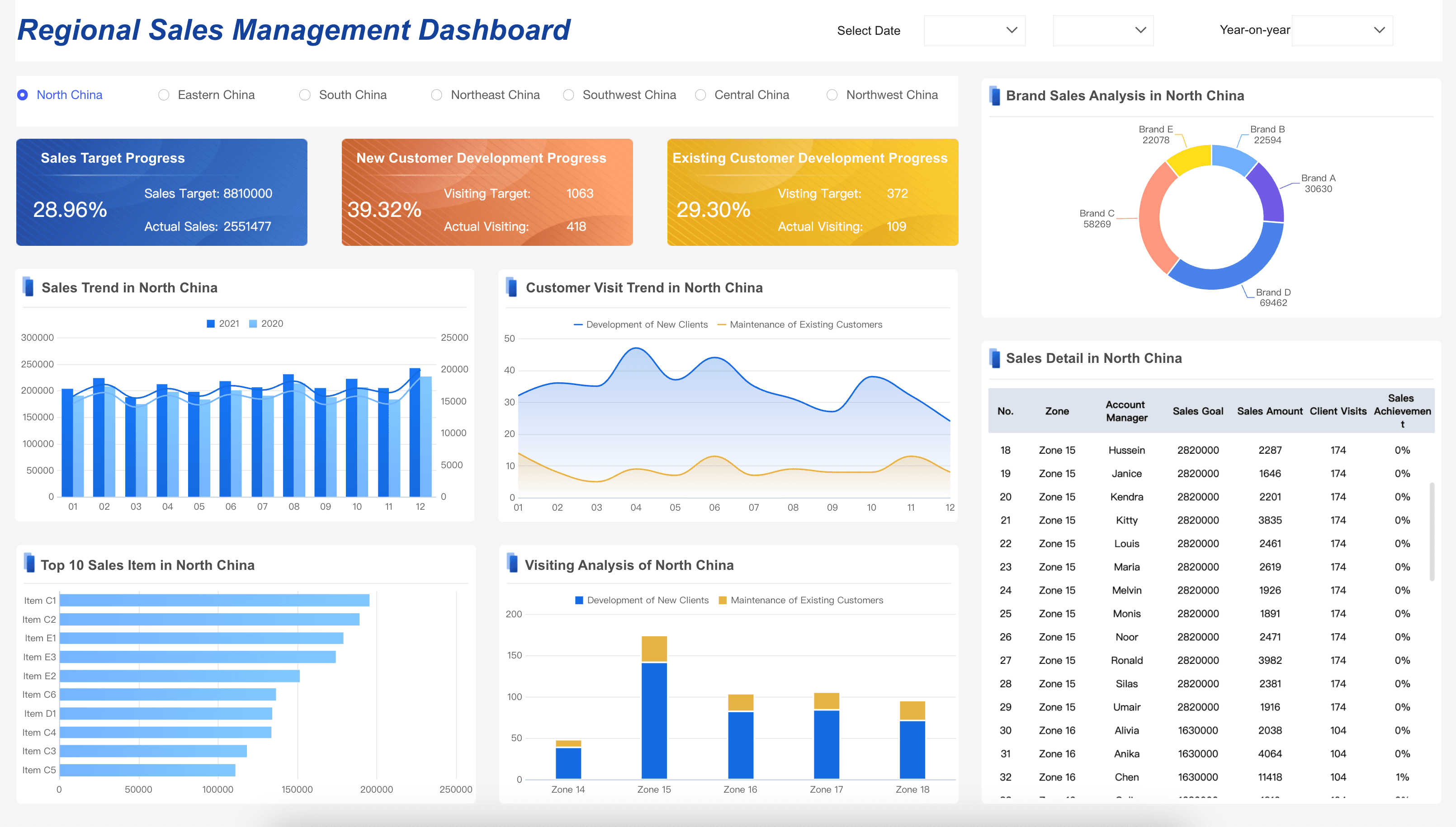
Sales Management Dashboard
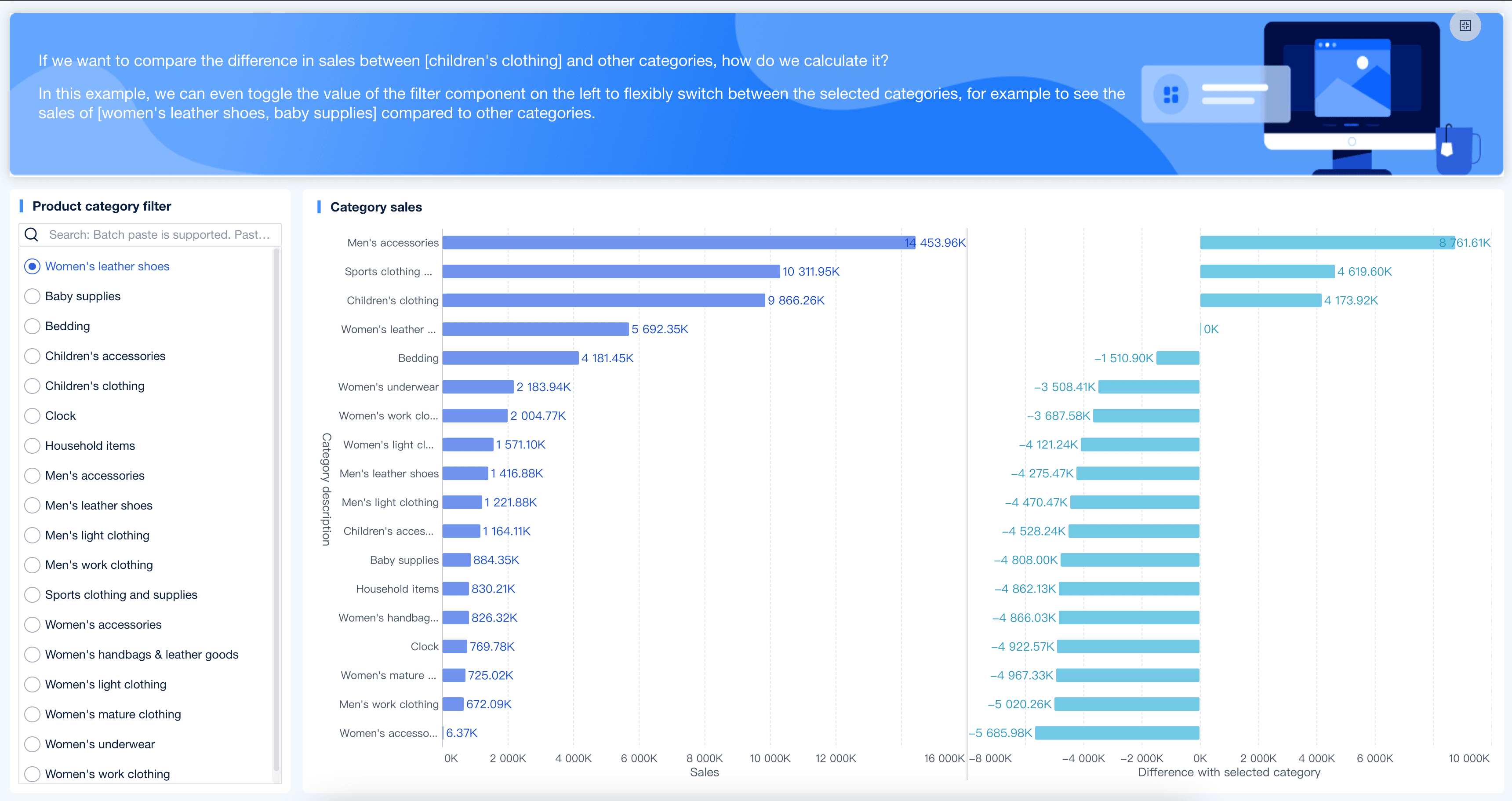
Sales Performance Dashboard
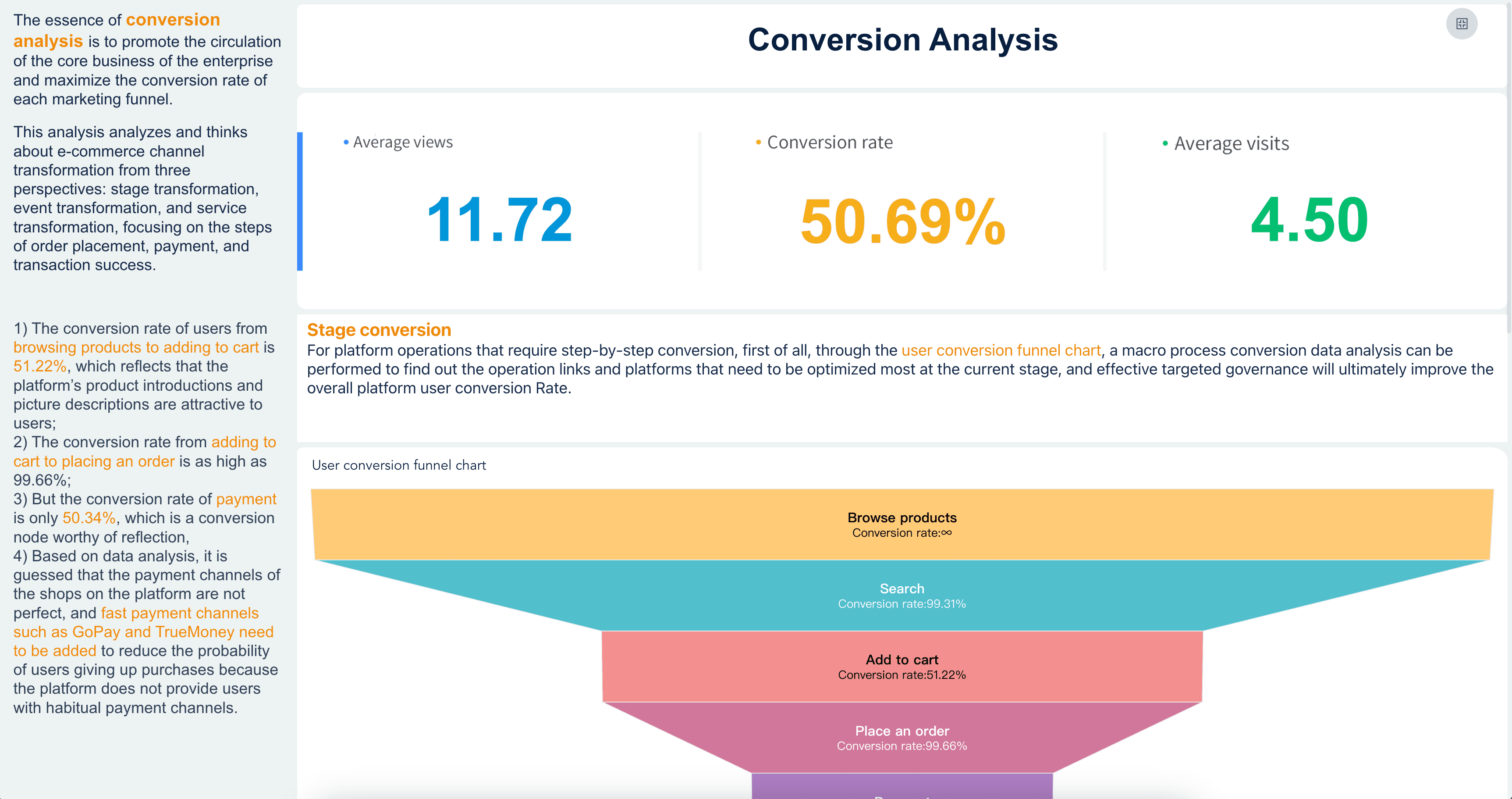
Conversion Analysis
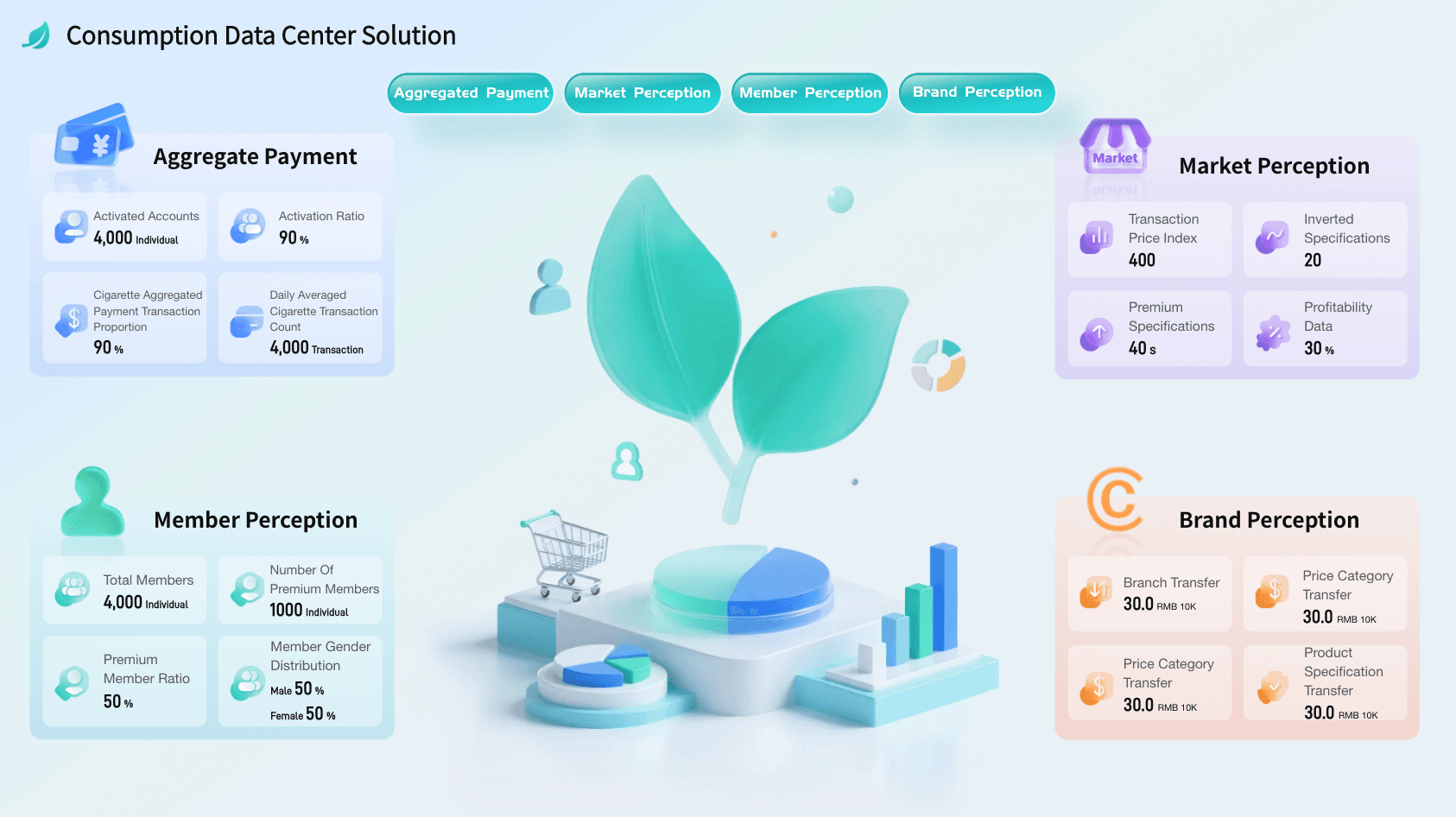
Consumer Data Center Solution
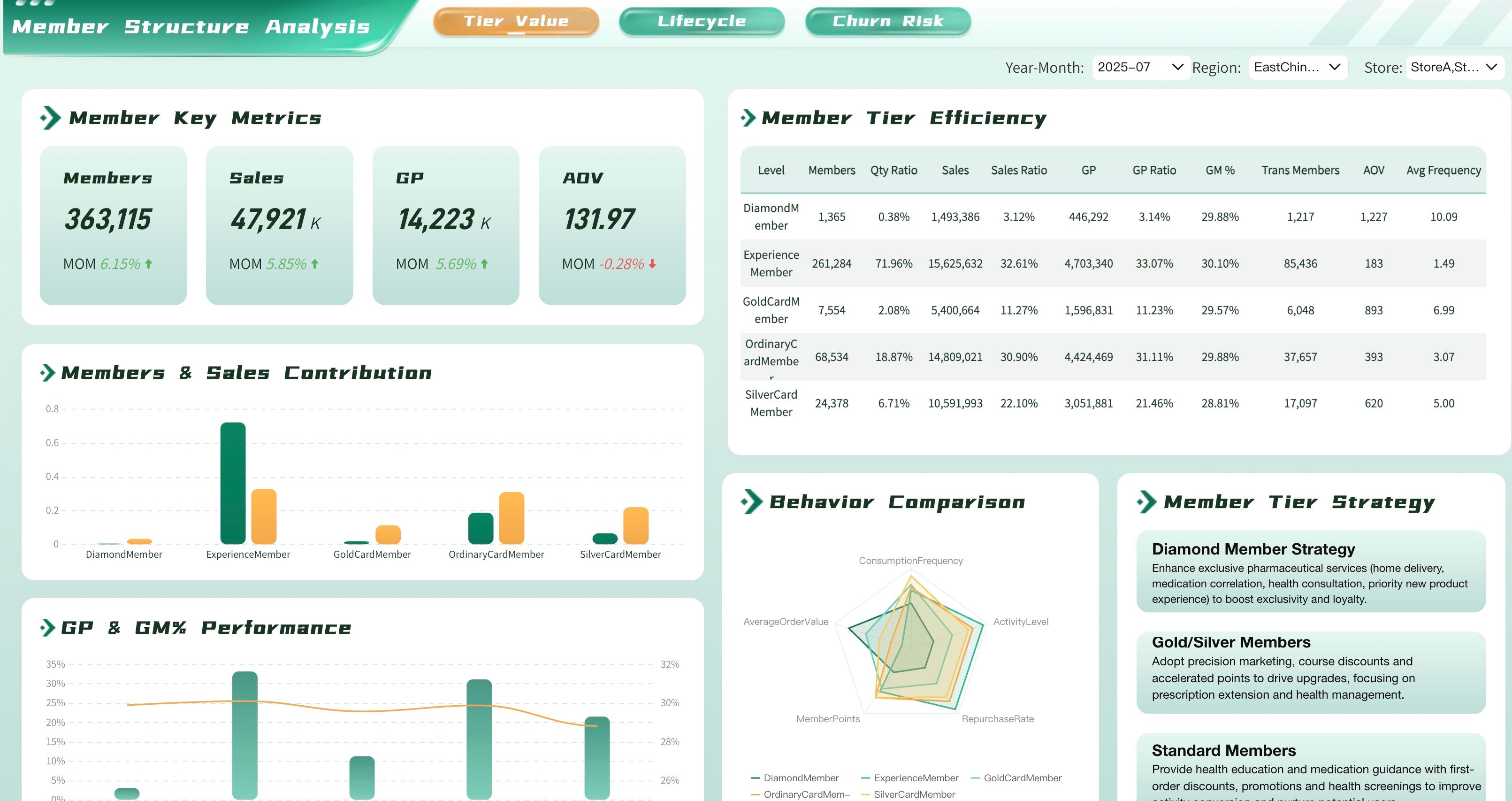
Pharmacy Member Segmentation Analysis Dashboard
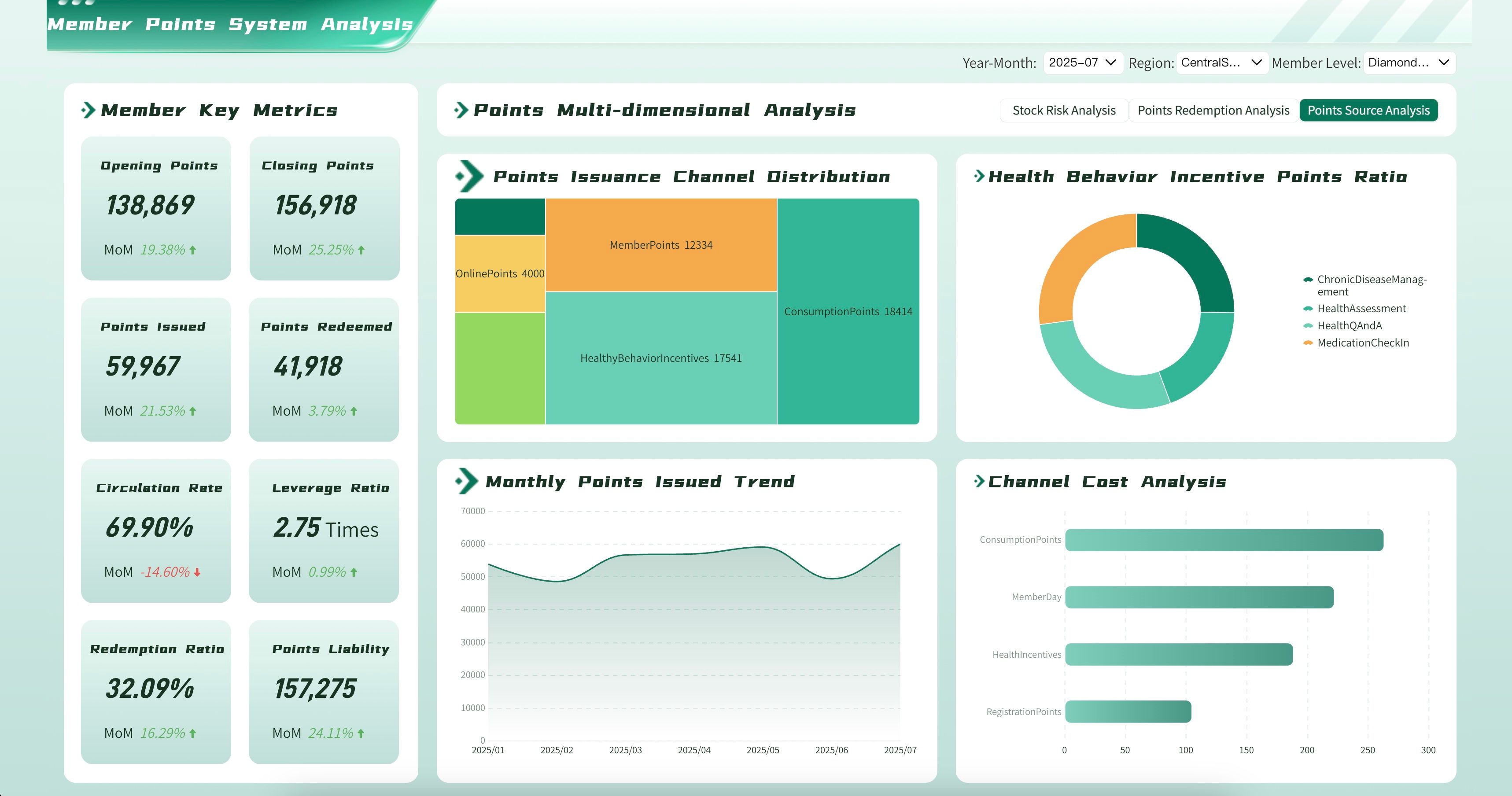
Pharmacy Loyalty Program Analytics Dashboard
Sales Force Effectiveness
Marketing Analytics Platform
CRM Analytics Workflow
CRM analytics becomes useful when the workflow is repeatable. The first version does not need to solve every customer question. It should solve one recurring decision well.
Use this workflow as a practical build path:
- Choose one decision. Start with a clear question, such as "Which deals are most likely to slip this month?" or "Why did qualified pipeline decline in the enterprise segment?"
- Define the audience. Decide whether the view is for executives, sales leaders, account owners, RevOps, marketing, customer success, finance, or analysts.
- Map the data sources. List the systems, fields, refresh frequency, owners, and known data quality issues.
- Standardize KPI definitions. Write formulas for lead, MQL, SQL, opportunity, pipeline, win rate, churn, renewal, expansion, sales cycle, and forecast categories.
- Create the visual structure. Use a small set of charts that match the question: trends for movement, bars for comparison, funnels for conversion, cohort views for retention, and tables for detail.
- Add commentary. Explain what changed, why it matters, what may have caused it, and what should happen next.
- Review data quality. Note duplicate accounts, missing source fields, stale close dates, delayed CRM updates, inconsistent owner assignments, and changed definitions.
- Assign follow-up. Every meaningful recommendation should have an owner, next step, and review date.
- Retire unused sections. If a chart does not change action for several review cycles, simplify it or move it to a drill-down view.
This workflow also helps teams decide when to use weekly sales reports, when to build a recurring sales report, and when to move into governed dashboards and BI reporting. Small teams may start with CRM exports and spreadsheet summaries. Larger teams usually need shared metric definitions, access control, scheduled refresh, reusable report assets, and governed commentary.
Challenges
CRM analytics often fails for organizational reasons before it fails for technical reasons. The dashboard may look polished, but if people do not trust the definitions, the meeting turns into a debate about data instead of a decision about customers.
Common challenges include:
- Fragmented customer data: CRM, marketing automation, support, product, billing, and finance systems may store different versions of customer, account, campaign, and revenue data.
- Inconsistent definitions: Teams may calculate lead, MQL, SQL, opportunity, active customer, churn, renewal, pipeline, and revenue differently.
- Weak owner workflow: If records do not have clear owners, follow-up rules, and review dates, CRM analytics turns into a passive view instead of an action system.
- Poor data quality: Duplicate contacts, missing sources, outdated close dates, incomplete stages, unlogged activities, and stale account fields can distort analysis.
- Attribution confusion: Marketing, sales, partner, event, and customer success touchpoints can overlap, making contribution hard to explain.
- Too many metrics: A crowded dashboard makes it hard to see the signal. More charts do not automatically create better decisions.
- Overconfident automation: AI-generated summaries can mislead users if they are not grounded in governed metrics, source traceability, permissions, and human review.
The solution is not to add more CRM dashboards. The solution is to improve the operating system around CRM analytics: trusted data, clear definitions, useful visual hierarchy, stakeholder-specific views, commentary, owner workflow, and review discipline.
CRM Analytics With FineReport + Dora
After the CRM analytics structure is clear, FineReport + Dora can support a practical learning path from governed CRM reporting to AI-assisted follow-up.
FineReport can support the structured reporting and dashboard layer:
- Connect CRM data with databases, APIs, spreadsheets, ERP, marketing automation, customer success tools, support systems, billing systems, and data warehouses.
- Build CRM analytics dashboards, sales management views, customer health pages, account drill-downs, formatted reports, and executive review packs.
- Support complex report layouts for pipeline, forecast, customer health, renewal, campaign-source review, and revenue operations.
- Schedule recurring CRM reports for daily sales reviews, weekly pipeline meetings, monthly revenue reviews, and customer success briefings.
- Manage role-based permissions so each team, region, owner, and leader sees the right customer data.
- Preserve reusable templates and KPI definitions for recurring CRM workflows.
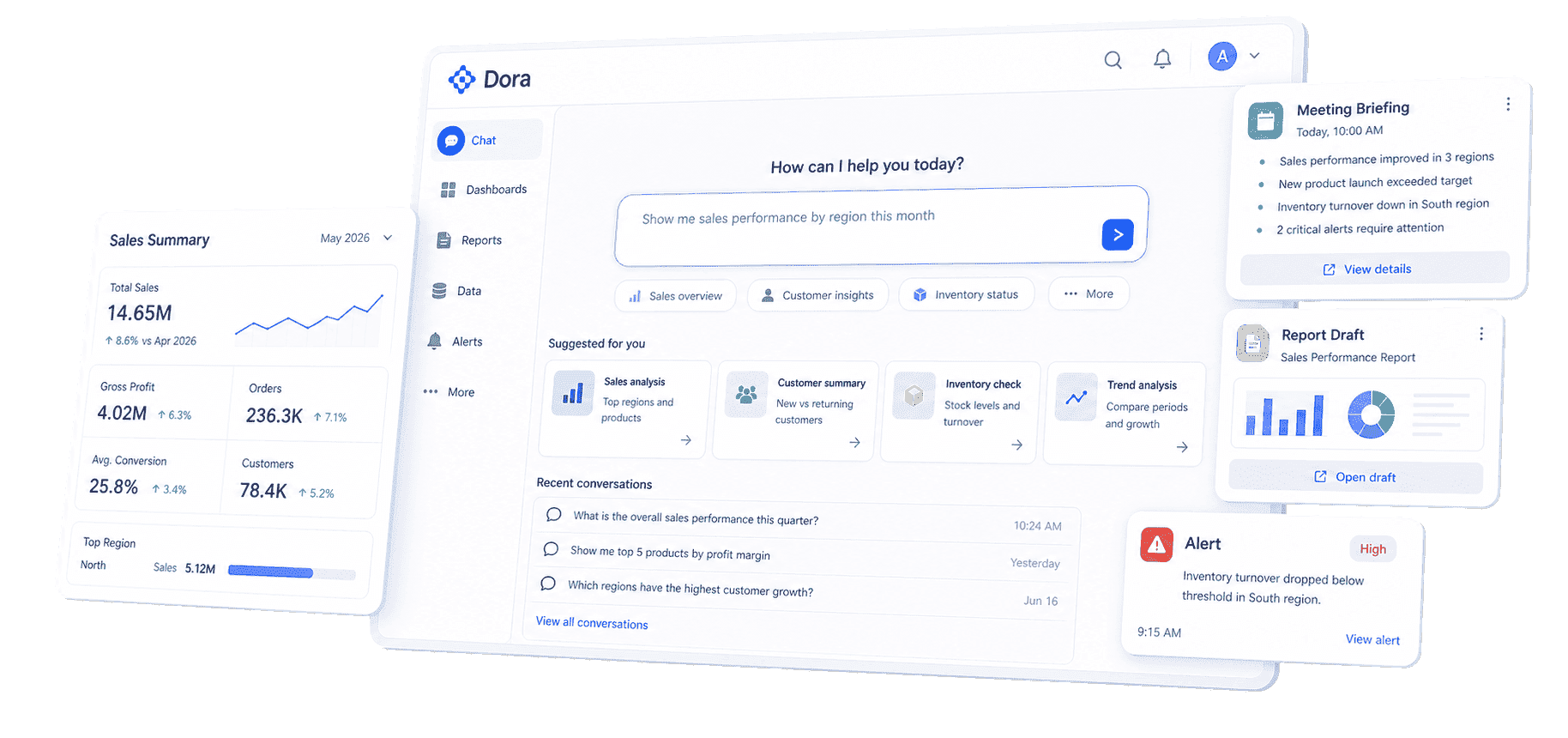
Dora adds the AI action layer above trusted FineReport assets. As a data agent, Dora can help users ask natural-language questions, search existing reports and dashboards, generate structured briefings, summarize exceptions, push scheduled updates, and follow up with responsible owners. Dora should not replace sales leaders, customer success managers, analysts, or RevOps teams. It works best when it operates on governed metrics, business rules, permissions, reusable Skills, source traceability, and human review.
For CRM analytics, two useful Dora digital employees could be:
- Revenue Operations Analyst: Reviews pipeline, conversion, forecast movement, stage aging, lead quality, owner activity, and customer risk from trusted FineReport assets.
- Customer Growth Briefing Secretary: Generates scheduled customer and account summaries, flags abnormal changes, prepares follow-up questions, and pushes relevant sections to sales, marketing, customer success, or leadership owners.
Example chat-style prompts:
- "Show this month's CRM analytics risks by region, owner, opportunity stage, account segment, renewal date, and responsible team."
- "Explain why qualified pipeline dropped for enterprise accounts this week. Compare lead source, sales activity, stage movement, loss reason, and CRM data quality."
- "Generate a weekly customer growth briefing. Include new opportunities, expansion potential, churn risk, high-value accounts, stalled deals, and owner follow-up."
- "Create a dashboard-style view of pipeline coverage, win rate, average deal size, sales cycle, forecast category, and top at-risk opportunities."
- "Find accounts with high renewal risk in the next 90 days. Include support tickets, product usage, last activity, customer health, contract value, and owner."
 Natural-language Query
A closed-loop AI workflow could look like this:
- Retrieve trusted data: Dora reads configured FineReport reports, dashboard assets, CRM fields, KPI definitions, source mappings, Skills, and permission rules.
- Detect meaningful movement: It compares current results with targets, previous periods, forecast rules, and known customer events.
- Explain likely drivers: It highlights variance by source, owner, region, stage, account segment, customer health, activity gap, or data quality issue.
- Generate the briefing: It prepares a chart, summary, exception table, source context, data quality notes, and follow-up questions for human review.
- Push to owners: It sends relevant findings to sales, marketing, customer success, RevOps, finance, or leadership owners for review.
- Follow up and summarize: It tracks unresolved questions, captures human feedback, and prepares a clearer update for the next CRM review.
The trust layer matters. Dora should respect user permissions, agent permissions, BI data permissions, metric definitions, source traceability, and human approval. The point is not to let AI make customer or revenue decisions alone. The point is to reduce the manual work around finding the right report, explaining variance, drafting first summaries, and keeping owners aligned.
This is the practical reason the scenario can land in a real enterprise: CRM analytics is recurring, cross-functional, and follow-up-heavy work. The useful package is scenario + product + service: choose one high-value workflow, connect the right FineReport assets, configure KPI definitions and permission rules, build reusable Dora Skills, and help teams adopt a review rhythm.
For IT teams, this shifts work from manually building every one-off CRM report to maintaining data connections, semantic rules, permissions, data quality, and reusable workflows. For business users, it reduces the wait between a customer question and a useful first analysis. For executives, it makes the review clearer: what changed, why it matters, who owns the next step, and what will be checked next.
A FineReport + Dora learning path for CRM analytics
Use the table below as a learning roadmap before turning the idea into a project plan:
CRM analytics prompts for Dora
The best prompts are specific. They define the time period, metric, dimension, comparison, and expected output.
For executives:
- "Summarize this week's CRM analytics risks. Show pipeline coverage, forecast change, churn risk, expansion opportunity, revenue exposure, and the top five follow-up owners."
- "Compare this month with last month. Which CRM issues affected revenue, retention, forecast, and customer growth?"
For sales leaders:
- "Find opportunities likely to slip this month. Group by stage age, last activity, close date change, owner, account segment, and next step."
- "Explain why win rate declined in the West region. Compare lead source, deal size, product, stage movement, discount, and loss reason."
For marketing and RevOps:
- "Rank lead sources by MQL rate, SQL rate, opportunity creation, pipeline value, closed-won revenue, and rejection reason."
- "Generate a CRM data quality briefing. Include duplicate accounts, missing source fields, stale close dates, incomplete stages, and records without owner."
For customer success:
- "List accounts with high renewal risk in the next 90 days. Include usage trend, support tickets, satisfaction, contract value, last activity, and owner."
- "Create a customer health summary by segment. Compare onboarding progress, product adoption, support burden, renewal status, and expansion potential."
Guardrails for AI-assisted CRM analytics
Dora should be used as a governed AI data agent, not as an uncontrolled decision maker. Keep these rules visible in the project:
- Use approved data assets: Dora should answer from configured FineReport reports, dashboards, datasets, and metric definitions.
- Respect permissions: Users should only see data they are allowed to access, and agent permissions should be managed separately from user permissions.
- Show source context: Important answers should point back to the report, metric, filter, period, and source field used.
- Separate explanation from decision: Dora can detect, explain, suggest, push, and follow up. Humans still approve pricing, forecast, customer communication, sales priority, and retention actions.
- Handle uncertainty clearly: If data is missing, stale, delayed, or inconsistent, the AI output should say so instead of hiding the limitation.
- Reuse Skills for recurring work: Repeatable CRM tasks should become controlled Skills, not one-off prompt experiments.
This makes FineReport + Dora useful as learning material: teams can first understand the CRM analytics method, then see how governed reports and AI agents turn the method into a repeatable operating workflow.
For teams exploring AI-assisted analytics beyond CRM, related learning paths include enterprise AI agents and AI agent workflow.
Want to explore more data analytics resources?
FAQs
CRM analytics is the process of collecting, connecting, analyzing, and explaining customer relationship data so teams can understand leads, accounts, opportunities, sales activities, customer behavior, retention, revenue, service signals, and customer growth. It helps teams move from raw CRM records to decisions.
A CRM analytics dashboard should include metrics needed for a specific decision. Common sections include lead quality, funnel conversion, pipeline, sales activity, win rate, forecast, deal velocity, customer health, renewal risk, churn, expansion, data quality notes, and follow-up owners.
CRM reporting communicates CRM performance for a defined period or audience. CRM analytics investigates the drivers behind that performance and helps decide what to do next. Reporting explains the story; analytics tests, deepens, and improves the story.
The most important metrics depend on the decision. High-value metrics often include lead quality, conversion rate, pipeline coverage, win rate, sales cycle length, forecast accuracy, customer health, renewal rate, churn, expansion revenue, customer lifetime value, and CRM data quality.
FineReport can help teams connect CRM and customer data, create dashboards, build formatted reports, schedule delivery, and manage permissions. Dora can act as the AI Data Agent layer that answers follow-up questions, generates scheduled summaries, drafts commentary, flags abnormal changes, and pushes follow-up tasks based on governed reporting assets. Human review should remain part of the workflow.
