

What Are Enterprise AI Agents?
Most AI tools answer questions. Enterprise AI agents complete the work.
Download the Enterprise AI Agents Guide to learn:
- How enterprise AI agents differ from chatbots, copilots, and RPA bots
- What governance and data foundation they need to be trusted
- Real use cases across sales, finance, manufacturing, and retail

Enterprise AI Agents Meaning
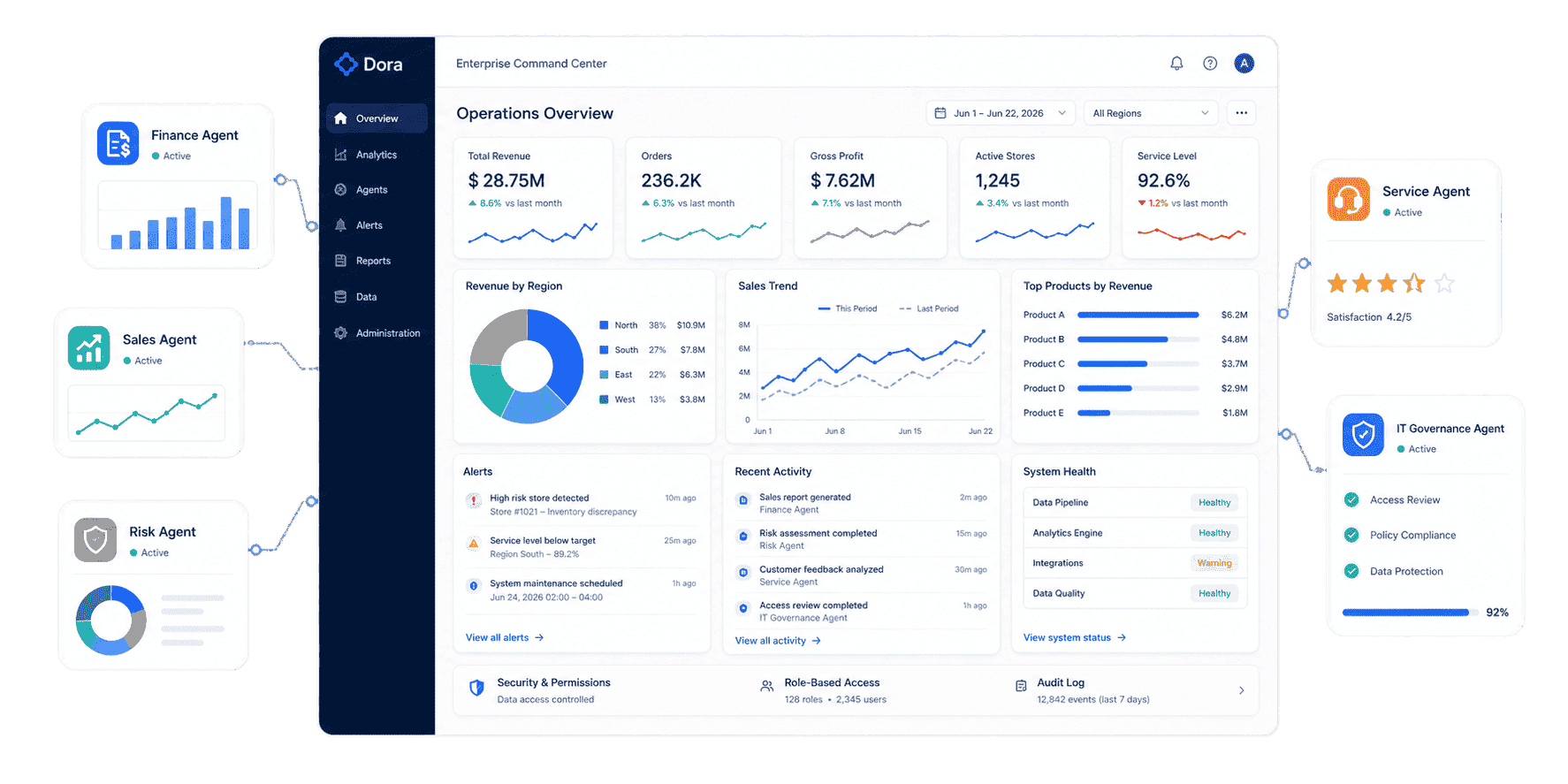
Enterprise AI agents are AI-powered workers built for business operations. They do not only answer questions. They help employees complete tasks such as querying trusted data, creating summaries, preparing management reports, monitoring risks, assigning follow-up, and tracking closure.
For example, a COO might ask:
Show this week's delivery risk by region, product line, shortage reason, and responsible owner.
A consumer chatbot may explain what delivery risk means. A real enterprise AI agent should retrieve the right governed data source, apply the approved KPI definition, respect permission rules, generate a chart-based answer, identify the responsible owner, and prepare a follow-up summary for the next review meeting.
That is why enterprise AI agents matter. They connect AI to the systems, data, rules, and daily workflows that already run the business.
Common enterprise AI agent tasks include:
- Answering natural-language questions over trusted enterprise data.
- Searching existing dashboard, report, and knowledge assets.
- Generating chart-based analysis, dashboard-style views, and recurring business summaries.
- Preparing weekly reviews, executive briefings, and structured management reports.
- Monitoring KPI changes, threshold breaches, abnormal cost movement, delivery risk, and inventory pressure.
- Pushing alerts, summaries, or suggested next actions to the right person or team.
- Tracking unresolved issues and summarizing follow-up progress.
Enterprise AI agents are not a replacement for business intelligence, reporting, or data governance. They are an execution layer that makes trusted assets easier to consume and act on.
How They Work
Enterprise AI agents usually work through a governed closed-loop workflow. The exact design varies by product, but strong enterprise AI agents usually follow these steps:
-
Understand the business request
The user asks a question or gives an instruction in natural language, such as "Generate the monthly margin analysis by region" or "Find abnormal inventory risk before next week's promotion." -
Map the request to trusted assets
The agent identifies the relevant dataset, metric, dashboard, report, field, filter, time range, business term, and workflow rule. -
Apply semantic and permission rules
The agent checks KPI definitions, synonyms, role-based permissions, data access boundaries, and human review requirements before generating an answer. -
Run analysis or execute a Skill
The output may be a short answer, table, chart, dashboard-style analysis view, structured report, briefing, exception list, or owner-specific action note. -
Push the result into the workflow
Enterprise AI agents can send scheduled summaries, notify owners, create follow-up items, or share a formatted report with the right team. -
Track follow-up and summarize progress
For recurring scenarios, the agent can keep watching the issue and summarize what changed before the next meeting.
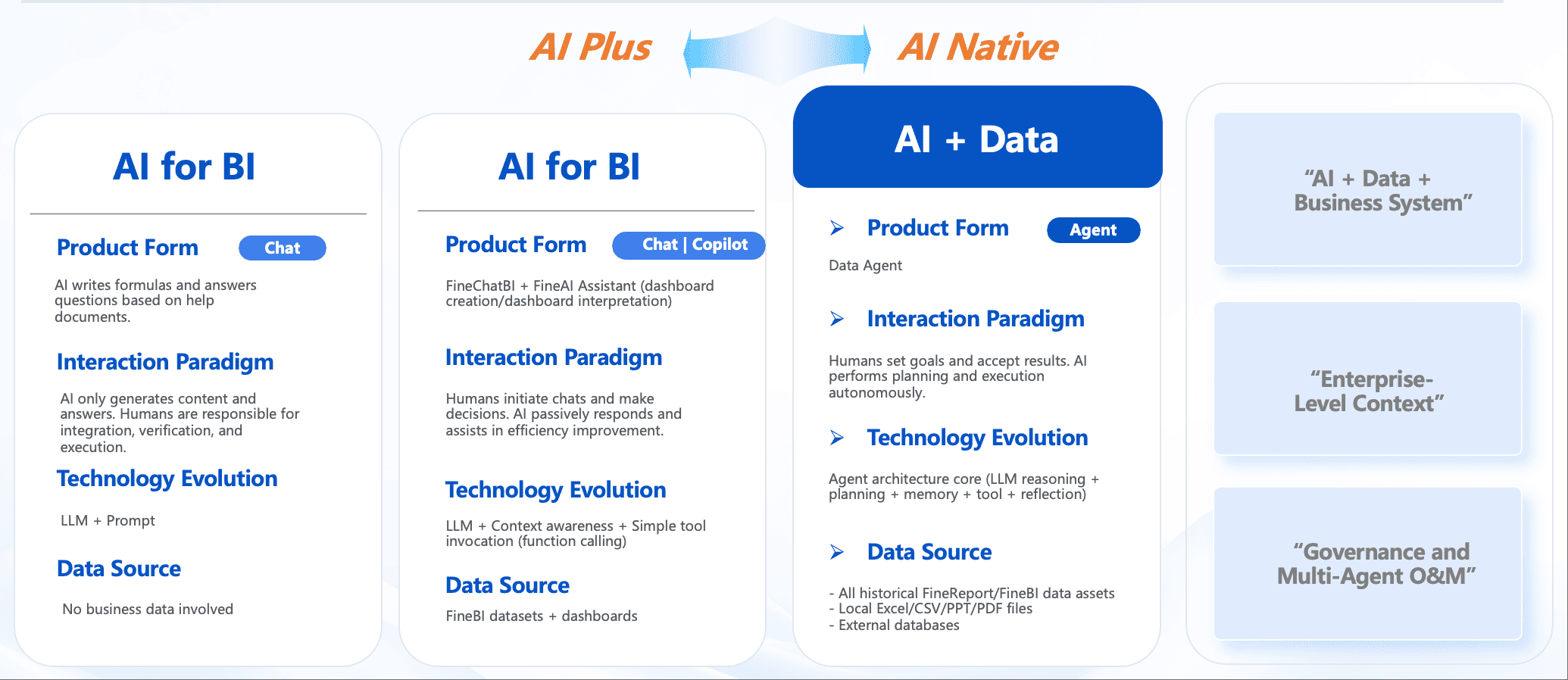
This is the shift from self service BI to agentic BI. Users no longer need to know every filter, field, and dashboard path. They can work with a governed AI assistant that understands the scenario and uses approved data assets.
Enterprise AI Agents vs. Chatbots, Copilots, and RPA Bots
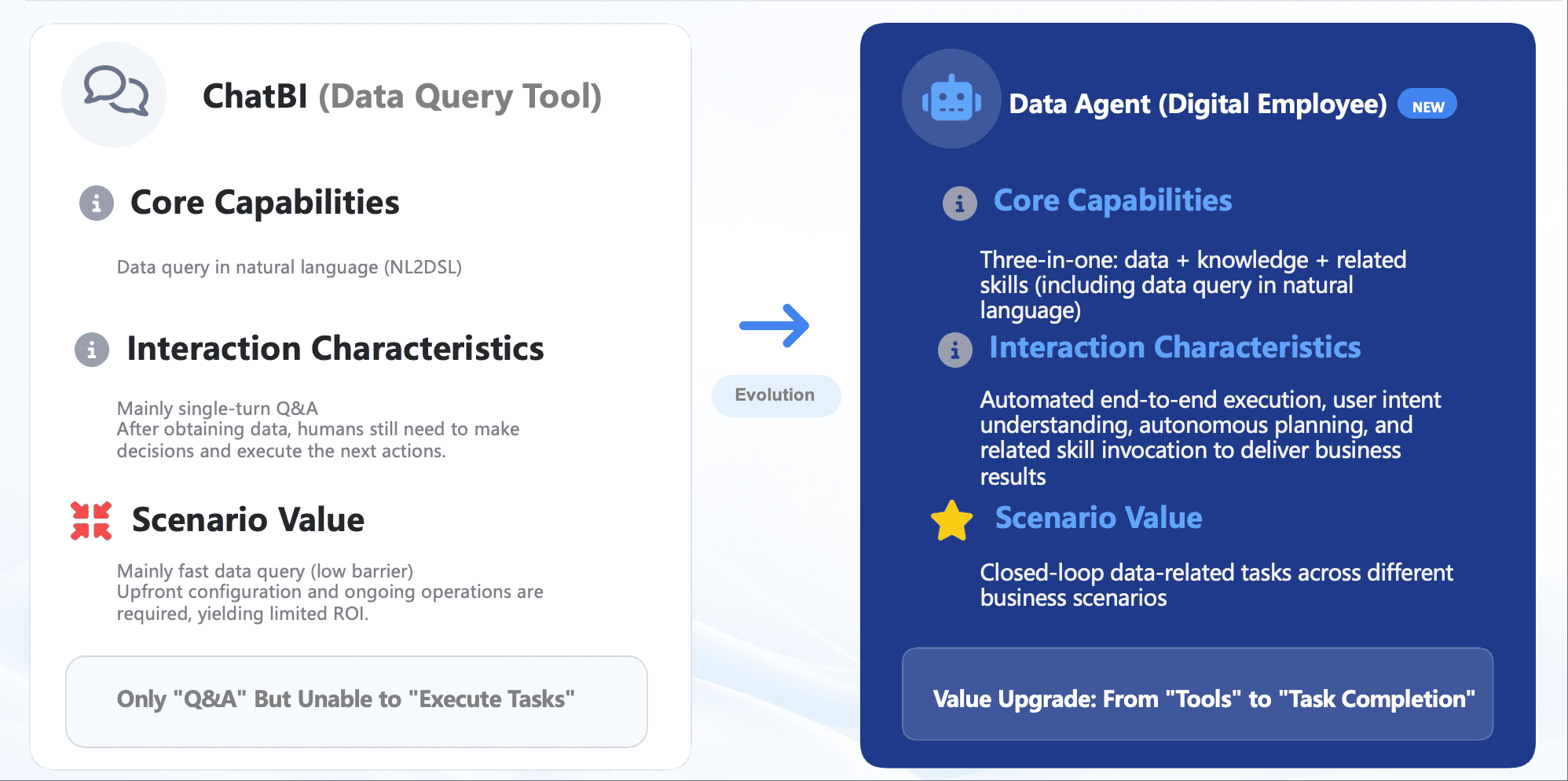
Enterprise AI agents are often confused with chatbots, copilots, RPA bots, and dashboards. The difference is the depth of business context and the ability to complete a governed workflow.
 Evolution from Chatbots to Data Agents
The practical test is simple. If a system only replies to "What was revenue last month?", it behaves like a chat interface. If it retrieves the governed revenue metric, compares actuals with target, identifies regional gaps, generates a briefing, pushes the issue to the owner, and summarizes follow-up, it behaves like an enterprise AI agent.
Governance, Data, and Permissions
Enterprise AI agents are only useful when the organization can trust the data, rules, and actions behind the answer. Without governance, AI can produce fluent but inconsistent outputs.
Strong enterprise AI agents need:
- Trusted data assets: approved datasets, models, reports, dashboards, and operational records.
- Metric definitions: clear rules for revenue, margin, conversion, delivery rate, defect rate, inventory turnover, SLA, and other KPIs.
- Semantic context: business terms, synonyms, filters, time logic, field meanings, responsibility rules, and scenario knowledge.
- Permission boundaries: role-based access to data, dashboards, reports, agent outputs, and downstream actions.
- Reusable Skills: controlled workflows for recurring tasks such as monthly reporting, sales briefing, risk alerts, and executive summaries.
- Source traceability: a way to see which data asset, report, dashboard, or rule supported the answer.
- Human review: important decisions, external communication, and high-impact actions remain under human control.
This is why enterprise AI agents work best with a modern business intelligence platform, governed data visualization, reliable BI reporting, and clear data ownership.
FineBI and FineReport provide the trusted analytics and reporting foundation. Dora acts as the AI Data Agent layer above those assets.
Use Cases by Team
The best enterprise AI agents use cases are not abstract demos. They are recurring workflows where people waste time searching, checking, summarizing, reporting, escalating, or chasing follow-up.
Executives
Executives need timely briefings before reviews, not another place to search for numbers. Enterprise AI agents can prepare daily or weekly summaries, highlight material KPI changes, surface risks, and generate meeting-ready notes.
Example request:
Prepare a Monday executive briefing with revenue, delivery risk, inventory pressure, abnormal cost changes, and unresolved owner follow-up.
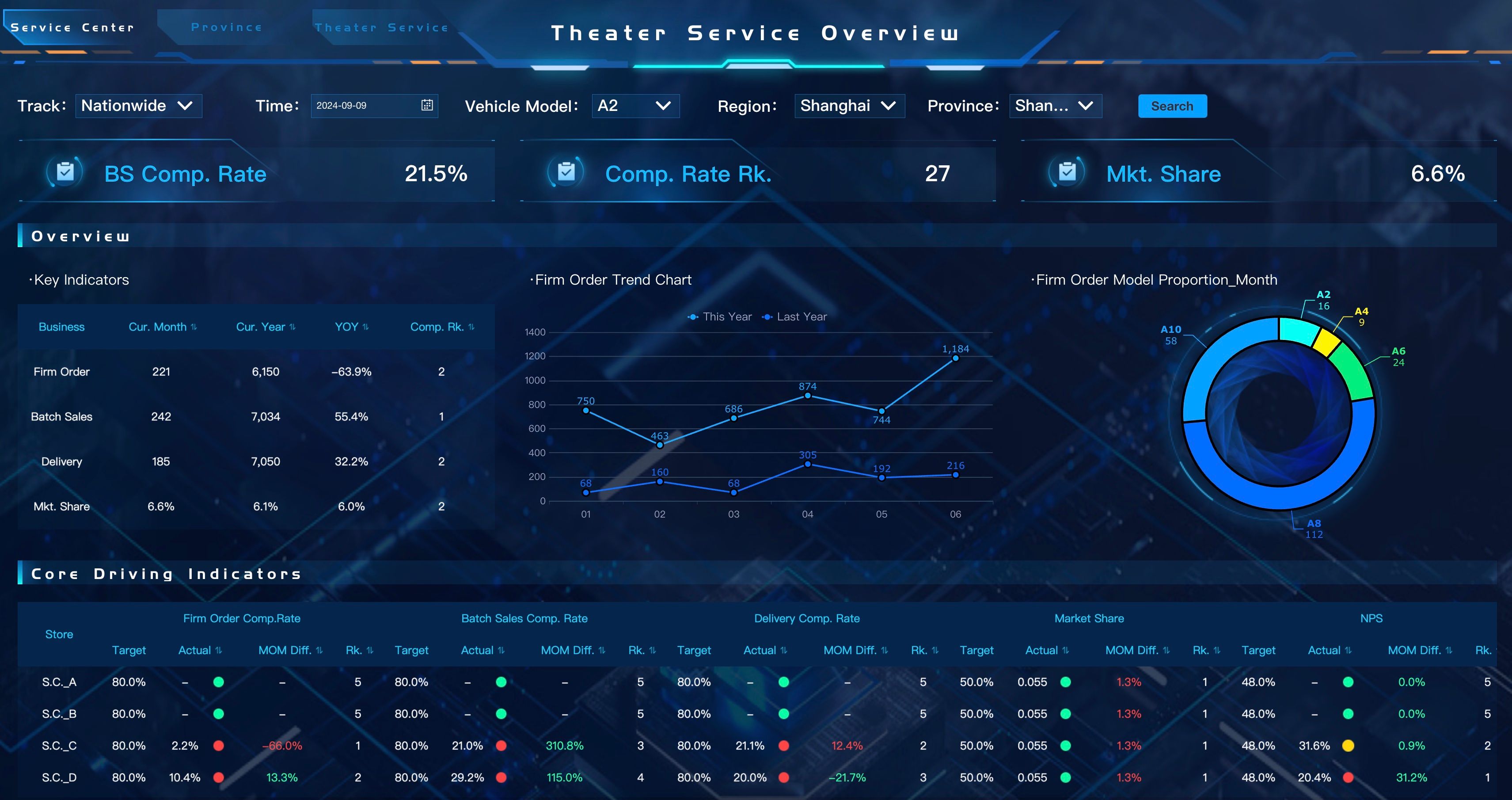
The agent can retrieve trusted KPIs, summarize changes, and prepare a management-ready view similar to an executive dashboard.
Sales Teams
Sales teams need fast visibility into revenue, pipeline, target achievement, regional ranking, order risk, and customer movement. Enterprise AI agents can turn a sales dashboard into daily action.
Example request:
Show underperforming regions this week, explain the main gap, and generate a follow-up summary for each regional manager.
The agent can compare actuals with targets, identify gaps, generate owner-specific summaries, and push them to the right team.
Finance Teams
Finance teams need accuracy, permissions, auditability, and repeatable commentary. Enterprise AI agents can support financial reporting, expense variance review, monthly management reports, and abnormal cost alerts.
Example request:
Generate a monthly expense variance report by department and flag abnormal increases for review.
The agent can apply finance definitions, preserve access boundaries, generate structured commentary, and keep humans in the approval loop.
Manufacturing and Supply Chain Teams
Manufacturing teams often know something is wrong, but root cause and ownership still require manual checking. Enterprise AI agents can support order delivery risk, material shortage monitoring, quality anomaly follow-up, and supply chain performance analysis.
Example request:
Find orders at risk this week, explain whether the delay comes from material shortage, production capacity, quality inspection, or logistics, and notify the responsible team.
The agent can retrieve order, inventory, production, quality, and delivery data, then generate a risk summary and follow-up list.
Retail Teams
Retail teams need quick answers across stores, products, inventory, campaigns, and members. Enterprise AI agents can support store managers by combining data analytics, dashboards, and scheduled summaries.
Example request:
Summarize yesterday's store performance, rank stores by sales gap, and list inventory issues that may affect today's promotion.
The agent can turn store data into a short briefing that managers can act on before the day starts.
IT and Data Teams
IT teams do not disappear in the enterprise AI agents era. Their work becomes more strategic. Instead of manually building every report, IT teams focus on data connections, semantic layers, data quality, permission governance, and reusable agent Skills.
For IT, the value is governance: enterprise AI agents should make self-service safer, not less controlled.
Enterprise AI Agents Examples and Templates
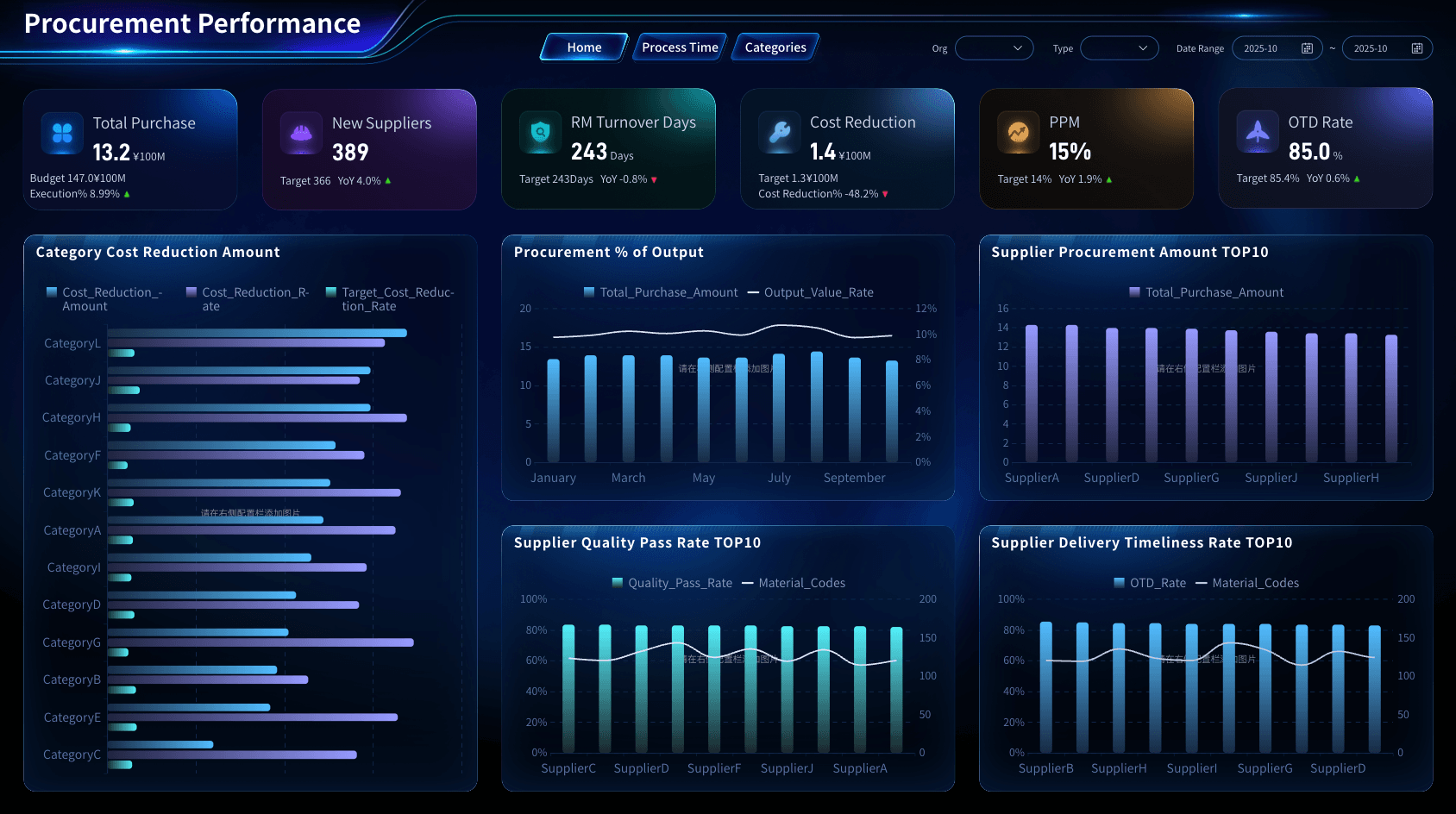
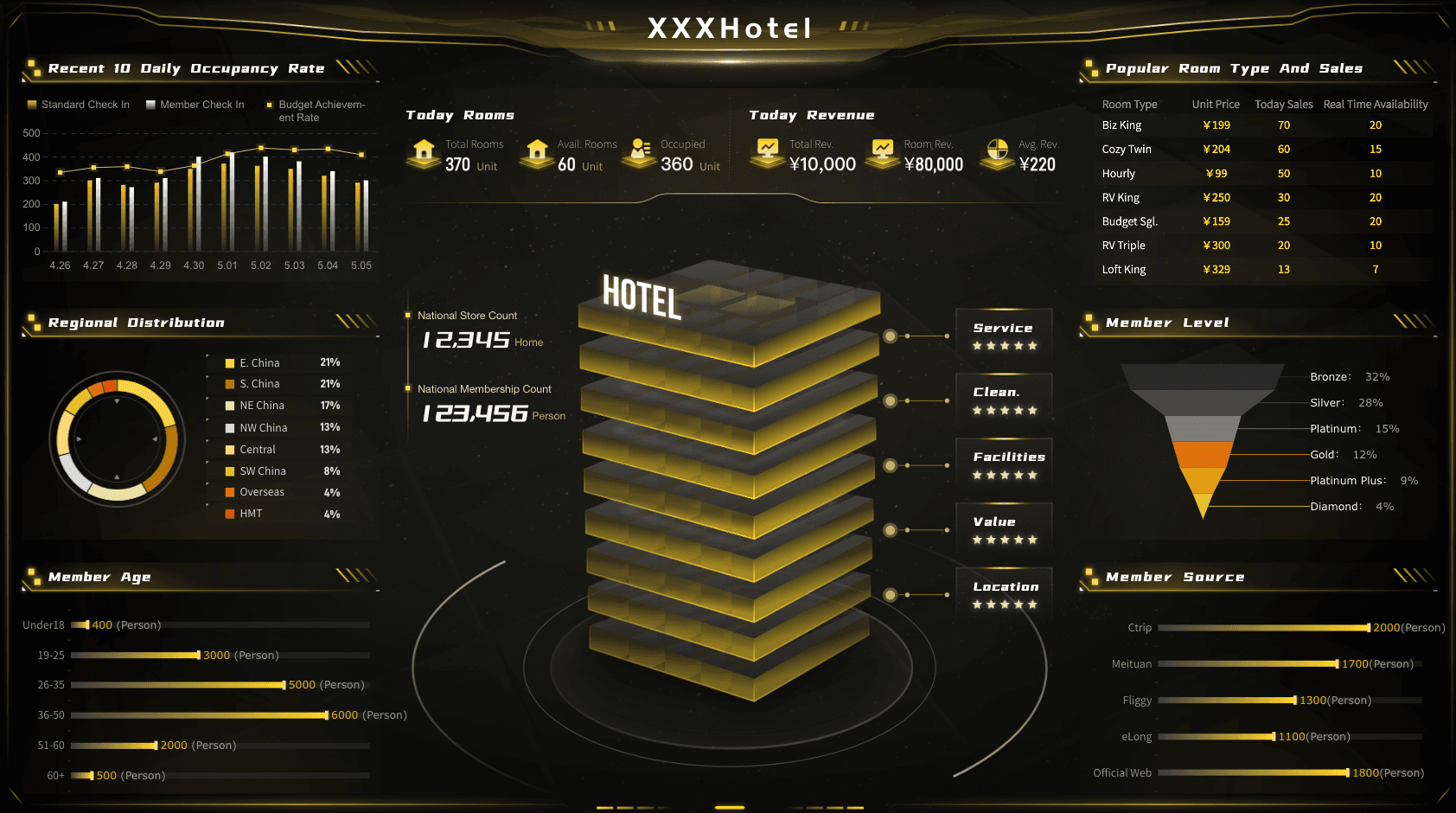
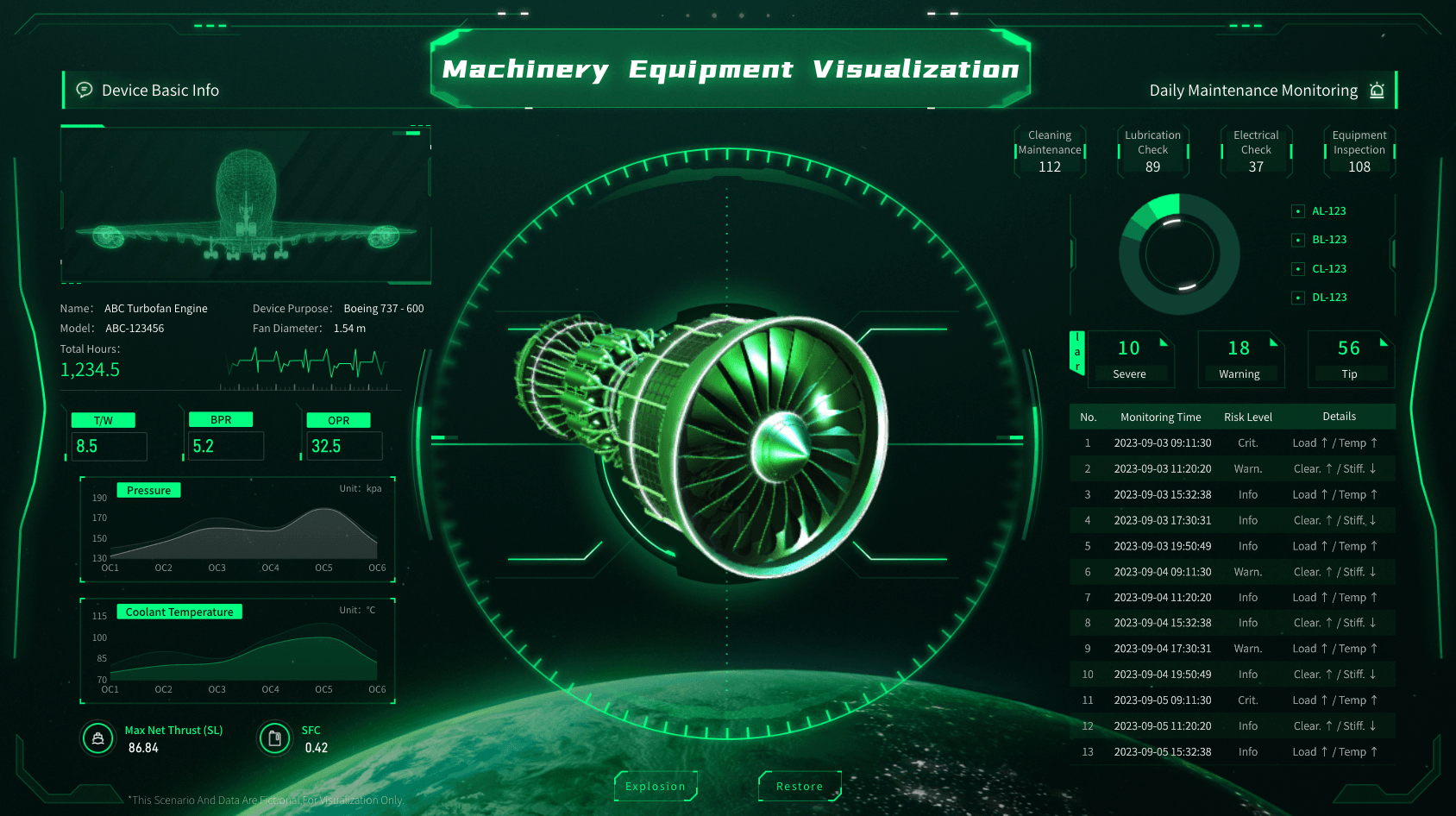
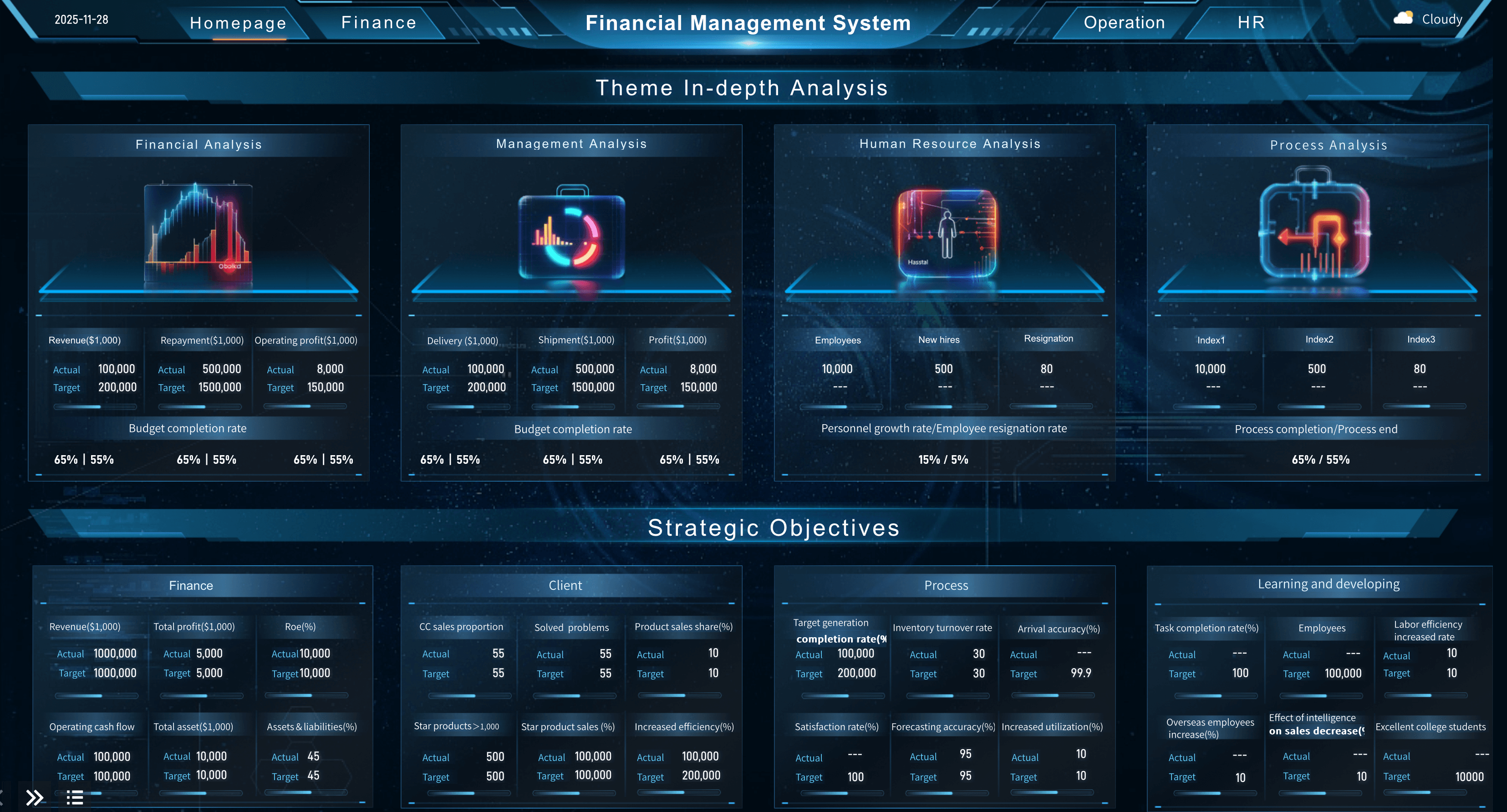
Enterprise AI agents become easier to understand when they are mapped to real workflows. Here are common examples by scenario:
If you are still building the data foundation, start with dashboards, reports, and governed metrics. If you already have trusted BI assets, add Dora as the enterprise AI agents layer to turn those assets into action.
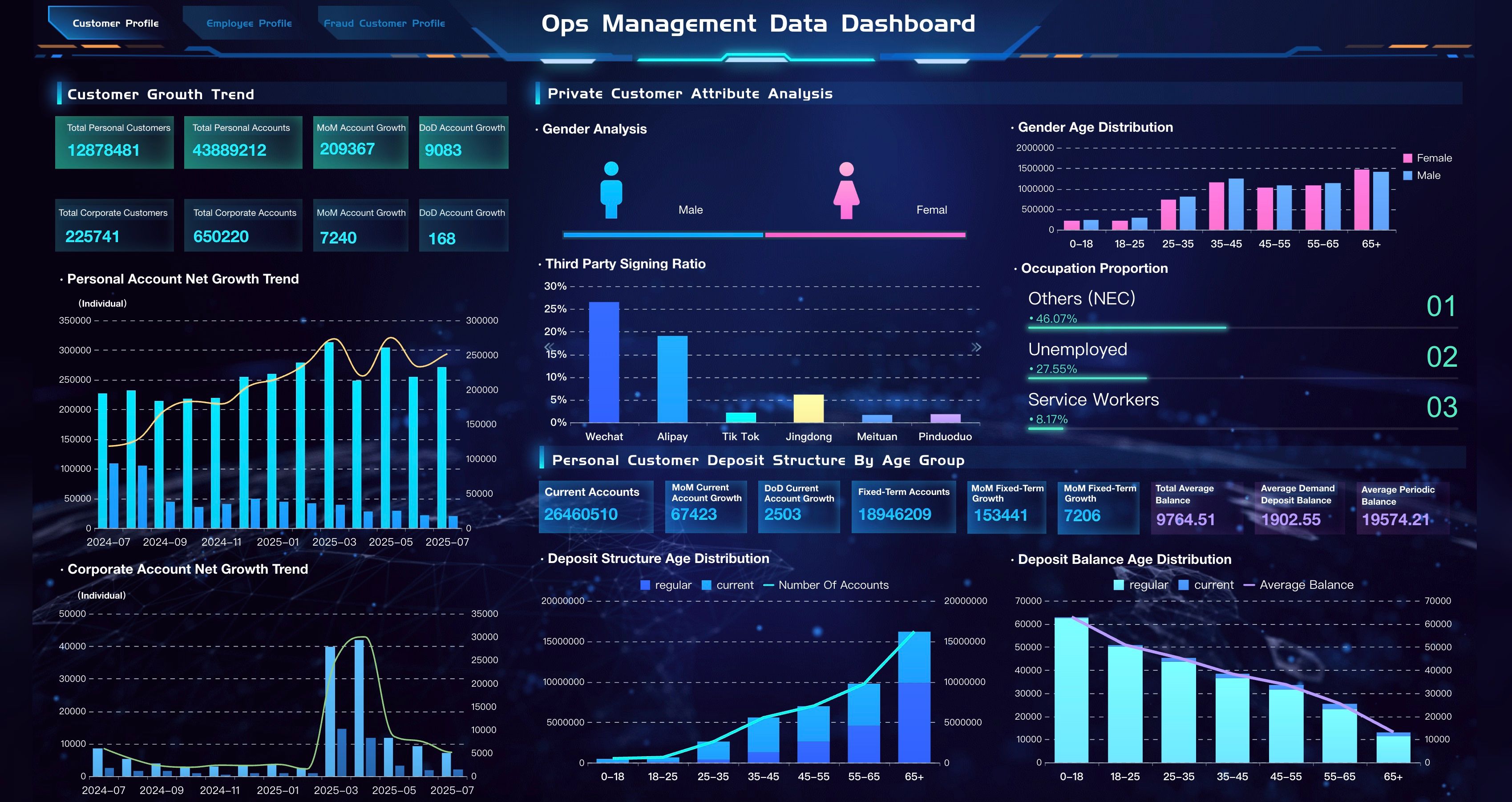
Architecture and Trust Requirements
Enterprise AI agents need more than a model and a prompt. In production, the architecture should connect AI reasoning to trusted data, business logic, permission controls, and workflow execution.
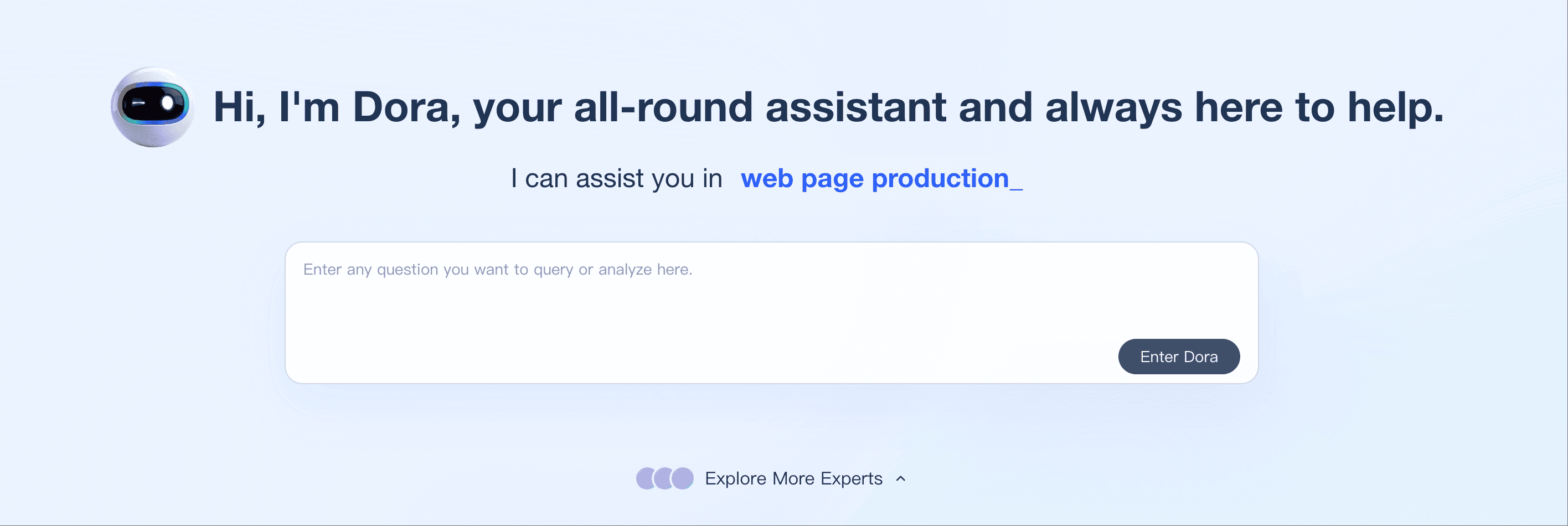
Core architecture layers include:
This architecture matters because enterprise AI agents must answer two questions at the same time: "Can the AI understand the request?" and "Can the business trust what it does next?"
How Dora Builds on Trusted BI Assets
Dora is FanRuan's enterprise Data Agent platform. It turns trusted FineBI and FineReport assets, business rules, knowledge libraries, permissions, and reusable Skills into governed AI digital employees for data query, analysis, report generation, scheduled briefing, anomaly alert, action push, and follow-up.
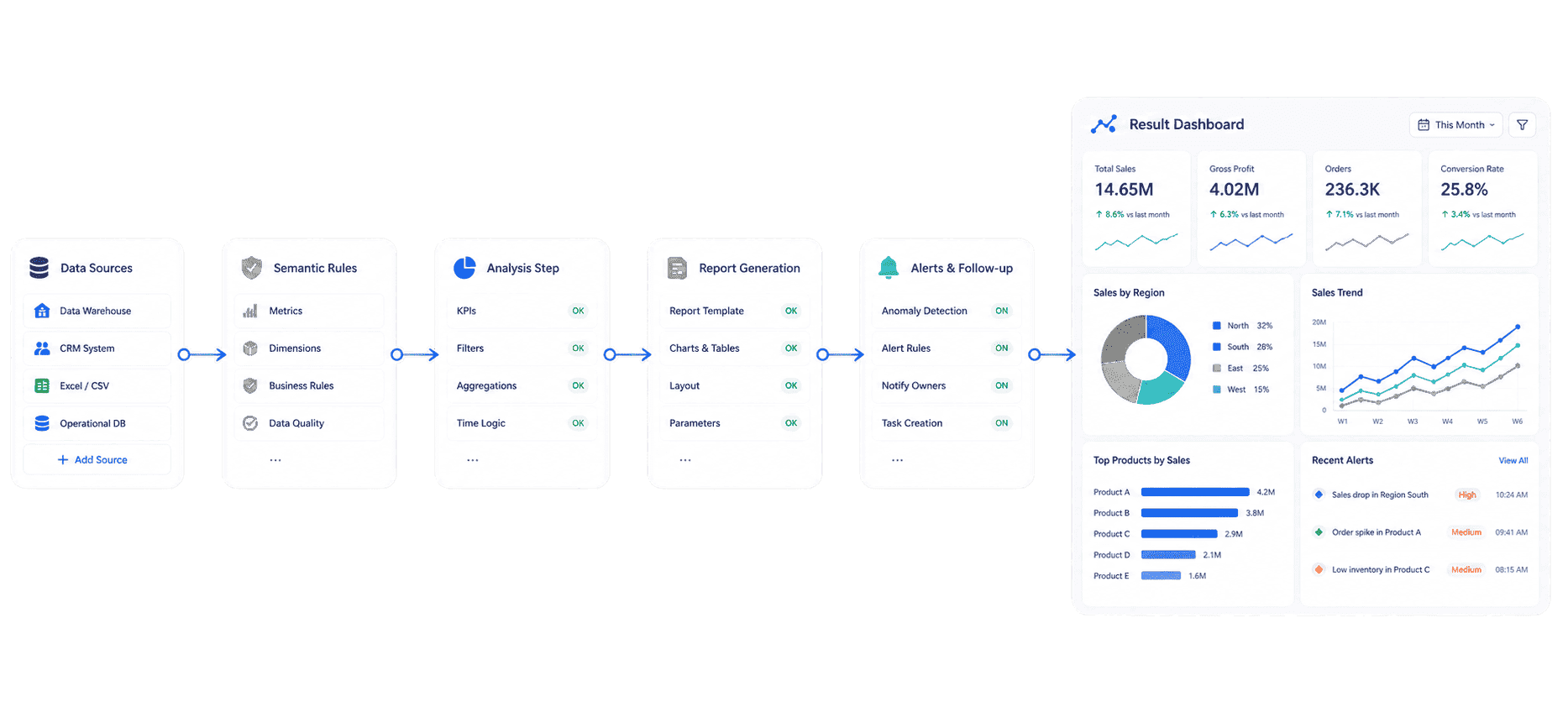 AI Agent Workflow
Dora can work as a standalone platform for enterprise AI agents when an organization already has trusted data or BI assets. It can also work together with FineBI and FineReport to help teams move from dashboards and reports to closed-loop AI data workflows.
Dora enterprise AI agents roles
Dora packages recurring data work into role-based digital employees:
- Data Analyst: answers business questions, retrieves the right BI assets, generates chart-based analysis, and supports follow-up questions.
- Report Researcher: generates structured reports from dashboards, datasets, templates, outlines, and business knowledge.
- Daily Briefing Secretary: prepares scheduled summaries for executives, regional managers, store managers, and operating teams.
- Risk Alert Officer: monitors thresholds, detects anomalies, explains likely causes, pushes alerts, and tracks handling progress.
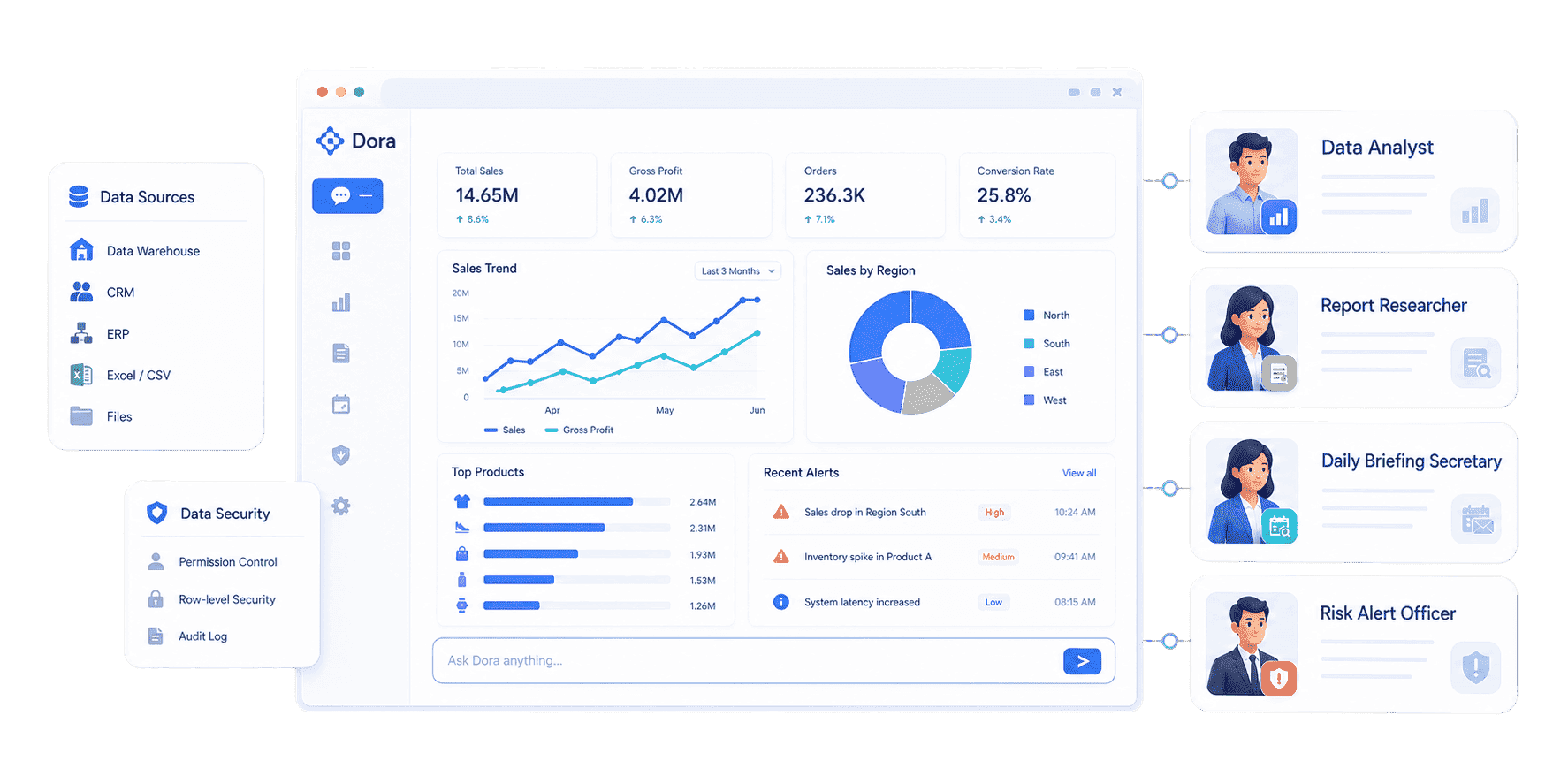
Dora enterprise AI agents workflow
A Dora enterprise AI agent can support a closed-loop workflow:
-
Retrieve trusted assets
Connect the request to FineBI dashboards, FineReport reports, governed datasets, or configured knowledge. -
Apply business context
Use KPI definitions, business terms, filters, permissions, scenario rules, and owner logic. -
Generate output
Create a chart-based answer, dashboard-style analysis view, structured report, briefing, or exception list. -
Push to responsible owners
Send the insight, alert, summary, or suggested action to the right person or team. -
Follow up
Track handling progress and summarize what changed before the next review.
This is the move from passive BI to Agentic BI. Dashboards show what happened. Dora helps business teams ask why, generate the next report, push insights to the right owner, and follow up within a governed enterprise workflow.
Building an Enterprise AI Agents Strategy
An enterprise AI agents strategy should start with real work, not a feature checklist. Agent products change quickly, so feature-by-feature comparison becomes stale. The stronger approach is scenario + product + service.
Here is a practical rollout path:
-
Choose one high-value workflow
Start with a recurring task such as sales briefing, order delivery risk, inventory shortage alert, monthly management report, quality anomaly summary, or expense variance review. -
Audit existing BI and reporting assets
Identify the dashboards, reports, datasets, KPIs, templates, and operating rules that business teams already trust. -
Define the semantic layer
Clarify metric definitions, business terms, synonyms, filters, time logic, responsibility rules, and exception thresholds. -
Set permission and review rules
Decide who can ask which questions, view which answers, generate which reports, receive which alerts, and approve which actions. -
Configure agent Skills
Turn repeated work into controlled Skills, such as "generate weekly sales briefing", "scan manufacturing order risk", or "prepare monthly expense variance commentary." -
Pilot with one team
Measure adoption, answer quality, response speed, time saved, and follow-up closure quality. -
Scale by department or scenario
After one scenario lands, expand to finance, manufacturing, sales, retail, logistics, customer service, or executive management.
This is where implementation service matters. Enterprise AI agents become useful when the organization has clean data connections, governed assets, consistent KPIs, semantic setup, permission design, Skills configuration, and rollout support.
Want to explore more enterprise AI and data agent resources?
FAQs
Enterprise AI agents are AI systems designed to complete business work inside an organization's trusted data, application, permission, and workflow environment. They can query data, generate summaries, prepare reports, monitor exceptions, push alerts, and follow up on recurring tasks.
Chatbots mainly reply to questions. Enterprise AI agents are expected to complete governed workflows by using trusted data assets, KPI definitions, permissions, reusable Skills, workflow actions, and human review.
Enterprise AI agents need governed datasets, approved KPI definitions, business terms, dashboards, reports, templates, permission rules, source traceability, and scenario knowledge. Without a trusted data foundation, AI outputs may be inconsistent or hard to audit.
Yes. Enterprise AI agents can generate recurring summaries, chart-based analysis, structured reports, management briefings, and follow-up notes when the required data assets, templates, business rules, and review processes are configured.
No. Enterprise AI agents work best on top of trusted dashboards, reports, datasets, KPI definitions, and semantic rules. Dashboards and reports provide reliable assets; agents help people consume, explain, distribute, and act on them faster.
Enterprise AI agents can be enterprise-ready when they respect role-based permissions, use governed assets, trace outputs to source data, follow configured Skills, log actions, and keep important decisions under human review.
Dora turns FineBI and FineReport assets, business rules, knowledge libraries, permissions, and Skills into governed enterprise AI agents for data query, analysis, report generation, scheduled briefing, anomaly alert, action push, and follow-up.
Start with one recurring, high-value workflow. Audit the trusted BI and reporting assets behind it, define KPI and permission rules, configure reusable Skills, pilot with one team, and then scale by scenario or department.
