

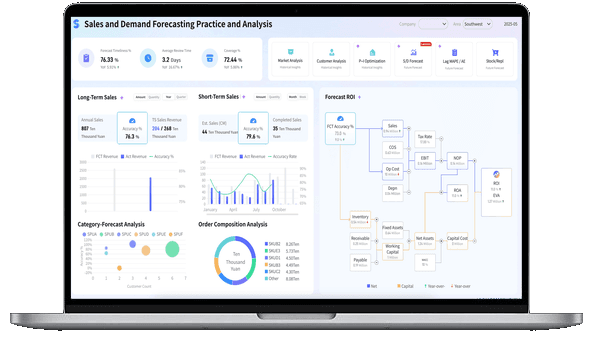
What is Manufacturing Analytics?
Why Manufacturing Analytics Matters
Manufacturing analytics matters because production performance is cross-functional. A late customer order may involve demand planning, procurement, material availability, production capacity, equipment downtime, quality inspection, warehouse picking, logistics scheduling, and finance impact.
Without a shared analytics layer, each team sees only its own version of the issue. Production sees line output. Quality sees defects. Supply chain sees shortage risk. Finance sees margin pressure. Sales sees customer delivery risk. IT sees connection and governance work. Leadership sees a delayed business outcome.
Manufacturing analytics creates a common operating view.
Key benefits include:
- Faster exception detection: Teams can focus on abnormal downtime, late work orders, quality deviations, material shortages, and delivery risks instead of scanning every row.
- Better root-cause analysis: Drill-down views help users move from a top-level KPI to the specific plant, line, machine, shift, product, batch, supplier, or order behind the change.
- More reliable production planning: Capacity, WIP, material availability, downtime, and demand signals can be reviewed together instead of in separate spreadsheets.
- Stronger quality control: Quality teams can compare defect patterns by product, process step, equipment, supplier, operator group, and inspection stage.
- Lower reporting friction: Recurring production, quality, inventory, and management reports can use governed definitions instead of repeated manual exports.
- Clearer financial connection: Plant leaders can connect output, scrap, labor, downtime, inventory, and gross profit signals to business results.
- More useful executive communication: Leaders can review performance, risk, cost, service level, and follow-up owners in one view.
The practical value is not "more data." The value is fewer unresolved questions in daily standups, weekly operations reviews, and monthly leadership meetings: what changed, why it matters, who owns the next step, and what will be checked next.
More resources:
- Dive deeper on the question, "What is Supply Chain Analytics?"
- Download interactive templates
Don’t just collect manufacturing data. Visualize what matters.
Download the KPI Dashboard Guide to strengthen your manufacturing analytics foundation:
- How to turn manufacturing goals into measurable KPI dashboard views
- 10 essential steps to build effective KPI dashboards
- How to choose the right charts and avoid visual clutter
- 15 top-notch dashboard templates for 2026

Types of Manufacturing Analytics
Manufacturing analytics is often described in four levels: descriptive, diagnostic, predictive, and prescriptive. Most teams need all four, but they should not try to build every level at once. Start with the recurring manufacturing decision that matters most, then add deeper analysis as the data foundation becomes trusted.
Descriptive manufacturing analytics
Descriptive analytics explains what happened. It is the foundation for production dashboard views, shift reports, equipment monitoring, and management reviews.
Common examples include:
- Production output by line, shift, plant, product, and work order
- Plan attainment and schedule adherence
- OEE, availability, performance, and quality
- First pass yield, defect rate, scrap rate, rework rate, and quality inspection result
- Downtime, changeover time, mean time between failures, and mean time to repair
- WIP, raw material inventory, finished goods inventory, and stockout count
- Labor hours, labor utilization, overtime, and unit labor cost
- On-time delivery, order backlog, and revenue at risk
Descriptive analytics is useful when the question is, "What changed?" It becomes more useful when users can drill from the summary to the plant, line, product, machine, batch, supplier, order, or shift behind the number.
Diagnostic manufacturing analytics
Diagnostic analytics explains why something happened. It connects top-level manufacturing KPIs to the drivers behind them.
Use diagnostic analytics when you need to know:
- Why did OEE drop on Line 3?
- Why did output miss plan during the night shift?
- Why did defect rate rise for one product family?
- Why did a work order stay in WIP longer than expected?
- Why did material shortage affect customer orders even though inventory looked sufficient?
Good diagnostic analysis needs context. A downtime chart alone may not explain whether the root cause was equipment failure, maintenance delay, operator shortage, material issue, quality hold, changeover, or inaccurate planning. A useful manufacturing analytics workflow connects the metric to process steps, time, owners, and source records.
Predictive manufacturing analytics
Predictive analytics estimates what may happen next. In manufacturing, it can support downtime risk, quality risk, shortage prediction, delivery risk, demand planning, capacity planning, and maintenance planning.
Examples include:
- Predicting equipment failure risk from sensor, maintenance, and downtime history
- Estimating whether a work order may miss the planned completion date
- Flagging materials that may run out before the next inbound delivery
- Forecasting demand pressure on production capacity
- Identifying products, machines, suppliers, or shifts with rising defect risk
Prediction should stay connected to business review. A risk score is useful only when users know what data it used, what confidence level applies, who should review it, and what action options are available.
Prescriptive manufacturing analytics
Prescriptive analytics suggests possible next actions. It may recommend adjusting production priority, reallocating inventory, scheduling maintenance, changing supplier follow-up, reviewing process parameters, or creating a quality containment task.
Prescriptive analytics needs stronger governance than descriptive analytics. Recommendations can affect production plans, customer delivery, supplier relationships, and cost. In most enterprise settings, humans should still approve the final decision. The analytics system should provide evidence, context, and follow-up options instead of pretending to run the factory alone.
Metrics of Manufacturing Analytics
Manufacturing analytics metrics should match the decision you need to support. A plant manager, production supervisor, quality engineer, maintenance planner, supply chain manager, CFO, and COO do not need the same first screen.
Start with the business question, then choose the smallest metric set that can explain performance.
Most manufacturing analytics systems work better with three metric layers:
- Outcome metrics: On-time delivery, plan attainment, gross profit, customer promise attainment, quality performance, safety performance.
- Driver metrics: Downtime, cycle time, labor availability, material availability, supplier lead time, defect reason, inventory position.
- Diagnostic fields: Plant, line, machine, shift, product, SKU, batch, work order, supplier, operator group, process step, downtime reason, owner.
Use dashboard design principles to keep the first screen readable. Scorecards can show headline KPIs. Line charts can show trend. Bar charts can compare plants, lines, products, or shifts. Heat maps can reveal risk concentration. Tables are useful for exception handling when the user needs the exact work order, material, machine, or owner.
If you are evaluating manufacturing dashboard software, test it with real manufacturing questions:
- Can users drill from OEE to downtime reason, machine, shift, and work order?
- Can quality and production teams share the same product and batch definitions?
- Can data from ERP, MES, WMS, IoT devices, quality systems, and spreadsheets be connected?
- Can users schedule recurring production report, inventory, quality, and management reviews?
- Can different roles see different data based on plant, department, or permission rules?
- Can the system support both formatted reporting and interactive analysis?
Examples and Templates
Examples make manufacturing analytics easier to understand because they turn a broad topic into specific decision spaces. The demo cards below come from the Gallery demo file and match manufacturing analytics topics such as production monitoring, smart factory control, inventory movement, supply chain risk, quality control, equipment visibility, labor cost, and manufacturing finance.
Use these examples as learning prompts. Before copying a layout, ask: Who will use this view? What decision should it support? Which KPI definitions must remain consistent across reports?
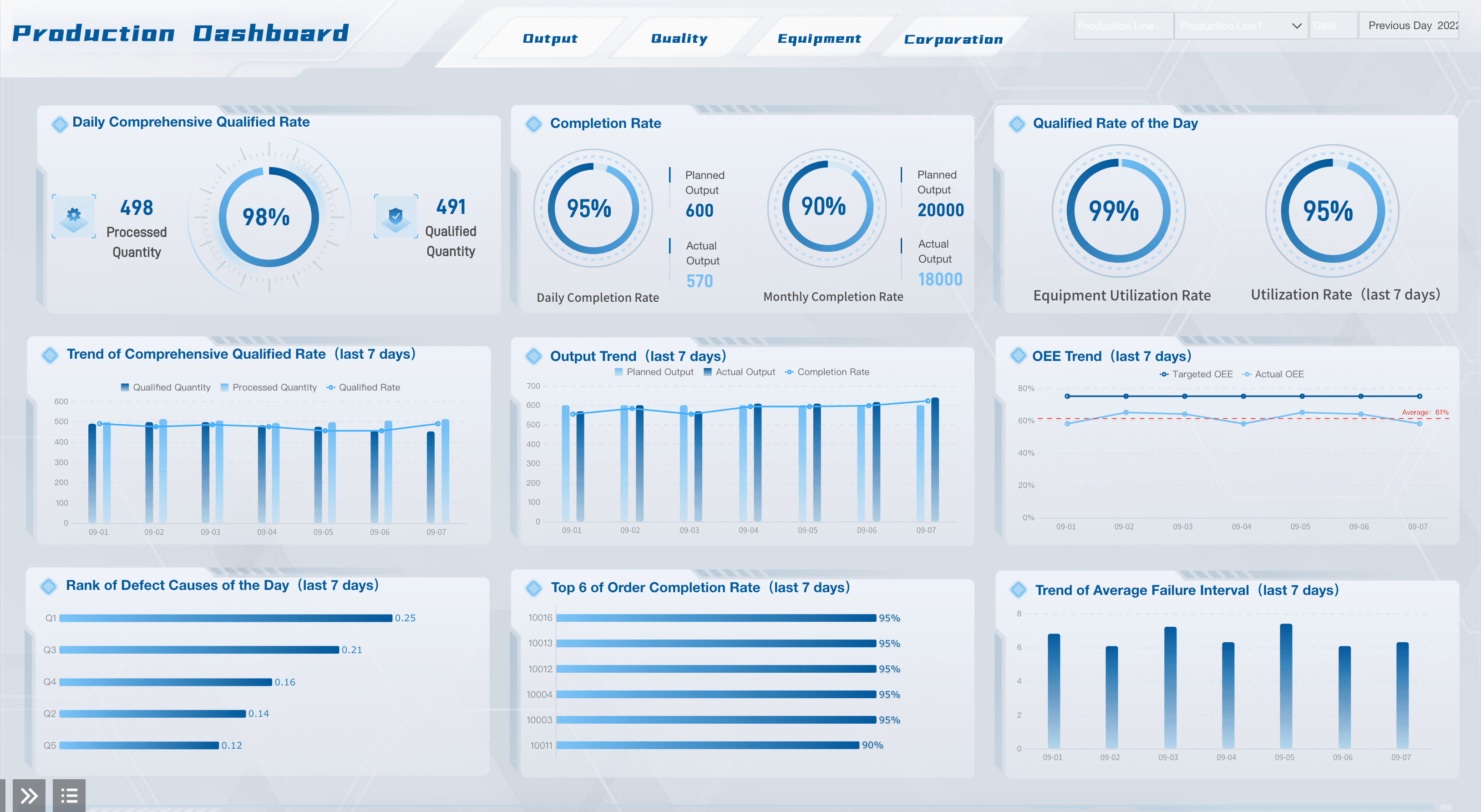
Production Dashboard
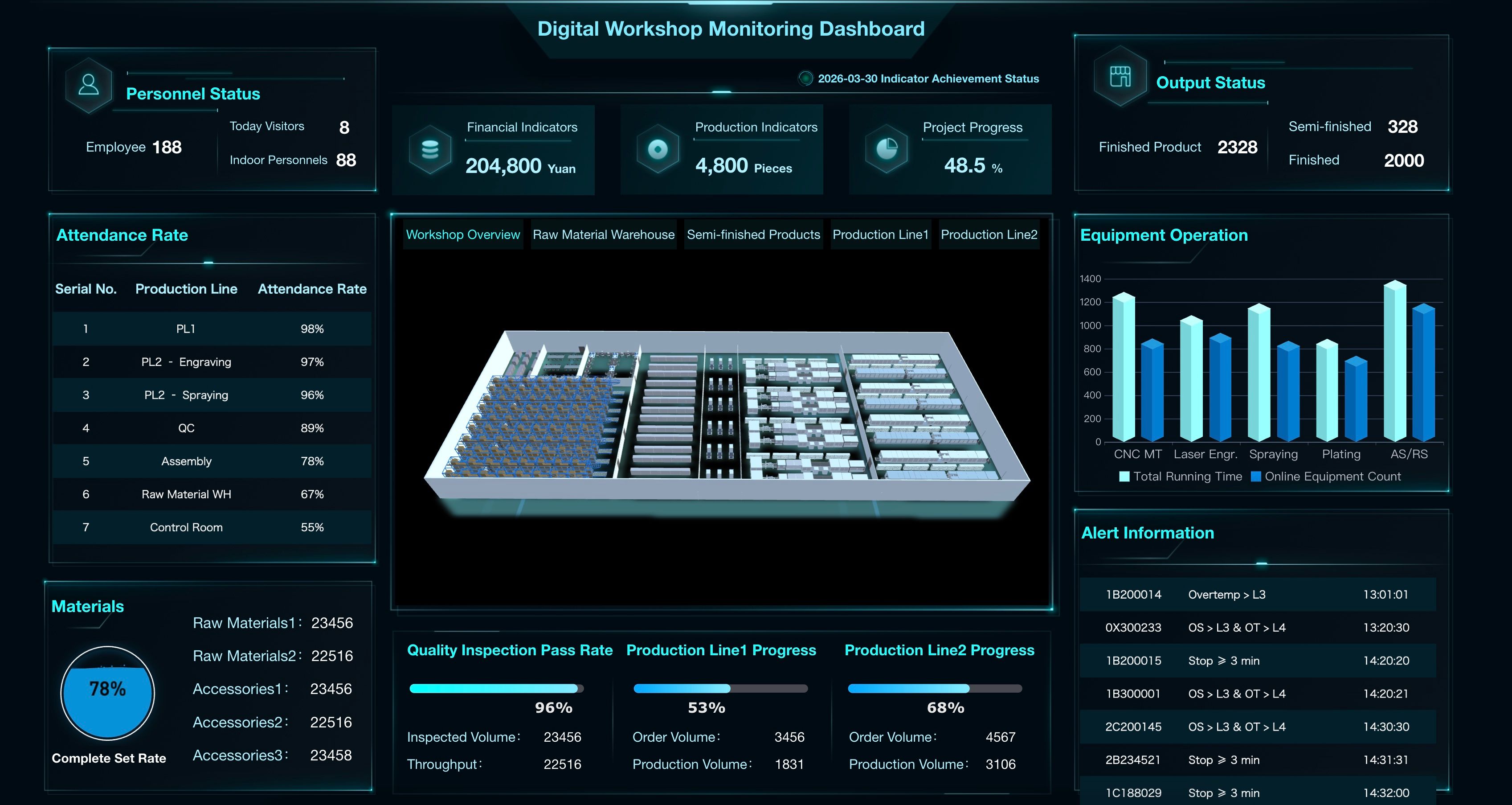
Digital Workshop Monitoring Dashboard
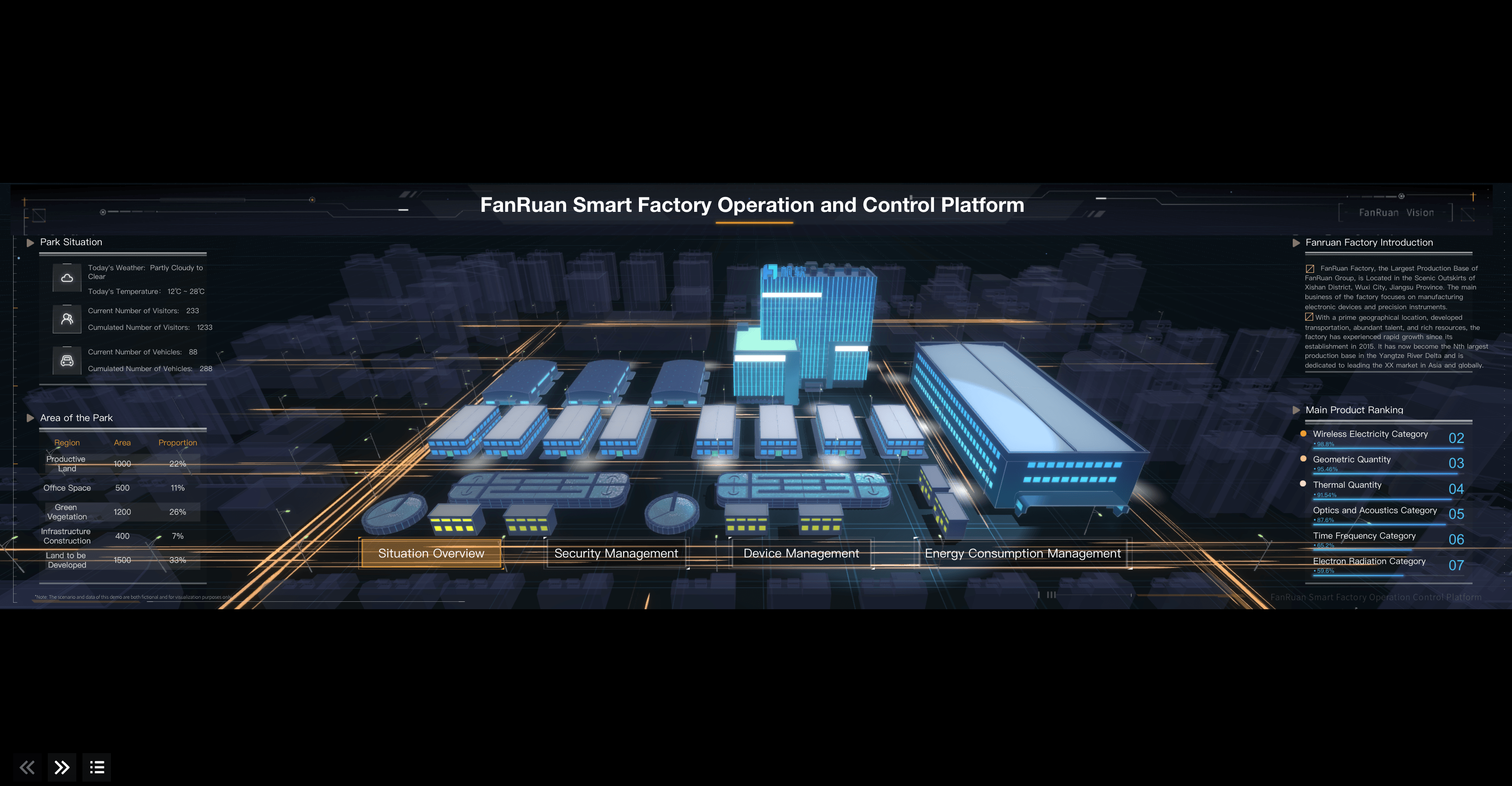
Smart Factory Control Hub
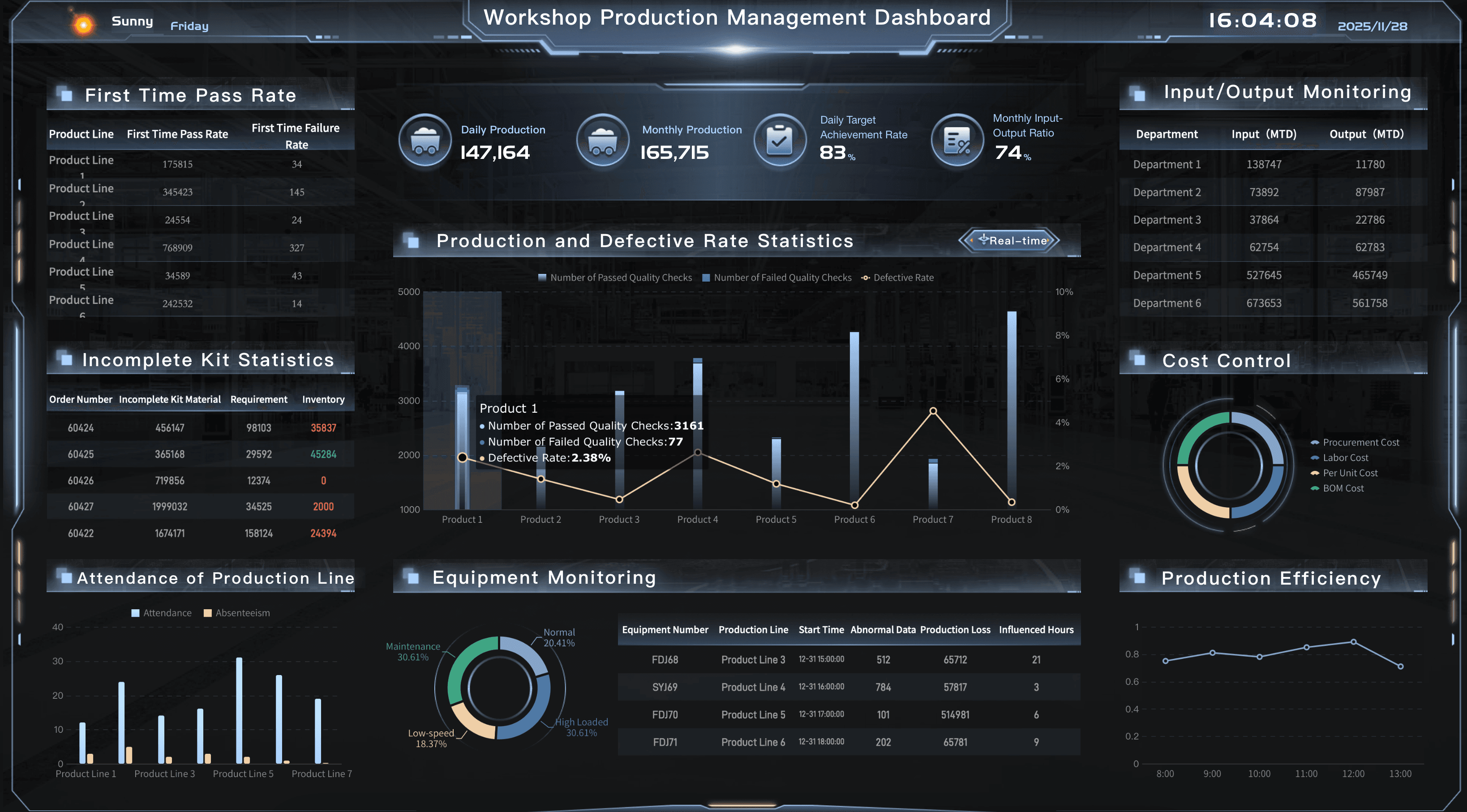
Workshop Production Management Dashboard
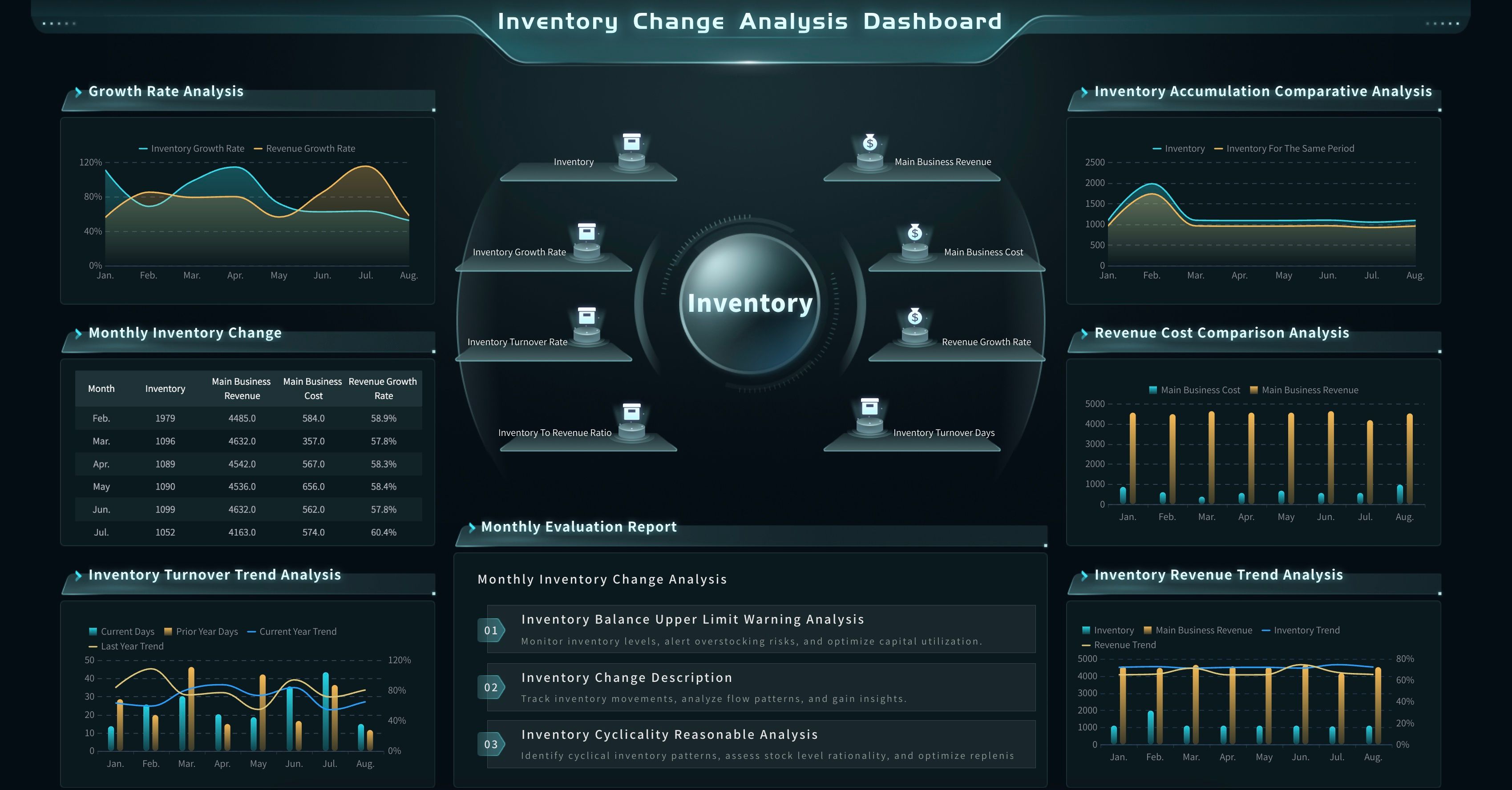
Inventory Movement Analysis Dashboard
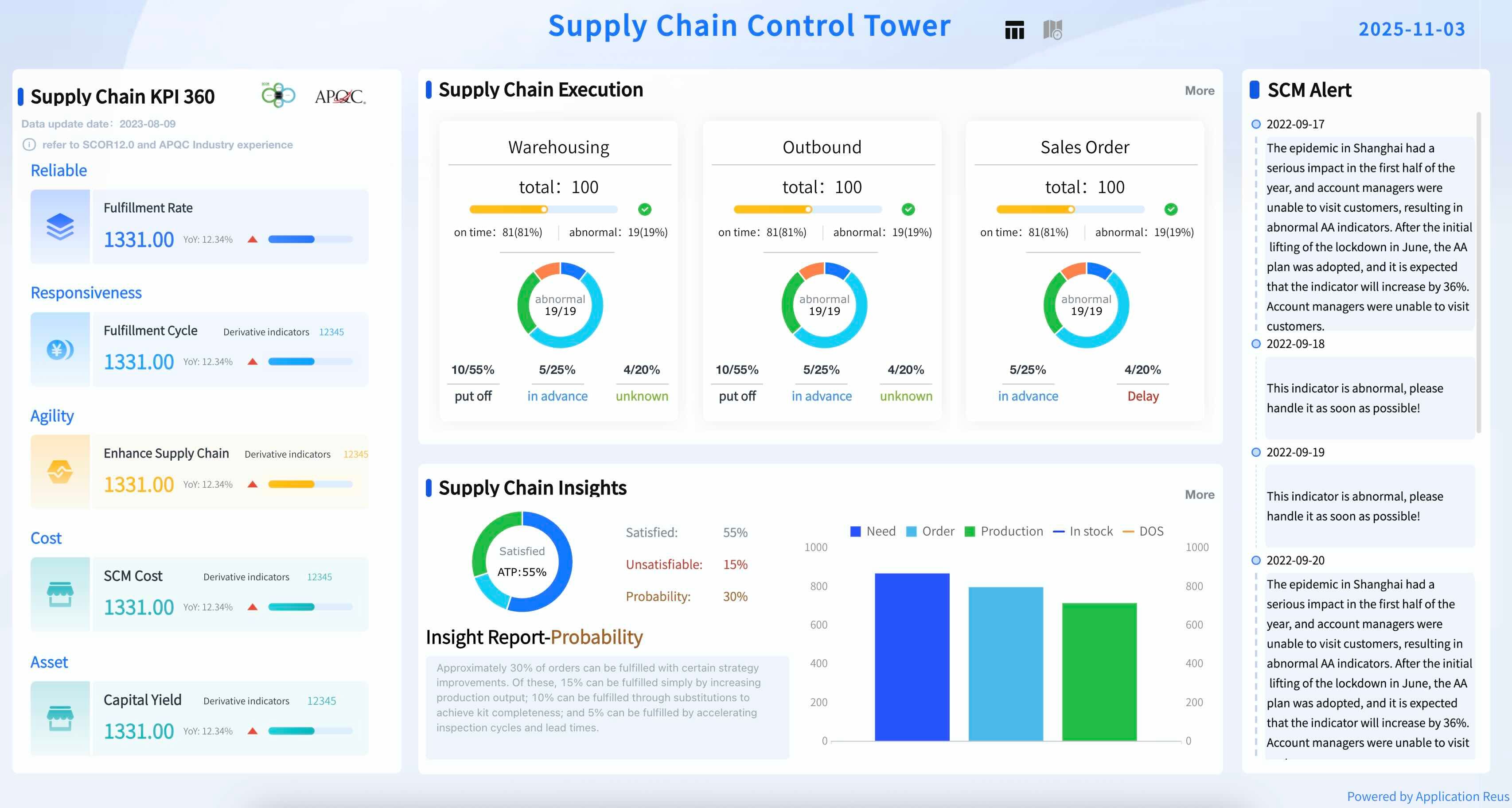
Supply Chain Control Tower
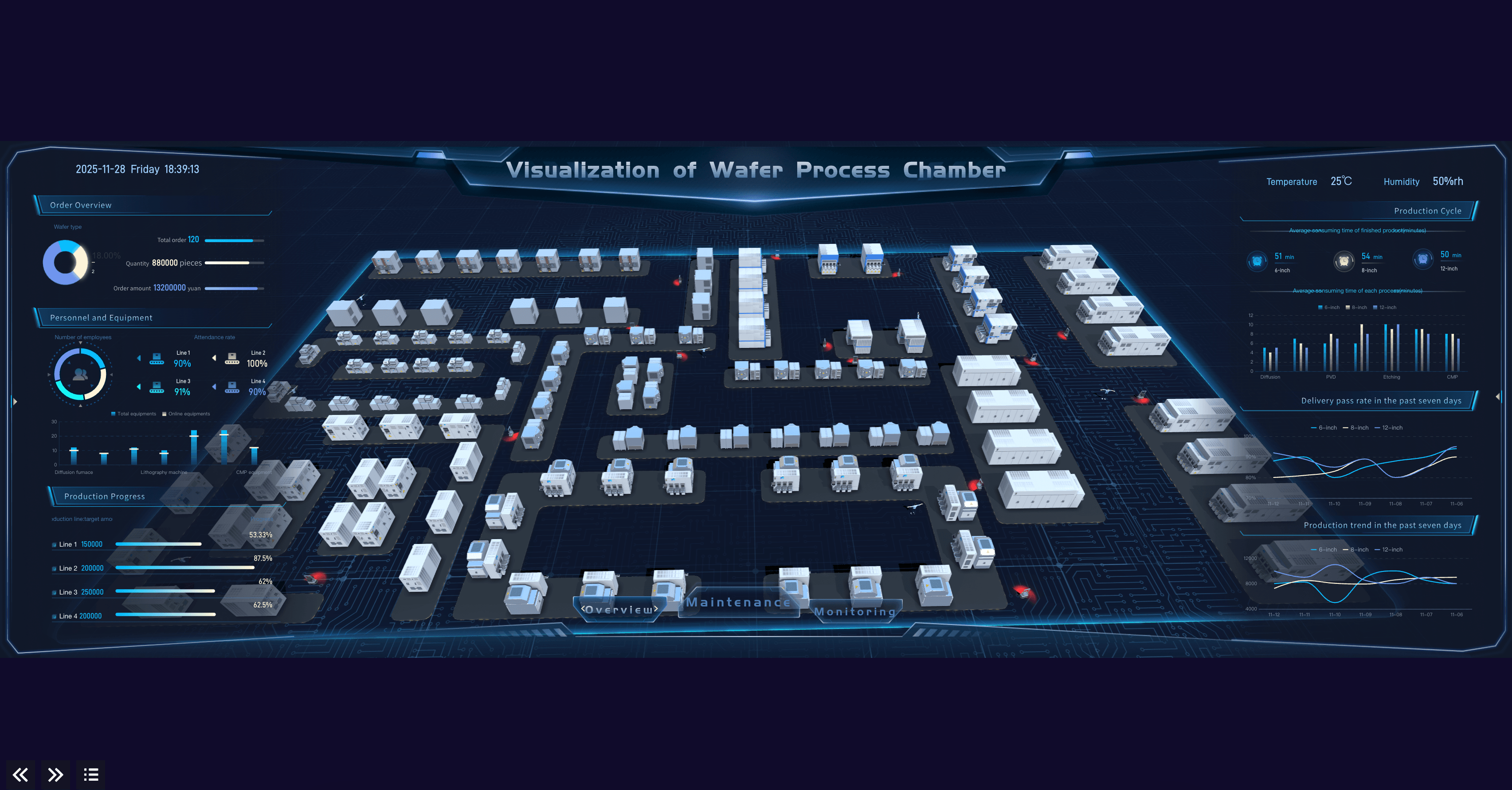
Visualization of Wafer Process Chamber
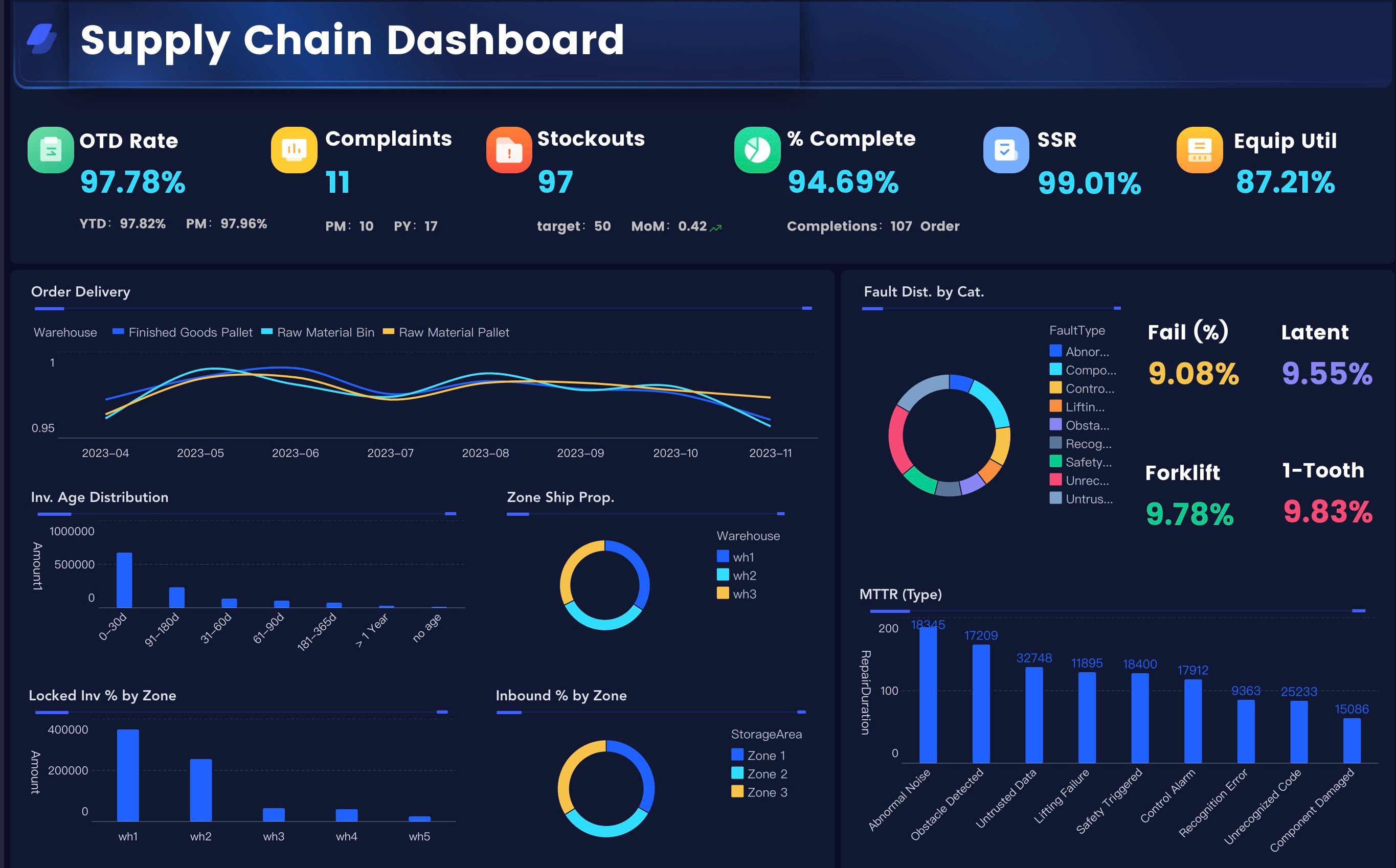
Manufacturing Supply Chain Executive Dashboard
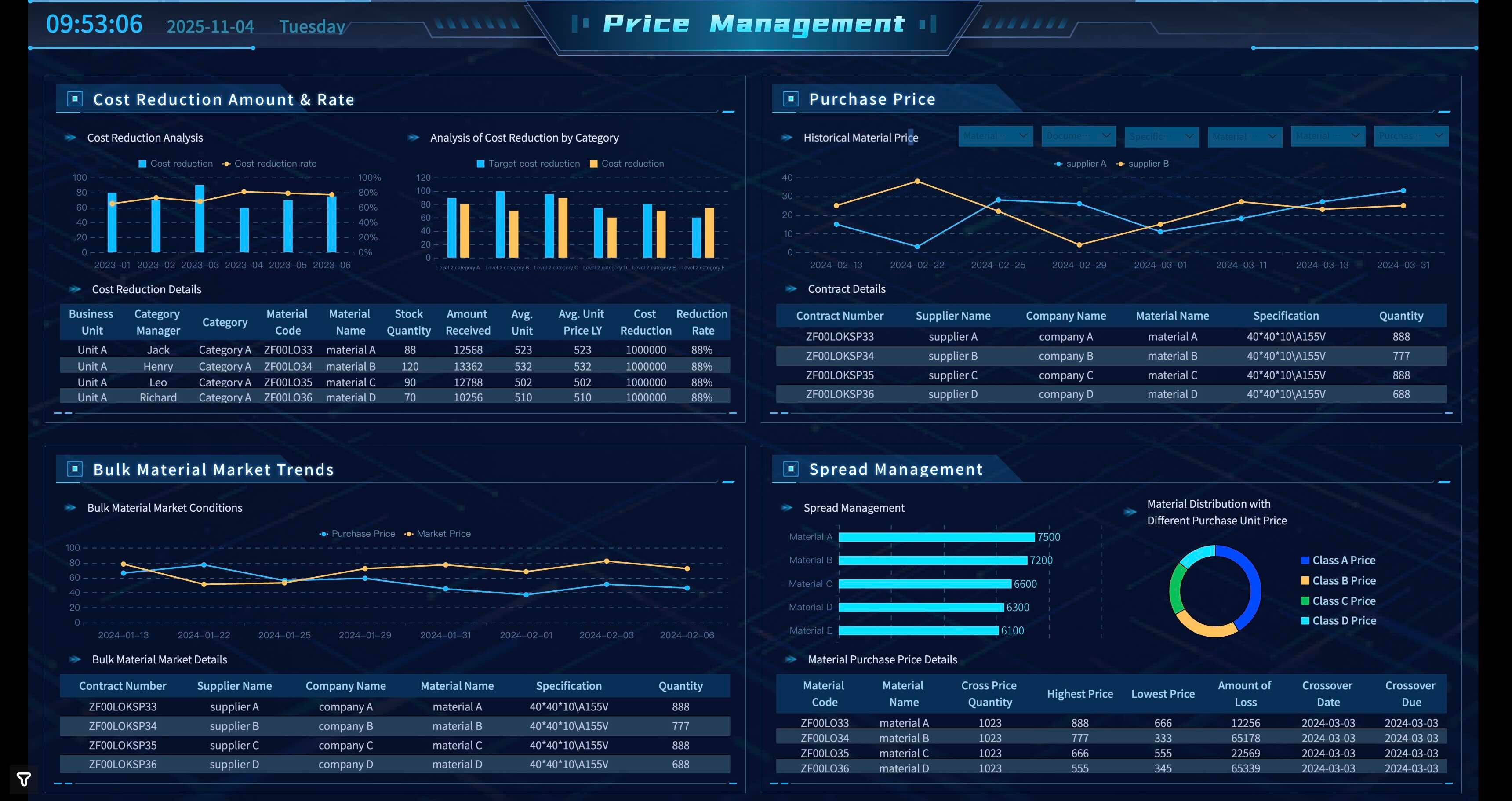
Price management
The point is not to choose the most impressive screen. The point is to choose the example that matches the operating question. A supervisor may need a line-level exception view. A plant manager may need a daily operations cockpit. A COO may need a cross-plant performance view. A quality engineer may need a defect analysis path that goes from product to process step to batch to inspection record.
Data Sources
Manufacturing analytics depends on connected data. Many projects fail because the visual layer looks complete while the data layer remains fragmented, duplicated, or unclear.
Common manufacturing analytics data sources include:
Before building charts, define the business terms. "Output," "available inventory," "downtime," "scrap," "on-time delivery," "standard cost," "labor utilization," and "finished goods" can mean different things across systems and plants. If the definitions are not governed, the analytics output will be debated instead of used.
This is where data visualization tools, reporting software, and data preparation work become practical. The dashboard is only as useful as the data model, metric dictionary, refresh rhythm, permission rules, and owner workflow behind it.
Manufacturing Analytics Workflow
Manufacturing analytics becomes useful when the workflow is repeatable. The first version does not need to solve every problem in the factory. It should solve one recurring decision well.
Use this workflow as a practical build path:
- Choose one manufacturing decision. Start with a question such as "Which work orders are at risk this week?" or "Which line is causing the largest output loss?"
- Define the audience. Decide whether the view is for executives, plant managers, supervisors, quality, maintenance, supply chain, finance, or analysts.
- Map the data sources. List systems, tables, fields, refresh frequency, owners, and known data quality issues.
- Standardize KPI definitions. Write formulas for output, OEE, downtime, yield, scrap, rework, plan attainment, inventory availability, and on-time delivery.
- Design the visual path. Start with the summary, then add trends, breakdowns, exception lists, and drill-downs.
- Add commentary and context. Explain what changed, why it matters, what may have caused it, and what should happen next.
- Assign owners. Every exception should have a responsible person, expected action, and review date.
- Review and improve. Remove charts that do not support decisions. Add fields only when users need them to act.
This workflow also helps teams decide when to use a dashboard, when to use a recurring report, and when to create an ad hoc analysis. If a question happens once, an ad hoc report may be enough. If the same question appears every shift or every week, it belongs in the manufacturing analytics system.
Challenges
Manufacturing analytics projects often struggle for practical reasons. The issue is rarely that teams do not care about data. The issue is that manufacturing data is distributed across many systems, plants, roles, and time rhythms.
Common challenges include:
- Fragmented systems: ERP, MES, SCADA, IoT, QMS, CMMS, WMS, TMS, and spreadsheets may not share the same identifiers.
- Inconsistent master data: Product, SKU, machine, line, plant, supplier, batch, and work order names may differ across systems.
- Different refresh needs: Equipment monitoring may need near real-time updates, while cost and finance reviews may refresh daily, weekly, or monthly.
- Unclear metric definitions: Teams may calculate OEE, downtime, yield, inventory availability, or on-time delivery differently.
- Weak context around exceptions: A red KPI is not useful if users cannot see source records, likely cause, owner, and next action.
- Too many dashboards: Separate dashboards for every team can create more confusion if they do not share definitions.
- Poor AI trust: AI-generated explanations can mislead users if they are not grounded in governed reports, metric definitions, permissions, and source traceability.
The fix is not just better visuals. A trusted manufacturing analytics system needs data ownership, metric governance, role-based permissions, refresh rules, exception workflows, and review habits.
For broader manufacturing transformation, analytics should be treated as an operating capability. It connects daily execution, management reporting, risk review, continuous improvement, and strategic planning.
Manufacturing Analytics With FineReport + Dora
After the manufacturing analytics structure is clear, FineReport + Dora can support a practical learning path from governed reporting to AI-assisted follow-up.
FineReport can support the structured reporting and operational cockpit layer:
- Connect manufacturing data from ERP, MES, databases, APIs, IoT sources, spreadsheets, WMS, TMS, QMS, and maintenance systems.
- Build production dashboard views, manufacturing cockpits, formatted reports, mobile reports, and management review pages.
- Support complex report layouts for production, quality, inventory, cost, maintenance, and executive review.
- Schedule recurring reports for shift handover, daily production meetings, weekly operations reviews, and monthly management meetings.
- Manage role-based permissions so each plant, department, and user sees the right data.
- Preserve reusable report templates and metric definitions for recurring manufacturing workflows.
Dora adds the AI action layer above trusted FineReport assets. As a data agent, Dora can help users ask natural-language questions, search existing dashboards and reports, generate structured briefings, summarize exceptions, push scheduled updates, and follow up with responsible owners. Dora should not replace plant managers, production planners, quality engineers, maintenance leaders, or analysts. It works best when it operates on governed metrics, business rules, permissions, reusable Skills, source traceability, and human review.
For manufacturing analytics, two useful Dora digital employees could be:
- Manufacturing Performance Analyst: Monitors output, OEE, downtime, yield, scrap, rework, cost variance, and delivery risk from trusted FineReport assets.
- Production Briefing Secretary: Generates scheduled shift, daily, or weekly manufacturing summaries, flags abnormal changes, prepares exception tables, and pushes follow-up questions to the right owner.
Example chat-style prompts:
- "Show me this week's manufacturing analytics risks by plant, line, work order, material shortage, downtime reason, quality issue, and responsible department."
- "Generate a daily production briefing for the plant manager. Include output, plan attainment, OEE, top downtime reasons, quality losses, material constraints, and unresolved actions."
- "Explain why first pass yield dropped this month. Compare product family, line, batch, supplier, process step, inspection result, and rework reason."
- "Create a dashboard-style view of manufacturing gross profit by product line, output, labor cost, material cost, scrap cost, and delivery performance."
- "Find work orders at risk in the next seven days. Group them by material shortage, equipment downtime, quality hold, capacity constraint, and logistics delay."
 Natural-language Query
A closed-loop AI workflow could look like this:
- Retrieve trusted data: Dora reads configured FineReport reports, dashboard assets, KPI definitions, source mappings, Skills, and permission rules.
- Detect exceptions: It identifies output gaps, abnormal downtime, defect spikes, material shortage, inventory risk, delivery delay, or cost variance.
- Explain likely drivers: It compares plant, line, machine, shift, product, batch, supplier, work order, and time-period dimensions to suggest where users should investigate.
- Generate a briefing: It prepares a chart, summary, exception table, source context, and follow-up questions for human review.
- Push to owners: It sends the relevant issue list to production, quality, maintenance, supply chain, finance, or plant leadership owners.
- Follow up and summarize: It tracks unresolved questions, captures human feedback, and prepares a cleaner update for the next review.
The trust layer matters. Dora should respect user permissions, agent permissions, BI data permissions, metric definitions, source traceability, and human approval. The point is not to let AI invent manufacturing decisions. The point is to reduce the manual work around finding the right report, explaining variance, drafting first summaries, and keeping owners aligned.
This is the practical reason the scenario can land in a real enterprise: manufacturing analytics is recurring, cross-functional, exception-heavy work. The useful package is scenario + product + service: choose one high-value workflow, connect the right FineReport assets, configure KPI definitions and permission rules, build reusable Dora Skills, and help teams adopt a review rhythm.
For IT teams, this shifts work from manually building every one-off report to maintaining data connections, semantic rules, permissions, data quality, and reusable workflows. For business users, it reduces the wait between a production question and a useful first analysis. For executives, it makes the review clearer: what changed, why it matters, who owns the next step, and what will be checked next.
A FineReport + Dora learning path for manufacturing analytics
Use the table below as a learning roadmap before turning the idea into a project plan:
Manufacturing analytics prompts for Dora
The best prompts are specific. They define the time period, metric, dimension, comparison, and expected output.
For executives:
- "Summarize this week's manufacturing analytics risks. Show output, OEE, delivery risk, quality loss, inventory exposure, gross profit impact, and the top five follow-up owners."
- "Compare this month with last month. Which manufacturing issues affected customer delivery, unit cost, and margin?"
For plant managers:
- "Find production lines below plan today. Group by downtime reason, material shortage, quality hold, labor constraint, and open action owner."
- "Explain why OEE declined in the East plant. Compare availability, performance, quality, changeover, and maintenance records."
For quality teams:
- "Rank product families by defect rate, first pass yield, rework cost, and open corrective actions. Show the top process steps to investigate."
- "Generate a quality analytics briefing for the weekly review. Include defect trends, supplier-related issues, batch-level exceptions, and recommended questions."
For supply chain teams:
- "List work orders with high material shortage risk. Include available inventory, open purchase orders, expected inbound date, production priority, and customer impact."
- "Find customer orders at risk because of production, material, warehouse, or logistics constraints. Group by responsible department."
For maintenance teams:
- "Show machines with abnormal downtime this week. Compare failure reason, maintenance backlog, spare parts status, and production impact."
- "Create an equipment reliability summary with MTBF, MTTR, planned maintenance completion, and downtime cost."
Guardrails for AI-assisted manufacturing analytics
Dora should be used as a governed AI data agent, not as an uncontrolled decision maker. Keep these rules visible in the project:
- Use approved data assets: Dora should answer from configured FineReport reports, dashboards, datasets, and metric definitions.
- Respect permissions: Users should only see data they are allowed to access, and agent permissions should be managed separately from user permissions.
- Show source context: Important answers should point back to the report, metric, filter, period, and source field used.
- Separate explanation from decision: Dora can detect, explain, suggest, push, and follow up. Humans still approve production priority, supplier escalation, quality release, maintenance schedule, or customer communication.
- Handle uncertainty clearly: If data is missing, stale, delayed, or inconsistent, the AI output should say so instead of hiding the limitation.
- Reuse Skills for recurring work: Repeatable manufacturing tasks should become controlled Skills, not one-off prompt experiments.
This makes FineReport + Dora useful as learning material: teams can first understand the analytics method, then see how governed reports and AI agents turn the method into a repeatable operating workflow.
Want to explore more data analytics resources?
FAQs
Manufacturing analytics is the process of collecting and analyzing manufacturing data to understand production, equipment, quality, inventory, labor, cost, supply chain, delivery, and risk performance. It helps teams monitor what is happening, diagnose why it happened, predict what may happen next, and decide what to investigate or improve.
The main types are descriptive analytics, diagnostic analytics, predictive analytics, and prescriptive analytics. Descriptive analytics shows what happened. Diagnostic analytics explains why it happened. Predictive analytics estimates what may happen next. Prescriptive analytics suggests possible actions under defined business rules and constraints.
Important metrics include output, plan attainment, OEE, downtime, cycle time, first pass yield, defect rate, scrap rate, rework rate, inventory turnover, stockout rate, labor utilization, unit cost, gross profit, on-time delivery, and revenue at risk. The best metric set depends on the user and decision.
A manufacturing dashboard is the visual interface that displays metrics, charts, alerts, and drill-down views. Manufacturing analytics is the broader practice of connecting data, defining metrics, diagnosing causes, predicting risk, and supporting decisions. A dashboard is one important output of the analytics system.
Common sources include ERP, MES, SCADA, IoT devices, QMS, CMMS, WMS, TMS, PLM, workforce systems, spreadsheets, and external risk data. The exact sources depend on whether the team is analyzing production, quality, maintenance, inventory, supply chain, finance, delivery, or sustainability.
FineReport can support the governed reporting and operational cockpit layer by connecting manufacturing data, building reusable dashboards and reports, scheduling updates, and managing permissions. Dora can act as the AI Data Agent layer that answers follow-up questions, generates briefings, flags exceptions, pushes owner-specific follow-ups, and summarizes unresolved risks based on trusted FineReport assets. Human review should remain part of the workflow.
A good first project is a recurring question with clear ownership, such as production plan attainment, OEE loss analysis, material shortage review, quality defect analysis, downtime monitoring, inventory movement, or delivery risk. Start narrow, define the metrics, connect the required data, build the first dashboard or report, and add follow-up rules after users trust the output.
