If you are searching for a Power BI license guide, you are probably trying to answer one practical question: which Power BI plan do you actually need for your reporting, sharing, and analytics use case?
That matters because Power BI licensing is not just about feature access. It directly affects:
- who can create reports
- who can view them
- how teams collaborate
- which advanced capabilities are available
- how quickly costs rise as usage expands
For individual users, the free option may be enough to learn and build private reports. For teams, Power BI Pro is often the starting point. For advanced analytics use cases, Premium Per User can make sense. For broader enterprise distribution and dedicated performance, Fabric Capacity becomes the more relevant model.
In this guide, you will get a clear explanation of the main Power BI licensing options, how pricing is structured, and how to choose the right path based on team size, sharing needs, and governance goals.
Quick Comparison Table
| License option | Best for | Sharing and collaboration | Advanced features | Viewer access | Cost model | Typical fit |
|---|---|---|---|---|---|---|
| Free | Individual learning and private analysis | Very limited | Basic personal use | Mostly personal use or content in qualifying capacity scenarios | Free | Students, solo analysts, early exploration |
| Pro | Team collaboration | Full publishing and sharing for licensed users | Standard business BI features | Viewers typically need paid access unless content is on qualifying capacity | Per user/month | Small to mid-sized teams |
| Premium Per User | Advanced analysts and expert teams | Collaboration among licensed users | More advanced enterprise-scale features for individuals | Viewers generally need PPU access for PPU content | Per user/month | Limited expert audience with advanced needs |
| Fabric Capacity | Enterprise-scale deployment | Broad organizational distribution with dedicated capacity | Capacity-based scale, centralized performance, broader Fabric workloads | Free-user viewing may apply only at qualifying capacity levels and scenarios | Capacity-based | Large organizations and broad distribution |
Power BI license basics: what each option is for
Power BI licensing can feel confusing because it mixes user licenses and capacity licenses. The easiest way to understand it is to split the options into four main categories: Free, Pro, Premium Per User, and Fabric Capacity.
Free, Pro, Premium Per User, and Fabric Capacity explained
Power BI Free
The Free license is mainly for individual use. It allows users to create reports in Power BI Desktop and work within their own personal environment. It is useful for:
- learning Power BI
- building a portfolio
- testing data models
- creating private reports for personal analysis
Its biggest limitation is collaboration. Free is not designed for normal business sharing across teams.
Power BI Pro
Power BI Pro is the standard paid license for business collaboration. It is commonly used when a team needs to:
- publish reports to the Power BI service
- share dashboards with coworkers
- collaborate in workspaces
- distribute apps internally
For many organizations, Pro is the default starting point because it covers the core publishing and sharing model.
Power BI Premium Per User
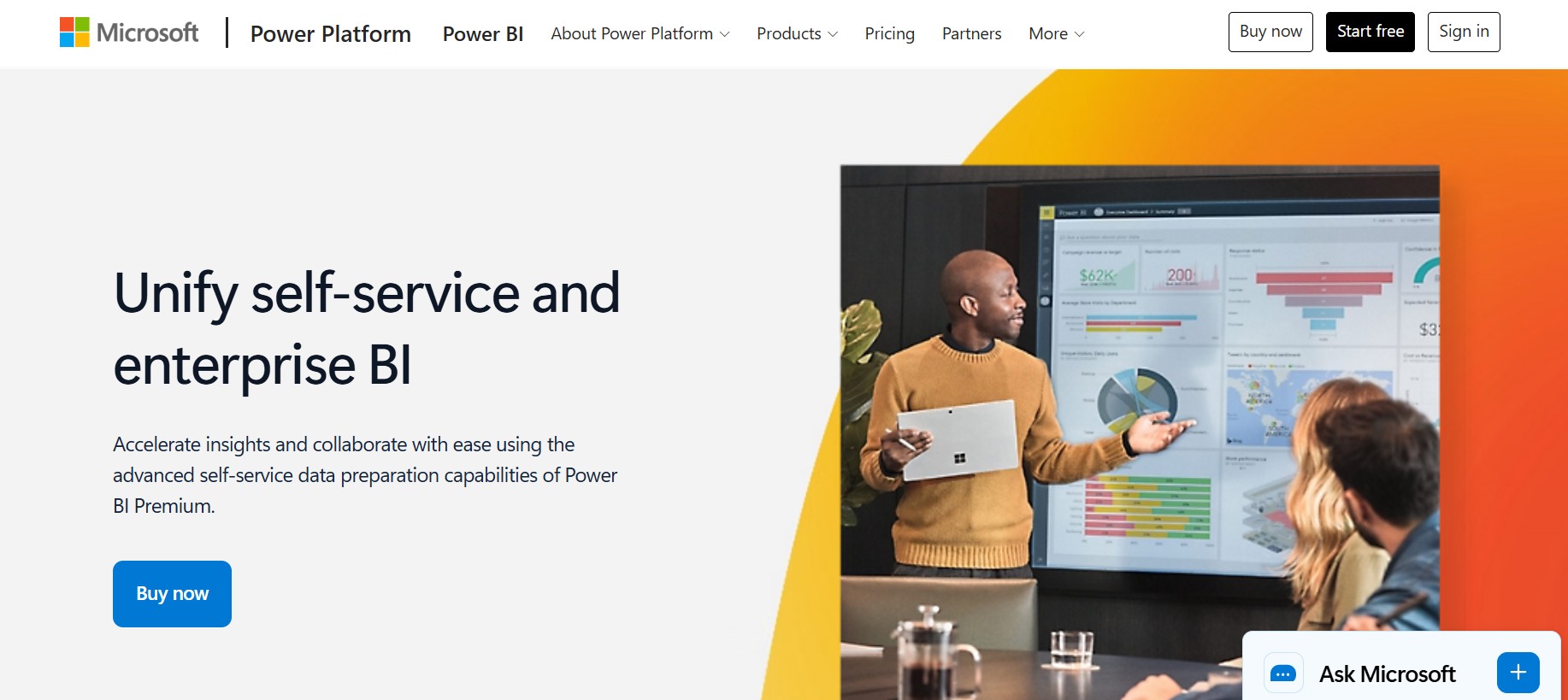
Premium Per User, often shortened to PPU, builds on Pro and adds access to more advanced capabilities for individual licensed users. It is often considered when:
- power users work with larger or more demanding models
- teams need more advanced refresh and enterprise BI features
- the audience is relatively limited, but analyst requirements are more advanced
It is not automatically the right choice for everyone. It is usually better suited to expert users than broad viewer populations.
Fabric Capacity
Fabric Capacity is the capacity-based licensing model within Microsoft Fabric, which now includes Power BI as one of its experiences. Instead of paying only by named user, organizations can purchase capacity to support broader workloads and content distribution.
This model is more relevant when companies need:
- dedicated performance resources
- broader content distribution
- enterprise governance and scaling
- centralized analytics delivery across larger audiences
Who typically uses each option
A practical way to think about a power bi license is by matching it to the main user type:
- Individuals: Free
- Small teams and departments: Pro
- Advanced analysts and specialized groups: Premium Per User
- Organizations with large-scale distribution needs: Fabric Capacity
User-based licensing vs capacity-based licensing
This is the core licensing distinction many buyers miss.
User-based licensing
With user-based licensing, you assign licenses to people. This includes:
- Free
- Pro
- Premium Per User
This model is simple to start with because costs are easier to understand early on. But as more people need access, total spend can rise steadily.
Capacity-based licensing
With capacity-based licensing, the organization buys compute capacity rather than licensing every viewer in the same way. This can make more sense when:
- many users only need to consume content
- distribution is broad
- workloads need dedicated performance
- centralized governance matters
Why the right plan affects collaboration, governance, and cost
Choosing the wrong Power BI plan can create avoidable friction.
If you stay on Free too long, business sharing becomes blocked.
If you put everyone on advanced licenses too early, costs can rise before the use case is proven.
If you delay capacity planning, enterprise rollout can become harder to manage.
A good license choice should match four things:
- number of creators
- number of viewers
- need for advanced capabilities
- expected scale over the next 12 to 24 months
Power BI license: Free vs Pro vs Premium Per User vs Fabric Capacity at a glance
When comparing Power BI plans, the biggest practical differences usually come down to publishing, sharing, collaboration, refresh, storage, and advanced feature access.
Publishing, sharing, collaboration, refresh, storage, and advanced feature access
At a high level:
- Free supports personal report creation and private use
- Pro supports publishing and collaboration for business teams
- Premium Per User adds more advanced capabilities for licensed expert users
- Fabric Capacity supports enterprise-scale delivery and capacity-based distribution
In real-world evaluations, the decision usually comes down to two questions:
- How many people need to collaborate?
- How many people only need to consume reports?
The biggest limitations of Free for business collaboration
Free is often misunderstood because Power BI Desktop itself is powerful. The issue is not basic report authoring. The issue is shared business use.
Common Free limitations include:
- no standard peer-to-peer sharing model for most business collaboration
- no normal team publishing workflow for shared workspaces
- restricted collaboration compared with paid plans
- limited fit for governed enterprise reporting
So if your goal is a team dashboard for sales, operations, or finance, Free is usually only a temporary step.
When Pro is enough
Pro is often enough when:
- teams need to publish and share reports internally
- authors and consumers are a defined group
- advanced enterprise-only capabilities are not essential
- the organization is still in a departmental or mid-scale BI phase
For many companies, Pro is the most practical default because it supports day-to-day collaboration without immediately moving into capacity planning.
When Premium Per User becomes more cost-effective
Premium Per User becomes more relevant when a smaller group of advanced users needs premium-type features, but the organization is not ready for capacity-based investment.
This often fits scenarios where:
- the creator group is small
- advanced capabilities matter to analysts
- the report audience is limited
- the company wants more than Pro, but not a full capacity rollout
It is less attractive when a very large population needs access, because per-user licensing can add up quickly.
Where Fabric Capacity fits for enterprise-scale deployment
Fabric Capacity fits best when organizations need:
- broader distribution across many viewers
- centralized performance management
- larger-scale governance
- a more strategic enterprise analytics foundation
It can also reduce friction in environments where many users consume reports, while a smaller group creates and manages them. But the exact economics depend on scale, viewer count, and qualifying capacity levels.
Power BI pricing plan: how costs are structured
Understanding a Power BI pricing plan is easier once you separate user-based pricing from capacity-based pricing.
User-based licenses
User-based licensing assigns a plan directly to a person.
What is typically included in Free, Pro, and Premium Per User
Free
Typically includes:
- Power BI Desktop report authoring
- personal analysis
- use of personal workspace scenarios
- limited collaboration
Pro
Typically includes:
- publishing to shared workspaces
- report sharing
- app distribution
- team collaboration
- standard scheduled refresh and cloud sharing workflows
Premium Per User
Typically includes everything in Pro, plus access to more advanced capabilities intended for heavier or more governed analytics scenarios.
How per-user pricing scales as teams grow
Per-user pricing is attractive at the beginning because entry cost is lower. A small team can get started quickly without enterprise procurement complexity.
But as user counts grow, cost scales almost linearly. That means:
- 5 users is manageable
- 50 users requires real budgeting
- 500 users may push you to re-evaluate the model
This is why many organizations revisit licensing after adoption expands beyond the initial analytics team.
The tradeoff of per-user pricing
The tradeoff is simple:
- benefit: lower upfront commitment
- cost: every collaborating user may need the appropriate license
That becomes important when leadership wants to roll dashboards out broadly across operations, sales, finance, and branch teams.
Capacity-based licensing
Capacity-based licensing works differently. Instead of only licensing named users, the organization buys dedicated capacity to run workloads and distribute content at scale.
How Fabric Capacity differs from assigning licenses to each user
With Fabric Capacity, the organization is buying a capacity layer. This shifts the discussion from “How many users need licenses?” to “How much workload and distribution scale do we need?”
It is better aligned to enterprise questions such as:
- how many workspaces will we run
- how many users will consume content
- how much performance isolation do we need
- how broadly do we want to distribute reports
When dedicated capacity makes sense
Dedicated capacity often makes sense when:
- there are many viewers
- performance consistency matters
- the BI environment is becoming enterprise-wide
- centralized governance and workload management are priorities
Common confusion about enterprise pricing
A common point of confusion is whether capacity starts around a fixed monthly threshold. In practice, Microsoft’s capacity pricing depends on SKU choice and purchase model, and pricing can vary by market and commercial agreement.
The more important point for buyers is not just the sticker price. It is the break-even logic:
- How many creators do you have?
- How many viewers do you have?
- Do many viewers need only read access?
- Will usage expand significantly this year?
Those questions matter more than chasing a single headline price number.
Power BI license: Key differences by use case
The easiest way to choose the right power bi license is to map it to the actual use case.
Individual learning and personal reporting
If your goal is practice, self-study, or private dashboard development, Free is often enough.
It works well for:
- learning DAX and modeling
- building sample dashboards
- testing visuals
- creating portfolio projects
- personal reporting
The main trigger to upgrade is when you need to share with others in a normal business workflow.
Team collaboration and self-service BI
For most collaborative BI scenarios, Pro is the practical baseline.
It is commonly used when teams need:
- publishing
- sharing
- app distribution
- workspace collaboration
- internal dashboard consumption
The key consideration is that coworkers who need to view and interact with shared content often need the right paid access unless the content is delivered through qualifying capacity scenarios.
Advanced features and governed enterprise BI
If a smaller advanced user group needs more sophisticated capabilities, Premium Per User can be a strong fit.
This often applies when:
- analysts need advanced modeling and feature access
- the audience is relatively limited
- the business wants more governance and capability than Pro alone offers
If the goal is broader enterprise rollout with larger viewer groups, Fabric Capacity is usually the better strategic option.
How to choose the right Power BI license
Choosing the right Power BI plan is mostly about role mapping, collaboration design, and growth planning.
Questions to ask before deciding
Before selecting a license, ask these questions:
How many creators, contributors, and viewers need access?
Do not count only dashboard authors. Include:
- creators
- editors
- approvers
- executives
- operational viewers
Licensing often becomes expensive when viewer counts are underestimated.
Do users only consume content, or also publish and collaborate?
A viewer-only audience is different from a collaborative analytics audience. This distinction strongly affects whether per-user or capacity economics make more sense.
Which advanced capabilities actually matter?
Some teams move to higher plans because they assume they need advanced functionality. But you should validate which capabilities are truly required, such as:
- larger models
- more frequent refreshes
- advanced AI-related features
- stronger governance controls
- premium workspace capabilities
Is your priority lower upfront cost, simpler administration, or scalable enterprise delivery?
These priorities usually point in different directions:
- lower upfront cost favors per-user entry
- simpler administration may still favor Pro in smaller environments
- enterprise-scale delivery often points toward capacity
Simple decision framework
Use this simplified framework:
- Choose Free for solo learning and private use
- Choose Pro for most collaborative BI scenarios
- Choose Premium Per User for advanced features with a limited expert audience
- Choose Fabric Capacity when scale, performance isolation, and broad distribution justify capacity-based investment
Common Power BI licensing questions and mistakes to avoid
Licensing mistakes usually happen because organizations focus on product features first and access patterns second.
Frequent points of confusion
Do viewers always need a paid license?
Not always. Viewer access depends on the license model, where the content is stored, the workspace setup, and the qualifying capacity scenario. This is one of the most misunderstood parts of Power BI licensing.
Does Premium Per User replace Pro in every scenario?
No. PPU is not a universal replacement. It is better understood as a higher per-user tier for advanced users. It does not automatically become the most economical or most scalable option.
Is Fabric Capacity the same as older Premium concepts?
It is related, but organizations should not treat the terms as interchangeable without checking the current Microsoft model. Fabric changes how capacity is framed in the broader analytics platform.
Why do licensing requirements differ for creators, viewers, and administrators?
Because Power BI access is shaped by three factors:
- license type
- workspace or capacity context
- role and permissions
That is why two users in the same tenant may have different rights.
Costly mistakes organizations make
Buying advanced plans before validating actual usage
Many teams upgrade too soon because they want “enterprise features,” but their real needs are still basic collaboration and sharing.
Underestimating viewer access requirements
This is one of the fastest ways to miss the budget. A pilot with 10 people can quickly become a rollout to 300 users.
Ignoring how future growth changes the break-even point
A per-user model may look cheaper today, but not six months from now if dashboard adoption spreads across departments.
Failing to align licensing with governance and deployment goals
Licensing should support the operating model. If the company wants governed enterprise BI, shared semantics, broader self-service, and standardized dashboards, the licensing model should reflect that.
Practical recommendations before you choose
From a BI consulting perspective, here are five practical steps that help avoid licensing mistakes:
- Map users by role, not by department. Separate creators, contributors, approvers, and viewers.
- Start with sharing requirements first. The biggest Power BI license decision is usually about collaboration, not visuals.
- Estimate 12-month growth, not just today’s pilot. BI adoption usually expands once teams see useful dashboards.
- Validate advanced feature needs carefully. Do not move to higher plans just because they sound more enterprise-ready.
- Compare licensing with governance goals. If you want trusted metrics and broad self-service, your BI architecture matters as much as your plan choice.
If you are evaluating alternatives to Power BI licensing complexity
Power BI is widely used in the BI market, especially by organizations already invested in Microsoft tools. It is strong for report authoring, cloud sharing, and team analytics. But some buyers looking into power bi license decisions are not only comparing plans. They are also asking a broader question:
Is there a BI platform that is easier for business users to adopt and scale?
That is where tools like FineBI become relevant.
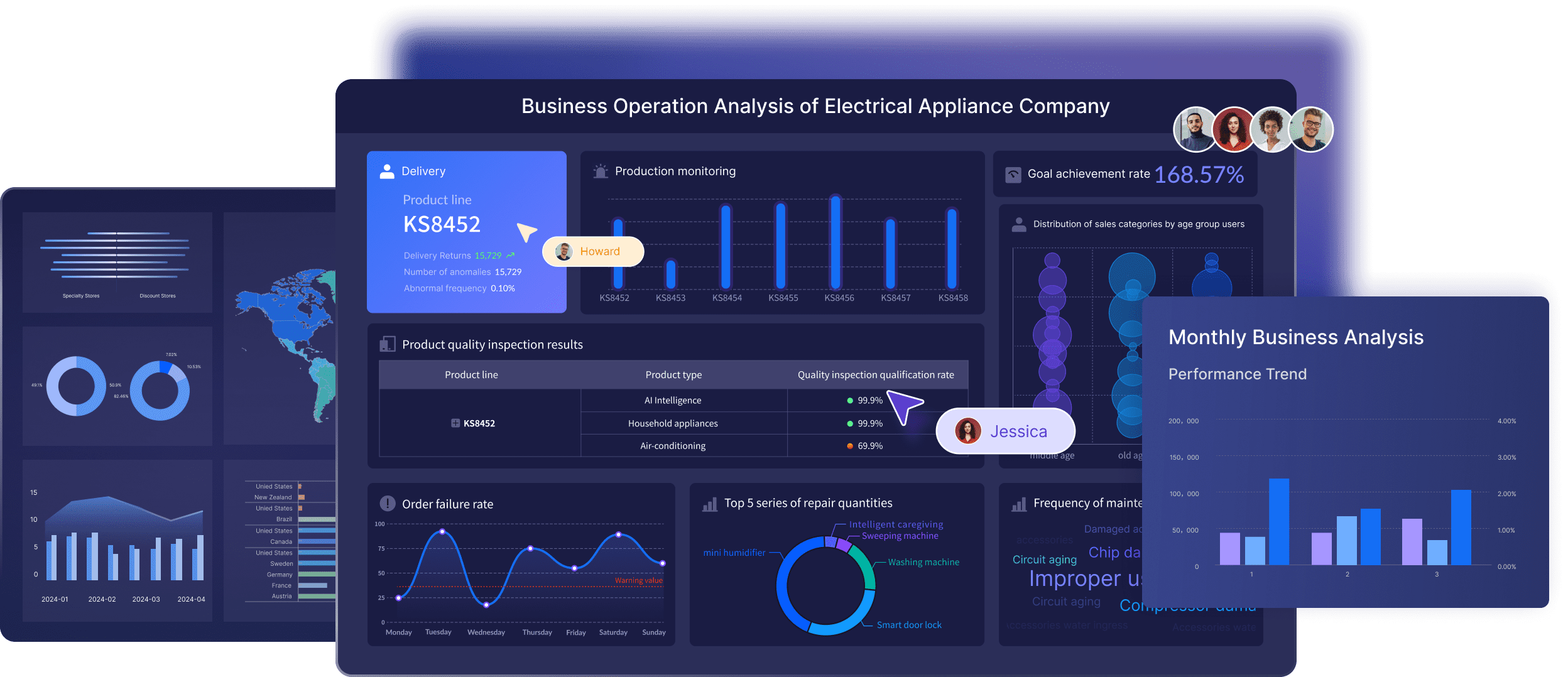
FineBI is designed as a self-service BI platform that helps business users and analysts build interactive dashboards, explore data, and perform drill-down analysis with less dependency on highly technical workflows. It is often a practical fit for organizations that want:
- business-user-friendly dashboard creation
- drag-and-drop analysis
- interactive exploration
- enterprise data connectivity
- governed self-service analytics
- faster dashboard iteration across departments
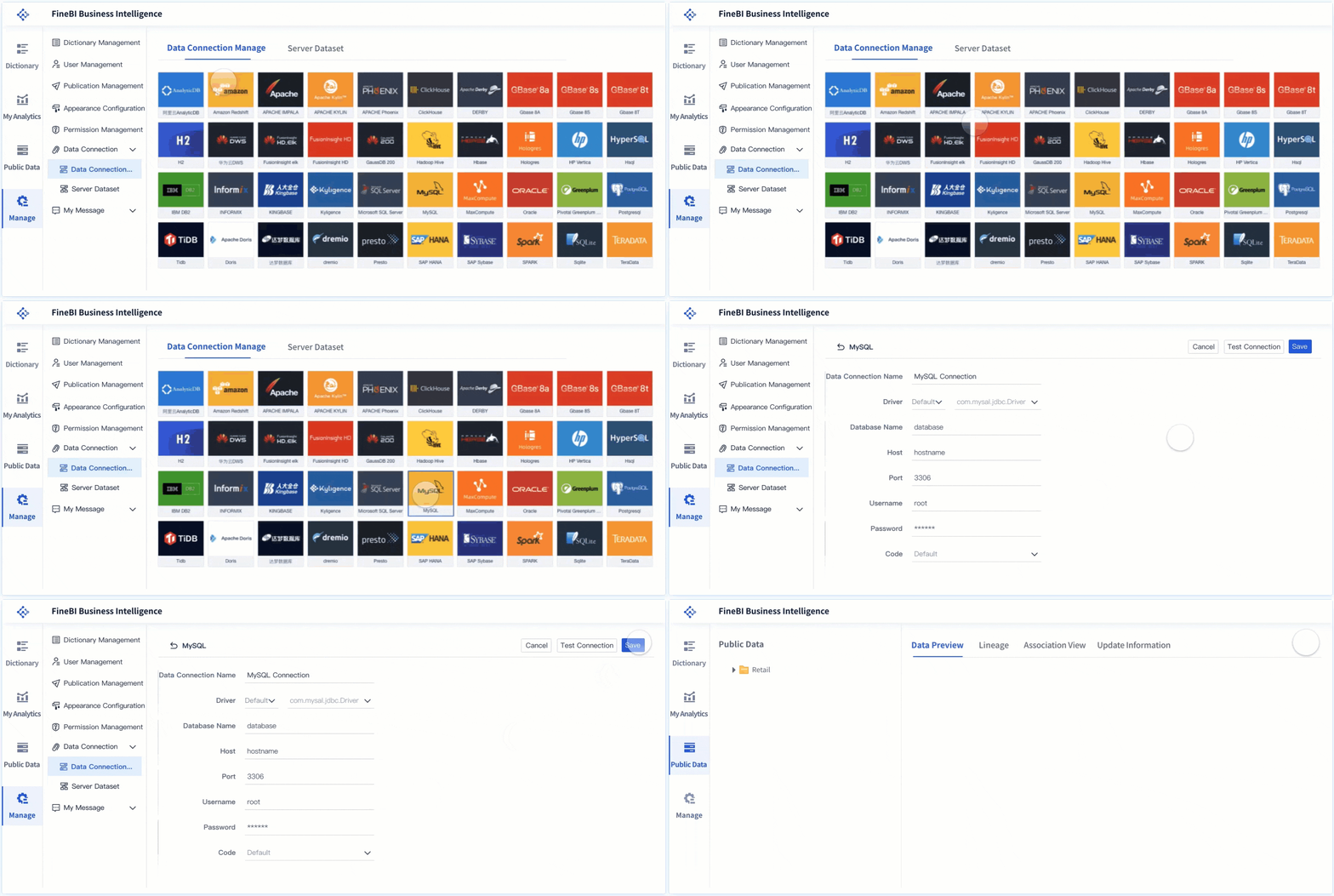 Enterprise Data Connectivity
For teams that find licensing rules, viewer access models, or advanced deployment choices harder to operationalize, it can be useful to evaluate a BI approach centered more directly on business adoption and dashboard standardization.
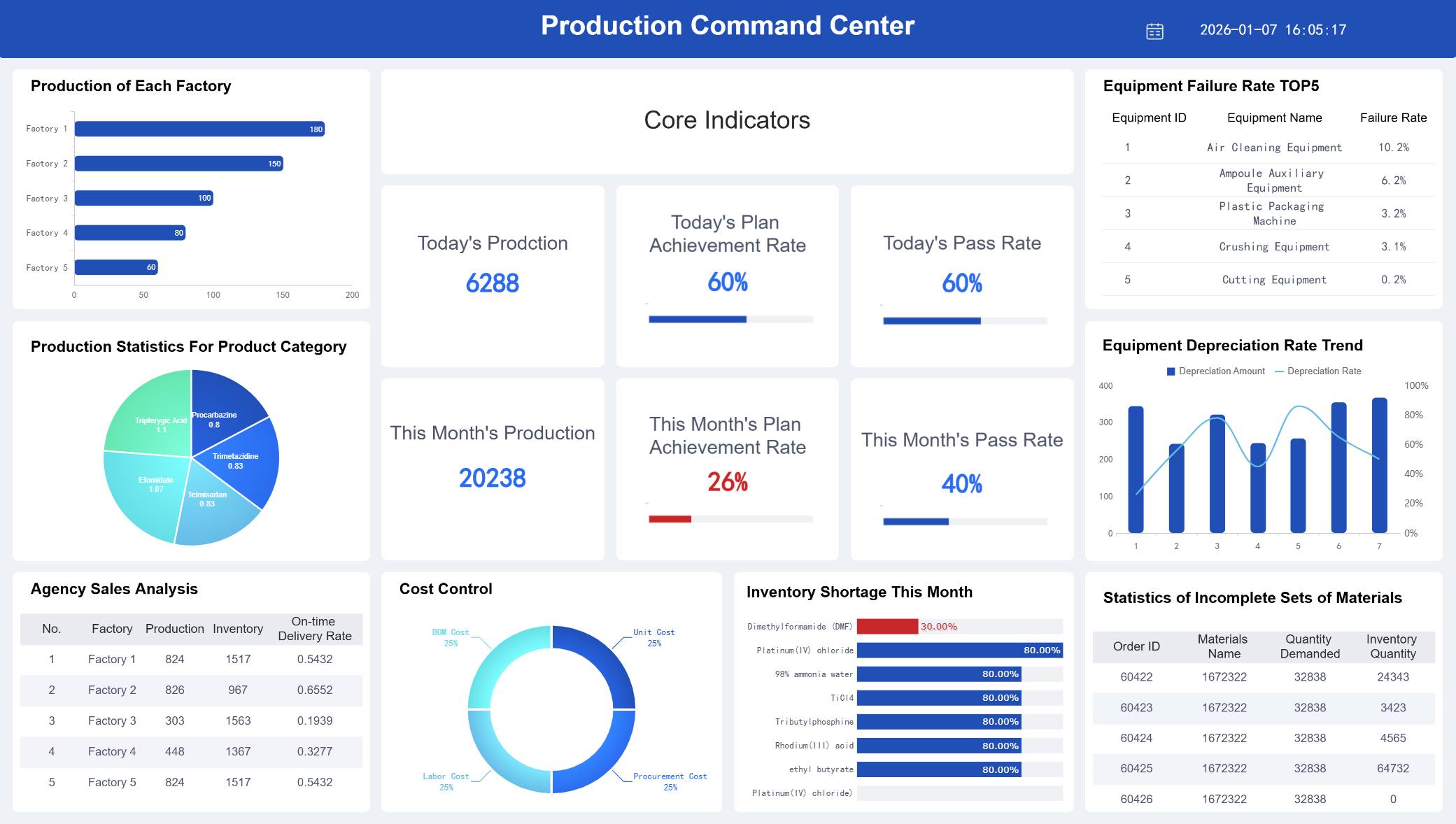 A Dashboard Created by FineBI
How FineBI + Dora supports modern BI and Agentic BI workflows
Traditional BI often stops at dashboards: users open reports, filter views, and interpret results themselves.
FineBI provides the trusted dashboard, metric, and semantic foundation. Dora, FanRuan’s enterprise Data Agent platform, adds an AI assistant layer on top of FineBI and existing enterprise data assets.
Together, FineBI + Dora helps enterprises move from:
- people manually checking dashboards
to - AI helping people ask, analyze, generate, push, alert, and follow up
This is the practical value of Agentic BI.
Where Dora fits
Dora should not be viewed as a generic chatbot or a replacement for BI. It is better understood as an enterprise Data Agent that works on top of trusted data foundations.
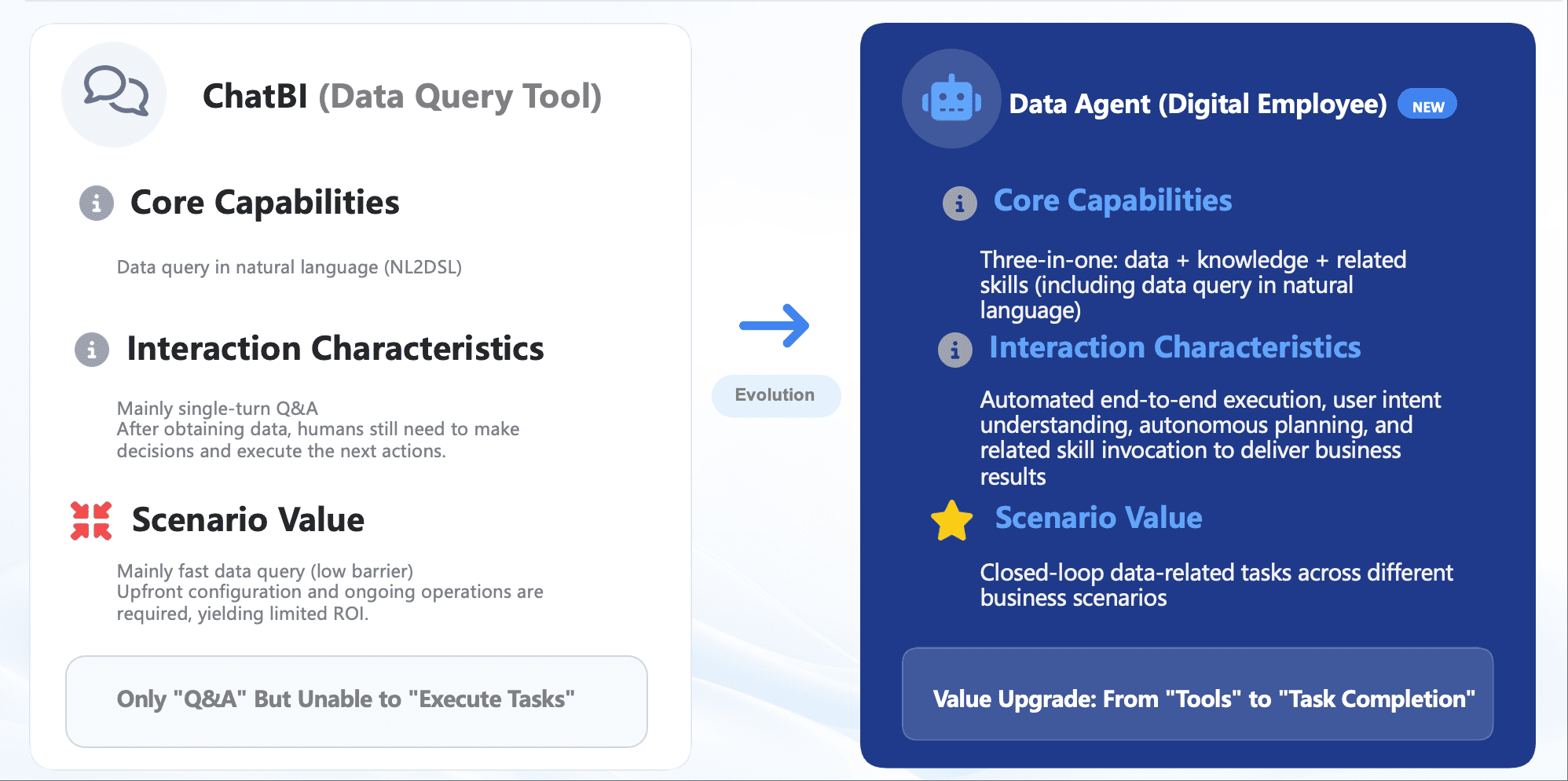
Its positioning is strongest in scenarios such as:
- Data Analyst digital employee
- Report Researcher
- Daily Briefing Secretary
- Risk Alert Officer
In that workflow:
- users make a natural-language request
- the request is interpreted against a trusted semantic layer
- governed query or skill execution happens
- users receive an answer, chart, summary, action, or follow-up
That model is especially relevant for enterprises that want not only dashboards, but also governed AI workflows connected to real business decisions.

Ask Dora in Natural Language Now →

Get Ready-to-Use Dashboard Templates in Fine Gallery
Final thoughts
The right Power BI license depends less on marketing labels and more on how your organization actually uses analytics.
A simple summary is:
- Free for learning and private use
- Pro for most collaborative BI needs
- Premium Per User for advanced expert use with limited audience scale
- Fabric Capacity for broader enterprise deployment and dedicated performance
If you are comparing Power BI not just by price, but by long-term usability, self-service adoption, and governed analytics delivery, it is also worth looking at platforms like FineBI and the broader FineBI + Dora approach for dashboard-driven and AI-assisted decision support.
FAQs
Power BI Free is mainly for personal report creation and learning, Pro adds sharing and team collaboration, Premium Per User adds advanced enterprise features for licensed users, and Fabric Capacity provides dedicated organizational capacity for broader scale and distribution.