

A keyword performance report is the operating dashboard that tells marketing leaders which search terms generate visibility, traffic, conversions, and efficient spend across SEO and paid search. If you manage growth, demand generation, paid media, or content operations, the real challenge is not a lack of data. It is too much disconnected data and too few decision-ready insights. A good keyword performance report fixes that by showing which keywords deserve more budget, which need optimization, and which should be paused before they drain time or ad spend.
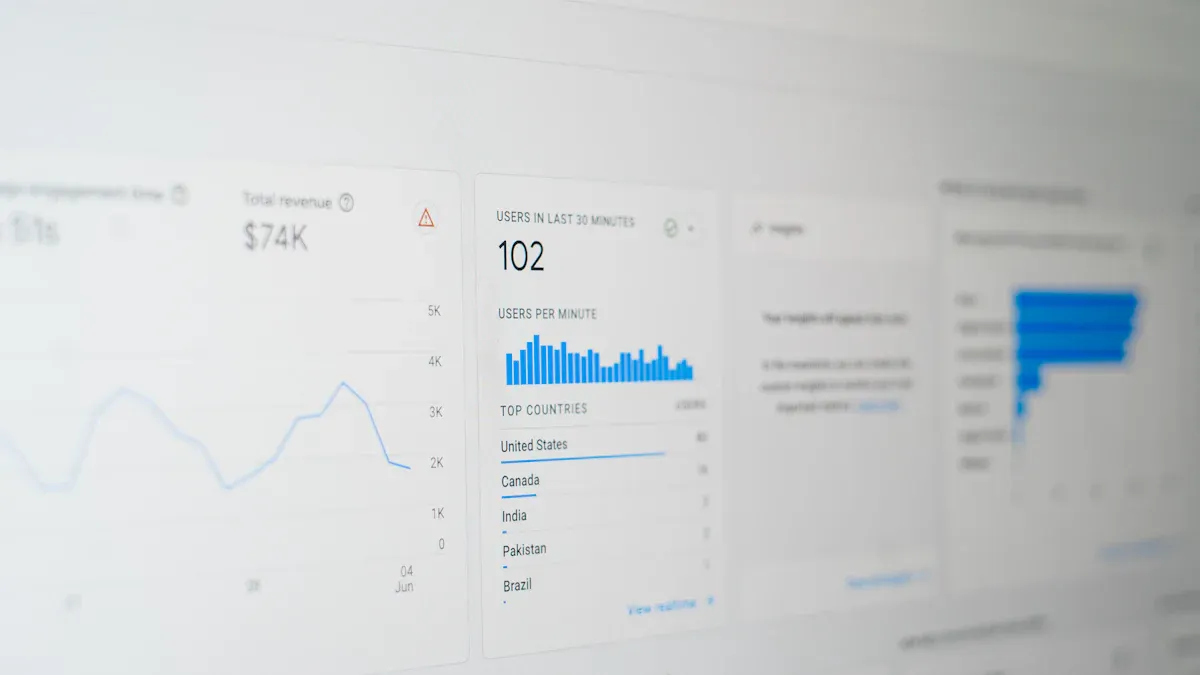
What a keyword performance report should include
A keyword performance report should help teams answer one practical question: which keywords are moving the business forward, and why? That means the report cannot be a random export from Google Ads, Search Console, or an SEO tool. It needs structure, context, and clear segmentation.
Define the report’s purpose for SEO and paid search before choosing metrics
Start with the use case. An SEO manager may want to find keywords with strong impressions but weak CTR. A paid search manager may need to reduce wasted spend on high-CPC, low-converting terms. A marketing director may care most about revenue efficiency by keyword theme.
If you skip this step, the report becomes a spreadsheet graveyard.
For most teams, the purpose of a keyword performance report falls into one or more of these scenarios:
- SEO growth: identify ranking opportunities, content gaps, and CTR improvements
- Paid search optimization: improve conversion efficiency and lower acquisition costs
- Cross-channel planning: find keywords where organic strength can reduce paid dependency
- Executive reporting: connect keyword activity to pipeline, revenue, or ROAS
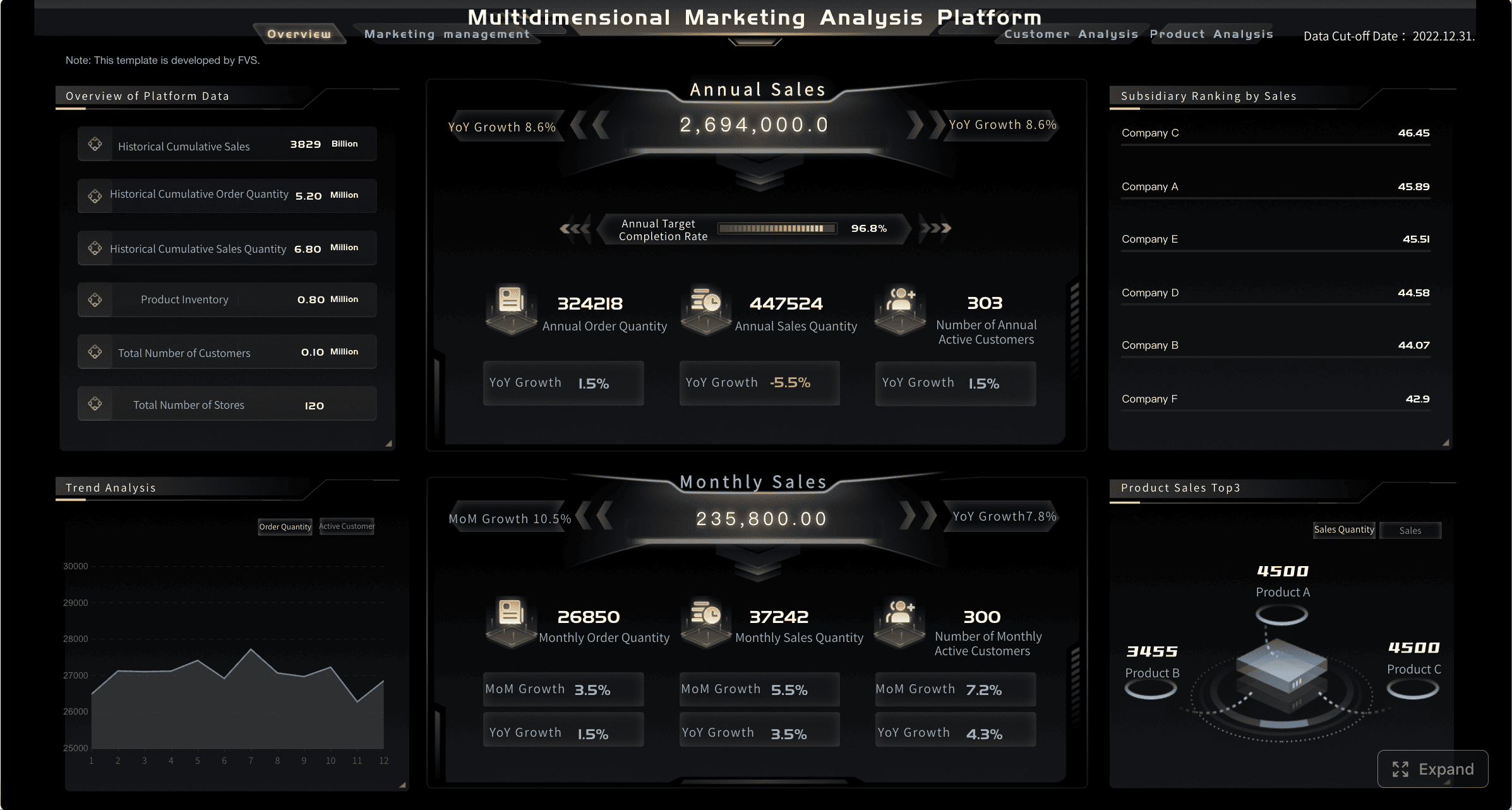
All reports in this article are built with FineReport.
Separate awareness, traffic, engagement, conversion, and cost metrics so decisions are clearer
One of the biggest reporting mistakes is mixing top-of-funnel and bottom-of-funnel metrics in the same block without interpretation. Impressions and ROAS are both important, but they answer different questions.
A clean keyword performance report should organize metrics into five groups:
- Awareness: how visible the keyword is
- Traffic: how many visits or clicks it produces
- Engagement: how qualified or interested the traffic appears
- Conversion: whether the keyword drives leads, sales, or other outcomes
- Cost and efficiency: whether performance is sustainable and profitable
This structure makes decisions faster. A keyword with huge impressions but low CTR needs a message fix. A keyword with strong CTR but weak conversion rate likely needs a landing page or offer fix.
Set a reporting cadence and compare trends over time instead of judging one snapshot
A single-day or single-week snapshot often leads to bad decisions. Search behavior changes with seasonality, SERP features, promotions, competition, and budget shifts.
A stronger keyword performance report compares performance across time, such as:
- Week over week
- Month over month
- Quarter over quarter
- Year over year for seasonal businesses
At minimum, include a prior-period comparison and trend direction. That helps teams distinguish real performance shifts from temporary volatility.
Align keyword groups by intent, landing page, and campaign goal
Individual keyword rows are useful for analysts. Decision-makers need grouped insights.
Group keywords by:
- Search intent: informational, commercial, transactional, navigational
- Landing page: which destination page the keyword supports
- Campaign goal: traffic, lead generation, ecommerce sales, brand protection
- Topic cluster: broader themes that inform content and bidding strategy
This grouping turns keyword reporting into action planning.
The 12 metrics that actually matter in a keyword performance report
Not every available metric deserves dashboard space. The right keyword performance report focuses on the numbers that help teams diagnose performance and act quickly.
Key Metrics (KPIs)
- Impressions: how often a keyword appeared in search results or ads
- Average position or top-of-page visibility: how prominently the keyword appeared
- Search volume trend: whether demand for the keyword is rising, stable, or declining
- Clicks: how much traffic the keyword generated
- Click-through rate (CTR): the share of impressions that turned into clicks
- Bounce rate or engaged sessions: whether users interacted meaningfully after clicking
- Conversion rate: the percentage of clicks or sessions that completed a target action
- Cost per conversion: how much it costs to generate a lead or sale
- ROAS or revenue per keyword: the financial return tied to each keyword
- Quality Score or landing page relevance: how well the keyword, ad, and landing page align
- Cost per click (CPC): the average amount paid for each ad click
- Impression share or lost impression share: how much available visibility you captured or missed

Visibility and reach
Visibility metrics show whether your keywords are even entering the buyer’s field of view.
Impressions
Impressions measure how often a keyword appears in organic results or paid ads. High impressions signal demand and visibility, but not necessarily performance.
Use impressions to spot:
- High-demand keywords worth deeper optimization
- Terms gaining exposure but not earning clicks
- Themes with growing search presence
A keyword with low conversions but extremely high impressions may still be valuable if it supports brand awareness or early-funnel discovery.
Average position or top-of-page visibility
For SEO, average position gives directional insight into where your page appears. For paid search, top-of-page visibility or absolute top rate often tells you whether your ad is prominent enough to earn clicks.
This metric matters because position influences CTR, traffic volume, and competitive pressure. But it should never be viewed alone. Position without CTR or conversion context can be misleading.
Search volume trend
Search volume trend helps teams avoid static planning. Some keywords rise because of seasonality, market shifts, or product trends. Others decline and no longer justify heavy investment.
This metric is especially useful for:
- Content calendar planning
- Budget forecasting
- New campaign opportunities
- Identifying emerging search demand
Traffic and engagement
Once a keyword becomes visible, the next question is whether it attracts the right audience.
Clicks
Clicks show raw traffic generated by a keyword. In both SEO and ads, clicks indicate whether visibility is translating into visits.
High clicks are useful, but not enough on their own. Some keywords generate heavy traffic with weak business value. Always pair clicks with engagement and conversion metrics.
Click-through rate (CTR)
CTR reveals how compelling your listing or ad is relative to its visibility. A low CTR often indicates one of three issues:
- Weak title tag or ad copy
- Poor alignment with search intent
- SERP competition or distracting features
CTR is one of the fastest diagnostic metrics in a keyword performance report. Improving it can boost results without increasing impressions.
Bounce rate or engaged sessions
For SEO, bounce rate can offer directional value, though engaged sessions in GA4 are often more useful. For paid search, post-click engagement helps confirm whether traffic quality matches the promise of the keyword and ad.
Watch for keywords that bring clicks but poor engagement. That usually points to:
- Intent mismatch
- Weak landing page relevance
- Slow page speed
- Poor user experience
Conversion and business impact
This is where keyword reporting becomes revenue-relevant.
Conversion rate
Conversion rate measures how many visits or clicks turn into a target action. That action may be a lead form, demo request, purchase, or qualified signup.
This metric is essential because it separates curiosity from commercial value. A keyword with modest traffic but high conversion rate may outperform a high-volume vanity term.
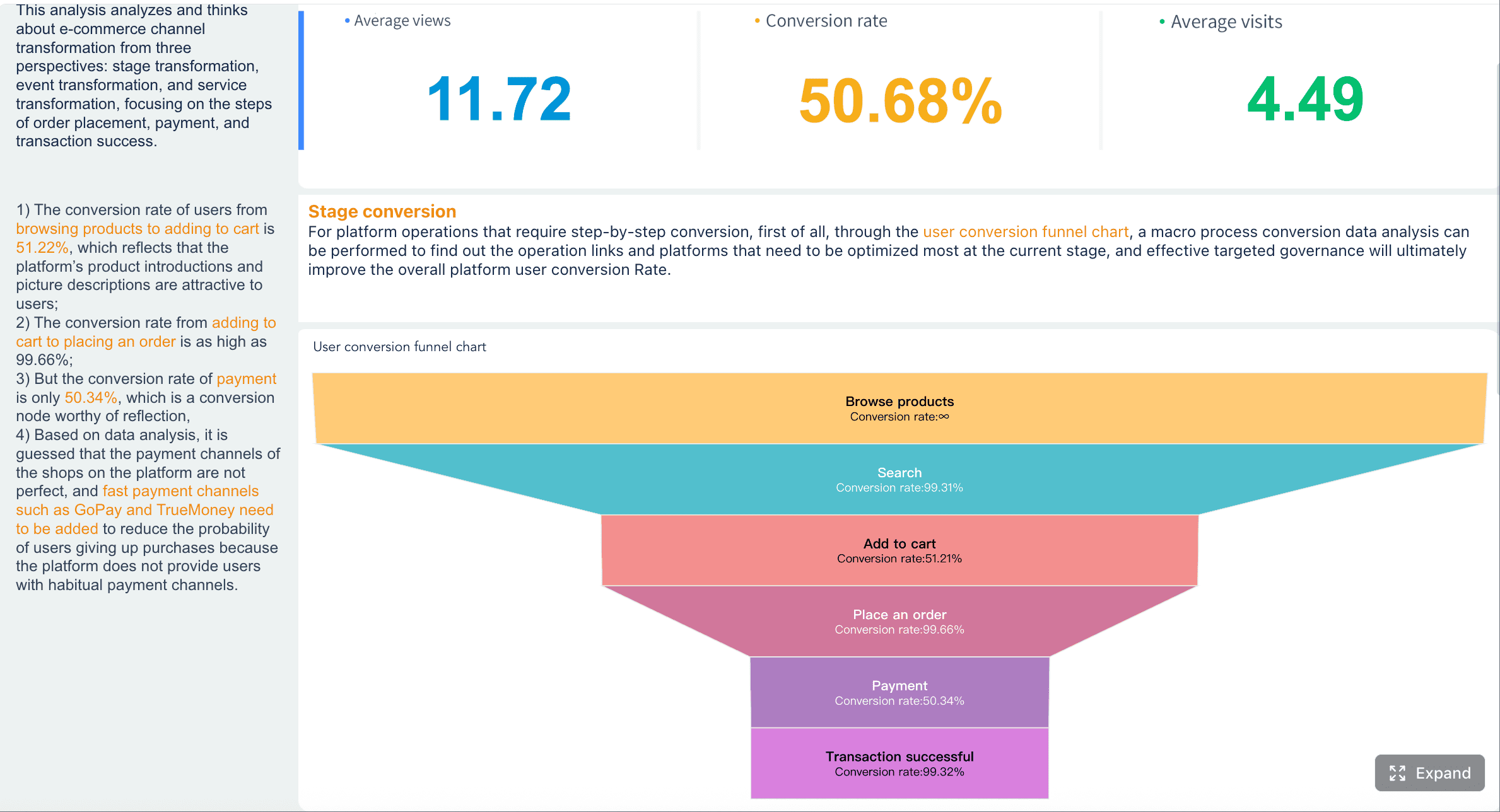
Cost per conversion
For paid search, cost per conversion shows whether you are acquiring outcomes efficiently. It is one of the clearest levers for budget allocation.
Use it to identify:
- Expensive terms that need tighter targeting
- Efficient keywords ready for scale
- Campaigns that need bid or landing page changes
Return on ad spend (ROAS) or revenue per keyword
Executives care about output, not just activity. ROAS and revenue per keyword connect search performance to actual business results.
If you sell online, ROAS can guide direct budget decisions. If you focus on lead generation, revenue per keyword or pipeline contribution can be even more valuable than raw conversions.
Efficiency and competitive signals
These metrics explain why some keywords perform efficiently while others burn budget.
Quality Score or landing page relevance
In paid search, Quality Score reflects expected CTR, ad relevance, and landing page experience. In broader reporting, landing page relevance serves the same strategic purpose: does the destination truly satisfy keyword intent?
Poor relevance usually leads to:
- Higher CPC
- Lower ad visibility
- Lower conversion rates
- Weaker user trust
Cost per click (CPC)
CPC shows how expensive it is to buy traffic for a keyword. High CPC is not automatically bad. Some expensive terms are worth the cost because they convert well or bring high-value customers.
The real question is whether CPC is justified by downstream returns.
Impression share or lost impression share
Impression share shows how much of the available market you captured. Lost impression share explains where you are leaving opportunity on the table, often because of budget or rank limitations.
This metric is highly useful for paid search prioritization. It helps teams decide whether to increase budget, improve quality, or accept strategic limits.
How to read keyword performance across SEO and ads
The best keyword performance report does not force teams to analyze organic and paid data in isolation. The highest-value insights often come from comparing the same keyword across channels.
Compare the same keyword by channel to spot where organic visibility can reduce paid dependency
If a keyword ranks strongly in SEO and also performs well in paid search, ask whether both are necessary at the same intensity. In some cases, reducing paid bids on terms with dominant organic presence can improve efficiency.
On the other hand, if a keyword performs poorly in SEO but drives strong paid conversions, it may justify long-term content investment.
Use this comparison to answer:
- Where can SEO lower paid acquisition costs?
- Which paid winners deserve organic content support?
- Which keywords need a blended strategy instead of channel silos?
Identify high-impression, low-CTR terms that need better titles, ad copy, or intent alignment
This is one of the most actionable report patterns.
If a keyword gets visibility but not clicks, the problem is rarely volume. It is usually messaging or intent fit. Review:
- SEO title tags
- Meta descriptions
- Ad headlines and descriptions
- SERP competition
- Match between keyword intent and landing page promise
These are often quick wins.
Flag high-click, low-conversion keywords for landing page or offer improvements
When clicks are strong but conversions are weak, the keyword may still be viable. The issue often sits downstream.
Investigate:
- Landing page relevance
- Form friction
- Pricing clarity
- Offer strength
- Mobile experience
- Trust signals
Do not drop a keyword too early if the traffic quality seems strong. Fix the conversion path first.
Use branded and non-branded segments to avoid misleading conclusions
Branded keywords often have better CTR, stronger conversion rates, and lower CPC than non-branded terms. If you blend them together, the report can make overall performance look healthier than it really is.
Separate at least these two segments:
- Branded keywords
- Non-branded keywords
For larger programs, also segment competitor terms and product-category terms.
How to build and present the keyword performance report
A keyword performance report should be easy to scan, easy to trust, and easy to act on. That means structure matters as much as the metrics.
Group keywords in a useful way
Raw keyword exports are hard to interpret at scale. Grouping creates strategic clarity.
By search intent
Intent-based grouping reveals where performance breaks across the funnel.
- Informational keywords support awareness and content strategy
- Commercial keywords indicate active research behavior
- Transactional keywords tend to drive direct conversions
- Navigational keywords often include branded demand
By topic cluster
Topic clusters show which broader themes are winning or underperforming. This is especially useful for SEO teams building content hubs and internal linking strategies.
By match type or campaign
For paid search, grouping by match type or campaign helps diagnose efficiency. Broad match may produce reach, while exact match may deliver stronger conversion quality.
By funnel stage
Funnel segmentation keeps decision-making honest. Top-of-funnel keywords should not be judged by the same standard as bottom-of-funnel terms.
Include context, not just raw numbers
A report without context leads to overreaction.
Add date range comparisons
Always include period-over-period movement. A keyword with a lower conversion rate this month may still be improving relative to seasonal norms.
Show benchmarks or targets
Targets create accountability. Benchmarks create perspective. A good report shows whether a metric is:
- Above target
- Near target
- Below target
Note seasonality, budget changes, and SERP shifts
Performance often changes for external reasons. Add notes or annotations when relevant, such as:
- Budget cuts or expansions
- New competitor activity
- Major algorithm changes
- New SERP features
- Product launches or promotions
Turn findings into actions
The report should end with decisions, not just observations.
Scale keywords with strong conversion efficiency
Increase investment in keywords that show:
- Strong conversion rate
- Acceptable CPC
- Healthy ROAS
- Good engagement quality
Pause or refine terms with weak intent fit
If a keyword repeatedly attracts the wrong audience, do not keep funding it. Refine match type, update copy, improve negatives, or pause it.
Create content for high-potential organic gaps
When paid search reveals high-converting themes that lack organic coverage, that is a clear SEO opportunity.
Expand winning themes with keyword research tools
Once a topic proves commercially valuable, expand it with adjacent variations, long-tail terms, and supporting content.
Best practices to improve your keyword performance report over time
The strongest reporting systems improve every month because the team refines definitions, dashboards, and workflows.
1. Review reports regularly and keep definitions consistent
A monthly report with changing definitions is dangerous. Make sure your team agrees on what counts as:
- Conversion
- Engaged session
- Branded keyword
- Qualified lead
- Revenue attribution logic
Consistency matters more than perfection.
2. Combine search query insights with keyword-level reporting
Keyword-level data alone can hide waste and opportunity. Search query analysis reveals the actual language users typed, which is critical for:
- Negative keyword strategy
- New content ideas
- Intent diagnosis
- Ad copy refinement
3. Test ad copy, metadata, and landing pages before dropping a keyword
Many keywords underperform because of execution, not because demand is weak. Before removing a term, test:
- New title tags
- New meta descriptions
- New ad headlines
- Different offers
- Improved page layouts
- Stronger CTAs
4. Prioritize decisions by business value, not traffic alone
Traffic is not the goal. Revenue, pipeline, qualified leads, and efficient growth are the goal.
Use a prioritization model that weighs:
- Conversion quality
- Revenue potential
- Cost efficiency
- Strategic importance
- Resource effort required
5. Build a repeatable workflow for reporting, analysis, and optimization
This is the difference between reactive marketing and operational excellence.
A practical workflow looks like this:
| Step | Action | Owner | Output |
|---|---|---|---|
| 1 | Pull SEO and paid keyword data | Analyst | Unified dataset |
| 2 | Group by intent, cluster, and funnel stage | Analyst/Strategist | Structured reporting model |
| 3 | Review KPI shifts and anomalies | Channel owners | Performance diagnosis |
| 4 | Assign optimization actions | Marketing team | Prioritized action list |
| 5 | Track results in next cycle | Team lead | Closed-loop improvement |
These practices are what turn a basic keyword performance report into a strategic decision system.
Build the keyword performance report faster with FineReport
Building this manually is complex; use FineReport to utilize ready-made templates and automate this entire workflow.
For most enterprises, the challenge is not whether keyword data exists. It is whether the data can be consolidated, visualized, segmented, and distributed fast enough for teams to act on it. SEO data lives in one system. Paid search data lives in another. Conversion and revenue data sit elsewhere. Manual spreadsheets slow everything down and introduce errors.
FineReport helps solve that operational gap by enabling teams to build a centralized keyword performance report that is easier to maintain and easier to scale.
With FineReport, teams can:
- Combine SEO, paid search, analytics, and business outcome data in one dashboard
- Build role-specific views for specialists, managers, and executives
- Use ready-made templates to speed up dashboard deployment
- Automate recurring reporting workflows
- Visualize trends, channel comparisons, KPI alerts, and action summaries
- Standardize reporting definitions across teams and regions
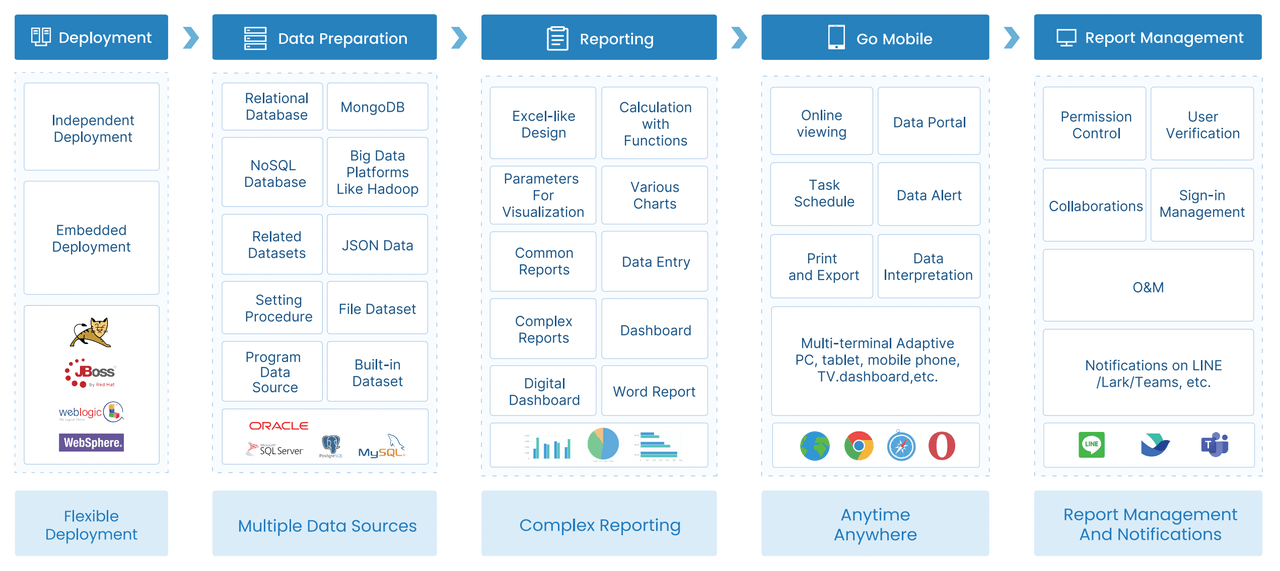 FineReport Workflow
This matters most in scenarios like:
- Multi-brand search programs
- Global campaigns with local reporting needs
- Large paid search accounts with thousands of keyword rows
- SEO and PPC teams that need shared decision-making
- Executive teams demanding ROI visibility, not raw platform exports
If your current keyword performance report depends on copy-pasting data into spreadsheets, you are spending too much time assembling information and not enough time optimizing it. FineReport gives you a more reliable way to automate reporting, present insights clearly, and move faster on high-value search decisions.
FAQs
A keyword performance report is a dashboard or analysis that shows how individual search terms perform across SEO and paid search. It helps teams connect visibility, clicks, conversions, cost, and return so they can decide where to invest more and what to fix.




