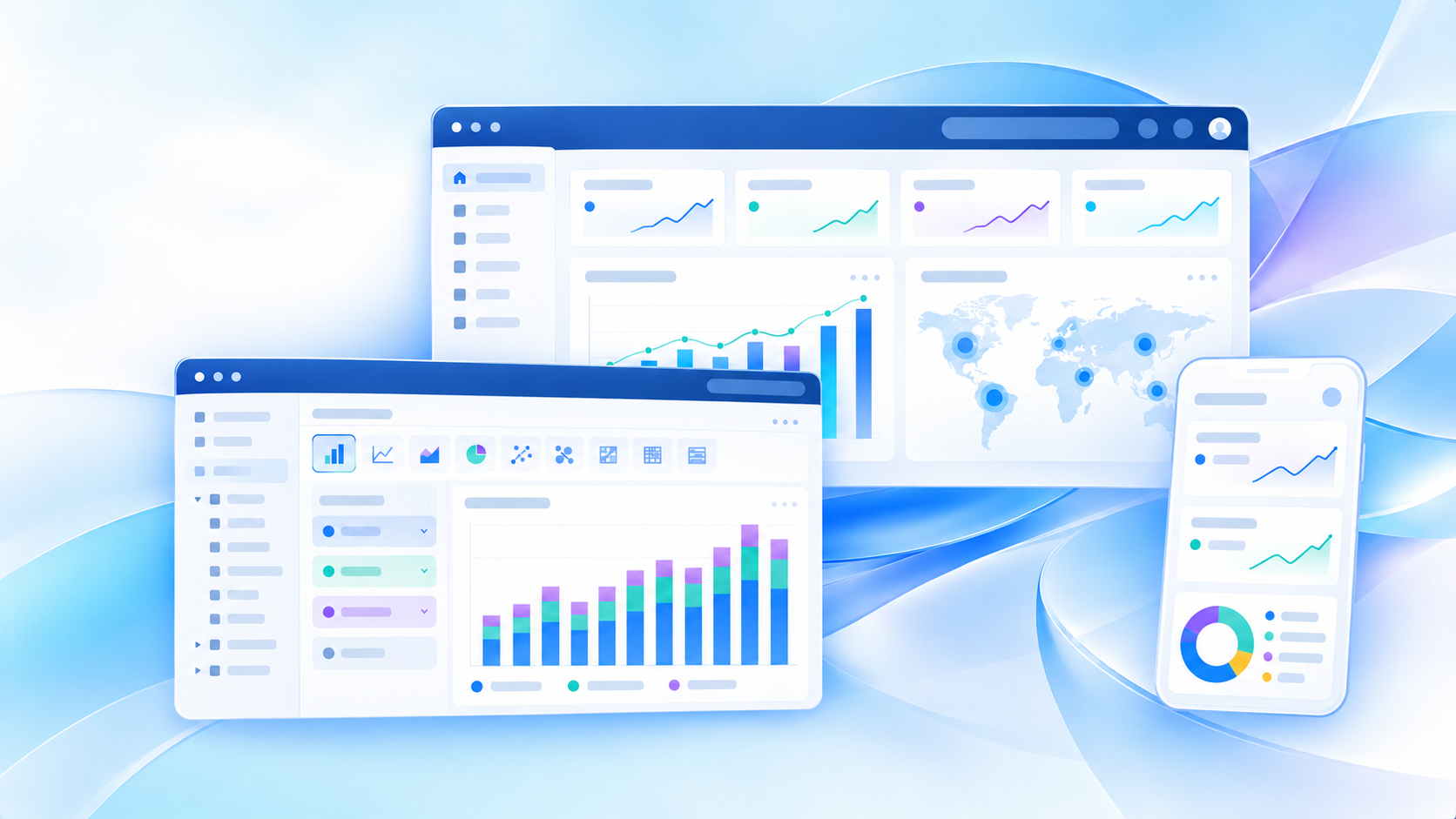
If you are searching for Power BI cost in 2026, you are probably trying to answer one practical question: Which Power BI license do I actually need, and how much will it cost as my usage grows?
That is the right question to ask. Power BI pricing can look simple at first, but the real cost depends on how many people build reports, how many only view them, whether you need premium features, and whether your organization is moving toward broader Microsoft Fabric adoption.
In plain terms, the main options most buyers compare are:
- Free for individual learning and personal report creation
- Pro for sharing and team collaboration
- Premium Per User (PPU) for advanced users who need premium features without full capacity
- Fabric Capacity for larger-scale deployment, broader distribution, and shared compute
For 2026, the commonly cited list pricing ranges are:
- Power BI Free: $0
- Power BI Pro: about $14 per user/month
- Power BI Premium Per User: about $24 per user/month
- Fabric Capacity: variable, depending on SKU and purchasing model
The important part is not just the sticker price. It is understanding when a lower-cost plan becomes impractical and when a more expensive model actually saves money at scale.

Quick Comparison Table
| Plan | Typical Cost in 2026 | Best For | Sharing & Collaboration | Advanced Features | Scale |
|---|---|---|---|---|---|
| Free | $0 | Individual learning, personal analysis, report prototyping | Very limited | Basic report creation | Personal use |
| Pro | ~$14/user/month | Teams that need cloud sharing and collaboration | Yes, for licensed users | Standard business BI features | Small to mid-size team use |
| Premium Per User | ~$24/user/month | Analysts, developers, or specialized teams needing premium capabilities | Yes, generally among licensed users | More advanced premium capabilities | Strong for targeted advanced usage |
| Fabric Capacity | Variable | Enterprises needing broader scale, shared compute, governance, and larger distribution | Stronger org-wide deployment options | Includes broader Fabric-oriented capacity benefits | Enterprise and high-usage scenarios |
A fast rule of thumb:
- Choose Free if you are learning or building for yourself.
- Choose Pro if multiple users need to share and collaborate regularly.
- Choose PPU if a smaller group needs advanced features beyond Pro.
- Choose Fabric Capacity if per-user licensing is becoming inefficient or you need broader enterprise scale.
Power BI cost in 2026 at a glance
Power BI pricing in 2026 is easier to understand if you split it into two buckets:
-
User-based pricing
- Free
- Pro
- Premium Per User
-
Capacity-based pricing
- Fabric Capacity
This distinction matters because user-based plans scale with headcount, while capacity-based pricing scales with workload, distribution, and performance needs.
For many organizations, the real cost decision happens when they move from:
- a few analysts experimenting with reports,
- to departments sharing dashboards daily,
- to enterprise-wide BI where usage volume and governance become more important than individual license counts.
What each option includes at a high level
Here is the shortest accurate way to think about each plan:
- Free gives you a low-barrier way to create reports and explore data personally.
- Pro is the baseline paid option for normal business collaboration in Power BI.
- Premium Per User adds more advanced capabilities for a smaller group that needs them.
- Fabric Capacity shifts the conversation from per-person access to broader platform scale and shared resources.
Who each plan is for
Different plans match different buyer profiles:
- Individual user or student: Free
- Small team or department: Pro
- Advanced BI developers, modelers, or premium-feature users: Premium Per User
- Enterprise BI leaders, IT, governance teams, and Fabric adopters: Fabric Capacity
When the price difference matters most
The price gap matters most in three situations:
-
When collaboration starts
- Free is no longer enough once users need to share and consume content routinely.
-
When advanced functionality is needed
- PPU can make sense if only a limited number of users need premium-level capabilities.
-
When deployment expands
- Capacity becomes more relevant when viewer counts, governance needs, and performance requirements grow beyond what per-user licensing handles efficiently.
Power BI pricing plans explained
Free
Power BI Free is best understood as the entry point.
It is suitable for:
- learning Power BI
- building reports for personal use
- testing data connections and visual design
- basic exploration before committing to paid licenses
For many first-time users, this is enough to evaluate the platform. You can create reports, model data, and get familiar with the interface without paying anything.
Best for individual learning, personal report creation, and basic exploration
If you are a solo analyst, student, or business user exploring BI, Free is a logical starting point. It lets you understand whether Power BI fits your workflow before involving IT, procurement, or broader rollout planning.
Common limits around sharing, collaboration, and enterprise distribution
The issue with Free is not report creation. The issue is operational use.
Once people ask questions like:
- “Can you share that dashboard with the team?”
- “Can this go into a workspace?”
- “Can managers review this every week?”
- “Can we distribute this to a wider audience?”
Free stops being practical. In most real business scenarios, collaboration is the first trigger that pushes teams toward Pro.
Pro
Power BI Pro is the standard paid plan most business teams begin with.
The current widely referenced cost is about $14 per user/month, typically billed annually depending on region and agreement structure.
Built for team collaboration, report sharing, app publishing, and routine business use
Pro is where Power BI becomes a true shared BI environment rather than a personal reporting tool.
It is commonly used for:
- publishing reports
- sharing dashboards with coworkers
- participating in shared workspaces
- distributing apps internally
- supporting regular department-level BI operations
For organizations that want employees to actively use dashboards rather than just build them, Pro is usually the first practical paid tier.
A practical choice for organizations that need broad self-service BI access
If your goal is to enable a finance team, operations team, sales team, or regional department to create and share reporting content, Pro is often the minimum workable option.
Cost-wise, Pro remains attractive at smaller scale. But the tradeoff is simple: cost grows linearly with the number of licensed users.
That means:
- 10 users is manageable
- 100 users is a meaningful monthly commitment
- several hundred users forces a more strategic licensing review
Premium Per User
Power BI Premium Per User, often shortened to PPU, is usually priced around $24 per user/month.
It is not just “Pro but slightly better.” It is meant for situations where a limited group of users needs premium-oriented capabilities without committing to broader capacity-based purchasing.
Adds advanced capabilities for users who need more than Pro without moving to capacity
PPU often enters the conversation when teams need:
- more advanced BI development features
- larger model support
- higher refresh frequency
- premium-style functionality for a limited user group
It is especially relevant for analysts, BI developers, semantic model owners, and advanced reporting teams.
Often considered when teams need premium features for a limited group of analysts or developers
A common scenario is this:
- most business users just need standard dashboard access
- a smaller central BI team needs more advanced capabilities
In that case, PPU can be a financially sensible middle ground. It avoids overcommitting to full capacity too early while still giving advanced users more headroom than Pro.
Fabric Capacity
Fabric Capacity is not priced like a simple per-user subscription. It is capacity-based, so the cost varies by SKU, workload level, and purchasing model.
This is why many buyers find Fabric pricing harder to estimate upfront than Pro or PPU.
Capacity-based licensing for organizations that need broader scale, governance, and shared compute
Fabric Capacity matters when your questions shift from “How many users need a license?” to:
- “How do we support broader organization-wide consumption?”
- “How do we manage performance under heavier workload?”
- “How do we scale governance and administration?”
- “How do we support broader Fabric-related analytics needs?”
At that point, buying capacity may be more aligned with your operating model than simply adding more per-user licenses.
More relevant when usage, content distribution, and performance requirements outgrow per-user licensing
This is usually the enterprise turning point.
Capacity-based purchasing becomes more relevant when:
- dashboard consumption expands significantly
- many stakeholders need access
- premium-level performance and administration become important
- BI is part of a larger Microsoft data platform strategy
Free vs Pro vs Premium Per User vs Fabric Capacity: key differences
Sharing and collaboration
This is the first area where pricing differences become meaningful.
Free
Free is mainly for individual use. It is not designed to support normal cross-team dashboard distribution.
Pro
Pro is the standard plan for routine sharing and collaboration. If users need to publish reports, work in shared environments, or distribute apps effectively, Pro is usually the baseline.
Premium Per User
PPU supports collaboration too, but it is most relevant when the collaborating users also need access to premium-specific capabilities.
Fabric Capacity
Fabric Capacity becomes important when organizations want broader deployment models, stronger scale, and a less purely user-count-driven approach to distributing BI content.
Features and workloads
Feature gaps are a major reason buyers move beyond Pro.
Pro-level functionality
Pro is enough for many normal BI use cases:
- dashboard creation
- report sharing
- workspace collaboration
- departmental analytics
- recurring business reporting
Premium Per User functionality
PPU is typically considered when users need more advanced premium capabilities than Pro provides. This can matter for specialized reporting, more advanced models, or heavier development workflows.
Fabric-related workloads
Fabric Capacity is more relevant when Power BI is part of a broader Fabric journey. In that case, the decision is less about one dashboard team and more about shared analytics infrastructure.
Scale and administration
The biggest licensing shift usually happens because of scale, not because of visuals or dashboard design.
Pro at moderate scale
Pro works well when a manageable number of users need active access and your administration needs are still relatively straightforward.
PPU for advanced but limited scale
PPU is useful when advanced capabilities are needed, but only for a defined user group rather than the entire business.
Fabric Capacity for enterprise deployment
Fabric Capacity becomes more compelling when organizations need:
- broader governance
- shared compute resources
- enterprise performance planning
- larger-scale deployment strategy
- tighter alignment with long-term Microsoft analytics architecture
How to choose the right Power BI license type
For individuals and small teams
If you are one person learning Power BI, Free is enough.
If you are a small team that needs to collaborate routinely, Pro is usually the minimum practical option.
A simple rule:
- no sharing needed: Free
- regular sharing needed: Pro
This is where many teams should stop overthinking the decision.
For advanced users and specialized workloads
Choose Premium Per User when a limited group needs more advanced capabilities than Pro offers, but you are not ready for capacity-based buying.
PPU tends to make sense when:
- the advanced user group is relatively small
- premium features are genuinely needed
- the organization wants to delay a larger capacity commitment
This is often a BI center-of-excellence decision rather than a broad end-user licensing decision.
For enterprise BI and broader Microsoft Fabric adoption
Consider Fabric Capacity when:
- viewer counts are large
- content distribution needs are broader
- centralized administration matters more
- BI is becoming an enterprise platform, not just a departmental tool
- Power BI is being considered alongside broader Fabric workloads
At this stage, the conversation usually involves BI leadership, IT, platform owners, and procurement together.
Power BI cost scenarios and budgeting tips
Typical buying scenarios
Looking at list prices alone does not help much. Budgeting becomes clearer when you model real usage patterns.
Solo user
- 1 user
- likely fit: Free
- estimated software cost: $0
If the user only wants to learn, prototype, or analyze data personally, there may be no immediate need to pay.
Small department
- 10 users
- likely fit: Pro
- estimated cost: 10 × 140/month
This is where Power BI often feels affordable and easy to approve.
Growing BI team
Imagine:
- 15 report creators or power users
- some users need premium-oriented capabilities
Possible scenarios:
- 15 Pro users: about $210/month
- 15 PPU users: about $360/month
This is where the premium feature question matters. If only a subset needs advanced functionality, licensing everyone at the higher tier may not be efficient.
Broader business rollout
Now imagine:
- 50 creators and collaborators
- 300 additional consumers
- rising governance and performance expectations
At this point, per-user licensing may still work, but it becomes worth comparing against a capacity-based model. This is where many organizations discover that Power BI cost is less about entry price and more about distribution economics.
How monthly cost changes as viewer counts, creators, and premium feature needs increase
Three cost drivers change the budget fastest:
-
Number of paid users
- Pro and PPU scale directly with user count.
-
Number of advanced users
- If only some users need premium capabilities, selective assignment matters.
-
Distribution model
- Once content needs to reach a much larger audience, capacity-based planning becomes more attractive.
Questions to ask before you buy
Before approving any Power BI licensing model, ask these questions:
How many people create content versus only consume it?
This is the first budgeting question. Many organizations license too broadly before understanding who actually authors content.
Does your organization need advanced governance, larger-scale distribution, or Fabric workloads?
If yes, your evaluation should go beyond simple per-user pricing.
How can you avoid overpaying?
Match the license to real usage:
- do not buy PPU for users who only need normal collaboration
- do not jump to capacity too early
- do not assume Free can support a real team workflow
- do not estimate cost without modeling growth in viewers and creators
Common pricing questions and misconceptions
Is Power BI Premium still about $5k per month?
This is one of the most common sources of confusion.
Older Power BI pricing discussions often reference Premium capacity around $5,000 per month. That number came from earlier Premium capacity models that many buyers still remember.
In 2026, that reference point is often outdated or incomplete because organizations are now more likely to evaluate Fabric Capacity rather than legacy Premium capacity in isolation.
So the short answer is:
- Yes, you will still hear the old ~$5k/month number
- No, it should not be treated as the default answer for every modern Power BI enterprise pricing discussion
What matters now is the current capacity model, SKU selection, and workload assumptions.
Can you estimate cost before committing?
Yes, but only at a rough planning level.
A basic Power BI cost estimate should include:
- number of Free users
- number of Pro users
- number of PPU users
- whether capacity is being considered
- expected viewer growth
- expected premium feature usage
The more your organization grows, the less useful a simple spreadsheet becomes unless you also model user behavior and deployment strategy.
What trips buyers up most?
The most common mistakes are:
- confusing user-based licensing with capacity-based licensing
- assuming all viewers or all creators need the same license
- underestimating growth in dashboard consumers
- assuming premium features are included where they are not
- budgeting for today’s user count instead of next year’s rollout
Practical recommendations before you commit
Here are five practical recommendations I give BI teams when evaluating Power BI cost:
-
Start with user roles, not products
- Separate report creators, active collaborators, and passive viewers before pricing anything.
-
Model two growth scenarios
- Price your current state and your likely 12-month state. Many licensing surprises come from expansion, not initial purchase.
-
Validate premium feature demand
- Do not assume you need PPU just because a few advanced features sound useful.
-
Check whether collaboration is the real trigger
- Many teams think they need a more advanced plan when they actually just need Pro.
-
Evaluate governance and usability together
- Licensing is only one part of BI cost. Administration overhead, user adoption, and dashboard maintenance also affect total value.
When teams compare Power BI cost, they often also compare BI usability
Tools like Power BI are widely used in the BI market, especially in organizations already invested in the Microsoft ecosystem. But pricing is only one side of the decision.
Many teams eventually ask a second question:
Can business users actually use the platform efficiently without relying too heavily on specialists?
That is where alternatives such as FineBI become relevant.
FineBI is designed as a self-service BI platform for business users and analysts who need to build interactive dashboards, explore data, and share insights without making every request dependent on a central technical team.
Common reasons teams evaluate FineBI alongside Power BI include:
- a need for easier business-user adoption
- drag-and-drop dashboard building
- interactive analysis and drill-down
- broader self-service reporting across departments
- faster dashboard iteration for business teams
- enterprise analytics with governed data access
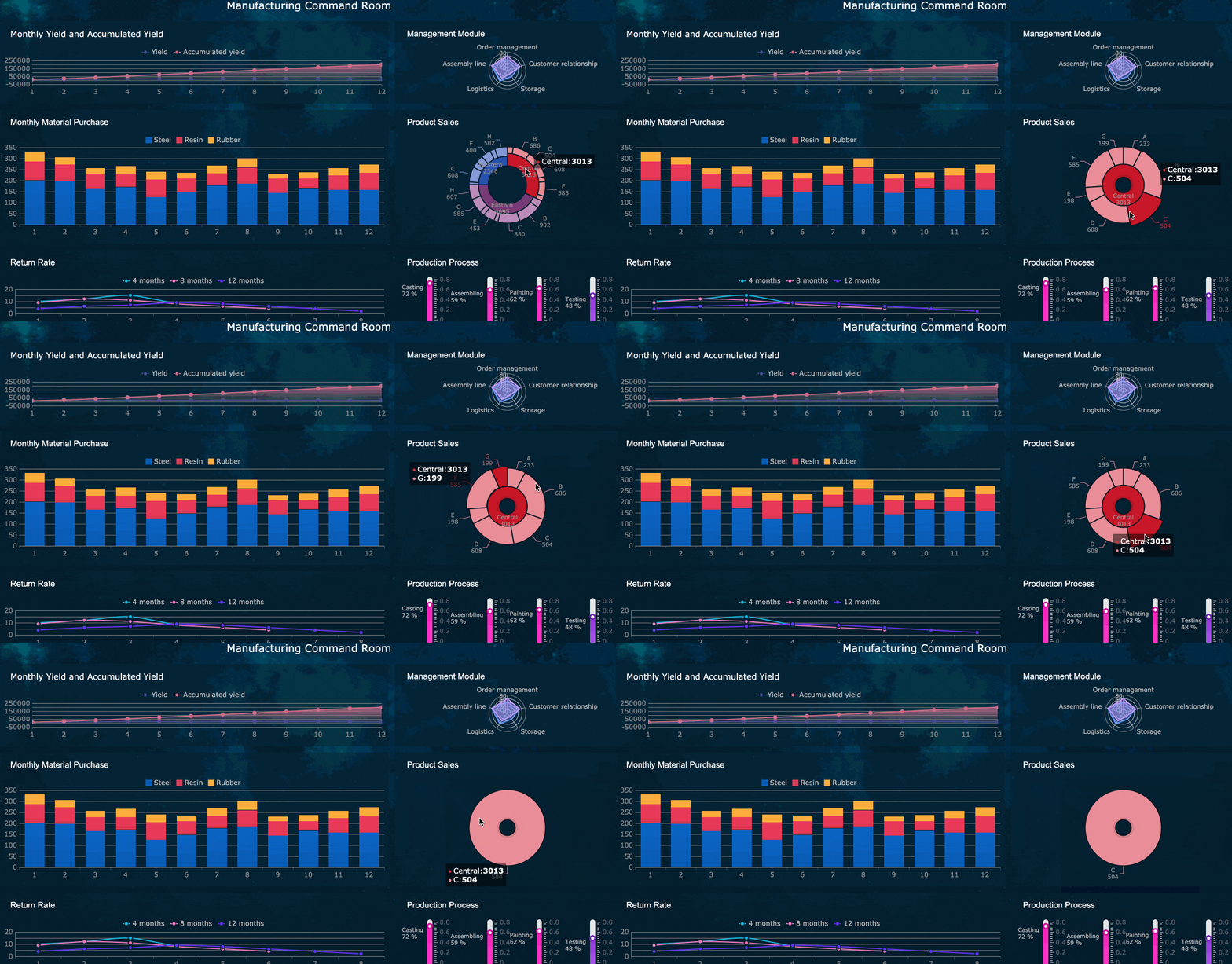 Interactive analysis and drill-down
If your challenge is not just Power BI license cost, but also how to scale dashboard usage across non-technical teams, FineBI is worth including in your evaluation.
Where Dora fits with FineBI
Dora is FanRuan’s enterprise Data Agent platform. It is best understood as an AI assistant layer on top of FineBI and existing enterprise data assets.
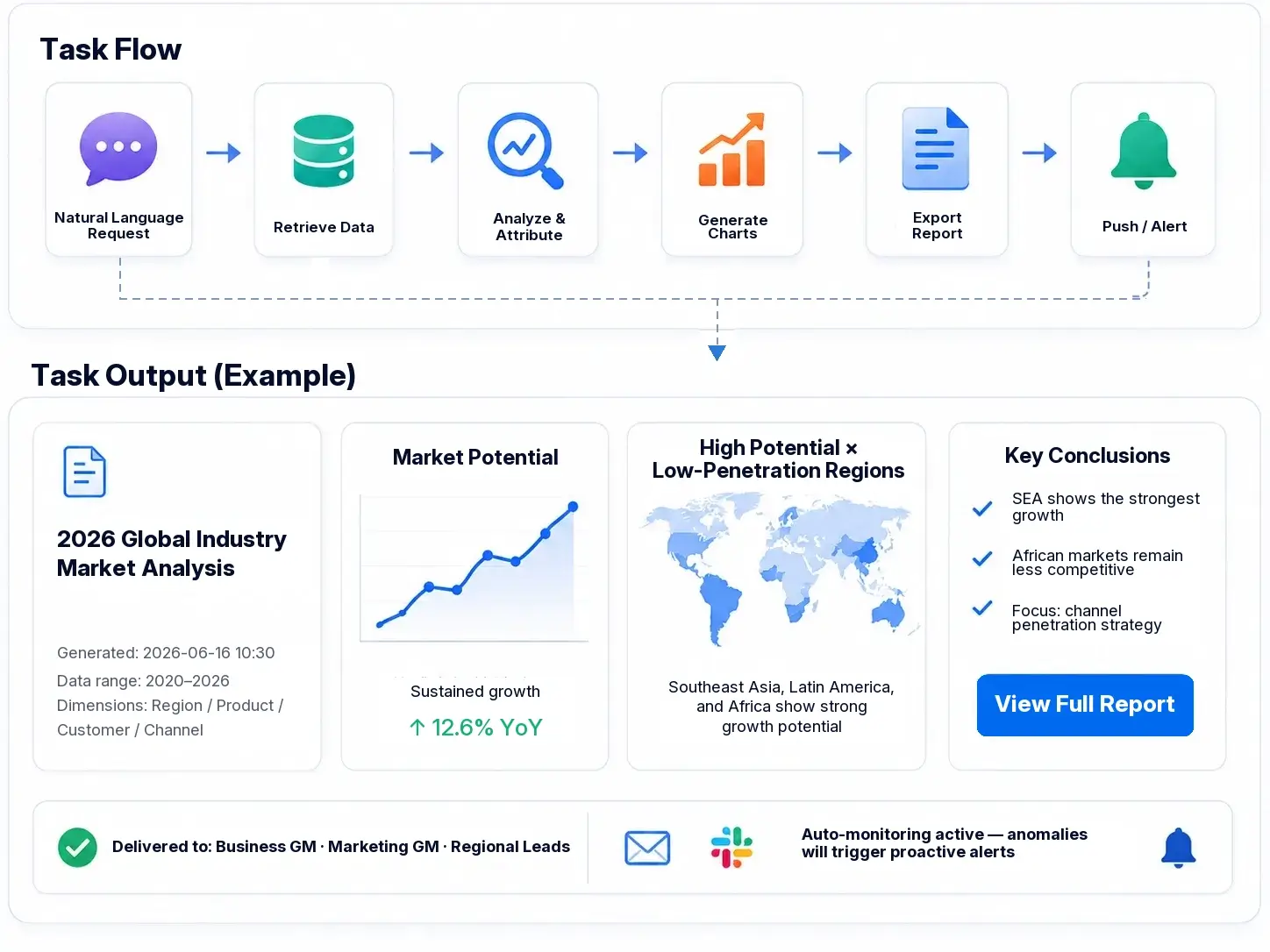
Together, FineBI + Dora helps enterprises move beyond static dashboard consumption toward a more active model where AI can help users:
- ask questions in natural language
- analyze trusted business data
- generate summaries and charts
- push alerts and follow-up actions
- support governed AI workflows in business scenarios
This is why Dora is better positioned as Agentic BI, not as a generic chatbot.
The practical model looks like this:
- FineBI builds the trusted dashboard, metric, and semantic foundation
- Dora turns that governed foundation into a scenario-specific AI assistant or AI digital employee
Depending on the enterprise scenario, Dora can support roles such as:
- Data Analyst digital employee
- Report Researcher
- Daily Briefing Secretary
- Risk Alert Officer
For organizations trying to reduce the gap between “dashboard exists” and “people actually act on it,” this combination can be especially useful.

Get Ready-to-Use Dashboard Templates in Fine Gallery
Final takeaway on Power BI cost in 2026
If you want the shortest possible answer to Power BI cost in 2026, it is this:
- Free: $0 for personal use and learning
- Pro: about $14/user/month for collaboration
- Premium Per User: about $24/user/month for advanced user needs
- Fabric Capacity: variable, for broader scale and enterprise scenarios
The right option depends less on brand pricing pages and more on:
- how many users create content
- how many only consume it
- whether premium capabilities are truly needed
- whether broader enterprise scale or Fabric adoption is part of your roadmap
And if your organization is also evaluating self-service BI adoption, business-user usability, and AI-assisted analytics, it is worth looking at FineBI + Dora alongside Power BI.
FAQs
Power BI Free is 14 per user per month, and Premium Per User is about $24 per user per month. Fabric Capacity pricing varies by SKU, region, and purchasing model.